
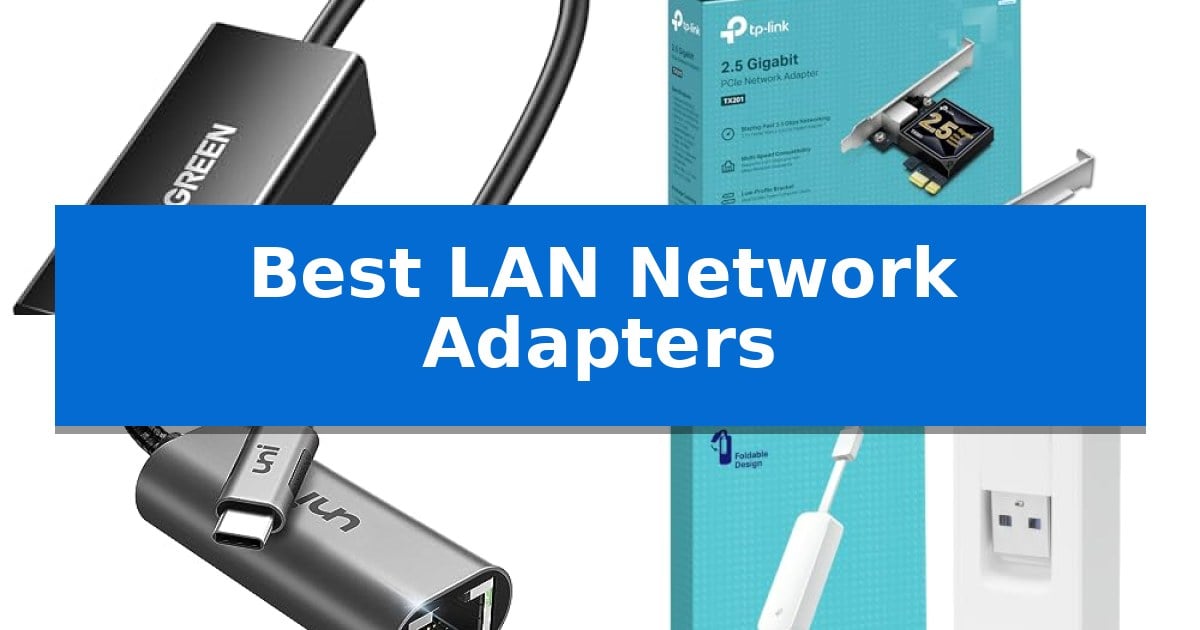
When wireless signals struggle to penetrate walls or maintain consistent latency, a reliable wired connection becomes essential for gaming, streaming, and professional workflows. The Best LAN Network Adapters provide a straightforward solution to bridge the gap between your device's available ports and the high-speed stability of an Ethernet cable.
Selecting the right adapter requires balancing your device's interface—whether it is a standard USB-A port, a modern USB-C connection, or an internal PCIe slot—with your specific performance requirements. From portable travel-friendly dongles to high-bandwidth desktop cards, these adapters ensure your network traffic remains fast and uninterrupted.
Best LAN Network Adapters in 2026: Maximize your wired connection speeds
Quick Comparison
| Product | Best For | Key Strength | Score |
|---|---|---|---|
| UGREEN USB 3.0 to Ethernet Adapter | Best Overall | 1000Mbps gigabit speed for stable network performance | 4.9 |
| TP-Link TX201 2.5G PCIe Network Card | Fastest Wired Desktop Connection | 2.5 Gbps high-speed data transfer capability | 4.5 |
| uni USB-C to Ethernet Adapter | Ideal for Modern USB-C Laptops | Supports 1Gbps Gigabit Ethernet speeds for fast, stable data transfer. | 4.9 |
| TP-Link UE300 USB to Ethernet Adapter | Foldable Design for Travel | Foldable, compact design for easy travel. | 4.7 |
| BENFEI USB to Ethernet Adapter | Durable Aluminum Casing | Aluminum shell construction for improved durability and heat dissipation. | 4.7 |
How We Chose
- Interface Compatibility: Ensuring the adapter matches your device's specific port, such as USB-C, USB-A, or PCIe.
- Throughput Standards: Assessing support for Gigabit (1000Mbps) or 2.5G speeds to match your local network infrastructure.
- Physical Portability: Evaluating the size and cable design for users who need a travel-ready solution versus a permanent desktop installation.
- Installation Requirements: Prioritizing plug-and-play functionality to avoid complex driver configurations.
- Build Quality: Checking for durable materials like aluminum or reinforced cabling that withstand frequent use.
1 UGREEN USB 3.0 to Ethernet Adapter — Best for Nintendo Switch Gaming
The UGREEN USB 3.0 to Ethernet Adapter is a specialized networking peripheral designed to provide a stable, wired 1000Mbps gigabit network connection for devices that lack a built-in RJ45 port. By utilizing a USB 3.0 interface, this adapter facilitates high-speed data transfer, which is essential for minimizing network latency during online gaming, high-definition video streaming, and large file transfers.
Engineered for convenience, the device features Plug and Play functionality across Windows, macOS, and Chrome OS, eliminating the need for manual driver installations. Its compact and portable design, measuring approximately 2.4 by 0.9 by 0.6 inches, allows for easy transport in a pocket or briefcase, making it a practical solution for mobile professionals or users needing reliable connectivity on the move.
This adapter is specifically optimized for compatibility with the Nintendo Switch and Switch OLED, providing a direct wired path to the internet to help reduce the latency often associated with wireless connections. Beyond gaming consoles, it supports a broad range of hardware, including laptops, desktop PCs, and TV boxes that feature a standard USB-A port.
Built for longevity, the unit is backed by a 24-month warranty. It serves as an effective bridge for hardware that relies solely on wireless signals, offering a straightforward method to upgrade to a wired local area network without complex configuration.
Best for: Users needing a stable, high-speed wired network connection for a Nintendo Switch, laptop, or PC via a USB-A port.
Skip if: Users who require a USB-C connection or those whose devices lack an available USB-A port.
PROS
- 1000Mbps gigabit speed for stable network performance
- Plug and Play driver-free installation
- Compact and portable design for travel
- Wide compatibility with Nintendo Switch and various PCs
CONS
- Requires USB-A port for connection
- Limited to USB 3.0 interface
2 TP-Link TX201 2.5G PCIe Network Card — Fastest Wired Desktop Connection
Upgrading your desktop connectivity to 2.5 Gbps is a straightforward process with the TP-Link 2.5GB PCIe Network Card (TX201). This network interface card is designed to provide a significant bandwidth boost, offering speeds up to 2.5 times faster than standard Gigabit adapters, which helps reduce network congestion for data-heavy tasks.
The TX201 utilizes 2.5G Base-T Technology and features automatic negotiation, allowing it to maintain compatibility with slower 1 Gbps or 100 Mbps connections when necessary. For users focused on gaming, the integrated Quality of Service (QoS) technology helps prioritize traffic to maintain performance, while Wake on LAN (WOL) functionality allows for remote power management of the host computer.
Installation is flexible thanks to the inclusion of both low-profile and full-height brackets, ensuring the card fits into standard desktop towers as well as compact mini-tower cases. The card is engineered for broad system compatibility, supporting Windows 11, 10, 8.1, 8, 7, as well as Windows Server 2022, 2019, 2016, and Linux environments.
This adapter is a practical solution for those looking to maximize their wired network throughput. It is backed by a 2-year manufacturer warranty and access to 24/7 technical support, providing a reliable path for users needing to move beyond standard Gigabit Ethernet limitations.
Best for: Users looking to upgrade their desktop PC to 2.5 Gbps wired networking speeds for reduced congestion and improved bandwidth.
Skip if: Users who do not have an available PCIe slot on their motherboard or those who only require standard 1 Gbps connectivity.
PROS
- 2.5 Gbps high-speed data transfer capability
- QoS technology for prioritized gaming performance
- Includes low-profile and full-height brackets for versatile case compatibility
- Broad support for Windows and Linux operating systems
CONS
- Requires an open PCIe slot for installation
- Performance is dependent on existing network conditions and infrastructure
3 uni USB-C to Ethernet Adapter — Ideal for Modern USB-C Laptops
Reliable wired connectivity is often the most effective way to bypass inconsistent wireless signals, and the uni USB-C to Ethernet Adapter provides a straightforward solution for modern devices. This adapter enables stable network speeds up to 1Gbps, ensuring that large file transfers and high-bandwidth tasks can proceed without the interruptions often associated with fluctuating Wi-Fi environments.
Designed for portability and ease of use, the unit features a compact and lightweight form factor that avoids obstructing adjacent ports on your laptop or tablet. The build quality includes a premium aluminum casing for effective heat dissipation and a braided nylon cable to enhance long-term durability. Its non-slip design simplifies the process of plugging and unplugging the device during daily use.
Compatibility is a primary focus for this adapter, as it supports a wide range of hardware including recent MacBook Pro and Air models, iPad Pro, and various USB-C equipped smartphones and tablets like the Samsung Galaxy series. The device operates on a plug-and-play basis, meaning no additional drivers are required to establish a connection. Users should note that to achieve the full 1Gbps performance, the use of CAT6 or higher Ethernet cables is required.
The adapter is built to maintain a snug, secure connection to your host device, preventing signal drops during operation. With an included 18-month warranty and 24/7 customer support, the manufacturer provides a clear path for assistance should any technical questions arise during the product's lifespan.
Best for: Users of modern USB-C laptops, tablets, and smartphones who require a stable, high-speed wired network connection.
Skip if: Users who specifically need to connect a Nintendo Switch, as this device is not compatible with that platform.
PROS
- Supports 1Gbps Gigabit Ethernet speeds for fast, stable data transfer.
- Plug-and-play functionality requires no driver installation.
- Durable construction featuring a braided nylon cable and aluminum casing.
- Compact, non-slip design that protects adjacent ports.
CONS
- Not compatible with Nintendo Switch consoles.
- Requires CAT6 or higher cabling to reach maximum 1Gbps speeds.
4 TP-Link UE300 USB to Ethernet Adapter — Foldable Design for Travel
Reliable wired networking is often essential for maintaining consistent data transfer speeds, especially when working with devices that lack built-in Ethernet ports. The TP-Link UE300 USB to Ethernet Adapter offers a straightforward solution by converting a standard USB 3.0 port into a high-speed RJ45 Gigabit Ethernet connection.
Designed for portability, this adapter features an ultra-compact and foldable design, making it a practical addition to a laptop bag for travel or office use. It supports full 10/100/1000Mbps Gigabit Ethernet performance, ensuring that your wired connection is not a bottleneck for your network speed.
Compatibility is a key strength of the TP-Link UE300 USB to Ethernet Adapter, as it supports a wide range of operating systems including Windows, macOS, Chrome OS, and Linux. For most modern systems, it functions as a plug & play device, eliminating the need for manual driver installations. It is also backwards compatible with USB 2.0 and USB 1.2, providing flexibility for older hardware.
The device adheres to IEEE 802.3, 802.3U, 802.3ab, and 802.3az standards, the latter of which supports Energy Efficient Ethernet. TP-Link provides a 24-month manufacturer warranty and lifetime technical support, offering long-term assurance for your network connectivity setup.
Best for: Users needing a portable, reliable Gigabit Ethernet connection for laptops or desktops that lack an integrated RJ45 port.
Skip if: Users requiring compatibility with gaming consoles like the Nintendo Switch or Wii U, as this adapter does not support those platforms.
PROS
- Foldable, compact design for easy travel.
- Supports full Gigabit Ethernet speeds via USB 3.0.
- Plug & play installation on most modern operating systems.
- Includes a 24-month manufacturer warranty.
CONS
- Not compatible with Nintendo Switch, Wii U, or Wii consoles.
5 BENFEI USB to Ethernet Adapter — Durable Aluminum Casing
Reliable wired connectivity is often the most effective way to ensure stable performance for data-intensive tasks like video conferencing or large file transfers. The BENFEI USB to Ethernet Adapter simplifies this process by providing a direct bridge between your USB-C or USB-A device and a wired network, bypassing the potential inconsistencies of wireless signals.
Engineered with an advanced IC chip, this adapter supports Gigabit Ethernet speeds up to 1000Mbps, provided you are using CAT6 or higher cabling. Its design prioritizes durability and heat management through an aluminum shell, while the integrated Link and Activity LEDs provide immediate visual confirmation of your network status.
Compatibility is a primary strength of this device, as it supports a wide range of operating systems including Windows, Mac OS, Chrome OS, and Linux without the need for manual driver installation. The unit is USB powered, eliminating the need for external power bricks, and includes support for Wake-on-Lan (WoL), Full-Duplex, and Auto MDIX for seamless network integration.
While this adapter is highly versatile, it is important to note that it is not compatible with the Nintendo Switch or Windows RT systems. For users requiring a portable, plug-and-play solution to add a standard RJ45 port to a modern Ultrabook or MacBook, this adapter offers a robust and straightforward hardware solution.
Best for: Users needing a reliable, plug-and-play wired network connection for laptops or tablets lacking a built-in Ethernet port.
Skip if: Users specifically looking for a network adapter compatible with the Nintendo Switch or Windows RT operating systems.
PROS
- Aluminum shell construction for improved durability and heat dissipation.
- Driver-free installation with native support across major operating systems.
- Supports Gigabit Ethernet (1000Mbps) performance for high-speed data transfers.
- Includes 18-month warranty for long-term support.
CONS
- Not compatible with Nintendo Switch or Windows RT devices.
- Requires CAT6 or higher cables to achieve full 1Gbps performance.
Best LAN Network Adapters Buying Guide
Understanding Interface Compatibility
The most critical step in choosing an adapter is identifying the correct connection type for your host device. USB-A adapters are widely compatible with older laptops and gaming consoles, while USB-C adapters are standard for modern ultrabooks and tablets. For desktop computers, a PCIe network card provides a direct connection to the motherboard, often allowing for higher bandwidths like 2.5G.
Always verify if your device requires a specific connector type to avoid the need for additional hubs or dongles. Using the wrong interface can lead to bottlenecked speeds or physical connection issues that prevent the adapter from functioning at its rated capacity.
Evaluating Network Throughput
Most modern adapters support Gigabit Ethernet (1000Mbps), which is sufficient for high-definition streaming and standard online gaming. However, if you have a high-speed internet plan or a local server setup, a 2.5G adapter can provide significantly more headroom.
Remember that your total network speed is limited by the slowest component in your chain. To achieve the full potential of a 1Gbps or 2.5Gbps adapter, ensure you are using CAT6 or higher Ethernet cables and that your router or switch supports the corresponding speeds.
Portability and Form Factor
For users on the go, a foldable or compact design is a major advantage. Adapters with integrated cables or small, lightweight housings fit easily into laptop bags, making them ideal for business travel or remote work setups.
Desktop users, conversely, should prioritize durable casing materials like aluminum, which helps with heat dissipation during extended use. If you are installing an internal card, ensure your computer case has the necessary space for either full-height or low-profile brackets.
Plug-and-Play vs. Driver Installation
Ease of setup is a key differentiator. Many modern adapters are driver-free, meaning they are recognized automatically by Windows, macOS, and Chrome OS upon connection. This is particularly important for users who lack administrative access or technical expertise.
While most current devices support plug-and-play, some older operating systems or specialized hardware may still require manual driver installation. Always check the manufacturer's compatibility list to ensure your specific OS version is supported without extra steps.
Additional Network Features
Advanced adapters often include features like Wake-on-LAN (WoL), which allows you to remotely power on your computer, or Quality of Service (QoS) technology that prioritizes gaming traffic to reduce lag. These features can be highly beneficial for power users and gamers.
Not every adapter includes these extras, so evaluate whether your specific use case requires them. For basic file transfers and web browsing, a standard, reliable connection is usually all that is necessary.
Frequently Asked Questions
Do I need to install drivers for these adapters?
Most of the adapters listed are plug-and-play for modern operating systems like Windows 10/11, macOS, and Chrome OS, requiring no manual driver installation.
Can I use a USB-C to Ethernet adapter on my Nintendo Switch?
Compatibility varies by product. While some adapters are specifically designed for the Nintendo Switch, others are optimized for laptops and may not function with the console.
What cable should I use to get 1Gbps speeds?
To reliably achieve 1Gbps or higher, you should use CAT6, CAT6A, or CAT7 Ethernet cables.
Is a PCIe card better than a USB adapter?
A PCIe card is generally better for desktop PCs as it connects directly to the motherboard, often supporting higher speeds like 2.5G and offering a more permanent, stable connection.
Will these adapters work with my older USB 2.0 port?
Most USB 3.0 adapters are backward compatible with USB 2.0, but your speed will be significantly limited by the older USB 2.0 interface.
Conclusion: Our Top Pick
Choosing the right network adapter depends on your specific hardware and performance needs. For most users seeking a balance of speed, portability, and broad compatibility, the UGREEN USB 3.0 to Ethernet Adapter stands out as the most versatile choice.
Its plug-and-play functionality and proven compatibility with various devices, including the Nintendo Switch and modern laptops, make it a reliable upgrade for anyone looking to move away from inconsistent wireless connections. While specialized needs like 2.5G desktop speeds or specific USB-C requirements might lead you to other options, this adapter provides the most consistent value for a wide range of setups.