
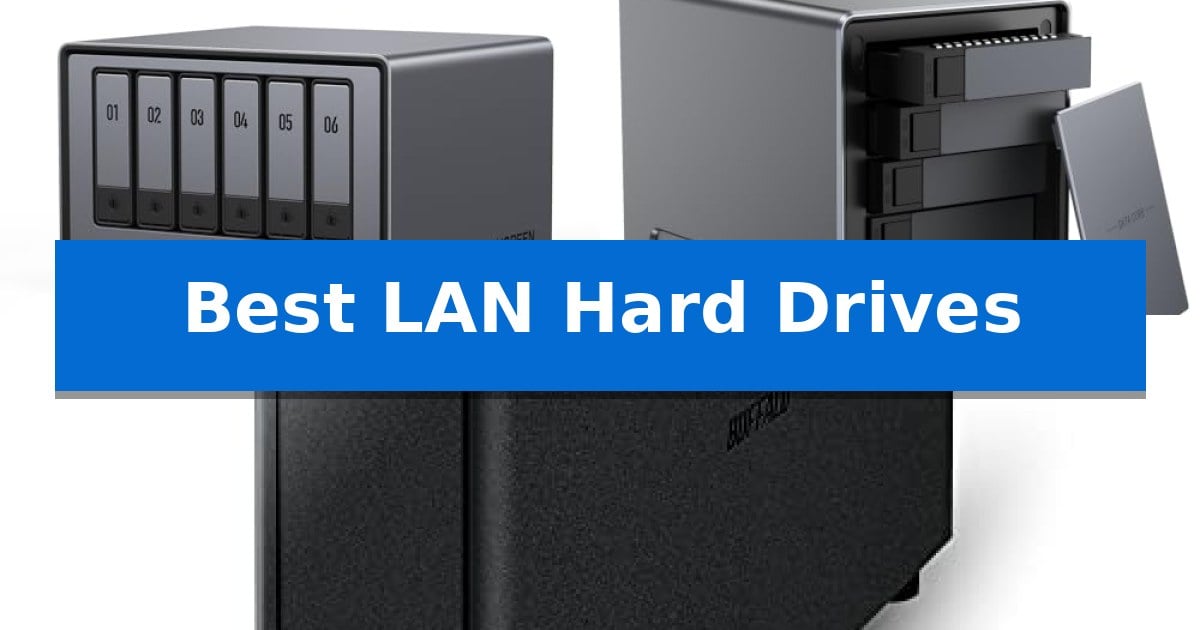
Managing digital files across multiple devices often leads to fragmented storage and security concerns. Investing in the Best LAN Hard Drives allows you to create a centralized, private hub for your photos, documents, and media, ensuring your data remains accessible yet protected within your own network.
Whether you are a professional needing high-speed transfers for large projects or a home user seeking a subscription-free backup solution, choosing the right hardware is essential. We have analyzed current network-attached storage options to help you determine which system best fits your specific storage capacity and connectivity requirements.
Best LAN Hard Drives in 2026: Streamline Your Local Network Storage
Quick Comparison
| Product | Best For | Key Strength | Score |
|---|---|---|---|
| UGREEN NAS DXP6800 Plus | Best Overall | High-speed 10GbE and 2.5GbE network ports for rapid data transfer. | 4.9 |
| ACEMAGIC NAS Mini PC N3A | Versatile Multi-Bay Private Cloud | Massive 136TB total capacity with 4-bay HDD and dual M.2 NVMe support. | 4.3 |
| BUFFALO LinkStation 210 | Simple Plug-and-Play Network Storage | Subscription-free personal cloud storage. | 4.6 |
How We Chose
- Network Interface Speed: We prioritized devices offering high-bandwidth ports like 10GbE or 2.5GbE for efficient data transfer.
- Storage Scalability: We assessed the number of drive bays and support for various RAID configurations to ensure long-term flexibility.
- Hardware Performance: We reviewed the processing power and memory capacity to determine how well each unit handles concurrent tasks and file management.
- Data Security Features: We examined the inclusion of encryption standards and local backup capabilities to ensure user control over private information.
- System Compatibility: We verified support for major operating systems and the availability of unified management applications for simplified setup.
1 UGREEN NAS DXP6800 Plus — High-Speed 10GbE Network Performance
Managing massive data volumes requires a robust infrastructure, and the UGREEN NAS DXP6800 Plus provides a high-performance foundation for business-grade storage needs. Featuring a 12th Gen Intel Core i3 processor and 8GB of DDR5 RAM, this 6-bay desktop unit is engineered to handle demanding workloads while maintaining seamless connectivity across diverse operating systems.
The device excels in network-heavy environments by offering a combination of 10GbE and 2.5GbE ports. These can be aggregated to achieve up to 20G bandwidth, facilitating rapid file transfers and efficient data management for collaborative projects. With support for six SATA drives and two M.2 NVMe slots, the system provides a massive storage ceiling of up to 208TB, accommodating extensive media libraries and document archives.
Security and control remain central to the design, as the unit operates as a private storage solution without reliance on third-party clouds. It includes advanced encryption and holds ETSI EN 303 645 certification, ensuring data remains protected locally. Users can manage all functions through a unified application, simplifying tasks like storage management and automated backups.
While the unit is powerful, it is strictly a wired-network solution, requiring an Ethernet connection for all operations. Its diskless design allows for flexible drive selection, though users must source compatible HDDs or SSDs separately. This focus on performance and local control makes it a specialized tool for those prioritizing speed and data sovereignty over plug-and-play simplicity.
Best for: Businesses and power users requiring high-speed 10GbE connectivity and massive, secure local storage capacity.
Skip if: Users seeking a simple, wireless-enabled home media server or those who prefer an all-in-one solution that includes pre-installed hard drives.
PROS
- High-speed 10GbE and 2.5GbE network ports for rapid data transfer.
- Powerful 12th Gen Intel Core i3 processor for demanding multitasking.
- Massive storage potential with support for up to 208TB across 6 bays and 2 M.2 slots.
- Enhanced data security with local storage and ETSI EN 303 645 certification.
CONS
- Wired-only connectivity with no support for Wi-Fi.
- Diskless configuration requires separate purchase of storage drives.
2 ACEMAGIC NAS Mini PC N3A — Versatile Multi-Bay Private Cloud
Managing massive data volumes requires a robust local solution that bypasses the recurring costs and privacy concerns of cloud-based subscriptions. The ACEMAGIC NAS Mini PC N3A addresses this by providing a versatile 4-bay storage hub that puts you in total control of your digital archives, from extensive photo libraries to high-resolution video collections.
At the heart of the ACEMAGIC NAS Mini PC N3A is a flexible architecture supporting up to 136TB of total storage capacity. This is achieved through four 3.5-inch hard drive bays complemented by two M.2 PCIe 3.0 NVMe slots, which allow for high-speed performance alongside high-capacity storage. The system comes equipped with 8GB of DDR4 RAM and a pre-installed 128GB PCIe 3.0 SSD, ensuring a stable foundation for 24/7 operation.
Connectivity is a primary strength of this unit, featuring dual 2.5G and 1G Ethernet ports that support link aggregation. This configuration is engineered for demanding tasks such as streaming 4K media and simultaneous multi-device backups, while providing network redundancy. The device also includes HDMI 2.0 and DP 1.4 outputs, supporting dual 4K displays for users who wish to utilize the unit as a light office PC or media server.
Because the ACEMAGIC NAS Mini PC N3A is an open-ecosystem device, it is not restricted to proprietary software. It supports a wide range of operating systems including Windows 11 Pro, TrueNAS, and Unraid, making it a highly adaptable choice for those looking to build a custom private cloud or Docker host. Note that this is a diskless system, meaning you must supply your own HDDs and SSDs to complete the build.
Best for: Users who require a high-capacity, customizable local storage server for media streaming, large-scale backups, and private cloud hosting.
Skip if: Users seeking a plug-and-play solution with pre-installed drives or those who prefer a locked-in, simplified software ecosystem.
PROS
- Massive 136TB total capacity with 4-bay HDD and dual M.2 NVMe support.
- Dual 2.5G+1G LAN ports for high-speed transfers and network redundancy.
- Open-ecosystem compatibility supporting TrueNAS, Unraid, and Windows 11 Pro.
- Versatile connectivity including HDMI 2.0, DP 1.4, and USB 3.2 Gen2 Type-C.
CONS
- Diskless design requires separate purchase and installation of storage drives.
- Requires technical setup to configure the operating system and storage arrays.
3 BUFFALO LinkStation 210 — Simple Plug-and-Play Network Storage
Centralizing your digital life starts with reliable storage that remains accessible across your entire home network. The BUFFALO LinkStation 210 provides a straightforward approach to this by acting as a 4TB network-attached storage device that connects directly to your router, eliminating the need to juggle multiple external drives or cloud subscriptions.
Designed for security and ease of use, this 1-bay NAS features a closed system to minimize vulnerabilities from third-party applications and utilizes SSL encryption for secure file transfers. It serves as a subscription-free personal cloud, allowing you to manage and back up your music, photos, and videos while maintaining private access controls for different users.
The device includes the NAS Navigator management utility and dedicated PC backup software to facilitate automated backups across your computers. It is compatible with Windows and macOS (up to version 15), and the package includes a 2-year warranty backed by 24/7 US-based support to assist with installation and setup.
Built with a focus on quality, this unit is made in Japan and offers a compact footprint measuring approximately 8.67 inches in height. It is a practical solution for those who want to consolidate their data into one secure, always-on location without the complexity of advanced enterprise-grade hardware.
Best for: Home users seeking a simple, subscription-free way to centralize and back up data across multiple computers and devices.
Skip if: Users requiring high-performance multi-bay RAID configurations or those running macOS 26 and later.
PROS
- Subscription-free personal cloud storage.
- 4TB capacity with included HDD.
- Closed system architecture for enhanced data security.
- Automated backup software included for multiple devices.
CONS
- Single-bay design lacks the redundancy of multi-drive RAID arrays.
- Compatibility limitations for macOS 26 and newer versions.
Best LAN Hard Drives Buying Guide
Understanding Network Storage Interfaces
The connection speed of your network storage is dictated by its Ethernet ports. While standard 1GbE ports are common, the Best LAN Hard Drives often feature 2.5GbE or 10GbE ports, which significantly reduce wait times when moving large media files or backing up multiple workstations simultaneously.
When selecting a device, ensure your existing network infrastructure—including your router or network switch—supports these higher speeds to avoid bottlenecks. If you are working with high-resolution video or massive datasets, prioritizing a unit with 10GbE capability is a vital investment for productivity.
Storage Capacity and RAID Configurations
The number of drive bays determines your maximum storage ceiling and your data redundancy options. A multi-bay system allows you to utilize RAID configurations, which can either combine drives for maximum capacity or mirror them to prevent data loss in the event of a single drive failure.
Consider your future growth requirements before purchasing. A 4-bay or 6-bay unit provides more room to expand your storage pool over time compared to a single-bay device, making it a more cost-effective solution for long-term data management.
Processing Power and Multitasking
Modern network storage units act as mini-servers, requiring a capable CPU and sufficient RAM to manage background tasks like automatic backups, file indexing, and media streaming. A more powerful processor ensures that the system remains responsive even when multiple users are accessing files at once.
For users who plan to run virtual machines or containerized applications like Docker, look for models with higher core counts and expandable memory. This hardware headroom prevents system lag and ensures smooth operation during intensive data operations.
Data Privacy and Local Control
One of the primary benefits of a private network drive is the elimination of monthly cloud subscription fees and third-party data access. By storing files locally, you maintain full physical and digital control over your information, which is critical for sensitive business documents or private media collections.
Look for devices that emphasize robust encryption and secure access protocols. A system that offers an all-in-one management app simplifies the process of configuring these security settings, allowing you to manage permissions and backups from a single, intuitive interface.
Compatibility and Ecosystem Integration
Your storage device must play well with your existing devices, whether you use Windows, macOS, or mobile platforms. The best systems provide seamless cross-platform support, ensuring that all your computers and mobile devices can easily read and write to the network drive.
Check for support for specific protocols or services you rely on, such as media servers or automated backup utilities. A device that supports a wide range of operating systems and services will be far easier to integrate into your daily workflow without requiring complex workarounds.
Frequently Asked Questions
Do I need to buy hard drives separately?
Most high-performance network storage units are sold as 'diskless' enclosures, meaning you must purchase your own compatible SATA or NVMe drives. Always check the product specifications to confirm if drives are included.
Can I access my files from outside my home network?
Many modern network storage devices offer remote access features through their proprietary apps or services, allowing you to securely reach your files over the internet while maintaining your private data storage.
What is the benefit of RAID?
RAID allows you to group multiple hard drives to achieve either higher performance or data redundancy. For example, RAID 1 mirrors your data across two drives, ensuring that if one fails, your information remains safe on the other.
Is a wired connection required?
Yes, most network-attached storage devices require a wired Ethernet connection to your router to ensure stable, high-speed data transfers. Wi-Fi is generally not recommended for primary network storage due to potential speed and stability limitations.
Can I use these devices for media streaming?
Absolutely. Many network storage units support media server applications like Plex, which allow you to stream your stored movies, music, and photos to various devices on your network.
Conclusion: Our Top Pick
Selecting the right network storage depends on your specific capacity needs and the speed of your existing network. For those requiring top-tier performance and massive storage potential, the UGREEN NAS DXP6800 Plus stands out as a powerful solution. Its 6-bay design, combined with 10GbE connectivity and a high-performance Intel i3 processor, makes it an excellent choice for demanding business environments or power users who need to handle large files and concurrent tasks efficiently.
While the UGREEN NAS DXP6800 Plus is our top recommendation, remember that it is a diskless system, so you will need to budget for compatible hard drives. Ensure your network equipment can support the high-speed 10GbE port to fully leverage the device's capabilities, providing you with a fast, secure, and centralized data hub for years to come.