
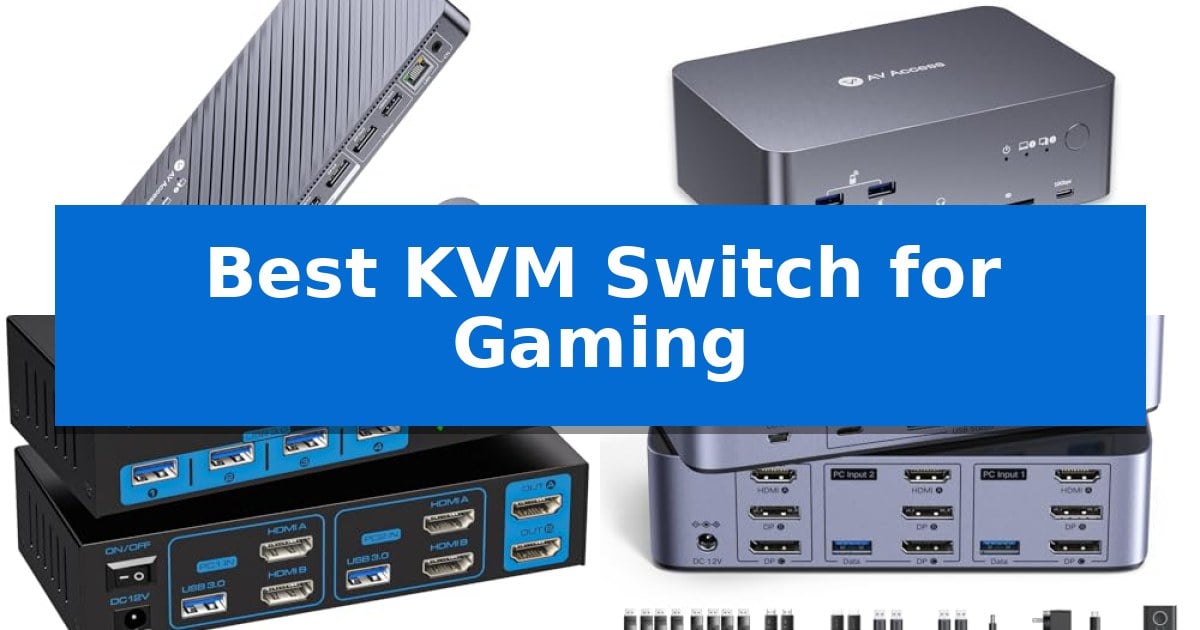
Managing a dual-computer setup often leads to a cluttered desk filled with redundant peripherals and tangled cables. Whether you are balancing a professional workstation and a high-performance gaming rig, the Best KVM Switch for Gaming provides a streamlined solution to share your monitor, keyboard, and mouse across both systems without constant unplugging.
Selecting the right hardware requires balancing display resolution, refresh rate support, and peripheral connectivity. By centralizing your setup into a single hub, you can transition from productivity to competitive gaming with the press of a button, ensuring your workspace remains organized and your hardware is always ready for action.
Best KVM Switch for Gaming in 2026
Quick Comparison
| Product | Best For | Key Strength | Score |
|---|---|---|---|
| AV Access iDock B10 KVM Switch | Best Overall | Supports dual 4K@165Hz or high-refresh 1080p gaming. | 4.9 |
| AV Access iDock B23 KVM Switch | Triple Monitor Gaming Powerhouse | 100W Power Delivery via a single USB-C cable for streamlined laptop charging. | 4.8 |
| VPFET 8K Dual Monitor KVM Switch | Smooth 4K 120Hz Competitive Play | Supports high-refresh 4K@120Hz and 8K@60Hz resolution for smooth gaming visuals. | 4.4 |
| UGREEN 8K Triple Monitor KVM Switch | Multi-Display High-Speed Switching | Supports high-resolution output up to 8K@60Hz and 4K@240Hz. | 4.3 |
| UGREEN 8K DisplayPort KVM Switch | Ultra-Fast 240Hz Gaming Support | Supports high-performance 4K at 240Hz and 8K at 60Hz output. | 4.5 |
How We Chose
- Display bandwidth and refresh rate compatibility for high-speed gaming.
- USB port quantity and data transfer speeds for shared peripherals.
- Ease of switching between connected computers via physical or remote controls.
- Power delivery capabilities for charging laptops through a single cable.
- Compatibility with various operating systems and display configurations.
1 AV Access iDock B10 KVM Switch — High-Refresh Gaming and Docking
Managing a high-performance gaming rig alongside a professional workstation often leads to a cluttered desk filled with redundant peripherals. The AV Access iDock B10 KVM Switch addresses this by acting as an 11-in-1 docking station that consolidates your dual-monitor setup, keyboard, mouse, and high-speed USB gear into a single, switchable interface.
This device is built for versatility, supporting dual 8K@60Hz or dual 4K@165Hz displays for desktop users, while also enabling ultra-smooth 1080p gaming at up to 480Hz. It integrates VRR, FreeSync, and G-Sync support to maintain visual fidelity during intense sessions. For laptop users, a single USB-C connection provides dual-display output, 10Gbps data transfer, and 100W Power Delivery to keep your machine charged without extra cables.
A standout feature is the ability to keep both connected computers online via Gigabit Ethernet even when one is not actively selected. This ensures that background tasks, remote sessions, or large downloads remain uninterrupted. The unit includes a wired remote controller for quick switching, alongside four 10Gbps USB ports for high-speed storage or capture devices.
While highly capable, users should note that on macOS, the device supports mirrored external displays rather than extended ones due to MST limitations. For those requiring independent extended displays on a MacBook, alternative hardware is recommended. The package is comprehensive, shipping with essential HDMI 2.1, DP 1.4a, and USB-C cables to get your dual-computer environment running immediately.
Best for: Hybrid workers and gamers who need to seamlessly toggle a dual-monitor, high-refresh-rate setup between a desktop PC and a USB-C laptop.
Skip if: Mac users who require two independently extended external displays, as this device mirrors displays on macOS.
PROS
- Supports dual 4K@165Hz or high-refresh 1080p gaming.
- Provides 100W Power Delivery via a single USB-C cable.
- Maintains Gigabit Ethernet connectivity for both computers simultaneously.
- Includes a wired remote for convenient input switching.
CONS
- Limited to mirrored display output on macOS systems.
- Requires specific cable configurations for Mac mini setups.
2 AV Access iDock B23 KVM Switch — Triple Monitor Gaming Powerhouse
Managing multiple displays and peripherals across a desktop PC and a laptop often results in a cluttered desk and constant cable swapping. The AV Access iDock B23 KVM Switch addresses this by acting as an all-in-one docking station that allows you to share three monitors, a keyboard, mouse, and other USB peripherals between two computers seamlessly.
This device simplifies your workspace by utilizing a single USB-C connection for your laptop, which provides display output, data transfer, and 100W Power Delivery to keep your machine charged. For your desktop PC, it supports high-performance display configurations, including 8K@60Hz, 4K@165Hz, or even 1080p@480Hz for competitive gaming, ensuring that your high-refresh-rate monitors are fully utilized without compromise.
Beyond display switching, the unit maintains connectivity for both systems through a shared 1Gb Ethernet port, allowing background tasks like downloads or remote access to continue on the unselected computer. With three 10Gbps USB ports and an integrated SDXC card reader, it provides high-speed data access for external drives, making it a robust solution for creators and gamers who require efficient file management alongside their display control.
While the AV Access iDock B23 KVM Switch offers extensive compatibility, users should note that Windows laptops require a USB-C port that supports video output for extended multi-monitor functionality. MacBook users are limited to mirrored displays, so it is essential to verify your laptop's specific port capabilities before integrating this into your setup.
Best for: Gamers and professionals who need to share a triple-monitor setup and high-speed peripherals between a desktop PC and a USB-C laptop.
Skip if: Users with MacBooks who require independent extended content across multiple external monitors, as this device supports mirrored displays only on macOS.
PROS
- 100W Power Delivery via a single USB-C cable for streamlined laptop charging.
- Supports high-performance gaming specs up to 4K@165Hz and 1080p@480Hz.
- Integrated 1Gb Ethernet keeps both computers connected to the network simultaneously.
- Includes 10Gbps USB ports and an SDXC card reader for fast data transfers.
CONS
- MacBook compatibility is limited to mirrored displays rather than extended desktop mode.
- Requires a full-featured USB-C port on the laptop to support video output.
3 VPFET 8K Dual Monitor KVM Switch — Smooth 4K 120Hz Competitive Play
Managing a high-performance gaming rig alongside a secondary workstation requires a reliable way to toggle peripherals without constant cable swapping. The VPFET 8K Dual Monitor KVM Switch addresses this by enabling seamless control of two computers through a single keyboard and mouse setup, specifically designed for users who require extended desktop functionality across two displays.
Engineered for high-fidelity visuals, this switch supports resolutions up to 8K@60Hz and maintains fluid 4K@120Hz refresh rates. These specifications ensure that competitive gamers and creative professionals can maintain high-speed responsiveness and image clarity without signal degradation. The unit includes an external 12V power adapter, which provides the necessary stability to support connected USB peripherals, such as webcams or external drives, that standard host-powered switches often struggle to manage.
Connectivity is handled via four USB 3.0 ports, offering data transfer speeds up to 5 Gbps. This allows for quick file transfers and reliable input from high-polling-rate gaming mice and keyboards. Switching between your connected systems is straightforward, utilizing either the onboard panel button or the provided wired remote controller for one-touch access.
To ensure proper operation, your hardware must support dual HDMI outputs and extended desktop modes, as the device does not support single-monitor setups or passive adapters. While it lacks keyboard hotkey switching, the inclusion of a dedicated physical controller provides a tactile and immediate alternative for switching inputs.
Best for: Gamers and professionals who need to share a dual-monitor setup and high-speed USB 3.0 peripherals between two distinct computer systems.
Skip if: Users who require keyboard hotkey switching or those whose computer systems do not support dual HDMI outputs for extended desktop functionality.
PROS
- Supports high-refresh 4K@120Hz and 8K@60Hz resolution for smooth gaming visuals.
- Includes four USB 3.0 ports with 5 Gbps transfer speeds for fast peripheral connectivity.
- External 12V power adapter ensures stable performance for power-hungry USB devices.
- Convenient wired remote controller allows for easy one-touch input switching.
CONS
- Does not support keyboard hotkey switching.
- Requires computers with dual HDMI outputs to function in extended desktop mode.
4 UGREEN 8K Triple Monitor KVM Switch — Multi-Display High-Speed Switching
Managing multiple high-resolution displays across two systems requires a reliable interface that maintains signal integrity without constant cable swapping. The UGREEN 8K Triple Monitor KVM Switch provides a centralized hub for two computers to share three monitors and four USB 3.0 peripherals, utilizing a combination of two DisplayPort 1.4 ports and one HDMI 2.1 port per input.
Designed for high-bandwidth requirements, this switch supports resolutions up to 8K@60Hz and 4K@240Hz. It is compatible with HDR10+, HDCP 2.3, and adaptive sync technologies including VRR, FreeSync, and G-Sync. These features allow for fluid visual output across three screens, provided the connected hardware supports the necessary triple-monitor output.
The unit offers two distinct switching methods: a physical button on the device or a dedicated desktop controller. This controller allows for cleaner cable management by keeping the main switch unit out of the immediate workspace. The device supports both Mirror and Extend display modes, though it does not support keyboard hotkey toggles.
Setup is straightforward with a plug and play design that requires no additional drivers for Windows or Linux systems. The package includes a comprehensive set of cables, including four DisplayPort and two HDMI cables, along with a power adapter. Users should note that the device does not support EDID emulation and requires a direct power connection for stable operation.
Best for: Users who need to share three high-resolution monitors and multiple USB peripherals between two computers with high-refresh-rate support.
Skip if: Users who rely on keyboard hotkey shortcuts to switch inputs or those whose computers do not support triple-monitor output.
PROS
- Supports high-resolution output up to 8K@60Hz and 4K@240Hz.
- Includes a desktop controller for convenient input switching.
- Features four USB 3.0 ports for shared peripheral connectivity.
- Compatible with VRR, FreeSync, and G-Sync for smooth gaming visuals.
CONS
- Does not support keyboard hotkey switching.
- Lacks EDID emulation, which may affect window positioning when switching.
5 UGREEN 8K DisplayPort KVM Switch — Ultra-Fast 240Hz Gaming Support
Managing multiple high-refresh-rate displays and peripherals requires a reliable interface, and the UGREEN 8K DisplayPort KVM Switch provides a dedicated solution for users running two computers on a single monitor. By utilizing a DisplayPort 1.4 connection, this unit supports high-bandwidth needs, including 4K at 240Hz, making it a practical choice for maintaining fluid visual performance during competitive gaming or high-speed tasks.
The device features four USB 3.0 ports—three Type-A and one Type-C—allowing for the seamless sharing of keyboards, mice, and storage drives between two systems. With data transfer speeds up to 5Gbps, users can move files or switch input devices across systems without the need for constant cable swapping. The aluminum housing adds a layer of durability to the compact, desk-friendly design.
Switching between connected computers is handled via a physical one-button control or an included desktop controller, which allows for discreet placement of the main unit under a desk. This hardware-based switching ensures a direct transition between systems. Note that the device requires a 5V USB-C power source to function correctly, though the power adapter and DP cables are not included in the package.
Because the UGREEN 8K DisplayPort KVM Switch does not support EDID emulation or keyboard hotkeys, it functions as a straightforward pass-through device. Users should ensure their monitors and computers are capable of the desired resolutions and that they use high-quality DP 1.4 cables under 6.6 feet to maintain signal integrity for 8K or high-refresh-rate outputs.
Best for: Gamers and professionals who need to share a single high-refresh-rate monitor and USB peripherals between two desktop or laptop systems.
Skip if: Users who require EDID emulation, keyboard hotkey switching, or those who need to connect HDMI-based devices.
PROS
- Supports high-performance 4K at 240Hz and 8K at 60Hz output.
- Includes four USB 3.0 ports for high-speed peripheral sharing.
- Offers flexible switching via a convenient desktop controller.
- Durable aluminum construction for improved heat dissipation.
CONS
- Does not support EDID emulation or keyboard hotkey switching.
- Requires separate purchase of DisplayPort cables and a USB-C power adapter.
Best KVM Switch for Gaming Buying Guide
Understanding Display Bandwidth
High-refresh gaming requires significant bandwidth to maintain smooth motion without input lag. When choosing a KVM, ensure the device supports the DisplayPort or HDMI standards required by your monitor, such as 4K at 165Hz or higher.
Check that the switch supports VRR (Variable Refresh Rate), G-Sync, or FreeSync to prevent screen tearing during intense gameplay. A switch that lacks these features may bottleneck your monitor's performance, negating the benefits of a high-end gaming display.
Peripheral Connectivity and USB Standards
The number of USB ports determines how many devices you can share, such as mechanical keyboards, gaming mice, and webcams. Look for USB 3.0 or 3.2 ports to ensure fast data transfer, which is essential for high-polling-rate gaming peripherals.
Consider whether the switch offers dedicated ports for specific devices. Some models include specialized USB-C ports that handle both data and power, simplifying the connection process for modern laptops and hybrid workstations.
Switching Mechanisms
The method used to toggle between computers impacts your workflow efficiency. While some switches rely on a simple button on the unit, others include a wired remote controller that allows you to hide the main hub under your desk while keeping the switch button within reach.
Avoid switches that rely solely on software-based switching if you require instant, hardware-level reliability. A physical switch ensures that your peripherals are fully recognized by the active computer immediately upon toggling.
Power Delivery for Hybrid Setups
If you use a laptop as one of your primary machines, a KVM with Power Delivery (PD) is a significant advantage. This feature allows you to charge your laptop using the same cable that transmits video and data, eliminating the need for a separate power brick.
Verify the wattage output of the KVM's PD port to ensure it meets your laptop's requirements. A 100W PD rating is generally sufficient for most high-performance laptops, ensuring they remain charged during long work or gaming sessions.
Compatibility and Operating Systems
Before purchasing, verify that the KVM is compatible with your specific operating systems, such as Windows, macOS, or Linux. Some switches may have limitations regarding how they handle extended displays on certain platforms.
Note that some devices may require specific cable configurations for Mac mini or other specialized hardware. Always check the manufacturer's documentation regarding multi-monitor support, as some configurations may only support mirrored displays rather than extended desktops.
Frequently Asked Questions
Will a KVM switch introduce input lag during gaming?
High-quality KVM switches are designed to pass through signals with minimal latency. As long as you use high-quality, short cables that meet the required bandwidth standards, you should not experience noticeable input lag.
Can I use a wireless keyboard and mouse with these switches?
Yes, most KVM switches support wireless peripherals via their USB ports. Ensure your wireless receiver is plugged into a USB port on the switch for the most reliable connection.
Do I need special cables for 8K or high-refresh gaming?
Yes, using cables that meet the specific HDMI 2.1 or DisplayPort 1.4 standards is critical. Using older or lower-quality cables may result in reduced resolution, lower refresh rates, or intermittent signal loss.
Why do some KVMs require an external power adapter?
External power is often required to provide sufficient voltage to the USB ports, especially when connecting multiple devices like hard drives or high-power gaming peripherals that exceed the power output of a standard PC port.
Does the KVM switch keep both computers active?
Many advanced KVM switches maintain active connections for peripherals and networking even when a computer is not currently selected, allowing background tasks like downloads or remote sessions to continue uninterrupted.
Conclusion: Our Top Pick
For gamers and professionals seeking a versatile, high-performance solution, the AV Access iDock B10 KVM Switch stands out as the most capable option. It combines robust 8K video support with 100W power delivery and extensive USB connectivity, making it an ideal central hub for dual-computer environments.
While other models offer specific advantages for triple-monitor setups or budget-conscious users, the B10 provides the best balance of high-refresh gaming performance and docking convenience. Ensure your specific monitor and PC configuration aligns with the device's requirements to get the most out of your setup.