
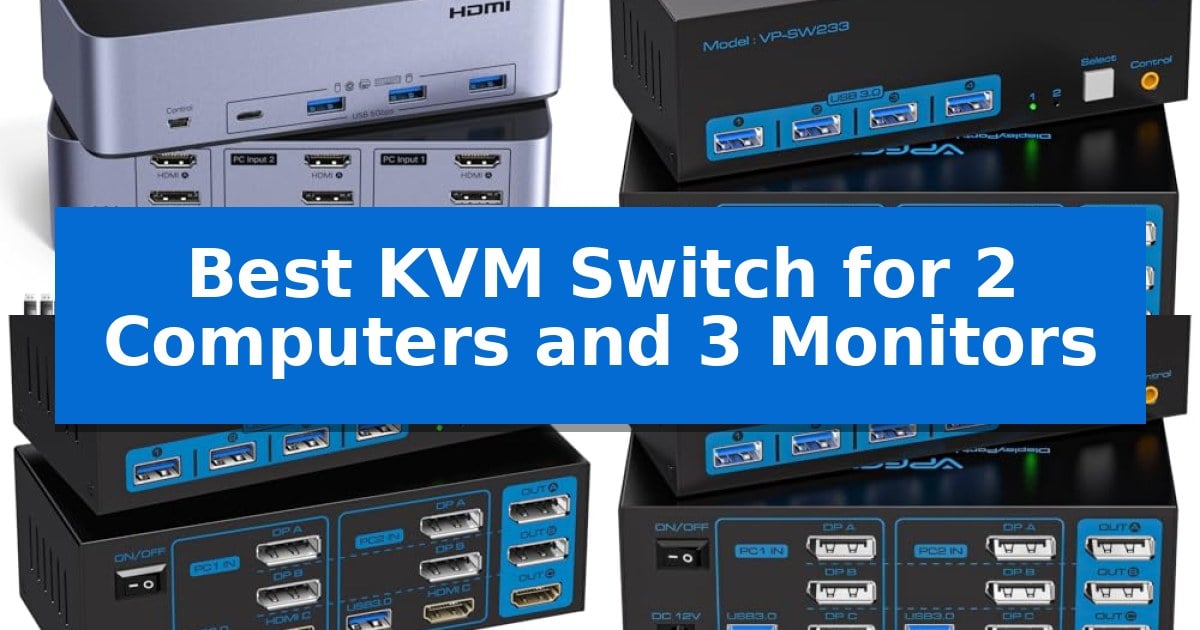
Managing multiple workstations often leads to a cluttered desk filled with redundant peripherals and tangled cables. Finding the Best KVM Switch for 2 Computers and 3 Monitors is the most effective way to streamline your workflow, allowing you to share a single keyboard, mouse, and triple-monitor array between two distinct PCs without constantly swapping connections.
Whether you are a content creator, a software developer, or a professional managing complex data sets, these switches provide the necessary connectivity to maintain a clean and efficient workspace. By centralizing your inputs, you can transition between systems with a single click, ensuring your productivity remains uninterrupted while maintaining high-resolution visual fidelity across all three screens.
Best KVM Switch for 2 Computers and 3 Monitors in 2026
Quick Comparison
| Product | Best For | Key Strength | Score |
|---|---|---|---|
| UGREEN 8K Triple Monitor KVM Switch | Best Overall | Supports high-bandwidth 8K@60Hz and 4K@240Hz resolutions. | 4.9 |
| CMSTEDCD 8K Triple Monitor KVM Switch | Best for High-Resolution Setups | Supports high-resolution output up to 8K@60Hz and 4K@120Hz. | 4.7 |
| VPFET 8K Triple Monitor KVM Switch | Versatile HDMI and DisplayPort Connectivity | Supports high-resolution output up to 8K@60Hz and 4K@120Hz. | 4.4 |
| JCYMELE 4K Triple Monitor KVM Switch | Smooth 144Hz Gaming Performance | Supports high-refresh-rate 4K@144Hz displays. | 4.3 |
| CMSTEDCD 8K HDMI DisplayPort KVM Switch | Reliable Triple Display Workflow | Supports high-resolution 8K@60Hz and 4K@120Hz visuals. | 4.8 |
How We Chose
- Display Interface Compatibility: Ensuring the switch supports the specific combination of DisplayPort and HDMI ports required for triple-monitor output.
- Resolution and Refresh Rate Support: Verifying the device's capacity to maintain high-definition signals, including 8K and high-refresh-rate 4K output.
- Peripheral Connectivity: Assessing the number and version of USB ports available for shared devices like keyboards, mice, and printers.
- Switching Mechanism: Evaluating the convenience of physical buttons versus external wired controllers for quick system transitions.
- Power Stability: Confirming the inclusion of dedicated power adapters to ensure reliable performance for all connected components.
1 UGREEN 8K Triple Monitor KVM Switch — Premium 8K High-Refresh Support
Managing multiple displays across two workstations often leads to cable clutter and inefficient switching. The UGREEN 8K Triple Monitor KVM Switch addresses this by allowing users to share three monitors and four USB 3.0 devices between two computers using a single, streamlined interface. By centralizing connectivity, it enables a cleaner workspace for professionals who rely on multi-monitor setups.
This device supports high-resolution output, featuring two DisplayPort 1.4 ports and one HDMI 2.1 port. It is capable of handling 8K@60Hz or 4K@240Hz resolutions, providing flexibility for high-refresh-rate gaming or detailed creative work. It also includes support for HDR10+, VRR, FreeSync, and G-Sync, which helps maintain visual consistency across all three screens during operation.
Usability is enhanced through a dedicated desktop controller, which allows for quick switching between computers without reaching for the main unit. The switch offers both Mirror and Extend display modes, catering to different workflow requirements. It is a driver-free, plug-and-play solution, compatible with Windows and Linux systems, though it does not support keyboard hotkey toggles.
To ensure reliable performance, the unit requires an external power supply via the included adapter. Users should note that this switch does not support EDID emulation, and all connected computers must natively support triple-monitor output to utilize the full display array. It is an effective tool for those needing to consolidate peripherals while maintaining high-bandwidth display capabilities.
Best for: Professionals and creators who need to switch a triple-monitor setup and multiple USB peripherals between two high-performance computers.
Skip if: Users who rely on keyboard hotkey switching or those whose computers do not natively support triple-monitor output.
PROS
- Supports high-bandwidth 8K@60Hz and 4K@240Hz resolutions.
- Includes a convenient desktop controller for easy switching.
- Features four USB 3.0 ports for shared peripheral connectivity.
- Compatible with VRR, FreeSync, and G-Sync for smooth visual output.
CONS
- Does not support keyboard hotkey switching.
- Lacks EDID emulation, which may impact window positioning when switching.
2 CMSTEDCD 8K Triple Monitor KVM Switch — Best for High-Resolution Setups
Managing a multi-monitor workstation requires hardware that can keep up with high-bandwidth video signals and peripheral connectivity. The CMSTEDCD 8K Triple Monitor KVM Switch addresses this by enabling two computers to share three displays and four USB 3.0 devices, streamlining desk space for users who rely on extended or duplicate display modes.
Engineered for high-resolution workflows, this device supports DisplayPort 1.4 standards, allowing for resolutions up to 8K@60Hz or 4K@120Hz. This capability ensures that high-frame-rate content remains clear, provided that the source, monitor, and cables all meet the necessary 8K specifications.
For peripheral management, the unit includes four USB 3.0 ports with a maximum transfer rate of 5Gbps. This allows for efficient file transfers between connected systems and peripherals like webcams, printers, or external hard drives, while maintaining backward compatibility with USB 2.0 and 1.1 standards.
Usability is prioritized through two distinct switching methods: a physical button on the main panel or an included wired controller. The latter allows the main switch to be tucked away, keeping the workspace tidy while providing quick access to toggle between systems. A 12V power adapter is included to ensure stable performance across various hardware configurations.
Best for: Users who need to share three high-resolution monitors and multiple USB 3.0 peripherals between two computers.
Skip if: Users whose computers or monitors lack DisplayPort connectivity or those who require HDMI-native switching.
PROS
- Supports high-resolution output up to 8K@60Hz and 4K@120Hz.
- Includes a wired remote controller for convenient desktop switching.
- Features four USB 3.0 ports with 5Gbps transfer speeds.
- Includes a 12V power adapter for consistent signal stability.
CONS
- Requires all connected devices and cables to support DP 1.4 for maximum resolution.
- Limited to DisplayPort connectivity only.
3 VPFET 8K Triple Monitor KVM Switch — Versatile HDMI and DisplayPort Connectivity
Managing a multi-monitor workstation often leads to cable clutter and inefficient input switching. The VPFET 8K Triple Monitor KVM Switch addresses this by allowing two computers to share three displays and a single set of peripherals, including keyboards, mice, and audio devices. By centralizing your connections, this device streamlines your desk space and simplifies the transition between work and personal systems.
Designed for high-resolution setups, this unit supports HDMI 2.1 and DP 1.4 standards, enabling output up to 8K@60Hz or 4K@120Hz. This makes it suitable for users who require high-refresh-rate visuals for productivity or specialized tasks. It is important to note that the switch requires a specific configuration of two DisplayPort cables and one HDMI cable per computer to function correctly with three monitors.
The device includes four USB 3.0 ports capable of transfer speeds up to 5Gbps, which is useful for connecting external drives, printers, or scanners alongside your primary input devices. To ensure stable performance, especially when using high-power USB peripherals, the switch comes with a 12V1A power adapter. This dedicated power supply provides the necessary current to maintain consistent connectivity across all connected devices.
Usability is enhanced through two distinct switching methods. You can toggle between computers using the button on the main panel or utilize the included wired desktop controller. The latter allows you to tuck the main unit away for a cleaner aesthetic while keeping the switching mechanism within easy reach. The device is compatible with major operating systems including Windows, XP, and Linux, offering broad utility for diverse hardware environments.
Best for: Users who need to switch a three-monitor setup and four USB 3.0 peripherals between two computers with high-refresh-rate display support.
Skip if: Users whose computers lack the required combination of two DisplayPort and one HDMI output, or those who rely on DP-to-HDMI adapter cables which are not supported.
PROS
- Supports high-resolution output up to 8K@60Hz and 4K@120Hz.
- Includes a wired desktop controller for convenient switching.
- Features four USB 3.0 ports for high-speed peripheral connectivity.
- Includes a 12V1A power adapter for stable device operation.
CONS
- Requires specific 2 DP + 1 HDMI port configuration per computer.
- Does not support DP to HDMI or DP to DVI adapter cables.
4 JCYMELE 4K Triple Monitor KVM Switch — Smooth 144Hz Gaming Performance
Managing a multi-monitor workstation requires hardware that can keep pace with high-resolution displays and rapid switching needs. The JCYMELE 4K Triple Monitor KVM Switch provides a dedicated solution for users who need to toggle three DisplayPort monitors, a keyboard, and a mouse between two computers with a single button press.
Designed for professional environments, this unit supports high-performance visuals with 4K@144Hz output, ensuring fluid motion for graphic design and video editing tasks. The switch utilizes USB 3.0 connectivity, which facilitates data transfer speeds up to 5Gbps, allowing for the efficient sharing of peripherals across both connected systems without the clutter of constant cable swapping.
The hardware features a wired controller for quick, one-button switching, which simplifies the transition between a workstation and a secondary PC. Because the device is built for demanding setups, it maintains a stable signal transmission, provided that each connected computer is equipped with three DisplayPort outputs to support the triple monitor configuration.
This KVM switch is a practical choice for those looking to consolidate their desktop hardware. By centralizing control of three displays and essential USB devices, it streamlines the workflow for home offices and professional gaming desks alike, backed by a 2-year warranty.
Best for: Professionals and gamers who need to share a triple-monitor setup and USB peripherals between two computers.
Skip if: Users whose computers lack three DisplayPort outputs per machine or those who require HDMI or USB-C video connectivity.
PROS
- Supports high-refresh-rate 4K@144Hz displays.
- Includes a wired controller for convenient one-button switching.
- Features USB 3.0 ports with 5Gbps transfer speeds.
- Simplifies cable management for triple monitor configurations.
CONS
- Requires three DisplayPort outputs on each connected computer.
- Lacks support for non-DisplayPort video interfaces.
5 CMSTEDCD 8K HDMI DisplayPort KVM Switch — Reliable Triple Display Workflow
Managing a multi-monitor workstation often requires a reliable way to toggle between systems without the clutter of redundant peripherals. The CMSTEDCD 8K HDMI DisplayPort KVM Switch addresses this by enabling two computers to share three monitors and a single set of input devices, including keyboards, mice, and audio gear, through a streamlined interface.
Engineered for high-resolution setups, this device supports HDMI 2.1 and DP 1.4 standards, allowing for 8K@60Hz or 4K@120Hz output. This capability ensures that users with high-refresh-rate displays can maintain visual fidelity across their dual-PC environment. To achieve this, the system requires a specific connection configuration of two DisplayPort cables and one HDMI cable per computer.
Connectivity is handled via four USB 3.0 ports, which provide data transfer speeds up to 5Gbps. This allows for the integration of various peripherals like printers, scanners, and external drives. For users who prefer a clean desk, the switch includes a wired controller, offering a convenient alternative to the main panel button for toggling between machines.
Stability is a core focus, supported by an included 12V1A power adapter that ensures consistent performance for connected hardware. The unit is compatible with major operating systems such as Windows, XP, and Linux, providing a versatile solution for professional or creative workflows that demand consistent multi-monitor access.
Best for: Users requiring a high-bandwidth, triple-monitor setup for two computers who need fast USB 3.0 data transfer and flexible switching options.
Skip if: Users who do not have the required 2 DP and 1 HDMI port configuration per computer or those who rely on DP to HDMI adapter cables, which are not supported.
PROS
- Supports high-resolution 8K@60Hz and 4K@120Hz visuals.
- Includes four USB 3.0 ports for fast 5Gbps data transfer.
- Offers two switching methods via main panel or wired controller.
- Includes a 12V1A power adapter for stable peripheral operation.
CONS
- Requires specific cable configuration (2 DP + 1 HDMI) per computer.
- Does not support DP to HDMI or DP to DVI adapter cables.
Best KVM Switch for 2 Computers and 3 Monitors Buying Guide
Understanding Display Requirements
Before selecting a switch, it is critical to verify that both of your computers possess the necessary video output ports to drive three monitors simultaneously. Most triple-monitor KVM switches require two DisplayPort connections and one HDMI connection per computer to function correctly.
If your laptop or desktop lacks these specific ports, you may encounter compatibility issues. Always check your hardware specifications to ensure your graphics cards or docking stations can support the required multi-monitor configuration before finalizing your purchase.
Resolution and Refresh Rate Considerations
High-resolution displays require significant bandwidth. If you are using 4K or 8K monitors, ensure your KVM switch is rated for the appropriate standards, such as HDMI 2.1 or DisplayPort 1.4. These standards are essential for preventing screen tearing and ensuring smooth motion.
Additionally, if you are a gamer or a video editor, look for support for high refresh rates like 144Hz or 240Hz. Using cables that meet these standards is just as important as the switch itself; always use high-quality, short-length cables to maintain signal integrity.
Peripheral Sharing and USB Standards
The utility of a KVM switch often comes down to its USB capabilities. Most modern switches offer USB 3.0 ports, which provide data transfer speeds of up to 5Gbps. This is vital if you frequently move large files between computers using external drives.
Consider how many USB devices you need to connect. If you use a mechanical keyboard, a high-precision mouse, and a webcam, ensure the switch has enough ports to accommodate all your peripherals without requiring an additional, unpowered USB hub.
Switching Methods and Desk Management
The physical design of the switch impacts your desk layout. Some models feature a button directly on the unit, while others include a wired desktop controller. A wired controller is often preferred as it allows you to tuck the KVM switch out of sight while keeping the switching button within easy reach.
Tidiness is a major benefit of these devices. By routing all your monitor and peripheral cables into a single unit, you significantly reduce the amount of cable clutter on your desk, creating a more professional and focused environment.
Power and Stability
Reliable performance in a triple-monitor setup requires consistent power. Many high-performance KVM switches include a dedicated DC power adapter to ensure that all connected USB devices and display signals remain stable.
Avoid relying solely on bus power if your setup includes multiple high-drain USB peripherals. Using the provided power adapter helps prevent connection drops and ensures that the switch can handle the demands of a professional multi-PC workstation.
Frequently Asked Questions
Do I need special cables for my triple monitor setup?
Yes, you should use high-quality cables that match the specifications of your KVM switch, such as DP 1.4 or HDMI 2.1, and keep them under 2 meters to ensure signal stability.
Can I use a docking station with these KVM switches?
While some users do, it is generally recommended to connect your computers directly to the KVM switch to avoid potential compatibility issues or signal degradation.
Do these switches support keyboard hotkeys?
Most triple-monitor KVM switches rely on physical buttons or wired controllers for switching and do not support keyboard hotkey toggles.
What happens if one of my computers only supports two monitors?
The KVM switch will only output to the number of monitors that your computer's hardware can support. The third monitor will remain inactive for that specific system.
Are these switches compatible with Mac and Linux?
Most of these devices are driver-free and plug-and-play, making them compatible with Windows, Linux, and macOS, provided the computer hardware supports the required multi-monitor output.
Conclusion: Our Top Pick
For those seeking the most robust solution for a high-performance workstation, the UGREEN 8K Triple Monitor KVM Switch stands out for its comprehensive support of 8K resolution and high-refresh-rate 4K displays. Its inclusion of four USB 3.0 ports and a convenient desktop controller makes it a versatile choice for professionals who need to manage two computers with a single, high-fidelity triple-monitor setup.
While other options provide reliable performance, the UGREEN model's balance of broad compatibility, high-bandwidth standards, and ease of use ensures it remains a top recommendation. Always verify that your specific computer hardware is equipped with the necessary ports to fully utilize the triple-monitor capabilities of this switch.