
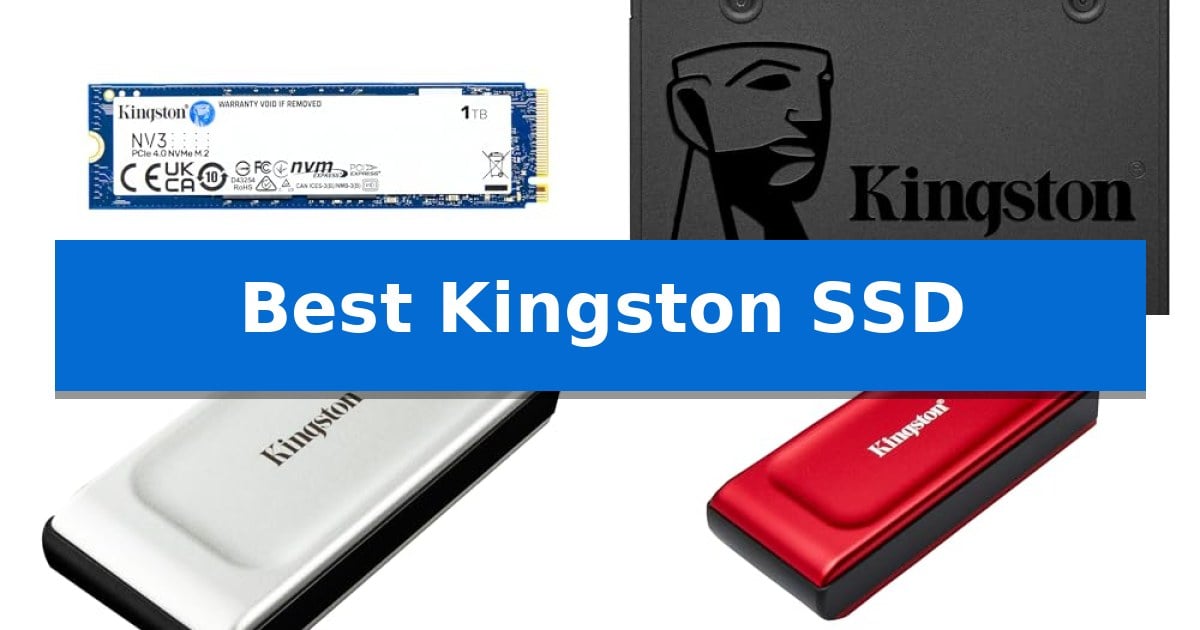
Finding the right storage solution can significantly impact your system's responsiveness and your ability to manage data on the go. Whether you are looking to revitalize an aging desktop or require high-speed external storage for creative projects, selecting the Best Kingston SSD depends heavily on your specific interface requirements and performance goals.
This guide examines four distinct storage solutions, ranging from high-performance internal PCIe 4.0 drives to compact, portable options. By understanding the differences in form factor, connectivity, and intended use, you can make an informed decision that aligns with your hardware and storage demands.
Best Kingston SSD in 2026: Reliable Storage for Every Need
Quick Comparison
| Product | Best For | Key Strength | Score |
|---|---|---|---|
| Kingston NV3 SSD | Best Overall | High-speed PCIe 4.0 Gen 4×4 performance for fast data access. | 4.9 |
| Kingston A400 SATA SSD | Affordable Legacy System Upgrade | Significant performance boost over traditional mechanical hard drives. | 4.4 |
| Kingston XS2000 Portable SSD | Maximum Portable Transfer Speeds | High-speed data transfers up to 2,000MB/s. | 4.5 |
| Kingston XS1000R Portable SSD | Ultra-Compact External Storage | Compact, pocket-sized form factor for maximum portability. | 4.5 |
How We Chose
- Interface and Protocol: Assessing whether the drive uses PCIe 4.0, SATA, or USB 3.2 for compatibility with your existing hardware.
- Form Factor: Evaluating the physical size and mounting requirements, such as M.2 2280 versus 2.5-inch SATA or portable enclosures.
- Performance Ratings: Comparing manufacturer-rated read and write speeds to determine suitability for specific workloads like gaming or file transfers.
- Capacity Options: Reviewing available storage tiers to ensure they meet your data management needs.
- Durability and Warranty: Considering the provided limited warranty periods as an indicator of expected product longevity.
1 Kingston NV3 SSD — High-Speed Gen 4 Performance
Upgrading your system storage with the Kingston NV3 1TB M.2 2280 NVMe SSD provides a significant boost in data throughput, leveraging PCIe 4.0 Gen 4×4 architecture to achieve read speeds up to 6,000MB/s and write speeds up to 4,000MB/s. This drive is engineered for users who require high-speed, low-power storage solutions for demanding applications, gaming, or general productivity tasks.
The Kingston NV3 SSD features a compact M.2 2280 form factor, making it compatible with a wide range of modern laptops and desktop motherboards that support NVMe interfaces. Its efficient design ensures it remains a reliable choice for those looking to improve system responsiveness without excessive power consumption.
Included with the drive is Acronis cloning software, which simplifies the migration process for users upgrading from an older storage device. This software addition ensures a smoother transition when moving your operating system and files to the new drive, minimizing downtime during installation.
Backed by a 5-year limited warranty, the Kingston NV3 SSD offers long-term support for your storage investment. Its combination of high-speed performance and reliable build quality makes it a balanced choice for users seeking to enhance their PC's overall storage capability.
Best for: Users looking to upgrade their PC or laptop storage with a high-speed, power-efficient PCIe 4.0 NVMe drive.
Skip if: Users requiring specialized high-end workstation drives with dedicated DRAM caches or those with systems limited to PCIe 3.0 or older interfaces.
PROS
- High-speed PCIe 4.0 Gen 4×4 performance for fast data access.
- Includes Acronis cloning software for easy data migration.
- 5-year limited warranty provides long-term peace of mind.
- Power-efficient design suitable for both desktops and laptops.
CONS
- No dedicated DRAM cache mentioned in specifications.
2 Kingston A400 SATA SSD — Affordable Legacy System Upgrade
Revitalizing an aging computer often starts with the storage drive, and the Kingston 960GB A400 SATA3 2.5" Internal SSD is engineered specifically to replace mechanical hard drives. By transitioning from spinning platters to solid-state technology, this drive provides a direct path to faster system startup times and more responsive application loading.
The Kingston A400 SATA SSD utilizes the standard 2.5-inch form factor, ensuring broad compatibility with most desktop and laptop systems that support SATA connectivity. With a substantial 960GB capacity, it offers enough space to house an entire operating system, essential software, and large media libraries, effectively acting as a comprehensive storage upgrade.
Beyond speed improvements, this drive is built to be more reliable and durable than traditional hard drives, as it lacks the moving parts susceptible to mechanical failure. This makes it a practical choice for users looking to extend the functional lifespan of their existing hardware without the complexity of a full system replacement.
While this drive provides a significant performance boost for legacy systems, it is limited by the SATA interface. Users with modern motherboards supporting NVMe M.2 drives may find faster throughput options elsewhere, but for those constrained by 2.5-inch bays, this remains a straightforward and effective solution.
Best for: Users looking to upgrade older laptops or desktops from a mechanical hard drive to a faster, more reliable solid-state drive.
Skip if: Users with modern systems that support high-speed NVMe M.2 storage, as this drive is limited by the slower SATA interface.
PROS
- Significant performance boost over traditional mechanical hard drives.
- High 960GB capacity suitable for OS and large application storage.
- Durable solid-state design with no moving parts.
- Broad compatibility with standard 2.5-inch SATA drive bays.
CONS
- SATA interface limitations compared to modern NVMe standards.
3 Kingston XS2000 Portable SSD — Maximum Portable Transfer Speeds
Managing large media files and high-resolution assets requires a drive that balances speed with physical convenience. The Kingston XS2000 Portable SSD addresses this by integrating a high-performance interface into a chassis small enough to fit in a pocket, making it a practical choice for those who need to move data between workstations without the bulk of traditional external drives.
At the core of this drive is its support for USB 3.2 Gen 2×2 connectivity, which enables read and write speeds up to 2,000MB/s. This throughput is designed to handle demanding tasks such as editing 8K video or transferring massive document libraries. To achieve these maximum transfer rates, the drive must be connected to a host device that supports the same USB 3.2 Gen 2×2 standard.
The drive is available in capacities reaching 4TB, providing significant storage headroom for creative professionals. Its compact dimensions—measuring approximately 2.74 inches in length and 0.53 inches in height—ensure it remains unobtrusive in a laptop bag or pocket. The unit is backed by a 5-year limited warranty, offering long-term support for your data storage needs.
While the performance capabilities are high, the primary trade-off involves hardware compatibility. Users should verify that their computer or interface supports the specific USB 3.2 Gen 2×2 protocol to realize the full potential of the drive's rated speeds. When used with older USB standards, the drive will function, but transfer rates will be limited by the host port's bandwidth.
Best for: Creative professionals and power users who need high-speed, high-capacity external storage for 8K video and large media files.
Skip if: Users who do not have a host device with a USB 3.2 Gen 2×2 port, as they will not be able to utilize the drive's maximum rated speeds.
PROS
- High-speed data transfers up to 2,000MB/s.
- Pocket-sized portability for easy transport.
- Available in capacities up to 4TB.
- Includes a 5-year limited warranty.
CONS
- Requires USB 3.2 Gen 2×2 compatibility for maximum performance.
4 Kingston XS1000R Portable SSD — Ultra-Compact External Storage
Portable storage needs often demand a balance between high-capacity data management and physical convenience, a challenge addressed by the Kingston XS1000R Portable SSD. This drive is designed for users who require a compact, pocket-sized form factor that fits easily into a gear bag or pocket without adding significant bulk.
Engineered for efficiency, the device utilizes USB 3.2 Gen 2 connectivity to achieve speeds up to 1050MB/s. This interface ensures that large files can be transferred quickly, making it a practical solution for those who frequently move high-resolution media or large project files between workstations.
The Kingston XS1000R Portable SSD is available in capacities reaching up to 2TB, providing ample space for extensive digital libraries. Its physical dimensions of 2.74 x 1.28 x 0.53 inches and lightweight build make it an unobtrusive addition to any mobile setup, while the 5 years limited warranty offers long-term support for your storage investment.
Choosing this drive is an exercise in prioritizing portability and speed for on-the-go workflows. While it excels in mobile environments, users should ensure their hardware supports the USB 3.2 Gen 2 standard to fully realize the potential transfer rates offered by this solid-state drive.
Best for: Users needing a high-speed, ultra-portable storage solution for transferring large files on the go.
Skip if: Users who require massive multi-terabyte storage capacities or those whose host devices lack USB 3.2 Gen 2 support.
PROS
- Compact, pocket-sized form factor for maximum portability.
- Fast USB 3.2 Gen 2 interface supporting speeds up to 1050MB/s.
- Available in capacities up to 2TB.
- Backed by a 5 years limited warranty.
CONS
- Performance is dependent on host device USB 3.2 Gen 2 compatibility.
Best Kingston SSD Buying Guide
Understanding Interface Compatibility
The most critical factor when choosing an SSD is ensuring it matches your device's interface. Internal drives like the Kingston NV3 require an M.2 slot supporting the PCIe 4.0 standard to achieve maximum speeds. If your motherboard is older, it may only support SATA, making the Kingston A400 a more appropriate choice.
For external storage, the interface is equally important. Devices utilizing USB 3.2 Gen 2×2, such as the Kingston XS2000, require a compatible USB-C port on your computer to reach their full potential. Always verify your device's port specifications before purchasing to avoid performance bottlenecks.
Internal vs. Portable SSDs
Internal SSDs are designed to be permanent fixtures within a computer, providing the operating system and applications with high-speed access to data. These drives are typically installed directly onto the motherboard or into a drive bay, offering the lowest latency for system tasks.
Portable SSDs, conversely, offer flexibility and mobility. They are ideal for users who need to transfer large files between multiple computers or require extra storage for a laptop with limited internal capacity. While they offer convenience, their performance is limited by the connection type and cable quality.
Evaluating Read and Write Speeds
Read and write speeds dictate how quickly your system can open applications, load games, or save large files. High-performance internal drives often feature higher throughput, which is beneficial for tasks like 4K video editing or running demanding software.
For general office work or web browsing, the difference between top-tier NVMe speeds and standard SATA speeds may be less noticeable. Prioritize high-speed drives only if your workflow involves frequent, large-scale data transfers that would otherwise be throttled by slower storage.
Form Factor and Physical Durability
The physical dimensions of an SSD determine where it can be installed. M.2 2280 drives are compact and require no cables, making them perfect for modern laptops and desktops. 2.5-inch SATA drives are larger and require power and data cables, but they are often the only option for upgrading older hardware.
Portable drives are built for durability and ease of transport. Features like pocket-sized form factors and ruggedized designs help protect your data from the physical stresses of travel. Consider the weight and dimensions if you plan to carry the drive in a bag or pocket daily.
Storage Capacity Requirements
Choosing the right capacity depends on your data habits. A 1TB drive is generally sufficient for most users, providing ample space for an operating system, several large applications, and a significant library of documents or photos.
If you work with high-resolution media, such as 8K video or large RAW image files, you may need 2TB or higher. Always leave some headroom on your drive, as SSD performance can sometimes degrade when the storage is nearly full.
Frequently Asked Questions
Can I use a PCIe 4.0 SSD in a PCIe 3.0 slot?
Yes, most PCIe 4.0 SSDs are backward compatible with PCIe 3.0 slots. However, the drive will operate at the slower speeds supported by the PCIe 3.0 interface.
Do I need special software to clone my old drive to a new Kingston SSD?
Some Kingston drives, such as the NV3, include access to cloning software like Acronis, which can assist in migrating your data from an old drive to the new one.
What is the difference between SATA and NVMe?
SATA is an older interface standard that is generally slower, while NVMe is a modern protocol designed specifically for high-speed flash storage, offering significantly faster read and write performance.
Are portable SSDs durable enough for travel?
Many portable SSDs are designed to be compact and robust. However, you should always handle them with care and avoid dropping them or exposing them to extreme temperatures.
How long is the warranty on these SSDs?
Warranty periods vary by model. For example, the Kingston NV3 and portable XS series often come with a 3-year or 5-year limited warranty, depending on the specific product and region.
Conclusion: Our Top Pick
When selecting the right storage for your system, the Kingston NV3 SSD stands out as a versatile choice for those seeking high-speed performance. Its PCIe 4.0 interface and compact M.2 2280 form factor make it an excellent upgrade for modern desktops and laptops, providing the speed necessary for demanding applications and quick system boot times.
While other options like the A400 are better suited for legacy systems and the XS series excel in portability, the NV3 offers the best balance of speed and efficiency for primary storage. Ensure your motherboard supports PCIe 4.0 to fully utilize its capabilities, and enjoy the improved responsiveness it brings to your computing experience.