
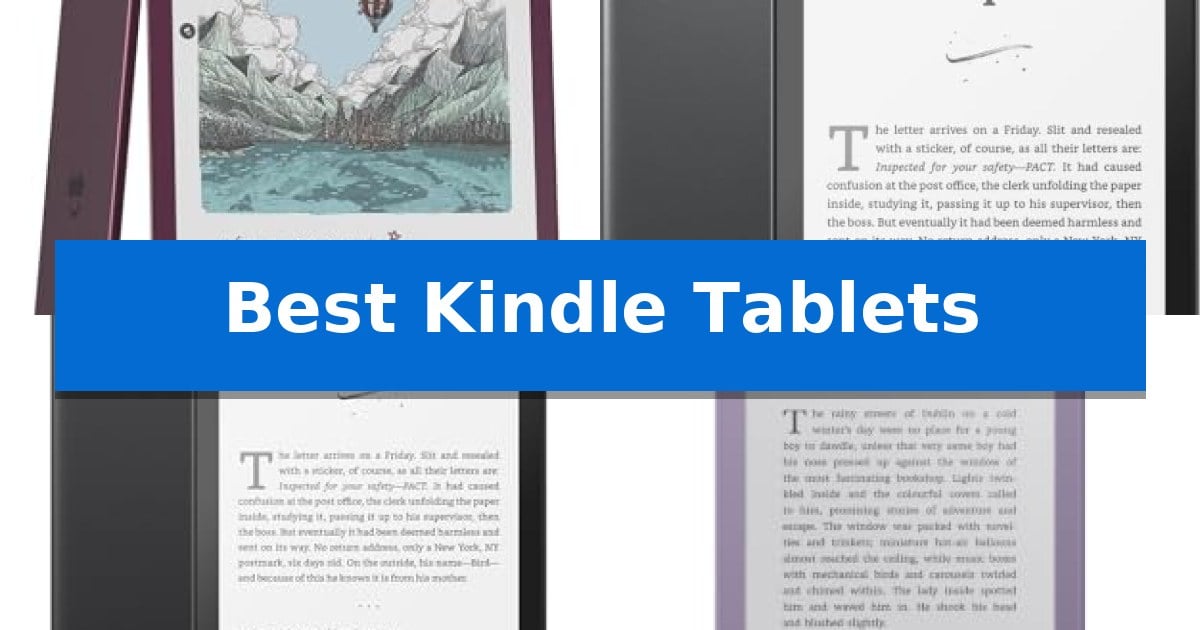
Finding the right device for your digital library can transform how you engage with literature and documents. Whether you prioritize a distraction-free environment or need a versatile tool for annotating professional files, the latest Best Kindle Tablets offer specialized hardware designed to minimize eye strain and maximize focus.
Selecting the ideal model requires balancing your specific habits, such as whether you primarily read novels, review technical PDFs, or require an integrated notebook for creative brainstorming. By focusing on display technology, portability, and input features, you can choose a device that seamlessly fits into your daily routine.

Best Kindle Tablets in 2026: Enhance Your Reading and Writing Workflow
Quick Comparison
| Product | Best For | Key Strength | Score |
|---|---|---|---|
| Amazon Kindle Scribe | Best Overall | 11-inch Colorsoft display provides high-contrast, paper-like color. | 4.9 |
| Amazon Kindle Paperwhite Signature Edition | Premium Features for Avid Readers | 32 GB of storage for extensive digital libraries. | 4.8 |
| Amazon Kindle Paperwhite | Ideal Balance of Size and Performance | 7-inch glare-free display with adjustable warm light. | 4.7 |
| Amazon Kindle | Most Portable Reading Experience | Replaceable battery design for extended product lifespan. | 4.8 |
How We Chose
- Display clarity and lighting adaptability for various environments.
- Input precision and writing experience for document annotation.
- Portability and ergonomic design for extended reading sessions.
- Battery efficiency and charging convenience for long-term use.
- Storage capacity to accommodate extensive digital libraries and notebooks.
1 Amazon Kindle Scribe — Best for Note-Taking
The Amazon Kindle Scribe Colorsoft 64GB introduces a specialized approach to digital reading and writing by incorporating an 11-inch Colorsoft display that provides high-contrast, paper-like color without the distracting flashes often found on standard tablets. This device is purpose-built to bridge the gap between a traditional e-reader and a productivity tool, allowing users to annotate directly on pages or within dedicated notebooks.
Designed for versatility, the device features a 5.4mm thin profile and weighs only 400g, making it portable for travel or daily use. The included pen requires no charging and offers a textured, pen-on-paper feel, complete with a built-in eraser and a shortcut button for quick tool access. Users can import documents from Google Drive or Microsoft OneDrive, mark them up, and export them as PDFs, or sync notebooks to Microsoft OneNote for broader accessibility.
Beyond basic reading, the Amazon Kindle Scribe leverages AI tools to enhance note-taking efficiency. These features allow users to summarize handwritten notes, convert them to text, or ask questions about content stored in their notebooks. The system is engineered to minimize distractions by omitting standard tablet apps and notifications, keeping the focus entirely on reading and writing tasks.
With a battery life rated for weeks of use on a single charge, the device is suitable for long-term projects or extended reading sessions. The glare-free display remains legible even in bright sunlight, ensuring consistent performance across various environments. By prioritizing a specialized interface over general-purpose tablet functionality, it provides a focused environment for creators and professionals who require a dedicated digital workspace.
Best for: Users who prioritize a dedicated, distraction-free environment for reading, annotating documents, and taking handwritten notes with a paper-like feel.
Skip if: Users who require a multi-purpose tablet for web browsing, video streaming, or running third-party productivity applications.
PROS
- 11-inch Colorsoft display provides high-contrast, paper-like color.
- Included pen features a built-in eraser and requires no charging.
- AI-powered tools for summarizing and converting handwriting to text.
- Distraction-free design without apps or notifications.
CONS
- Limited to reading and writing tasks, lacking the versatility of a general-purpose tablet.
2 Amazon Kindle Paperwhite Signature Edition — Premium Features for Avid Readers
The Amazon Kindle Paperwhite Signature Edition streamlines digital reading with a 7-inch glare-free Paperwhite display that delivers high contrast and fast page turns. Designed for portability, this device features an ultra-thin profile that remains comfortable for extended reading sessions, whether at home or on the move.
Equipped with 32 GB of storage, the device provides ample space for a vast library of titles. The auto-adjusting front light is a core utility, automatically modifying brightness to suit ambient conditions, from bright sunlight to dim evening environments. This ensures consistent visibility without requiring manual intervention.
For power management, the unit supports wireless charging and utilizes a USB-C connection for wired charging. A single charge is rated to last up to 12 weeks, supporting long-term use between power cycles. The hardware is also waterproof, allowing for use in environments where moisture might be a concern, such as near a pool or in a bath.
The interface is intentionally focused on reading, excluding social media, notifications, and other third-party apps to minimize distractions. Users gain access to the Kindle Store, which offers a selection of over 15 million titles, with optional subscription services available for expanded content access.
Best for: Avid readers who require a distraction-free, waterproof device with high storage capacity and flexible charging options.
Skip if: Users who prefer a multi-purpose tablet with app support, color displays, or integrated social media functionality.
PROS
- 32 GB of storage for extensive digital libraries.
- Auto-adjusting front light for optimal visibility in varying light.
- Waterproof design suitable for diverse environments.
- Wireless charging capability for added convenience.
CONS
- Wireless charging dock must be purchased separately.
- Limited functionality as it lacks support for non-reading apps.
3 Amazon Kindle Paperwhite — Ideal Balance of Size and Performance
The Amazon Kindle Paperwhite 16GB (2024 model) is designed to prioritize a focused reading environment by stripping away the distractions of social media and notifications found on multi-purpose tablets. At its core is a 7-inch glare-free display that utilizes a high contrast ratio to keep text sharp and legible, whether you are reading in direct sunlight or a dimly lit room. The screen's adjustable light allows you to shift the color temperature from a crisp white to a warmer amber tone, reducing eye strain during extended reading sessions.
Portability and durability are central to its design, featuring an ultra-thin profile that weighs less than half a pound. The device is fully waterproof, which provides the flexibility to read safely near a pool or in the bath without concern for accidental splashes. With a battery life rated for up to 12 weeks on a single charge via USB-C, the device is well-suited for long-term travel where frequent access to power outlets may not be guaranteed.
Storage and content access are managed through the integrated Kindle Store, which offers a catalog of over 15 million titles. The 16GB of internal storage provides sufficient capacity to house a massive library of digital books. For users who prefer a subscription-based model, the device supports Kindle+ integration, facilitating immediate access to a rotating selection of bestsellers and stories directly on the device.
Best for: Readers who prioritize a distraction-free, portable device with long battery life and adjustable lighting for any environment.
Skip if: Users who require a multi-purpose tablet with social media, web browsing, or app-based productivity tools.
PROS
- 7-inch glare-free display with adjustable warm light.
- Waterproof design for versatile reading locations.
- 12-week battery life on a single USB-C charge.
- Distraction-free interface without social media or notifications.
CONS
- Limited functionality compared to general-purpose tablets.
4 Amazon Kindle — Most Portable Reading Experience
The Amazon Kindle (newest model) prioritizes a distraction-free reading environment by removing notifications, emails, and social media from the interface. This device features a redesigned, sleeker 6-inch edge-to-edge display that is engineered to be thinner and lighter than previous iterations, while also enabling books to open 30% faster.
Designed for versatility, the device includes a high-contrast, glare-free display with adjustable brightness, allowing for comfortable reading in both bright sunlight and low-light conditions. The hardware is built for longevity, featuring a user-accessible back panel that allows for a replaceable battery, ensuring the device remains functional over time.
Power efficiency is a core component of its design; the display consumes energy only when the page is turned or the front light is adjusted, resulting in up to 6 weeks of use on a single charge. Users can also expand their interaction with the device by utilizing the separately sold wireless page-turn remote for hands-free navigation.
The software ecosystem supports a variety of reading habits, including the Kindle+ subscription service and access to millions of titles in the Kindle Store. Integrated features like 'Story So Far' provide spoiler-free recaps, and upcoming functionality aims to answer book-specific questions without revealing plot spoilers.
Best for: Readers seeking a lightweight, distraction-free device with long battery life and a focus on core reading functionality.
Skip if: Users who require a multi-purpose tablet for web browsing, social media apps, or high-performance gaming.
PROS
- Replaceable battery design for extended product lifespan.
- Glare-free display with adjustable brightness for varied lighting conditions.
- Up to 6 weeks of battery life per charge.
- Distraction-free interface without social media or email notifications.
CONS
- Wireless page-turn remote is sold separately.
- Limited functionality compared to full-featured tablets.
Best Kindle Tablets Buying Guide
Display Technology and Eye Comfort
The core of any e-reader experience is the display. Modern devices utilize glare-free screens that mimic the appearance of paper, which is significantly easier on the eyes than traditional backlit tablets. Features like auto-adjusting front lights ensure that the screen temperature shifts from cool white to warm amber, providing optimal visibility in both bright sunlight and dim bedroom settings.
For users who require color for charts, diagrams, or creative notes, newer color-capable e-ink displays offer a unique balance. These screens provide high-contrast visuals without the distracting flashes or blue light emissions common in standard mobile devices, maintaining a comfortable reading experience for hours.
Input and Annotation Capabilities
If your goal is to move beyond passive reading, look for models that include a dedicated pen. A high-quality stylus provides a pen-on-paper feel, allowing you to jot notes directly on pages or within built-in notebooks. Advanced features like handwriting-to-text conversion and AI-powered summarization can significantly streamline your workflow when reviewing documents.
Consider the responsiveness of the digitizer layer. A device that offers low-latency input ensures that your strokes appear instantly, which is critical for sketching or detailed document markup. Having a pen that requires no charging and includes a dedicated eraser button adds a layer of convenience that simplifies the writing process.
Portability and Build Quality
Portability is a major factor for those who commute or travel frequently. A device that is ultra-thin and lightweight can easily slide into a bag without adding significant bulk. The physical dimensions and weight distribution are essential for comfort, especially if you prefer to hold your device with one hand for extended periods.
Durability also plays a role in mobility. Models that are waterproof offer peace of mind, allowing you to read by the pool, in the bath, or during outdoor trips without worrying about accidental splashes. A robust build ensures that your device remains a reliable companion regardless of your environment.
Battery Life and Charging Standards
One of the biggest advantages of dedicated reading devices is their exceptional battery longevity. Most models can last for weeks on a single charge because the display only consumes power when you turn a page or adjust the lighting. This efficiency is ideal for travel, as it removes the need to carry extra cables or power banks.
When it comes to charging, look for universal standards like USB-C connectivity. Some premium models also support wireless charging, which allows you to simply place the device on a dock. This feature reduces wear on the charging port and makes it easier to keep your device topped up on your nightstand.
Storage and Ecosystem Access
Your storage needs depend on the type of content you consume. While standard novels take up very little space, high-resolution PDFs, graphic novels, and extensive handwritten notebooks require more capacity. Choosing a model with 16GB to 64GB of storage ensures you have enough room for your entire library and professional documents.
Integration with cloud services is equally important. The ability to import files from Google Drive or Microsoft OneDrive and export your annotated PDFs or notebooks directly to other platforms allows for a more connected and productive experience. Access to a massive digital store ensures you never run out of new material.
Frequently Asked Questions
Can I use these devices for social media or email?
No, these devices are purpose-built for reading and writing. They do not have social media, notifications, or other distracting apps, which helps you stay focused on your content.
Are these screens the same as a standard tablet?
No, they use specialized e-ink displays that are glare-free and designed to be easy on the eyes, unlike the backlit LCD or OLED screens found on standard tablets.
Do I need to charge the pen separately?
It depends on the model. Some advanced pens are designed to never need charging, while others may require periodic power. Always check the specific product features.
Can I read in the dark?
Yes, all modern models include front-lighting technology that allows you to read comfortably in complete darkness without the strain caused by traditional screens.
Are these devices waterproof?
Many current models are waterproof, making them safe for use in environments like the bath or by the pool. Please verify the specific water-resistance rating for your chosen model.
Conclusion: Our Top Pick
For those seeking the most versatile and advanced experience, the Amazon Kindle Scribe stands out as the premier choice. Its combination of a large 11-inch color display, integrated notebook features, and a responsive, battery-free pen makes it an exceptional tool for both avid readers and those who need to annotate documents professionally.
While other models offer greater portability for casual reading, the Scribe provides the necessary space and functionality for deep work and creative expression. By choosing this model, you invest in a device that bridges the gap between traditional reading and modern digital productivity.