
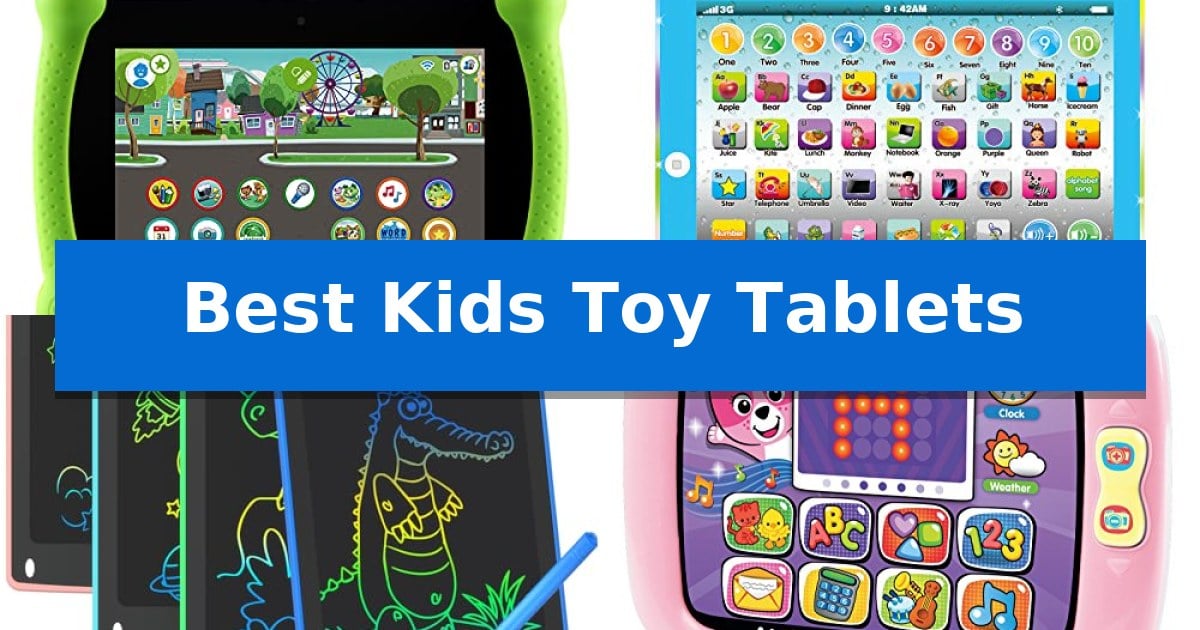
Finding the right educational tool for a young child can be a challenge, especially when balancing screen time with meaningful engagement. The Best Kids Toy Tablets offer a bridge between traditional play and interactive digital learning, providing structured environments that support phonics, math, and creative expression without the distractions of a standard internet-connected device.
Whether you are looking for a rugged, app-based learning platform or a simple, screen-free writing surface, these devices are designed to grow with your child. By focusing on age-appropriate content and durable construction, these tablets help foster essential skills while keeping young learners entertained and safe.
Best Kids Toy Tablets in 2026
Quick Comparison
| Product | Best For | Key Strength | Score |
|---|---|---|---|
| LeapFrog LeapPad Academy Tablet | Best Overall | Durable design featuring a shatter-safe screen and protective bumper. | 4.9 |
| Wenbeier Preschool Learning Pad | Screen-Free Educational Play | Screen-free design protects eyesight and reduces exposure to radiation. | 4.6 |
| TQU LCD Writing Tablet | Reusable Canvas for Creativity | Pressure-sensitive technology allows for varied line thickness. | 4.9 |
| VTech Light-Up Baby Tablet | Interactive Early Concept Discovery | Interactive touch-screen interface designed specifically for toddler engagement. | 4.7 |
| eKids Spidey Learning Tablet | Engaging Character-Themed Phonics | Interactive light-up buttons provide clear visual guidance for learning activities. | 4.9 |
How We Chose
- Educational Content: We assessed the variety and quality of pre-loaded learning apps, phonics games, and interactive activities.
- Durability and Build: We prioritized devices featuring shatter-safe screens, protective bumpers, and kid-friendly, ergonomic designs.
- Age Appropriateness: We categorized tablets by their suitability for specific developmental milestones, from toddler sensory play to preschool academic preparation.
- Parental Controls: We looked for built-in management tools that allow for time limits and app oversight to ensure a safe experience.
- Ease of Use: We evaluated how intuitive the interface is for young children, focusing on responsive buttons and simple navigation.
1 LeapFrog LeapPad Academy Tablet — Curated Apps for Growing Minds
The LeapFrog LeapPad Academy Kids’ Learning Tablet is built to withstand the rigors of daily use by children aged 3 to 8, featuring a 7-inch shatter-safe screen and a tough bumper that includes an integrated kickstand for hands-free viewing. This design choice ensures the device remains stable on flat surfaces during interactive lessons, while the protective casing provides a necessary buffer against accidental drops.
Educational engagement is at the core of the experience, with the tablet arriving pre-loaded with over 20 educator-approved apps. These tools are specifically curated to build foundational skills in math, reading, writing, and coding. To further support long-term development, the device includes a three-month trial of LeapFrog Academy, granting access to a library of more than 2,000 games, activities, and videos that adapt to a child's growing capabilities.
Usability is enhanced by the inclusion of a stylus, which assists children in developing fine motor skills through writing and drawing tasks. Parents maintain oversight of the digital environment through robust parent controls, which allow for the customization of screen time limits and the management of installed applications. This ensures that the device remains a focused educational tool rather than a distraction.
The tablet is powered by a rechargeable lithium-ion battery, supporting extended use without the need for frequent battery replacements. While the unit is compact—measuring approximately 8.5 by 5.9 inches—it is designed to prioritize educational content over general-purpose entertainment. For families looking to expand the library, the LeapFrog App Center offers additional eBooks, music, and games to keep the content fresh as the child progresses through different learning stages.
Best for: Children aged 3-8 who need a durable, education-focused tablet with curated, age-appropriate content and parental management tools.
Skip if: Users seeking a general-purpose Android tablet for high-definition media streaming, advanced gaming, or unrestricted web browsing.
PROS
- Durable design featuring a shatter-safe screen and protective bumper.
- Educator-approved content covering multiple core academic subjects.
- Comprehensive parent controls for managing screen time and app access.
- Includes a stylus for interactive learning and writing practice.
CONS
- Limited to the LeapFrog ecosystem for app and content expansion.
- Smaller screen size compared to standard consumer tablets.
2 Wenbeier Preschool Learning Pad — Screen-Free Educational Play
The Wenbeier Preschool Learning Pad prioritizes a screen-free educational experience by utilizing a static, printed interface rather than a digital display. This design choice eliminates the need for internet connectivity and protects children from the radiation and eye strain often associated with traditional electronic devices.
Designed for children ages 2-6, this device functions as a multi-functional learning tool featuring 7 distinct activities and 4 educational modes. It covers foundational concepts including ABCs, spelling, numbers, and mathematics. The unit incorporates interactive elements such as music, songs, and colorful imagery to engage young learners through standard pronunciation and auditory feedback.
Practicality for parents and caregivers is addressed through several built-in management features. The device includes a volume adjustment control for different environments and an automatic shutdown function that triggers after one minute of inactivity to preserve battery life. Because it requires no Wi-Fi, it serves as a portable option for travel or daily learning sessions.
By focusing on tactile, non-digital interaction, this learning pad offers a focused environment for early childhood development. It serves as an alternative to mobile phones and televisions, providing structured educational content without the distractions or connectivity requirements of modern tablets.
Best for: Toddlers and preschoolers aged 2-6 who benefit from structured, screen-free educational play without the need for Wi-Fi or digital screens.
Skip if: Users seeking a traditional interactive touch-screen tablet with app support, video playback, or internet-based content will find this device too limited.
PROS
- Screen-free design protects eyesight and reduces exposure to radiation.
- No Wi-Fi required, making it ideal for travel and offline use.
- Automatic shutdown feature preserves battery life after one minute of inactivity.
- Multi-functional learning covers a wide range of subjects including math, spelling, and music.
CONS
- Static interface lacks the dynamic interactivity of digital touch screens.
- Limited to pre-programmed activities with no option to download new content.
3 TQU LCD Writing Tablet — Reusable Canvas for Creativity
The TQU LCD Writing Tablet provides a versatile, screen-free outlet for children to practice writing, drawing, and math through its pressure-sensitive technology. By utilizing flexible liquid crystal technology, this tablet allows users to create lines of varying thicknesses, offering a tactile experience that mimics traditional paper while remaining entirely reusable.
Designed for portability and quiet play, this 8.5-inch doodle board is well-suited for travel or home use. The device features a dedicated erase button for quick clearing and a lock switch to prevent accidental deletion of important notes or drawings. The stylus is designed to fit snugly onto the frame, ensuring it stays attached during transport.
Each set includes four tablets in distinct colors—blue, light blue, green, and pink—making it a practical choice for households with multiple children. The tablets are powered by a built-in button battery, emphasizing a simple, low-maintenance design that requires no complex setup or charging cables.
While these tablets excel at providing a distraction-free environment for creative expression, they are best utilized for static drawing and note-taking. Because they lack backlighting or advanced digital connectivity, they are not intended for interactive multimedia gaming or high-resolution artistic design.
Best for: Parents looking for a portable, screen-free educational tool for drawing, spelling, and math practice for children aged 3 to 8.
Skip if: Users seeking an interactive digital device with backlighting, internet connectivity, or multimedia capabilities will find this basic writing tablet insufficient.
PROS
- Pressure-sensitive technology allows for varied line thickness.
- Lock switch prevents accidental erasure of drawings.
- Four-pack bundle provides excellent value for multi-child households.
- Portable and lightweight design is ideal for travel.
CONS
- No backlighting makes it difficult to use in low-light conditions.
- Basic functionality limits the device to simple drawing and writing tasks.
4 VTech Light-Up Baby Tablet — Interactive Early Concept Discovery
Introducing early learning concepts through a tactile interface, the VTech Light-Up Baby Touch Tablet, Pink provides a dedicated space for toddlers to explore letters, numbers, and shapes. This device features a swipe and tap light-up screen designed to capture attention while simulating the interaction of adult technology, allowing young children to engage with digital concepts in a simplified, age-appropriate format.
The tablet includes over 10 pretend apps and activities that encourage imaginative play. Children can interact with Cora the VTech Smart Cub by tapping the screen, which facilitates active learning as they navigate between different screens. The device also offers pretend email, weather, and time-checking functions, helping toddlers mimic the device usage they observe in their daily environment.
Designed for portability and ease of use, this electronic learning toy comes with 160+ playful songs, melodies, sounds, and phrases. It is intended for children aged 9 to 36 months, providing a durable introduction to interactive digital concepts without the complexity of standard tablets. The unit operates on 3 AAA batteries, which are included for demonstration purposes.
With dimensions of approximately 8.1" x 6" x 1.2", the device is sized specifically for small hands to hold and manipulate comfortably during play sessions. The lightweight design ensures that toddlers can easily carry the tablet, supporting independent play while reinforcing early educational milestones through auditory and visual feedback.
Best for: Toddlers aged 9 to 36 months who are beginning to explore early learning concepts through interactive, touch-based play.
Skip if: Parents seeking a functional, full-featured tablet for media consumption or internet access, as this is a dedicated educational toy with a limited, pre-programmed interface.
PROS
- Interactive touch-screen interface designed specifically for toddler engagement.
- Includes 160+ songs, melodies, and phrases to support auditory learning.
- Compact and lightweight design tailored for small hands.
- Features 10+ pretend apps that simulate adult device interactions.
CONS
- Limited to pre-programmed educational content with no ability to add new apps or media.
5 eKids Spidey Learning Tablet — Engaging Character-Themed Phonics
The eKids Spidey Learning Tablet is a dedicated educational tool designed to introduce toddlers to phonics and alphabet recognition through character-themed engagement. Measuring 10 inches in height and 8 inches in length, this compact device provides a focused learning environment that removes the distractions often found in multi-purpose multimedia tablets.
Equipped with 30 interactive light-up buttons, the tablet offers visual guidance that helps young children navigate through four distinct game modes: Letters, Game, Play, and Adventure. These modes are specifically tailored for users aged 3 and up, providing a variety of activities that encourage early literacy skills in a structured, standalone format.
The device features built-in speech and sound effects, allowing children to hear messages from characters while they interact with the content. This audio integration serves to maintain interest during play sessions, while the lightweight, portable frame ensures the unit can be easily transported for entertainment during travel or road trips.
Built with simplicity in mind, the controls are designed to accommodate the motor skills of toddlers, ensuring ease of use without complex menus. The unit is backed by a 1-year limited warranty, providing support for the hardware components of this character-themed educational toy.
Best for: Toddlers aged 3 and up who benefit from character-themed, interactive phonics and alphabet learning games.
Skip if: Users seeking a full-featured multimedia tablet for video streaming, web browsing, or app installation will find this dedicated toy too limited.
PROS
- Interactive light-up buttons provide clear visual guidance for learning activities.
- Portable, lightweight design makes it suitable for travel and road trips.
- Four distinct game modes offer variety in educational content.
- Character-themed audio features built-in speech and sound effects for engagement.
CONS
- Limited functionality restricted strictly to pre-programmed educational games.
- Non-expandable content means no ability to add new apps or games.
Best Kids Toy Tablets Buying Guide
Understanding Developmental Stages
When selecting a tablet, consider your child's current developmental needs. Younger toddlers (ages 9-36 months) benefit most from devices that emphasize sensory discovery, such as light-up buttons, simple songs, and basic cause-and-effect interactions. These tools are designed to introduce early concepts like numbers and shapes in a non-intimidating way.
For preschoolers and early elementary students (ages 3-8), look for devices that offer more complex challenges. These tablets often include curriculum-based apps that cover reading, writing, and problem-solving. Choosing a device that grows with your child—perhaps through an app store or subscription service—ensures the tablet remains relevant as their skills advance.
Screen Safety and Technology
Not all kids' tablets use the same display technology. Some devices utilize high-resolution screens for interactive apps, while others use LCD writing surfaces or static stickers to provide a screen-free experience. If you are concerned about blue light or prolonged screen time, an LCD writing tablet or a static learning pad is an excellent alternative.
For tablets with digital screens, look for features like shatter-safe glass and protective bumpers. These physical safeguards are essential for protecting the device from accidental drops, which are common during active play. Always verify the battery type, as rechargeable lithium-ion batteries offer convenience, while replaceable batteries may be preferred for specific travel needs.
The Importance of Parental Controls
If you choose a tablet with internet or app-download capabilities, robust parental controls are non-negotiable. These features allow you to set strict time limits, manage which apps are accessible, and monitor the content your child interacts with. This gives you peace of mind while allowing the child to explore independently.
Devices that operate offline are inherently safer as they eliminate the risk of accidental exposure to inappropriate web content. If your primary goal is focused learning, an offline-only tablet can be a powerful tool that keeps the child engaged with educational content without the need for constant supervision.
Portability and Travel Readiness
A great learning tablet is often a travel companion. Consider the weight and size of the unit, especially if you plan to use it in the car or on airplanes. Lightweight, compact designs are easier for small hands to hold and fit more comfortably into backpacks or diaper bags.
Look for features like integrated kickstands or stylus storage. A kickstand allows the child to prop the tablet up for hands-free viewing, while a dedicated slot for the stylus prevents it from getting lost. These small design choices significantly improve the usability of the device during long trips.
Durability for Active Play
Children are naturally active, and their toys should be able to withstand the occasional tumble. Look for reinforced corners, rubberized bumpers, and high-quality plastics. A device that feels sturdy in your hand is more likely to survive the rigors of daily use.
Check the warranty and manufacturer support for the device. A longer warranty period often indicates that the manufacturer stands behind the build quality of their product. Investing in a durable tablet means you won't have to worry about replacing it after a few months of enthusiastic play.
Frequently Asked Questions
Are these tablets suitable for children with no prior experience?
Yes, most of these devices are designed with intuitive interfaces that use icons, colors, and sounds to guide children, making them accessible even for those who have never used a tablet before.
Do I need a Wi-Fi connection to use these tablets?
Many educational tablets are designed to function entirely offline, using pre-loaded content. Some models offer optional Wi-Fi for downloading additional apps, but it is rarely required for basic functionality.
How do I clean the tablet screen?
For LCD writing tablets, a soft, dry cloth is usually sufficient. For digital screens, use a screen-safe cleaning wipe or a microfiber cloth lightly dampened with water, avoiding harsh chemicals that could damage the display.
Can I limit how long my child uses the tablet?
Many tablets, particularly those with advanced app systems, include built-in parental controls that allow you to set specific time limits for daily usage.
Are the batteries included?
Battery inclusion varies by model. Some tablets come with rechargeable batteries, while others require standard AAA or button-cell batteries. Always check the product specifications to see if batteries are included.
Conclusion: Our Top Pick
When selecting the best device for your child, the LeapFrog LeapPad Academy Tablet stands out as the most comprehensive option. Its combination of educator-approved apps, a durable bumper with a kickstand, and robust parental controls makes it a versatile choice that supports a wide range of learning skills from math to coding.
While other options like the TQU LCD Writing Tablet offer excellent screen-free creative outlets, the LeapPad Academy provides a more structured educational path. It is an ideal investment for parents seeking a device that balances entertainment with genuine academic growth, provided you are comfortable with a tablet that utilizes a digital screen.