
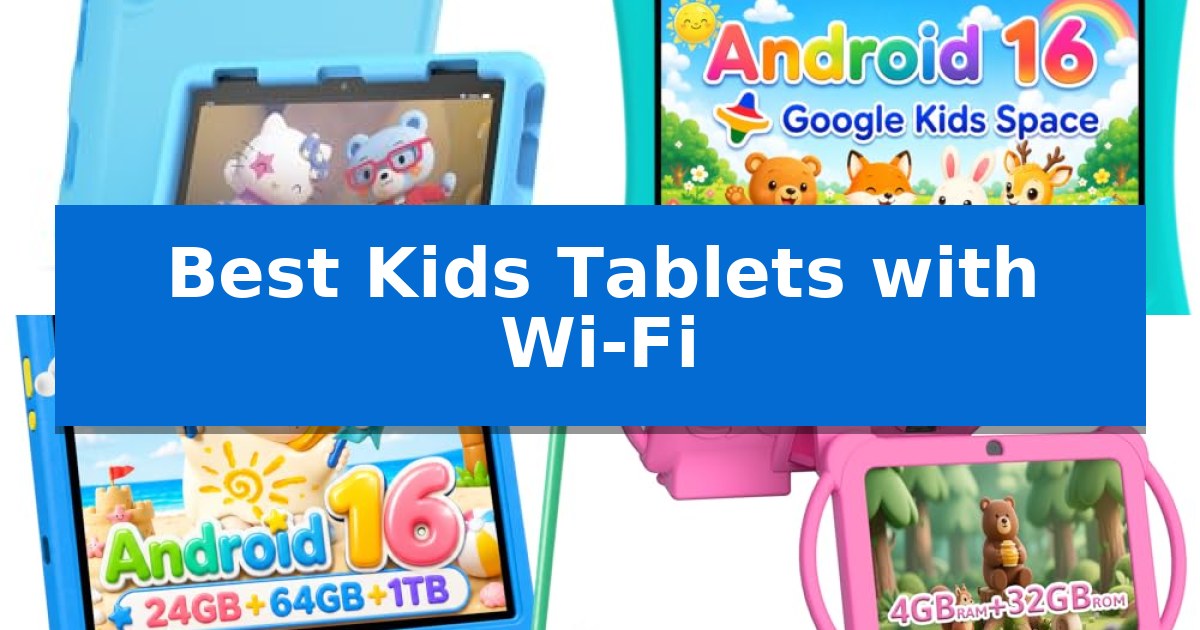
Finding the right device for a young user requires balancing entertainment with safety and durability. The Best Kids Tablets with Wi-Fi offer parents the ability to manage screen time while providing children with access to educational apps, books, and interactive games in a controlled digital environment.
When selecting a tablet, it is essential to consider the build quality, the robustness of parental controls, and the availability of age-appropriate content. This guide explores several options designed to withstand daily use while keeping your child's online experience secure and productive.
Best Kids Tablets with Wi-Fi in 2026
Quick Comparison
| Product | Best For | Key Strength | Score |
|---|---|---|---|
| Amazon Fire HD 8 Kids Tablet | Best Overall | 2-year worry-free guarantee covers accidental breakage with free replacement. | 4.9 |
| EDUAITABLET 10 Inch Kids Tablet | Large Screen for Immersive Learning | Android 16 OS with ad-blocking capabilities for a cleaner interface. | 4.4 |
| Evermyth 10 Inch Kids Tablet | High-Capacity Battery for Travel | 6000mAh long-lasting battery for extended use. | 4.4 |
| HOTTABLET 7 Inch Kids Tablet | Compact Design for Small Hands | Durable protective case with an integrated stand for hands-free use. | 4.4 |
| YINOCHE 7 Inch Kids Tablet | Preloaded Offline Educational Content | Includes a durable shockproof case for physical protection. | 4.5 |
How We Chose
- Parental Control Robustness: Assessing the ability to set time limits, filter content, and monitor activity.
- Hardware Durability: Evaluating the inclusion of protective cases and screen reinforcement.
- Educational Ecosystem: Reviewing access to preloaded content, learning apps, and digital libraries.
- Battery Performance: Considering the longevity of the device for travel and extended use.
- Display Quality: Checking resolution and features designed to reduce eye strain.
1 Amazon Fire HD 8 Kids Tablet — Includes Two-Year Replacement Guarantee
The Amazon Fire HD 8 Kids Tablet is built for durability, featuring a screen made with strengthened aluminosilicate glass and a sturdy kid-proof case designed to withstand the bumps and drops typical of daily use by children ages 3-7.
Performance is driven by a hexa-core processor paired with 4 GB of RAM, which provides a responsive experience for educational apps and media. The device includes 64GB of internal storage, with the option to expand up to 1 TB via a microSD card, ensuring ample space for downloaded content.
Parents can manage the digital environment through easy-to-use parental controls, allowing for remote activity reviews, time limit settings, and the prioritization of educational content. The tablet is bundled with a 1-year Amazon Kids+ subscription, granting access to a library of ad-free books, games, and videos from brands like Disney and PBS Kids.
Designed for longevity, the tablet offers up to 13 hours of battery life on a single charge and includes a 2-year worry-free guarantee, which covers free replacements if the device breaks. The package comes complete with a USB-C charging cable and power adapter, providing a ready-to-use solution for families seeking a managed digital experience.
Best for: Parents seeking a durable, managed tablet for children ages 3-7 that includes extensive parental controls and a comprehensive content subscription.
Skip if: Users requiring a high-performance tablet for professional creative work or those who prefer an open Android ecosystem without parental management restrictions.
PROS
- 2-year worry-free guarantee covers accidental breakage with free replacement.
- 4 GB RAM provides a responsive interface for apps and games.
- Sturdy kid-proof case included for physical protection.
- 1-year Amazon Kids+ subscription offers immediate access to curated educational content.
CONS
- Subscription auto-renews at a monthly rate after the initial 1-year period.
- Parental controls are specific to the Amazon ecosystem, which may limit third-party app flexibility.
2 EDUAITABLET 10 Inch Kids Tablet — Large Screen for Immersive Learning
The EDUAITABLET 10 Inch Kids Tablet provides a dedicated environment for younger users, centered around a 10-inch IPS display with 1280×800 resolution and integrated blue light reduction mode. This device is built for durability, featuring a shockproof EVA case and a built-in foldable stand to facilitate hands-free viewing during educational activities or entertainment.
Driven by a UNISOC T7200 Octa-Core processor and 16GB of RAM, the tablet runs on the Android 16 operating system. It includes 32GB of internal storage, which is expandable up to 1TB via external media. The inclusion of GMS certification ensures full access to the Google Play store, allowing for the installation of a wide range of learning and entertainment applications.
Parental oversight is managed through built-in tools, including Google Kids Space, which allows guardians to create personalized profiles, set screen time limits, and filter content from their own devices. The tablet is equipped with a 6000mAh battery and utilizes a USB-C port for charging, ensuring consistent power for daily use.
Connectivity options include dual-band Wi-Fi (2.4GHz/5GHz) for stable network access and Bluetooth 5.4 for pairing with wireless accessories. The unit also features dual cameras, providing basic functionality for interactive learning tasks.
Best for: Parents seeking a durable, GMS-certified Android tablet with robust, remote-managed parental controls for children.
Skip if: Users requiring high-end processing power for demanding gaming or professional-grade creative applications.
PROS
- Android 16 OS with ad-blocking capabilities for a cleaner interface.
- Advanced parental controls including Google Kids Space and remote management.
- Expandable storage up to 1TB to accommodate growing media libraries.
- Durable protection provided by the included shockproof EVA case.
CONS
- Limited internal storage of 32GB requires external expansion for large app libraries.
3 Evermyth 10 Inch Kids Tablet — High-Capacity Battery for Travel
Equipped with a high-capacity 6000mAh battery, the Evermyth 10 Inch Kids Tablet provides extended uptime for learning, reading, and video streaming during travel or at home. This device is specifically engineered for children ages 3-12, offering a blend of educational tools and entertainment in a portable, kid-friendly package.
The tablet features an upgraded Android 16 operating system powered by an A333 processor, ensuring responsive performance for educational apps and casual games. With 24GB of RAM and 64GB of internal storage—expandable up to 1TB via a TF card—it offers ample space for storing cartoons, photos, and learning materials. The 10-inch display is housed in a durable, drop-resistant protective case that includes a 180° adjustable stand for hands-free viewing.
Safety and management are handled through the preloaded UKIDOZ Kids Space, which provides access to age-appropriate content. Parents can utilize built-in parental controls to set screen time limits, filter content, and manage app permissions, creating a secure digital environment. The inclusion of a stylus allows children to practice drawing and writing, while the 5MP front and 8MP rear cameras enable creative photo and video capture.
Connectivity is supported by Wi-Fi 6 and Bluetooth 5.4, ensuring reliable access to online resources. The tablet comes with a 5V 2A Type-C charger for consistent power delivery. Its lightweight design makes it easy for children to carry, while the anti-slip and anti-scratch features of the case help maintain the device's condition during daily use.
Best for: Parents seeking a durable, long-battery-life tablet with robust parental controls for children ages 3-12.
Skip if: Users requiring a high-performance tablet for professional-grade creative work or heavy-duty gaming, as this device is optimized for educational and casual use.
PROS
- 6000mAh long-lasting battery for extended use.
- Expandable storage up to 1TB via TF card.
- Durable protective case with an adjustable stand.
- Preloaded UKIDOZ Kids Space with parental controls.
CONS
- TF card for storage expansion is not included.
- Processor performance is optimized for casual apps rather than intensive tasks.
4 HOTTABLET 7 Inch Kids Tablet — Compact Design for Small Hands
Equipped with a durable, integrated stand, the HOTTABLET 7 Inch Kids Tablet is designed to minimize the need for constant handling during educational activities or media consumption. This 7-inch device provides a dedicated environment for younger users, combining a protective silicone case with a specialized children's mode to manage screen time and content access effectively.
The tablet runs on the Android 12.0 operating system and features a 4-core CPU paired with 4GB of RAM (2GB original plus 2GB expandable) and 32GB of internal storage. Users can further increase capacity via a 1TB expansion slot. The 1024*600 resolution IPS screen is engineered with an eye protection mode to reduce fatigue, while the inclusion of Wi-Fi and Bluetooth ensures connectivity for downloading apps from the Google Play Store.
Parents can utilize the pre-installed iwawa app and robust parental controls to filter websites and apps, ensuring a curated digital experience. The hardware includes a 2MP front camera and a 5MP rear camera, alongside a 3000mAh battery rated for approximately 8 hours of mixed use. A 3.5mm headphone jack is also provided for private listening.
The device comes with a 365-day warranty, reflecting its focus on long-term utility for children. Its compact dimensions and shock-resistant cover make it a practical choice for home or travel, while the default password of 0000 simplifies initial setup for guardians.
Best for: Parents seeking an affordable, durable, and manageable Android tablet with built-in parental controls for children.
Skip if: Users requiring high-resolution displays for professional creative work or those needing a high-performance device for demanding gaming applications.
PROS
- Durable protective case with an integrated stand for hands-free use.
- Comprehensive parental controls to manage screen time and content.
- Expandable storage up to 1TB for extensive app and media libraries.
- Eye protection mode to reduce visual fatigue during extended use.
CONS
- Modest 1024*600 resolution screen compared to high-definition tablets.
- Entry-level processing power suitable for basic educational apps rather than heavy multitasking.
5 YINOCHE 7 Inch Kids Tablet — Preloaded Offline Educational Content
Equipped with a protective shockproof case, the YINOCHE 7 Inch Kids Tablet is designed to withstand the daily handling of younger users while providing a dedicated space for digital learning. This device runs on Android 11.0 and features a quad-core processor paired with 2 GB of RAM, offering a functional hardware foundation for educational apps and media consumption.
The tablet comes preloaded with offline content covering STEM, art, and brain training, allowing children to engage with educational materials without needing a constant internet connection. For broader utility, the Google Play Store is accessible, enabling parents to download additional services like Netflix, YouTube Kids, and Amazon Prime Video to suit their child's interests.
Managing screen time and content is handled through an advanced parental control system. Parents can personalize accounts, filter specific content, and set usage limits to ensure a safe environment. The interface includes a feature that prevents children from exiting the designated kids' mode without explicit parental permission, providing an extra layer of oversight.
Hardware specifications include 32 GB of internal storage, which can be expanded up to 512 GB via microSD card to accommodate more photos or videos. The device features a 0.3MP front camera and a 2.0MP rear camera, facilitating basic photography and video calls with family members. The package includes a 2-year warranty and a 30-day free exchange policy to support long-term use.
Best for: Parents seeking an entry-level, durable Android tablet with pre-installed educational content and robust parental controls for children aged 3 to 7.
Skip if: Users requiring high-resolution displays, advanced gaming performance, or professional-grade cameras will find the hardware limitations of this entry-level device insufficient.
PROS
- Includes a durable shockproof case for physical protection.
- Features preloaded offline educational apps for immediate use.
- Offers expandable storage up to 512 GB to grow with the user.
- Provides comprehensive parental controls to manage screen time and app access.
CONS
- The 0.3MP front camera offers very low resolution for video calls.
- Hardware is optimized for basic educational apps rather than high-performance gaming.
Best Kids Tablets with Wi-Fi Buying Guide
Understanding Parental Controls
Effective parental controls are the cornerstone of any child-friendly tablet. These features allow guardians to create personalized profiles, set strict screen time limits, and filter out inappropriate websites or apps. Being able to manage these settings remotely or through a dedicated dashboard ensures that the device remains a tool for learning rather than a source of distraction.
Look for systems that allow you to prioritize educational content over entertainment. This ensures that children engage with books and skill-building apps before they can access games or videos, fostering a more balanced digital habit.
Durability and Protection
Children are naturally active, and a tablet intended for their use must be built to survive accidental drops, bumps, and spills. Most reliable models come with a kid-proof case made from shock-absorbent materials like EVA foam or reinforced silicone. These cases often include a built-in stand for hands-free viewing.
Beyond the case, check for strengthened glass displays. While no screen is truly indestructible, toughened materials significantly reduce the risk of cracks and scratches during daily play, extending the lifespan of the hardware.
Educational Content and Subscriptions
Many tablets come preloaded with educational ecosystems or subscriptions like Amazon Kids+. These services provide curated, ad-free access to books, STEM activities, and language learning tools. Having this content ready out of the box saves parents time and ensures the device is immediately useful.
Consider whether the tablet supports the installation of third-party apps from reputable stores. This flexibility allows the device to grow with your child, enabling the addition of new subjects or interests as they develop.
Battery Life and Portability
For families on the move, battery longevity is a critical specification. A tablet that offers 8 to 13 hours of mixed-use battery life is ideal for long car rides or flights. Reliable power management ensures that the device stays active throughout the day without needing frequent recharging.
Portability also depends on the size of the device. A 7-inch tablet is often easier for smaller hands to hold, while a 10-inch screen provides a more immersive experience for reading and watching educational videos.
Connectivity and Storage
Since these are Wi-Fi-enabled devices, ensure they support stable connections for streaming and app updates. Dual-band Wi-Fi support is a plus, as it provides better performance in environments with multiple connected devices.
Storage capacity is another key factor. While many tablets come with 32GB or 64GB of internal storage, look for devices that offer expandable storage via a microSD card slot. This allows you to store more photos, videos, and offline learning materials without worrying about running out of space.
Frequently Asked Questions
Are these tablets safe for toddlers?
Yes, most of these tablets are designed with specific age-appropriate software and parental controls. However, it is recommended that children under the age of 2 use these devices only with adult supervision.
Can I download apps like Netflix or YouTube?
Most Android-based kids' tablets allow you to download apps from the Google Play Store, including popular streaming services, provided you have configured the parental controls to allow such access.
What happens if the tablet breaks?
Some models, such as the Amazon Fire HD 8 Kids Tablet, include a multi-year worry-free guarantee that covers accidental damage. Always check the specific warranty terms included with your purchase.
Do I need a subscription to use the tablet?
While many tablets include a trial subscription to educational services, they are functional as standard tablets without them. You can typically use the device to browse the web or play pre-installed games without a paid subscription.
How do I set up parental controls?
Parental controls are usually configured during the initial setup process. You will be prompted to create a parent account and a child profile, where you can then set usage limits and content filters.
Conclusion: Our Top Pick
For parents seeking a reliable and secure device, the Amazon Fire HD 8 Kids Tablet stands out as the most comprehensive option. It combines a durable, kid-proof design with a robust suite of parental controls and a significant library of educational content through its included subscription service.
The inclusion of a two-year worry-free guarantee provides peace of mind, making it a practical long-term investment for families. While other tablets offer larger screens or different operating systems, the integrated support and safety features of the Amazon Fire HD 8 Kids Tablet make it our top recommendation for most households.