
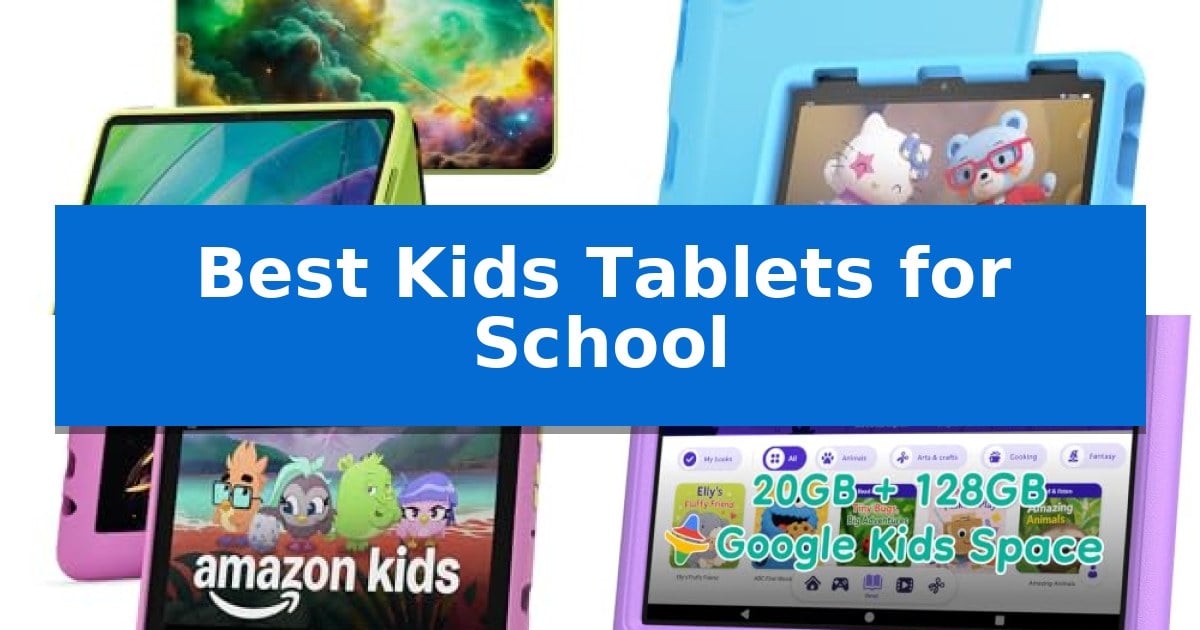
Finding the right device to balance academic needs and entertainment can be a challenge for parents. The Best Kids Tablets for School are designed to provide a secure environment where children can explore educational content while parents maintain control over screen time and app access.
Whether your student needs a reliable tool for reading and research or a durable device for on-the-go learning, selecting the right hardware is essential. We have analyzed current options to help you identify which tablet best fits your child's age, independence level, and daily school requirements.
Best Kids Tablets for School in 2026: Support Learning and Play
Quick Comparison
| Product | Best For | Key Strength | Score |
|---|---|---|---|
| Amazon Fire HD 11 Kids Tablet | Best Overall | Includes a 1-year Kids+ subscription for immediate access to curated educational content. | 4.9 |
| Amazon Fire HD 8 Kids Tablet | Reliable Daily Learning Companion | 2-year worry-free guarantee covers accidental breakage. | 4.4 |
| Amazon Fire HD 8 Kids Pro | Designed for Independent Learners | 2-year worry-free guarantee provides peace of mind against accidental damage. | 4.8 |
| SHARECLOUD P10 Pro Kids Tablet | High Capacity for Educational Media | 1TB expandable storage capacity for extensive educational content. | 4.4 |
| aiprotablet Kids Tablet | Includes Productivity Accessories | Complete accessory kit including keyboard, mouse, and stylus for immediate productivity. | 4.9 |
How We Chose
- Parental Control Versatility: Evaluating how easily parents can set daily goals, time limits, and content filters.
- Build Quality and Protection: Assessing the inclusion of shockproof cases and hardware durability for active students.
- Educational Content Access: Reviewing the availability of curated libraries, school-approved apps, and age-appropriate media.
- Hardware Reliability: Considering battery life, storage capacity, and processing speed for smooth app performance.
- Age-Appropriate Design: Distinguishing between models tailored for younger children and those offering more independence for older students.
1 Amazon Fire HD 11 Kids Tablet — Best for Older Students
Equipped with a 1-year Kids+ subscription and a durable slim protective case with a built-in kickstand, the Amazon Fire HD 11 Kids Tablet provides an all-in-one solution for students needing a reliable device for both educational content and entertainment. This tablet is built to handle daily use, whether tucked into a backpack or set up on a desk for study sessions.
The device features a vibrant 11-inch 2.5K display and a fast processor, ensuring that school-related apps and games run smoothly. With 64 GB of internal storage, students have ample space to download movies, graphic novels, or educational materials for offline access, making it a practical choice for travel or in-flight entertainment.
Parents can manage screen time and content through the Parent Dashboard app, which allows for setting daily goals for reading or Audible listening, as well as blocking specific apps. The tablet also supports access to the Google Play Store, enabling parents to supplement the curated Kids+ library with additional educational tools like Minecraft or Toca Boca World as their child's academic needs evolve.
Designed for longevity, the tablet includes a slim hard case that offers protection without excessive bulk. The 13-hour battery life for video playback ensures the device remains functional throughout long school days or extended study periods, providing a consistent experience without constant recharging.
Best for: Students aged 6-12 who need a durable, managed device for school apps, reading, and curated educational content.
Skip if: Users who require a full-featured desktop operating system or high-performance hardware for intensive creative software and professional-grade multitasking.
PROS
- Includes a 1-year Kids+ subscription for immediate access to curated educational content.
- Features a high-resolution 11-inch 2.5K display for clear visuals.
- Provides comprehensive parental controls via the Parent Dashboard.
- Includes a slim protective case with a versatile kickstand.
CONS
- The Kids+ subscription auto-renews at the applicable rate after the first year.
- Limited to the Amazon ecosystem and Google Play Store apps rather than a full desktop OS.
2 Amazon Fire HD 8 Kids Tablet — Reliable Daily Learning Companion
The Amazon Fire HD 8 Kids Tablet is built to withstand the rigors of daily use, featuring a screen made with strengthened aluminosilicate glass and a sturdy kid-proof case designed to protect against accidental drops and bumps. This device is specifically configured for children ages 3-7, offering a balance of educational content and durable hardware.
Performance is driven by a hexa-core processor and 4 GB of RAM, which provides a responsive experience for interactive games and educational apps. Users have access to 64GB of internal storage, which can be further expanded up to 1 TB via a microSD card slot, ensuring plenty of room for downloaded books and media.
The tablet includes a 1-year subscription to Amazon Kids+, providing access to a library of ad-free books, games, and videos from brands like Disney and PBS Kids. Parents can manage the digital environment through easy-to-use parental controls, allowing them to set time limits and prioritize educational content over entertainment.
For extended learning sessions, the device supports up to 13 hours of battery life, making it a reliable companion for school-related activities. The package includes a 2-year worry-free guarantee, providing a free replacement if the tablet breaks, which adds a layer of security for parents investing in a dedicated learning tool.
Best for: Young students ages 3-7 who need a durable, managed device for school-related reading, interactive learning, and educational entertainment.
Skip if: Older students or those requiring a full-featured desktop operating system for complex school projects will find the restricted environment and 8-inch display limiting.
PROS
- 2-year worry-free guarantee covers accidental breakage.
- 4 GB RAM provides a responsive interface for educational apps.
- Expandable storage up to 1 TB for extensive content libraries.
- Sturdy kid-proof case included for physical protection.
CONS
- Subscription renewal required after the initial 1-year period.
- Limited to the Amazon Kids ecosystem for curated content.
3 Amazon Fire HD 8 Kids Pro — Designed for Independent Learners
Equipped with a 2-year worry-free guarantee, the Amazon Fire HD 8 Kids Pro is built to withstand the rigors of daily school use and active play. This tablet is specifically tailored for children aged 6–12, moving beyond basic toy-like devices to provide a functional, full-featured experience that supports independent learning and organization.
The hardware is designed for longevity and performance, featuring a hexa-core processor paired with 3GB of RAM, which represents a significant upgrade over previous iterations. With 32GB of internal storage and the ability to expand up to 1TB via a microSD card, students have ample space for educational apps, digital books, and creative projects. The 8-inch HD screen provides a clear display for reading and interactive lessons, while the 13-hour battery life ensures the device lasts through a full day of schoolwork and extracurricular activities.
Safety and parental oversight are integrated into the core experience. The tablet includes easy-to-use parental controls that allow guardians to remotely review activity, manage content access, and approve downloads. For students needing to communicate, the device supports voice and video calls over Wi-Fi to approved contacts, keeping them connected without the need for a traditional smartphone. Furthermore, the safe web browsing feature includes built-in guardrails to filter inappropriate content, allowing for independent research in a controlled digital environment.
The package includes a 6-month subscription to Amazon Kids+, offering an extensive library of ad-free books, videos, and educational games. Housed in a slim kid-friendly case, the tablet is portable enough for school backpacks while maintaining a design that appeals to older children. This combination of hardware durability, software-based safety features, and educational content makes it a practical tool for students.
Best for: Students aged 6-12 who need a durable, managed device for educational apps, reading, and safe communication.
Skip if: Users requiring a high-performance tablet for professional-grade creative software or those who prefer an open ecosystem without parental management restrictions.
PROS
- 2-year worry-free guarantee provides peace of mind against accidental damage.
- Expandable storage up to 1TB allows for extensive educational content libraries.
- Robust parental controls enable remote monitoring and content management.
- 13-hour battery life supports extended use throughout the school day.
CONS
- Subscription-based content requires ongoing payments after the initial 6-month period.
- Limited app ecosystem compared to standard Android or iOS tablets.
4 SHARECLOUD P10 Pro Kids Tablet — High Capacity for Educational Media
Equipped with a 10.1-inch HD touchscreen and a durable shockproof EVA case, the SHARECLOUD P10 Pro Kids Tablet is designed to withstand the rigors of daily use while providing a clear display for educational activities and media consumption. This device is built for families seeking a balance between child-friendly durability and functional performance for school-related tasks.
The tablet runs on an octa-core T7250 processor paired with 4GB of RAM and 16GB of virtual memory, facilitating smoother transitions between learning apps and video calls. Connectivity is handled via WiFi 6 and Bluetooth 5.2, ensuring stable network access for streaming educational content or participating in online lessons.
Storage needs are addressed by 128GB of internal ROM, which can be expanded up to 1TB via a microSD card slot, providing ample space for ebooks, photos, and large educational files. The 6600mAh battery is intended to support extended use throughout the day, whether at home or during travel.
Parents can utilize built-in parental control features to manage screen time and app access, fostering a safer environment for children to explore digital learning tools. The package includes a 1-year warranty and technical support to assist with setup and operational inquiries.
Best for: Families requiring a durable, high-capacity tablet for educational apps, reading, and media consumption with integrated parental controls.
Skip if: Users seeking a high-performance device for intensive gaming or professional-grade creative software, as this tablet is optimized for learning and light media tasks.
PROS
- 1TB expandable storage capacity for extensive educational content.
- Shockproof EVA case provides physical protection for younger users.
- WiFi 6 and Bluetooth 5.2 support for reliable connectivity.
- Parental control features for managed screen time and app access.
CONS
- Entry-level processing power may limit performance in demanding applications.
5 aiprotablet Kids Tablet — Includes Productivity Accessories
Equipped with a comprehensive suite of productivity tools including a keyboard, mouse, and stylus, the aiprotablet Kids Tablet transitions seamlessly from a play device to a functional learning station. This 10-inch Android 16 tablet is built to support educational engagement through its T7280 Octa-core processor, which reaches speeds up to 2.2GHz for responsive navigation during school-related tasks.
The device prioritizes visual comfort with a 1280×800 IPS FHD+ display featuring a specialized black-and-white reading mode and a one-click focus mode designed to reduce blue light and screen flicker. These features aim to provide a clearer, more comfortable viewing experience during extended study sessions or digital reading assignments.
Safety and management are handled through pre-installed Google Kids Space and robust parental controls, allowing guardians to set learning goals, filter content, and manage screen time effectively. The tablet also integrates Gemini AI as an inspiration engine, encouraging children to move from simple observation to active creation within a controlled digital environment.
Designed for durability and portability, the tablet includes a protective case with an integrated adjustable stand, making it easy for students to position the screen for drawing or typing. With over 8 hours of battery life and fast-charging capabilities that reach full capacity in 2 hours, it is engineered to remain reliable throughout a typical day of schoolwork and creative play.
Best for: Students aged 3-12 who need a versatile, protected device that includes physical accessories for typing and creative tasks.
Skip if: Users requiring high-end processing power for intensive video editing or professional-grade graphic design software.
PROS
- Complete accessory kit including keyboard, mouse, and stylus for immediate productivity.
- Advanced eye protection features like black-and-white reading mode and blue light reduction.
- Durable protective case with an adjustable stand for versatile viewing angles.
- Parental control suite for managing screen time and educational content.
CONS
- Storage capacity is limited to 64GB internally, requiring a separate microSD card for expanded memory.
- Battery life of over 8 hours may require mid-day charging during heavy usage days.
Best Kids Tablets for School Buying Guide
Prioritizing Parental Controls
Effective parental controls are the cornerstone of a school-ready tablet. Look for devices that allow you to remotely review activity, set specific daily limits for different app categories, and approve or deny new downloads.
These features ensure that the tablet remains a productive tool rather than a distraction. The ability to prioritize educational apps over entertainment is particularly useful for managing homework time effectively.
Durability for Daily Use
School-bound tablets face significant wear and tear. A sturdy protective case is not just an accessory; it is a necessity to protect against drops, bumps, and the rigors of being carried in a backpack.
Many tablets designed for children include reinforced frames or specialized materials like strengthened aluminosilicate glass to prevent screen damage. Always verify that the included case provides adequate coverage for the screen and corners.
Storage and Performance
As students grow, their digital needs expand. A tablet with expandable storage via a microSD card slot offers the best long-term value, allowing you to add space for more educational videos, books, and creative projects.
Processor speed and RAM are also critical for a smooth experience. A responsive device ensures that learning apps load quickly and that switching between tasks does not lead to frustration or technical lag.
Educational Ecosystems
Consider the software ecosystem the tablet supports. Some devices come with pre-installed educational subscriptions that offer ad-free access to books, games, and STEM-focused content.
Compatibility with standard school apps is another vital factor. Ensure the tablet can access the specific platforms or digital resources required by your child's curriculum to maximize its utility during the school year.
Battery Life and Portability
A reliable battery is essential for students who use their tablets for homework or reading throughout the day. Look for models that offer all-day battery life, typically around 10 to 13 hours of continuous use.
Portability also matters; the tablet should be lightweight enough for a child to carry comfortably but large enough to provide a clear, readable display for textbooks and interactive lessons.
Frequently Asked Questions
Can these tablets access standard school apps?
Most modern Android-based kids tablets allow access to the Google Play Store, enabling you to download common educational apps and platforms used in school environments.
How do I manage my child's screen time?
These tablets feature dedicated parent dashboards where you can set specific time limits, block certain apps, and establish daily goals for reading or educational activities.
Are these tablets durable enough for younger children?
Yes, many models come with shockproof cases and are built with reinforced glass, specifically designed to withstand the accidental drops and bumps common with younger users.
Does the tablet require a subscription for all content?
While many tablets include a trial or initial subscription to services like Amazon Kids+, you can often use the tablet without a subscription by downloading free apps or using it for general web browsing and media.
Can I expand the storage later?
Many of the tablets listed support microSD card expansion, allowing you to increase the internal storage capacity significantly as your child's library of apps and media grows.
Conclusion: Our Top Pick
When selecting the best device for your student, the Amazon Fire HD 11 Kids Tablet stands out as a top choice for older students. Its combination of a large, high-resolution display, robust parental controls, and included educational subscription provides a comprehensive package that supports both academic growth and creative exploration.
While other models offer specific benefits like productivity accessories or smaller form factors, the Fire HD 11 provides the best overall balance of performance and long-term usability. Its ability to handle school-related apps while offering a safe, curated environment makes it a reliable investment for your child's educational journey.