
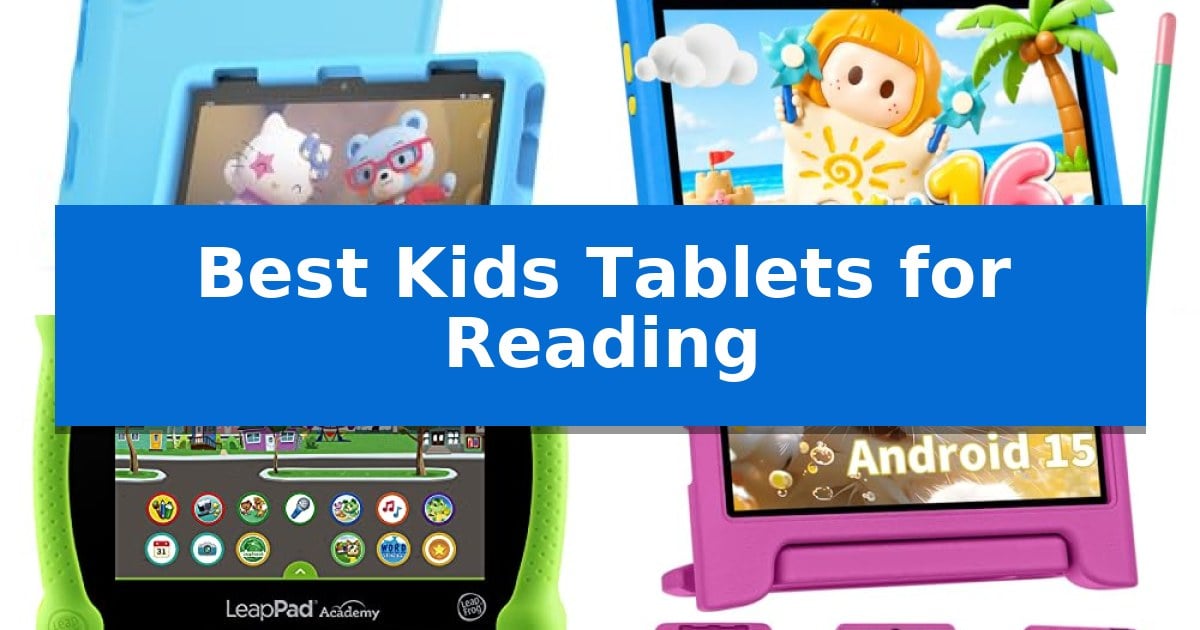
Finding the right digital tools for early literacy can transform how children interact with stories and educational content. The Best Kids Tablets for Reading are designed to balance engaging, interactive experiences with features that keep young eyes comfortable and parents in control of screen time.
Whether you are looking for a device that prioritizes a vast library of curated books or one that offers a larger, clearer display for long reading sessions, selecting the right tablet involves considering screen technology, battery life, and the robustness of the included protective hardware.
Best Kids Tablets for Reading in 2026
Quick Comparison
| Product | Best For | Key Strength | Score |
|---|---|---|---|
| Amazon Fire HD 8 Kids Tablet | Best Overall | 2-year worry-free guarantee provides free replacement for accidental damage. | 4.9 |
| Evermyth 10 Inch Kids Tablet | Large Screen for Easy Reading | UKIDOZ Kids Space provides curated, age-appropriate educational content. | 4.3 |
| LeapFrog LeapPad Academy Tablet | Built for Early Literacy Skills | Shatter-safe 7-inch screen designed for child-safe durability | 4.7 |
| COLORROOM 10 Inch Kids Tablet | Eye-Friendly Display for Long Sessions | Anti-blue light display for enhanced eye comfort during reading. | 4.8 |
| PEICHENG 7 Inch Kids Tablet | Compact Design for Younger Readers | Durable shockproof case with an integrated adjustable stand. | 4.8 |
How We Chose
- Display quality and eye-comfort features such as anti-blue light settings.
- Robustness of parental controls to limit access and manage reading time.
- Availability of curated, age-appropriate digital libraries and educational content.
- Physical durability including protective cases and screen resilience.
- Battery longevity to support extended reading sessions without frequent charging.
1 Amazon Fire HD 8 Kids Tablet — Best for Curated Educational Content
Equipped with a strengthened aluminosilicate glass screen and a sturdy kid-proof case, the Amazon Fire HD 8 Kids Tablet is built to withstand the bumps and drops typical of daily use by children ages 3-7. This device serves as a dedicated portal for educational engagement, moving beyond simple entertainment to provide a structured environment for young readers.
The tablet features a hexa-core processor paired with 4GB of RAM, ensuring a responsive interface when navigating through the included 1-year Amazon Kids+ subscription. This service provides access to thousands of ad-free books, interactive games, and educational content from established brands like Disney and PBS Kids, which can be managed directly through easy-to-use parental controls.
Designed for extended sessions, the unit offers up to 13 hours of battery life and includes 64GB of internal storage, which is expandable up to 1 TB via a microSD card slot. This capacity allows for a substantial library of digital books and apps to be stored locally, supporting offline reading during travel or quiet time.
Safety and longevity are central to the design, highlighted by a 2-year worry-free guarantee that covers accidental damage. By balancing robust hardware protection with curated, age-appropriate content, this tablet provides a focused reading and learning tool that allows parents to prioritize educational apps and books over general entertainment.
Best for: Parents seeking a durable, curated digital reading and educational environment for children ages 3-7 with robust parental oversight.
Skip if: Users requiring a high-performance tablet for professional creative tasks, advanced gaming, or those who prefer an open Android ecosystem without parental control restrictions.
PROS
- 2-year worry-free guarantee provides free replacement for accidental damage.
- 1-year Amazon Kids+ subscription offers extensive access to ad-free books and educational content.
- 4GB RAM and hexa-core processor deliver responsive performance for apps and media.
- Expandable storage up to 1TB accommodates large libraries of books and games.
CONS
- Subscription renewal required after the initial year to maintain access to the full Kids+ content library.
2 Evermyth 10 Inch Kids Tablet — Large Screen for Easy Reading
The Evermyth 10 Inch Kids Tablet provides a dedicated, age-appropriate environment for young learners through its preloaded UKIDOZ Kids Space, which curates educational content, interactive games, and digital picture books. This device is built to balance entertainment and learning, offering a 10-inch display that serves as a clear, expansive canvas for reading and creative activities.
Performance is driven by a high-efficiency A333 processor, paired with 24GB RAM and 64GB ROM to facilitate smooth app navigation and multitasking. For users who require additional space for media or educational resources, the tablet supports storage expansion up to 1TB via TF card. The inclusion of a 6000mAh battery ensures consistent operation during extended reading or video sessions, supported by a standard Type-C charging interface.
Designed for durability and ease of use, the tablet includes a premium protective case featuring a 180° adjustable stand to accommodate various viewing angles. The chassis is drop-resistant and anti-slip, making it suitable for younger users. A kid-friendly stylus is provided to assist with drawing and writing tasks, while the dual-camera system—featuring a 5MP front and 8MP rear autofocus lens—allows for basic photo and video capture.
Parents maintain oversight through a built-in parental control system, which enables the management of screen time limits, app permissions, and content filtering. This functionality allows for a customized digital experience tailored to the specific needs of children ages 3-12, ensuring that the device remains a safe tool for exploration and development.
Best for: Young children ages 3-12 who need a durable, parent-managed device for educational apps, digital reading, and creative play.
Skip if: Users seeking a high-performance tablet for professional-grade creative work, gaming, or those who require a high-resolution display beyond standard HD specifications.
PROS
- UKIDOZ Kids Space provides curated, age-appropriate educational content.
- Durable protective case includes a 180° adjustable stand for hands-free reading.
- Expandable storage up to 1TB supports a large library of learning resources.
- Parental controls allow for granular management of screen time and app access.
CONS
- TF card for storage expansion is not included with the device.
- Standard HD display may not meet the needs of users requiring higher pixel density.
3 LeapFrog LeapPad Academy Tablet — Built for Early Literacy Skills
The LeapFrog LeapPad Academy Kids’ Learning Tablet is engineered for early childhood development, featuring a 7-inch shatter-safe screen and a tough bumper with a built-in kickstand to withstand daily use by children ages 3 to 8. This device serves as a dedicated platform for literacy and skill-building, arriving with over 20 educator-approved apps focused on reading, math, and coding.
Beyond the pre-installed content, the tablet provides access to the LeapFrog App Center, allowing for the expansion of the library with additional eBooks, games, and videos. To support a structured learning environment, the hardware includes parental controls that enable the management of apps and the setting of time limits, ensuring that screen time remains focused on educational goals.
The system is designed for longevity and portability, powered by a rechargeable lithium-ion battery and protected by a durable chassis. It includes a stylus to assist with early writing skills, and the package provides a three-month trial of LeapFrog Academy, which grants access to a broader catalog of over 2,000 learning activities.
While the tablet offers a robust suite of educational tools, it is a specialized device intended for specific age-appropriate learning rather than general-purpose media consumption. Its design prioritizes durability and curriculum-based content, making it a focused tool for parents aiming to integrate technology into their child's reading and problem-solving practice.
Best for: Children aged 3-8 years who need a durable, educator-curated platform for early literacy and foundational skill development.
Skip if: Users seeking a general-purpose tablet for high-definition video streaming, social media, or complex gaming will find the specialized educational focus and hardware limitations restrictive.
PROS
- Shatter-safe 7-inch screen designed for child-safe durability
- Integrated parental controls for managing screen time and content
- Includes a protective bumper with a kickstand for hands-free reading
- Comes with a stylus to support early writing and interaction
CONS
- Limited to the LeapFrog ecosystem for app and content expansion
- Age-restricted content may not be suitable for older children
4 COLORROOM 10 Inch Kids Tablet — Eye-Friendly Display for Long Sessions
Engaging young readers requires a device that balances performance with eye-comfort technology, and the COLORROOM 10 Inch Kids Tablet delivers exactly that. Featuring a 10.1-inch HD 1280*800 fully-in-cell display, this tablet incorporates an anti-blue light design and automatic brightness adjustment to help reduce eye strain during extended reading or learning sessions.
Under the hood, the tablet runs on a stable Android 15 system powered by an Octa-core CPU. This hardware foundation ensures smooth operation whether a child is navigating through e-books, engaging with educational apps, or watching videos. With 10GB of RAM (4GB physical + 6GB virtual) and 64GB of internal storage, the device provides ample space for apps and media, which can be further expanded up to 1TB via a MicroSD card.
Safety and content management are central to its design, as it comes pre-installed with Google Kids Space and robust parental controls. These tools allow guardians to filter content, set specific educational targets, and manage usage time, creating a secure digital environment. The inclusion of dual box stereo speakers further enhances the audiovisual experience for story listening and interactive games.
Portability is supported by a 6000mAh large battery, rated to provide 8-12 hours of usage on a single charge. This capacity makes it a practical choice for travel, ensuring the device remains powered throughout long trips. The tablet is finished in a durable design, weighing approximately 0.55 pounds, making it manageable for younger users to handle comfortably.
Best for: Parents seeking a dedicated, eye-friendly tablet for children that includes built-in parental controls and expandable storage for a large library of e-books.
Skip if: Users requiring a high-performance tablet for intensive gaming or professional creative work, as this device is optimized specifically for educational and light media consumption.
PROS
- Anti-blue light display for enhanced eye comfort during reading.
- Expandable storage up to 1TB to accommodate large media libraries.
- Google Kids Space integration with comprehensive parental controls.
- Long-lasting 6000mAh battery suitable for travel.
CONS
- MicroSD card not included for storage expansion.
- Requires a 15W or 18W charger for optimal initial charging.
5 PEICHENG 7 Inch Kids Tablet — Compact Design for Younger Readers
Equipped with a shockproof case and an adjustable plastic stand, the PEICHENG 7 Inch Kids Tablet provides a durable and stable platform for young readers to engage with educational content. Its compact design ensures that the device remains manageable for smaller hands while offering a secure way to consume digital media without needing constant supervision.
The device features a 7-inch 1024×600 IPS HD display that utilizes automatic brightness adjustment to help reduce eye fatigue during extended reading sessions. Powered by a quad-core processor and Android 12.0, the tablet is built to handle app navigation and page loading with efficiency. It comes with 4GB of RAM (2GB plus 2GB expansion) and 32GB of internal storage, which can be further increased by up to 512GB via a Micro SD card.
Safety remains a priority through integrated parental control functions. Parents can set passwords, establish separate profiles for individual children, limit screen time, and filter web content to ensure a secure environment. The tablet also includes a 3.5mm headphone jack and dual speakers, supporting a variety of audio-visual learning experiences.
For connectivity and media, the tablet includes Wi-Fi and Bluetooth capabilities, along with front 2.0MP and back 5.0MP cameras. It is GMS certified, allowing access to educational apps via the Google Play Store, and supports Widevine L1 for streaming services like Netflix.
Best for: Young children who need a durable, portable device with robust parental controls for reading and educational apps.
Skip if: Users requiring high-resolution displays for professional graphic work or those needing a larger screen size for complex multitasking.
PROS
- Durable shockproof case with an integrated adjustable stand.
- Comprehensive parental controls for managing screen time and content safety.
- Expandable storage up to 512GB via Micro SD card.
- Eye protection features including automatic brightness adjustment.
CONS
- Standard 1024×600 resolution may not be as sharp as higher-end tablets.
- Compact 7-inch screen limits the viewing area for detailed documents or complex layouts.
Best Kids Tablets for Reading Buying Guide
Display Technology and Eye Health
When selecting a tablet for reading, the quality of the screen is paramount. Look for devices that offer IPS displays or specific eye-friendly modes that reduce blue light exposure, which is particularly important during long reading sessions.
Automatic brightness adjustment is another critical feature, as it ensures the screen remains readable in various lighting conditions while minimizing eye strain for the user.
Parental Control and Safety
Effective parental controls are essential for a safe reading experience. These tools allow parents to set time limits, filter out inappropriate websites, and prioritize educational apps or e-books over entertainment.
Many modern tablets offer dedicated Kids Space environments that provide a walled-garden approach, ensuring children only interact with content that has been vetted for their specific age group.
Durability and Build Quality
Kids tablets are often subjected to accidental drops and bumps. A sturdy, kid-proof case with an integrated stand is a standard requirement for protecting the device during daily use.
Consider the screen material as well; devices featuring strengthened aluminosilicate glass or shatter-safe screens offer an extra layer of protection against the inevitable accidents that occur with younger children.
Content Ecosystem
The value of a tablet often lies in the software and content library it supports. Tablets that include subscriptions to award-winning digital services provide instant access to thousands of ad-free books and interactive stories.
Ensure the device supports a wide range of formats and has enough expandable storage via microSD cards to accommodate a growing library of downloaded content for offline reading.
Battery Life and Portability
A reliable battery is necessary for uninterrupted reading, especially during travel or long family outings. Look for tablets that offer all-day battery life, typically ranging from 8 to 13 hours of continuous use.
The physical weight and dimensions of the tablet also matter; a compact, lightweight design is easier for smaller hands to hold for extended periods without fatigue.
Frequently Asked Questions
Are these tablets suitable for children of all ages?
Most tablets are categorized by age range, typically spanning from 3 to 12 years. Always check the manufacturer's recommended age to ensure the content and physical design match your child's developmental stage.
Can I expand the storage for more books?
Yes, many of the listed tablets support microSD card expansion, allowing you to add up to 1TB of extra storage for photos, videos, and a vast library of e-books.
How do I manage what my child reads?
Most tablets include a dedicated parent dashboard where you can review activity, set specific time limits, and manually approve or block access to specific apps and books.
Do these tablets require a subscription?
While some tablets come with a trial period for educational services, many features can be used without a subscription. However, a subscription is often required to access premium, ad-free content libraries.
What should I do if the screen breaks?
Some models, such as the Amazon Fire HD 8 Kids, include a multi-year worry-free guarantee that covers accidental damage and provides a free replacement if the device breaks.
Conclusion: Our Top Pick
For parents seeking the most reliable and content-rich experience, the Amazon Fire HD 8 Kids Tablet stands out as the top choice. Its combination of a durable, kid-proof design, extensive parental controls, and a vast library of ad-free educational content makes it an excellent tool for fostering a love of reading.
While other tablets offer larger screens or different operating systems, the comprehensive support and the included two-year worry-free guarantee provide significant peace of mind for parents. It remains the most well-rounded option for balancing entertainment with educational development.