
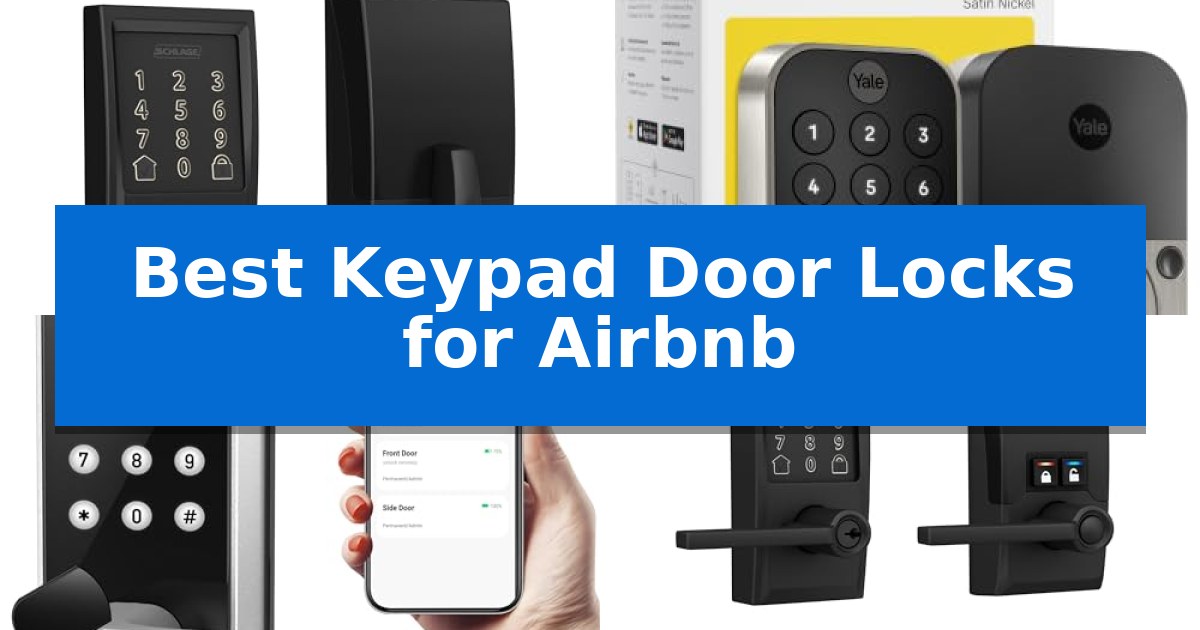
Managing a vacation rental requires balancing seamless guest access with robust property security. The Best Keypad Door Locks for Airbnb provide a reliable solution, allowing hosts to grant entry without the logistical headache of physical key exchanges.
By utilizing digital codes and remote management tools, these locks streamline the check-in process while ensuring your property remains protected. We have analyzed the leading models to help you identify which device best fits your specific rental management needs.
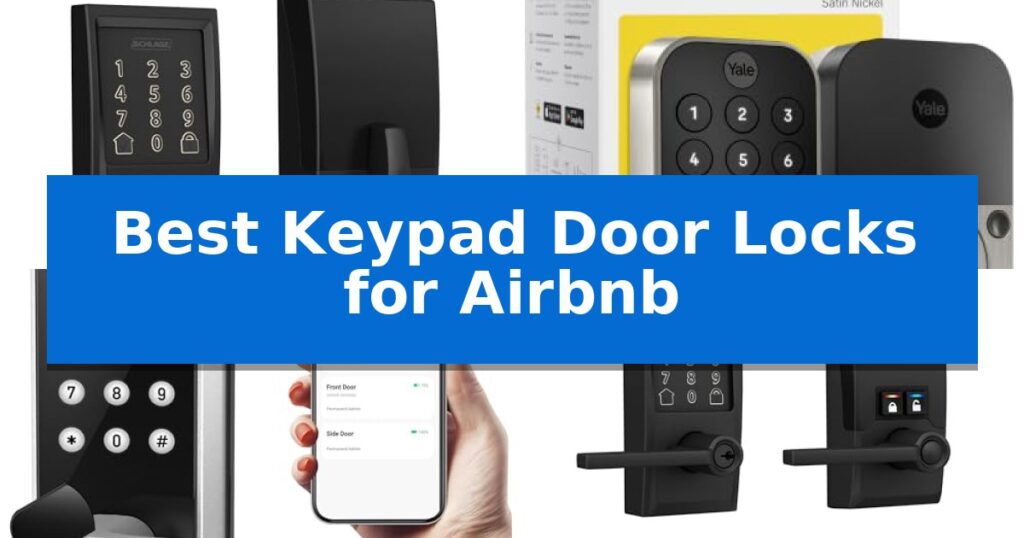
Best Keypad Door Locks for Airbnb in 2026: Simplify Guest Check-ins
Quick Comparison
| Product | Best For | Key Strength | Score |
|---|---|---|---|
| Schlage Encode Smart WiFi Deadbolt | Best Overall | Built-in WiFi eliminates the need for a separate bridge or hub. | 4.9 |
| Yale Assure Lock 2 WiFi | Seamless Guest Access Scheduling | Hub-free connectivity via 2.4 or 5 GHz Wi-Fi. | 4.7 |
| Sifely S Smart Door Lock | Versatile Multi-Method Entry | Multiple entry methods including fingerprint, keypad, app, and physical key. | 4.6 |
| Schlage Encode Smart WiFi Lever | Premium Security for Rental Doors | Built-in WiFi for remote management without extra hubs | 4.8 |
| Ulecoce U68 Fingerprint Deadbolt | Fast Biometric Guest Access | Fast biometric recognition with a 0.3-second response time. | 4.5 |
How We Chose
- Remote Access and Connectivity: Evaluation of built-in WiFi or bridge requirements for off-site management.
- Guest Access Management: Ability to generate, schedule, and revoke temporary entry codes for specific guest stays.
- Security and Durability: Assessment of BHMA certification, alarm features, and physical construction quality.
- Installation and Compatibility: Verification of standard door fitment and the complexity of the setup process.
- Battery Life and Reliability: Consideration of power efficiency and low-battery notification systems.
1 Schlage Encode Smart WiFi Deadbolt — Best for Remote Property Management
Managing guest access for short-term rentals requires a balance of security and convenience, and the Schlage Encode Smart WiFi Deadbolt addresses this with its built-in WiFi compatibility. This feature allows property managers to control and monitor the lock remotely via the Schlage Home app, eliminating the need for physical key exchanges or additional hubs.
The lock offers robust administrative tools, including the ability to manage up to 100 access codes, which is ideal for rotating guest stays. Owners can view lock history and receive customizable notifications to track entry activity. For added convenience, the unit supports voice control through Alexa and Google Home, providing a hands-free experience for guests or hosts.
Security is a primary focus, featuring a fingerprint-resistant touchscreen and a built-in, customizable alarm that alerts users to forced entry attempts or door movement. The device is certified for high residential security and durability. Installation is straightforward, utilizing a Snap ‘n Stay design that keeps the lock in place on the door during the process, requiring only a screwdriver.
Designed for practical operation, the Schlage Encode Smart WiFi Deadbolt includes an auto-lock function with adjustable time delays, ensuring doors are secured after guests depart. It operates on four AA batteries with an estimated six months of battery life under typical use, and includes a low-battery indicator to prevent lockouts. A physical backup key is provided for emergency access.
Best for: Property managers and Airbnb hosts who require remote access control, activity monitoring, and the ability to manage multiple unique guest codes through a smartphone app.
Skip if: Users who prefer a lock that operates exclusively offline or those who do not have a reliable WiFi network at the property location.
PROS
- Built-in WiFi eliminates the need for a separate bridge or hub.
- Manage up to 100 access codes for flexible guest scheduling.
- Certified BHMA security rating for high durability and protection.
- Remote monitoring and activity history via the Schlage Home app.
CONS
- Requires a stable WiFi connection for remote features to function.
- Battery-operated system requires periodic maintenance and monitoring.
2 Yale Assure Lock 2 WiFi — Seamless Guest Access Scheduling
Managing property access remotely requires a reliable system that eliminates the need for physical key exchanges. The Yale Assure Lock 2 WiFi addresses this by integrating directly with your home network, allowing for seamless remote management without the need for a separate hub or bridge.
This electronic deadbolt provides flexible entry options, including a backlit keypad for guests and automatic unlocking features for residents. The Yale Access app enables hosts to generate and schedule unique entry codes that expire automatically, ensuring that access is limited strictly to the duration of a guest's stay.
Security and durability remain central to the design, with the lock featuring BHMA Grade 2 certification to withstand varied environmental conditions. The inclusion of DoorSense technology provides real-time status updates, confirming whether the door is properly closed and locked, which helps remove uncertainty when managing properties from afar.
While the device offers robust connectivity, it is important to note that the remote app control features are specifically optimized for use in the US and Canada. The lock also includes a physical backup key, providing a manual override option if battery levels are depleted.
Best for: Property owners seeking a hub-free, remote-managed entry solution with automated code scheduling for guests.
Skip if: Users located outside of the US or Canada, or those who prefer a lock that does not rely on a Wi-Fi connection for smart features.
PROS
- Hub-free connectivity via 2.4 or 5 GHz Wi-Fi.
- Scheduled code sharing ideal for guest management.
- DoorSense technology for real-time door status monitoring.
- BHMA Grade 2 certified for commercial-grade durability.
CONS
- Regional limitation for remote app control to US and Canada only.
3 Sifely S Smart Door Lock — Versatile Multi-Method Entry
Managing guest access for short-term rentals requires a balance of security and convenience, and the Sifely S Smart Door Lock addresses this by offering multiple entry methods including fingerprint, keypad, and remote app control. This versatility ensures that hosts can provide seamless check-in experiences without the need for physical key exchanges.
The Sifely S Smart Door Lock is specifically built for rental environments, allowing hosts to generate guest access codes remotely via the app or web. By integrating with the optional Sifely WiFi Gateway, users gain the ability to manage properties from anywhere, providing real-time access logs that help maintain oversight of who enters and when.
Installation is designed for simplicity, fitting most standard doors without the need for additional drilling. The reversible handle accommodates both left and right-handed door configurations, making it a flexible choice for various property layouts. For those integrated into a smart home ecosystem, the lock supports voice control via Alexa and Google Assistant when paired with the gateway.
While the lock provides robust features for property management, users should note that the WiFi Gateway is an optional accessory required for remote connectivity and voice integration. Without this gateway, the lock operates primarily via Bluetooth, which limits management to local proximity.
Best for: Airbnb hosts and rental property owners seeking a versatile, remote-managed entry solution with multiple access methods.
Skip if: Users who do not wish to purchase an additional WiFi gateway and require out-of-the-box remote management capabilities.
PROS
- Multiple entry methods including fingerprint, keypad, app, and physical key.
- Remote access management for generating guest codes and viewing entry logs.
- DIY-friendly installation with a reversible handle design.
- Smart home integration with Alexa and Google Assistant.
CONS
- Remote features require the purchase of an additional WiFi gateway.
- Bluetooth-only operation limits management to local range without the gateway.
4 Schlage Encode Smart WiFi Lever — Premium Security for Rental Doors
Managing guest access for short-term rentals requires a balance of convenience and security, and the Schlage Encode Smart WiFi Lever addresses this with built-in WiFi compatibility. This feature allows property managers to monitor and control the lock remotely via the Schlage Home app, eliminating the need for physical key handoffs or third-party hubs.
For enhanced security, the device includes a fingerprint-resistant touchscreen and a customizable alarm that triggers upon detecting door movement or forced entry attempts. The hardware is built to meet high residential standards for Security, Durability, and Finish as certified by BHMA industry experts, providing a robust physical barrier for rental properties.
The lock is designed for high-traffic use, featuring an auto-lock function with adjustable time delays to ensure the door is secured after guests depart. Additionally, interior control buttons allow for quick transitions to an unlocked state, facilitating frequent access when needed during cleaning or maintenance cycles.
Available in a Matte Black finish with a Century trim, the Schlage Encode Smart WiFi Lever offers a professional aesthetic that fits various home styles. The unit is backed by a limited lifetime mechanical and finish warranty, alongside a limited three-year electronics warranty, providing long-term support for rental operators.
Best for: Property managers and Airbnb hosts seeking a secure, remote-managed entry solution with integrated WiFi and high-durability certification.
Skip if: Users who require a deadbolt-only configuration or those who prefer a non-WiFi, local-only access control system.
PROS
- Built-in WiFi for remote management without extra hubs
- BHMA-certified for high residential security and durability
- Customizable alarm for forced entry and door movement
- Auto-lock functionality with adjustable time delays
CONS
- Lever handle design may not be compatible with all door configurations
- Warranty coverage is restricted to specific authorized sellers
5 Ulecoce U68 Fingerprint Deadbolt — Fast Biometric Guest Access
Managing guest access for short-term rentals requires a balance of security and convenience, and the Ulecoce U68 Fingerprint Keypad Deadbolt addresses this by offering multiple entry methods, including biometric recognition and remote code management. This device is designed to streamline the check-in process by allowing hosts to generate temporary, scheduled, or one-time passwords directly from a smartphone app, eliminating the need for physical key exchanges.
The lock features an ultra-fast fingerprint sensor that identifies users in as little as 0.3 seconds, providing a reliable alternative to passcodes. For hosts managing remote properties, the app-based management system allows for real-time access logs and remote locking or unlocking capabilities. When paired with a separate gateway, the system integrates with voice assistants and provides 24/7 door open alerts to keep owners informed of property activity.
Installation is designed for simplicity, requiring only a screwdriver to fit standard door configurations. The unit includes a customizable auto-lock function that secures the door automatically between 5 and 60 seconds after closing, ensuring the property remains locked even if guests forget. With a 3-year warranty and 24/7 support, the hardware is built to provide long-term operational peace of mind.
While the lock offers robust digital features, it is important to note that full remote and voice control functionality requires the purchase of a separate gateway. The device is best suited for hosts who prioritize keyless entry and remote monitoring, though those without a stable Wi-Fi setup or a compatible gateway will be limited to local keypad and fingerprint access.
Best for: Airbnb hosts who need remote access management and multiple entry options for guests.
Skip if: Users who do not wish to purchase a separate gateway for full remote connectivity or those who prefer a purely mechanical lock.
PROS
- Fast biometric recognition with a 0.3-second response time.
- Comprehensive app control for generating temporary and scheduled guest codes.
- Flexible 5-in-1 unlocking including fingerprint, keypad, app, and physical keys.
- Customizable auto-lock settings for enhanced property security.
CONS
- Gateway required for remote and voice control features.
- Limited remote functionality without the additional gateway purchase.
Best Keypad Door Locks for Airbnb Buying Guide
Remote Management Capabilities
For any Airbnb host, the ability to control your lock from anywhere is paramount. Look for models with built-in WiFi that connect directly to your network, as these eliminate the need for additional bridges or hubs, simplifying your setup.
Effective remote management allows you to monitor lock status, view access history, and receive real-time notifications whenever a door is locked or unlocked. This visibility is essential for tracking guest check-ins and ensuring the property is secure after checkout.
Guest Access Scheduling
The primary benefit of a smart lock is the ability to create temporary access codes. The best systems allow you to set specific start and end times for these codes, ensuring they only work during a guest's reserved stay.
This automation prevents the need for manual code updates and reduces the risk of unauthorized entry. Ensure the accompanying app provides a user-friendly interface for generating and sharing these codes with guests via email or messaging platforms.
Security Standards and Build
Vacation rentals experience high turnover, so your hardware must be built to last. Look for BHMA-certified locks, which indicate the device has undergone rigorous testing for durability, finish, and security against forced entry.
Additional security features such as anti-peep touchscreens and built-in alarms for movement or tampering provide an extra layer of protection. These features deter unauthorized access and alert you immediately if the lock is compromised.
Installation and Door Compatibility
Most smart locks are designed for DIY installation on standard residential doors. Before purchasing, verify the door thickness and backset measurements to ensure the lock will fit without requiring professional modification.
Features like a Snap 'n Stay design can make the installation process significantly easier by holding the lock in place while you secure the screws. Always check if the handle is reversible to accommodate both left-handed and right-handed door swings.
Power and Maintenance
Smart locks are typically battery-operated, usually requiring four AA batteries. While most offer several months of battery life, it is crucial to choose a model that provides clear low-battery indicators through the app or on the device itself.
Having a physical backup key is a recommended safety feature for any electronic lock. This ensures that you or your guests can still access the property in the rare event of a total electronic failure or battery depletion.
Frequently Asked Questions
Do I need a WiFi bridge for these locks?
Some models, like the Schlage Encode, feature built-in WiFi and do not require a bridge. Others may require a separate gateway device to enable remote connectivity.
Can I use these locks on rental properties without a hub?
Yes, many modern smart locks are designed to connect directly to your home WiFi network, allowing for remote management without the need for a dedicated smart home hub.
What happens if the batteries die?
Most smart locks include a low-battery warning system. In the event of total power loss, most models provide a physical key override or a way to jump-start the lock externally.
Are these locks compatible with Airbnb's automated check-in?
Many of these locks integrate with property management software that can automatically send access codes to guests upon booking confirmation.
How many access codes can I manage?
Capacity varies by model, but most rental-grade locks support dozens or even hundreds of unique user codes, making them suitable for high-turnover properties.
Conclusion: Our Top Pick
For hosts seeking the most reliable and feature-rich solution, the Schlage Encode Smart WiFi Deadbolt stands out as the top choice. Its built-in WiFi connectivity eliminates the need for extra hardware, and its BHMA certification ensures the high level of durability required for a busy rental property.
While other options offer specific benefits like biometric entry or handle-integrated designs, the Schlage model provides the most consistent performance for remote property management. Its ability to manage up to 100 access codes and provide real-time notifications makes it a dependable foundation for any Airbnb host's security strategy.