
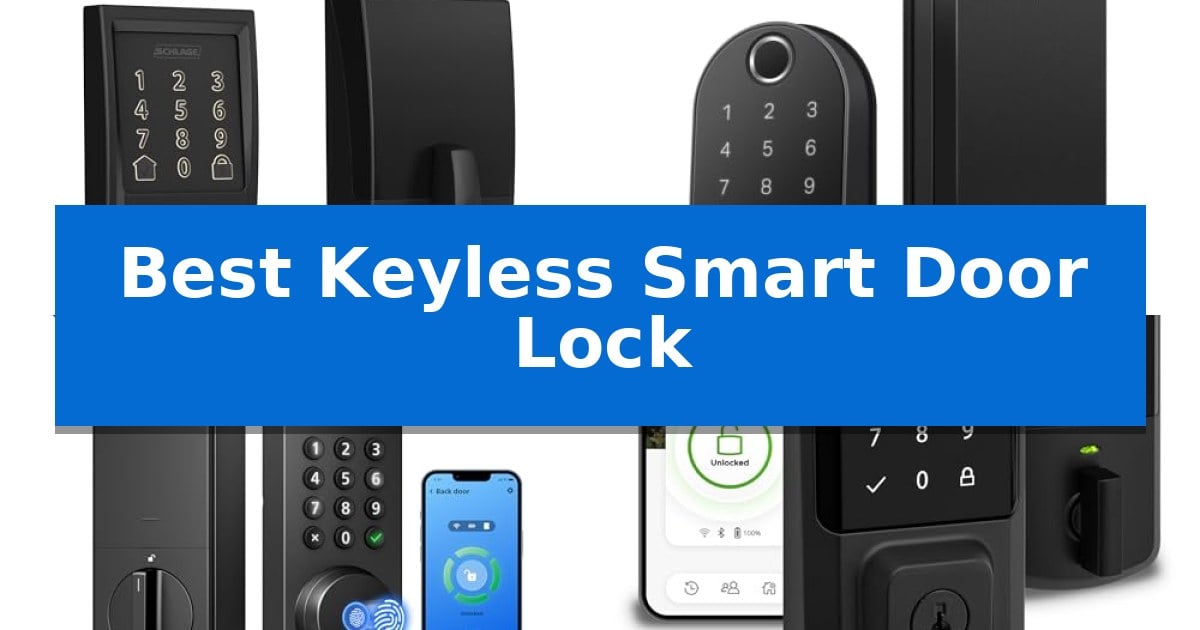
Upgrading your home security often starts at the front door, where the traditional metal key is increasingly being replaced by digital convenience. A Best Keyless Smart Door Lock offers more than just the ability to enter without a physical key; it provides granular control over who enters your home and when, often allowing for remote monitoring and temporary access codes.
Whether you are looking to simplify daily arrivals or need to grant access to guests and service providers while you are away, selecting the right hardware is essential. We have analyzed the latest models to help you understand the trade-offs between connectivity options, biometric speed, and overall installation requirements for your specific entryway.
Best Keyless Smart Door Lock in 2026
Quick Comparison
| Product | Best For | Key Strength | Score |
|---|---|---|---|
| Schlage Encode Smart WiFi Deadbolt | Best Overall | Built-in WiFi for remote access without a hub. | 4.9 |
| Tapo DL110 Smart WiFi Deadbolt | Longest Lasting Rechargeable Battery | Rapid fingerprint recognition unlocks in 0.42 seconds. | 4.9 |
| Philips 4200 Series Smart Deadbolt | Includes Matching Door Handle Set | Built-in WiFi eliminates the need for an extra hub. | 4.4 |
| Kwikset Halo Smart WiFi Deadbolt | Easiest Geofencing Integration | No hub required for Wi-Fi connectivity and remote app control. | 4.7 |
| TEEHO TE001 Keyless Entry Deadbolt | Budget Friendly Security Choice | 20 unique user codes for flexible family and guest access | 4.9 |
How We Chose
- Connectivity and Remote Access: We assessed how each lock communicates with your home network and whether it requires a dedicated bridge or hub.
- Biometric and Digital Reliability: We looked at the speed and accuracy of fingerprint sensors and the flexibility of managing multiple user access codes.
- Power Management: We considered battery longevity and the convenience of recharging methods to ensure consistent, reliable operation.
- Installation and Compatibility: We reviewed the physical requirements for door thickness and backset to ensure a straightforward setup process.
- Security Features: We prioritized locks with clear security certifications and built-in tamper detection or alarm systems.
1 Schlage Encode Smart WiFi Deadbolt — Best for Remote WiFi Access
The Schlage Encode Smart WiFi Deadbolt integrates directly with your home network via built-in WiFi, eliminating the need for a separate hub or bridge to manage access from anywhere. This design allows users to monitor their door status, view lock history, and receive notifications through the Schlage Home app, providing a streamlined approach to home security.
Security is managed through an encrypted connection and a fingerprint-resistant touchscreen that supports up to 100 unique access codes. For added peace of mind, the lock includes a customizable alarm that triggers during forced entry attempts or door movement, while the BHMA-certified construction ensures high standards for residential durability and finish.
Installation is designed for simplicity, requiring only a screwdriver and no hardwiring. The Snap ‘n Stay feature holds the lock in place on the door during the setup process, accommodating standard door thicknesses between 1-3/8 inches and 1-3/4 inches. The device operates on four AA batteries, which provide up to six months of typical use, and includes a low-battery indicator both on the touchscreen and within the mobile app.
For daily convenience, the lock offers an auto-lock function with adjustable time delays, allowing the door to secure itself automatically. Users can also utilize one-touch locking from the exterior keypad when leaving. While the system is designed for keyless entry, it includes one physical backup key for manual access if necessary.
Best for: Homeowners who want a robust, WiFi-connected deadbolt that integrates with major smart home ecosystems without requiring a separate hub.
Skip if: Users who prefer a low-power Bluetooth-only lock or those who require a deadbolt compatible with door thicknesses outside the 1-3/8 to 1-3/4 inch range.
PROS
- Built-in WiFi for remote access without a hub.
- Supports up to 100 access codes for flexible entry management.
- BHMA-certified for high residential security and durability.
- Snap ‘n Stay design simplifies the installation process.
CONS
- Battery-operated power requires periodic replacement.
- Limited to standard door thicknesses of 1-3/8 to 1-3/4 inches.
2 Tapo DL110 Smart WiFi Deadbolt — Longest Lasting Rechargeable Battery
Securing your home with the Tapo DL110 Smart WiFi Deadbolt offers a versatile approach to entry, centered around its ability to provide access through six distinct methods. Whether you prefer the speed of biometric authentication or the convenience of remote management via a smartphone, this device integrates multiple technologies into a single, BHMA Grade 2 certified deadbolt.
The standout feature for daily convenience is the rapid fingerprint recognition sensor, which is engineered to unlock the door in just 0.42 seconds. This system supports up to 100 unique fingerprints, making it suitable for households with multiple residents. For guests or service providers, the system allows for the creation of custom permanent, one-time, or scheduled access codes, providing granular control over who enters and when.
Maintenance is streamlined through the use of a 1-year rechargeable battery, which minimizes the need for frequent battery swaps. When power levels run low, the integrated USB-C charging port allows for straightforward recharging. The unit also includes a physical backup key, ensuring that you maintain manual access regardless of the electronic status of the lock.
Connectivity remains a core component of this system, offering both Wi-Fi and Bluetooth capabilities. This dual-connectivity setup allows for local control via Bluetooth and remote monitoring or management via Wi-Fi through the associated application. The design is finished in a sleek black, measuring approximately 2.91 x 7.83 x 1.83 inches, fitting a standard deadbolt footprint.
Best for: Homeowners who prioritize biometric access and long-term battery convenience in a smart deadbolt.
Skip if: Users who require integration with specific smart home ecosystems not supported by the Tapo platform or those who prefer a traditional mechanical-only lock.
PROS
- Rapid fingerprint recognition unlocks in 0.42 seconds.
- 1-year battery life with convenient USB-C recharging.
- Six access methods including fingerprint, keypad, app, and physical key.
- Flexible guest management with scheduled and one-time code options.
CONS
- Requires manual recharging of the battery pack annually.
- Size and dimensions may require specific door clearance.
3 Philips 4200 Series Smart Deadbolt — Includes Matching Door Handle Set
The Philips 4200 Series Smart Deadbolt simplifies home entry by integrating a matching door handle set directly into the package, providing an all-in-one hardware upgrade for standard doors. This unit eliminates the need for physical keys by offering 0.3-second fingerprint access and a backlit keypad for PIN entry, ensuring rapid entry regardless of lighting conditions.
Connectivity is handled through built-in 2.4GHz WiFi, which allows for remote management via the Philips Home Access App without requiring an external hub or bridge. Users can monitor access history, manage user codes, and check the lock status from anywhere. For added convenience, the system supports voice commands through Alexa and Google Assistant, allowing for hands-free operation.
Designed for versatility, the lock features flexible PIN options including permanent, one-time, and recurring codes, making it suitable for family members, guests, or service providers. The auto-lock function can be configured via the app to engage between 0 and 180 seconds after closing, providing peace of mind for those concerned about leaving the door unlocked.
Installation is straightforward for most doors measuring 1-3/8" to 1-3/4" thick, requiring only a screwdriver. The device is powered by standard 1.5V alkaline batteries, offering up to 6 months of battery life with an integrated low-battery alert. Philips provides dedicated support through a US-based team available by phone and email.
Best for: Homeowners seeking an all-in-one smart lock solution that includes a matching handle set and requires no external hub for WiFi connectivity.
Skip if: Users who prefer rechargeable lithium batteries or those with door thicknesses outside the 1-3/8" to 1-3/4" range.
PROS
- Built-in WiFi eliminates the need for an extra hub.
- 0.3-second biometric fingerprint recognition for fast access.
- Complete handle set included for a cohesive aesthetic.
- Versatile PIN management for recurring or temporary guest access.
CONS
- Battery restrictions require standard 1.5V alkaline batteries only.
- WiFi range limitations require the lock to be within 33 feet of the router.
4 Kwikset Halo Smart WiFi Deadbolt — Easiest Geofencing Integration
Securing your home entrance with the Kwikset Halo Smart WiFi Deadbolt provides a streamlined approach to access management, specifically through its integrated Wi-Fi connectivity that eliminates the need for a separate hub. This device allows homeowners to manage entry remotely via the Kwikset app, offering a practical solution for those who prioritize digital oversight of their front door.
The lock features a backlit touchscreen keypad capable of storing up to 250 unique access codes, facilitating flexible entry options for family members and guests. Users can issue temporary, scheduled, or permanent codes, which are easily managed within the app. For added convenience, the system supports intelligent geofencing, which can trigger the lock to unlock automatically as you approach your home, ensuring a seamless transition when carrying groceries or other items.
Security and peace of mind are addressed through instant intrusion detection notifications sent directly to your smartphone, alerting you to invalid code attempts or physical tampering. The auto-lock security function provides further utility, allowing you to set a specific duration after which the door will lock itself, reducing the risk of leaving the home unsecured.
Installation is designed for a straightforward DIY process, requiring only a standard screwdriver. The unit is compatible with doors between 1-3/8" and 1-3/4" thick and features an adjustable deadbolt backset ranging from 2-1/8" to 2-3/4". The hardware is supported by a lifetime mechanical and finish warranty, alongside a 1-year electronics warranty, providing long-term assurance for the physical components.
Best for: Homeowners seeking a hub-free, Wi-Fi-connected smart lock with robust geofencing and remote access management capabilities.
Skip if: Users who require integration with non-Alexa or non-Google Home smart ecosystems or those who prefer a physical key-only entry system.
PROS
- No hub required for Wi-Fi connectivity and remote app control.
- Intelligent geofencing enables automated unlocking upon approach.
- High capacity for up to 250 unique user access codes.
- Instant alerts for tampering or invalid entry attempts.
CONS
- 1-year electronics warranty is significantly shorter than the lifetime mechanical warranty.
- Requires Wi-Fi signal at the door for remote features to function.
5 TEEHO TE001 Keyless Entry Deadbolt — Budget Friendly Security Choice
Securing your home with the TEEHO TE001 Keyless Entry Deadbolt offers a streamlined approach to access control, centered around its versatile keypad. This device allows for up to 20 unique user codes, providing individual access for family members, alongside a dedicated temporary code for guests that automatically deletes after a single use.
Designed for durability and weather resistance, the TEEHO TE001 Keyless Entry Deadbolt features a sturdy aluminum alloy construction rated at IP54 waterproof standards. The unit includes an anti-peep password function to protect your entry codes from onlookers, and a convenient one-touch auto-lock feature that engages when you press and hold any key for two seconds.
Installation is straightforward, requiring only a standard screwdriver, though it is important to note that the lock is exclusively compatible with 2-1/8" (54mm) door holes. Before initial use, a simple reset process allows the deadbolt to automatically detect the door direction, ensuring it adapts correctly to either left- or right-handed setups.
Power management is handled by 4 AA batteries, which support a lifespan of up to 365 days. A low battery indicator provides a red light alert once power levels drop below 15%, ensuring you have sufficient time to replace the batteries before the unit loses functionality. Two backup keys are included for manual entry if needed.
Best for: Homeowners seeking a reliable, budget-friendly deadbolt upgrade that supports multiple user codes and temporary guest access.
Skip if: Users with 38mm door holes, as this model is specifically designed for 2-1/8" (54mm) door hole dimensions.
PROS
- 20 unique user codes for flexible family and guest access
- IP54 weather resistance for reliable outdoor performance
- One-touch auto-lock for quick and secure departures
- Anti-peep password protection to enhance entry security
CONS
- Incompatible with 38mm door holes
- Batteries not included in the package
Best Keyless Smart Door Lock Buying Guide
Understanding Connectivity Standards
Most modern smart locks utilize WiFi connectivity to allow for remote control via a smartphone app. This is particularly useful for checking lock status or granting access while you are away from home. Some models connect directly to your router, while others may rely on Bluetooth for local interactions.
When choosing, consider the proximity of your router to the door. A strong, stable signal is necessary for reliable remote performance. If your router is far from the entryway, you may need to consider a lock that supports a bridge or has robust signal penetration capabilities.
Biometric vs. Keypad Access
Biometric fingerprint sensors provide the fastest entry method, often unlocking in under a second. This is ideal for family members who want to enter quickly without remembering a code. However, these sensors require clean, dry conditions to maintain high recognition accuracy.
Keypad entry remains a reliable backup or primary method for guests. Look for models that offer anti-peep features, which allow you to enter random digits before or after your actual code to prevent onlookers from guessing your PIN based on fingerprint smudges.
Battery Life and Maintenance
Smart locks are typically powered by AA batteries or rechargeable battery packs. Battery longevity is a critical factor, as you do not want to be locked out due to a dead power source. Look for models that provide clear low-battery alerts both on the device and within the companion app.
Some newer models feature USB-C charging, which allows for easier maintenance compared to traditional battery replacements. Always check the manufacturer's recommendations regarding the type of batteries to use, as high-power lithium batteries may not be compatible with all electronic components.
Physical Security and Durability
A smart lock is only as secure as the deadbolt mechanism it controls. Check for BHMA (Builders Hardware Manufacturers Association) certifications, which indicate that the hardware has been tested for security, durability, and finish quality.
Consider the construction materials of the lock. Sturdy aluminum alloy or reinforced steel housings provide better resistance to forced entry attempts. Additionally, look for weather-resistant ratings if your door is exposed to direct rain or extreme temperature fluctuations.
Installation Requirements
Before purchasing, measure your door thickness and the backset (the distance from the edge of the door to the center of the hole). Most standard smart locks are designed to fit doors between 1-3/8 inches and 1-3/4 inches thick.
Many modern locks are designed for DIY installation using only a screwdriver. Features like "Snap 'n Stay" or internal mounting plates can significantly simplify the process by holding the lock in place while you secure the screws, making it a manageable task for most homeowners.
Frequently Asked Questions
Do I need a professional to install a smart lock?
Most smart locks are designed for DIY installation and can be installed in minutes using only a screwdriver, provided your door meets the standard thickness and backset requirements.
What happens if the battery dies?
Most smart locks include a physical backup key slot or a way to provide emergency power via an external battery, ensuring you are never permanently locked out.
Can I use these locks with my existing smart home system?
Many models are compatible with platforms like Alexa and Google Home, allowing for voice control and integration into broader home automation routines.
Are these locks weather-resistant?
Many smart locks feature IP-rated weather resistance, making them suitable for exterior doors, though you should always check the specific rating for your chosen model.
How many access codes can I store?
Capacity varies by model, with some supporting as few as 20 codes and others supporting up to 250, which is useful for managing access for large families or frequent guests.
Conclusion: Our Top Pick
Selecting the right hardware for your entryway involves balancing your need for remote monitoring against the convenience of biometric or keypad entry. For most users, the Schlage Encode Smart WiFi Deadbolt stands out as the most reliable choice due to its integrated WiFi, which eliminates the need for extra hubs, and its proven track record for residential security.
While other models offer specific advantages like longer battery life or included handle sets, the Schlage Encode provides a robust, all-around solution for those who prioritize remote access and ease of use. Ensure your door meets the necessary thickness and backset specifications before finalizing your purchase to guarantee a smooth installation experience.