
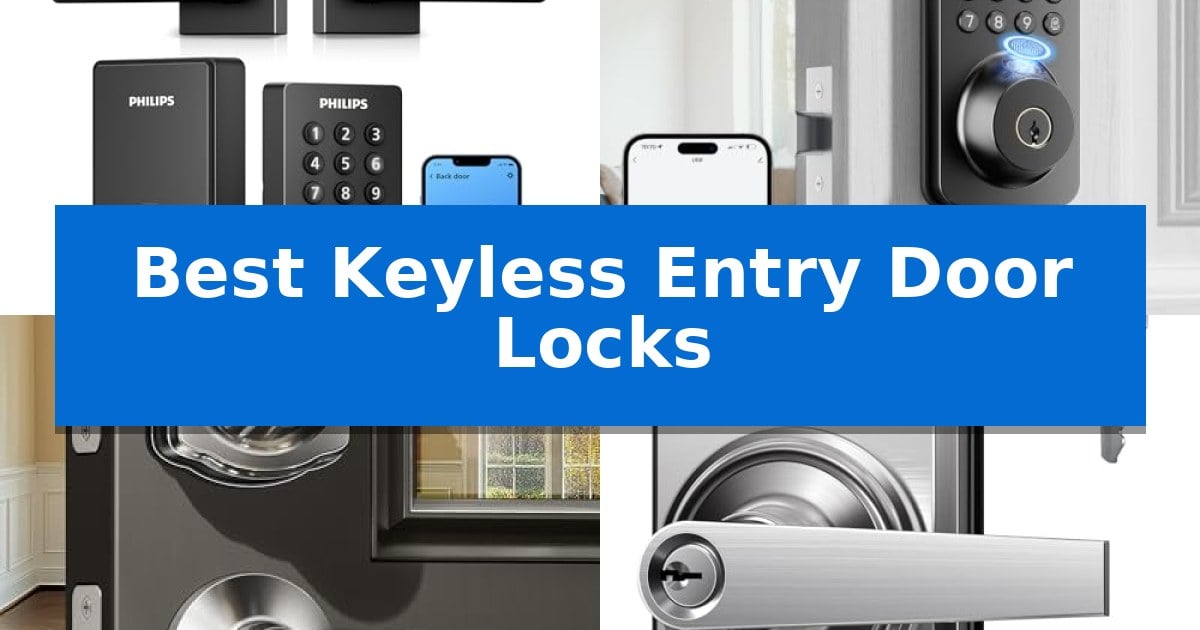
Upgrading your home security often starts at the front door, where the right hardware can eliminate the frustration of lost keys while adding modern convenience. The Best Keyless Entry Door Locks offer a variety of access methods, ranging from biometric fingerprint scanners to customizable PIN codes and smartphone app integration, ensuring you always have a reliable way to enter your home.
Selecting the right model depends on how you manage access for family, guests, or service providers. Whether you prioritize remote monitoring, rapid biometric entry, or a simple, value-driven keypad, these devices provide robust alternatives to traditional mechanical locks. By evaluating features like battery life, installation requirements, and smart home connectivity, you can find a solution that fits your lifestyle and door configuration perfectly.
Best Keyless Entry Door Locks in 2026
Quick Comparison
| Product | Best For | Key Strength | Score |
|---|---|---|---|
| Philips WiFi Keypad Deadbolt | Best Overall | Integrated handle and deadbolt design for a complete front door upgrade. | 4.9 |
| Ulecoce U68 Fingerprint Deadbolt | Fastest Biometric Access | Ultra-fast 0.3-second fingerprint recognition for immediate entry. | 4.9 |
| Veise KS01B Keypad Door Lock | Best for Frequent Guest Access | 20+ unique user codes plus one-time guest passwords. | 4.3 |
| TEEHO TE004 Keyless Door Handle | Easiest for Interior Door Upgrades | Flexible access with support for 20 unique user codes and temporary one-time PINs. | 4.8 |
| TEEHO TE001 Keyless Entry Deadbolt | Best Value for Basic Security | 20 user code capacity for flexible family and guest access. | 4.6 |
How We Chose
- Access Methods: We prioritized models offering multiple entry options, such as fingerprint, PIN code, and app-based control.
- Installation Complexity: We assessed whether the locks fit standard door preparations and if they could be installed with basic household tools.
- Smart Connectivity: We examined the reliability of Wi-Fi and app integration for remote management and real-time access monitoring.
- Security Features: We looked for anti-peeping code technology, auto-lock functionality, and physical backup key options.
- Battery Performance: We reviewed the expected longevity of power sources and the presence of low-battery alerts to prevent lockouts.
1 Philips WiFi Keypad Deadbolt — Best for Remote App Control
Managing home access is simplified with the Philips WiFi Keypad Deadbolt, which integrates a deadbolt and handle set into a single, cohesive unit. This device allows for remote management via the Philips Home Access App, enabling users to lock or unlock their doors and monitor access history from any location without requiring an additional hub.
Security and convenience are central to its design, featuring 0.3-second fingerprint recognition for rapid biometric entry. The backlit keypad supports various PIN configurations, including permanent, one-time, and recurring codes, making it suitable for family members, guests, or service providers. Users can also integrate the lock with Alexa or Google Assistant for hands-free status checks and voice-controlled locking.
The hardware is built for straightforward installation on standard doors ranging from 1-3/8" to 1-3/4" in thickness, requiring only a screwdriver. To maintain consistent operation, the lock is powered by standard 1.5V alkaline batteries, which provide up to 6 months of battery life. An integrated auto-lock feature, adjustable from 0 to 180 seconds, ensures the door secures itself automatically after entry or exit.
Compatibility is a key consideration, as the system connects directly to 2.4GHz WiFi networks. For optimal performance, the manufacturer recommends keeping the lock within 33 feet of the router to maintain a stable connection. The unit is designed for right-opening doors by default, though it can be reset to accommodate left-opening configurations.
Best for: Homeowners seeking an all-in-one smart lock solution with remote app control and biometric entry.
Skip if: Users who require compatibility with 5GHz WiFi networks or those who prefer rechargeable lithium battery power sources.
PROS
- Integrated handle and deadbolt design for a complete front door upgrade.
- No hub required for direct 2.4GHz WiFi connectivity.
- Fast biometric access with 0.3-second fingerprint recognition.
- Flexible PIN management for recurring, one-time, or permanent guest access.
CONS
- Restricted battery type requiring standard 1.5V alkaline batteries only.
- WiFi range limitations requiring placement within 33 feet of the router.
2 Ulecoce U68 Fingerprint Deadbolt — Fastest Biometric Access
Securing your home entrance with the Ulecoce U68 Fingerprint Deadbolt offers an immediate upgrade to convenience, featuring a biometric sensor that recognizes fingerprints in just 0.3 seconds. This rapid response time ensures you can enter your home effortlessly, even when carrying bags or arriving home after dark.
Beyond its biometric capabilities, this keyless entry door lock provides a 5-in-1 unlocking system, allowing access via fingerprints, keypad passcodes, smartphone app control, one-touch locking, and traditional physical backup keys. The system supports up to 512 unique fingerprints and codes, making it suitable for managing access for family members, guests, or service personnel with customizable, time-sensitive permissions.
Integration with modern smart home setups is supported through the Ulecoce gateway, enabling remote management and voice control via Alexa and Google Assistant. Users can monitor access logs, check battery status, and receive real-time alerts directly through the smartphone app, ensuring constant oversight of home security.
Designed for straightforward installation, the Ulecoce U68 Fingerprint Deadbolt fits standard door configurations without requiring specialized tools or professional assistance. The unit includes a customizable auto-lock feature that secures the door automatically between 5 and 60 seconds after closing, providing peace of mind for busy households.
Best for: Homeowners seeking rapid biometric access and flexible, remote-managed entry options for family and guests.
Skip if: Users who require a standalone smart lock without the need for an additional gateway for voice control or remote internet-based features.
PROS
- Ultra-fast 0.3-second fingerprint recognition for immediate entry.
- Comprehensive 5-in-1 unlocking methods including app and physical key backup.
- Customizable auto-lock functionality for enhanced security.
- Easy installation compatible with standard door setups using only a screwdriver.
CONS
- Gateway required for full remote and voice control features.
- Sold separately gateway limits smart home integration out of the box.
3 Veise KS01B Keypad Door Lock — Best for Frequent Guest Access
Managing home access for family, guests, and service providers is simplified with the Veise KS01B Keypad Door Lock, which replaces traditional keys with a flexible 20-code user system. This electronic deadbolt allows homeowners to generate one-time passwords for visitors, ensuring that temporary access is secure and expires automatically after use.
Designed for versatility, the Veise KS01B Keypad Door Lock includes an auto-lock feature that can be set to engage between 10 and 99 seconds after closing. For those leaving in a hurry, a one-touch locking function allows the door to be secured instantly by pressing any key for two seconds. The unit is built with a robust zinc alloy cylinder and has passed ANSI Grade 3 and BHMA testing, providing a durable security solution for front, back, or garage entry doors.
The hardware features a backlit keypad that glows upon touch, facilitating entry during late-night arrivals. To prevent unauthorized access, the device includes anti-peeping technology, allowing users to enter random digits before or after their actual code to thwart prying eyes. Additionally, the lock enters a 3-minute lockout mode after 10 failed entry attempts to deter guessing.
Installation is designed for standard U.S. doors between 1-3/8" and 2" thick, requiring only a screwdriver to mount the dual ergonomic lever handles. The system is powered by 4 AA alkaline batteries, which provide over a year of operation, and includes a low-battery alert via a blinking red light to ensure users are notified before power is lost.
Best for: Households that frequently need to provide temporary, secure access to guests, service workers, or family members.
Skip if: Users who require smart-home integration, Wi-Fi connectivity, or remote app-based management for their door locks.
PROS
- 20+ unique user codes plus one-time guest passwords.
- Anti-peeping code functionality for enhanced security.
- IP54 water and dust resistance for exterior durability.
- Auto-lock and one-touch locking features for convenience.
CONS
- Requires 4 AA batteries which are not included in the package.
- No smart-home or Wi-Fi connectivity for remote monitoring.
4 TEEHO TE004 Keyless Door Handle — Easiest for Interior Door Upgrades
Securing your home or office space often requires a balance between convenience and robust physical protection. The TEEHO TE004 Keyless Door Handle simplifies access management by offering three distinct entry methods: 20 unique user PIN codes, one-time temporary codes for visitors, and two physical backup keys for emergency use.
Designed for versatility, this lock features an ANSI Grade 3 certified construction made from solid zinc alloy, ensuring it stands up to daily wear. Its IP54 weather-resistant rating makes it suitable for various environments, while the backlit keypad allows for easy operation in low-light conditions. Users can also enable a mute mode to silence keypad sounds if discretion is preferred.
Managing access is straightforward with the inclusion of Privacy Mode and Passage Mode, which allow you to toggle between high-security locking and free-access states. The auto-lock function provides peace of mind by securing the door automatically after 10 to 99 seconds, while the anti-peeping password feature adds a layer of security by allowing the entry of random digits before or after your actual PIN.
Installation is designed to be user-friendly, requiring only a screwdriver to mount the unit on doors ranging from 1-3/8" to 2" in thickness. The system is powered by 4 AA batteries, providing up to 1 year of battery life, with a clear red flashing indicator that warns you when power levels drop below 15%.
Best for: Homeowners and property managers seeking an easy-to-install, code-based access solution for interior or front doors.
Skip if: Users requiring advanced smart-home integration, Wi-Fi connectivity, or remote app-based monitoring will need a more complex electronic lock system.
PROS
- Flexible access with support for 20 unique user codes and temporary one-time PINs.
- Durable construction featuring ANSI Grade 3 certification and IP54 weather resistance.
- Enhanced security with anti-peeping password entry and a 3-minute lockout after failed attempts.
- Simple installation process that fits standard door bore holes and thicknesses.
CONS
- Manual battery operation requires periodic replacement of 4 AA batteries.
- Lacks smart connectivity such as Wi-Fi or Bluetooth for remote management via smartphone.
5 TEEHO TE001 Keyless Entry Deadbolt — Best Value for Basic Security
Securing your home entrance with the TEEHO TE001 Keyless Entry Deadbolt eliminates the need for physical keys, utilizing a digital keypad that supports up to 20 unique user codes. This deadbolt is designed for standard door thicknesses and requires a 2-1/8" (54mm) door hole for installation, offering a streamlined approach to home access control.
The unit features anti-peeping password protection, allowing users to enter random digits before or after their actual code to prevent onlookers from identifying the correct sequence. For added convenience, a one-time PIN code can be programmed for temporary guest access, which automatically deletes after a single use. Maintenance is simplified through a low battery indicator that triggers a red light when power levels drop below 15%, with the system designed to last up to 365 days on four AA batteries.
Constructed from sturdy aluminum alloy, the deadbolt is rated for IP54 weather resistance, making it suitable for exterior front door applications. The hardware includes a one-touch auto-lock feature, which can be activated by holding any key for two seconds, or configured to lock automatically between 10 and 99 seconds. The system also includes two physical backup keys for emergency entry.
Installation is intended to be straightforward, requiring only a screwdriver. Before initial use, the lock must be reset to allow it to automatically detect and adapt to the door's handing, ensuring correct operation for both left- and right-handed configurations. The product is backed by a 2-year warranty and lifetime customer service support.
Best for: Homeowners seeking an affordable, keyless entry solution that supports multiple user codes and temporary guest access.
Skip if: Users with doors featuring 38mm holes, as this lock is exclusively compatible with 2-1/8" (54mm) door preparations.
PROS
- 20 user code capacity for flexible family and guest access.
- Anti-peeping password protection enhances security against unauthorized observers.
- IP54 weather resistance ensures durability in outdoor environments.
- One-touch auto-lock functionality for quick and secure door closure.
CONS
- Incompatible with 38mm door holes, limiting installation options on certain door types.
- Batteries not included, requiring a separate purchase for initial setup.
Best Keyless Entry Door Locks Buying Guide
Understanding Access Methods
Keyless locks provide several ways to gain entry, each with specific benefits. Biometric fingerprint scanners offer the fastest access, often unlocking in under a second, which is ideal for busy households. Keypad entry is a reliable standard, allowing you to set multiple user codes for family members or temporary guests.
Some advanced models include smartphone app control, which allows you to manage access remotely. This is particularly useful for granting entry to service providers or Airbnb guests when you are not physically present at the property.
Installation and Compatibility
Before purchasing, it is essential to verify the door thickness and bore hole size compatibility. Most standard residential doors require locks that fit a 1-3/8 inch to 1-3/4 inch thickness. Always check your specific door measurements to ensure a proper fit.
Most modern keyless locks are designed for DIY installation using only a screwdriver. Many models also feature reversible handles or software-based door-handing detection, making them suitable for both left- and right-opening doors.
Security and Anti-Peeping Features
Security is paramount when choosing a digital lock. Many keypads now include anti-peeping technology, which allows you to enter random digits before or after your actual PIN to prevent onlookers from guessing your code.
Look for auto-lock settings that ensure your door secures itself after a set period. This provides peace of mind, especially for those who frequently worry about whether they remembered to lock the door when leaving in a hurry.
Power and Battery Management
Since these locks are electronic, they rely on battery power. Most models use standard AA alkaline batteries, which can last anywhere from six months to a year depending on usage frequency.
Always prioritize locks that feature a low-battery indicator. This visual or audible alert ensures you have sufficient time to replace the batteries before the power is completely depleted, preventing an unexpected lockout.
Weather Resistance and Durability
If the lock is intended for an exterior door, ensure it has an IP54 or higher weather-resistant rating. This protects the internal electronics from rain, dust, and temperature fluctuations.
The construction material, such as solid zinc alloy, also contributes to the lock's durability. A robust lock cylinder is essential for resisting physical tampering and ensuring long-term reliability.
Frequently Asked Questions
Can I still use a physical key if the batteries die?
Yes, most of the models featured here include physical backup keys to ensure you can always access your home in the event of a total power failure.
Do I need a professional locksmith to install these locks?
No, these locks are designed for easy installation and can typically be set up in minutes using only a standard screwdriver.
Are these locks compatible with smart home voice assistants?
Many of the app-enabled models are compatible with Alexa or Google Assistant, allowing you to check lock status or control the lock via voice commands.
What happens if someone tries to guess my PIN code?
Most models feature a security lockout protocol that disables the keypad for a few minutes after a certain number of failed entry attempts.
Can I set temporary codes for guests?
Yes, many of these locks allow you to generate one-time or scheduled codes that automatically expire, making them perfect for visitors or service personnel.
Conclusion: Our Top Pick
When choosing the right hardware, the Philips WiFi Keypad Deadbolt stands out for its comprehensive feature set, including built-in Wi-Fi that eliminates the need for extra hubs. Its combination of fingerprint access, app-based remote management, and a complete handle set makes it a versatile, all-in-one upgrade for any front door.
While this model offers significant convenience, ensure your Wi-Fi router is within 33 feet of the door for the most stable connection. By following the installation video and avoiding over-tightening the screws, you can enjoy a secure, modern entry experience that simplifies your daily routine.