
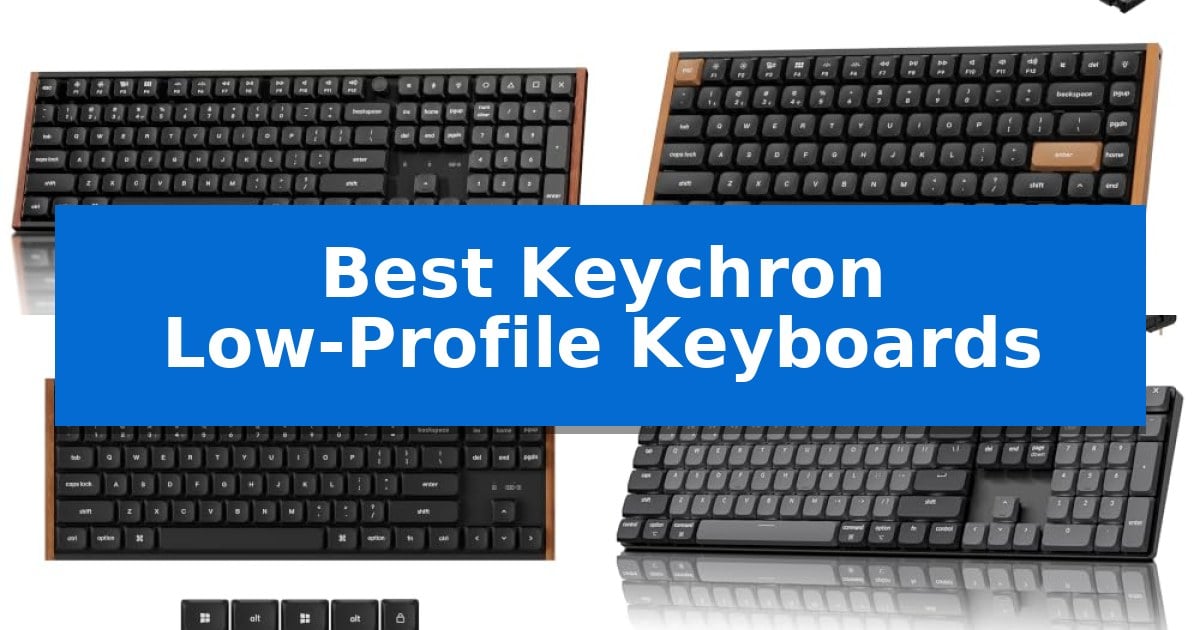
Finding the right keyboard often involves balancing desk space with typing comfort. Low-profile mechanical boards offer a shorter travel distance that can reduce wrist strain while maintaining the tactile feedback users expect from mechanical switches.
Our guide explores the Best Keychron Low-Profile Keyboards to help you identify which model fits your specific workflow, whether you need a full-size layout for data entry or a compact frame for travel.
Best Keychron Low-Profile Keyboards in 2026: Slim Typing Precision
Quick Comparison
| Product | Best For | Key Strength | Score |
|---|---|---|---|
| Keychron K5 Ultra 8K Keyboard | Best Overall | 8000Hz polling rate for ultra-responsive input | 4.9 |
| Keychron K3 HE Magnetic Keyboard | Precision Adjustable Hall Effect Switches | Adjustable actuation allows for fine-tuned key sensitivity. | 4.5 |
| Keychron K1 Ultra 8K Keyboard | Compact TKL with Programmable Knob | Tri-mode connectivity including high-performance 8K wired polling. | 4.7 |
| Keychron K5 Version 2 Keyboard | Full-Size Layout for Pro Workflows | Full 100% layout in an ultra-slim, low-profile design. | 4.9 |
| Keychron K3 Version 2 Keyboard | Ultra-Slim 75% Productivity Essential | Ultra-slim and lightweight design with a reinforced aluminum frame. | 4.9 |
How We Chose
- Layout and Form Factor: Assessing how the physical dimensions and key arrangements suit different desk setups.
- Switch Technology: Comparing standard mechanical, Hall Effect, and hot-swappable options for tactile preference.
- Connectivity: Verifying the range of wired and wireless modes available for multi-device environments.
- Customization: Reviewing the ease of remapping keys and macros via firmware and web-based tools.
- Build Quality: Examining the materials used in the frame and keycaps for long-term durability.
1 Keychron K5 Ultra 8K Keyboard — High-Speed 8K Gaming Performance
Achieving a streamlined desk setup often requires balancing full-size functionality with a compact, ergonomic footprint. The Keychron K5 Ultra 8K Low-Profile Wireless Mechanical Keyboard addresses this by integrating a full-size layout—complete with a number pad, function row, and programmable knob—into a slim, low-profile chassis designed to minimize wrist lift during extended typing sessions.
Performance-focused users benefit from the 8000Hz polling rate, which provides high-speed input responsiveness over both 2.4GHz wireless and USB-C wired connections. This makes the board suitable for high-refresh gaming environments where input latency is a priority. The inclusion of triple connection modes—2.4GHz, Bluetooth 5.2, and wired—allows for seamless switching between up to three devices, supporting diverse workflows across Mac, Windows, and Linux operating systems.
The typing experience is defined by pre-lubed Milk POM switches, which are engineered for a smooth, precise feel and a deeper acoustic profile. Maintenance and personalization are straightforward thanks to the hot-swappable sockets, allowing users to change switches without soldering. Additionally, the Launcher Web App provides a browser-based interface for remapping keys, creating macros, and adjusting RGB lighting without the need for dedicated software installations.
Built with double-shot PBT keycaps, the keyboard is designed for long-term durability and resistance to shine. The combination of a slim profile and robust connectivity makes it a versatile tool for those who require a full-featured input device that does not sacrifice desk space or wireless flexibility.
Best for: Users who require a full-size layout with a number pad and programmable knob but prefer the ergonomics and desk-saving benefits of a low-profile design.
Skip if: Users who prefer the deep travel distance and tactile feedback characteristic of traditional high-profile mechanical switches.
PROS
- 8000Hz polling rate for ultra-responsive input
- Hot-swappable switches for easy customization
- Full-size layout including a programmable knob
- Triple connectivity supporting up to 3 Bluetooth devices
CONS
- Low-profile design limits switch compatibility to specific low-profile variants
2 Keychron K3 HE Magnetic Keyboard — Precision Adjustable Hall Effect Switches
The Keychron K3 HE Magnetic Low-Profile Custom Keyboard offers a distinct advantage for users seeking a compact 75% layout that integrates advanced Hall Effect magnetic switches. This design allows for precise, adjustable actuation ranging from 0.2 mm to 2.9 mm, enabling users to customize key response sensitivity in 0.1 mm increments without the need to physically replace switches.
Beyond its switch technology, the keyboard features a sophisticated aesthetic with a precision metal frame and natural walnut side panels. Its ultra-slim profile is designed to maintain a clean workspace while providing full functionality. The inclusion of PBT keycaps ensures durability, while the Keychron Launcher web configurator—built on open-source QMK firmware—allows for comprehensive key remapping, macro creation, and RGB lighting adjustments directly through a browser.
Connectivity is handled via a tri-mode system, supporting 2.4 GHz wireless with a 1000 Hz polling rate, Bluetooth 5.2, and wired USB-C. This flexibility allows for seamless switching between up to three devices, including computers, phones, and tablets. The device is engineered for broad compatibility, offering dedicated layouts and replacement keycaps for Mac, Windows, and Linux operating systems.
This keyboard is a practical choice for those who prioritize desk space and require granular control over their typing or gaming input. By combining a low-profile form factor with the technical capabilities of magnetic switches, it serves as a versatile tool for varied digital environments.
Best for: Users who require a compact, low-profile keyboard with highly customizable actuation points for gaming or productivity.
Skip if: Users who prefer the tactile feedback and deep travel distance characteristic of traditional mechanical switches.
PROS
- Adjustable actuation allows for fine-tuned key sensitivity.
- Tri-mode connectivity supports wireless and wired use across multiple devices.
- Compact 75% layout saves desk space without removing essential keys.
- Keychron Launcher provides browser-based, no-download customization.
CONS
- Low-profile design may not suit users who prefer traditional high-profile mechanical switches.
- Magnetic switch technology requires specific configuration for optimal performance.
3 Keychron K1 Ultra 8K Keyboard — Compact TKL with Programmable Knob
Maintaining a clean, efficient workspace often requires hardware that balances a low physical profile with high-performance responsiveness. The Keychron K1 Ultra 8K Keyboard achieves this by utilizing hot-swappable low-profile POM switches, which offer a shorter key travel distance compared to traditional mechanical switches. This design choice is intended for users who prefer a faster, more direct tactile response during extended typing sessions.
Versatility is central to this model, which features tri-mode connectivity including 8K wired polling, 2.4GHz wireless, and Bluetooth 5.2. This allows for seamless switching between Mac, Windows, and Linux environments. The 80% TKL layout preserves essential keys while minimizing desk footprint, and the inclusion of a programmable knob provides immediate control over media, volume, or lighting settings.
Customization is managed through the Launcher Web App and open-source ZMK firmware, allowing users to remap keys, define macros, and adjust layers directly in a web browser. The setup is further supported by an AI-Assisted customization tool, which helps streamline configuration across different operating systems. These software tools provide a high degree of control over the keyboard's behavior without requiring complex local installations.
The build quality incorporates double-shot keycaps and wax-oil treated hardwood side panels for a balance of durability and aesthetic appeal. To refine the typing experience, the internal structure includes sound-dampening layers designed to reduce resonance, while north-facing RGB backlighting offers 22 distinct lighting effects to suit various workspace environments.
Best for: Users who require a compact, highly programmable low-profile mechanical keyboard with multi-device connectivity and high-speed polling for gaming or professional workflows.
Skip if: Users who prefer the deep travel distance and classic feel of full-height mechanical switches or those who require a dedicated number pad for data entry.
PROS
- Tri-mode connectivity including high-performance 8K wired polling.
- Hot-swappable sockets allow for easy switch replacement without soldering.
- Extensive programmability via ZMK firmware and the Launcher Web App.
- Compact 80% TKL layout with a versatile programmable knob.
CONS
- Low-profile design may not suit those accustomed to traditional high-profile mechanical switches.
- Lacks a dedicated number pad, which may be a limitation for specific productivity tasks.
4 Keychron K5 Version 2 Keyboard — Full-Size Layout for Pro Workflows
Achieving a streamlined workspace often requires balancing a full-sized layout with the portability of a slim profile. The Keychron K5 Version 2 Wireless Bluetooth Low Profile Mechanical Keyboard addresses this by integrating a complete 100% layout into an ultra-slim chassis that measures less than an inch in height, making it a practical choice for those who need a full numeric keypad without sacrificing desk space or travel convenience.
Performance is driven by QMK firmware and the Keychron Launcher web app, which allow for deep customization, including key remapping and layer creation. For connectivity, the device utilizes Bluetooth 5.2 to pair with up to three devices simultaneously, while a USB-C wired mode provides a 1000 Hz polling rate for scenarios where low latency is the priority. The keyboard features banana tactile switches that provide a responsive, crisp keystroke designed to bridge the gap between mechanical feedback and laptop-style typing.
The internal architecture focuses on typing comfort through a combination of IXPE, EPDM, and latex acoustic foams. These materials are layered to dampen ping and refine the sound profile, resulting in a quieter typing experience. The 2000 mAh battery supports extended use, offering up to 105 hours of operation at low brightness settings, ensuring it remains functional through long work sessions.
Compatibility is maintained across operating systems, with dedicated modes for Mac and Windows that mirror media and function keys. This ensures that shortcuts remain consistent regardless of the host device, supporting a fast and efficient workflow for multi-device users.
Best for: Professionals who require a full-sized 100% layout and multi-device connectivity in a slim, travel-friendly form factor.
Skip if: Users who prefer a compact 60% or 75% layout or those who require hot-swappable switch capabilities not explicitly detailed in the provided specifications.
PROS
- Full 100% layout in an ultra-slim, low-profile design.
- QMK/VIA support via the Keychron Launcher for deep customization.
- Versatile connectivity with Bluetooth 5.2 and USB-C wired options.
- Tuned acoustics using layered IXPE, EPDM, and latex foams for quiet operation.
CONS
- Larger footprint compared to compact 60% or 75% mechanical keyboards.
- Battery life varies significantly based on backlight brightness settings.
5 Keychron K3 Version 2 Keyboard — Ultra-Slim 75% Productivity Essential
The Keychron K3 Version 2 Keyboard is engineered for users who prioritize a minimalist workspace without sacrificing mechanical tactile feedback. By utilizing an ultra-slim profile and a reinforced aluminum frame, this 75% layout keyboard provides a compact footprint that fits easily into mobile setups or crowded desks, offering a distinct alternative to bulkier, high-profile mechanical alternatives.
Connectivity is facilitated by a stable Broadcom Bluetooth 5.1 chipset, allowing for seamless switching between up to three devices such as laptops, tablets, and mobile phones. For users requiring a persistent link, the integrated USB-C interface supports a reliable wired connection. This dual-mode capability ensures the keyboard remains functional across various hardware environments.
Customization is a central component of the experience, supported by open-source QMK firmware and the Keychron Launcher web app. These tools allow for granular control over key remapping, macro creation, and shortcut definitions. The device also features a white LED backlight with a floating keycap design, providing adjustable illumination to suit different lighting conditions.
Designed for cross-platform utility, the keyboard features a dedicated Mac layout while maintaining full compatibility with Windows. Keychron includes specific keycaps for both operating systems, ensuring that multimedia keys function as expected regardless of the host platform. This attention to detail makes the unit a versatile choice for users who frequently switch between different computing ecosystems.
Best for: Users who need a portable, ultra-slim mechanical keyboard that supports multi-device connectivity and deep customization via QMK firmware.
Skip if: Users who require a full-sized keyboard with a dedicated number pad or those who prefer high-profile mechanical switches for a deeper key travel experience.
PROS
- Ultra-slim and lightweight design with a reinforced aluminum frame.
- Multi-device connectivity via stable Bluetooth 5.1 for up to three devices.
- Full customization through open-source QMK firmware and Keychron Launcher.
- Cross-platform compatibility with included keycaps for both Mac and Windows.
CONS
- Compact 75% layout lacks a dedicated numeric keypad.
- Low-profile design may not suit users accustomed to traditional high-profile mechanical switches.
Best Keychron Low-Profile Keyboards Buying Guide
Understanding Low-Profile Switches
Low-profile switches are engineered with a shorter stem and housing compared to traditional mechanical switches. This design allows for a thinner keyboard profile, which often results in a more natural wrist angle during extended typing sessions.
When choosing between these switches, consider the actuation force and travel distance. Some models, like those featuring Hall Effect sensors, allow you to adjust the actuation point, providing a unique level of control over how sensitive each key press feels.
Layout Considerations
The layout you choose should align with your primary tasks. A full-size keyboard is essential for users who frequently use the number pad for data entry or accounting tasks. These models provide a complete set of function keys and navigation clusters without requiring external peripherals.
Conversely, 75% or TKL (Tenkeyless) layouts are ideal for those who want to maximize desk space or prioritize mouse movement. These compact designs remove the number pad but often retain essential arrow keys and function rows, making them a common choice for hybrid work and gaming setups.
Connectivity and Compatibility
Modern keyboards often support multiple connection methods to accommodate various devices. Look for models that offer both 2.4GHz wireless for low-latency gaming and Bluetooth 5.1 or 5.2 for seamless switching between laptops, tablets, and phones.
Compatibility with different operating systems is also vital. Ensure your chosen model supports your specific OS, such as macOS or Windows, and check if it includes dedicated keycaps for those platforms to ensure your shortcuts remain intuitive.
Customization and Firmware
Programmability is a significant advantage for power users. Keyboards that support open-source firmware like QMK or ZMK allow you to remap every key, create complex macros, and manage layers to suit your specific workflow.
Web-based configurators, such as the Keychron Launcher, simplify this process by removing the need for heavy software installations. These tools allow you to adjust settings directly from your browser, making it easier to experiment with different layouts.
Build Materials and Acoustics
The materials used in the keyboard's construction affect both its longevity and sound profile. Aluminum frames offer a sturdy, premium feel, while acoustic foams and dampening layers can help refine the sound of each keystroke by reducing ping and resonance.
Keycap material also plays a role in the typing experience. Double-shot PBT keycaps are generally preferred for their resistance to shine and wear over time, ensuring the legends remain clear even after years of heavy use.
Frequently Asked Questions
Are low-profile keyboards better for wrist health?
Many users find low-profile keyboards more comfortable because the reduced height requires less wrist extension, potentially lowering the strain during long typing sessions.
Can I swap the switches on these keyboards?
Some models feature hot-swappable sockets, which allow you to change switches without soldering, provided you use compatible low-profile switch types.
Do these keyboards work with both Mac and Windows?
Yes, most Keychron models are designed for cross-platform compatibility and often include specific keycaps for both Windows and macOS layouts.
What is the benefit of 8K polling rate?
An 8000Hz polling rate provides faster input reporting, which can be beneficial in high-refresh gaming scenarios where every millisecond of latency reduction matters.
Do I need to install software to customize the keys?
Most modern Keychron boards use web-based configurators like the Keychron Launcher, which allows you to remap keys and create macros directly in your browser without installing dedicated software.
Conclusion: Our Top Pick
Selecting the right low-profile keyboard depends on your specific balance of space, functionality, and typing feel. For those who need a comprehensive, high-performance solution, the Keychron K5 Ultra 8K Keyboard stands out as the most versatile option.
It combines a full-size layout with advanced 8K polling performance and extensive customization options, making it a reliable choice for both demanding professional workflows and high-speed gaming. Its ability to handle multiple connection types ensures it remains a central, flexible part of any desktop setup.