
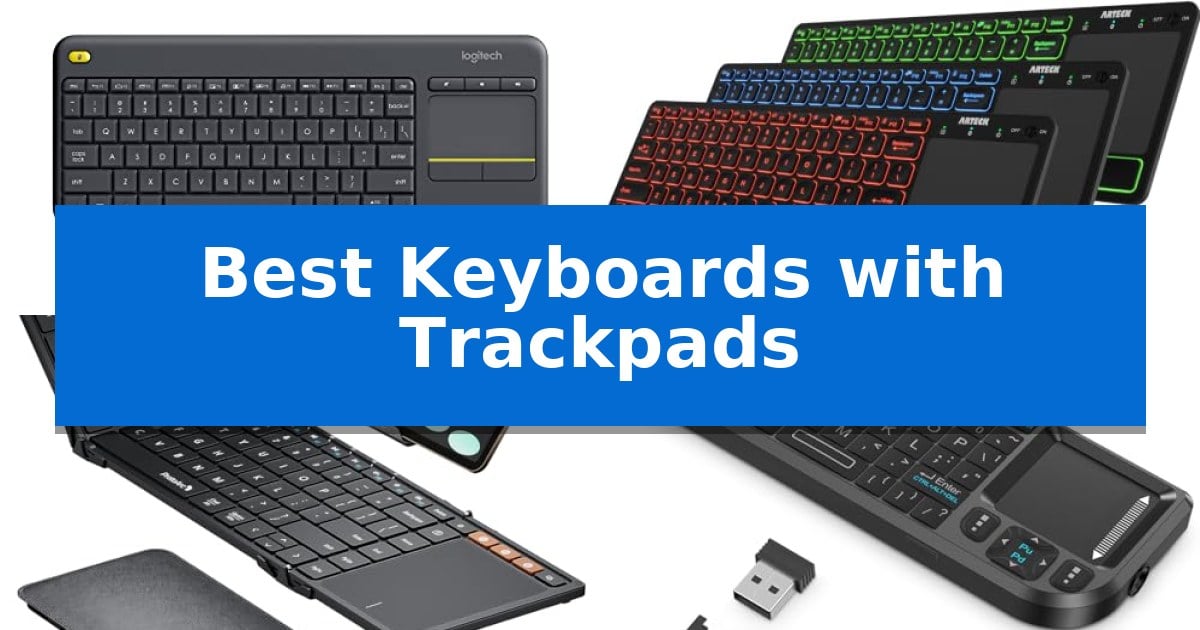
Finding the right input device can significantly change how you interact with your home theater or mobile workstation. When you need to manage a PC-connected TV or navigate a tablet without reaching for a separate mouse, Best Keyboards with Trackpads offer a streamlined, all-in-one solution that reduces desk clutter and simplifies your workflow.
Our guide examines several models designed for specific environments, from living room media centers to portable setups for travelers. By focusing on connectivity, integrated navigation, and form factor, we help you identify which device best matches your specific hardware and usage needs.
Best Keyboards with Trackpads in 2026: Navigate Your Media with Ease
Quick Comparison
| Product | Best For | Key Strength | Score |
|---|---|---|---|
| Logitech K400 Plus Wireless Keyboard | Best Overall | Integrated large touchpad removes the need for a separate mouse. | 4.9 |
| Arteck Universal Bluetooth Keyboard | Backlit Keys for Dark Rooms | Integrated touchpad eliminates the need for a separate mouse. | 4.3 |
| ProtoArc XK01 TP Foldable Keyboard | Compact Pick for Travel | Integrated multi-touch trackpad replaces the need for an external mouse. | 4.3 |
| Burhoo K808 Mini Keyboard | Handheld Design with Laser Pointer | Dual-mode connectivity allows for easy switching between 2.4G and Bluetooth devices. | 4.6 |
| Logitech Combo Touch Keyboard Case | Precision Control for iPad | Smart Connector technology powers the keyboard directly from the iPad, removing the need for batteries. | 4.8 |
How We Chose
- Connectivity: Evaluated whether the device utilizes 2.4GHz wireless, Bluetooth, or wired connections to ensure compatibility with your specific hardware.
- Integrated Navigation: Assessed the trackpad's responsiveness and gesture support to confirm it effectively replaces a traditional mouse.
- Portability and Design: Considered the physical footprint, weight, and layout to determine if the keyboard is suitable for travel or stationary use.
- Compatibility: Verified support for common operating systems like Windows, Android, and iPadOS to ensure seamless integration.
- Power Management: Reviewed battery life and charging methods to determine the long-term maintenance requirements of each model.
1 Logitech K400 Plus Wireless Keyboard — Best for Living Room Media
Navigating a PC-connected television setup requires a streamlined interface, and the Logitech K400 Plus Wireless Touch TV Keyboard addresses this by integrating a large built-in touchpad directly into the chassis. This design choice eliminates the need for a separate mouse, allowing users to manage media playback and navigation from a distance of up to 33 feet.
The keyboard features quiet keys and a spill-resistant design, making it a durable choice for living room environments where accidental mishaps may occur. Its plug-and-play functionality is achieved via a Unifying receiver that connects to a USB port, ensuring immediate compatibility with Windows, Android, and Chrome OS devices.
Efficiency is a core component of this device, which is powered by batteries rated for up to 18 months of life. An integrated on/off button helps preserve power during periods of inactivity. Users can further customize their experience by adjusting controls through the Logitech Options Software.
While the device is optimized for HTPC and media-centric tasks, it maintains a compact footprint measuring approximately 13.95 inches in length. This balance of integrated navigation and wireless freedom provides a cohesive solution for those looking to declutter their entertainment space.
Best for: Living room media control and PC-to-TV navigation where a single, integrated input device is preferred.
Skip if: Users requiring backlit keys, rechargeable batteries, or multi-device Bluetooth connectivity should consider the Logitech K830 instead.
PROS
- Integrated large touchpad removes the need for a separate mouse.
- 33 ft wireless range provides reliable control from across the room.
- Spill-resistant design increases durability for living room use.
- Up to 18 months of battery life reduces the frequency of maintenance.
CONS
- Lacks backlighting for use in darkened rooms.
- Requires a USB port for the Unifying receiver, limiting use on devices without USB-A connectivity.
2 Arteck Universal Bluetooth Keyboard — Backlit Keys for Dark Rooms
Navigating a smart TV interface or managing a home theater PC from the comfort of a couch requires a reliable input solution. The Arteck Universal Bluetooth Keyboard integrates a built-in touchpad directly into its frame, allowing users to control mouse navigation and media playback without needing a separate surface for a mouse.
This device features 7 unique backlight colors with two adjustable brightness levels, making it functional in low-light environments. To preserve battery life, the keyboard includes an auto-sleep feature that activates during periods of inactivity. Its slim profile, measuring only 0.24 inches in height, ensures it remains portable and easy to store when not in use.
Connectivity is handled via Bluetooth, providing a 10-meter (33-foot) wireless range that supports operation from across most living spaces. The keyboard is designed for wide compatibility, functioning with Windows, Mac, Android, iPad OS, and various smart TV platforms. It includes dedicated media hot keys to streamline navigation for connected devices.
The package includes a USB-C charging cable and is backed by a 24-month warranty. While the device offers a versatile solution for living room computing, users should ensure their primary device supports Bluetooth input to utilize the wireless functionality effectively.
Best for: Users who need a compact, backlit keyboard with integrated mouse control for smart TVs, HTPCs, or multi-device setups.
Skip if: Users who require a full-sized mechanical keyboard layout or a dedicated numeric keypad for intensive data entry tasks.
PROS
- Integrated touchpad eliminates the need for a separate mouse.
- 7-color LED backlighting improves visibility in dark rooms.
- Wide compatibility across multiple operating systems and platforms.
- Slim and portable design for easy storage.
CONS
- Wireless range may be subject to interference in complex wireless environments.
- Compact form factor lacks a dedicated numeric keypad.
3 ProtoArc XK01 TP Foldable Keyboard — Compact Pick for Travel
The ProtoArc XK01 TP Foldable Keyboard streamlines mobile workflows by integrating a multi-touch trackpad directly into a portable, tri-fold chassis. This design eliminates the need for a separate mouse, allowing users to navigate tablets and phones with laptop-style gestures while on the move.
Engineered for productivity, this device features an 88-key layout with 0.65-inch keycaps and a dedicated shortcut row. The inclusion of a built-in phone stand and a protective PU leather carrying pouch reinforces its utility as an all-in-one workstation for travelers who prioritize space efficiency.
Connectivity is managed via Bluetooth 5.1, supporting 3-device switching to toggle seamlessly between phones, tablets, and laptops. The hardware is powered by a 300mAh battery capable of up to 120 days of standby time, with an auto-sleep function that triggers after 60 minutes of inactivity to preserve power.
The tri-fold mechanism serves a dual purpose: it protects the keys during transport and acts as an automatic power switch, turning the device off when folded. This combination of physical design and wireless flexibility makes it a practical choice for users seeking a compact, integrated input solution.
Best for: Travelers and mobile professionals who need a compact, all-in-one keyboard and trackpad solution for tablets and smartphones.
Skip if: Users who require a full-sized, rigid mechanical keyboard or those who prefer a dedicated, high-precision desktop mouse for intensive creative work.
PROS
- Integrated multi-touch trackpad replaces the need for an external mouse.
- Tri-fold design includes a phone stand and protective pouch for portability.
- 3-device Bluetooth 5.1 switching enables rapid workflow transitions.
- 120-day standby time with automatic power-off when folded.
CONS
- Foldable hinge design creates a non-standard layout compared to traditional desktop keyboards.
- Compact 0.65-inch keycaps may require an adjustment period for touch typists.
4 Burhoo K808 Mini Keyboard — Handheld Design with Laser Pointer
Navigating a home theater PC or managing presentations from a distance requires precise control, and the Burhoo K808 Mini Keyboard offers a unique solution with its integrated 90-degree rotating touchpad. This handheld device combines a full keyboard layout with mouse functionality, allowing users to move from typing to cursor navigation without reaching for a separate peripheral.
The Burhoo K808 Mini Keyboard features a dual-mode connection that supports both 2.4G wireless via an included USB receiver and Bluetooth. This flexibility ensures compatibility across a wide range of systems, including Windows, Android, iOS, and smart TVs. For those working in low-light environments, the 7-color backlit keys provide visibility, while the built-in laser pointer adds utility for professional presentations or classroom settings.
Designed for portability, the unit measures approximately 6 by 2.33 by 0.51 inches, making it small enough to store in a bag for travel or office use. Power management is handled by a 600mAh rechargeable battery that charges via Type-C, supported by an auto-sleep/wake function to preserve energy during periods of inactivity.
By integrating dedicated left and right mouse buttons alongside the rotating touchpad, the device replicates a standard laptop navigation experience in a compact form factor. This design choice simplifies interaction with HTPC interfaces or smart TV menus, removing the need for traditional mouse surfaces.
Best for: Users needing a compact, all-in-one controller for HTPC, smart TV navigation, or professional presentations.
Skip if: Users who require a full-sized keyboard for extended typing sessions or those who prefer a dedicated desktop mouse for high-precision tasks.
PROS
- Dual-mode connectivity allows for easy switching between 2.4G and Bluetooth devices.
- Rotating 90-degree touchpad provides versatile cursor control in a handheld form factor.
- Integrated laser pointer enhances functionality for presentations.
- 7-color backlit keys improve usability in dark environments.
CONS
- Ultra-compact size may be difficult to use for individuals who prefer standard-sized typing layouts.
5 Logitech Combo Touch Keyboard Case — Precision Control for iPad
The Logitech Combo Touch Keyboard Case transforms a standard tablet into a versatile workstation by integrating a large precision trackpad that supports multi-gesture navigation. Designed specifically for the iPad (10th gen), this accessory utilizes the Smart Connector to draw power directly from the device, eliminating the need for separate charging or Bluetooth pairing.
Beyond its input capabilities, the case features a full-size backlit keyboard equipped with dedicated shortcut keys for common iPadOS functions like screenshots and dictation. The flexible kickstand provides 50 degrees of tilt, allowing users to switch between four distinct modes: Type, Read, Sketch, and View. When the keyboard is not required, it can be detached, leaving the protective shell in place.
Built with premium materials, the Logitech Combo Touch Keyboard Case acts as a durable shield against scuffs, scratches, and spills. Its design aims to function as a natural extension of the tablet, maintaining a slim profile while ensuring the device remains secure during daily use.
This keyboard case is a practical solution for users who require a laptop-like experience on their tablet without the complexity of managing battery levels or wireless connections. By leveraging the Smart Connector technology, it ensures a stable, plug-and-play connection that is ready whenever the tablet is docked.
Best for: Users who want to convert their iPad 10th gen into a laptop-style productivity device with a reliable, battery-free connection.
Skip if: Users who prefer a lightweight, ultra-thin tablet experience without the added bulk of a protective case and integrated keyboard.
PROS
- Smart Connector technology powers the keyboard directly from the iPad, removing the need for batteries.
- Large precision trackpad enables multi-gesture navigation for improved document and app control.
- Detachable design allows for flexible use in four distinct modes: Type, Read, Sketch, and View.
- Full-size backlit keyboard includes dedicated shortcut keys for efficient iPadOS navigation.
CONS
- Added weight and thickness compared to using the tablet without a keyboard case.
- Limited compatibility as it is designed specifically for the iPad 10th generation.
Best Keyboards with Trackpads Buying Guide
Connectivity and Device Compatibility
The effectiveness of a keyboard with a trackpad depends heavily on how it connects to your devices. Many media-focused keyboards use a 2.4GHz USB receiver, which is ideal for plug-and-play setups with smart TVs or HTPCs. However, if you are working with modern laptops or tablets that lack USB-A ports, Bluetooth connectivity is a critical requirement.
Always check the specific OS support before purchasing. While many keyboards are universal, some are optimized for specific ecosystems, such as iPadOS, and may offer specialized shortcut keys that do not function on Windows or Android devices.
Trackpad Ergonomics and Gesture Support
The trackpad is the defining feature of these keyboards. A larger trackpad surface area generally allows for more comfortable navigation, especially when using gestures like two-finger scrolling or pinch-to-zoom. If you plan to use the device for productivity, look for models that support multi-gesture input.
Consider the placement of the trackpad. Some compact models place it on the side, which is efficient for handheld use, while others integrate it into the main body for a more traditional laptop-like feel. Choose the layout that matches your preferred typing and navigation posture.
Portability Versus Desktop Comfort
If you are a frequent traveler, a foldable or ultra-compact keyboard is essential. These models often sacrifice some key size and travel distance to achieve a smaller footprint. Ensure the keycaps are large enough for your typing style to avoid frequent errors.
For stationary setups, such as a living room media PC, a full-sized or mid-sized keyboard is often more comfortable. These models typically offer better key spacing and a more stable chassis, which is beneficial for longer typing sessions.
Battery Life and Power Management
Power management is a significant factor for wireless devices. Many dedicated media keyboards are designed for long-term use with batteries that can last over a year, while rechargeable models offer the convenience of USB-C charging.
Look for features like auto-sleep or physical power switches, which help extend battery life. If you choose a rechargeable model, consider the standby time to ensure the device remains ready for use after periods of inactivity.
Backlighting and Visibility
Backlit keys are a major advantage for home theater enthusiasts who often operate in dim lighting. This feature allows you to see the keys clearly without needing external light sources, making it easier to control media playback from the couch.
Check for adjustable brightness levels and auto-off features. While backlighting is convenient, it does consume more power, so ensure the keyboard's battery capacity is sufficient to handle the extra drain.
Frequently Asked Questions
Can I use these keyboards with my smart TV?
Most keyboards with trackpads are compatible with smart TVs that support USB or Bluetooth input devices. However, functionality may vary based on the TV's operating system.
Do I need to install special software?
Many of these keyboards are plug-and-play. Some brands offer optional software to customize trackpad sensitivity or shortcut keys, but it is rarely required for basic operation.
Are these keyboards suitable for gaming?
These devices are primarily designed for media control, browsing, and productivity. They are generally not recommended for fast-paced gaming due to potential latency and the limitations of the integrated trackpad.
How do I know if a keyboard is compatible with my tablet?
Check the product specifications for Bluetooth support and OS compatibility. Most modern tablets support standard Bluetooth keyboards and mice.
What is the difference between 2.4GHz and Bluetooth?
2.4GHz uses a dedicated USB receiver for a stable, low-latency connection, while Bluetooth allows you to connect directly to devices without using a USB port.
Conclusion: Our Top Pick
Selecting the right tool for your setup depends on whether you prioritize portability, media control, or tablet integration. For most users looking to manage a PC-connected TV or home theater system, the Logitech K400 Plus Wireless Keyboard remains a highly reliable choice due to its long battery life, intuitive layout, and seamless plug-and-play connectivity.
While other models offer specialized features like backlighting or folding designs for travel, the Logitech K400 Plus provides the most consistent experience for general media navigation. Ensure your specific device supports the required connection type before finalizing your purchase to guarantee full compatibility.