
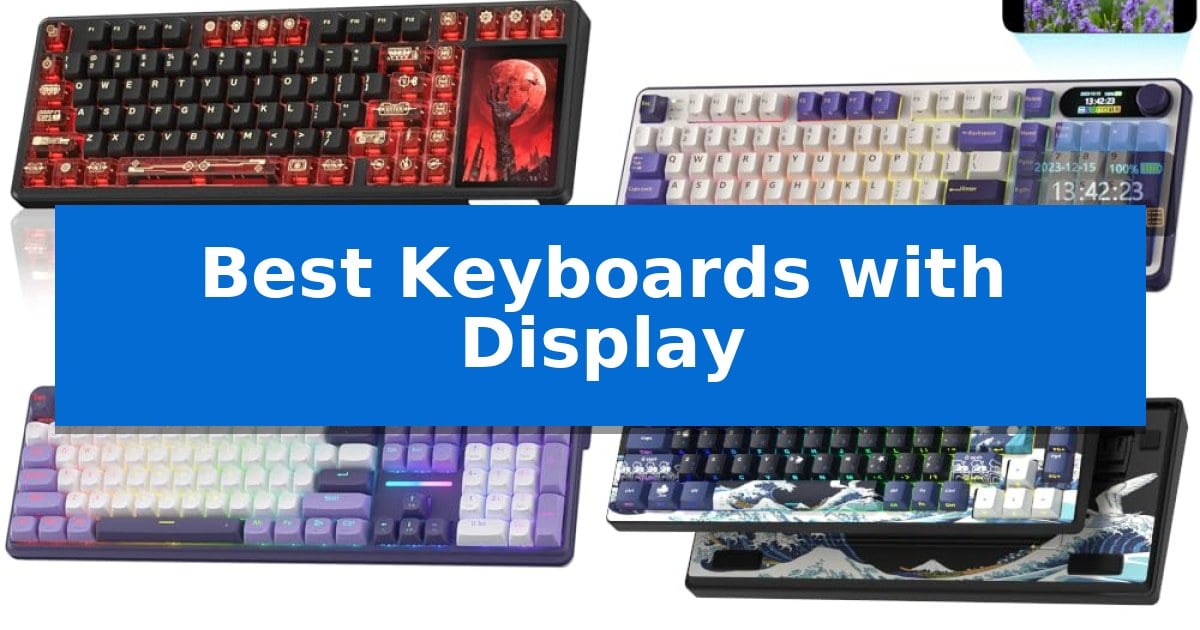
Modern desktop setups are evolving beyond simple input devices, with many users now seeking hardware that offers real-time visual feedback. The Best Keyboards with Display represent this shift, integrating small screens directly into the chassis to provide at-a-glance information like battery life, connection status, and even custom animations.
Whether you are looking to streamline your workflow with quick-access settings or simply want to add a unique aesthetic touch to your workspace, these devices offer more than just typing functionality. By combining mechanical switches with programmable displays, these keyboards serve as a central hub for your system, allowing you to monitor performance and adjust settings without ever leaving your active window.
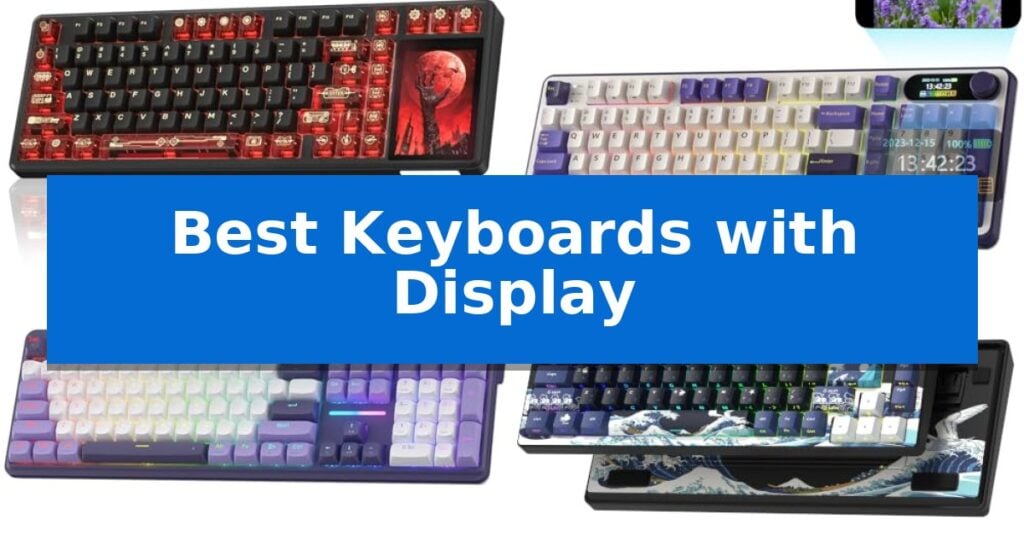
Best Keyboards with Display in 2026: Enhance Your Desktop Control
Quick Comparison
| Product | Best For | Key Strength | Score |
|---|---|---|---|
| AULA L99 Wireless Mechanical Keyboard | Best Overall | Integrated 3.98-inch smart touch screen for system monitoring and custom shortcuts. | 4.9 |
| RK ROYAL KLUDGE S98 Mechanical Keyboard | Compact layout with visual feedback | Integrated smart display for real-time status monitoring and custom visuals. | 4.6 |
| Redragon K762 PRO Wireless Keyboard | Full-size display for status monitoring | Built-in TFT display for real-time status monitoring and personalization. | 4.9 |
| Womier SK80 75% Mechanical Keyboard | Angled screen for better visibility | Integrated multimedia display for real-time system monitoring and custom visuals. | 4.8 |
| SteelSeries Apex 5 Mechanical Keyboard | OLED display for game integration | OLED smart display for real-time game info and custom visuals | 4.9 |
How We Chose
- Display Functionality and Customization Options
- Switch Type and Typing Feel
- Connectivity Versatility (Wired, 2.4GHz, Bluetooth)
- Build Quality and Sound Dampening Features
- Software Support for Macros and Visuals
1 AULA L99 Wireless Mechanical Keyboard — Smart touch screen command center
The AULA L99 Wireless Mechanical Keyboard transforms the traditional input device into a functional command center by integrating a 3.98-inch smart touch screen. This display provides real-time monitoring of battery levels, system status, and connection modes, while also serving as a customizable interface for animations, a calculator, and a mini numpad to streamline desktop workflows.
Designed for versatility, this keyboard features tri-mode connectivity, allowing users to switch between USB-C wired, 2.4GHz wireless, and Bluetooth 5.1 modes. The inclusion of an 8000mAh high-capacity battery supports extended usage periods, while the gasket mount structure and six-layer sound-dampening filling work in tandem to eliminate cavity noise and provide a softer, more elastic typing experience.
Customization remains a core strength of the AULA L99 Wireless Mechanical Keyboard. It is a hot-swappable board compatible with 3/5-pin switches, allowing for solderless maintenance or upgrades. The pre-lubricated Caramel Latte switches offer a smooth, creamy sound profile, complemented by durable PBT keycaps and customizable 16 million color RGB backlighting.
For power users, the dedicated driver software enables full-key macro programming, though this functionality is restricted to wired mode on Windows systems. The wake-on-touch feature ensures the screen remains responsive, and the 96% layout balances a compact footprint with the inclusion of a number pad, making it a practical choice for both office productivity and gaming environments.
Best for: Users who want a high-capacity, customizable mechanical keyboard with an integrated display for system monitoring and macro control.
Skip if: Users who require full macro programming functionality on macOS or those who prefer a standard, screenless keyboard layout for a minimalist desk aesthetic.
PROS
- Integrated 3.98-inch smart touch screen for system monitoring and custom shortcuts.
- 8000mAh high-capacity battery for long-lasting wireless performance.
- Gasket mount design with six-layer sound dampening for a premium typing feel.
- Hot-swappable PCB supports 3/5-pin switches for easy customization.
CONS
- Macro programming software is limited to Windows systems and wired mode.
- Large battery capacity makes the unit heavier than standard non-wireless keyboards.
2 RK ROYAL KLUDGE S98 Mechanical Keyboard — Compact layout with visual feedback
The RK ROYAL KLUDGE S98 Mechanical Keyboard integrates a dedicated smart display and control knob directly into its chassis, providing real-time visual feedback for connection status, battery levels, and custom GIF animations. This 96% layout keyboard is built for users who prioritize both desk space efficiency and on-the-fly hardware customization.
Engineered with a top-mount design and 5-layer noise dampening—including IXPE switch pads and silicone layers—the board is tuned to reduce hollow sounds and noise by 40%. The inclusion of hot-swappable PCB support allows for the installation of 3-pin or 5-pin switches, enabling users to tailor the tactile feel without soldering.
Connectivity is handled through a versatile tri-mode system featuring Bluetooth 5.0, a 2.4GHz wireless dongle, and a USB-C wired connection. The integrated knob design serves as a central hub for adjusting volume, backlighting, and connection modes, streamlining workflow without requiring software navigation.
Durability is supported by double-shot PBT keycaps, which resist wear and maintain letter clarity over extended use. The keyboard’s compact footprint is balanced by its extensive feature set, making it a functional centerpiece for both gaming and productivity setups.
Best for: Users who want a compact, customizable mechanical keyboard with integrated visual monitoring and hardware-based controls.
Skip if: Users who require a full-sized 100% layout with a dedicated number pad or those who prefer a low-profile, non-mechanical typing experience.
PROS
- Integrated smart display for real-time status monitoring and custom visuals.
- Hot-swappable PCB for easy switch customization without soldering.
- Comprehensive noise dampening with 5-layer foam and silicone padding.
- Tri-mode connectivity including Bluetooth, 2.4GHz, and USB-C.
CONS
- 96% layout may require an adjustment period for users accustomed to standard full-sized keyboards.
3 Redragon K762 PRO Wireless Keyboard — Full-size display for status monitoring
Modern desktop setups often prioritize both aesthetics and immediate system feedback, a balance achieved by the Redragon K762 PRO Wireless Keyboard. This full-size 104-key board integrates a built-in TFT display that provides real-time status updates on battery life, connection mode, and typing status, while also allowing for the personalization of custom GIFs or memes.
Beyond its visual appeal, the keyboard is engineered for a refined tactile experience. It utilizes gasket-mounted construction paired with 5-layer noise dampening and thick-lubed custom linear switches, resulting in a cushioned, quiet typing feel. The inclusion of fade-resistant PBT keycaps ensures that the surface maintains its texture and color even after extensive use, avoiding the glossy finish common with standard ABS caps.
Connectivity and customization are central to its design. The tri-mode wireless functionality enables seamless switching between USB-C, Bluetooth, and 2.4GHz connections, allowing users to transition between a PC, laptop, and tablet without re-pairing. For those who prefer granular control, the accompanying pro software enables the creation of custom lighting effects and advanced macros, ensuring the hardware adapts to specific workflows.
The board also features a dedicated one-knob control that simplifies media management and backlight adjustment, eliminating the need for complex key combinations. With its combination of a status-monitoring display and a focus on acoustic dampening, this keyboard serves as a versatile tool for users looking to consolidate control and comfort in a single peripheral.
Best for: Users who want a full-size keyboard with integrated system monitoring and a cushioned, quiet typing experience.
Skip if: Users who require a compact or tenkeyless layout for limited desk space or frequent travel.
PROS
- Built-in TFT display for real-time status monitoring and personalization.
- Gasket-mounted construction with 5-layer dampening for a cushioned feel.
- Tri-mode wireless connectivity for seamless multi-device switching.
- Fade-resistant PBT keycaps for long-term durability.
CONS
- Full-size 104-key footprint may be too large for minimalist desk setups.
4 Womier SK80 75% Mechanical Keyboard — Angled screen for better visibility
The Womier SK80 75% Mechanical Keyboard integrates a vibrant color multimedia display directly into its upper right corner, providing an 11-degree oblique angle for improved visibility. This screen serves as a central hub for monitoring system status, including connection modes, battery levels, and active lighting profiles, while also supporting custom GIF animations for a personalized aesthetic.
Built with a 75% gasket-mounted design, this keyboard utilizes an EVA positioning plate and bottom filling to deliver a consistent, responsive typing feel. The structure is engineered to enhance stability and minimize unwanted noise, creating a refined acoustic profile suitable for both gaming and daily productivity tasks.
Performance is driven by pre-lubed linear switches housed in a hot-swappable PCB, which supports both 3-pin and 5-pin configurations for easy customization. The board features south-facing light diffusers to maximize the impact of its 19 integrated RGB lighting effects, which can be synchronized with music or adjusted for brightness and flow rate through dedicated software.
Connectivity is handled via a detachable Type-C cable, ensuring compatibility across both Mac and Windows systems. The inclusion of cherry profile art theme keycaps rounds out the package, offering a balance of ergonomic comfort and distinct visual style for users who prioritize both form and function.
Best for: Users seeking a compact 75% layout with integrated system monitoring and high levels of aesthetic customization.
Skip if: Users who require wireless connectivity or a full-sized layout with a dedicated number pad.
PROS
- Integrated multimedia display for real-time system monitoring and custom visuals.
- Gasket-mounted structure provides a soft, stable typing experience with reduced noise.
- Hot-swappable PCB allows for easy switch replacement without soldering.
- Comprehensive software customization for RGB lighting, macros, and screen content.
CONS
- Wired-only connection limits desk setup flexibility compared to wireless models.
- 75% layout lacks a dedicated number pad, which may impact data-heavy workflows.
5 SteelSeries Apex 5 Mechanical Keyboard — OLED display for game integration
Integrating real-time data directly into your peripheral, the SteelSeries Apex 5 Mechanical Keyboard features a dedicated OLED smart display that provides immediate access to game information, Discord notifications, and custom GIFs. This built-in screen serves as a functional command center, allowing users to monitor system metrics or game-specific data without needing to tab out of their current window.
Built for longevity, the keyboard utilizes an aircraft-grade aluminum alloy frame designed to withstand heavy use while maintaining a rigid, stable typing surface. The hybrid blue mechanical gaming switches offer a distinct tactile click combined with the smooth actuation of a membrane, providing a unique feel that is rated for 20 million keypresses.
Customization extends beyond the display with dynamic per-key RGB illumination, enabling users to create complex color schemes or reactive lighting effects for every individual key. For extended typing sessions, the included premium magnetic wrist rest provides full palm support, ensuring ergonomic comfort during prolonged use.
The SteelSeries Apex 5 Mechanical Keyboard balances high-end customization with practical durability. While the hybrid switch design offers a specific tactile experience, it is important to note that this is a wired USB device, making it a reliable choice for desktop setups where consistent connectivity is prioritized over wireless mobility.
Best for: Gamers and power users who want integrated system monitoring and customizable notifications directly on their keyboard.
Skip if: Users who require a wireless connection or prefer the specific feel of pure mechanical switches over a hybrid design.
PROS
- OLED smart display for real-time game info and custom visuals
- Aircraft-grade aluminum alloy frame for enhanced durability
- Dynamic per-key RGB illumination for high-level customization
- Premium magnetic wrist rest included for ergonomic support
CONS
- Wired USB connectivity limits placement flexibility compared to wireless models
- Hybrid switch design may not satisfy users seeking a traditional pure mechanical feel
Best Keyboards with Display Buying Guide
Understanding Display Integration
The primary feature of these keyboards is the integrated screen, which can range from simple status indicators to fully programmable TFT displays. These screens allow users to view system metrics, connection modes, and battery levels without needing to check software on their PC.
When choosing a model, consider how much customization you require. Some displays support custom GIFs and memes, while others are strictly functional, focusing on providing clear, readable data for system management.
Switch Types and Typing Experience
The typing feel is determined by the mechanical switches used. Many of these boards feature pre-lubed linear switches that offer a smooth, consistent keystroke. Gasket-mounted designs are particularly popular for their ability to provide a softer, more elastic feel compared to traditional top-mount keyboards.
Look for hot-swappable PCBs if you prefer to customize your typing experience. This feature allows you to replace switches without soldering, giving you the flexibility to experiment with different tactile or linear options to find your ideal sound and feel.
Connectivity and Battery Life
Most modern keyboards with displays offer tri-mode connectivity, supporting USB-C wired, 2.4GHz wireless, and Bluetooth. This flexibility is essential for users who switch between multiple devices, such as a desktop PC, a laptop, and a tablet.
Battery capacity is a critical factor for wireless users. High-capacity batteries ensure that the power-hungry display does not compromise your workflow, allowing for extended usage between charges.
Build Quality and Sound Dampening
A premium keyboard should feel sturdy and stable. Many of the top models use multi-layer sound-dampening filling, including silicone pads and IXPE foam, to eliminate cavity noise and provide a cleaner, 'thocky' or 'creamy' sound profile.
Durability is also enhanced by the use of PBT keycaps, which resist the shine and wear common with cheaper ABS plastic. These keycaps maintain their texture and appearance over long-term use.
Software and Macro Programming
Dedicated software allows you to unlock the full potential of your keyboard. Beyond just customizing the display, you can record complex macros, rebind keys, and adjust RGB lighting effects to match your desktop aesthetic.
Ensure that the software is compatible with your operating system, as some advanced features—like custom GIF uploads—may require specific drivers that are only supported on Windows in wired mode.
Frequently Asked Questions
Can I use these keyboards on a Mac?
Most of these keyboards are compatible with both Windows and macOS, though some advanced software features like custom GIF uploads may be limited to Windows.
What does 'hot-swappable' mean?
A hot-swappable keyboard allows you to remove and replace the mechanical switches without the need for soldering, making it easy to customize your typing feel.
Do the screens consume a lot of battery?
While the screen does use power, most models with displays include high-capacity batteries designed to handle the extra load, ensuring reliable wireless performance.
Are these keyboards suitable for gaming?
Yes, many of these models feature low-latency wireless modes and programmable macros, making them well-suited for gaming alongside their office utility.
How do I customize the display?
Customization is typically handled through the manufacturer's provided software, which allows you to upload images, GIFs, or adjust system settings displayed on the screen.
Conclusion: Our Top Pick
For those seeking the best balance of features and performance, the AULA L99 Wireless Mechanical Keyboard is our top recommendation. Its combination of a high-capacity 8000mAh battery, gasket-mounted design, and a versatile smart touch screen makes it a standout choice for both productivity and gaming.
While other models offer unique benefits like full-size layouts or specific knob controls, the AULA L99 provides a refined typing experience and robust software support that caters to a wide range of users. It effectively turns your keyboard into a functional command center, justifying its place at the top of our list.