
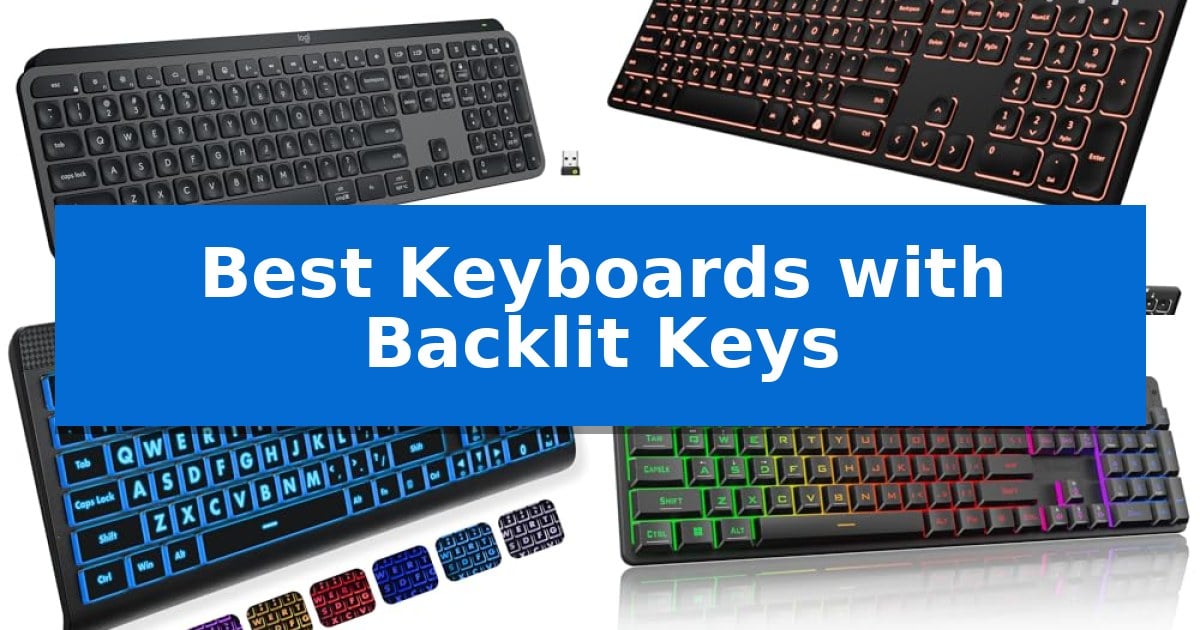
Working in low-light environments or late at night often makes it difficult to see your keys, leading to errors and reduced productivity. Finding the Best Keyboards with Backlit Keys can transform your desk setup by providing the necessary illumination to keep your workflow smooth and accurate regardless of the ambient lighting conditions.
Whether you are a professional needing a reliable tool for long hours or a student looking for a comfortable typing experience, the right lighting features make a significant difference. We have analyzed several models to help you identify which keyboard aligns with your specific needs, focusing on build quality, lighting customization, and overall functionality.
Best Keyboards with Backlit Keys in 2026
Quick Comparison
| Product | Best For | Key Strength | Score |
|---|---|---|---|
| Logitech MX Keys S Wireless Keyboard | Best Overall | Spherically-dished keys designed for precise and quiet typing. | 4.9 |
| Arteck Backlit USB Wired Keyboard | Slim Profile with Quiet Keys | 7 unique backlight colors with adjustable brightness levels. | 4.7 |
| X9 Large Print Backlit Keyboard | High-Visibility Large Font Keys | Large, bold print for enhanced character visibility. | 4.8 |
| Redragon K521 Gaming Keyboard | Responsive Mechanical-Feel Gaming | Upgraded LED lighting with adjustable brightness and breathing modes. | 4.6 |
| HP 400 Backlit Wired Keyboard | Portable Design for Hybrid Work | Warm white LED illumination with three adjustable brightness levels. | 4.6 |
How We Chose
- Illumination quality and brightness adjustability
- Key switch design and typing comfort
- Connectivity options including wired and wireless protocols
- Compatibility with multiple operating systems and devices
- Build durability and ergonomic features
1 Logitech MX Keys S Wireless Keyboard — Premium Fluid Typing Experience
Typing comfort often depends on the physical profile of the hardware, and the Logitech MX Keys S Wireless Keyboard addresses this with a low-profile design featuring spherically-dished keys. These keys are specifically shaped to match the contours of your fingertips, facilitating a fluid and precise typing experience that mimics the feel of a high-end laptop keyboard.
Beyond its physical build, this keyboard integrates smart backlit keys that automatically illuminate as your hands approach the surface. The lighting intensity adapts to your surrounding environment, ensuring visibility in various lighting conditions. Users can further customize these illumination settings through the Logi Options+ app, which also allows for the creation of Smart Actions to automate repetitive multi-step tasks with a single keystroke.
Connectivity and versatility are central to its design, as the device supports pairing with up to three different systems simultaneously. It is compatible with Windows, macOS, Linux, and Googlebook OS, utilizing either Bluetooth Low Energy or the included Logi Bolt USB receiver. This multi-device capability is enhanced when paired with a compatible mouse, enabling seamless text and file transfers between computers.
The unit is powered by a USB-C rechargeable battery that provides up to 10 days of use with backlighting enabled, or up to 5 months if the lighting is turned off. Its solid construction includes a significant portion of post-consumer recycled plastic, with 26% used in the Graphite model, reflecting a focus on material efficiency while maintaining a stable, ergonomic typing angle.
Best for: Professionals and creators who require a multi-device, low-profile keyboard with adaptive lighting and workflow automation.
Skip if: Users who prefer the deep travel and tactile feedback of mechanical switches will likely find the laptop-like, low-profile keys of this model too shallow.
PROS
- Spherically-dished keys designed for precise and quiet typing.
- Smart illumination that adapts to ambient light and hand proximity.
- Multi-device connectivity across three systems with seamless file transfer.
- Workflow automation via customizable Smart Actions in the Logi Options+ app.
CONS
- Non-mechanical key switches may not satisfy users seeking high tactile feedback.
- Fixed low-profile design lacks adjustable height legs for significant angle changes.
2 Arteck Backlit USB Wired Keyboard — Slim Profile with Quiet Keys
The Arteck Backlit USB Wired Full Size Keyboard with Media Hotkey for PC and Laptop offers a streamlined typing experience through its Scissors X structure, which provides a quiet and tactile feel. Designed for those who need a reliable, plug-and-play solution, this keyboard eliminates the need for complex software or battery management by utilizing a simple 1.2M USB wired connection.
Visual customization is provided by 7 unique backlight colors, allowing users to select a preferred hue to suit their workspace. The lighting system features 3 brightness levels, ensuring visibility in various lighting conditions. Despite its full-size layout—which includes a dedicated number pad and arrow keys—the unit maintains an ultra-thin and light profile, measuring only 0.24 inches in height.
Practicality is central to the design, with integrated media hotkeys that provide quick access to common functions. The low-profile keys are engineered to reduce typing fatigue, making it suitable for extended work sessions. With its compact footprint of 16.7 by 4.5 inches, it fits easily onto crowded desks while still offering the full functionality of a standard keyboard.
This keyboard is supported by a 24-month warranty, reflecting its focus on long-term utility. It is an ideal choice for users who prioritize a consistent, wired connection and a slim aesthetic without sacrificing the convenience of a full-sized key layout.
Best for: Users seeking a slim, full-sized wired keyboard with adjustable backlighting and a quiet typing experience.
Skip if: Users who require wireless connectivity, mechanical switches, or specialized programmable macro keys.
PROS
- 7 unique backlight colors with adjustable brightness levels.
- Scissors X structure for quiet and comfortable typing.
- Full-size layout including a number pad in a compact, ultra-thin frame.
- Plug-and-play simplicity via a 1.2M USB cable.
CONS
- Wired-only connection limits placement flexibility.
- Lack of advanced customization or dedicated macro software.
3 X9 Large Print Backlit Keyboard — High-Visibility Large Font Keys
The X9 Large Print Backlit Keyboard addresses visibility challenges with its large, bold print keys, designed to assist seniors, students, and those with visual impairments in identifying characters quickly. This full-size 107-key layout integrates a dedicated number pad and 12 shortcut keys, facilitating efficient navigation and a smoother workflow for daily computing tasks.
Equipped with 7-color LED backlighting and 4 brightness levels, this keyboard ensures that keys remain legible in dim environments or during late-night sessions. The lighting system is adjustable, allowing users to select a color and intensity that best suits their ambient lighting conditions.
Designed for immediate use, the X9 Large Print Backlit Keyboard features a plug-and-play USB connection that eliminates the need for software installation. It is compatible with PCs, laptops, and Chromebooks, offering a straightforward setup process that works as soon as the cable is connected.
The keyboard is built with a durable, full-size frame measuring 17.31 inches in length, making it a stable addition to any home or office workspace. Its combination of high-visibility typography and reliable wired connectivity provides a functional, long-lasting typing solution for various professional and personal applications.
Best for: Users who require high-visibility, large-font keys and adjustable backlighting for improved typing accuracy and comfort.
Skip if: Users who require a wireless connection or a compact, space-saving form factor for travel.
PROS
- Large, bold print for enhanced character visibility.
- 7-color LED backlight with 4 adjustable brightness levels.
- Plug-and-play USB connectivity requires no software.
- Full-size 107-key layout includes a number pad and shortcut keys.
CONS
- Wired-only connection limits desk placement flexibility.
- Full-size design occupies more desk space than compact models.
4 Redragon K521 Gaming Keyboard — Responsive Mechanical-Feel Gaming
The Redragon K521 Gaming Keyboard is a full-sized 104-key peripheral designed to provide a mechanical-feeling typing experience. By balancing tactile feedback with rapid trigger capabilities, it caters to users who want the responsiveness required for intense gaming sessions without the higher cost of traditional mechanical switches.
A standout feature is the upgraded LED backlight design, which enhances light penetration for a more vivid visual effect. Users can easily manage the aesthetic through a dedicated one-touch button that toggles the lighting, complemented by three-position breathing modes and four-position brightness adjustments. This allows for quick customization without the need for complex software menus.
For performance-focused tasks, the keyboard includes 19-key anti-ghosting, ensuring that complex key combinations are registered accurately during gameplay. Additionally, the integration of 12 multimedia combination keys streamlines workflows, providing rapid access to essential functions for both gaming and office productivity.
The Redragon K521 Gaming Keyboard emphasizes broad compatibility through a plug-and-play design that requires no additional drivers. It supports Windows, macOS, PS4/5, and Xbox systems, making it a versatile choice for users who switch between different gaming or workstation environments.
Best for: Gamers and typists seeking a full-sized, backlit keyboard with mechanical-feel keys and broad cross-platform compatibility.
Skip if: Users who require genuine mechanical switches, dedicated macro keys, or wireless connectivity will find this wired membrane-based keyboard insufficient.
PROS
- Upgraded LED lighting with adjustable brightness and breathing modes.
- 19-key anti-ghosting for accurate input during complex gaming sequences.
- 12 multimedia keys for enhanced productivity and control.
- Plug-and-play compatibility across PC, Mac, and consoles.
CONS
- Wired-only connection limits desk placement flexibility.
- Mechanical-feeling membrane design lacks the specific actuation of true mechanical switches.
5 HP 400 Backlit Wired Keyboard — Portable Design for Hybrid Work
Maintaining visibility in dim environments is essential for sustained productivity, and the HP 400 Backlit Wired Keyboard addresses this with warm white LED illumination across three brightness levels. This feature is specifically engineered to reduce eye fatigue during extended work sessions, providing consistent lighting across the keycaps.
Designed for versatility, this compact full keyboard includes a dedicated number pad within a space-saving footprint. Its spill-resistant and sanitizable construction adds a layer of durability for shared workspaces or high-traffic environments, while the quiet key switches ensure a low-noise typing experience suitable for office or home settings.
Efficiency is further supported by 12 programmable key shortcuts, allowing users to customize their workflow for specific tasks. The keyboard utilizes a reliable wired connection, including a USB-C cable with a USB-A adapter, ensuring broad compatibility across multiple operating systems and devices without the need for battery management.
The HP 400 Backlit Wired Keyboard balances portability with functionality, making it a practical choice for those who frequently transition between different workstations. By combining essential backlighting, customizable shortcuts, and a robust, easy-to-clean design, it provides a straightforward, dependable interface for daily computing needs.
Best for: Hybrid workers and professionals who require a reliable, spill-resistant, and illuminated keyboard for varied work environments.
Skip if: Users who prioritize wireless connectivity or mechanical switch tactile feedback will find this wired, membrane-style keyboard less suitable for their preferences.
PROS
- Warm white LED illumination with three adjustable brightness levels.
- Spill-resistant and sanitizable design for easy maintenance.
- 12 programmable shortcuts to streamline common tasks.
- Compact, space-saving layout including a full number pad.
CONS
- Wired-only connectivity limits desk layout flexibility.
- Membrane key switches may not satisfy users seeking mechanical tactile feedback.
Best Keyboards with Backlit Keys Buying Guide
Understanding Backlighting Technology
Backlighting is not just about aesthetics; it is a functional feature that improves visibility in dim environments. Most modern keyboards use LED illumination that shines through or around the keycaps, allowing you to identify characters easily. Some models offer adjustable brightness levels, which are essential for preventing eye fatigue during extended use.
Consider whether you prefer static lighting or dynamic modes like breathing effects. While gaming keyboards often feature vibrant, multi-color RGB setups, productivity-focused keyboards typically offer subtle, white, or soft-toned backlighting that is less distracting during professional tasks.
Switch Types and Typing Feel
The feel of a keyboard is largely determined by its switch mechanism. Mechanical-feel or scissor-switch designs are common in backlit models, offering a balance between tactile feedback and quiet operation. A low-profile design often mimics the feel of a laptop keyboard, which can be more comfortable for users accustomed to mobile computing.
If you prioritize silence, look for keyboards with quiet keys that minimize noise in shared office spaces. Conversely, if you enjoy a more pronounced click, mechanical-feel options provide the feedback necessary for high-speed typing and gaming accuracy.
Connectivity and Multi-Device Support
Modern workflows often involve switching between multiple devices, such as a desktop, laptop, and tablet. Keyboards with multi-device pairing capabilities via Bluetooth or dedicated USB receivers allow you to transition seamlessly between systems. This is a critical feature for users who manage complex setups.
Wired keyboards offer the advantage of constant power and zero latency, making them ideal for stationary workstations. Wireless options, particularly those with USB-C rechargeable batteries, provide a cleaner desk aesthetic and the flexibility to move your keyboard as needed without worrying about cable management.
Ergonomics and Layout Considerations
A keyboard's physical footprint and angle play a major role in long-term comfort. Low-profile designs are generally better for wrist posture, as they reduce the need for an extreme angle. Some keyboards include a full-size layout with a dedicated number pad, which is essential for data entry and financial tasks.
For users with visual impairments, large-print keycaps are an important ergonomic consideration. These keyboards ensure that characters are easily legible even without relying heavily on the backlight, providing a dual-layer approach to accessibility and comfort.
Durability and Maintenance
A keyboard is a daily-use tool, so build quality is paramount. Features like spill-resistant construction help protect your investment from accidental liquid damage, which is a common hazard in busy home or office environments.
Maintenance is also simplified by choosing models with easy-to-clean surfaces or removable keycaps. If you work in a high-traffic area, look for keyboards that are rated as sanitizable, ensuring you can keep your workspace hygienic without damaging the internal electronics.
Frequently Asked Questions
Do all backlit keyboards require special software?
Most basic backlit keyboards are plug-and-play and do not require software. However, advanced models that offer custom shortcuts or complex lighting patterns often use companion apps for configuration.
Can I use a backlit keyboard with a Mac?
Yes, many modern keyboards are compatible with both Windows and macOS. Check the product specifications to ensure it supports your specific operating system.
Does backlighting drain the battery quickly on wireless keyboards?
Backlighting is a significant power consumer. Many wireless keyboards include smart features like proximity sensors that turn off the light when your hands are not detected to conserve battery life.
What is the difference between mechanical and membrane backlit keyboards?
Mechanical keyboards use individual switches for each key, offering a distinct tactile feel and durability. Membrane keyboards use a rubber dome layer, which is typically quieter and more affordable.
Are backlit keyboards good for gaming?
Yes, they are essential for gaming in dark rooms. Gaming-specific models often include features like anti-ghosting and customizable lighting zones to highlight specific keys used in gameplay.
Conclusion: Our Top Pick
Selecting the right keyboard depends on your specific environment and how you interact with your computer. For those seeking a balance of premium build quality, smart lighting, and multi-device versatility, the Logitech MX Keys S Wireless Keyboard stands out as a top choice. Its ability to adapt to ambient light and its fluid, quiet typing experience make it a reliable partner for any professional workspace.
While other options like the Arteck or X9 models offer excellent value for specific needs such as high-visibility or simple wired connectivity, the Logitech remains the most comprehensive solution for modern, multi-tasking users. Ensure you consider your primary use case—whether it be gaming, data entry, or general office work—before making your final decision.