
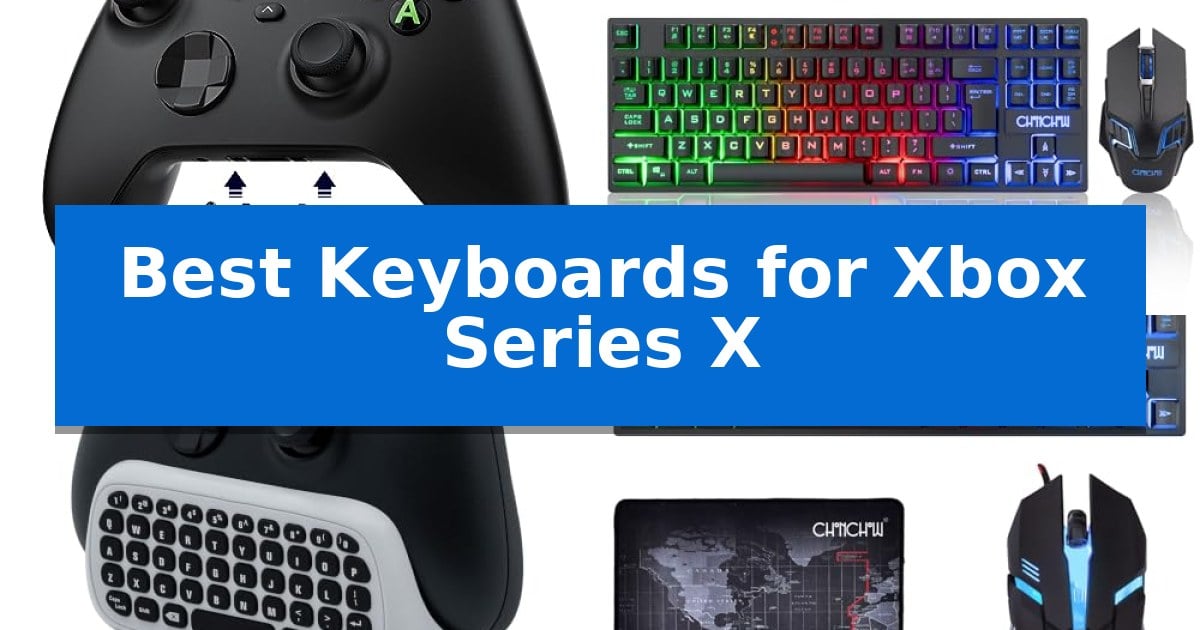
Navigating menus, typing messages, and managing complex social interactions on a console can often feel cumbersome when limited to a standard controller. Finding the Best Keyboards for Xbox Series X can significantly improve your efficiency, allowing you to execute commands and communicate with teammates without the frustration of an on-screen keyboard.
Whether you prefer a compact chatpad that attaches directly to your controller or a full-sized wireless gaming keyboard for a desktop-like experience, the right accessory changes how you interact with your console. We have analyzed various options to help you determine which input device best fits your specific gaming habits and desk setup.
Best Keyboards for Xbox Series X in 2026
Quick Comparison
| Product | Best For | Key Strength | Score |
|---|---|---|---|
| MoKo RGB Controller Chatpad | Best Overall | RGB backlighting with three modes for low-light visibility. | 4.9 |
| CHONCHOW Wireless Gaming Keyboard | Rechargeable Freedom for Desktop Setups | Rechargeable built-in batteries eliminate the need for disposable AA or AAA cells. | 4.9 |
| Mcbazel Wireless Controller Chatpad | Battery-Free Power via Controller | Battery-free operation as it draws power directly from the connected controller. | 4.7 |
| CHONCHOW TKL Gaming Keyboard | Space-Saving Design for Compact Desks | Compact 87-key design saves significant desk space. | 4.4 |
| TNP Products Controller Chatpad | Thumb-Friendly Messaging Layout | Plug-and-play setup with no drivers or extra charging required. | 4.8 |
How We Chose
- Compatibility with Xbox Series X and controller interfaces.
- Ease of setup, including wireless pairing and driver-free operation.
- Ergonomics and design, focusing on how the device fits into a gaming environment.
- Functionality, such as dedicated chat features, backlight options, and key responsiveness.
- Portability and space-saving design for various gaming configurations.
1 MoKo RGB Controller Chatpad — Illuminated Keys for Low-Light Gaming
The MoKo RGB Controller Chatpad streamlines communication during intense gaming sessions by providing a dedicated, compact keyboard that attaches directly to your controller. This accessory features 47 custom keys designed for faster typing, texting, and emailing, ensuring you stay connected without needing to navigate complex on-screen menus.
Equipped with RGB backlighting, the device offers three distinct modes—rainbow breathing, trichrome, and monochrome—to match your gaming setup. The silicone keys are specifically engineered for visibility in low-light environments, and the backlight automatically powers down after 10 seconds of inactivity to conserve energy.
Connectivity is managed via a stable 2.4G wireless receiver that plugs into your console, providing a reliable connection range of up to 10 meters. The unit also includes a 3.5mm audio jack, allowing you to plug your headset directly into the chatpad for seamless audio integration while you play.
Designed for portability and ergonomics, this chatpad maintains a lightweight profile that complements the aesthetics of your controller. It is compatible with a wide range of Xbox models, including the Xbox Series X, Series S, One, and Elite controllers, making it a versatile addition to your gaming hardware.
Best for: Gamers who frequently use text chat and want a compact, backlit keyboard attachment for their Xbox controller.
Skip if: Users who prefer using a full-sized USB keyboard or the Xbox mobile app for typing tasks.
PROS
- RGB backlighting with three modes for low-light visibility.
- Integrated 3.5mm audio jack for convenient headset connection.
- Compact and ergonomic design that fits securely on the controller.
- Reliable 2.4G wireless connection with included receiver.
CONS
- Controller battery dependency, requiring the controller to be above 20% charge for operation.
- Not compatible with the Xbox One X console.
2 CHONCHOW Wireless Gaming Keyboard — Rechargeable Freedom for Desktop Setups
The CHONCHOW Wireless Gaming Keyboard eliminates cable clutter by utilizing a shared 2.4Ghz wireless USB adapter, providing a stable connection for both the keyboard and mouse within an effective range of 10 meters. This compact 87-key layout is designed to save desktop space, making it a practical choice for users who need a portable setup that can be easily transported in a backpack.
Equipped with large-capacity built-in batteries—2000mAh for the keyboard and 500mAh for the mouse—this combo removes the need for frequent battery replacements. To conserve power, the devices feature an automatic sleep mode that activates after 60 seconds of inactivity for the keyboard and 10 minutes for the mouse, with any key press capable of waking them up.
The keyboard includes rainbow LED backlighting with three adjustable brightness levels and breathing speeds, ensuring visibility in low-light environments. The keycap characters are designed for uniform light transmission and durability, while the symmetrical, ergonomic mouse is built for comfort during extended use.
Compatibility is a key consideration for console users, as this plug-and-play set works with Xbox, PS3, PS4, and PS5, alongside PC and Mac systems. Note that for console gaming, functionality is dependent on the specific settings of the game being played, so verification of game-specific keyboard and mouse support is recommended before purchase.
Best for: Gamers seeking a space-saving, rechargeable wireless peripheral solution for console and PC setups.
Skip if: Users playing titles that do not support keyboard and mouse input or those who require specialized mechanical switches for competitive gaming.
PROS
- Rechargeable built-in batteries eliminate the need for disposable AA or AAA cells.
- 2.4Ghz wireless connectivity offers a clean, cable-free desktop environment.
- Compact 87-key design maximizes available desk space and improves portability.
- Adjustable rainbow LED backlighting enhances key visibility in dark rooms.
CONS
- Game-dependent compatibility means not all console titles will support keyboard and mouse input.
- Requires a 5V2A charger specifically, which may limit charging options if not available.
3 Mcbazel Wireless Controller Chatpad — Battery-Free Power via Controller
Navigating console menus or typing messages with a thumbstick is often a slow, cumbersome process. The Mcbazel Wireless Controller Chatpad addresses this by providing a dedicated, full-sized input method that clips directly onto your controller, streamlining communication and navigation on your console.
This 47-key QWERTY layout includes a dedicated number row and essential punctuation, making it significantly faster to enter friend codes, search terms, or messages compared to on-screen alternatives. The device is designed for convenience, drawing its power directly from the controller, which eliminates the need for separate charging cables or disposable batteries.
Compatibility is straightforward but requires attention to detail: the unit attaches to controllers featuring a 3.5mm headset jack on the bottom edge. Because the attachment covers the original port, the device includes a foldable 3.5mm passthrough jack, allowing you to continue using your preferred wired headset or earbuds without obstruction.
Setup is handled via a 2.4G USB receiver that plugs into the console, and for added convenience, the receiver stores inside a molded slot on the keyboard when not in use. While the keys are printed rather than illuminated, the compact design provides a functional, battery-free typing solution for those who frequently interact with console social features.
Best for: Players who frequently type messages, search for content, or enter codes on their console and want a battery-free, integrated keyboard solution.
Skip if: Users who play primarily in dark environments and require backlit keys, or those using older first-generation controllers that lack a 3.5mm headset jack.
PROS
- Battery-free operation as it draws power directly from the connected controller.
- Integrated 3.5mm headset passthrough ensures your audio gear remains functional.
- Dedicated 47-key QWERTY layout with a number row for faster input.
- On-board storage slot for the 2.4G USB receiver to prevent loss.
CONS
- Non-illuminated keys may be difficult to see in low-light gaming environments.
- Controller compatibility is strictly limited to models equipped with a 3.5mm headset jack.
4 CHONCHOW TKL Gaming Keyboard — Space-Saving Design for Compact Desks
Optimizing your console setup for competitive play often begins with reclaiming desk space, and the CHONCHOW TKL Gaming Keyboard achieves this through a compact 87-key layout. By removing the number pad, this peripheral provides a smaller footprint of 13.5 by 5.5 inches, allowing for more expansive mouse movement during intense gaming sessions.
This membrane keyboard is engineered for efficiency, featuring 12 multimedia keys and 19 anti-collision keys to ensure reliable input registration. The inclusion of a locking Windows key and interchangeable WASD keys allows for a tailored gaming experience, while the rainbow LED backlighting offers two distinct modes and three brightness levels to suit your environment.
Beyond the keyboard, the package includes a high-precision wired gaming mouse with adjustable DPI settings ranging from 800 to 3200. The mouse features low-friction PTFE feet for smooth movement and six buttons, including two side buttons for added utility. A dedicated mouse pad is also provided, featuring a smooth fabric surface and a non-slip rubber base to maintain stability.
Compatibility is straightforward, as the set utilizes a USB plug-and-play interface suitable for the Xbox Series X, PS5, and PC. While the hardware connects seamlessly, console users should verify specific game settings to ensure full support for keyboard and mouse inputs before beginning play.
Best for: Gamers seeking a space-saving, all-in-one peripheral set that integrates a compact keyboard, adjustable DPI mouse, and mouse pad for console or PC use.
Skip if: Users who require a mechanical switch feel or a full-sized keyboard layout with a dedicated number pad for productivity tasks.
PROS
- Compact 87-key design saves significant desk space.
- Includes a high-precision wired mouse with four adjustable DPI levels.
- Plug-and-play USB connectivity requires no additional drivers.
- Includes a non-slip mouse pad with a smooth fabric surface.
CONS
- Membrane switch architecture may not satisfy users preferring mechanical tactile feedback.
- Backlight color is fixed and cannot be customized to a single color.
5 TNP Products Controller Chatpad — Thumb-Friendly Messaging Layout
Managing in-game communication and text entry on a console often requires shifting focus away from the screen, but the TNP Xbox One Chatpad Controller Keyboard Attachment for Series X/S integrates directly into your existing gamepad to streamline this process. By snapping securely onto the controller, this accessory provides a tactile, thumb-friendly layout that allows for rapid typing without forcing you to put down the controller or navigate complex on-screen menus.
Designed for seamless integration, the TNP Xbox One Chatpad Controller Keyboard Attachment for Series X/S features a plug-and-play setup that requires no drivers or extra cables. It connects via a dedicated 2.4GHz wireless receiver, ensuring a stable signal from couch distance. The attachment includes a 3.5mm audio jack, maintaining full functionality for your headset while the keyboard is in use.
The device is powered directly through the controller, eliminating the need for separate charging or battery swaps. Its lightweight, ergonomic design ensures that the attachment does not interfere with your grip or block access to analog sticks and buttons. This makes it a practical solution for players who frequently use party chat, search the store, or redeem codes during active gameplay.
Compatibility is a primary strength of this unit, as it works across the Xbox One, Xbox One X/S, Xbox Elite, and the Xbox Series X/S controller ecosystem. Because it is a compact, dedicated keypad, it avoids the clutter of full-sized external keyboards while providing the specific functionality needed for console-based text entry.
Best for: Players who frequently use text chat or redeem codes and want a seamless, controller-integrated typing solution without the clutter of a full-sized keyboard.
Skip if: Users who prefer the tactile feedback of a mechanical desktop keyboard or those who rarely engage in in-game text communication.
PROS
- Plug-and-play setup with no drivers or extra charging required.
- Thumb-friendly, low-profile keys designed for quick messaging.
- Ergonomic, lightweight attachment that maintains natural controller grip.
- Stable 2.4GHz wireless connection with no noticeable lag.
CONS
- Limited to console-specific text entry and not suitable for general PC typing tasks.
Best Keyboards for Xbox Series X Buying Guide
Understanding Controller Attachments vs. Desktop Keyboards
The primary decision when choosing between the Best Keyboards for Xbox Series X is whether you need a dedicated chatpad or a standalone keyboard. Controller-mounted chatpads are designed for convenience, allowing you to type with your thumbs while maintaining your grip on the controller. They are ideal for quick messages and social updates during gameplay.
Conversely, desktop-style wireless keyboards offer a more traditional typing experience. These are better suited for players who use their console as a primary workstation or those who prefer a full QWERTY layout for extensive text entry. These units often require a dedicated surface but provide superior comfort for long typing sessions.
Connectivity and Wireless Stability
Most modern console keyboards utilize 2.4GHz wireless technology, which provides a stable connection with minimal latency. When selecting a keyboard, ensure it comes with a reliable USB receiver that can be plugged directly into your console. This setup is generally more consistent than Bluetooth-only alternatives for gaming environments.
Always verify the effective range of the wireless connection. While most units are rated for up to 10 meters, physical obstructions between the console and the keyboard can impact performance. A stable connection ensures that your inputs are registered instantly, which is critical during fast-paced gaming sessions.
Ergonomics and Key Layout
For chatpads, the layout is crucial. Look for thumb-friendly designs that allow you to reach all keys without straining your hands. A well-spaced, low-profile key design helps prevent accidental presses and makes it easier to type accurately during the heat of a match.
For desktop keyboards, consider the size of the unit. TKL (Tenkeyless) designs are often the best choice for gaming setups because they remove the number pad, saving valuable desk space and allowing for a more natural mouse position. This balance of size and functionality is essential for maintaining an ergonomic posture.
Backlighting and Visibility
Gaming in low-light conditions is common, making backlighting a highly desirable feature. Keyboards with adjustable brightness or multiple color modes allow you to see your keys clearly without needing to turn on overhead lights. This feature is particularly useful for chatpads, where keys are often small and tightly packed.
Some models feature automatic sleep modes that turn off the backlight after a period of inactivity. This is a smart way to conserve battery life, especially for wireless units that rely on internal power or the controller's battery. Always check if the lighting modes can be customized to suit your preference.
Power Management and Charging
Controller-attached chatpads typically draw power directly from the controller itself, eliminating the need for separate batteries or charging cables. This is a convenient solution, but it does mean your controller's battery will drain slightly faster. Ensure your controller is adequately charged before long sessions.
Standalone wireless keyboards often feature built-in rechargeable batteries. These units usually include a charging cable and offer long-lasting performance on a single charge. When comparing these, look for models that include an auto-sleep function to maximize battery longevity and reduce the frequency of charging.
Frequently Asked Questions
Do all keyboards work with the Xbox Series X?
Most USB and 2.4GHz wireless keyboards are compatible with the Xbox Series X for basic typing and navigation. However, functionality in specific games depends on whether the game developers have enabled keyboard and mouse support.
Can I use a wired keyboard with my Xbox?
Yes, wired USB keyboards are generally plug-and-play compatible with the Xbox Series X. They offer a reliable connection without the need for batteries, though they do require a cable connection to the console.
Do chatpads block the headset jack?
Most high-quality chatpads include a 3.5mm audio passthrough, allowing you to plug your headset directly into the chatpad itself. This ensures you do not lose audio functionality when the device is attached.
How do I pair a 2.4GHz wireless keyboard?
Typically, you plug the included USB receiver into one of the console's USB ports. Once the receiver is connected, the keyboard should pair automatically, though some models may require you to press a dedicated pairing button.
Will a keyboard improve my gaming performance?
A keyboard improves efficiency for typing, searching, and navigating menus. While it may not directly improve your aim or movement in every game, it can significantly speed up communication and social interactions.
Conclusion: Our Top Pick
Selecting the right input device depends on whether you prioritize the convenience of a controller-mounted chatpad or the comfort of a full-sized keyboard. For most users, the MoKo RGB Controller Chatpad stands out as the best choice due to its seamless integration with the controller, illuminated keys for dark rooms, and reliable 2.4GHz wireless connection.
If your primary goal is to simplify messaging and menu navigation without adding bulk to your desk, this chatpad offers the most balanced experience. While other options like full-sized wireless combos are excellent for dedicated desk setups, the MoKo unit provides the most direct improvement to your console gaming workflow.