
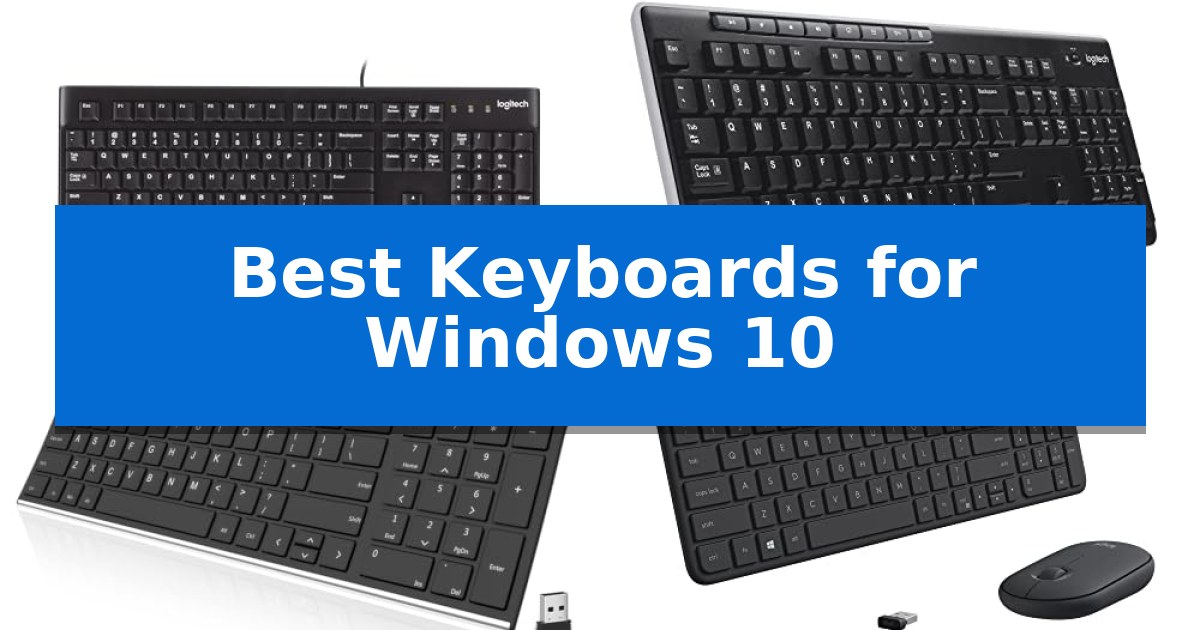
Finding the right input device can significantly impact your daily comfort and efficiency. When searching for the Best Keyboards for Windows 10, it is essential to consider how your specific workflow—whether it involves long typing sessions, compact desk spaces, or a need for multi-device flexibility—aligns with the available hardware options.
Our guide evaluates a range of keyboards based on their connectivity, build quality, and ergonomic features. By focusing on practical design elements like key layout, battery management, and spill resistance, we aim to help you identify a reliable typing partner that integrates seamlessly with your existing PC environment.

Best Keyboards for Windows 10 in 2026
Quick Comparison
| Product | Best For | Key Strength | Score |
|---|---|---|---|
| Logitech K120 Wired Keyboard | Best Overall | Spill-resistant design for increased durability | 4.9 |
| Logitech K270 Wireless Keyboard | Long-Lasting Battery Life | 24-month battery life reduces maintenance frequency. | 4.3 |
| Arteck Ultra Slim Wireless Keyboard | Rechargeable Stainless Steel Design | Rechargeable lithium battery provides up to 6 months of usage time. | 4.5 |
| Logitech MK470 Slim Wireless Keyboard | Compact and Whisper Quiet | Whisper-quiet typing experience with low-profile scissor keys. | 4.3 |
| Logitech Signature Slim Solar+ K980 Keyboard | Infinite Power via Light | Infinite power source via solar and artificial light harvesting. | 4.3 |
How We Chose
- Connectivity: Assessing the stability of wired USB connections versus wireless 2.4GHz or Bluetooth options.
- Build Quality: Evaluating materials, spill-resistant designs, and overall durability for long-term use.
- Ergonomics: Considering key profiles, layout familiarity, and the inclusion of full-size number pads.
- Power Management: Reviewing battery life, charging methods, and energy-saving features.
- Compatibility: Ensuring seamless integration with Windows operating systems and plug-and-play functionality.
1 Logitech K120 Wired Keyboard — Reliable and Spill-Resistant
The Logitech K120 Wired Keyboard offers a dependable, no-nonsense solution for users who prioritize stability and ease of use in their Windows 10 environment. By utilizing a standard USB plug-and-play connection, this keyboard eliminates the need for complex software installations or battery management, ensuring your input device is always ready the moment it is connected.
Designed for high-frequency use, the keyboard features a full-size layout complete with a dedicated number pad and F-keys, which are essential for efficient data entry and navigation. The keys are built with anti-fade technology to maintain legibility over time, while the deep-profile design provides a familiar, tactile typing experience for all-day productivity.
Practicality is central to the build, as evidenced by the spill-resistant design that helps protect the internal components from minor liquid accidents. Users can further customize their setup using the sturdy tilt legs, which allow for adjustable typing angles to better suit individual ergonomic preferences.
Sustainability and durability are balanced in this model, with plastic components containing 51% certified post-consumer recycled plastic. With a measured carbon footprint of 4.02 kg CO2e, the Logitech K120 Wired Keyboard serves as a functional, long-term tool for standard desktop computing tasks.
Best for: Users seeking a reliable, full-size, plug-and-play wired keyboard for standard office or home productivity tasks.
Skip if: Users who require wireless connectivity, mechanical switches, or specialized programmable macro keys for advanced workflows.
PROS
- Spill-resistant design for increased durability
- Plug-and-play USB connectivity requires no software
- Full-size layout includes a dedicated number pad and F-keys
- Adjustable tilt legs for customized typing ergonomics
CONS
- Wired-only connection limits desk placement flexibility
- Standard membrane switches lack the tactile feedback of mechanical alternatives
2 Logitech K270 Wireless Keyboard — Long-Lasting Battery Life
The Logitech K270 Wireless Keyboard simplifies desk management by utilizing a single USB-A receiver to provide a reliable wireless connection with up to a 33-foot range. This full-size keyboard is designed for consistent daily use, featuring a standard layout that includes a dedicated number pad, arrow keys, and a full row of F-keys to maintain a familiar typing experience.
Built for longevity and convenience, the device incorporates a spill-proof design and durable print characters to withstand accidental mishaps in busy work environments. Users benefit from 8 dedicated multimedia hotkeys that offer instant access to essential functions like volume control, email, and media playback, streamlining common tasks directly from the keyboard surface.
Efficiency is a core component of this model, highlighted by an impressive 24-month battery life that minimizes the need for frequent replacements. The setup process is straightforward, requiring only that the USB receiver be plugged into a computer port for immediate, software-free operation. Additionally, the keyboard supports the Logitech Unifying receiver protocol, allowing users to connect other compatible devices to the same tiny USB dongle.
Constructed with sustainability in mind, the plastic components of the Logitech K270 Wireless Keyboard include 38% certified post-consumer recycled plastic. Its combination of a robust wireless link, long-lasting power, and a traditional, comfortable key profile makes it a practical choice for standard Windows-based desktop and laptop setups.
Best for: Users seeking a reliable, full-size wireless keyboard with long battery life for standard Windows office or home productivity tasks.
Skip if: Users who require mechanical switches, backlighting, or a compact tenkeyless form factor for specialized gaming or travel needs.
PROS
- 24-month battery life reduces maintenance frequency.
- Spill-proof design enhances durability against accidental liquid exposure.
- Plug-and-play setup via USB-A receiver requires no additional software.
- Full-size layout provides a familiar typing experience with dedicated multimedia keys.
CONS
- Lacks backlighting for low-light environments.
- Standard membrane keys may not satisfy users preferring mechanical tactile feedback.
3 Arteck Ultra Slim Wireless Keyboard — Rechargeable Stainless Steel Design
The Arteck Ultra Slim Wireless Keyboard prioritizes a streamlined workspace by combining a low-profile stainless steel chassis with a reliable 2.4G wireless connection. Designed for efficiency, this unit includes a full numeric keypad and dedicated shortcut keys, making it a practical addition for users who need to manage data entry or navigation on Windows 11, 10, or 8 systems.
Setup is straightforward, requiring only the insertion of the included nano USB receiver to establish an immediate connection. The keyboard features a rechargeable lithium battery that provides up to 6 months of use on a single charge, assuming a standard daily usage pattern of two hours. This efficiency reduces the need for frequent cable management or battery replacements.
Measuring 14.5 by 4.9 by 0.16 inches and weighing 12.7 ounces, the device maintains a compact footprint while offering a sturdy feel due to its stainless steel construction. The low-profile keys are engineered for quiet operation, providing a comfortable typing experience suitable for office or home environments where noise reduction is preferred.
Included in the package are the keyboard, the nano USB receiver, and a USB charging cable. The product is backed by a 24-month warranty, providing long-term support for its core functionality.
Best for: Users seeking a slim, rechargeable, and quiet wireless keyboard with a numeric keypad for Windows-based desktop or laptop setups.
Skip if: Users who require a mechanical switch feel, backlighting, or a wired-only connection for specific low-latency gaming requirements.
PROS
- Rechargeable lithium battery provides up to 6 months of usage time.
- Stainless steel construction offers a durable and heavy-duty feel.
- Low-profile keys ensure quiet and comfortable typing.
- Compact, ultra-thin design saves desk space while including a numeric keypad.
CONS
- 2.4G wireless connection requires a dedicated USB port for the nano receiver.
- No backlighting features for low-light environments.
4 Logitech MK470 Slim Wireless Keyboard — Compact and Whisper Quiet
The Logitech MK470 Slim Wireless Keyboard is designed for users who prioritize a minimalist aesthetic and a quiet working environment. This compact, low-profile keyboard features a modern layout that includes a full number pad, making it a practical choice for small desk spaces where every inch counts.
Performance is centered on the whisper-quiet scissor keys, which are engineered to minimize noise during typing. The accompanying ambidextrous 3-button mouse provides high-precision optical tracking at 1000 DPI and features a mechanical scroll wheel, ensuring consistent input for daily tasks.
Connectivity is handled via a simple plug-and-play USB nano receiver that utilizes a reliable 2.4 GHz wireless connection with a range of up to 10 meters. The system is optimized for Windows and ChromeOS, allowing for seamless integration into existing setups.
Efficiency is a key design pillar, supported by an auto-sleep feature that significantly extends battery longevity. The keyboard is rated for up to 36 months of battery life, while the mouse offers up to 18 months, reducing the frequency of maintenance.
Users can further refine their experience by using the Logi Options software to customize the 12 programmable FN keys. This allows for personalized shortcuts tailored to specific workflows, balancing the keyboard's slim profile with functional versatility.
Best for: Users with limited desk space who require a quiet, reliable, and low-profile wireless input solution for Windows systems.
Skip if: Users who prefer mechanical switches with high tactile feedback or those who require a full-sized, ergonomic keyboard layout for extended typing sessions.
PROS
- Whisper-quiet typing experience with low-profile scissor keys.
- Space-saving compact design that includes a full number pad.
- Extended battery life of up to 36 months for the keyboard.
- Customizable FN keys via Logi Options software for personalized productivity.
CONS
- Limited tactile feedback compared to mechanical or high-profile keyboards.
- USB-A receiver requirement may necessitate an adapter for devices lacking legacy ports.
5 Logitech Signature Slim Solar+ K980 Keyboard — Infinite Power via Light
Maintaining a consistent power supply without the clutter of charging cables is the primary advantage of the Logitech Signature Slim Solar+ K980 Keyboard. This full-size wireless keyboard utilizes Logi LightCharge technology, which integrates a light-absorbing strip to harvest energy from both solar and artificial light sources, ensuring the device remains powered for long-term use.
Designed for versatility across modern workspaces, the Logitech Signature Slim Solar+ K980 Keyboard offers a full-size layout with familiar laptop-style typing. It is constructed using recycled plastic, providing a solid build that balances environmental considerations with daily functional requirements.
Productivity is enhanced through the Logi Options+ App, which enables Smart Actions for automating repetitive tasks with a single keystroke. Users can also manage multiple devices simultaneously, as the keyboard supports seamless switching between a PC, smartphone, and tablet with a simple tap, making it a practical choice for multi-device workflows.
The keyboard provides broad compatibility, connecting via Bluetooth to Windows, macOS, Chrome OS, Linux, iPadOS, iOS, and Android OS. With a design rated for up to 10 million keystrokes and a battery capable of lasting up to a decade, it is engineered for long-term reliability in diverse computing environments.
Best for: Users who prefer a low-maintenance, cable-free workspace and frequently switch between multiple devices like PCs, tablets, and smartphones.
Skip if: Users who require mechanical switches for specific tactile feedback or those who prefer a compact, tenkeyless form factor for limited desk space.
PROS
- Infinite power source via solar and artificial light harvesting.
- Multi-device connectivity allows seamless switching between platforms.
- Customizable shortcuts via the Logi Options+ App to automate tasks.
- Durable design built to withstand up to 10 million keystrokes.
CONS
- Full-size footprint may be too large for users with restricted desk space.
- Non-mechanical key switches may not satisfy users seeking specific tactile or clicky typing experiences.
Best Keyboards for Windows 10 Buying Guide
Wired vs. Wireless Connectivity
The choice between a wired keyboard and a wireless keyboard often comes down to desk management and reliability. Wired models provide a constant connection via USB, eliminating the need for batteries and ensuring zero input lag, which is ideal for stationary workstations.
Wireless keyboards offer greater freedom of movement and a cleaner desk aesthetic. When choosing wireless, consider the type of receiver used—such as a dedicated 2.4GHz USB dongle or Bluetooth—to ensure it matches your computer's available ports.
Ergonomics and Layout
A full-size keyboard layout is generally preferred for data entry due to the dedicated number pad and full set of function keys. If your workspace is limited, a compact keyboard can save valuable desk real estate, though it may require learning a new layout or using function layers.
Look for low-profile keys if you prefer a laptop-like typing feel, or deeper, tactile keys if you require more feedback while typing. Adjustable tilt legs are also a critical feature for maintaining a comfortable wrist position during extended use.
Durability and Spill Resistance
Accidental spills are a common hazard in any workspace. Many modern keyboards feature a spill-resistant design, which allows liquids to drain away from the internal electronics, potentially saving the device from permanent damage.
Beyond liquid protection, consider the quality of the key printing. Durable, anti-fade characters ensure that your keyboard remains legible even after years of heavy use.
Power and Charging
For wireless users, battery management is a key consideration. Some models utilize standard alkaline batteries with long lifespans, while others feature rechargeable batteries that can be powered via USB cables or even ambient light sources.
Always check the estimated battery life provided by the manufacturer. Features like auto-sleep modes can significantly extend the time between charges, reducing maintenance requirements.
Software and Customization
Some keyboards offer companion software that allows you to remap keys or assign shortcuts to specific function keys. This can be a major productivity boost if you frequently use specific applications or repetitive tasks.
Ensure that any software provided is compatible with your version of Windows. While many keyboards are true plug-and-play devices, software-enhanced models provide a higher level of control over your typing experience.
Frequently Asked Questions
Do I need special software to use these keyboards with Windows 10?
Most keyboards listed are plug-and-play, meaning they will work immediately upon connection without requiring additional software. However, some models offer optional software for advanced customization.
Are these keyboards compatible with laptops?
Yes, all the keyboards mentioned are compatible with both desktop PCs and laptops, provided the device has a standard USB port or Bluetooth capability.
What is the benefit of a spill-resistant design?
A spill-resistant design is engineered to allow liquid to pass through the keyboard without damaging the internal circuitry, providing peace of mind against accidental beverage spills.
How do I know if a wireless keyboard will work with my computer?
If the keyboard uses a USB receiver, ensure your computer has an open USB-A port. If it uses Bluetooth, ensure your computer has built-in Bluetooth connectivity.
Can I use a full-size keyboard in a small workspace?
While a full-size keyboard takes up more space, it is often necessary for tasks involving frequent number entry. If space is tight, consider a compact model that still includes a number pad.
Conclusion: Our Top Pick
Selecting the right keyboard depends on balancing your specific needs for connectivity, layout, and durability. For those who prioritize a simple, reliable, and spill-resistant solution for their Windows 10 setup, the Logitech K120 Wired Keyboard stands out as a dependable choice. Its straightforward plug-and-play design and durable construction make it a practical addition to any desk.
If you require more flexibility, wireless options like the Logitech K270 or the rechargeable Arteck model offer excellent alternatives. Regardless of your choice, focusing on the features that directly impact your daily comfort will ensure you find a keyboard that serves you well for years to come.