
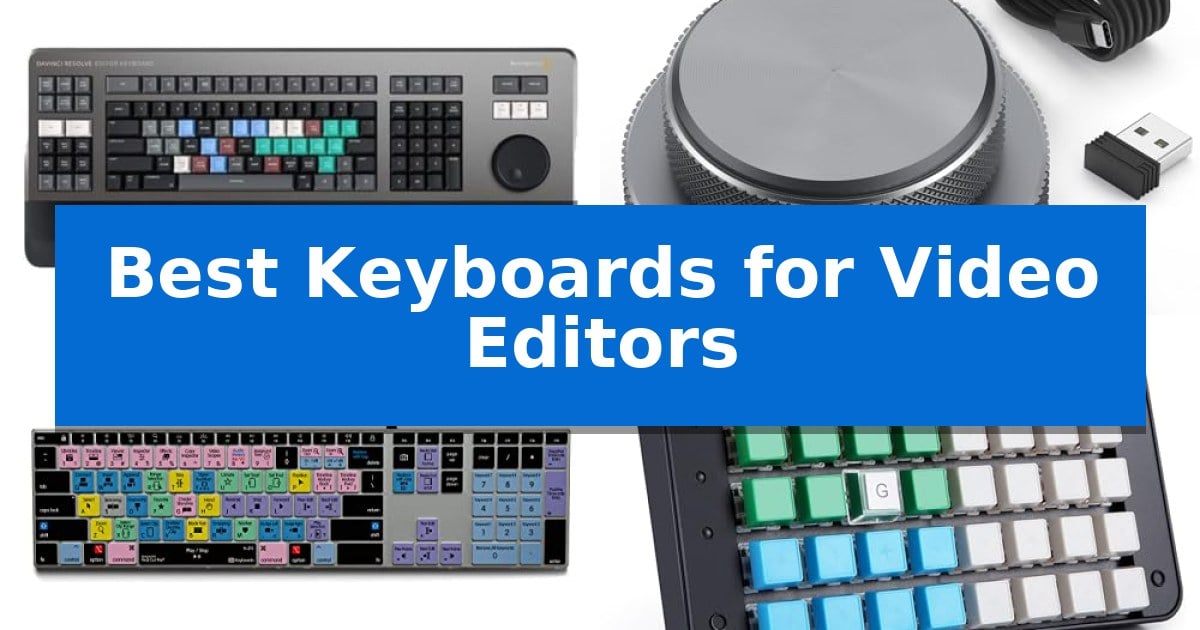
Video editing requires precision and speed, often involving hundreds of repetitive keystrokes to trim, cut, and navigate complex timelines. Relying on a standard office keyboard can create bottlenecks that slow down your creative process and lead to unnecessary fatigue during long editing sessions.
To help you find the right tool for your studio, we have evaluated the Best Keyboards for Video Editors based on their ability to integrate with professional software and improve efficiency. Whether you need dedicated hardware controls or color-coded shortcuts, these options are designed to help you spend less time searching for keys and more time crafting your story.
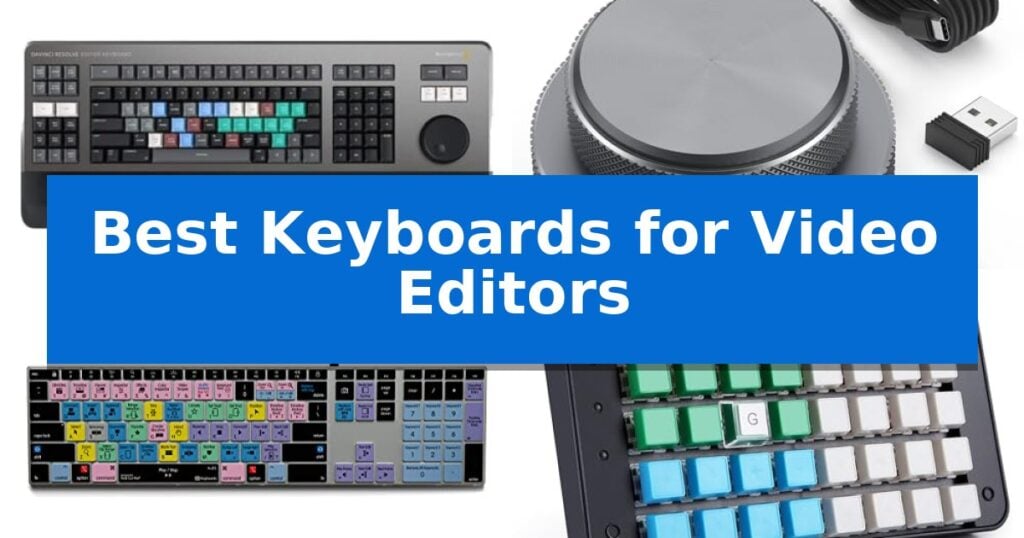
Best Keyboards for Video Editors in 2026
Quick Comparison
| Product | Best For | Key Strength | Score |
|---|---|---|---|
| Blackmagic Design DaVinci Resolve Editor Keyboard | Best Overall | Integrated search wheel for rapid timeline scrubbing | 4.9 |
| MOSHOU Knob Macro Pad | Dual knobs for precise timeline control | Dual knobs provide tactile, precise control for timeline and brush adjustments. | 4.4 |
| KB Covers Final Cut Pro Keyboard | Color-coded keys for faster editing | Color-coded shortcuts for over 150 Final Cut Pro commands. | 4.7 |
| Koolertron One Handed Macro Keyboard | Fully programmable keys for custom workflows | Hardware-based storage via built-in MCU keeps settings saved across different computers. | 4.3 |
| KB Covers Adobe Premiere Pro Keyboard | Visual shortcuts for intuitive navigation | Color-coded shortcuts for Premiere Pro functions. | 4.5 |
How We Chose
- Software Integration: We assessed how well each device maps to industry-standard software like DaVinci Resolve, Premiere Pro, and Final Cut Pro.
- Control Interface: We prioritized devices featuring physical dials, wheels, or programmable macro keys that reduce reliance on mouse-based navigation.
- Layout and Labeling: We evaluated the effectiveness of color-coded keys and custom layouts in reducing the learning curve for complex editing commands.
- Build and Connectivity: We considered the physical durability, connection stability, and desk footprint of each unit to ensure they fit into professional workstations.
- Customization Depth: We examined the flexibility of programmable layers and software support for tailoring the device to specific project needs.
1 Blackmagic Design DaVinci Resolve Editor Keyboard — Integrated search wheel for speed
Precision in video editing often hinges on the speed of your interface, and the Blackmagic Design USB Davinci Resolve Editor Keyboard is engineered specifically to address the workflow bottlenecks of professional editors. By integrating a dedicated hardware controller directly into the typing surface, it allows for rapid navigation and frame-accurate adjustments without requiring constant mouse movement.
The most distinctive feature of this device is the integrated search wheel, which provides tactile, high-speed control over the timeline. This mechanical dial is designed to facilitate faster scrubbing and trimming, enabling editors to turn over projects more efficiently. The layout is purpose-built for DaVinci Resolve 16, ensuring that specific software commands are mapped to dedicated keys for immediate access.
Constructed with a professional-grade focus, the unit features a substantial build that stays planted on your desk during intensive editing sessions. It prioritizes ergonomic efficiency, allowing users to keep their hands on the controls while navigating complex sequences. This focus on hardware-software synergy is intended for those who need to maintain a high-velocity workflow throughout the post-production process.
While this keyboard offers significant advantages for dedicated software users, it is a specialized tool. Its design is optimized for a specific ecosystem, making it a powerful asset for those fully committed to that platform, though it may be less versatile for general-purpose computing tasks compared to standard mechanical keyboards.
Best for: Professional video editors who work exclusively in DaVinci Resolve and require a dedicated hardware interface for rapid timeline navigation.
Skip if: Users who require a general-purpose keyboard for typing or those who utilize multiple different non-linear editing applications.
PROS
- Integrated search wheel for rapid timeline scrubbing
- Dedicated layout optimized for DaVinci Resolve 16
- Professional-grade construction for stable desktop use
CONS
- Specialized design limits utility for general-purpose tasks
2 MOSHOU Knob Macro Pad — Dual knobs for precise timeline control
The MOSHOU Knob Macro Pad simplifies complex video editing workflows by providing two dedicated knobs for precise control over timeline scrubbing, zooming, and volume adjustments. Designed as a compact, one-handed input device, it allows editors to map frequently used shortcuts to its 3-layer programmable interface, reducing the need to reach across a full-sized keyboard during intensive sessions.
Built with a durable aluminum alloy body, this macro pad offers a stable, premium feel on any workstation. Its tri-mode connectivity—supporting Bluetooth, 2.4G wireless, and wired USB-C—ensures compatibility across various setups, including Mac, PC, and mobile devices. While the initial configuration must be performed in wired mode using the provided software, the device retains these settings for wireless use.
The integrated RGB lighting provides visual feedback during operation, which is particularly useful in dim editing suites. By switching between the three programmable layers, users can quickly toggle between different shortcut groups for applications like Premiere Pro, DaVinci Resolve, or Photoshop, effectively expanding the utility of a small desktop footprint.
This controller is a practical addition for creators who prioritize ergonomic efficiency and intuitive hardware control. Its support for multiple operating systems, including Windows, macOS, iOS, and Android, makes it a versatile tool for diverse creative environments.
Best for: Video editors and creative professionals seeking a compact, programmable hardware controller for timeline navigation and shortcut management.
Skip if: Users who require a full-sized keyboard layout or those who prefer not to manage custom software configurations for their input devices.
PROS
- Dual knobs provide tactile, precise control for timeline and brush adjustments.
- Tri-mode connectivity offers flexibility between wired and wireless setups.
- 3-layer programmable control allows for extensive shortcut customization.
- Aluminum alloy construction ensures a stable and durable desktop presence.
CONS
- Wired-only configuration required for initial setup of custom settings.
- One-handed design lacks the full functionality of a standard keyboard.
3 KB Covers Final Cut Pro Keyboard — Color-coded keys for faster editing
Streamlining a complex editing workflow often comes down to how quickly you can trigger essential commands, and the KB Covers Final Cut Pro Keyboard for Mac addresses this by placing over 150 dedicated shortcuts directly onto the keycaps. By color-coding these functions, the layout allows editors to identify trimming, playback, and marking commands at a glance without navigating through deep software menus.
This peripheral is built with a solid aluminum frame designed for durability in professional studio environments. It features backlit keys, which provide necessary visibility during late-night editing sessions or in dim lighting conditions. Because it is a USB-C wired device, it ensures a stable, lag-free connection, eliminating the need for battery management or Bluetooth pairing issues.
Unlike specialized control panels that replace standard typing, this is a fully functional keyboard that retains standard letter labels alongside the Final Cut Pro icons. This dual-purpose design allows users to switch between standard typing and shortcut-heavy editing in the same session. It is a plug-and-play device, requiring no additional software or drivers to function on macOS systems.
Compatibility is straightforward, as the keyboard is designed for Mac users with a standard US layout, including dedicated Command, Option, and Control keys. It connects directly to any Mac equipped with a USB-C port, including the MacBook Pro, MacBook Air, iMac, Mac mini, and Mac Studio, making it a versatile addition to various Apple-based workstations.
Best for: Video editors and content creators who use Final Cut Pro on a Mac and want a dedicated, wired shortcut interface.
Skip if: Users who require a wireless keyboard or those who do not use Final Cut Pro as their primary editing software.
PROS
- Color-coded shortcuts for over 150 Final Cut Pro commands.
- Backlit keys for improved visibility in low-light environments.
- Solid aluminum build for increased durability.
- Plug-and-play USB-C connectivity with no driver requirements.
CONS
- Wired-only connection limits desk placement flexibility.
- Software-specific layout is not optimized for other non-linear editing applications.
4 Koolertron One Handed Macro Keyboard — Fully programmable keys for custom workflows
The Koolertron One Handed Macro Mechanical Keyboard 48-Key provides a specialized hardware-based input solution for editors who require rapid access to complex command sequences. By utilizing an onboard MCU, this device stores all custom configurations directly, ensuring that your mapped shortcuts remain active even when moving between different workstations.
Designed to streamline professional workflows, this keypad features 48 programmable keys and the ability to create 32 complex macros, with each key capable of outputting up to 255 characters. This allows for the automation of repetitive editing tasks, such as specific cuts, color grading adjustments, or timeline navigation, which can be triggered with a single press.
The hardware supports 4 layers of custom configuration, enabling users to switch between different toolsets for various software environments. Additionally, the inclusion of transparent top caps allows for custom labeling, helping editors keep track of complex macro assignments during intensive sessions.
Beyond standard keystrokes, the device supports Windows multimedia keys and allows for the integration of mouse functions, such as cursor movement and clicking, directly into the keypad layout. Its compact, one-handed design saves valuable desk space, allowing it to sit alongside a standard keyboard without interference.
Best for: Video editors and designers who need a dedicated, programmable macro pad to automate repetitive tasks and save desk space.
Skip if: Users who require a full-sized keyboard layout for standard typing or those who prefer a wireless connection, as this device is a wired, one-handed peripheral.
PROS
- Hardware-based storage via built-in MCU keeps settings saved across different computers.
- Extensive programmability with 48 keys and 32 complex macro support.
- Customizable labeling using transparent top caps for clear workflow organization.
- Multi-layer configuration allows for 4 distinct sets of shortcuts.
CONS
- Wired-only connection limits placement flexibility compared to wireless alternatives.
- Keycap removal requires pliers, making frequent re-labeling or customization difficult.
5 KB Covers Adobe Premiere Pro Keyboard — Visual shortcuts for intuitive navigation
Navigating a complex timeline in Adobe Premiere Pro becomes significantly more intuitive when your hardware provides immediate visual feedback. The KB Covers Adobe Premiere Pro Keyboard for Mac features over 150 shortcuts printed directly onto the keys, color-coded by function to help you identify commands for cutting, trimming, and playback without relying on memory.
Designed specifically for the macOS ecosystem, this keyboard includes the standard Command, Option, and Control keys. It utilizes a USB-C wired connection, ensuring a stable, lag-free input experience that eliminates the need for battery management or Bluetooth pairing. The backlit aluminum frame provides a durable, solid foundation, making it a practical choice for editors working in dim studio environments or during late-night sessions.
This device functions as a standard typing keyboard rather than a specialized control panel, meaning you can perform your regular typing tasks and use the printed shortcuts within the same session. Because it is a plug-and-play device, no additional drivers or complex software installations are required, allowing for immediate integration into your existing Mac setup.
While the keyboard is highly specialized for Premiere Pro workflows, it is important to verify compatibility with your specific Mac model via the manufacturer's provided compatibility guide before purchase. By keeping essential hotkeys visible, this tool aims to streamline the editing process for YouTubers, filmmakers, and students who want to reduce the time spent searching through software menus.
Best for: Video editors and content creators who use Adobe Premiere Pro on a Mac and want to accelerate their workflow through visual shortcut references.
Skip if: Users who require a wireless keyboard or those who do not use Adobe Premiere Pro as their primary video editing software.
PROS
- Color-coded shortcuts for Premiere Pro functions.
- Plug-and-play USB-C connectivity with no drivers required.
- Backlit keys for visibility in low-light environments.
- Solid aluminum frame construction.
CONS
- Wired-only connection limits desk layout flexibility.
- Software-specific layout may be less useful for non-Premiere tasks.
Best Keyboards for Video Editors Buying Guide
Shortcut Mapping and Programmability
The primary advantage of a specialized editing keyboard is the ability to map complex sequences to a single button press. Look for devices that offer multi-layer programmability, which allows you to switch between different sets of shortcuts depending on whether you are trimming, color grading, or adding effects.
Hardware that stores settings directly in an onboard MCU (Microcontroller Unit) is highly beneficial. This ensures your custom configurations remain intact even if you move the device between different workstations or computers, saving you from having to re-program your setup.
Physical Control Interfaces
For timeline navigation, physical controls like integrated search wheels or dual knobs provide a tactile experience that a mouse cannot replicate. These controls allow for precise frame-by-frame scrubbing and rapid scrolling through long clips, which is essential for maintaining flow.
When choosing between a full-sized keyboard and a macro pad, consider your existing desk space. A dedicated one-handed macro pad can be placed alongside your primary typing keyboard, giving you access to essential editing functions without requiring you to move your hands away from your main input device.
Visual Shortcuts and Layouts
Keyboards with color-coded keys provide an immediate visual reference for specific functions like playback, marking, and trimming. This is particularly useful for editors who frequently switch between different software platforms or for those who are still mastering the hotkeys of a new program.
Ensure the keyboard layout matches your operating system, such as a macOS-specific layout with dedicated Command, Option, and Control keys. This prevents confusion and ensures that all system-level shortcuts function as expected without the need for additional remapping software.
Connectivity and Build Quality
In a professional editing suite, a stable, lag-free connection is paramount. Wired USB-C connections are generally preferred for their reliability and lack of battery management, ensuring your input device is always ready when you are.
For those who prefer a cleaner workspace, tri-mode connectivity (Bluetooth, 2.4G wireless, and wired) offers flexibility. However, always verify that the device allows for full customization in wired mode, as some wireless models require a cable connection to save complex macro settings.
Ergonomics and Desk Footprint
Editing sessions can last for hours, making the physical design of your keyboard important. Aluminum alloy builds often provide a solid, stable base that prevents the device from sliding during intense editing sessions.
Consider the size of the unit relative to your other peripherals. A compact, one-handed design is often more efficient for video editors than a full-sized keyboard, as it keeps your most-used shortcuts within easy reach, minimizing hand movement and reducing strain.
Frequently Asked Questions
Do I need special software to use these keyboards?
Many shortcut-labeled keyboards are plug-and-play and do not require software. However, programmable macro pads usually require downloading specific configuration software to map keys and save macro profiles to the device's internal memory.
Can I use a macro pad with any editing software?
Yes, most programmable macro pads are software-agnostic. As long as you can map the keys to the keyboard shortcuts used by your specific editing software (like Premiere Pro or DaVinci Resolve), the device will function correctly.
Are color-coded keyboards better than standard ones?
Color-coded keyboards are excellent for learning new software or speeding up navigation by providing visual cues. If you already have your shortcuts memorized, a programmable macro pad might offer more utility by allowing you to customize your workflow further.
What is the benefit of a search wheel?
A search wheel or knob allows for analog-style control over timeline scrubbing, zooming, and volume adjustment. It provides a more intuitive and faster way to navigate through video footage compared to clicking and dragging with a mouse.
Should I choose wired or wireless?
Wired connections are recommended for professional editing to ensure zero latency and consistent performance. Wireless options are convenient for decluttering your desk but may require battery management and can sometimes have slight connection delays.
Conclusion: Our Top Pick
When selecting the right tool for your editing suite, the Blackmagic Design DaVinci Resolve Editor Keyboard stands out as the most specialized option for those deeply integrated into the DaVinci Resolve ecosystem. Its integrated search wheel and layout specifically designed for fast-paced editing make it a powerful asset for professional workflows where speed is critical.
While this keyboard is a significant investment and tailored specifically for one software platform, its build quality and dedicated hardware controls offer a level of efficiency that is difficult to match. For editors who prioritize a seamless, high-speed experience, this device provides the tactile precision necessary to turn over projects quickly.