
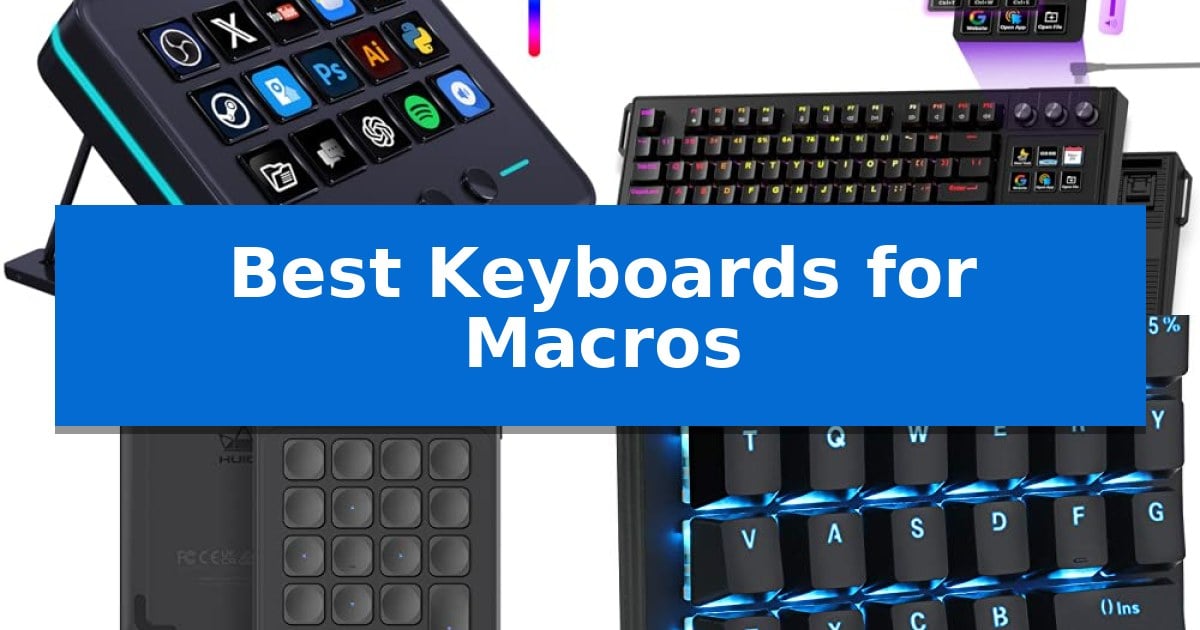
Managing complex software suites or repetitive gaming inputs often requires more than a standard keyboard layout. Whether you are editing high-resolution video, streaming to a live audience, or executing intricate game combos, the right hardware can significantly reduce the time spent navigating menus.
The Best Keyboards for Macros provide dedicated interfaces to trigger multi-step sequences with a single press. By offloading these commands to programmable keys, knobs, or dials, you can maintain your focus on the creative process rather than searching for specific hotkeys.
Best Keyboards for Macros in 2026
Quick Comparison
| Product | Best For | Key Strength | Score |
|---|---|---|---|
| VSD M18 Macro Pad | Best Overall | 15 customizable LCD keys for clear visual function mapping. | 4.9 |
| VSD K1 Pro Mechanical Keyboard | Hybrid Screen and Knob Control | Customizable LCD keys with support for personalized images and animations. | 4.7 |
| HUION Keydial Mini | Wireless Dial for Creative Workflows | Bluetooth 5.0 wireless connectivity for a clutter-free desk. | 4.3 |
| Koolertron One-Handed Macro Keyboard | Compact Multi-Layer Programmable Pad | Fully programmable 23-key layout with 16 dedicated macro buttons. | 4.5 |
| Razer BlackWidow V4 X Keyboard | Dedicated Macro Keys for Gaming | 6 dedicated macro keys for customizable command execution | 4.8 |
How We Chose
- Programmability and software support for multi-step macro sequences.
- Physical interface variety including LCD keys, dials, and dedicated buttons.
- System compatibility with major creative and streaming platforms.
- Build quality and ergonomic features for long-term desktop use.
- Connectivity options ranging from wired stability to wireless flexibility.
1 VSD M18 Macro Pad — Visual LCD Keys for Stream Control
The VSD M18 Macro Pad streamlines complex workflows by integrating 15 customizable LCD keys alongside three physical buttons, allowing users to assign specific actions or multi-step sequences to a single tap. This compact controller is built to handle diverse tasks, from triggering in-game combos and managing OBS scenes to launching applications and controlling media playback.
Designed for versatility, the device supports custom JPG, PNG, and GIF images on its LCD keys, providing clear visual markers for every programmed function. The Operation Follow function enables users to execute multiple macro steps in a specific order or simultaneously, which simplifies repetitive processes in video editing, music production, and photography.
The hardware features an adjustable RGB surround light ring that offers visual feedback and aesthetic customization for dim work environments. Connectivity is handled via a USB-C cable, ensuring compatibility with Windows 11 and macOS 11.0 or newer systems. While native Linux support is not included, the manufacturer provides SDK documentation for secondary development.
Beyond its primary macro functions, the unit includes built-in plugins for daily desktop assistance, such as a clock, stopwatch, calendar, and weather module. Its sturdy construction is designed for stable, long-term operation, making it a practical addition for creators and professionals looking to optimize their desktop input setup.
Best for: Content creators, gamers, and professionals who need a tactile, visual interface for managing complex software shortcuts and multi-step macros.
Skip if: Users requiring native Linux support or those who prefer a full-sized mechanical keyboard layout for their primary typing needs.
PROS
- 15 customizable LCD keys for clear visual function mapping.
- Operation Follow feature allows for complex multi-step macro execution.
- USB-C connectivity ensures broad compatibility with modern Windows and macOS systems.
- Includes built-in functional plugins like a clock and calendar for desktop utility.
CONS
- No native Linux support out of the box.
- Requires USB-C connection for operation, limiting wireless placement options.
2 VSD K1 Pro Mechanical Keyboard — Hybrid Screen and Knob Control
The VSD K1 Pro Mechanical Keyboard integrates a specialized control deck featuring 6 customizable LCD keys and 3 multi-function knobs, providing a tactile interface for managing complex workflows. This device is engineered for users who require rapid access to macros, media controls, and application shortcuts through a dedicated, interactive TFT color display.
Built with a hot-swappable PCB, this keyboard supports both 3-pin and 5-pin switches, allowing for extensive customization without the need for soldering. The internal architecture utilizes a gasket mount design paired with a 5-layer dampening structure, which incorporates silicone pads and sound-dampening foam to minimize cavity noise and provide a consistent, elastic typing feel.
The VSD K1 Pro Mechanical Keyboard offers deep programmability via the VSD Craf software, enabling users to create unlimited switchable pages for the LCD keys. Each key can be personalized with images or animations, such as JPG, PNG, or GIF files, to serve as visual indicators for specific macro assignments or system states.
Designed for ergonomic comfort, the unit features concave keycaps and adjustable stands that offer three distinct typing angles—3°, 6°, and 13°. The integrated RGB backlighting supports over 16.8 million colors, which can be adjusted directly through the LCD interface or the dedicated software, ensuring the hardware aesthetic aligns with a variety of workstation setups.
Best for: Users who need a dedicated macro deck with visual feedback for streaming, video editing, or complex software workflows.
Skip if: Users who require a wireless connection or a compact form factor, as this device is strictly wired and follows a TKL layout.
PROS
- Customizable LCD keys with support for personalized images and animations.
- Hot-swappable PCB for easy switch replacement and customization.
- Gasket mount structure with 5-layer dampening for improved acoustics.
- Multi-function knobs for precise volume and system control.
CONS
- Wired-only connectivity limits placement options compared to wireless alternatives.
- Software-dependent features like screen customization require a Windows or macOS installation.
3 HUION Keydial Mini — Wireless Dial for Creative Workflows
Streamlining complex creative workflows requires precise control, and the HUION Keydial Mini addresses this by integrating a physical dial controller alongside 18 fully programmable keys. This compact device allows users to map specific shortcuts for software like Photoshop, Premiere Pro, and Illustrator, effectively moving repetitive tasks from the keyboard to a dedicated, one-handed interface.
The HUION Keydial Mini features Bluetooth 5.0 connectivity, providing a cable-free workspace with a stable connection range of up to 10 meters. Its portable design is complemented by a 70-hour battery life, ensuring it remains functional throughout extended editing or design sessions without frequent recharging.
A standout feature is the Setting Preview Function, which allows users to assign a button to display a popup of current key and dial assignments on their screen. This eliminates the need to memorize custom configurations. Additionally, the dial controller supports three distinct functions, such as brush size adjustment or timeline navigation, which can be toggled easily.
With anti-ghosting technology supporting up to 5 simultaneous key inputs, the device ensures reliable performance during rapid shortcut execution. It is compatible with Windows and macOS, offering a versatile add-on for digital artists and editors using various graphics tablets or standard computer setups.
Best for: Digital artists and video editors who need a portable, programmable interface to manage complex software shortcuts and timeline navigation.
Skip if: Users who require a full-sized mechanical keyboard or those who do not use software that supports custom shortcut mapping.
PROS
- Bluetooth 5.0 wireless connectivity for a clutter-free desk.
- 18 programmable keys allow for extensive shortcut customization.
- Dial controller supports three switchable functions for intuitive adjustments.
- Setting Preview popup eliminates the need to memorize custom key maps.
CONS
- Requires specific software support for custom shortcut functionality.
- Limited to 5-key anti-ghosting, which may not suit all gaming scenarios.
4 Koolertron One-Handed Macro Keyboard — Compact Multi-Layer Programmable Pad
The Koolertron One-Handed Macro Keyboard streamlines complex workflows through its 23 fully programmable keys, allowing users to assign custom functions ranging from standard inputs to intricate sequences. By utilizing an internal MCU, the device stores configurations directly on the hardware, ensuring your programmed shortcuts remain active even when moving between different computers.
This keypad is built for versatility, featuring 16 dedicated macro function buttons capable of supporting up to 349 commands in a single series. This capability is particularly useful for professionals managing complex software shortcuts in CAD, video editing, or office suites, as well as gamers needing rapid execution of multi-step maneuvers. The 4-layer custom configuration system allows you to switch between different profiles instantly, adapting the device to various tasks without needing to re-map keys.
Designed with a compact footprint of 5" x 3.5" x 1.2", the unit preserves valuable desk space while remaining portable. It connects via a detachable USB cable and functions as a plug-and-play device, meaning it can operate alongside a standard 104-key keyboard without interference. For low-light environments, the adjustable blue LED backlight provides clear visibility of all keys.
While the device offers extensive customization, it is a specialized tool intended for users who require dedicated macro control rather than a full-sized typing experience. Its small size and mechanical red switches make it a focused solution for productivity and gaming efficiency.
Best for: Designers, video editors, and gamers who need a dedicated, portable interface for complex macro sequences and multi-layer shortcuts.
Skip if: Users looking for a primary typing keyboard or those who prefer a full-sized layout with a number pad and dedicated media keys.
PROS
- Fully programmable 23-key layout with 16 dedicated macro buttons.
- On-board MCU storage keeps settings saved without needing software on every machine.
- 4-layer configuration support for switching between different workflows.
- Ultra-compact, portable design that saves desktop space.
CONS
- One-handed form factor is not suitable for standard typing tasks.
- No warranty information provided for long-term hardware support.
5 Razer BlackWidow V4 X Keyboard — Dedicated Macro Keys for Gaming
Efficiency in gaming often comes down to how quickly you can execute complex sequences, and the Razer BlackWidow V4 X Mechanical Gaming Keyboard addresses this with 6 dedicated macro keys. These keys are positioned for easy access, allowing you to map custom commands that streamline your playstyle without needing to reach across the board.
At the core of this keyboard are Yellow Mechanical Linear Switches, which provide a rapid-fire input experience. With a 1.2mm actuation distance and a 45g force requirement, these switches are designed for speed. To maintain a quiet environment, they feature built-in sound dampeners and are paired with a layer of foam under the circuit board and lubricated stabilizers to minimize noise.
The build quality focuses on durability and control. The doubleshot ABS keycaps feature extra-thick walls to withstand intense use, ensuring the labeling remains clear over time. For media management, the keyboard includes a multi-function roller and secondary media keys, providing quick adjustments for volume and brightness.
Visual customization is handled through Chroma RGB per-key lighting, which utilizes a switch construction designed for brighter, more even illumination. Users can select from over 16.8 million colors, with dynamic effects that integrate with hundreds of supported games to enhance the overall aesthetic of your setup.
Best for: Gamers who require dedicated, programmable macro keys to execute complex command sequences quickly.
Skip if: Users who prefer the tactile and audible feedback of clicky or tactile switches, as this model utilizes linear, silent switches.
PROS
- 6 dedicated macro keys for customizable command execution
- Yellow mechanical linear switches with silent dampening
- Multi-function roller for convenient media and brightness control
- Doubleshot ABS keycaps for long-term durability
CONS
- Linear switch profile may not suit users who prefer tactile or clicky feedback
Best Keyboards for Macros Buying Guide
Understanding Macro Functionality
A macro is essentially a recorded sequence of keystrokes or mouse clicks that can be triggered by a single button press. When selecting the Best Keyboards for Macros, look for devices that allow you to chain these commands together, often referred to as multi-step sequences. This capability is vital for automating repetitive tasks in software like Adobe Premiere Pro, OBS, or complex strategy games.
Some devices store these macros directly on the hardware's internal memory, known as an MCU. This is a significant advantage because it ensures your custom shortcuts remain active even if you move the device to a different computer, eliminating the need for constant reconfiguration.
Interface Types: LCD Keys vs. Physical Buttons
The physical interface determines how easily you can identify your shortcuts. Devices featuring LCD keys allow you to assign custom images, icons, or animations to each button, providing immediate visual feedback on what a specific macro does. This is particularly useful for streamers who need to switch scenes or launch media quickly.
Alternatively, standard mechanical keys or knobs offer a tactile experience that many users prefer for volume control or timeline navigation. Hybrid devices that combine both LCD screens and physical knobs provide the most versatility, allowing you to manage both visual triggers and granular adjustments like brush size or audio levels simultaneously.
Connectivity and Portability
Connectivity is a major factor in how you integrate a macro pad into your existing setup. Wired connections via USB-C are generally preferred for their reliability and lack of latency, which is critical for gaming and live streaming. These connections also ensure the device is powered consistently without needing to manage battery levels.
However, if your workspace is mobile or you use a drawing tablet, a Bluetooth-enabled macro keypad provides the freedom to position the device exactly where you need it. When opting for wireless, consider the battery life and the stability of the connection to ensure your shortcuts are always ready when inspiration strikes.
Software Integration and Compatibility
The effectiveness of any macro device is tied to its software suite. Before purchasing, verify that the device is compatible with your operating system, whether it is Windows or macOS. The best software interfaces allow for easy drag-and-drop programming, enabling you to assign specific app launches, web page navigation, or system commands to your keys.
Advanced users should look for devices that offer SDK support or open development documentation. This allows for secondary development, enabling you to create custom plugins or integrate the hardware with niche software that might not be supported out of the box.
Ergonomics and Build Quality
Since macro pads are often used alongside a primary keyboard, their physical footprint and ergonomic design matter. A compact, one-handed design saves valuable desk space and keeps your most-used shortcuts within easy reach. Look for features like non-slip rubber feet to ensure the device remains stable during intense use.
Build materials also play a role in longevity. Sturdy ABS cases and high-quality mechanical switches—whether linear, tactile, or clicky—ensure that your device can withstand millions of keystrokes. If you prefer a specific feel, look for hot-swappable models that allow you to change the switches to match your personal typing preference.
Frequently Asked Questions
Can I use a macro pad with any software?
Most macro pads are designed to work with any software that accepts keyboard shortcuts. By mapping your macro keys to the standard hotkeys used by your application, you can control virtually any program.
Do I need to keep the software running for macros to work?
It depends on the device. Models with onboard memory (MCU) store your configurations directly on the hardware, meaning they will function even if the configuration software is closed or if you plug the device into a different computer.
What is the difference between a macro pad and a stream deck?
While the terms are often used interchangeably, a stream deck typically emphasizes visual LCD keys for triggering scenes and media, whereas a macro pad may focus more on mechanical switches and physical knobs for productivity and gaming shortcuts.
Are wireless macro pads reliable for gaming?
Modern Bluetooth 5.0 devices offer stable connections with minimal lag. However, for competitive gaming where every millisecond counts, a wired connection is still the industry standard for maximum reliability.
Can I customize the icons on the keys?
Yes, devices with LCD keys allow you to upload JPG, PNG, or GIF files to represent your macros, making it much easier to remember complex sequences at a glance.
Conclusion: Our Top Pick
Choosing the right tool for your workflow depends on whether you prioritize visual feedback, tactile control, or portability. For most users, a device that balances programmable keys with intuitive software provides the best return on investment for productivity and creative tasks.
Our top recommendation is the VSD M18 Macro Pad, which stands out for its combination of 15 customizable LCD keys and 3 physical buttons. This layout offers the perfect balance of visual clarity and tactile control, making it an excellent choice for streamers and professionals who need to manage complex multi-step sequences efficiently.