
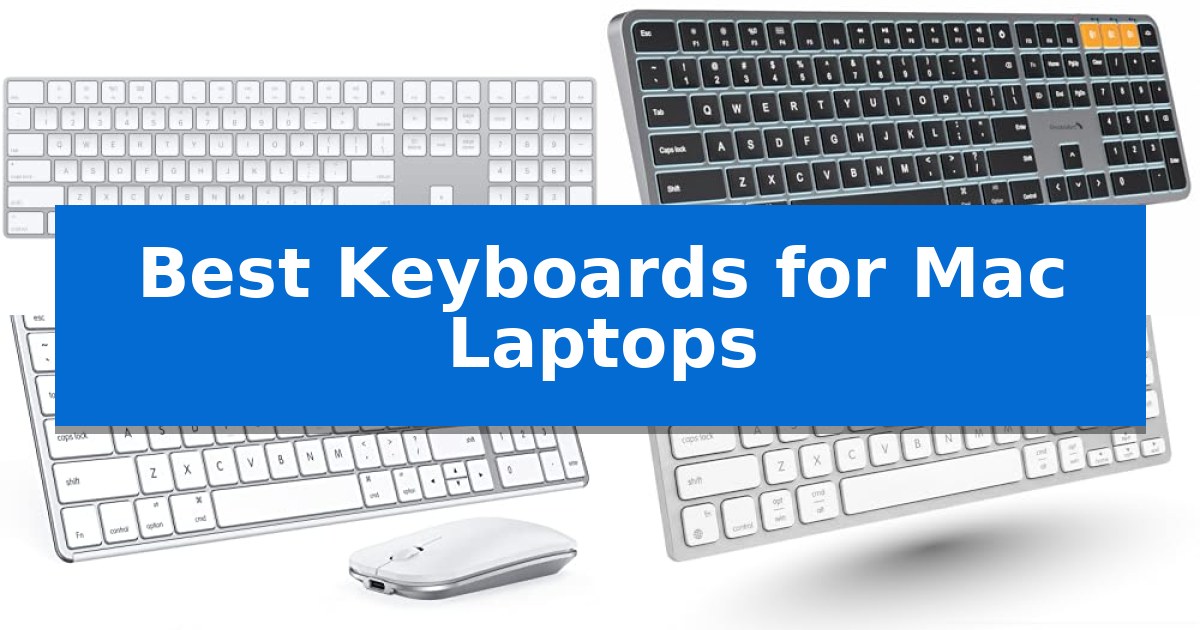
Finding the right peripheral for your Apple setup can significantly impact your daily comfort and efficiency. Whether you are a professional managing complex spreadsheets or a creative working on the go, the Best Keyboards for Mac Laptops should offer seamless integration and a layout that feels natural to the macOS environment.
Our guide evaluates a range of options, from wireless models that declutter your desk to reliable wired alternatives that never require a charge. By focusing on essential features like connectivity, layout, and build quality, we help you identify which keyboard best aligns with your specific workspace requirements and typing habits.
Best Keyboards for Mac Laptops in 2026
Quick Comparison
| Product | Best For | Key Strength | Score |
|---|---|---|---|
| Apple Magic Keyboard with Numeric Keypad | Best Overall | Dedicated numeric keypad for efficient data entry. | 4.9 |
| ProtoArc KM100-A Backlit Keyboard | Illuminated Keys for Dim Environments | Full-size layout with numeric keypad for increased efficiency. | 4.4 |
| Seenda SKM64-2 Bluetooth Keyboard Combo | Multi-Device Switching for Professionals | Multi-device Bluetooth switching across three channels. | 4.3 |
| Macally USB-C Wired Keyboard | Reliable Connection Without Batteries | Dual USB-C and USB-A connectivity for broad system compatibility. | 4.4 |
| Macally Ultra Slim Wired Keyboard | Full-Size Layout in Slim Profile | Full-size layout including a dedicated numeric keypad for efficient data entry. | 4.4 |
How We Chose
- Connectivity: We assessed whether the keyboard offers stable Bluetooth pairing or reliable wired connections to suit different desk setups.
- Layout and Ergonomics: We prioritized models featuring the standard Mac key arrangement and comfortable, low-profile designs.
- Power Management: We examined battery life and charging methods, including rechargeable internal batteries and plug-and-play wired functionality.
- Build Quality: We looked at the materials and overall construction to ensure durability for long-term daily use.
- Versatility: We evaluated features like multi-device switching and numeric keypads that enhance productivity for specific tasks.
1 Apple Magic Keyboard with Numeric Keypad — Seamless Apple Ecosystem Integration
The Apple Magic Keyboard with Numeric Keypad simplifies desk workflows by offering a dedicated numeric keypad and full-size arrow keys, providing a familiar layout for users who frequently handle spreadsheets or data-heavy applications. This wireless peripheral connects via Bluetooth to your Mac, iPad, or iPhone, ensuring a clean workspace without the clutter of cables.
Designed for long-term reliability, the keyboard features a rechargeable internal battery that lasts for about a month or more between charges. When power runs low, you can easily pair and charge the device by connecting it to a USB port on your Mac using the included Lightning to USB cable.
The typing experience is engineered for precision and comfort, utilizing an extended layout that includes document navigation controls for quick scrolling. Its compatibility spans across the Apple ecosystem, requiring only a Bluetooth-enabled Mac with macOS 10.12.4 or later, or specific versions of iPadOS and iOS, making it a versatile choice for multi-device users.
While the keyboard provides a robust set of features for productivity, its physical dimensions and extended layout mean it occupies more desk space than compact alternatives. It is an ideal solution for those who prioritize a consistent, full-sized typing experience across their Apple devices.
Best for: Users who require a full-sized layout with a numeric keypad for data entry and spreadsheet work across Apple devices.
Skip if: Users who prefer a compact, space-saving keyboard or those who do not require a dedicated numeric keypad.
PROS
- Dedicated numeric keypad for efficient data entry.
- Long-lasting internal battery that provides weeks of use.
- Seamless wireless connectivity via Bluetooth with Mac, iPad, and iPhone.
- Full-size arrow keys and document navigation controls.
CONS
- Larger footprint compared to compact keyboard models.
- Requires Lightning cable for charging, which may not match newer USB-C peripheral standards.
2 ProtoArc KM100-A Backlit Keyboard — Illuminated Keys for Dim Environments
The ProtoArc KM100-A Backlit Bluetooth Keyboard and Mouse for Mac features a full-size layout with a dedicated numeric keypad, specifically designed to mirror the functional efficiency of a standard desktop setup for Mac users. Its flat keyboard design promotes a neutral wrist position, aiming to reduce strain during extended typing sessions.
Equipped with soft white LED backlighting that offers three adjustable brightness levels, this keyboard ensures visibility in low-light environments. The keys utilize responsive scissor switches to provide a quiet, tactile typing experience, while the included mouse offers customizable sensitivity with three DPI levels (1000/1600/2400) to suit different workflow requirements.
Connectivity is handled through triple Bluetooth channels, allowing users to switch between three devices seamlessly. Both the keyboard and mouse are rechargeable, featuring built-in batteries (1200mAh for the keyboard and 300mAh for the mouse) and an automatic sleep mode that activates after 60 minutes of inactivity to conserve power.
This set is compatible with Mac OS 10.12 or later, as well as iOS and iPadOS 13.0 or above. While the full-size layout enhances productivity, users should note that the combined footprint of the keyboard and mouse requires more desk space compared to compact or tenkeyless alternatives.
Best for: Mac users who require a full-size layout with a numeric keypad and the ability to switch between three Bluetooth-connected devices.
Skip if: Users with limited desk space or those who prefer a compact, portable keyboard without a numeric keypad.
PROS
- Full-size layout with numeric keypad for increased efficiency.
- Triple Bluetooth connectivity for multi-device switching.
- Adjustable LED backlighting for low-light visibility.
- Rechargeable batteries for both keyboard and mouse.
CONS
- Requires significant desk space due to the full-size design.
- Bluetooth-only connection; no USB dongle included.
3 Seenda SKM64-2 Bluetooth Keyboard Combo — Multi-Device Switching for Professionals
The Seenda SKM64-2 Bluetooth Keyboard Combo provides a dedicated solution for Apple users by integrating a slim, stainless steel keyboard and mouse into a single, cohesive workspace. Designed specifically for the Apple ecosystem, this set features a standard layout that aligns with macOS, iPadOS, and iOS requirements, ensuring seamless integration for those working across multiple devices.
Efficiency is central to the design, as the combo supports three Bluetooth channels, allowing users to switch between a Mac, MacBook, and iPad with ease. The keyboard is engineered for quiet operation, utilizing enhanced key stability to maintain responsiveness while minimizing noise, which makes it suitable for shared environments or focused work sessions.
Portability and maintenance are addressed through its ultra-thin profile, measuring just 0.12 inches for the keyboard and 0.9 inches for the mouse. The inclusion of Type-C rechargeability eliminates the need for disposable batteries, offering up to 200 hours of standby time, while integrated auto-sleep functionality helps preserve power during periods of inactivity.
Constructed from a combination of stainless steel and premium ABS, the hardware balances durability with a modern aesthetic. Because it relies exclusively on Bluetooth 4.0 or higher, it offers a cable-free desk setup, though users should note that it is not designed for compatibility with Windows systems.
Best for: Professionals and students who frequently switch between multiple Apple devices and require a quiet, portable, and rechargeable input solution.
Skip if: Users who operate Windows-based computers or require a wired USB connection for their peripherals.
PROS
- Multi-device Bluetooth switching across three channels.
- Type-C rechargeable design eliminates battery waste.
- Whisper-quiet keys with high responsiveness.
- Slim, durable stainless steel construction.
CONS
- Not compatible with Windows operating systems.
- Bluetooth-only connectivity with no USB receiver included.
4 Macally USB-C Wired Keyboard — Reliable Connection Without Batteries
Maintaining a consistent, reliable connection to your workstation without the complexity of battery management is the primary advantage of the Macally USB-C Wired Keyboard. Designed for users who prioritize simplicity and immediate functionality, this peripheral eliminates the need for charging or pairing, ensuring it is ready for use the moment it is plugged into your Mac laptop or desktop.
The keyboard features a space-saving, slim profile that fits easily into minimalist setups or travel bags while retaining a full layout. It utilizes responsive scissor switch keys that provide a tactile, low-profile typing experience, closely mimicking the feel of a standard Apple laptop keyboard. This design choice reduces key travel distance and minimizes typing noise, making it suitable for quiet office environments.
Compatibility is addressed through a dual USB-A and USB-C connection system, allowing for direct integration with both modern and legacy hardware without the need for external adapters. Productivity is further supported by 13 dedicated shortcut keys, which offer one-touch access to essential system functions such as Mission Control, media playback, brightness adjustments, and volume control.
As a plug-and-play device, the Macally USB-C Wired Keyboard removes the risk of wireless signal interference or connectivity dropouts. Its construction focuses on essential utility, providing a stable, wired interface that remains powered directly by the host computer, ensuring uninterrupted performance during long work sessions.
Best for: Users who require a reliable, battery-free typing experience with direct compatibility for both USB-C and USB-A ports.
Skip if: Users who prefer the freedom of a wireless workspace or those who require mechanical switches with deeper key travel.
PROS
- Dual USB-C and USB-A connectivity for broad system compatibility.
- No battery or charging required due to the wired design.
- 13 dedicated shortcut keys for quick Mac system control.
- Slim, space-saving design ideal for compact workspaces.
CONS
- Wired connection limits physical mobility compared to wireless alternatives.
- Low-profile scissor switches may not satisfy users seeking a mechanical typing feel.
5 Macally Ultra Slim Wired Keyboard — Full-Size Layout in Slim Profile
Maintaining a clean desk aesthetic while ensuring full-size functionality is a common challenge for Mac users. The Macally Ultra Slim Wired Keyboard addresses this by combining a low-profile, aluminum-backed chassis with a complete layout that includes a dedicated numeric keypad, offering a reliable alternative for those who prefer a direct connection over wireless peripherals.
Designed for versatility, this keyboard offers seamless compatibility with both macOS and Windows systems. It features 20 dedicated Apple shortcut keys, allowing for quick access to essential functions such as volume control, media playback, and system navigation. These integrated controls streamline daily productivity tasks by reducing the need to navigate through on-screen menus for basic system adjustments.
The Macally Ultra Slim Wired Keyboard prioritizes reliability through a simple plug-and-play USB connection. By opting for a wired interface, it eliminates the need for batteries, charging cables, or the potential instability of wireless pairing, ensuring the device is always ready for use. This design choice is particularly beneficial for users who require a consistent, uninterrupted connection for their workstations.
Built with a focus on durability and long-term utility, the keyboard features a sleek, ultra-thin design that integrates easily into modern workspaces. It is backed by a 1-year warranty and lifetime customer support, providing a straightforward solution for users who prioritize a consistent, full-size typing experience without the maintenance associated with wireless hardware.
Best for: Users who require a full-size, reliable wired keyboard with a numeric keypad for their Mac or Windows workstation.
Skip if: Users who prioritize a wireless, clutter-free desk environment or those who require mechanical key switches for a specific tactile typing experience.
PROS
- Full-size layout including a dedicated numeric keypad for efficient data entry.
- Plug and play wired connection requires no software, drivers, or battery management.
- Aluminum backing provides a durable and sleek, low-profile aesthetic.
- 20 dedicated shortcut keys tailored for macOS functionality.
CONS
- Wired-only connection limits desk placement flexibility compared to wireless models.
- Low-profile keys may not offer the tactile feedback preferred by mechanical keyboard enthusiasts.
Best Keyboards for Mac Laptops Buying Guide
Connectivity and Compatibility
The most critical factor for any Mac accessory is how it communicates with your device. Wireless keyboards typically rely on Bluetooth technology, which is ideal for maintaining a clean, cable-free workspace. Ensure your chosen model supports the Bluetooth version compatible with your specific macOS version to avoid pairing issues.
Alternatively, wired keyboards provide a direct connection that eliminates the need for batteries or charging. These are often preferred by users who work in stationary environments and want the peace of mind that comes with a consistent, uninterrupted signal.
Layout and Key Feel
A keyboard designed for Mac should feature the familiar Command, Option, and Control keys in their expected positions. This consistency reduces the learning curve and allows you to use system shortcuts without hesitation.
The physical feel of the keys, often determined by the scissor switch mechanism, is vital for long-term comfort. Low-profile keys with short travel distances generally provide a responsive, quiet typing experience that mimics the feel of a laptop keyboard.
Productivity Features
If your work involves heavy data entry, a numeric keypad is an essential addition. It allows for faster numerical input and often includes extra navigation keys that make managing large spreadsheets significantly more efficient.
For those who juggle multiple devices, look for keyboards with multi-device switching capabilities. This feature allows you to toggle between your Mac, iPad, or iPhone with a single button press, streamlining your workflow across the entire Apple ecosystem.
Ergonomics and Desk Space
The physical footprint of your keyboard determines how much desk space remains for other tools. Compact keyboards are excellent for minimalist setups or travel, while full-size layouts provide more room for your hands and dedicated function keys.
Consider the angle and profile of the device. A flat, low-profile design can help maintain a more neutral wrist position, which is beneficial for reducing strain during extended typing sessions.
Power and Maintenance
Rechargeable keyboards are increasingly common and offer the convenience of long-lasting internal batteries. Check the charging interface—USB-C is the current standard, offering faster and more universal charging compared to older ports.
If you prefer not to manage batteries, a wired model is the most maintenance-free option. These devices draw power directly from your computer, ensuring they are always ready to work whenever you are.
Frequently Asked Questions
Do all Mac-compatible keyboards work with Windows?
Many keyboards designed for Mac are also compatible with Windows, though the key layout may differ. Some models include dual-mode support to switch between operating systems seamlessly.
What is the benefit of a scissor switch keyboard?
Scissor switches provide a stable, quiet, and responsive typing experience with a low profile, which is why they are commonly found on laptops and slim desktop keyboards.
How do I know if a keyboard is compatible with my Mac?
Check the manufacturer's system requirements, which usually specify the minimum version of macOS needed for full feature support, such as media keys and shortcuts.
Are wired keyboards better than wireless ones?
Wired keyboards are better for users who want a permanent, battery-free connection. Wireless keyboards are superior for portability and maintaining a clutter-free desk.
Can I use a numeric keypad with a compact keyboard?
If your keyboard lacks a numeric keypad, you can purchase a standalone external numeric keypad that connects via Bluetooth or USB to supplement your setup.
Conclusion: Our Top Pick
Choosing the right keyboard depends on whether you prioritize the convenience of a wireless setup or the reliability of a wired connection. For most users, the Apple Magic Keyboard with Numeric Keypad stands out as the premier choice due to its seamless integration with the Apple ecosystem and its comfortable, extended layout.
While other options like the ProtoArc or Macally models offer excellent alternatives for multi-device users or those seeking wired simplicity, the Apple Magic Keyboard remains the most cohesive solution for a dedicated Mac workspace. Its balance of battery efficiency, precise key feel, and native compatibility makes it a dependable foundation for any professional or personal setup.