
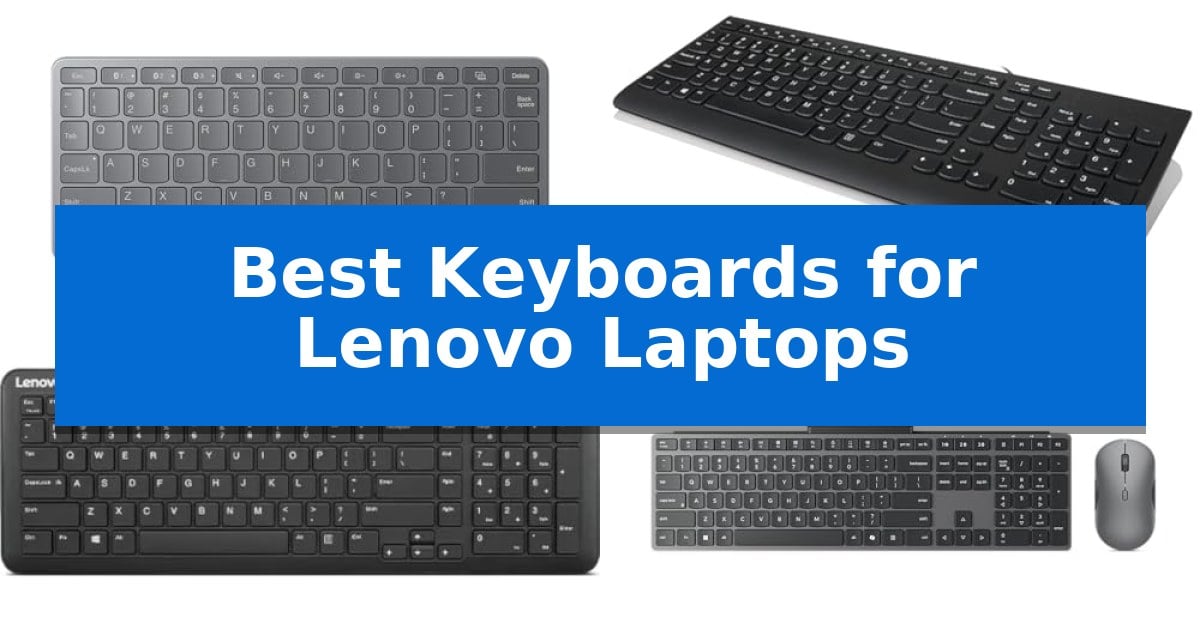
Finding the right peripheral for your computer can significantly improve your daily output, especially when you need a reliable typing experience. Whether you are working from a home office or traveling for business, the Best Keyboards for Lenovo Laptops offer various designs to suit different desk setups and mobility needs.
Selecting a keyboard that integrates well with your existing hardware is essential for maintaining a clean and efficient workspace. From compact wireless models to full-sized wired options, we have analyzed the current market to help you identify which features matter most for your specific computing habits.
Best Keyboards for Lenovo Laptops in 2026: Seamless Multi-Device Control
Quick Comparison
| Product | Best For | Key Strength | Score |
|---|---|---|---|
| Lenovo Multi-Device Wireless Keyboard | Best Overall | Multi-device connectivity allows switching between three devices via Bluetooth. | 4.9 |
| Lenovo 300 Wired Keyboard | Reliable Wired Typing Comfort | Spill-resistant design with integrated board drain for added protection. | 4.9 |
| Lenovo 300 Wireless Keyboard | Whisper-Quiet Compact Typing | Whisper-quiet typing at 45 dB for distraction-free environments. | 4.8 |
| Lenovo 700 Modern Wireless Combo | Longest Battery Life | 36-month battery life for both devices reduces the frequency of replacements. | 4.3 |
| Lenovo 510 Wireless Combo | Spill-Resistant Daily Driver | Spill-resistant keyboard design for added durability. | 4.5 |
How We Chose
- Connectivity: We prioritized models offering stable Bluetooth or dedicated USB receiver links to ensure reliable performance with modern laptops.
- Form Factor: We assessed the physical footprint of each keyboard, distinguishing between full-sized layouts with number pads and compact, portable designs.
- Ergonomics: We looked at key travel, tilt adjustability, and overall key design to identify options that promote comfortable typing during extended sessions.
- Versatility: We considered the ability to switch between multiple devices and the inclusion of customizable shortcut keys to streamline productivity.
1 Lenovo Multi-Device Wireless Keyboard — Best for Multi-Device Multitasking
Managing multiple devices simultaneously requires a streamlined input solution that eliminates the clutter of extra peripherals. The Lenovo Multi-Device Wireless Keyboard addresses this by allowing users to switch between up to 3 devices, including Android, iOS, and Windows systems, through a simple connection process. This capability is essential for professionals who frequently transition between a primary laptop and secondary mobile devices or tablets during their workday.
Portability is a core design focus, as evidenced by the keyboard's ultra-slim and lightweight profile weighing only 180g. Its compact 10.1 by 4.2-inch footprint ensures it fits easily into standard carry bags, making it a practical choice for mobile professionals. Despite its small size, the device maintains functionality with 12 customizable shortcut keys, which help streamline navigation and task execution across different operating systems.
For extended work sessions, the keyboard features a 1.3mm low travel distance, engineered to provide a quiet and responsive typing experience. This design choice prioritizes comfort during prolonged use, while the internal rechargeable battery offers up to 60 hours of continuous operation. This runtime reduces the frequency of charging interruptions, allowing for more consistent productivity throughout the week.
Connectivity is highly flexible, offering both Bluetooth and USB-C interface options to accommodate various workspace setups. Whether working from a home office or a travel-based environment, the Lenovo Multi-Device Wireless Keyboard provides reliable input functionality that integrates seamlessly with existing hardware ecosystems.
Best for: Professionals and multitaskers who need a portable, slim keyboard to switch seamlessly between three different mobile or desktop devices.
Skip if: Users who require a full-sized mechanical keyboard with a dedicated number pad or those who prefer a wired-only connection for high-intensity gaming.
PROS
- Multi-device connectivity allows switching between three devices via Bluetooth.
- Ultra-slim and lightweight design at 180g enhances portability.
- 60-hour battery life supports long work sessions on a single charge.
- 12 customizable shortcut keys improve workflow efficiency.
CONS
- Compact 10.1-inch width lacks a dedicated number pad.
- 1.3mm low travel distance may not suit users who prefer deep mechanical key switches.
2 Lenovo 300 Wired Keyboard — Reliable Wired Typing Comfort
Maintaining a productive workstation often requires hardware that balances comfort with reliability, especially during long hours of data entry or document management. The Lenovo 300 Wired Keyboard addresses these needs through a full-size, 2.5-zone layout that includes a dedicated number pad, providing a familiar and efficient interface for users who frequently work with spreadsheets or numerical data.
Designed with user comfort in mind, this peripheral features an island key layout and concaved key caps that are shaped to match the natural curvature of your fingertips. This design choice aims to provide a more tactile and comfortable typing experience compared to standard flat-key alternatives. To further enhance ergonomics, the keyboard includes an adjustable tilt feature, allowing you to modify the typing angle to better align with your preferred posture.
Durability is integrated into the chassis through a spill-resistant design equipped with a built-in board drain. This practical feature helps protect the internal circuitry from accidental liquid exposure, providing a layer of security for busy office environments. The device is OS independent, ensuring it functions seamlessly with any system equipped with a standard USB port, whether you are using a laptop or a desktop computer.
As a straightforward, wired solution, this keyboard emphasizes plug-and-play simplicity. It removes the need for battery management or wireless pairing, offering a consistent connection that is ready to use immediately upon plugging it into your machine. It serves as a dependable tool for those who prioritize a stable, no-fuss typing experience for their daily tasks.
Best for: Users seeking a reliable, full-size wired keyboard with spill protection and ergonomic tilt for standard office or home productivity.
Skip if: Users who require wireless connectivity, mechanical switches, or a compact, portable form factor for travel.
PROS
- Spill-resistant design with integrated board drain for added protection.
- Full-size layout including a dedicated number pad for efficient data entry.
- Adjustable tilt to improve typing ergonomics and comfort.
- Concaved key caps designed for fingertip comfort.
CONS
- Wired-only connection limits desk flexibility compared to wireless models.
3 Lenovo 300 Wireless Keyboard — Whisper-Quiet Compact Typing
Maintaining a clutter-free workspace while handling intensive data entry requires a balance of portability and utility. The Lenovo 300 Wireless Keyboard addresses this by integrating a full numeric keypad into a compact, low-profile frame, ensuring that essential productivity tools remain accessible without dominating your desk. Measuring just 16.29 inches in length, it fits easily into standard laptop setups, making it a practical choice for those who need a dedicated number pad but lack the space for a full-sized desktop peripheral.
Designed for shared or flexible environments, this keyboard prioritizes whisper-quiet operation with key clicks rated at a mere 45 dB. This focus on acoustics allows for focused work sessions without the distraction of loud typing, making it an ideal choice for open-plan offices or shared home workspaces where minimizing ambient noise is a priority.
Efficiency is further supported by 11 dedicated Fn shortcut keys, which provide immediate access to common navigation and command tasks. By streamlining these workflows, the keyboard reduces the need for repetitive mouse movements, allowing users to manage applications and system commands directly from the board. This is particularly beneficial for professionals who juggle multiple tasks and need to maintain a steady, uninterrupted workflow.
Setup is handled through a simple plug-and-play wireless connection using a dedicated USB receiver, eliminating the need for complex driver installations. This ensures that the keyboard is ready to use immediately upon connection to a compatible USB port. Powered by a single AA battery, the device is built for long-lasting, reliable use, fitting seamlessly into any standard laptop setup without the clutter of cables.
Best for: Professionals and students who require a dedicated numeric keypad and quiet typing in a space-saving, portable design.
Skip if: Users who require multi-device Bluetooth connectivity or prefer mechanical switches will find this basic wireless model too limited for their specific needs.
PROS
- Whisper-quiet typing at 45 dB for distraction-free environments.
- Integrated numeric keypad for efficient data entry and calculations.
- 11 Fn shortcut keys for rapid navigation and command execution.
- Plug-and-play wireless setup via a reliable USB receiver.
CONS
- Requires a USB port for the receiver, which may be a limitation for devices with limited connectivity.
- Lacks advanced features like backlighting or multi-device switching.
4 Lenovo 700 Modern Wireless Combo — Longest Battery Life
Maintaining a clutter-free workspace while managing multiple devices is a common challenge for professionals using Lenovo laptops. The Lenovo 700 Modern Wireless Combo addresses this by offering a unified, multi-device input solution that connects via a 2.4 GHz Lenovo Pro Unified Pairing Receiver or Dual Bluetooth, allowing users to switch between up to three devices seamlessly.
This combo is designed for sustained productivity, featuring a keyboard with silent, responsive keys and a mouse with quiet clicks. The hardware is built for longevity, boasting an impressive 36-month battery life for both the keyboard and mouse, which helps minimize maintenance in a busy office environment. The system operates on 2 x AAA batteries for the keyboard and 1 x AA battery for the mouse.
Security and compatibility are prioritized through advanced 128-bit AES encryption and universal OS support. The setup requires only a standard USB-A port for the receiver or an active Bluetooth connection, making it a straightforward addition to any existing workstation. The design focuses on a quiet, ergonomic experience rather than specialized mechanical switches or high-DPI gaming sensors.
By prioritizing long-term reliability and quiet operation, this combo serves as a practical tool for professionals who value a consistent, low-maintenance peripheral setup. The inclusion of a 1-year manufacturer warranty and rigorous quality testing ensures that the device is built to handle the demands of daily office use.
Best for: Professionals seeking a quiet, long-lasting, and multi-device wireless input solution for their Lenovo laptop workstation.
Skip if: Users who require mechanical switches, high-performance gaming sensors, or a wired-only connection for their peripherals.
PROS
- 36-month battery life for both devices reduces the frequency of replacements.
- Multi-device connectivity allows for quick switching between up to three devices.
- Silent, responsive keys and clicks support a quiet and focused work environment.
- Advanced 128-bit AES encryption provides enhanced data security.
CONS
- Battery-powered operation requires periodic physical battery changes.
- Standard membrane-style keys may not suit users who prefer mechanical tactile feedback.
5 Lenovo 510 Wireless Combo — Spill-Resistant Daily Driver
Maintaining a clean and organized workspace is essential for productivity, and the Lenovo 510 Wireless Keyboard & Mouse Combo offers a practical solution by eliminating cable clutter. This peripheral set connects to your laptop using a single 2.4 GHz nano-USB receiver, which helps keep your ports available for other essential devices.
The keyboard features a full-size layout with an island key design, providing a comfortable typing experience. It is built with spill-resistant construction, offering protection against minor accidents at your desk. For added convenience, the keyboard includes LED indicators for Caps Lock and Num Lock, allowing you to monitor your input status at a glance.
Included in the set is an ambidextrous 1200 DPI optical mouse designed to accommodate both left and right-handed users. The entire combo is engineered for efficiency, with the mouse powered by a single AA battery that supports up to a 12-month battery life, reducing the frequency of maintenance.
Setting up the Lenovo 510 Wireless Keyboard & Mouse Combo is straightforward, requiring no complex installations—simply plug the receiver into your laptop and begin working. Its sleek, black aesthetic provides a professional look that complements most office environments while maintaining a compact footprint.
Best for: Users seeking a reliable, spill-resistant wireless peripheral set that simplifies desk management with a single USB receiver.
Skip if: Users who require a mechanical keyboard for tactile feedback or those who need a multi-device Bluetooth connection rather than a 2.4 GHz USB receiver.
PROS
- Spill-resistant keyboard design for added durability.
- Single 2.4 GHz nano-USB receiver streamlines connectivity.
- Ambidextrous mouse suitable for all users.
- 12-month battery life for the mouse minimizes upkeep.
CONS
- Requires a USB-A port for the receiver, which may necessitate an adapter for some modern laptops.
Best Keyboards for Lenovo Laptops Buying Guide
Connectivity and Compatibility
The primary consideration for any laptop accessory is how it connects to your machine. Wireless connectivity via Bluetooth or a 2.4 GHz USB receiver provides a clutter-free desk, while wired USB connections offer a plug-and-play experience that never requires battery management.
Ensure your chosen keyboard supports your operating system. Most modern keyboards are designed to be OS independent, but checking for specific function key compatibility with Windows can prevent frustration when trying to adjust volume or brightness.
Layout and Ergonomics
Your typing comfort is heavily influenced by the keyboard's layout. A full-size layout is ideal for users who perform frequent data entry, as it includes a dedicated numeric keypad. If you have limited desk space, a compact layout removes the number pad to bring your mouse closer to your keyboard, which can reduce shoulder strain.
Look for features like adjustable tilt or concaved key caps. These design elements help align your wrists more naturally and provide a tactile surface that guides your fingertips, reducing the likelihood of typos during fast typing.
Portability and Build
If you frequently move between workspaces, the weight and profile of your keyboard are critical. Ultra-slim and lightweight designs are easier to pack into laptop bags, making them ideal for professionals on the go.
Consider the durability of the materials as well. Features like spill-resistant keys or a board drain can protect your investment against minor accidents, which is a common concern for those who keep beverages near their workstation.
Battery Life and Power
For wireless keyboards, battery longevity determines how often you need to interrupt your work for maintenance. Some models utilize rechargeable batteries with USB-C charging, while others rely on standard AA or AAA batteries.
Evaluate your preference for convenience versus long-term cost. Rechargeable units are generally more eco-friendly and eliminate the need to keep spare batteries on hand, though they do require occasional tethering to a power source.
Productivity Features
Modern keyboards often include customizable shortcut keys or dedicated function rows that can trigger specific applications or system commands. These additions can significantly speed up your workflow by reducing the number of clicks required for common tasks.
If you work with multiple devices, look for multi-device connectivity. This allows you to pair the keyboard with your laptop, tablet, and phone simultaneously, enabling you to switch between them with a single button press.
Frequently Asked Questions
Can I use any wireless keyboard with my Lenovo laptop?
Yes, most wireless keyboards that use Bluetooth or a standard USB receiver are compatible with Lenovo laptops, provided your laptop has the necessary port or Bluetooth capability.
What is the benefit of a spill-resistant keyboard?
Spill-resistant keyboards are designed with internal drains or sealed components that help prevent liquid from damaging the internal circuitry if a drink is accidentally knocked over.
Are mechanical keyboards better for typing?
Mechanical keyboards offer a distinct tactile feel and audible feedback that many users prefer for typing accuracy, though they are often larger and louder than membrane or island-style keyboards.
How do I know if a keyboard has a numeric keypad?
A full-size keyboard will always include a numeric keypad on the right side. If the product description mentions a compact or tenkeyless (TKL) design, it will not have a dedicated number pad.
Do I need special software for shortcut keys?
Most Lenovo keyboards are plug-and-play, meaning the shortcut keys function immediately with Windows. Some advanced models may offer optional software for deeper customization.
Conclusion: Our Top Pick
For most users seeking a balance of portability and functionality, the Lenovo Multi-Device Wireless Keyboard stands out as the most versatile option. Its ability to switch between three devices, combined with a slim design and rechargeable battery, makes it an excellent fit for modern, multi-tasking workflows.
If you prefer a more traditional setup, the other models in our list offer reliable alternatives, such as the spill-resistant 510 combo or the whisper-quiet 300 wireless series. Ultimately, the best choice depends on whether you prioritize desk space, battery longevity, or the tactile feel of a full-sized wired connection.