
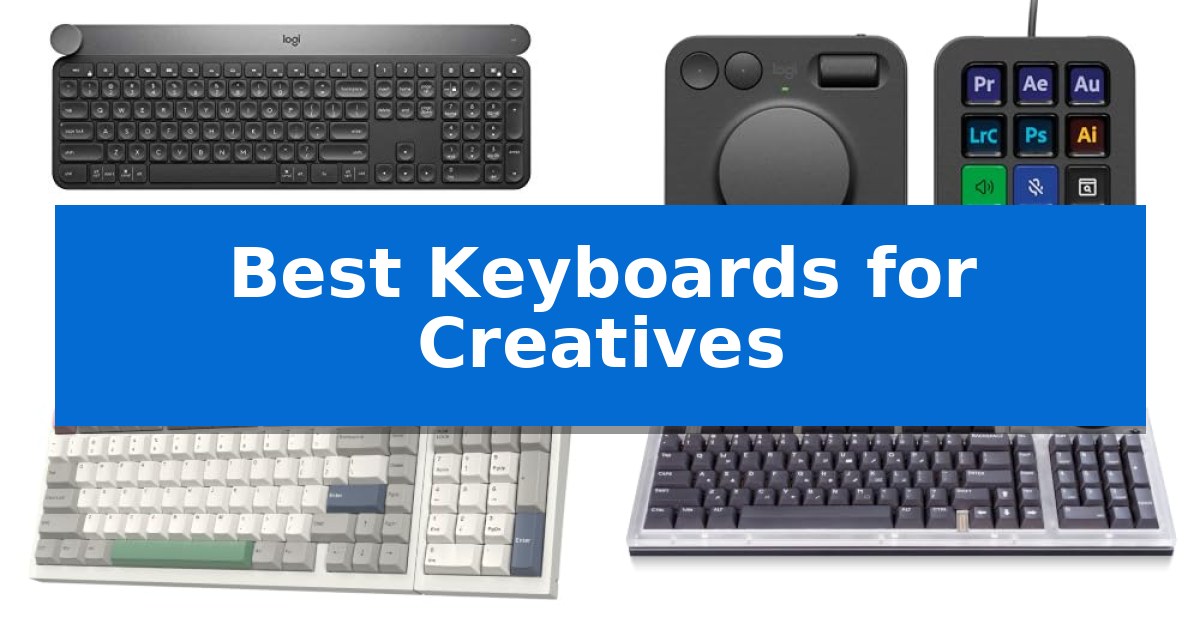
Finding the right input device is essential for maintaining focus during complex digital tasks. The Best Keyboards for Creatives are those that bridge the gap between standard typing and specialized software navigation, offering tools that streamline repetitive actions and save valuable time.
Whether you are editing video, managing complex design layers, or coding, the right hardware can significantly reduce friction. We have analyzed current options to help you identify which features—from tactile dials to modular layouts—best suit your specific professional needs.
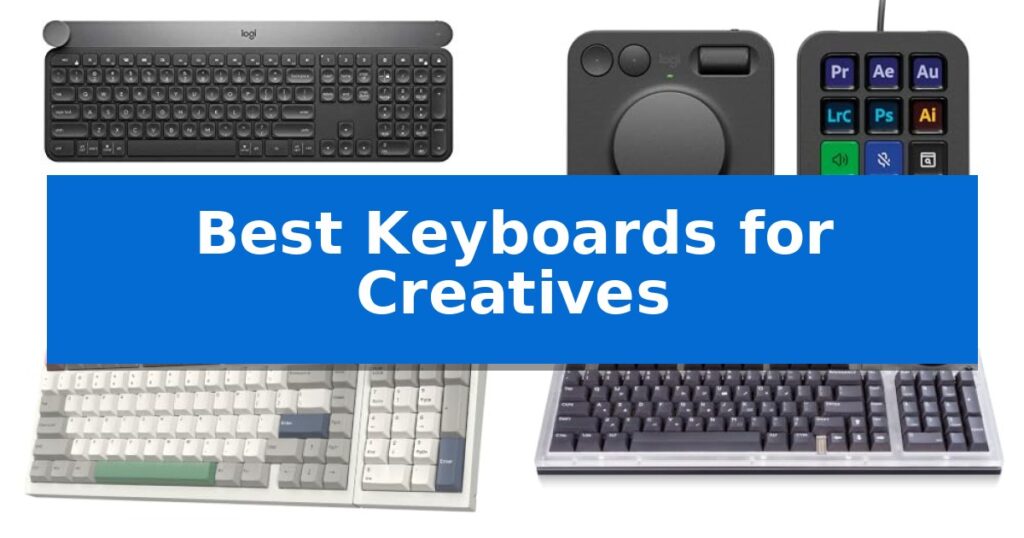
Best Keyboards for Creatives in 2026
Quick Comparison
| Product | Best For | Key Strength | Score |
|---|---|---|---|
| Logitech Craft Advanced Keyboard | Best Overall | Creative Input Dial for precise, tactile control in design software. | 4.9 |
| Logitech MX Creative Console | Dedicated Workflow Control Interface | Tactile analog control dial and roller for precise adjustments. | 4.9 |
| EPOMAKER RT98 Modular Keyboard | Repositionable Layout for Custom Workflows | Repositionable numpad for customizable workspace ergonomics. | 4.7 |
| Lenovo Yoga Creative Keyboard | Tactile Star Ring Control | Star Ring control for tactile, multi-mode adjustments. | 4.9 |
| AULA S99 Wireless Keyboard | Programmable Macros for Complex Tasks | Full-key macro programming for complex command automation. | 4.7 |
How We Chose
- Software Integration and Programmability: We assessed the extent to which each device supports custom shortcuts and specialized app profiles.
- Tactile Control Interfaces: We examined the inclusion of physical dials, rollers, or secondary displays that provide precise, non-keyboard input.
- Layout Flexibility: We looked for modular or ergonomic designs that allow users to customize their physical workspace.
- Connectivity and Multi-Device Support: We evaluated the reliability of wired and wireless connections across different operating systems.
- Build Quality and Typing Feel: We considered the structural integrity and switch characteristics that impact long-term comfort during extended sessions.
1 Logitech Craft Advanced Keyboard — Precision Dial for Creative Apps
The Logitech Craft Advanced Keyboard with Creative Input Dial centers its design around a unique, touch-sensitive aluminum dial that integrates directly with creative software to provide precise control over brush sizes, saturation, and other frequently adjusted parameters. This specialized input tool is designed to streamline workflows for digital artists and designers by placing granular adjustments directly at their fingertips.
Beyond the dial, the keyboard features spherical key dishing which is engineered to improve typing accuracy and provide tactile feedback for blind navigation. The keys are built with increased key stability to reduce noise during rapid typing sessions, ensuring a quieter environment for focused creative work.
Practicality is enhanced through backlit keys that automatically adjust their brightness based on the ambient light in the room, maintaining visibility in various working conditions. The device connects wirelessly with a 10m range and utilizes wireless encryption to maintain a secure connection to your workstation.
While the keyboard offers a premium typing experience, its specialized feature set is tailored specifically for those who utilize the input dial within compatible creative applications. Users who do not require the dial or who prefer a more minimalist layout may find the physical footprint and specialized hardware to be more than their specific workflow requires.
Best for: Creatives who utilize compatible software and require a physical dial for precise, tactile control over digital tools.
Skip if: Users who do not use creative software that supports the input dial or those who prefer a compact, minimalist keyboard without extra hardware controls.
PROS
- Creative Input Dial for precise, tactile control in design software.
- Spherical key dishing improves typing accuracy and navigation.
- Increased key stability reduces typing noise.
- Automatic backlighting adjusts to ambient light conditions.
CONS
- Specialized dial may be underutilized if your software is not supported.
- Larger physical footprint due to the integrated dial and premium build.
2 Logitech MX Creative Console — Dedicated Workflow Control Interface
Streamlining complex digital workflows requires more than just standard input devices, and the Logitech MX Creative Console addresses this by providing a dedicated interface for granular application control. This system combines a programmable keypad with a tactile analog control dial and roller, allowing users to map specific tools and actions directly to their most-used creative software.
The console is designed to integrate seamlessly into professional environments, offering native support for applications including Adobe Photoshop, Premiere Pro, Illustrator, Lightroom, and Figma. By utilizing the customizable LCD display keys, users can assign up to 15 pages of actions per profile, ensuring that essential shortcuts are always within reach without cluttering the primary workspace.
Physical precision is a core component of the hardware, featuring a low-friction control dial that enables fine-tuned adjustments, such as scrubbing through timelines or modifying brush sizes. The inclusion of a stand for flexible placement ensures the device can be positioned ergonomically alongside existing keyboards and mice, maintaining a comfortable posture during extended editing sessions.
Beyond its hardware capabilities, the package includes a 3-month Adobe Creative Cloud membership, providing immediate access to a suite of industry-standard tools. With a compact footprint measuring approximately 10.79 by 5.28 inches, the console is built to occupy minimal desk space while offering significant functional expansion for creators who rely on high-frequency command execution.
Best for: Creative professionals and power users who require dedicated, tactile hardware controls for complex software workflows in Adobe Creative Cloud and similar applications.
Skip if: Users who prefer a minimalist desk setup or those who do not utilize the specific creative applications supported by the console's integration profiles.
PROS
- Tactile analog control dial and roller for precise adjustments.
- Customizable LCD display keys allow for personalized, app-specific workflows.
- Includes a 3-month Adobe Creative Cloud membership.
- Flexible placement via the included stand.
CONS
- Limited to specific app integrations for full functionality.
- Requires additional desk space for a secondary input device.
3 EPOMAKER RT98 Modular Keyboard — Repositionable Layout for Custom Workflows
The EPOMAKER RT98 Creative Modular Retro Gaming Keyboard distinguishes itself with a repositionable numpad that allows users to shift between a Southpaw configuration for increased mouse space or a traditional right-handed layout. This modularity is complemented by a magnetic Mini TV display that attaches via precision PogPin connectors, functioning as a customizable information hub for GIFs, time, and system status.
Engineered for a refined typing experience, the keyboard utilizes a gasket-mounted structure combined with a five-layer sandwich dampening system to achieve a soft, consistent feel and a distinct acoustic profile. The hot-swappable PCB accommodates both 3-pin and 5-pin mechanical switches, providing users the ability to modify their switches without soldering.
Connectivity is handled through a triple-mode interface, supporting wired USB-C, 2.4G wireless, and Bluetooth 5.1. The system enables simultaneous pairing with up to four devices, facilitating seamless transitions between Windows, macOS, iOS, and Android platforms. An integrated 8000mAh battery supports extended operation, rated for up to 45 days of typical use or 300 hours of continuous typing.
The EPOMAKER RT98 is built to accommodate diverse professional and creative workflows. Its combination of hardware customization, aesthetic personalization via the Mini TV, and high-capacity power management makes it a versatile tool for those requiring a tailored input device.
Best for: Creatives and professionals who require a modular layout and multi-device connectivity for varied workflows.
Skip if: Users who prefer a compact, minimalist form factor without a numpad or additional display modules.
PROS
- Repositionable numpad for customizable workspace ergonomics.
- Hot-swappable PCB supporting 3-pin and 5-pin switches.
- 8000mAh high-capacity battery for long-duration wireless use.
- Triple-mode connectivity for up to four simultaneous devices.
CONS
- Modular design increases the overall footprint compared to standard compact keyboards.
4 Lenovo Yoga Creative Keyboard — Tactile Star Ring Control
The Lenovo Yoga Creative Keyboard AngryMiao Edition distinguishes itself with a signature Star Ring control, providing tactile adjustments for volume, brightness, and navigation modes directly from the keyboard surface. This interface is designed to streamline interactive workflows, offering creators a physical touchpoint for frequent adjustments without needing to navigate software menus.
Built for a refined typing experience, the keyboard utilizes an 8-layer gasket-mounted structure that absorbs vibration for a cushioned feel. It features Bsun Light Sakura Silent Linear switches, which incorporate an S-shaped damping stem to minimize noise while maintaining precise keystroke feedback. These switches are hot-swappable, allowing for future customization of the typing feel.
The chassis is constructed from premium CNC aluminum, housing a USB-C hub with two downstream 5 Gbps ports. This integration supports the connection of peripherals like storage drives, cameras, and wearables directly to the desk setup. The design is complemented by customizable RGB backlighting and a semi-transparent acrylic top cover, aligning with the Yoga CMF design language.
Designed for focused creative environments, the unit operates via wired USB-C connectivity with a 1000 Hz polling rate. It maintains broad compatibility across Windows and macOS systems, ensuring a consistent experience for users working within diverse creative ecosystems.
Best for: Creators who require a quiet, tactile mechanical typing experience with integrated peripheral connectivity and physical media controls.
Skip if: Users who prioritize wireless freedom or a compact, portable form factor will find the wired, aluminum-heavy design less suitable for their needs.
PROS
- Star Ring control for tactile, multi-mode adjustments.
- Silent linear, hot-swappable switches for a quiet and customizable feel.
- Integrated USB-C hub for connecting creator peripherals.
- 8-layer gasket-mounted structure for improved typing acoustics.
CONS
- Wired-only connectivity limits desk placement flexibility.
- Heavy aluminum construction makes it less portable than plastic alternatives.
5 AULA S99 Wireless Keyboard — Programmable Macros for Complex Tasks
Efficiency in a creative workflow often hinges on the ability to manage complex tasks through custom shortcuts. The AULA S99 Wireless Keyboard addresses this by integrating full-key macro programming, allowing users to map intricate command sequences to single keys. This capability is particularly useful for streamlining repetitive actions in professional software, providing a tangible way to accelerate production cycles.
Designed with a 96% layout, this keyboard retains a dedicated numeric keypad while maintaining a more compact footprint than standard full-sized models. The dual-mode rotary knob offers a tactile method for adjusting volume, audio, or lighting settings on the fly. Users can further customize their experience using three dedicated programmable shortcut keys (M1/M2/M3), which facilitate quick switching between different operational modes.
Connectivity is handled through a tri-mode interface, supporting Bluetooth 5.0, 2.4GHz wireless, and USB-C wired connections. This flexibility allows for seamless transitions between multiple devices, such as a primary workstation and a mobile tablet. The inclusion of a foldable two-stage stand enables users to adjust the typing angle, which helps in maintaining a more comfortable posture during extended creative sessions.
Built with a creamy silicone structure, the keyboard emphasizes a specific typing feel within a membrane-based design. While it does not support hot-swapping, the unit is compatible with a wide range of operating systems, including Windows, Mac, Android, and iOS. The package includes a 1-year manufacturer warranty to support long-term usage.
Best for: Creatives who require a compact, programmable keyboard with multi-device connectivity and macro support for complex software workflows.
Skip if: Users who prefer the tactile feedback of mechanical switches or require a hot-swappable board for custom switch configurations.
PROS
- Full-key macro programming for complex command automation.
- Tri-mode connectivity including Bluetooth, 2.4GHz, and USB-C.
- 96% layout saves desk space while keeping the numeric keypad.
- Dual-mode rotary knob for convenient media and lighting control.
CONS
- Membrane design lacks the mechanical feel and customization of hot-swappable boards.
- Non-hot-swappable switches limit future hardware modifications.
Best Keyboards for Creatives Buying Guide
Understanding Creative Input Interfaces
Modern creative keyboards often move beyond standard alphanumeric input by incorporating dedicated control surfaces. Features like precision dials or analog rollers allow for granular adjustments in software like Adobe Photoshop or Premiere Pro, enabling users to scrub timelines or adjust brush sizes without reaching for a mouse.
When choosing a device, consider how these controls map to your most-used applications. A keyboard with programmable macros or dedicated LCD keys can act as a secondary control console, significantly reducing the number of menu clicks required for common tasks.
The Importance of Modular Design
A modular layout provides the freedom to reposition components like the numeric keypad to better suit your desk space or dominant hand. This is particularly beneficial for those who use a large drawing tablet and need to minimize the distance between their keyboard and mouse.
By allowing for hardware adjustments, modular systems ensure that your input device adapts to your specific physical workflow rather than forcing you to conform to a rigid, standard configuration.
Connectivity Standards for Professional Setups
For professional environments, triple-mode connectivity—offering wired USB-C, 2.4GHz wireless, and Bluetooth—is a major advantage. Wired connections provide the lowest latency for high-speed tasks, while wireless options help maintain a clean, cable-free desk.
Ensure the keyboard you select is compatible with your primary operating system, whether Windows or macOS, and check if it supports simultaneous multi-device pairing for seamless switching between a workstation and a secondary laptop.
Switch Types and Typing Ergonomics
The typing experience is defined by the underlying switch technology. Silent linear switches are often preferred in shared office spaces to minimize noise, while tactile switches provide clear feedback that can help reduce typing errors during intense drafting sessions.
Ergonomic considerations, such as gasket-mounted structures or adjustable stands, help absorb vibration and reduce wrist strain. A well-damped keyboard can make a noticeable difference in comfort during long marathons of coding or content creation.
Power Management and Durability
For wireless models, battery capacity is a critical factor. Look for devices that offer long-lasting battery life, often supported by intelligent power-saving modes that automatically put the keyboard to sleep when not in use.
Durability is equally important, especially for keyboards featuring aluminum bodies or high-quality PBT keycaps. A robust build ensures that your investment remains reliable even under the demands of daily, heavy-duty usage.
Frequently Asked Questions
Can I use these keyboards with both Windows and Mac?
Most of the keyboards listed support both Windows and macOS, though the level of software customization for specific creative apps may vary depending on the manufacturer's driver support.
What is the benefit of a hot-swappable PCB?
A hot-swappable PCB allows you to change the mechanical switches without soldering. This enables you to customize the typing feel and sound of your keyboard to your exact preference.
Are membrane keyboards suitable for creative work?
Yes, membrane keyboards can be effective for creative work, especially if they offer programmable macros and ergonomic features. They often provide a quieter typing experience compared to some mechanical options.
How do I know if a keyboard has enough macro keys?
The number of macro keys you need depends on your workflow. If you rely heavily on complex shortcut combinations, look for keyboards that offer full-key programmability or dedicated macro pads.
Do I need a wired connection for creative tasks?
While modern 2.4GHz wireless technology is highly reliable, a wired USB-C connection is often preferred for gaming or high-precision tasks where absolute zero latency is required.
Conclusion: Our Top Pick
Choosing the right tool depends on your specific creative requirements. For those seeking an all-in-one solution that balances premium typing with integrated creative controls, the Logitech Craft Advanced Keyboard stands out as the most versatile option.
Its dedicated input dial provides intuitive control for a wide range of creative applications, while the stable, backlit keys ensure a comfortable experience during long work sessions. It remains a top recommendation for professionals who want to streamline their digital workflow without sacrificing typing quality.