
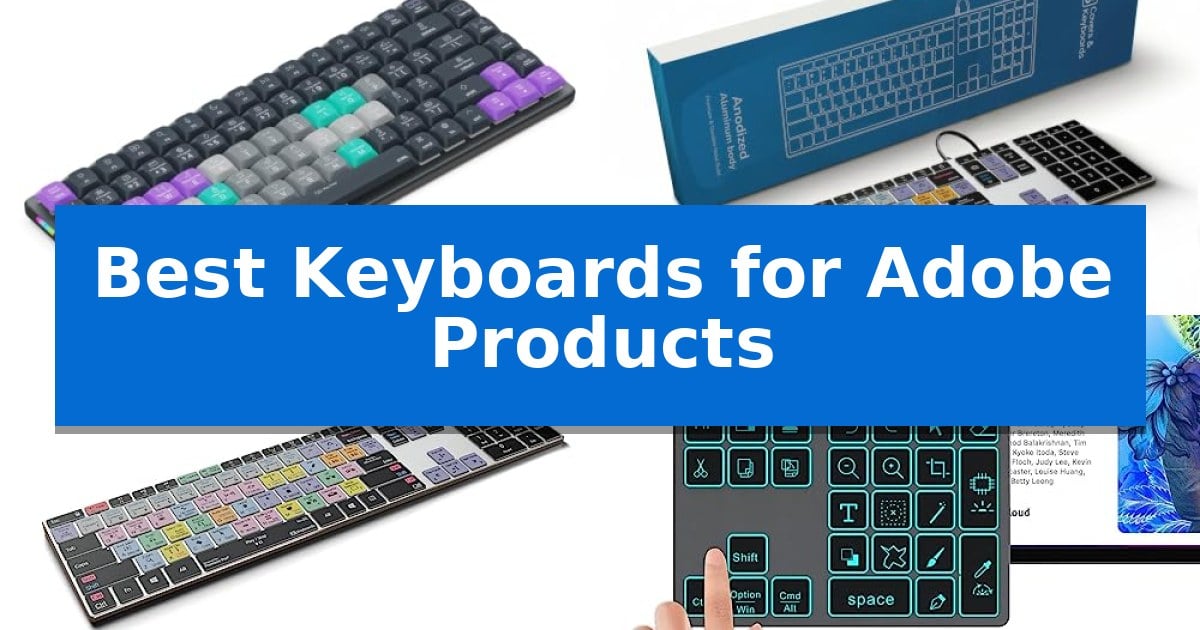
Editing complex projects in Adobe software often requires navigating endless menus and memorizing dozens of obscure hotkeys. Finding the Best Keyboards for Adobe Products can transform this experience by placing essential commands directly under your fingertips, significantly reducing the time spent clicking through interface panels.
Whether you are a video editor working in Premiere Pro or a designer refining assets in Photoshop, the right hardware acts as an extension of your creative intent. We have analyzed current market options to help you identify which specialized input devices offer the most practical layout, connectivity, and customization for your specific studio setup.
Best Keyboards for Adobe Products in 2026
Quick Comparison
| Product | Best For | Key Strength | Score |
|---|---|---|---|
| JCPAL Dash Premiere Pro Keyboard | Best Overall | Pre-mapped shortcut keys specifically for Adobe Premiere Pro. | 4.9 |
| KB Covers Premiere Pro Mac Keyboard | Backlit Aluminum for Studio Work | 150+ color-coded shortcuts printed on keys for faster navigation. | 4.3 |
| KB Covers Premiere Pro PC Keyboard | Wired Precision for Windows Editors | 150+ color-coded shortcuts printed directly on the keys for faster navigation. | 4.4 |
| Doohoeek Photoshop Shortcut Keypad | Compact Macro Control for Photoshop | Dedicated shortcut keys for common Adobe Photoshop functions | 4.4 |
| Logickeyboard Titan Premiere Pro Keyboard | Wireless Backlit Shortcut Layout | Visual keyboard shortcuts printed on keys for faster command execution. | 4.7 |
How We Chose
- Shortcut Integration: We prioritized devices that feature pre-mapped, color-coded keys for specific Adobe applications, ensuring immediate usability without complex setup.
- Programmability: We assessed the flexibility of remapping tools and the ability to save custom layouts directly to the hardware for consistent performance across different workstations.
- Build and Ergonomics: We examined the physical design, focusing on low-profile layouts that optimize desk space and backlit keys that remain legible in dim editing environments.
- Connectivity Standards: We verified the versatility of connection options, including wired USB-C for lag-free stability and multi-device Bluetooth for flexible studio arrangements.
1 JCPAL Dash Premiere Pro Keyboard — Programmable Keys for Faster Editing
The JCPAL Dash Adobe Premiere Pro Wireless Shortcut Keyboard for Mac/PC streamlines creative workflows by featuring pre-mapped, color-coded keys that place essential Premiere Pro commands directly at your fingertips. Designed for efficiency, this keyboard allows editors to scan and execute complex cuts without navigating deep software menus, significantly reducing the time spent on repetitive tasks.
Beyond its pre-configured layout, the keyboard offers deep customization through the browser-based KeyStudio tool. This utility allows users to remap any key and save the configuration directly to the hardware, ensuring consistent performance across different workstations. To further personalize the experience, the package includes 20 spare shortcut keycaps, enabling editors to rearrange the layout to match their specific grading or cutting style.
The hardware is built with a compact, low-profile design that optimizes desk space and promotes better ergonomic posture by keeping the mouse closer to the user. Its versatility is highlighted by tri-mode connectivity, supporting Bluetooth for three devices, 2.4GHz wireless, and USB-C wired connections. The internal 3500mAh battery provides up to 450 hours of operation, making it a reliable choice for long editing sessions.
Winner of the 2025 Red Dot Product Design Award, this keyboard balances professional utility with a clean aesthetic. It is compatible with Mac, PC, iOS, iPadOS, Android, and Linux, providing a flexible solution for multi-platform creative environments backed by a 12-month warranty.
Best for: Video editors using Adobe Premiere Pro who require a dedicated, programmable shortcut interface to accelerate their cutting and color-grading workflows.
Skip if: Users who prefer a full-sized mechanical keyboard with a number pad or those who do not use Adobe Premiere Pro, as the specialized key mapping would offer no functional advantage.
PROS
- Pre-mapped shortcut keys specifically for Adobe Premiere Pro.
- KeyStudio browser-based tool for hardware-level key remapping.
- Tri-mode connectivity including Bluetooth, 2.4GHz, and USB-C.
- Compact, low-profile design that saves desk space.
CONS
- Specialized layout may require an adjustment period for those used to standard keyboards.
- Lack of a dedicated number pad due to the compact form factor.
2 KB Covers Premiere Pro Mac Keyboard — Backlit Aluminum for Studio Work
The KB Covers Adobe Premiere Pro Keyboard for Mac streamlines complex editing workflows by featuring over 150 color-coded Premiere Pro shortcuts printed directly onto the keycaps. This design allows editors to identify cut, trim, timeline, and playback commands at a glance, reducing the need to memorize hotkeys during intensive sessions.
Engineered specifically for the macOS ecosystem, this keyboard utilizes a standard US layout including dedicated Command, Option, and Control keys. It connects via a USB-C wired interface, ensuring a stable, lag-free connection that eliminates the need for battery charging or Bluetooth pairing. The plug-and-play functionality allows for immediate use across various Mac models, including MacBook Pro, iMac, and Mac Studio.
The hardware features a backlit aluminum frame, providing both structural durability and visibility in dim studio environments. Unlike specialized control panels, this remains a fully functional typing keyboard; each key retains its standard letter alongside the Adobe-specific shortcut icon, allowing for seamless transitions between creative tasks and general typing.
This device is a practical choice for video editors and students who require a dedicated interface for Adobe Premiere Pro without the complexity of external software or drivers. By integrating shortcut mapping directly into the physical layout, it provides a consistent reference point that helps maintain focus on the timeline.
Best for: Video editors and content creators using Adobe Premiere Pro on a Mac who want a dedicated, wired shortcut interface without additional software setup.
Skip if: Users who require a wireless connection, a non-Mac layout, or a compact keyboard without a full numeric keypad.
PROS
- 150+ color-coded shortcuts printed on keys for faster navigation.
- Backlit aluminum construction suitable for dim studio environments.
- Stable USB-C wired connection with no batteries or pairing required.
- Plug-and-play compatibility with macOS systems.
CONS
- Wired-only design limits desk placement flexibility.
- Full-size layout may be too large for minimalist workspaces.
3 KB Covers Premiere Pro PC Keyboard — Wired Precision for Windows Editors
The KB Covers Adobe Premiere Pro Keyboard for Windows PC streamlines complex editing workflows by featuring over 150 color-coded Premiere Pro shortcuts printed directly onto the keys. This design allows editors to identify essential cut, trim, and timeline commands instantly without needing to memorize or reference external hotkey guides.
Engineered for a professional Windows environment, this keyboard utilizes a full-size US layout including standard Ctrl, Alt, and Windows keys. It connects via a reliable USB-C wired interface, ensuring a stable, lag-free connection that eliminates the need for battery management or Bluetooth pairing. A USB-C to USB-A adapter is included to ensure compatibility with a wide range of desktop and laptop hardware.
Beyond its shortcut-focused layout, the device functions as a standard keyboard, allowing users to type normally while maintaining access to specialized editing icons. The backlit aluminum build provides a durable, solid frame that remains visible during late-night editing sessions or in dim studio environments. Because it is a plug-and-play peripheral, no additional software or drivers are required for operation.
This keyboard is specifically tailored for video editors, filmmakers, and students who rely on Adobe Premiere Pro. By integrating functional shortcuts directly into the hardware, it serves as a dedicated tool for those looking to improve efficiency in their post-production tasks.
Best for: Video editors and content creators who want to increase their speed in Adobe Premiere Pro on Windows through direct, color-coded shortcut access.
Skip if: Users who require a wireless connection, a non-standard compact layout, or those who do not use Adobe Premiere Pro as their primary editing software.
PROS
- 150+ color-coded shortcuts printed directly on the keys for faster navigation.
- Backlit keys and a solid aluminum frame for durability in dim environments.
- Plug-and-play wired USB-C connection ensures no latency or battery issues.
- Dual compatibility via included USB-C to USB-A adapter.
CONS
- Wired-only design may not suit minimalist or cable-free desk setups.
- Specific to Adobe Premiere Pro, limiting its specialized utility for other software.
4 Doohoeek Photoshop Shortcut Keypad — Compact Macro Control for Photoshop
Streamlining complex creative workflows often requires moving beyond standard input devices to dedicated macro control. The Doohoeek Photoshop Shortcut Keypad addresses this by providing a compact, specialized interface designed to execute common Adobe Photoshop functions without navigating through nested on-screen menus.
This device features a reliable 5.1 Bluetooth connection that maintains a stable link within a 10-meter range, allowing for flexible placement on a desk. To accommodate various lighting environments, the unit includes 7-color backlit keys with three adjustable brightness levels, ensuring visibility during late-night editing sessions.
Designed for cross-platform utility, the keypad is compatible with Windows, MacOS, and iOS, making it a versatile addition to setups involving iPads, MacBooks, or desktop PCs. It is powered by a long-lasting rechargeable battery capable of operating for up to 220 hours when backlighting is disabled, supported by an integrated auto-sleep power-saving mode.
The primary utility of this keypad lies in its pre-mapped shortcut keys for actions like Free Transform and the Pen tool. Users should note that the device requires the host system to be set to an English (US) configuration to ensure all shortcut commands function as intended.
Best for: Creative professionals and digital artists who frequently use Adobe Photoshop and want to reduce menu navigation time with dedicated macro keys.
Skip if: Users who do not primarily work in Adobe Photoshop or those who require a fully programmable mechanical keyboard for general typing tasks.
PROS
- Dedicated shortcut keys for common Adobe Photoshop functions
- 7-color backlit keys for improved visibility in low light
- Wireless 5.1 Bluetooth connectivity with a 10m range
- Long-lasting rechargeable battery with up to 220 hours of life
CONS
- Requires English (US) configuration for proper shortcut functionality
- Limited to specific software shortcuts rather than general-purpose programmability
5 Logickeyboard Titan Premiere Pro Keyboard — Wireless Backlit Shortcut Layout
Streamlining complex creative workflows requires tools that minimize menu navigation, and the Logickeyboard Titan Wireless Backlit Keyboard for Adobe Premiere Pro – Mac addresses this by integrating dedicated visual keyboard shortcuts directly onto the keycaps. This design allows editors to identify and execute commands for Adobe Premiere Pro CC without relying on memory or secondary reference sheets.
Designed specifically for macOS environments, this keyboard utilizes Bluetooth connectivity to maintain a clean workspace by eliminating cable clutter. The inclusion of backlit keys ensures that users can maintain visibility and accuracy in dimly lit editing suites, which is a common requirement during long post-production sessions.
The hardware features a slim profile, measuring approximately 0.5 inches in height, which supports a neutral wrist position during extended use. As a rechargeable device, it removes the need for frequent battery replacements, providing a consistent power solution for professional environments.
While the specialized layout significantly accelerates command execution for Premiere Pro users, it is a dedicated tool. The Logickeyboard Titan Wireless Backlit Keyboard for Adobe Premiere Pro – Mac is best utilized as a primary workstation peripheral where the specific Adobe shortcut mapping provides the most utility.
Best for: Professional video editors using Adobe Premiere Pro on macOS who want to increase workflow speed through dedicated shortcut keys.
Skip if: Users who require a multi-purpose keyboard for general typing or those who do not use Adobe Premiere Pro as their primary editing software.
PROS
- Visual keyboard shortcuts printed on keys for faster command execution.
- Backlit keys for improved visibility in low-light editing environments.
- Bluetooth connectivity for a wireless, clutter-free desk setup.
- Rechargeable battery design eliminates the need for disposable batteries.
CONS
- Specialized layout is optimized specifically for Adobe Premiere Pro, limiting its versatility for other tasks.
Best Keyboards for Adobe Products Buying Guide
Shortcut Mapping and Customization
The primary advantage of a dedicated creative keyboard is the presence of visual shortcut labels. These keys allow you to identify commands like 'trim,' 'ripple edit,' or 'pen tool' at a glance, eliminating the need to search through software menus. This visual aid is particularly beneficial for complex applications where memorizing every hotkey is impractical.
Advanced models offer programmable key remapping, which is essential for users who develop unique editing styles. Look for software-based tools that allow you to save your custom layout directly to the keyboard's onboard memory. This ensures that your personalized shortcuts remain active even when you move between different computers or operating systems.
Connectivity and Compatibility
Your choice of connection depends on your studio environment. Wired USB-C connections are often preferred by editors who require a stable, lag-free experience and do not want to manage battery levels. These units are typically 'plug and play,' requiring no additional drivers to function immediately.
For those with minimalist desks or multiple devices, Bluetooth connectivity provides freedom from cable clutter. High-quality wireless options often include multi-device pairing, allowing you to switch between a primary workstation, a tablet, and a laptop with a single button press. Always verify that the keyboard's OS compatibility matches your specific machine, whether you are using macOS or Windows.
Ergonomics and Design
Creative work sessions can last for hours, making the physical design of your keyboard a critical factor. Low-profile designs are generally better for maintaining a natural wrist position, which can help reduce fatigue during long editing marathons. A compact footprint also keeps your mouse or pen tablet closer to your center, improving overall posture.
Backlit keys are another essential feature for editors who work in darkened studios or during late-night sessions. Adjustable brightness levels allow you to maintain visibility of your shortcut labels without creating distracting glare that could interfere with color grading or critical visual work.
Build Quality and Durability
A keyboard used for professional creative work should be built to withstand frequent, repetitive use. Aluminum frames provide a rigid, durable base that resists sliding during intense editing sessions. This material choice often results in a more premium feel and better stability compared to lightweight plastic alternatives.
Consider the longevity of the keycaps and the internal components. Some manufacturers include spare shortcut keycaps, which allow you to customize the layout further or replace keys that see the most wear. Checking the warranty period is also a good way to gauge the manufacturer's confidence in the build quality of their hardware.
Choosing Between Full Keyboards and Keypads
Deciding between a full-sized keyboard and a dedicated shortcut keypad depends on your current desk setup. A full-sized keyboard replaces your existing unit, providing a comprehensive solution for both typing and editing. This is ideal if you want to consolidate your hardware and maximize desk space.
A shortcut keypad is a specialized peripheral designed to sit alongside your existing keyboard. This is a great choice if you already have a preferred typing keyboard but want to add dedicated macro controls for Adobe software. Keypads offer a modular approach, letting you keep your primary input device while adding dedicated creative functionality.
Frequently Asked Questions
Do I need to install special drivers for these keyboards?
Most dedicated Adobe keyboards are designed for plug-and-play functionality. While some offer optional remapping software to customize your shortcuts, the primary pre-printed commands usually work immediately upon connection.
Can I use a Mac-specific keyboard on a Windows PC?
Compatibility varies by model. While some keyboards support both operating systems, others are specifically mapped for either macOS or Windows. Always check the product specifications to ensure the layout and modifier keys match your computer's OS.
How do I clean a backlit keyboard safely?
Use a soft, lint-free cloth lightly dampened with isopropyl alcohol to wipe the keycaps. Avoid spraying liquid directly onto the keyboard, as moisture can damage the internal electronics and backlighting components.
Will these shortcuts work in other Adobe apps?
Most of these keyboards are optimized for a specific application, such as Premiere Pro or Photoshop. While some shortcuts may overlap, the printed labels are specific to the software they were designed for.
What is the benefit of a tri-mode connection?
A tri-mode connection offers the most flexibility by providing Bluetooth, 2.4GHz wireless, and wired USB-C options. This allows you to choose the best connection method for your specific environment, whether you need maximum stability or a wireless setup.
Conclusion: Our Top Pick
Selecting the right hardware for your creative workflow depends on your specific editing habits and desk space. For most editors, the JCPAL Dash Premiere Pro Keyboard stands out as the most versatile option due to its programmable keys, tri-mode connectivity, and the inclusion of spare keycaps for custom layouts.
While other options like the KB Covers aluminum series offer excellent wired stability for specific OS users, the JCPAL model provides the greatest flexibility for evolving workflows. Its ability to save custom layouts directly to the hardware ensures that your efficiency gains travel with you, regardless of the machine you are using.