
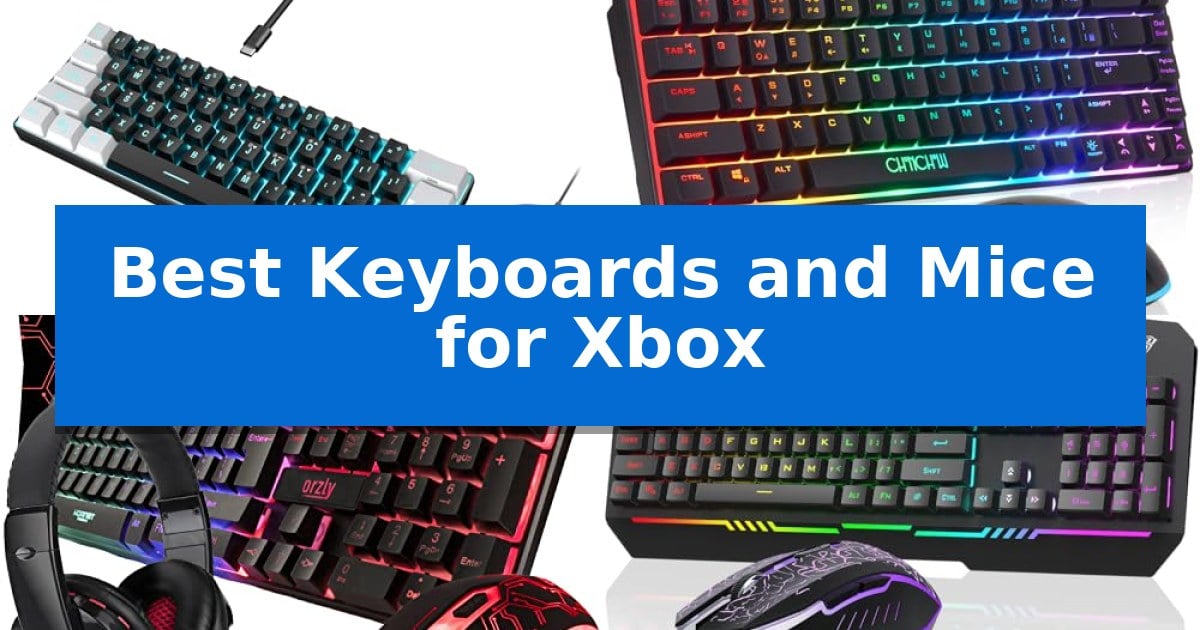
Finding the right input devices for your console can significantly change how you approach your favorite titles. While controllers are standard, many players prefer the speed and accuracy that a dedicated keyboard and mouse setup provides for competitive gaming.
Our guide explores the Best Keyboards and Mice for Xbox to help you find a configuration that fits your playstyle, whether you need a compact layout for a smaller desk or a wireless solution to remove cable clutter.
Best Keyboards and Mice for Xbox in 2026: Level Up Your Console Play
Quick Comparison
| Product | Best For | Key Strength | Score |
|---|---|---|---|
| RedThunder K62 Gaming Keyboard and Mouse | Best Overall | 60% compact layout maximizes desk space for mouse movement. | 4.9 |
| CHONCHOW G100 Wireless Gaming Combo | Freedom from cable constraints | Single USB receiver simplifies connectivity for both devices. | 4.5 |
| Orzly Hornet RX-250 Gaming Bundle | Complete four-piece starter kit | All-in-one bundle includes keyboard, mouse, headset, and mouse pad. | 4.8 |
| AULA T102 Gaming Keyboard and Mouse | Durable all-metal panel build | All-metal panel construction for increased durability. | 4.5 |
| CHONCHOW One-Handed Gaming Combo | Optimized for intense FPS play | Compact 35-key design saves significant desk space. | 4.3 |
How We Chose
- Console compatibility and plug-and-play functionality
- Layout efficiency and physical footprint
- Sensor precision and DPI adjustability
- Connection stability and cable management options
- Ergonomic design for extended gaming sessions
1 RedThunder K62 Gaming Keyboard and Mouse — Ultra-compact 60% layout
Optimizing a console gaming space often requires balancing hardware footprint with functional performance. The RedThunder K62 Gaming Keyboard and Mouse addresses this by utilizing a 60% compact layout, which removes the number pad to provide a smaller physical profile. This design choice is particularly beneficial for console players who need to maximize limited desk or tray space for more fluid mouse movement during intense gaming sessions.
The included mouse is engineered for responsiveness, featuring a high-precision optical sensor capable of 7200 DPI sensitivity. To support fast-paced gameplay, it utilizes an ultra-light honeycomb shell that weighs approximately 65 grams, reducing wrist strain during extended use. The symmetrical ergonomic shape is designed to accommodate various grip styles, ensuring that the peripheral remains comfortable regardless of the user's hand position.
Durability and signal integrity are prioritized through a water-resistant keyboard design that protects internal components from accidental spills. The connection is managed via a waterproof braided USB cable equipped with an anti-interference magnet ring and a gold-plated interface, which helps maintain stable data transmission for wired setups. These features provide a reliable, plug-and-play experience for users who prefer the consistency of a wired connection.
For visual customization, the set includes integrated RGB backlighting with multiple effects, such as breathing and permanent lighting modes. Users can adjust the brightness and speed of these lighting effects to match their gaming environment, making the keys easier to navigate in low-light conditions. This combination of compact design, lightweight mouse construction, and customizable lighting makes it a practical choice for those looking to refine their gaming setup.
Best for: Gamers seeking a space-efficient, wired peripheral set with adjustable lighting and high-sensitivity mouse tracking for their console or PC.
Skip if: Users who require a full-sized keyboard with a dedicated number pad or those who prefer a wireless connection for their gaming setup.
PROS
- 60% compact layout maximizes desk space for mouse movement.
- Ultra-light honeycomb mouse reduces fatigue with its 65g weight.
- Water-resistant keyboard design protects against accidental spills.
- High-precision 7200 DPI sensor supports fast tracking requirements.
CONS
- Wired-only connectivity limits placement flexibility compared to wireless options.
- Lack of a dedicated number pad may hinder productivity tasks.
2 CHONCHOW G100 Wireless Gaming Combo — Freedom from cable constraints
Optimizing your console setup requires hardware that balances performance with physical footprint. The CHONCHOW G100 Wireless Gaming Combo addresses this by integrating both a keyboard and mouse through a single 2.4G wireless USB adapter, effectively reducing cable clutter on your gaming desk or entertainment center.
This 60% compact layout keyboard features 68 keys, a design choice that prioritizes space efficiency without sacrificing essential gaming inputs. The hardware is built for versatility, maintaining compatibility across Xbox, PS4, PS5, and PC platforms. For power management, the keyboard includes a 2000 mAh battery, while the mouse utilizes a 500 mAh battery, both featuring an energy-saving sleep mode that can be deactivated by pressing any key.
Visual customization and ergonomics are integrated into the hardware design. The keyboard offers four brightness levels and three breathing speeds, while the mouse provides seven-color illumination. Both peripherals are engineered with ergonomic considerations to support comfort during extended gaming sessions.
Setup is straightforward with a plug-and-play process that avoids complex software configurations. If communication between the devices and the receiver is interrupted, the manufacturer provides specific manual reset procedures for both the mouse and keyboard to restore stable connectivity.
Best for: Console gamers looking for a space-saving, wireless input solution that works across Xbox, PlayStation, and PC platforms.
Skip if: Users who require a full-sized keyboard layout with a dedicated number pad or those who prefer wired connections for zero-latency requirements.
PROS
- Single USB receiver simplifies connectivity for both devices.
- 60% compact layout saves significant desktop space.
- Rechargeable batteries eliminate the need for disposable replacements.
- Wide compatibility across multiple gaming consoles and PC systems.
CONS
- Shared wireless adapter means both devices are tied to one receiver.
- Sleep mode requires a key press to wake, which may cause a slight delay.
3 Orzly Hornet RX-250 Gaming Bundle — Complete four-piece starter kit
Integrating a keyboard and mouse into a console environment requires hardware that balances plug-and-play simplicity with multi-device versatility. The Orzly Hornet RX-250 Gaming Bundle provides a comprehensive solution by including a full-size membrane keyboard, an ambidextrous mouse, a dedicated headset, and a mouse pad in one package, ensuring immediate compatibility across Xbox Series X/S and Xbox One consoles.
The RX250-K keyboard features a standard 104-key layout with 19-key rollover and Anti-Ghosting technology, which helps maintain input accuracy during intense gaming sessions. Its membrane construction is rated for 8 million keystrokes and includes spill-resistant drainage to protect against accidental liquid contact. For added comfort, the unit is equipped with foldable, anti-slip feet to adjust the typing angle.
Complementing the keyboard, the RX250-M mouse offers a lightweight 90g design suitable for both left- and right-handed users. It includes a physical DPI button allowing for on-the-fly adjustment between four settings (1200, 1600, 2400, and 3200 DPI). The included high-density cloth mouse pad features an anti-skid rubber base to provide a stable surface for precise tracking.
The bundle is rounded out by the RX250-H stereo headset, which utilizes a lightweight aluminum frame and cushioned ear cups for noise isolation. It includes a foldable microphone with 120-degree rotation and convenient in-line volume controls, allowing for quick adjustments without navigating console menus. This bundle is backed by a one-year replacement warranty, offering a straightforward path for users looking to equip their console setup with essential peripherals.
Best for: Gamers seeking an all-in-one peripheral starter kit that provides immediate plug-and-play compatibility with Xbox consoles and other platforms.
Skip if: Users who prefer mechanical switches or high-end, specialized sensors for competitive gaming, as this bundle utilizes membrane keys and a standard optical sensor.
PROS
- All-in-one bundle includes keyboard, mouse, headset, and mouse pad.
- Plug-and-play compatibility with Xbox Series X/S, Xbox One, and other platforms.
- Ambidextrous mouse design with adjustable DPI settings.
- Spill-resistant keyboard construction for increased durability.
CONS
- Membrane keyboard switches lack the tactile feedback of mechanical alternatives.
- Wired-only connectivity requires cable management for console setups.
4 AULA T102 Gaming Keyboard and Mouse — Durable all-metal panel build
The AULA T102 Gaming Keyboard and Mouse features a durable all-metal panel construction, providing a stable foundation for intense gaming sessions. This full-size 104-key keyboard is designed for those who prefer a tactile typing experience, utilizing a 2.0mm keystroke depth to balance trigger efficiency with rebound speed.
Performance is supported by anti-ghosting technology, which allows for 26 keys to be pressed simultaneously without conflict. The included mouse offers adjustable sensitivity settings, ranging from 1200 to 7200 DPI, allowing users to tailor cursor movement to their specific gaming requirements. Both the keyboard and mouse incorporate RGB lighting, with the keyboard offering three distinct illumination modes and brightness levels to suit different environments.
Designed for versatility, the set includes 12 multimedia combination keys for quick access to system functions. The ergonomic layout is intended to reduce fatigue during extended use, while the quiet key switches ensure that typing remains relatively unobtrusive. The system also features an automatic sleep mode after five minutes of inactivity to manage power usage, waking instantly upon any keypress.
Compatibility is a primary focus for this combo, as it is engineered to work with various platforms including PC, Mac, and Xbox. The plug-and-play USB wired connection simplifies the setup process, ensuring a consistent link without the need for batteries or wireless pairing, making it a straightforward choice for console gamers looking to integrate keyboard and mouse controls.
Best for: Console gamers using an Xbox who require a wired, plug-and-play keyboard and mouse combo with a durable metal build.
Skip if: Users who require wireless connectivity, mechanical switches with loud tactile feedback, or a compact tenkeyless form factor.
PROS
- All-metal panel construction for increased durability.
- 26-key anti-ghosting support for reliable input during gaming.
- Adjustable DPI settings on the mouse up to 7200.
- Plug-and-play wired USB connectivity for simple setup.
CONS
- Wired-only connection limits placement flexibility compared to wireless models.
- Full-size 104-key layout occupies significant desk space.
5 CHONCHOW One-Handed Gaming Combo — Optimized for intense FPS play
The CHONCHOW One-Handed Gaming Combo provides a specialized solution for console gamers by pairing a compact 35-key half-keyboard with an adjustable-DPI gaming mouse. This setup is designed to save desk space while maintaining the tactile input required for fast-paced titles, featuring an integrated wide wrist rest to support extended play sessions.
Performance is driven by a high-speed gaming mouse that offers four distinct sensitivity levels—1200, 2400, 4800, and 7200 DPI—allowing users to tailor tracking speed to specific game requirements. The keyboard includes customizable RGB backlighting with both static and breathing modes, controlled via simple function key combinations, alongside dedicated multimedia shortcuts for volume and playback management.
Connectivity is streamlined through an included 4-port USB splitter and a USB-A to C adapter, enabling the connection of multiple peripherals to a single host port. This plug-and-play system is compatible with Xbox One, PS4, Nintendo Switch, and PC platforms, requiring no additional drivers for operation.
While this combo offers a compact footprint, it is important to note that functionality remains subject to individual game rules regarding keyboard and mouse input. The inclusion of a wrist rest and space-saving design makes it a practical choice for players looking to optimize their gaming area without the bulk of a full-sized keyboard.
Best for: Console gamers seeking a space-saving, one-handed input solution for FPS and action titles.
Skip if: Users who require a full-sized keyboard layout for typing or those playing games that do not support mouse and keyboard input.
PROS
- Compact 35-key design saves significant desk space.
- Adjustable 7200 DPI mouse for customizable tracking sensitivity.
- Integrated 4-port USB splitter expands connectivity options.
- Ergonomic wrist rest reduces fatigue during long sessions.
CONS
- Limited to one-handed keyboard use, which may not suit all game types.
- Compatibility depends on game-specific rules regarding peripheral support.
Best Keyboards and Mice for Xbox Buying Guide
Understanding Layouts and Form Factors
The physical size of your keyboard, often referred to as the layout, plays a major role in your desk setup. A 60% compact layout is popular among FPS gamers because it removes the number pad, providing more room for wide mouse movements.
If you prefer a more traditional typing experience or need dedicated function keys for navigation, a full-size 104-key layout might be more appropriate. Consider how much space you have available on your gaming surface before choosing between these two extremes.
Wired vs. Wireless Connectivity
Choosing between wired and wireless devices often comes down to a trade-off between convenience and maintenance. Wired connections offer a reliable, latency-free experience and never require charging, making them a consistent choice for long gaming sessions.
Wireless gaming combos provide freedom from cable constraints, which can keep your gaming area looking clean. However, these devices require battery management and charging, so it is important to check the battery capacity and sleep mode features to ensure they last through your longest sessions.
Mouse Precision and DPI
The sensitivity of your mouse, measured in DPI (Dots Per Inch), determines how quickly your cursor or crosshair moves on the screen. Many gaming mice offer adjustable DPI levels, allowing you to switch between high speeds for fast-paced action and lower speeds for precise aiming.
Look for mice that feature high-precision optical sensors to ensure your movements are tracked accurately. A lightweight design, such as a honeycomb shell, can also reduce wrist fatigue during intense, fast-paced gameplay.
Ergonomics and Comfort
Comfort is essential when you spend hours at a time in front of your console. Features like integrated wrist rests help maintain a natural hand position, reducing strain during extended play.
The shape of the mouse also matters significantly. Ambidextrous designs are versatile for both left- and right-handed users, while ergonomic contours can provide better support for specific grip styles.
Compatibility and Setup
Before purchasing, ensure the hardware is compatible with your specific console model. Most modern gaming combos are designed for plug-and-play simplicity, meaning they should be recognized by your Xbox without requiring complex driver installations.
Some bundles include additional accessories like USB splitters or mouse pads, which can simplify your setup process. Always verify if your chosen device requires a specific USB port configuration or adapter to function correctly with your console.
Frequently Asked Questions
Are all keyboards and mice compatible with Xbox?
Most USB-based keyboards and mice are compatible with Xbox for basic navigation and supported games. However, game-specific support depends on the title, so check your game settings to ensure it supports mouse and keyboard input.
Do I need special software to use these on my console?
Generally, no. Most gaming keyboards and mice are plug-and-play devices. They connect directly to the USB ports on your console and function immediately without the need for additional software or drivers.
What is the benefit of a 60% keyboard for gaming?
A 60% keyboard removes the number pad and often the arrow keys, resulting in a much smaller footprint. This provides more physical space on your desk for mouse movements, which is particularly beneficial for players who use low sensitivity settings.
How do I charge my wireless gaming combo?
Wireless combos typically include rechargeable batteries. You can usually charge them using a standard USB cable connected to your console or a dedicated wall adapter. Always check the manufacturer's instructions for the recommended charging time.
Can I use a wired keyboard and mouse with a wireless controller simultaneously?
Yes, Xbox consoles allow you to use a keyboard and mouse alongside a controller. This is useful for games that allow you to switch between inputs or for navigating the console dashboard more efficiently.
Conclusion: Our Top Pick
Selecting the right peripherals depends on your specific desk space and whether you prioritize the freedom of wireless connectivity or the reliability of a wired connection. For most users, balancing these features is key to a better console experience.
Our top recommendation is the RedThunder K62 Gaming Keyboard and Mouse. Its ultra-compact 60% layout is ideal for saving desk space, and the lightweight honeycomb mouse provides the precision needed for competitive play, making it a highly practical choice for Xbox gamers.