
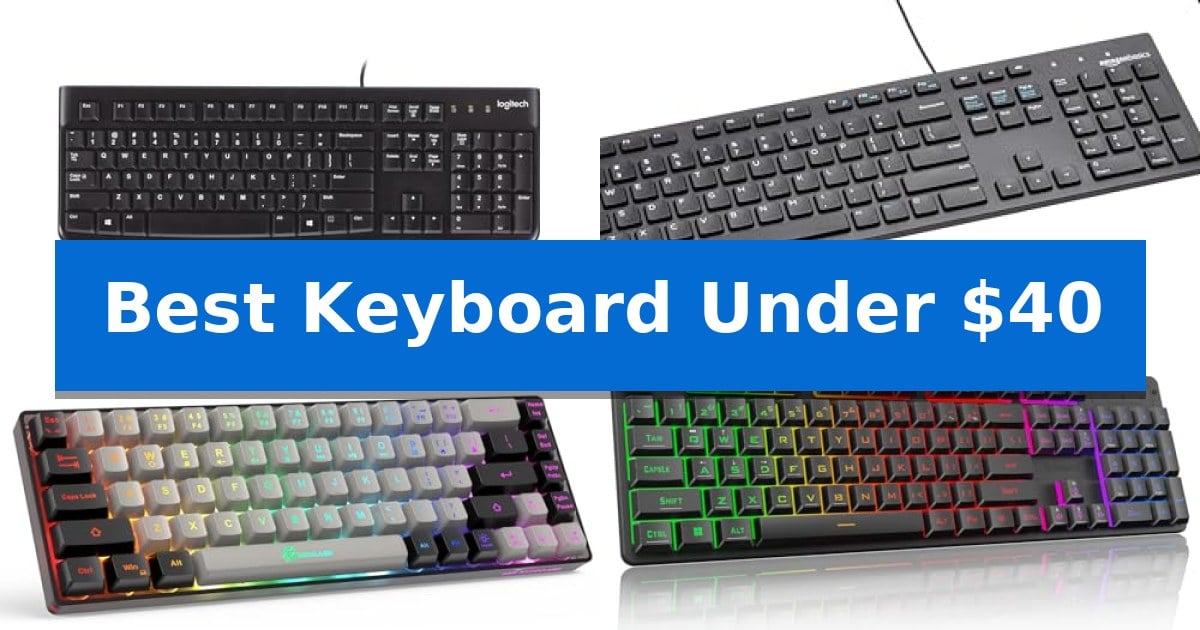
Finding a reliable input device doesn't require a large investment. Whether you are outfitting a home office or looking for a responsive gaming peripheral, the Best Keyboard Under $40 offers a variety of functional designs that prioritize comfort and durability without the premium price tag.
Our selection focuses on essential features like spill resistance, compact layouts, and responsive key feel. By evaluating these models based on their specific build quality and intended use, we help you identify which keyboard aligns with your daily computing needs.
Best Keyboard Under $40 in 2026
Quick Comparison
| Product | Best For | Key Strength | Score |
|---|---|---|---|
| Logitech K120 Wired Keyboard | Best Overall | Plug-and-play USB connectivity for instant setup without software. | 4.9 |
| Amazon Basics Wired Keyboard | Simple Plug-and-Play Essential | Plug-and-play USB wired connection for simple installation. | 4.6 |
| GEODMAER 65% Gaming Keyboard | Space-Saving Compact Layout | 65% compact layout saves significant desk space. | 4.3 |
| Redragon K521 Gaming Keyboard | Vibrant Backlit Gaming Performance | Upgraded LED backlight with adjustable brightness and breathing modes. | 4.6 |
| Redragon K671 Mechanical Keyboard | Customizable Hot-Swappable Switches | Hot-swappable switches allow for easy maintenance and customization. | 4.3 |
How We Chose
- Layout and Form Factor: We assessed whether a full-size layout or a space-saving compact design better suits your specific desk space requirements.
- Connectivity and Compatibility: We verified plug-and-play USB functionality and broad support across major operating systems like Windows and macOS.
- Build and Durability: We looked for features such as spill-resistant construction, anti-fade keycaps, and overall material quality.
- Input Performance: We evaluated switch types—membrane or mechanical-feeling—to ensure they provide a consistent and comfortable typing experience.
- Specialized Features: We identified value-added additions like backlighting, multimedia keys, and macro support for gaming or productivity workflows.
1 Logitech K120 Wired Keyboard — Reliable Standard for Daily Typing
The Logitech K120 Wired Keyboard provides a straightforward, reliable typing experience through its full-size standard layout, which includes dedicated F-keys and a built-in number pad. Designed for immediate use, this corded device utilizes a simple USB plug-and-play connection that requires no additional software installation for Windows 7, 8, 10, or later systems.
Built with durability in mind, this keyboard features a spill-resistant design and anti-fade keys to maintain legibility over time. The chassis includes sturdy, adjustable tilt legs, allowing users to customize the typing angle for improved ergonomics during extended sessions. The inclusion of a curved space bar further contributes to the overall comfort of the standard profile.
Sustainability and environmental impact are integrated into the manufacturing process, with the plastic components of the Logitech K120 Wired Keyboard containing 51% certified post-consumer recycled plastic. The device is engineered to serve as a long-term peripheral for both home and office environments, backed by a 2-year warranty.
Measuring 17.7 inches in width and weighing approximately one pound, this full-size peripheral offers a stable footprint for any desk setup. By focusing on essential functionality and robust build quality, it provides a practical solution for users seeking a dependable, no-frills input device that fits within a modest budget.
Best for: Users needing a reliable, full-size, plug-and-play wired keyboard for standard office or home computing tasks.
Skip if: Users who require wireless connectivity, mechanical switches, or specialized programmable macro keys for gaming or advanced workflows.
PROS
- Plug-and-play USB connectivity for instant setup without software.
- Spill-resistant design to protect against minor liquid accidents.
- Full-size layout including a dedicated number pad and F-keys.
- Adjustable tilt legs for customized typing ergonomics.
CONS
- Wired-only connection limits placement flexibility compared to wireless models.
- Standard membrane switches lack the tactile feedback preferred by some typists.
2 Amazon Basics Wired Keyboard — Simple Plug-and-Play Essential
The Amazon Basics Wired QWERTY Keyboard provides a straightforward, full-sized typing experience designed for immediate integration into any Windows-based workspace. By utilizing a standard USB wired connection, this device eliminates the need for battery management or complex pairing procedures, offering a reliable plug-and-play solution for daily tasks.
Engineered for efficiency, the keyboard features dedicated hot keys that provide direct access to essential functions such as media controls, volume adjustment, muting, and the calculator. These integrated shortcuts streamline common workflows, allowing for quick adjustments without navigating through software menus.
The layout maintains a familiar QWERTY configuration, ensuring that users can transition to this board without a significant learning curve. Its sleek black aesthetic is intended to provide a cohesive look that complements most desktop setups while occupying a standard footprint of approximately 17.39 inches in length.
Compatibility is a core focus of this design, as it is built to function across multiple versions of the Windows operating system, including Vista, 7, 8, and 10. This broad support makes it a practical choice for users managing legacy systems or standard office environments requiring consistent, wired input.
Best for: Users seeking a reliable, full-sized, and budget-friendly wired keyboard for standard Windows office or home productivity tasks.
Skip if: Users who require wireless connectivity, mechanical switches, or compatibility with non-Windows operating systems.
PROS
- Plug-and-play USB wired connection for simple installation.
- Dedicated hot keys for media and system control.
- Full-sized QWERTY layout for a familiar typing experience.
- Broad Windows compatibility across multiple OS versions.
CONS
- Wired-only design limits desk flexibility compared to wireless models.
- Lacks advanced features like backlighting or programmable macro keys.
3 GEODMAER 65% Gaming Keyboard — Space-Saving Compact Layout
Maximizing desk space while maintaining full functionality is a common challenge for PC users, and the GEODMAER 65% Gaming Keyboard offers a streamlined solution. This 65% compact design eliminates the numpad to provide a smaller footprint, making it an efficient choice for both gaming and office environments where desk real estate is at a premium.
The keyboard utilizes a wired connection via a detachable Type-C cable, which helps ensure a stable, constant link with ultra-low input latency. For users who need to focus on gameplay, the device features 26-key anti-ghosting and an FN+Win lockable key to prevent accidental interruptions during intense sessions.
Durability and visibility are addressed through two-color injection molding keycaps with transparent characters, allowing for clear illumination in low-light conditions. The LED backlit system supports multiple modes, including breathing and always-bright settings, with adjustable brightness and frequency controls.
Designed with ergonomics in mind, the keycap height is intended to support comfort during extended use. While it is a membrane keyboard, it incorporates imitation mechanical technology to provide a distinct tactile feel, offering a quiet typing experience that balances performance with a lower price point.
Best for: Users seeking a space-saving, compact keyboard that retains essential navigation keys for both gaming and productivity.
Skip if: Users who require a dedicated numeric keypad for data entry or those who prefer the specific tactile feedback and switch customization of true mechanical keyboards.
PROS
- 65% compact layout saves significant desk space.
- Detachable Type-C cable ensures a stable, low-latency connection.
- Adjustable LED backlighting improves visibility in dark environments.
- Quiet membrane technology provides a mechanical-like feel without the noise.
CONS
- Lacks a dedicated numeric keypad for intensive data entry tasks.
- Membrane-based switches may not satisfy users seeking authentic mechanical switch performance.
4 Redragon K521 Gaming Keyboard — Vibrant Backlit Gaming Performance
Finding a reliable peripheral that balances cost and functionality is essential for any desk setup. The Redragon K521 Gaming Keyboard offers a distinct approach to budget-friendly hardware by integrating an upgraded LED backlight design that enhances light penetration for a more vibrant visual experience.
This 104-key wired unit is engineered to provide a mechanical-like feel, prioritizing fast key triggering for responsive input during intensive tasks or gaming sessions. To maintain accuracy during rapid sequences, the board features 19-key anti-ghosting, which ensures that complex combinations are registered correctly without input loss.
Usability is further supported by 12 dedicated multimedia combination keys, allowing for quick adjustments to audio or system functions without interrupting your workflow. The lighting system is highly customizable, featuring a one-touch on/off button, three distinct breathing modes, and four brightness levels to suit your environment.
Designed for broad compatibility, the keyboard functions as a plug-and-play device across Windows, macOS, and major gaming consoles like the PS4/5 and Xbox. With no driver installation required, it serves as a straightforward, versatile tool for users who need a functional, backlit interface without complex setup requirements.
Best for: Budget-conscious gamers and office users who prioritize vibrant backlighting and quick, responsive key feedback.
Skip if: Users who require true mechanical switches with tactile or clicky feedback, or those who prefer a wireless, clutter-free desk setup.
PROS
- Upgraded LED backlight with adjustable brightness and breathing modes.
- 19-key anti-ghosting for accurate input during complex key combinations.
- 12 multimedia keys for enhanced efficiency in gaming and office tasks.
- Plug-and-play compatibility across PC, Mac, and major gaming consoles.
CONS
- Wired-only connection limits desk placement flexibility.
- Mechanical-feeling keys do not provide the same physical experience as true mechanical switches.
5 Redragon K671 Mechanical Keyboard — Customizable Hot-Swappable Switches
The Redragon K671 Mechanical Keyboard offers a practical entry point into mechanical typing with its hot-swappable linear red switches, which provide a smoother feel and require less force to actuate. This wired keyboard is built for users who prioritize customization and efficiency, featuring macro editing capabilities that allow for key remapping and the creation of complex shortcuts to streamline both gaming and productivity tasks.
Designed with a focus on durability and aesthetics, the keyboard includes double-shot PBT keycaps that ensure long-term clarity for the integrated backlighting. Users can choose from 11 unique backlight modes and adjust both brightness and speed across five levels to suit their environment. The inclusion of full-key anti-ghosting ensures that multiple inputs are registered accurately, preventing conflicts during intensive use.
Practicality is further enhanced by 12 multimedia shortcuts, providing quick access to volume, media controls, and system tools. For those who enjoy tinkering with their hardware, the package includes four spare switches and two replacement keycaps, facilitating easy maintenance. The Redragon K671 Mechanical Keyboard is supported by a 24-month warranty, offering a reliable foundation for a budget-conscious desktop setup.
Best for: Gamers and typists looking for a customizable, hot-swappable mechanical keyboard on a budget.
Skip if: Users who require wireless connectivity or a compact tenkeyless layout will find this full-sized wired model unsuitable for their needs.
PROS
- Hot-swappable switches allow for easy maintenance and customization.
- Macro editing support enables efficient key remapping and shortcuts.
- Full-key anti-ghosting prevents input conflicts during rapid typing or gaming.
- Double-shot PBT keycaps provide durable, backlight-compatible construction.
CONS
- Wired-only connection limits portability and cable management options.
- Fixed backlight color prevents users from changing the LED hues.
Best Keyboard Under $40 Buying Guide
Understanding Keyboard Layouts
The layout of your keyboard significantly affects your workflow. A full-size keyboard includes a dedicated number pad, which is essential for data entry and accounting tasks. These models are typically wider and require more desk space.
Alternatively, compact layouts like 65% designs remove the number pad and sometimes consolidate navigation keys. These are ideal for users with limited desk space or those who need a portable option for travel, though they may require a learning curve for specific key combinations.
Wired Connectivity Benefits
Wired keyboards offer a stable, constant connection via USB, eliminating the need for batteries or charging. This makes them a reliable choice for professional environments where downtime is not an option.
Most modern wired keyboards utilize plug-and-play technology, meaning they work immediately upon connection without requiring complex software installations or driver updates.
Switch Types and Typing Feel
Keyboards in this price range often use membrane switches, which are generally quieter and offer a softer typing feel. These are excellent for shared office spaces or home environments where noise reduction is a priority.
Some models feature mechanical-feeling technology or actual mechanical switches, which provide more tactile feedback and a distinct click or bump. These are often preferred by gamers or heavy typists who value precision and speed.
Durability and Spill Resistance
Accidents happen, especially in busy workspaces. A spill-resistant design can protect the internal circuitry of your keyboard from minor liquid exposure, significantly extending the lifespan of the device.
Look for features like anti-fade keys, which ensure that the characters remain legible even after years of heavy use. Sturdy construction and adjustable tilt legs also contribute to the overall longevity and ergonomic comfort of the keyboard.
Backlighting and Customization
Backlighting is not just for aesthetics; it is highly functional for working in low-light conditions. Many gaming-oriented keyboards under $40 offer adjustable brightness and various lighting modes to suit your environment.
Advanced models may include macro editing or remappable keys. These features allow you to create shortcuts for repetitive tasks, which can significantly boost your efficiency in both professional applications and gaming sessions.
Frequently Asked Questions
Are these keyboards compatible with Mac computers?
Most wired USB keyboards are compatible with macOS, though some specialized media keys or software-dependent features may be optimized primarily for Windows.
What is the advantage of a hot-swappable keyboard?
A hot-swappable keyboard allows you to replace individual switches if they fail or if you wish to customize the typing feel without soldering, making the device easier to maintain.
Do I need to install drivers for these keyboards?
Generally, no. Most of these keyboards are plug-and-play, meaning they function immediately when connected to a USB port. Only specific gaming models with advanced macro features might require optional software.
How do I clean my keyboard?
For most models, you can use compressed air to remove debris from between the keys. If the keyboard is spill-resistant, you can wipe the surface with a lightly dampened cloth, but avoid submerging the unit in water.
Is a membrane keyboard better than a mechanical one?
It depends on your preference. Membrane keyboards are typically quieter and more affordable, while mechanical keyboards offer superior tactile feedback and durability, which many users prefer for long typing sessions.
Conclusion: Our Top Pick
For most users seeking a dependable, no-nonsense input device, the Logitech K120 Wired Keyboard stands out as the most reliable choice. Its full-size layout and spill-resistant design provide a consistent typing experience that is well-suited for both home and office environments.
While other options in this list offer specialized features like backlighting or compact frames for gaming, the Logitech K120 excels in simplicity and long-term durability. It remains a top recommendation for those who prioritize a standard, comfortable, and highly functional keyboard that works right out of the box.