
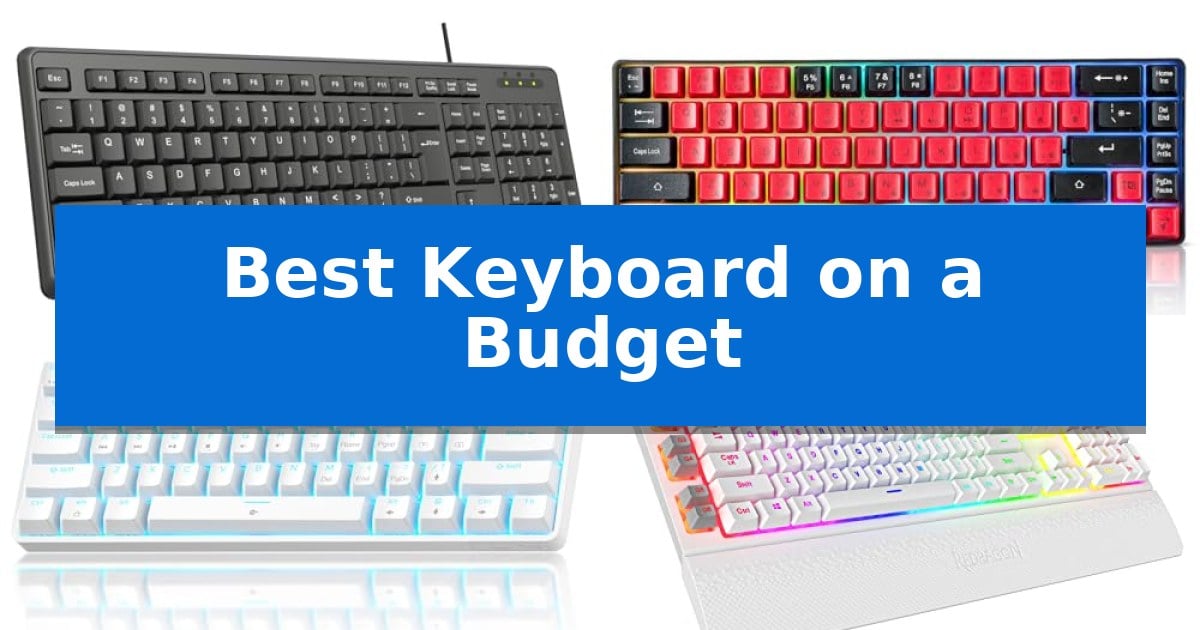
Finding the Best Keyboard on a Budget does not mean you have to sacrifice comfort or essential functionality. Whether you are setting up a home office, looking for a reliable replacement for your desktop, or seeking a compact mechanical feel for gaming, there are numerous affordable options that deliver consistent performance without the high price tag of premium peripherals.
In this guide, we examine five distinct keyboards that cater to different needs, from spill-resistant office essentials to responsive mechanical layouts. By evaluating build quality, connectivity, and specific design features, we help you identify the right tool to improve your daily workflow and typing comfort.
Best Keyboard on a Budget in 2026
Quick Comparison
| Product | Best For | Key Strength | Score |
|---|---|---|---|
| Hofotek 813 Wired Keyboard | Best Overall | Spill-resistant design with integrated drainage holes. | 4.9 |
| Guiheng 60% Mechanical Feeling Keyboard | Compact Mechanical Feel for Less | Compact 68-key design saves significant desk space. | 4.3 |
| TMKB T61SE Mechanical Keyboard | Responsive Linear Switches on Budget | Compact 60% layout maximizes available desk space. | 4.4 |
| Redragon K512 Shiva Gaming Keyboard | Macro Control Without Software | No software required for basic macro recording and media control. | 4.8 |
| Redragon K580 PRO Wireless Keyboard | Versatile Tri-Mode Connectivity | Tri-mode connectivity for lag-free switching between devices. | 4.4 |
How We Chose
- Switch and Key Feel: Evaluating the tactile response and noise levels to ensure suitability for office or gaming environments.
- Connectivity Options: Assessing the reliability of wired USB connections versus wireless tri-mode flexibility for multi-device setups.
- Build and Ergonomics: Examining the durability, spill-resistance, and physical footprint to match specific desk space constraints.
- Feature Set: Identifying value-added components like macro keys, media controls, and hot-swappable sockets that enhance productivity.
- Compatibility: Verifying plug-and-play support across major operating systems including Windows, macOS, and Linux.
1 Hofotek 813 Wired Keyboard — Reliable Basic Office Essential
Reliable office hardware often hinges on simplicity and durability, and the Hofotek 813 Wired Keyboard delivers exactly that. Designed as a full-size solution, it integrates a dedicated numeric keypad, making it a practical choice for shared workspaces, conference rooms, or home offices where efficiency is the priority.
The keyboard features a slim, compact design that balances a 400g weight with a sturdy build, ensuring it remains stable on your desk while being easy to transport. Typing comfort is addressed through a crater key design, which minimizes clicking noise for a quieter environment, while the included foldable stands allow for adjustable typing angles during extended use.
Practicality extends to the chassis, which incorporates a spill-resistant design with drainage holes at the bottom to protect internal components from accidental liquid exposure. The device offers a straightforward plug-and-play experience via a 1.45m USB cable, ensuring compatibility with a wide range of Windows-based desktops and laptops without the need for additional drivers.
This keyboard provides a functional, no-nonsense interface for users who require a dependable input device without the complexity of wireless connectivity or software-heavy features. Its combination of a standard layout and spill-resistant construction makes it a resilient tool for daily administrative tasks.
Best for: Office environments and shared workspaces requiring a reliable, spill-resistant, full-size wired keyboard.
Skip if: Users who require wireless connectivity, mechanical switches, or specialized programmable macro keys.
PROS
- Spill-resistant design with integrated drainage holes.
- Full-size layout including a dedicated numeric keypad.
- Plug-and-play functionality with no driver requirements.
- Quiet typing experience via crater key design.
CONS
- Wired-only connection limits desk placement flexibility.
- Lacks advanced features like backlighting or programmable keys.
2 Guiheng 60% Mechanical Feeling Keyboard — Compact Mechanical Feel for Less
The Guiheng 60% Mechanical Feeling Keyboard offers a space-saving solution for those looking to maximize desk real estate without sacrificing tactile feedback. Its compact 68-key layout is designed for portability, making it a practical choice for users who frequently switch between home, office, or travel environments.
Engineered with a focus on durability and input precision, this keyboard features double-shot injection non-slip suspension keycaps and a splash-proof design. The switches provide a distinct mechanical feeling with a loud click sound, delivering the crisp tactile response often preferred by typists and gamers alike.
Connectivity is managed via a long USB cable, ensuring a reliable, plug-and-play experience across various devices including Windows PCs, Macs, and gaming consoles like the PS4 and PS5. The inclusion of all-key conflict-free technology allows for simultaneous inputs, which is essential for high-speed typing or gaming scenarios.
Ergonomics are addressed through the integration of firm, adjustable kickstand feet, allowing users to modify the typing angle for improved comfort during extended sessions. The rainbow backlit aesthetic adds a functional visual element, while the dust-proof construction simplifies maintenance for long-term use.
Best for: Users needing a compact, portable mechanical-feeling keyboard for typing or gaming across multiple platforms.
Skip if: Users who require a full-sized layout with a dedicated number pad or those who prefer silent, membrane-style key switches.
PROS
- Compact 68-key design saves significant desk space.
- All-key conflict-free input for reliable performance.
- Adjustable typing angle via firm kickstand feet.
- Plug-and-play compatibility with PC, Mac, and consoles.
CONS
- Loud click sound may be disruptive in quiet office environments.
- Wired-only connection limits cable-free setup options.
3 TMKB T61SE Mechanical Keyboard — Responsive Linear Switches on Budget
Finding a reliable peripheral that balances cost and performance is essential for a streamlined workspace. The TMKB T61SE Mechanical Keyboard focuses on space efficiency through its compact 60% gaming layout, making it a practical choice for those looking to reclaim desk real estate without sacrificing core functionality.
Engineered for responsiveness, this model utilizes ultra-responsive linear red switches that require only 45g of actuation force. These switches are designed for smooth, low-resistance keystrokes, which can benefit users who prioritize rapid input during gaming or intensive typing sessions. The hardware is rated for 50 million keystroke durability, supporting long-term use.
The keyboard features 15 dynamic LED lighting modes, allowing for visual customization with adjustable brightness and speed settings. To ensure longevity and clarity, the double-shot keycaps are built to resist fading, keeping the backlight visible over time. The inclusion of anti-ghosting with 61-key rollover ensures that every input is registered accurately during competitive play.
Practicality is further enhanced by a detachable USB-C cable, which simplifies storage and allows for easy replacement if needed. The keyboard offers plug-and-play compatibility across Windows, Linux, and macOS, fitting into various computing environments with minimal setup. Its foldable feet provide an adjustable ergonomic tilt, allowing users to customize the typing angle for improved comfort.
Best for: Gamers and typists who need a space-saving, responsive mechanical keyboard with a minimalist footprint.
Skip if: Users who require a dedicated number pad or a full-sized layout for data entry and spreadsheet work.
PROS
- Compact 60% layout maximizes available desk space.
- Linear red switches provide smooth, low-resistance actuation.
- Detachable USB-C connectivity allows for easy cable management and replacement.
- Double-shot keycaps ensure backlight visibility and durability.
CONS
- 61-key layout lacks a dedicated number pad and arrow keys.
- Wired-only design limits portability compared to wireless alternatives.
4 Redragon K512 Shiva Gaming Keyboard — Macro Control Without Software
Finding a Best Keyboard on a Budget often involves compromising on build quality or features, but the Redragon K512 Shiva Gaming Keyboard provides a functional alternative for users who prioritize efficiency. This full-size keyboard integrates six dedicated macro keys, allowing for immediate input of complex commands without requiring any driver or software installation.
The keyboard utilizes a membrane switch design, which serves as a practical trade-off for those seeking a quieter typing experience compared to mechanical alternatives. To maintain accuracy during rapid inputs, it features 26-key anti-ghosting technology, ensuring that multiple simultaneous keystrokes are registered correctly. Users can also manage media playback directly through dedicated controls, allowing for seamless adjustments to audio without minimizing active applications.
Designed for extended use, the unit includes a detachable magnetic wrist rest to support ergonomic positioning. The keycaps are manufactured using a double-shot injection molding process, which enhances their resistance to fading over time. Lighting is managed via a true RGB system that offers 13 distinct modes, including seven presets and six customizable slots, with adjustable brightness levels to suit various environments.
While the keyboard is fully operational out of the box, an optional companion application is available for users who require more granular control over macro assignments and backlight customization. This flexibility makes the device suitable for both casual users who prefer a plug-and-play experience and power users who want to fine-tune their setup.
Best for: Gamers and power users who need on-the-fly macro recording and media control without the complexity of mandatory driver software.
Skip if: Users who require a compact, tenkeyless, or mechanical switch keyboard for specific tactile feedback or limited desk space.
PROS
- No software required for basic macro recording and media control.
- 26-key anti-ghosting prevents input conflicts during rapid keystrokes.
- Magnetic wrist rest enhances comfort during long sessions.
- Fade-resistant keycaps ensure long-term durability.
CONS
- Membrane switch design may not satisfy users seeking mechanical tactile feedback.
- Full-size layout occupies significant desk space.
5 Redragon K580 PRO Wireless Keyboard — Versatile Tri-Mode Connectivity
The Redragon K580 PRO Wireless RGB Gaming Keyboard streamlines complex gameplay through five dedicated macro keys (G1-G5) that allow users to record ability rotations on the fly without needing external software. This mechanical keyboard is built for versatility, featuring a tri-mode connectivity system that enables seamless switching between USB-C, Bluetooth, and 2.4GHz wireless connections to maintain responsiveness across multiple devices.
Designed for high-paced environments, the keyboard includes full anti-ghosting to ensure that 104 keys register accurately during rapid inputs. The inclusion of a media wheel provides tactile control over volume and playback, while the swap-ready socket allows users to replace switches with any 3-pin or 5-pin alternative without the need for soldering, offering a path for hardware customization.
For users who prefer deep configuration, the companion software enables the design of custom RGB lighting effects and advanced macro programming. The unit measures 15.75 inches in length and 5.91 inches in width, providing a standard full-size layout that accommodates a wide range of desk setups while maintaining a low-profile height of 0.98 inches.
This keyboard balances performance-oriented features like zero-lag wireless connectivity with the practical benefits of modular switch support. It serves as a comprehensive input solution for players who require both macro functionality and the flexibility to adapt their hardware over time.
Best for: Gamers and power users who require dedicated macro keys, multi-device wireless connectivity, and the ability to swap mechanical switches.
Skip if: Users who prefer a compact 60% or tenkeyless form factor will find the full-size 104-key layout of this model too large for their workspace.
PROS
- Tri-mode connectivity for lag-free switching between devices.
- Hot-swappable sockets supporting 3-pin and 5-pin switches.
- Dedicated macro keys and media wheel for on-the-fly control.
- Full anti-ghosting to support rapid multi-key inputs.
CONS
- Full-size layout occupies significant desk space compared to smaller form factors.
Best Keyboard on a Budget Buying Guide
Understanding Switch Types
The switch type is the most significant factor in how a keyboard feels and sounds. Membrane keyboards, often found in budget office models, use rubber domes to provide a soft, quiet typing experience that is ideal for shared workspaces.
Mechanical switches, such as the linear red switches found in gaming-focused models, offer a more consistent, responsive feel. These are preferred by typists and gamers who value precision, though they typically produce a more distinct sound than membrane alternatives.
Layout and Form Factor
Keyboards come in various sizes, with full-size layouts including a dedicated numeric keypad, which is essential for data entry and accounting tasks. These models provide the most comprehensive set of keys but require more desk space.
Compact layouts, such as 60% or 68-key designs, remove the number pad and navigation cluster to save space. These are excellent for users with smaller desks or those who need a portable solution for travel, though they may require learning function-layer shortcuts for certain keys.
Connectivity and Compatibility
For a stable, maintenance-free connection, wired USB keyboards are the industry standard. They require no batteries and offer immediate plug-and-play functionality across almost any computer system.
Wireless connectivity, including 2.4GHz and Bluetooth, provides a cleaner desk setup and the ability to switch between multiple devices. When choosing wireless, ensure the keyboard supports the specific connection types your computer or tablet requires.
Durability and Spill Resistance
Accidental spills are a common hazard in any workspace. Many budget-friendly keyboards now include spill-resistant designs with drainage holes that allow liquid to pass through the chassis without damaging the internal electronics.
Look for double-shot injection molded keycaps to ensure that the legends on your keys do not fade over time. This manufacturing process creates durable keycaps that maintain their appearance even after years of heavy daily use.
Customization and Macro Control
Power users and gamers often benefit from dedicated macro keys that allow for the recording of complex key combinations on the fly. These shortcuts can significantly speed up repetitive tasks or provide an advantage in competitive gaming.
Some advanced budget models also feature hot-swappable sockets, allowing you to change the mechanical switches without soldering. This provides a path for future customization, letting you experiment with different switch feels as your preferences evolve.
Frequently Asked Questions
Do I need software to use macro keys on these keyboards?
Many of the keyboards listed, such as the Redragon models, feature onboard macro recording that works without any software installation, allowing you to save shortcuts directly to the device.
Are 60% keyboards difficult to use for office work?
60% keyboards lack a dedicated number pad and arrow keys, which can slow down data entry. They are better suited for minimalist setups or gaming rather than heavy spreadsheet work.
What is the benefit of a linear switch?
Linear switches provide a smooth, consistent keystroke without a tactile bump or loud click, making them ideal for rapid typing and gaming where speed and responsiveness are prioritized.
Can I use a wired keyboard with a laptop?
Yes, most wired USB keyboards are plug-and-play compatible with laptops. If your laptop only has USB-C ports, you may need a simple USB-A to USB-C adapter.
How do I clean a spill-resistant keyboard?
Spill-resistant keyboards with drainage holes are designed to let liquid pass through. You should still disconnect the device immediately and allow it to dry completely before plugging it back in.
Conclusion: Our Top Pick
For most users seeking a reliable and straightforward typing experience, the Hofotek 813 Wired Keyboard stands out as the most practical choice. Its full-size layout includes a numeric keypad, making it highly versatile for both office productivity and general home use, while the spill-resistant design adds a layer of durability that is rare at this price point.
While mechanical and gaming-specific options offer more customization, the Hofotek 813 provides the best balance of essential features, quiet operation, and ease of use. It is an excellent, no-nonsense solution for anyone needing a dependable keyboard that works right out of the box.