
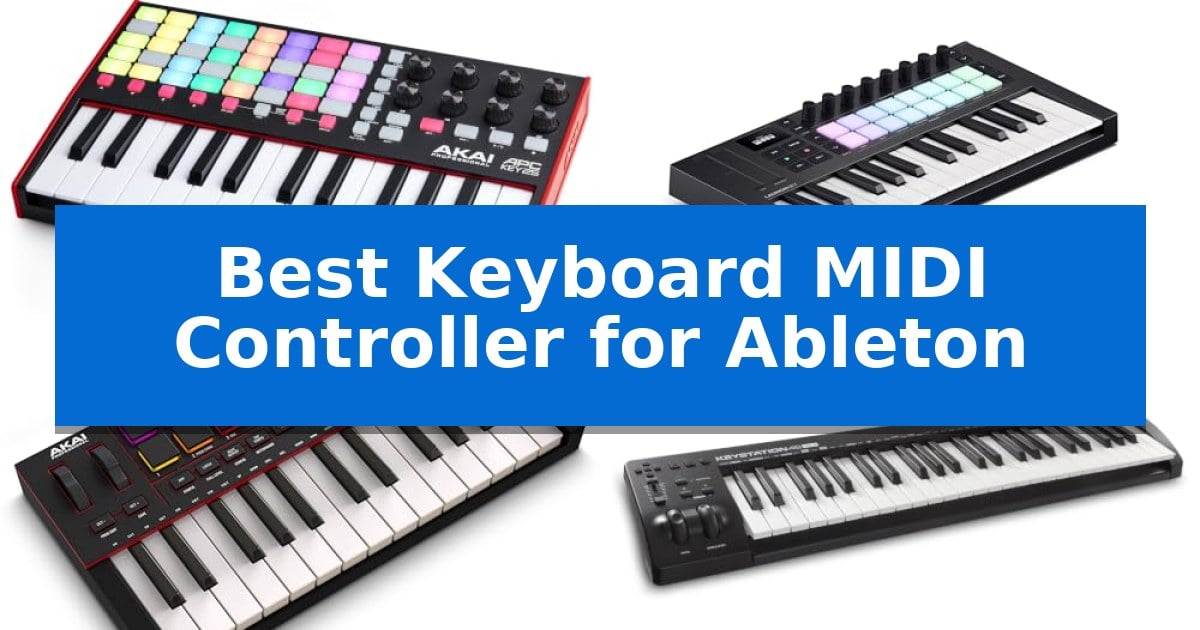
Finding the right hardware to control your digital audio workstation can transform your creative process from a technical chore into an intuitive performance. When you need to trigger loops, tweak automation, or play melodies, having a dedicated controller that speaks the same language as your software is essential.
We have analyzed the current market to identify the Best Keyboard MIDI Controller for Ableton for various production styles. Whether you are a studio-based composer or a live performer, these devices offer the tactile control necessary to streamline your workflow and keep your focus on the music.
Best Keyboard MIDI Controller for Ableton in 2026
Quick Comparison
| Product | Best For | Key Strength | Score |
|---|---|---|---|
| Akai Professional APC Key 25 MK2 | Best Overall | 1-to-1 integration specifically mapped for Ableton Live. | 4.9 |
| Novation Launchkey Mini 25 MK4 | Deep DAW Integration | 16 FSR pads with polyphonic aftertouch for expressive performance and sequencing. | 4.5 |
| Akai Professional MPK Mini IV | Essential Beat Making Workflow | Pre-mapped DAW integration for rapid setup with Ableton Live and other major software. | 4.7 |
| M-AUDIO Keystation 49 MK3 | Full Size Key Performance | Plug-and-play compatibility with Mac, PC, and iOS devices. | 4.5 |
| Akai Professional LPK25 MK2 | Ultra Compact Studio Controller | Velocity-sensitive mini keys for dynamic expression | 4.5 |
How We Chose
- Deep DAW Integration: We prioritized controllers that offer pre-mapped, plug-and-play functionality for Ableton Live.
- Tactile Control: We assessed the quality and layout of pads, knobs, and buttons for real-time performance and mixing.
- Keybed Responsiveness: We looked for velocity-sensitive keys that provide accurate dynamic control for virtual instruments.
- Portability and Build: We considered the physical footprint and durability for both desktop studio setups and mobile production.
- Creative Tools: We evaluated additional features like built-in arpeggiators, scale modes, and chord triggers that aid in songwriting.
1 Akai Professional APC Key 25 MK2 — Seamless Ableton Clip Launching
The Akai Professional APC Key 25 MK2 streamlines music production by offering 1-to-1 integration with Ableton Live, allowing creators to launch clips and control parameters without constant menu diving. This controller combines a 25-note synthesizer keyboard with a 5×8 RGB pad matrix, providing a tactile interface for both melodic composition and session-based performance.
Designed for portability and studio efficiency, the unit features velocity-sensitive mini keys that capture the nuances of your playing. The 40 RGB pads offer visual feedback, ensuring you can trigger loops, vocals, and samples with precision. With 8 assignable rotary knobs, you can manipulate track volume, panning, or Ableton macros in real-time, making it a versatile tool for live sets.
Connectivity is straightforward, as the device is USB-powered and supports plug-and-play functionality on both Mac and PC. The inclusion of 4 directional arrow buttons simplifies navigation, letting you scroll through large clip groups or scenes effortlessly. It also comes with a virtual instrument pack, including Hybrid 3, Mini Grand, and Velvet, to expand your sound palette immediately.
While the compact footprint is ideal for mobile setups, it remains a robust choice for desktop production. The dedicated octave up and down buttons extend the melodic range of the 25 keys, ensuring you have access to a full spectrum of notes despite the space-saving design.
Best for: Producers and live performers who need a compact, dedicated controller for seamless clip launching and parameter control within Ableton Live.
Skip if: Users who require full-sized, weighted piano keys or a larger keybed for complex two-handed keyboard performances.
PROS
- 1-to-1 integration specifically mapped for Ableton Live.
- 5×8 RGB pad matrix provides clear visual feedback for clip launching.
- USB-powered design eliminates the need for external power adapters.
- Velocity-sensitive keys allow for expressive melodic input.
CONS
- Mini keys may feel cramped for users accustomed to full-sized piano actions.
- Limited to 25 keys, requiring frequent use of octave buttons for wider ranges.
2 Novation Launchkey Mini 25 MK4 — Deep DAW Integration
The Novation Launchkey Mini 25 MK4 provides a compact, hands-on interface for producers needing deep integration with Ableton Live. Its primary strength lies in the 16 FSR pads, which offer polyphonic aftertouch and function as versatile tools for clip launching, step sequencing, and triggering chords directly within your DAW.
Designed for portability without sacrificing control, this controller features 25 mini synth-action keys and an integrated OLED display for real-time feedback. The hardware is built to streamline creative workflows, including dedicated Scale and Chord modes that allow users to experiment with melodies and harmonies without needing extensive music theory knowledge.
Beyond its core keyboard functionality, the device serves as a comprehensive hub for modern production. It is NKS-ready, ensuring seamless interaction with Native Instruments software, and includes a robust software bundle featuring Ableton Live Lite, GForce, and Klevgrand instruments to get projects started immediately.
While its compact size is ideal for travel or limited desk space, the Novation Launchkey Mini 25 MK4 maintains a professional feature set. It connects via USB-C, ensuring compatibility with modern computer setups, and provides a tactile experience that bridges the gap between hardware performance and digital arrangement.
Best for: Producers and performers who require a highly portable, DAW-integrated controller for Ableton Live with advanced pad functionality.
Skip if: Users who require full-sized keys for complex piano performances or those who prefer a larger footprint for extensive hardware mixing controls.
PROS
- 16 FSR pads with polyphonic aftertouch for expressive performance and sequencing.
- Deep DAW integration specifically optimized for Ableton Live and other major software.
- Comprehensive software bundle including Ableton Live Lite and various virtual instruments.
- NKS-ready for seamless control of Native Instruments software.
CONS
- 25-key mini layout may feel restrictive for two-handed playing.
- Compact dimensions prioritize portability over full-sized key action.
3 Akai Professional MPK Mini IV — Essential Beat Making Workflow
The Akai Professional MPK Mini IV streamlines music production workflows by integrating a full-color screen and a dedicated push/turn encoder, allowing creators to navigate DAW settings and presets directly from the hardware. This compact controller removes the need to constantly reach for a computer mouse, keeping the focus entirely on composition and sound design.
Designed for versatility, the unit features 25 velocity-sensitive mini keys and 8 pressure-sensitive MPC pads with RGB feedback. These pads provide a tactile experience for finger-drumming and sample triggering, while the 8 assignable 360-degree knobs offer precise control over virtual instruments and effects. The inclusion of Chord and Scale modes, alongside an advanced arpeggiator with Pattern, Freeze, and Mutate functions, helps spark new musical ideas quickly.
Compatibility is a core strength, as the controller comes pre-mapped for major software including Ableton Live Lite 12, Logic Pro, and FL Studio. It also supports Native Kontrol Standard (NKS) integration, ensuring seamless interaction with Native Instruments sound bundles. The unit connects via USB-C and includes a full-size MIDI Out port, making it a reliable choice for both mobile setups and permanent studio desks.
For creators who need a comprehensive package, the Akai Professional MPK Mini IV includes a robust suite of virtual instruments from AIR, Akai Pro, and Moog, totaling over 1,000 pro-grade sounds. The package is rounded out with learning tools like a 30-day Melodics trial and a 2-month subscription to Splice, providing an immediate starting point for beginners and experienced producers alike.
Best for: Producers and beat makers who require a portable, highly integrated MIDI controller with deep DAW mapping and tactile performance controls.
Skip if: Users who prefer full-sized, weighted piano keys for expressive performance will find the 25-key mini layout restrictive for complex keyboard parts.
PROS
- Pre-mapped DAW integration for rapid setup with Ableton Live and other major software.
- Full-color screen and encoder for hands-on navigation without computer interaction.
- Versatile performance tools including Chord, Scale, and advanced arpeggiator functions.
- Robust connectivity with USB-C and a dedicated full-size MIDI Out port.
CONS
- Mini-key layout may not suit players accustomed to full-sized or weighted piano actions.
- Compact 25-key range limits two-handed playing and complex chord voicings.
4 M-AUDIO Keystation 49 MK3 — Full Size Key Performance
The M-AUDIO Keystation 49 MK3 provides an immediate, streamlined interface for music production through its 49 full-size velocity-sensitive keys. Designed to capture the nuances of a performance, this controller serves as a central hub for studio setups without requiring complex driver installations.
Connectivity is handled via a simple plug-and-play USB interface for Mac or PC, with additional support for iOS devices when using an Apple to USB Camera Adapter. The hardware includes essential performance tools such as pitch and modulation wheels, a volume fader, and dedicated transport and directional buttons for navigating recording software.
Beyond the hardware, the unit functions as a comprehensive studio package by including a software suite featuring Ableton Live Lite, MPC Beats, and various virtual instruments like Velvet and Mini Grand. It also provides educational resources, including online lessons from Skoove and app-based training via Melodics.
With a compact footprint, the controller fits easily onto most desks or stage rigs. While it offers deep integration for software control, users should note that it relies on a wired connection, making it best suited for stationary studio environments rather than mobile setups requiring wireless freedom.
Best for: Producers and musicians seeking a straightforward, compact 49-key controller with essential transport controls for Ableton Live.
Skip if: Users who require a wireless MIDI connection or weighted hammer-action keys for a more authentic piano-like feel.
PROS
- Plug-and-play compatibility with Mac, PC, and iOS devices.
- Includes Ableton Live Lite and a robust suite of virtual instruments.
- Full-size velocity-sensitive keys for expressive performance.
- Integrated transport and directional buttons for efficient DAW control.
CONS
- Wired-only connectivity limits mobility compared to wireless alternatives.
- Synth-action keys may not satisfy players looking for weighted piano-style resistance.
5 Akai Professional LPK25 MK2 — Ultra Compact Studio Controller
The Akai Professional LPK25 MK2 serves as a streamlined, portable solution for producers seeking a Best Keyboard MIDI Controller for Ableton that balances desk space with creative utility. Measuring just over 13 inches wide, this 25-key controller is built for mobile songwriting and compact studio setups, allowing users to input melodies and bass lines without the footprint of a full-sized keyboard.
Performance is driven by velocity-sensitive mini keys, which translate playing dynamics into expressive MIDI data for software instruments. To maximize the range of these keys, the unit features dedicated octave up and down buttons, effectively expanding the playable register. A sustain button is also integrated, providing the necessary control for longer, more expressive musical phrasing during performances.
Beyond simple note entry, the controller includes a built-in arpeggiator and clock, enabling users to sequence software instruments or external modular gear directly from the hardware. Workflow efficiency is further supported by 8 programmable preset slots, which allow for instant recall of specific mappings across various digital audio workstations, including Ableton Live and FL Studio.
Connectivity is handled via a single USB cable, which provides both data and power, ensuring a clean workspace. Its plug-and-play compatibility for Mac and PC removes the need for complex driver installations, making it a practical choice for producers who prioritize a fast, reliable setup process for their creative sessions.
Best for: Producers and songwriters who need a highly portable, velocity-sensitive MIDI controller for compact studio spaces or mobile music production.
Skip if: Users who require full-sized keys, integrated drum pads, or physical faders for complex hardware-based mixing and control.
PROS
- Velocity-sensitive mini keys for dynamic expression
- Built-in arpeggiator for creative sequencing
- 8 programmable preset slots for efficient workflow management
- Plug-and-play USB connectivity for simplified setup
CONS
- Mini key size may not accommodate all playing styles
- Lacks additional hardware controls such as faders or drum pads
Best Keyboard MIDI Controller for Ableton Buying Guide
Understanding DAW Integration
The most critical factor when choosing a controller for Ableton is how well it communicates with the software. Look for devices that offer 1-to-1 mapping, which allows you to control track volume, panning, and device parameters without manual configuration.
Controllers with dedicated transport controls and directional navigation buttons are particularly valuable. These allow you to move through your session view, launch clips, and record takes without needing to reach for your mouse or computer keyboard.
The Importance of Pad Matrices
Ableton Live is built around its unique session view, which relies on clip launching. A 5×8 RGB pad matrix or similar layout is the gold standard for this workflow, as it provides visual feedback that matches the colors of your clips in the software.
These pads should be velocity-sensitive to allow for expressive finger drumming. High-quality pads ensure that your performance is captured accurately, whether you are triggering complex drum patterns or simple melodic samples.
Keybed Feel and Size
Your keyboard choice depends on your playing style. Mini-keys are excellent for compact setups and portability, but they require a lighter touch. If you are a trained pianist, you may prefer full-size keys for a more natural, weighted feel.
Regardless of size, ensure the keys are velocity-sensitive. This feature is vital for capturing the nuance of your performance, allowing you to play soft, delicate passages or loud, aggressive chords with equal precision.
Assignable Controls and Automation
Rotary knobs are essential for controlling effects and automation in real-time. Look for controllers that feature 360-degree assignable knobs, which allow you to dial in filter cutoffs, reverb sends, or track volumes smoothly.
Some controllers offer Device mode, which automatically maps these knobs to the parameters of the currently selected instrument or effect in Ableton. This functionality significantly speeds up sound design and mixing tasks.
Portability vs. Studio Power
Consider where you will be using your controller most often. If you travel frequently, an ultra-compact design that fits easily into a backpack is ideal. These units are usually USB-powered, eliminating the need for extra power adapters.
For a dedicated studio desk, you might opt for a larger unit that offers more keys and physical controls. While these take up more space, they often provide a more comprehensive interface that reduces the need for menu diving.
Frequently Asked Questions
Do I need to install drivers for these MIDI controllers?
Most modern MIDI controllers are class-compliant, meaning they support plug-and-play connectivity on both Mac and PC without the need for custom drivers.
Can I use these controllers with other DAWs?
Yes, while these controllers are optimized for Ableton Live, they function as standard MIDI devices and can be mapped to work with other major software like Logic Pro, FL Studio, or Cubase.
What is the benefit of velocity-sensitive keys?
Velocity sensitivity allows the controller to detect how hard you press a key, translating that force into the volume or timbre of the virtual instrument, which makes your playing sound more human and expressive.
Are these controllers powered by the computer?
Yes, all the controllers listed are USB-powered, which means they draw their power directly from your computer, making them highly convenient for mobile setups.
What does '1-to-1 mapping' mean?
1-to-1 mapping means the hardware controls are pre-configured to match specific functions in Ableton Live automatically, saving you the time of manually assigning each knob or button.
Conclusion: Our Top Pick
For those seeking the most seamless experience within Ableton, the Akai Professional APC Key 25 MK2 stands out as the premier choice. Its dedicated integration for clip launching, combined with a compact footprint and responsive keys, makes it a highly efficient tool for both studio production and live performance.
While other models offer unique advantages like polyphonic aftertouch or larger keybeds, the specific design of the APC Key 25 MK2 ensures that your interaction with Ableton remains fluid and uninterrupted. It provides the essential controls needed to capture ideas quickly without the complexity of manual setup.