
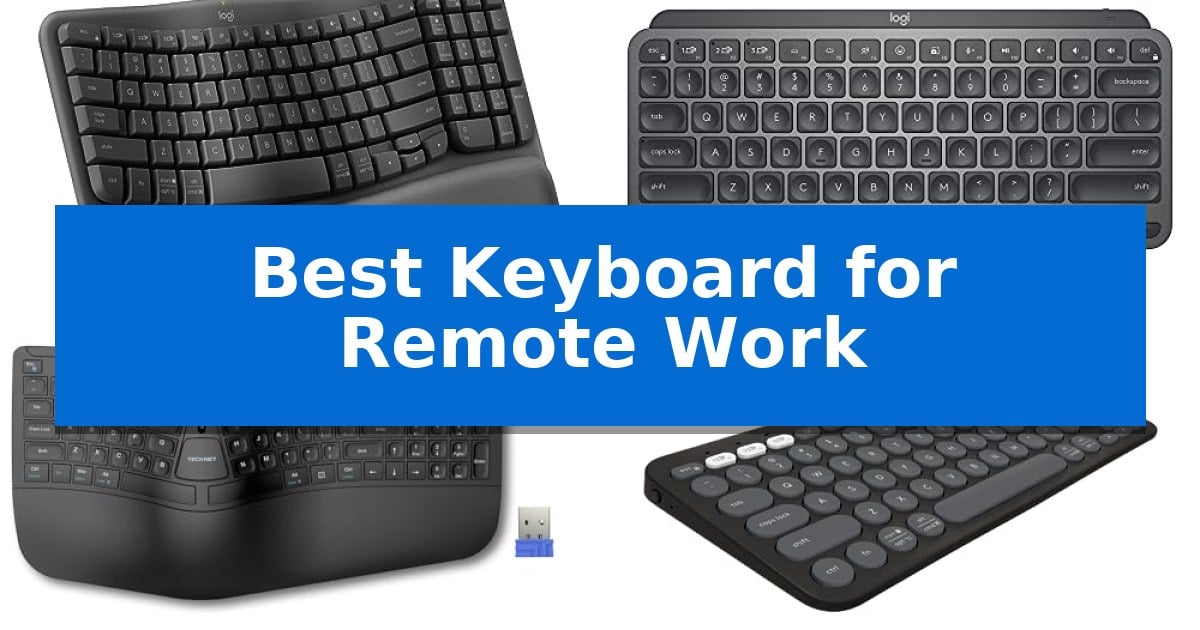
Creating a productive home office starts with the tools you use every day, and your input device is arguably the most critical component. Finding the Best Keyboard for Remote Work requires balancing long-term comfort with the connectivity needs of a modern, multi-device workflow.
Whether you spend your hours coding, writing, or managing complex spreadsheets, the right layout and tactile feel can significantly reduce fatigue. We have analyzed five distinct models to help you identify which keyboard aligns with your specific desk space and ergonomic requirements.
Best Keyboard for Remote Work in 2026: Optimizing Your Home Office Setup
Quick Comparison
| Product | Best For | Key Strength | Score |
|---|---|---|---|
| Logitech Wave Keys Ergonomic Keyboard | Best Overall | Ergonomic wavy design promotes natural hand and wrist positioning. | 4.9 |
| Logitech MX Keys Mini Keyboard | Minimalist Design for Compact Workspaces | Compact, minimalist design saves desk space. | 4.8 |
| TECKNET Wireless Ergonomic Keyboard | Split Layout Reduces Wrist Strain | Split, curved ergonomic layout reduces wrist and shoulder strain. | 4.7 |
| Logitech Pebble Keys 2 Keyboard | Ultra-Portable for Flexible Setups | Easy-Switch buttons allow for instant toggling between three paired devices. | 4.8 |
| Logitech K270 Wireless Keyboard | Reliable Full-Size Typing Experience | 24-month battery life reduces maintenance frequency. | 4.8 |
How We Chose
- Ergonomic design and wrist support features
- Multi-device connectivity and OS compatibility
- Portability and space-saving form factors
- Battery life and charging convenience
- Customization options for workflow efficiency
1 Logitech Wave Keys Ergonomic Keyboard — Natural Posture for All-Day Comfort
Maintaining a natural typing posture during long hours at a desk is essential for comfort, and the Logitech Wave Keys Ergonomic Wireless Keyboard addresses this with its distinctive wavy, contoured design. This layout is specifically engineered to position your hands, wrists, and forearms in a more natural alignment, helping to reduce strain throughout the workday.
Beyond its shape, the keyboard features a cushioned palm rest with memory foam to provide continuous support and minimize pressure on the wrists. For those who manage multiple devices, the keyboard supports Easy-Switch connectivity, allowing you to toggle between up to three devices—such as a laptop, tablet, or phone—via Bluetooth or the included Logi Bolt Receiver.
Customization is handled through the Logi Options+ App, which enables users to assign shortcuts to streamline workflows. The device is also ergo-certified by United States Ergonomics, confirming it has been tested against specific ergonomic criteria. Additionally, the construction incorporates certified post-consumer recycled plastic, with 61% used in the Graphite and Sand models.
The keyboard is compatible with Windows, macOS, iPadOS, and ChromeOS, offering broad flexibility for various remote work setups. With a battery life of up to 3 years, it is designed for long-term reliability without frequent maintenance, making it a practical addition to any professional home office.
Best for: Remote workers seeking an ergonomic, multi-device keyboard that promotes a natural hand posture and includes integrated wrist support.
Skip if: Users who prefer a mechanical switch feel or a traditional flat keyboard layout may find the wavy, contoured design of this model less intuitive.
PROS
- Ergonomic wavy design promotes natural hand and wrist positioning.
- Integrated memory foam palm rest provides sustained comfort.
- Multi-device connectivity via Easy-Switch for up to three devices.
- Long battery life rated for up to 3 years.
CONS
- Contoured shape requires an adjustment period for those accustomed to standard flat keyboards.
2 Logitech MX Keys Mini Keyboard — Minimalist Design for Compact Workspaces
Maintaining a clean, efficient workspace is essential for sustained focus, and the Logitech MX Keys Mini Keyboard addresses this with a minimalist, compact layout that eliminates the number pad to save valuable desk real estate. Designed for precision, the keys are shaped to fit your fingertips, providing a tactile typing experience that supports long hours of remote work.
This keyboard integrates Smart Illumination that detects when your hands approach, automatically adjusting the backlighting to match your environment. For professionals managing multiple systems, it offers multi-device connectivity via Bluetooth Low Energy, allowing you to pair up to three devices and switch between them with ease. When paired with compatible Logitech mice, the Flow technology enables you to type across multiple computers in a single, fluid workflow.
Functionality is prioritized through dedicated Smart Keys, including shortcuts for voice-to-text Dictation, Mic Mute/Unmute, and Emoji access. The unit is USB-C rechargeable, offering up to 10 days of battery life with backlighting enabled, or up to 5 months if you choose to keep the illumination off. Its construction also incorporates certified post-consumer recycled plastic, reflecting a focus on material sourcing.
Compatibility extends across major operating systems, including macOS, iOS, Windows, Linux, and Android, ensuring it fits into diverse home office setups. Whether you are working from a dedicated desk or a portable station, the Logitech MX Keys Mini Keyboard provides the necessary tools for ergonomic comfort and high-speed input without the bulk of a full-sized peripheral.
Best for: Remote workers and professionals who prioritize a minimalist desk setup and need to switch between multiple devices seamlessly.
Skip if: Users who require a dedicated numeric keypad for data entry or accounting tasks will find the compact layout insufficient.
PROS
- Compact, minimalist design saves desk space.
- Multi-device pairing for up to three devices.
- Smart Illumination adjusts to ambient light.
- USB-C rechargeable with long battery life.
CONS
- Lacks a dedicated numeric keypad.
- No wired connection option for users who prefer non-Bluetooth setups.
3 TECKNET Wireless Ergonomic Keyboard — Split Layout Reduces Wrist Strain
Maintaining a neutral wrist posture during long hours of remote work is essential for comfort, and the TECKNET Wireless Ergonomic Keyboard addresses this with a specialized split layout and curved key arrangement. By aligning the keys with the natural motion path of your fingertips, this design allows your hands to rest at a shoulder-width distance, which helps reduce lateral stretching and strain on your neck and shoulders.
For sustained comfort, the keyboard features an integrated high-density memory foam wrist rest. This dual-layer support system uses a firm base to prevent sinking and a slow-rebound top layer to conform to your hands, ensuring even pressure distribution throughout the workday.
Versatility is a core strength of this device, offering Bluetooth 5.0 and 2.4GHz wireless connectivity. You can pair up to three Bluetooth devices and one via the included USB dongle, allowing you to switch between a computer, tablet, or smartphone using a single shortcut key. The 500mAh rechargeable battery provides up to 200 hours of continuous use, and the USB-C port allows you to continue working while the unit charges.
The keyboard adapts to your specific desk setup with 4-stage adjustable feet, offering tilt angles of 0°, 1.2°, 3°, and 6.2°. This adjustability ensures that whether you are sitting or standing, you can find an orientation that keeps your wrists and fingertips perfectly aligned for fluid input.
Best for: Remote professionals seeking an ergonomic, multi-device keyboard that reduces wrist strain through a split, curved layout.
Skip if: Users who prefer a traditional, compact rectangular keyboard layout or those who require a mechanical switch feel.
PROS
- Split, curved ergonomic layout reduces wrist and shoulder strain.
- Multi-device connectivity supports up to 4 devices via Bluetooth and 2.4GHz.
- Dual-density memory foam wrist rest provides all-day support.
- 4-stage adjustable tilt allows for customized typing angles.
CONS
- Split design requires an adjustment period for touch typists.
- Larger footprint compared to standard non-ergonomic keyboards.
4 Logitech Pebble Keys 2 Keyboard — Ultra-Portable for Flexible Setups
Maintaining a clean and efficient workspace often starts with minimizing cable clutter, and the Logitech Pebble Keys 2 Keyboard addresses this with its ultra-slim, wireless profile. Designed for those who frequently transition between different operating systems, this keyboard provides a seamless typing experience that mimics a laptop's tactile feel while maintaining a minimal footprint on your desk.
The device excels in multi-tasking environments, allowing users to connect up to three wireless devices via Bluetooth. With dedicated Easy-Switch buttons, you can toggle between a Windows PC, a MacBook, or an iPad with a single click. This flexibility is supported by a robust power management system, featuring an auto-sleep mode and a battery life rated for up to 3 years, ensuring it remains ready for extended work sessions without frequent maintenance.
Customization is a core component of this model, as the 10 Fn keys can be personalized through the Logi Options+ app. This allows for quick access to specific workflows, such as screen capture or emoji menus, directly from the keyboard. The build quality emphasizes sustainability, utilizing a minimum of 49% certified post-consumer recycled plastic, making it a conscious choice for a modern home office setup.
While the compact, round keys provide a comfortable and quiet typing experience, the lack of a dedicated number pad reflects its focus on portability over full-sized desktop utility. It is an ideal companion for users who prioritize a lightweight, travel-friendly design that integrates effortlessly into a multi-device ecosystem.
Best for: Remote workers and professionals who frequently switch between multiple devices and require a highly portable, space-saving keyboard.
Skip if: Users who require a dedicated numeric keypad or a full-sized layout for heavy data entry tasks will find this compact design limiting.
PROS
- Easy-Switch buttons allow for instant toggling between three paired devices.
- Slim, portable design makes it easy to transport for hybrid work environments.
- Long-lasting battery life rated for up to 3 years with auto-sleep functionality.
- Customizable Fn keys via Logi Options+ app for personalized workflow shortcuts.
CONS
- Compact layout lacks a dedicated numeric keypad, which may hinder intensive data entry.
- Small form factor may require an adjustment period for users accustomed to full-sized mechanical keyboards.
5 Logitech K270 Wireless Keyboard — Reliable Full-Size Typing Experience
Maintaining a consistent and reliable typing environment is essential for productivity when working from home. The Logitech K270 Wireless Keyboard addresses this need through its standard full-size layout, which includes a dedicated number pad, arrow keys, and a full row of F-keys, ensuring a familiar experience for those transitioning from office setups.
Designed for long-term utility, this keyboard features a spill-proof design and durable print characters to withstand the rigors of daily use. It connects via a single USB-A receiver, utilizing the Logitech Unifying receiver technology, which allows for a simple plug-and-play setup without the need for additional software installation on Windows-based systems.
The device prioritizes convenience with 8 multimedia hotkeys that provide instant access to email, volume controls, and media playback. Its wireless connectivity is rated for a range of up to 33 feet, helping to maintain a clutter-free desk space while ensuring a stable connection for remote tasks.
Efficiency is further supported by a 24-month battery life, significantly reducing the frequency of maintenance. Additionally, the keyboard incorporates sustainable design choices, with 38% of its plastic parts consisting of certified post-consumer recycled plastic.
Best for: Remote workers who require a reliable, full-size keyboard with a number pad and long battery life for daily office tasks.
Skip if: Users who require a compact, tenkeyless design or those who exclusively use devices lacking a USB-A port without an adapter.
PROS
- 24-month battery life reduces maintenance frequency.
- Spill-proof design enhances durability for home office environments.
- Full-size layout includes a dedicated number pad and multimedia keys.
- Plug-and-play setup via a single USB-A receiver.
CONS
- USB-A receiver requires a compatible port or adapter for modern laptops.
- Full-size footprint may occupy significant desk space compared to compact models.
Best Keyboard for Remote Work Buying Guide
Ergonomics and Wrist Health
For remote workers spending eight or more hours at a desk, ergonomic design is non-negotiable. Keyboards that feature a split layout or a curved key arrangement help maintain a neutral wrist posture, which is essential for preventing strain during extended typing sessions.
Look for models that include integrated palm rests with memory foam or cushioned support. These features distribute pressure more evenly, allowing your hands and forearms to rest naturally rather than hovering or bending at awkward angles.
Connectivity and Multi-Device Support
Modern remote work often involves juggling multiple devices, such as a primary laptop, a tablet, and a smartphone. A keyboard with Easy-Switch technology or Bluetooth 5.0 allows you to toggle between these devices seamlessly with a single button press.
Ensure the keyboard supports your specific operating systems, whether you use Windows, macOS, iPadOS, or ChromeOS. Having a reliable wireless connection via a dedicated receiver or Bluetooth ensures your workspace remains clutter-free.
Form Factor and Desk Space
Your available desk space dictates the ideal keyboard size. Compact or minimalist keyboards are excellent for smaller setups, as they leave more room for a mouse and other peripherals, while also being easier to transport if you maintain a hybrid work schedule.
If you frequently input numerical data, a full-size keyboard with a dedicated number pad may be more efficient. Consider whether you prefer the portability of a slim design or the comprehensive layout of a traditional full-size model.
Battery Life and Power Management
Remote work requires reliability, and you do not want your keyboard dying in the middle of a meeting. Many modern wireless keyboards offer impressive battery longevity, with some models lasting up to two or three years on a single set of batteries.
Alternatively, USB-C rechargeable models offer the convenience of fast charging. If you choose a backlit keyboard, keep in mind that illumination features will consume battery power faster, often necessitating more frequent charging intervals.
Customization and Workflow Efficiency
Many keyboards now offer companion software, such as Logi Options+, which allows you to assign custom shortcuts to function keys. This can significantly speed up repetitive tasks like screen capturing, muting your microphone, or opening specific applications.
Prioritize keyboards that offer smart keys or programmable buttons if your role involves complex workflows. Being able to tailor your keyboard to your specific needs can turn a standard input device into a powerful productivity tool.
Frequently Asked Questions
What is the main benefit of a split keyboard?
A split keyboard encourages a more natural hand and wrist position, which can help reduce lateral stretching and strain on your shoulders and wrists during long typing sessions.
Can I use these keyboards with both Mac and Windows?
Yes, most of the models listed support multiple operating systems, including Windows, macOS, and iPadOS, often with specific layout markings or software support to ensure compatibility.
How do I know if a keyboard is ergonomic?
Look for features like a curved key frame, a split layout, or built-in wrist support. Some models are also officially ergo-certified by independent ergonomic organizations.
Is a wireless keyboard better for remote work?
Wireless keyboards are generally preferred for remote work because they reduce cable clutter and allow for more flexible desk arrangements, especially when using multiple devices.
How often will I need to charge a rechargeable keyboard?
This depends on the model and usage. Some rechargeable keyboards can last up to 10 days with backlighting on, or several months if the backlighting is turned off.
Conclusion: Our Top Pick
Selecting the right tool for your home office is a personal decision that depends on your specific physical needs and workspace constraints. For those prioritizing long-term comfort and a natural typing posture, the Logitech Wave Keys Ergonomic Keyboard stands out as a highly effective solution.
Its combination of a wavy, ergonomic design, cushioned memory foam palm rest, and multi-device connectivity makes it a versatile choice for all-day use. While other models offer more portability or minimalist aesthetics, the focus on reducing wrist pressure makes this our top recommendation for a sustainable remote work setup.