
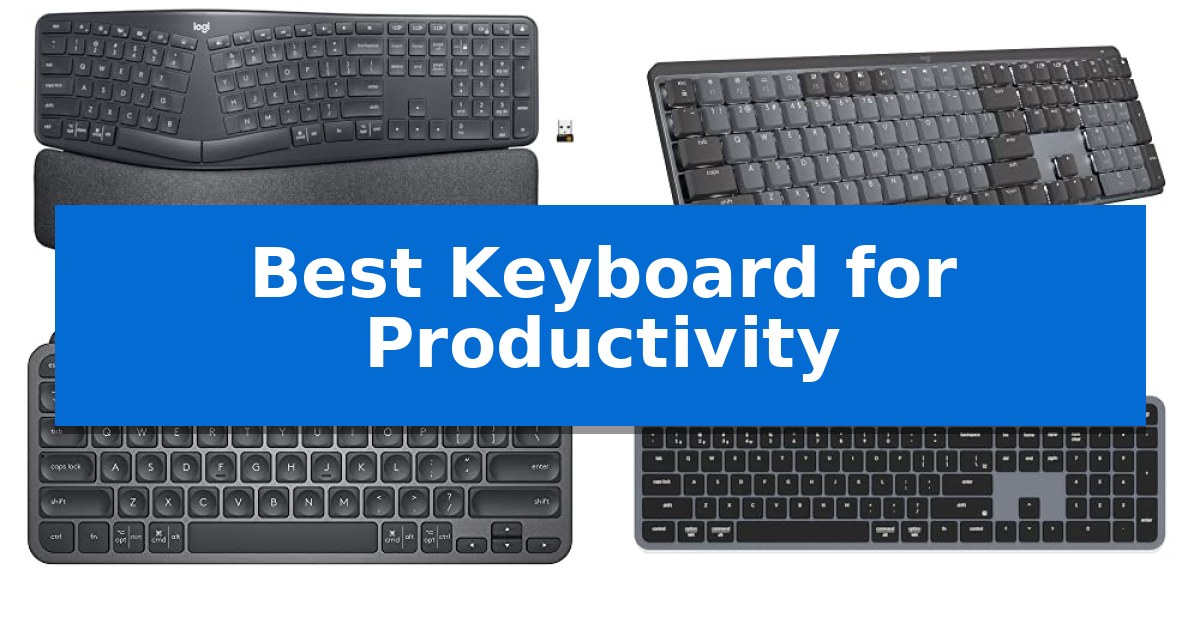
Finding the right tool for your desk can significantly influence your daily workflow. Whether you are drafting long documents or managing complex data, the Best Keyboard for Productivity is one that balances comfort, responsiveness, and connectivity to keep you focused.
We have evaluated five distinct models to help you identify which design best supports your specific work habits. From ergonomic split layouts to ultra-portable travel solutions, these keyboards offer varied approaches to improving your typing efficiency and overall comfort.
Best Keyboard for Productivity in 2026: Maximize Your Daily Output
Quick Comparison
| Product | Best For | Key Strength | Score |
|---|---|---|---|
| Logitech Ergo K860 Wireless Keyboard | Best Overall | Curved, split keyframe promotes a natural, ergonomic typing posture. | 4.9 |
| Logitech MX Mechanical Wireless Keyboard | Premium Tactile Performance | Low-profile mechanical switches provide a balance of tactile feedback and ergonomic comfort. | 4.8 |
| Logitech MX Keys Mini Keyboard | Compact Power for Minimalists | Perfect Stroke keys designed for ergonomic precision | 4.9 |
| Keychron B6 Pro Wireless Keyboard | Unmatched Battery Life | 1200-hour battery life for extended usage between charges. | 4.8 |
| ProtoArc XK01 TP Foldable Keyboard | Ultimate Mobile Workstation | Integrated multi-touch trackpad eliminates the need for an external mouse. | 4.3 |
How We Chose
- Ergonomic design and physical layout support for long-term comfort.
- Connectivity versatility including Bluetooth, 2.4 GHz wireless, and wired modes.
- Key switch technology and tactile feedback quality.
- Battery efficiency and charging convenience for uninterrupted use.
- Multi-device integration and OS compatibility for seamless switching.
1 Logitech Ergo K860 Wireless Keyboard — Best for Reducing Wrist Strain
The Logitech Ergo K860 Wireless Keyboard centers its design around a curved, split keyframe that encourages a more natural typing posture to reduce muscle strain on your wrists and forearms. This ergonomic layout is paired with a pillowed wrist rest featuring a memory foam layer, which provides 54 per cent more wrist support and significantly reduces wrist bending compared to standard flat keyboards.
For precision and comfort, the device utilizes Perfect Stroke keys with a scooped design that matches the shape of your fingertips. The keyboard is highly versatile, offering adjustable palm lift with tilt legs that can be set to 0, -4, or -7 degrees, allowing you to maintain a comfortable angle whether you are sitting or standing at your desk.
Connectivity is handled through either a reliable USB receiver or Bluetooth, making it compatible with both Windows and Mac systems. Users can further tailor their experience using Logitech Options software, which enables customization of Fn keys and the creation of custom shortcuts to streamline daily workflows.
Sustainability is integrated into the build, as the Graphite model incorporates 71% certified post-consumer recycled plastic. The Logitech Ergo K860 Wireless Keyboard is also certified by United States Ergonomics, reflecting its focus on long-term comfort for heavy productivity users.
Best for: Professionals seeking to reduce wrist strain and improve posture during long hours of typing.
Skip if: Users who require a compact, portable keyboard or those who prefer a traditional, non-split layout that does not require an adjustment period.
PROS
- Curved, split keyframe promotes a natural, ergonomic typing posture.
- Pillowed memory foam wrist rest provides substantial support and reduces wrist bending.
- Adjustable tilt legs allow for three distinct typing angles.
- Logitech Options software enables deep customization of keys and shortcuts.
CONS
- Large footprint due to the integrated wrist rest and split design.
- Learning curve required to adapt to the split key layout.
2 Logitech MX Mechanical Wireless Keyboard — Premium Tactile Performance
The Logitech MX Mechanical Wireless Keyboard centers its design around low-profile mechanical switches that provide a distinct, audible click and tactile feedback for every keystroke. This full-size layout is engineered to support an efficient workflow, combining the familiar feel of mechanical hardware with a slim profile intended to improve ergonomics during extended typing sessions.
Functionality is enhanced through smart illumination, which automatically activates as hands approach the device and adjusts to ambient lighting conditions. For users managing multiple systems, the keyboard supports pairing with up to three devices simultaneously via Bluetooth Low Energy or the included Logi Bolt receiver. Compatibility extends across various operating systems, and users can further tailor their experience by customizing function keys and managing cross-computer control through the Logi Options+ software.
Power management is designed for longevity, offering up to 15 days of use on a single full charge with backlighting enabled, or up to 10 months if the lighting is turned off. The unit features USB-C quick charging to minimize downtime. Additionally, the construction incorporates sustainability efforts, with the Graphite model utilizing 45% post-consumer recycled plastic in its components.
Choosing this keyboard involves balancing the preference for mechanical feedback against the specific low-profile design. While it offers robust multi-device connectivity and customizable software integration, its full-size footprint requires adequate desk space. It serves as a comprehensive tool for those who prioritize tactile typing precision and seamless switching between multiple workstations.
Best for: Professionals who require a full-size, tactile mechanical keyboard with seamless multi-device switching and customizable software integration.
Skip if: Users who prefer a compact or tenkeyless layout, or those who require a silent typing experience without mechanical switch feedback.
PROS
- Low-profile mechanical switches provide a balance of tactile feedback and ergonomic comfort.
- Multi-device pairing allows for seamless switching between up to three computers or operating systems.
- Smart backlighting automatically adjusts to environmental conditions to optimize visibility and battery life.
- Logi Options+ software enables deep customization of function keys and workflow automation.
CONS
- Full-size form factor occupies a larger footprint than compact or tenkeyless alternatives.
- Mechanical click sound may not be suitable for shared office environments where silence is required.
3 Logitech MX Keys Mini Keyboard — Compact Power for Minimalists
The Logitech MX Keys Mini Keyboard streamlines professional workflows through its Perfect Stroke key design, which features concave, fingertip-shaped keys to enhance typing precision. This compact, minimalist device integrates specialized productivity controls, including dedicated keys for voice-to-text dictation, mic mute/unmute, and emoji access, allowing users to manage communication tasks without navigating software menus.
Designed for versatility, this USB-C rechargeable keyboard supports multi-device pairing for up to three systems via Bluetooth Low Energy. It is compatible with macOS, iOS, Windows, Linux, and Android, and includes Smart Illumination that automatically adjusts backlighting based on ambient light levels and hand proximity. When paired with compatible Logitech mice, the Flow feature enables seamless typing across multiple computers.
The minimalist form factor prioritizes portability, making it suitable for users who need an ergonomic, space-saving setup for travel or crowded desks. The device is constructed with certified post-consumer recycled plastic, reflecting a focus on material efficiency. Battery performance is rated for up to 10 days on a full charge with backlighting enabled, or up to 5 months with the lighting turned off.
While the compact layout maximizes desk space, it omits a dedicated number pad, which may impact users who frequently perform data entry. The keyboard's integration with Googlebook laptops and its ability to switch between operating systems makes it a practical solution for multi-platform environments, provided the lack of a full-sized layout aligns with your specific workspace requirements.
Best for: Professionals and creators who require a compact, multi-device keyboard with integrated productivity shortcuts for a streamlined, portable workspace.
Skip if: Users who rely heavily on a dedicated numeric keypad for frequent data entry or accounting tasks.
PROS
- Perfect Stroke keys designed for ergonomic precision
- Multi-device connectivity for up to three systems via Bluetooth
- Smart Illumination that adjusts to ambient lighting
- Dedicated productivity keys for dictation and microphone control
CONS
- Compact layout lacks a dedicated numeric keypad
4 Keychron B6 Pro Wireless Keyboard — Unmatched Battery Life
The Keychron B6 Pro Ultra-Slim Full-Size Wireless Keyboard distinguishes itself with an exceptional 1200-hour continuous battery life, providing approximately eight months of usage based on five hours of daily activity. This ultra-slim, full-size design integrates a numeric keypad while maintaining a lightweight profile suitable for varied desk environments.
Connectivity is a primary strength, offering 2.4 GHz wireless, Bluetooth 5.2, and USB-C wired modes. The 2.4 GHz connection utilizes a 1000 Hz polling rate for responsive input, while Bluetooth 5.2 facilitates seamless switching between multiple devices such as phones, tablets, and computers. The keyboard is engineered to support macOS, Windows, and Linux, specifically mirroring the multimedia and function key layout familiar to Apple users.
Customization is handled through the Keychron Launcher web app, which allows users to remap any key or create macro commands via a drag-and-drop interface. For advanced users, the device supports open-sourced ZMK firmware, enabling deep control over the keymap configuration. This flexibility ensures the Best Keyboard for Productivity can be tailored to specific workflows across different operating systems.
Designed for those who prioritize a clean, cable-free workspace without sacrificing functionality, this model balances tactile feedback with a slim form factor. The inclusion of both a Mac-specific layout and Windows compatibility makes it a versatile tool for multi-platform users.
Best for: Users who require a long-lasting, multi-device wireless keyboard with deep customization options for professional workflows.
Skip if: Users who prefer mechanical switches with high-profile keycaps or those who do not require a full-size layout with a numeric keypad.
PROS
- 1200-hour battery life for extended usage between charges.
- Tri-mode connectivity including 2.4 GHz, Bluetooth 5.2, and wired USB-C.
- ZMK firmware support for comprehensive key and macro remapping.
- Full-size layout with a dedicated numeric keypad in an ultra-slim design.
CONS
- Fixed ultra-slim profile may not suit users who prefer traditional mechanical switch travel distances.
5 ProtoArc XK01 TP Foldable Keyboard — Ultimate Mobile Workstation
The ProtoArc XK01 TP Foldable Keyboard streamlines mobile workflows by integrating a multi-touch trackpad directly into its tri-fold chassis, effectively replacing the need for a separate mouse during travel. This all-in-one design includes a built-in phone stand and arrives with a protective PU leather pouch, making it a compact solution for users who need a complete workstation on the move.
Designed with an 88-key layout and 0.65-inch keycaps, this keyboard offers a more spacious typing surface than many ultra-compact alternatives. The inclusion of a full shortcut row enhances efficiency, while the Bluetooth 5.1 connectivity supports seamless switching between three distinct devices, such as a phone, tablet, and laptop, without the need for constant re-pairing.
Power management is handled by a 300mAh battery that supports USB-C charging, providing up to 120 days of standby time. The device incorporates a smart sleep function that activates after 60 minutes of inactivity, and the folding mechanism acts as an automatic power-off switch, ensuring the battery is preserved during transit.
This keyboard is a practical choice for professionals who prioritize portability without sacrificing navigation capabilities. By combining keyboard and mouse functions into a single foldable unit, it minimizes the number of accessories required for mobile productivity.
Best for: Mobile professionals and travelers who require an integrated trackpad and multi-device connectivity in a compact, foldable form factor.
Skip if: Users who require a full-sized mechanical keyboard experience or those who prefer a rigid, non-folding chassis for desk-bound work.
PROS
- Integrated multi-touch trackpad eliminates the need for an external mouse.
- Tri-fold design includes a built-in phone stand and protective pouch.
- Bluetooth 5.1 allows for quick switching between three devices.
- Full shortcut row improves productivity compared to standard compact layouts.
CONS
- Foldable hinge design may not provide the same stability as a rigid, full-sized keyboard.
- Compact dimensions may require an adjustment period for users accustomed to standard desktop spacing.
Best Keyboard for Productivity Buying Guide
Ergonomics and Typing Posture
The physical shape of a keyboard is critical for preventing strain during extended work sessions. Split keyframes and curved layouts encourage a more natural wrist and forearm position, which can reduce muscle tension compared to traditional flat designs.
When selecting a model, look for adjustable tilt legs or pillowed wrist rests. These features allow you to customize the angle of your hands, ensuring that your wrists remain in a neutral position whether you are sitting or standing at your desk.
Connectivity and Multi-Device Support
Modern workflows often involve switching between a laptop, tablet, and desktop. Keyboards that offer multi-device Bluetooth pairing allow you to transition between these systems instantly, keeping your workspace organized and efficient.
Some models also include a 2.4 GHz wireless receiver or USB-C wired connectivity. These options are useful for environments where Bluetooth signal interference is common or when you require the lowest possible latency for high-speed data entry.
Switch Technology and Tactile Feel
The type of switch under each key determines the typing experience. Mechanical switches provide distinct tactile feedback and an audible click, which many users find helpful for maintaining rhythm and accuracy during fast typing.
Alternatively, low-profile or scissor-switch keys offer a quieter, shorter travel distance. These are often preferred in shared office spaces or by users who prioritize a slim, minimalist aesthetic without sacrificing precision.
Battery Life and Power Management
Frequent charging can disrupt your flow, making battery longevity a key consideration for wireless peripherals. Look for keyboards that offer USB-C quick charging and long standby times, which minimize downtime.
Many modern keyboards also feature smart illumination that adjusts to ambient light. While convenient, keep in mind that backlighting significantly impacts battery life; choosing a model that allows you to toggle these lights can extend usage between charges.
Customization and Programmability
Advanced productivity often relies on shortcuts and macros. Keyboards that support customizable Fn keys or dedicated software allow you to map frequently used commands to a single keystroke, saving time on repetitive tasks.
Some professional-grade models offer firmware-level remapping, enabling you to create custom layouts that persist across different operating systems. This level of control is particularly beneficial for developers and power users who rely on specific workflows.
Frequently Asked Questions
Does a split keyboard require a steep learning curve?
Yes, transitioning to a split or curved layout often requires a period of adjustment. Most users find that their typing speed returns to normal within a few days of consistent use.
Can I use these keyboards with both Windows and macOS?
Most modern wireless keyboards are designed to be cross-platform compatible. Many models include specific key labels or software settings to ensure function keys work correctly on both operating systems.
Is a mechanical keyboard too loud for an office?
It depends on the switch type. While some mechanical switches are designed to be 'clicky' and audible, others are 'tactile' or 'linear' and produce significantly less noise, making them suitable for shared environments.
Why would I choose a compact keyboard over a full-size one?
Compact keyboards save valuable desk space and are easier to transport. They are ideal for minimalist setups or for users who do not frequently use a dedicated numeric keypad.
How do I know if a keyboard is compatible with my device?
Check the connectivity specifications. If your device supports Bluetooth, most wireless keyboards will connect easily. For devices without Bluetooth, ensure the keyboard includes a USB receiver or supports wired USB-C connection.
Conclusion: Our Top Pick
Selecting the right keyboard is a personal decision that depends on your specific workspace constraints and typing preferences. If you prioritize long-term comfort and posture, the Logitech Ergo K860 Wireless Keyboard stands out as a highly effective choice due to its split design and integrated wrist support.
While the Ergo K860 is our top pick for ergonomic health, those needing extreme portability or mechanical tactile feedback may find more value in our other featured options. Always consider your primary work environment and whether you require multi-device switching or a compact footprint before making your final selection.