
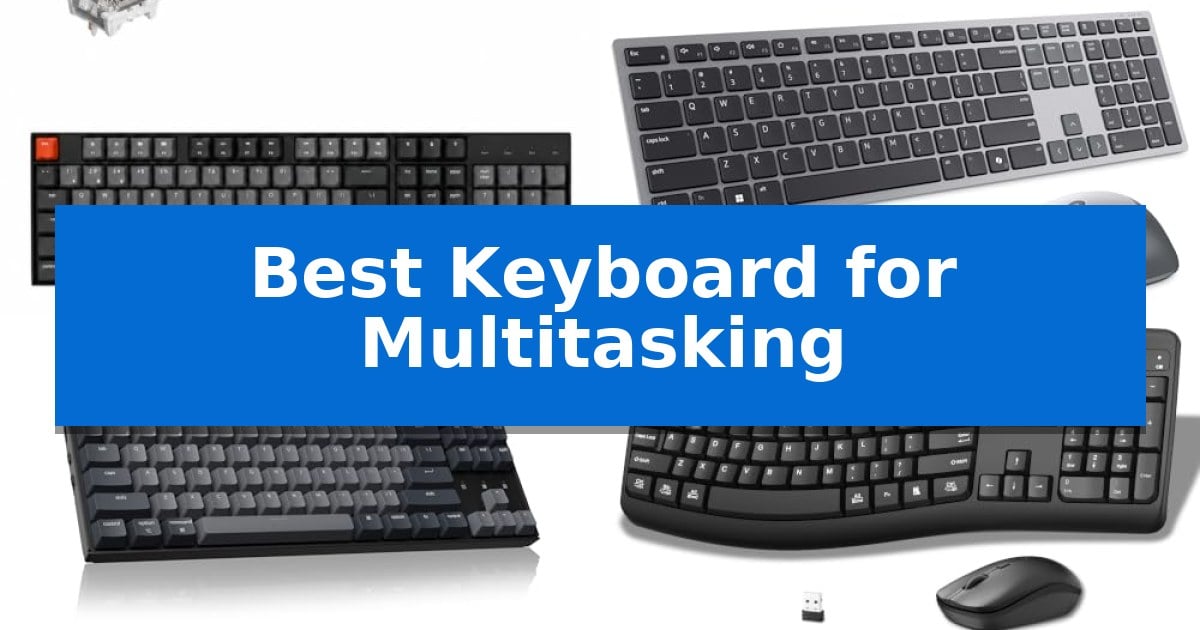
Managing multiple devices simultaneously can quickly become a bottleneck in your daily workflow. Whether you are toggling between a desktop workstation, a laptop, and a tablet, the right input tool makes all the difference in maintaining your focus and speed.
Finding the Best Keyboard for Multitasking requires balancing connectivity options, layout efficiency, and switch reliability. We have evaluated several leading models to help you identify which hardware best supports your specific device ecosystem and typing preferences.
Best Keyboard for Multitasking in 2026: Switch Between Devices Instantly
Quick Comparison
| Product | Best For | Key Strength | Score |
|---|---|---|---|
| Keychron K10 Full Size Wireless Keyboard | Best Overall | Multi-device connectivity via Bluetooth 5.1 for up to three devices. | 4.9 |
| Dell Premium Wireless Keyboard and Mouse | Effortless Cross-Device Control | Dual-mode connectivity (RF 2.4 GHz and Bluetooth 5.0) for easy device switching. | 4.4 |
| Keychron K8 Wireless Mechanical Keyboard | Compact Multi-Device Mechanical Typing | Multi-device connectivity via Bluetooth 5.1 for up to three devices. | 4.6 |
| Faadar Wireless Keyboard and Mouse Combo | Quick System Switching Shortcuts | Quick system switching shortcuts for Windows and macOS | 4.9 |
| MARVO Wireless Keyboard and Mouse Combo | Integrated Device Stand for Workflow | Integrated phone and tablet holder for improved multitasking visibility. | 4.7 |
How We Chose
- Connectivity stability across Bluetooth and wired modes.
- Ease of switching between paired devices.
- Layout ergonomics and support for specific operating systems.
- Battery longevity and power management features.
- Build quality and switch performance for consistent input.
1 Keychron K10 Full Size Wireless Keyboard — Seamless Multi-Device Switching
Managing multiple devices simultaneously requires hardware that bridges the gap between different operating systems without sacrificing desktop real estate. The Keychron K10 Full Size Wireless Keyboard addresses this by providing a dedicated 104-key layout that includes a full number pad, ensuring that users who rely on data entry or complex shortcuts have the necessary keys at their fingertips.
Connectivity is a primary focus for this model, utilizing a Broadcom Bluetooth 5.1 chipset to maintain stable links with up to three devices. Users can switch between a smartphone, laptop, or tablet with ease, making it a practical choice for those who need to toggle between different workstations throughout the day. For environments where wireless interference is a concern, the keyboard also supports a USB Type-C wired mode.
Designed for both Mac and Windows users, the keyboard comes with extra keycaps to ensure the layout matches the operating system in use. It features specialized keys for multimedia and productivity, including a dedicated Screenshot Key, Siri (Cortana) Key, and Screen Lock Key. The Keychron Apex Switch is rated for a lifespan of 50 million clicks, offering consistent tactile feedback for both typing and light gaming.
Ergonomics and power efficiency are integrated into the chassis design. The unit features two-level adjustable feet (6º and 9º) and an inclined bottom frame to promote a comfortable typing angle during extended sessions. With a 4000 mAh battery, the keyboard is capable of lasting up to 240 hours when the white LED backlight is turned off, reducing the frequency of required charging.
Best for: Users who require a full-sized layout with a number pad for switching between multiple computers, tablets, and smartphones.
Skip if: Users who prefer a compact or tenkeyless form factor for portability or limited desk space.
PROS
- Multi-device connectivity via Bluetooth 5.1 for up to three devices.
- Full-size 104-key layout including a dedicated number pad.
- High-capacity 4000 mAh battery providing up to 240 hours of use.
- Cross-platform compatibility with included keycaps for both Mac and Windows.
CONS
- Large physical footprint due to the full-size layout.
- Backlight usage significantly reduces total battery life.
2 Dell Premium Wireless Keyboard and Mouse — Effortless Cross-Device Control
Managing multiple workflows requires hardware that keeps pace with your transitions. The Dell Premium Wireless Keyboard and Mouse – KM720 simplifies this process through its dual-mode connectivity, allowing users to toggle between devices using dedicated connection-mode keys for both RF 2.4 GHz and Bluetooth 5.0 wireless signals.
This combo is built for efficiency, featuring 12 programmable F1-F12 keys that can be customized to streamline repetitive tasks. The included mouse enhances this versatility with seven buttons and adjustable DPI presets of 1000, 1600, 2400, and 4000, which can be managed via the Dell Peripheral Manager software on Windows systems. These high DPI options allow for precise cursor control across different screen resolutions or multi-monitor setups.
Designed with a slim, titan gray finish, the keyboard offers a quiet typing experience suitable for professional environments. Beyond aesthetics, the hardware is engineered for longevity, boasting a battery life of up to 36 months to minimize maintenance interruptions. This extended lifespan is particularly beneficial for high-traffic office environments where frequent battery changes are impractical.
The Dell Premium Wireless Keyboard and Mouse – KM720 integrates seamlessly into existing setups, relying on a USB wireless receiver or Bluetooth 5.0 for stable connections. It is backed by a 1-year Advanced Exchange Service, providing a reliable support structure for daily office or home-based multitasking needs.
Best for: Professionals who need to switch between multiple computers or devices quickly using a single, reliable input set.
Skip if: Users who require a mechanical keyboard feel or those operating exclusively on non-Windows platforms that cannot utilize the Dell Peripheral Manager software.
PROS
- Dual-mode connectivity (RF 2.4 GHz and Bluetooth 5.0) for easy device switching.
- 12 programmable keys to customize workflow shortcuts.
- Adjustable DPI settings up to 4000 for precise mouse navigation.
- Extended battery life rated for up to 36 months.
CONS
- Dell Peripheral Manager software is limited to Windows OS only.
- Non-mechanical key switches may not suit users who prefer tactile feedback.
3 Keychron K8 Wireless Mechanical Keyboard — Compact Multi-Device Mechanical Typing
The Keychron K8 Wireless Mechanical Keyboard features a versatile 80% TKL layout that balances desk space with essential navigation keys like Home, End, and Page Up. This design provides a tactile typing experience through its Keychron super brown switches, which offer a 2.0±0.4 mm pre-travel distance and a 55±10 gf actuation force for consistent feedback.
Designed for seamless transitions between workflows, this keyboard supports dual connection modes. Users can pair up to three devices via Bluetooth 5.1 to switch between tasks, or utilize the USB Type-C wired mode for a reliable connection. It includes dedicated multimedia and function keys for both macOS and Windows, with extra keycaps provided to match the user's operating system.
The internal 4000 mAh battery is engineered for longevity, supporting up to 200 hours of use when the white backlight is disabled. Ergonomics are addressed through an inclined bottom frame and two-level adjustable feet, promoting a comfortable wrist angle during extended typing sessions.
For those requiring high-precision input, the keyboard supports NKRO in wired mode and 6KRO in wireless mode. The OEM-profile shine-through keycaps are built to improve visibility in various lighting conditions, making it a practical choice for both office productivity and light gaming.
Best for: Users who need a reliable mechanical keyboard that can switch between multiple devices and operating systems.
Skip if: Users who require a dedicated number pad for data entry or prefer a full-sized keyboard layout.
PROS
- Multi-device connectivity via Bluetooth 5.1 for up to three devices.
- Long battery life with a 4000 mAh capacity.
- Tactile brown switches providing a 50M keystroke lifespan.
- Cross-platform compatibility with included Mac and Windows keycaps.
CONS
- Lacks a dedicated number pad due to the TKL layout.
- Wireless N-key rollover is limited to 6KRO.
4 Faadar Wireless Keyboard and Mouse Combo — Quick System Switching Shortcuts
Managing multiple tasks across different operating systems requires a reliable interface that simplifies transitions. The Faadar Wireless Keyboard and Mouse Combo addresses this with dedicated shortcut keys that allow users to toggle between Windows and macOS environments using simple commands. This focus on workflow efficiency is supported by a full-size ergonomic curved design, which promotes a natural hand position during extended typing sessions.
The keyboard features a silent membrane structure that minimizes noise, making it suitable for shared office environments or quiet home setups. To accommodate different desk configurations and personal preferences, it includes four adjustable leg rests, providing three distinct tilt positions to help reduce wrist strain. The included mouse complements this with a symmetrical shape that functions for both left and right-handed users, alongside a 3-level adjustable DPI setting (800/1200/1600) for customized cursor sensitivity.
Connectivity is handled via a 2.4GHz USB receiver, offering a stable wireless range of up to 33 feet. To preserve battery life, both the keyboard and mouse are equipped with an auto power-saving function that triggers sleep mode after short periods of inactivity. The setup is designed for immediate use with a plug-and-play approach, ensuring that users can transition between tasks without complex software configuration.
For those who frequently switch between different applications or web browsing, the eight independent multimedia keys provide direct access to volume, playback, and navigation controls. This hardware-level integration reduces the need for mouse-driven menu navigation, streamlining the multitasking process for various desktop and laptop workflows.
Best for: Users who need a quiet, ergonomic input solution for switching between Windows and macOS systems while multitasking.
Skip if: Users who require a multi-device Bluetooth keyboard for pairing with tablets or phones, as this model relies exclusively on a 2.4GHz USB receiver.
PROS
- Quick system switching shortcuts for Windows and macOS
- Ergonomic curved keys and adjustable tilt stands for comfort
- Silent membrane keys and quiet mouse clicks
- Adjustable DPI settings for personalized cursor control
CONS
- Requires USB port for the 2.4GHz receiver
- Batteries not included in the package
5 MARVO Wireless Keyboard and Mouse Combo — Integrated Device Stand for Workflow
Managing multiple devices simultaneously requires a workspace that keeps your essential tools within reach. The MARVO Wireless Keyboard and Mouse Combo features a built-in 9.84-inch phone and tablet holder, allowing you to keep your mobile devices upright and visible while you type on your computer. This integrated design choice helps maintain a clean desk surface while ensuring you never miss a notification or secondary task while working.
This full-size keyboard utilizes a 2.4G wireless connection to reduce cable clutter. The accompanying silent mouse is designed with 6 buttons and offers adjustable DPI settings (800/1200/1600), providing flexibility for different cursor speed preferences. Both peripherals are compatible with Windows and macOS systems, making them a versatile choice for users who switch between different operating environments.
The system includes a power-saving indicator that blinks for 5-8 seconds during initial connection. Users should note that this combo does not include batteries, so you will need to supply your own to begin operation. The 12-month warranty provides a baseline of support for the hardware, ensuring the device remains a reliable part of your daily setup.
By combining a standard layout with a dedicated mobile device slot, this combo addresses the physical constraints of multitasking. It is a practical solution for those who need to monitor a phone or tablet while typing, though the reliance on external batteries means you should keep spares on hand to avoid downtime.
Best for: Users who need to keep a smartphone or tablet visible and accessible while working on a computer.
Skip if: Users who prefer rechargeable built-in batteries or require Bluetooth connectivity for mobile-only devices.
PROS
- Integrated phone and tablet holder for improved multitasking visibility.
- Silent mouse operation to minimize noise in shared workspaces.
- Adjustable DPI settings on the mouse for customized cursor control.
- Full-size keyboard layout for comfortable typing.
CONS
- Batteries are not included with the purchase.
- 2.4G wireless connection requires a USB port, which may not be ideal for devices lacking standard USB-A inputs.
Best Keyboard for Multitasking Buying Guide
Connectivity and Device Switching
The core of any multitasking setup is the ability to jump between machines without delay. Look for keyboards that support Bluetooth 5.1 or higher, as these versions offer more stable connections and faster pairing times. Multi-device support allows you to register several machines simultaneously and toggle between them using dedicated keys.
Some models also provide a wired USB-C connection, which serves as a reliable backup when wireless interference is high or when you need to charge the device while working. Ensure the keyboard supports your specific operating systems, as some function keys may behave differently between Windows and macOS.
Switch Types and Typing Feel
Mechanical switches, such as Brown switches, are popular for their tactile feedback, which helps confirm each keystroke without excessive noise. This is particularly useful in office environments where you want a satisfying typing experience that does not disturb colleagues.
If you prefer a quieter, lower-profile experience, membrane-based keyboards often feature a silent structure that reduces clicking sounds. Consider your personal preference for travel distance and resistance, as these factors directly impact your comfort during long typing sessions.
Layout and Ergonomics
The physical layout of your keyboard determines how quickly you can access essential functions. A full-size layout with a dedicated number pad is ideal for data entry, while a tenkeyless (TKL) design saves desk space and brings your mouse closer to your body, potentially reducing shoulder strain.
Ergonomic features like adjustable feet allow you to customize the typing angle. A slight incline can help maintain a more natural wrist position, which is essential for preventing fatigue during extended periods of use.
Battery Life and Power Efficiency
For wireless users, battery capacity is a critical specification. High-capacity batteries, such as those reaching 4000 mAh, can provide hundreds of hours of use on a single charge, especially when backlighting is disabled.
Look for devices that include an automatic power-saving function. This feature puts the keyboard into sleep mode after a period of inactivity, significantly extending the time between charges and ensuring your gear is ready when you need it.
Integrated Workflow Features
Modern keyboards often include extra features designed to declutter your workspace. Some models incorporate integrated device stands that hold your phone or tablet at an optimal viewing angle, keeping your mobile devices visible and accessible.
Programmable keys or dedicated multimedia shortcuts can also streamline your workflow by allowing you to control volume, screen brightness, or application switching with a single press. These small additions can lead to significant time savings over the course of a workday.
Frequently Asked Questions
How many devices can I connect to these keyboards?
Most of the multitasking-focused keyboards listed support connections for up to three devices simultaneously via Bluetooth.
Are these keyboards compatible with both Mac and Windows?
Yes, all featured models are designed to work with both operating systems, and many include extra keycaps to match the layout of your specific OS.
What is the benefit of a mechanical switch over a membrane switch?
Mechanical switches typically offer more tactile feedback and a longer lifespan, whereas membrane switches are generally quieter and lower in profile.
Do I need to install software to use these keyboards?
Most functions are plug-and-play, though some advanced features like DPI adjustment for mice or specific key programming may require manufacturer-provided software on Windows.
How do I know if my battery is low?
Many of these devices feature an indicator light that will blink when the battery level is low, signaling that it is time to connect via USB-C for charging.
Conclusion: Our Top Pick
For users seeking the most versatile and reliable option, the Keychron K10 Full Size Wireless Keyboard stands out as the top choice. Its ability to connect to three devices via Bluetooth 5.1, combined with a robust 4000 mAh battery and a comfortable, full-size layout, makes it an excellent centerpiece for any multitasking setup.
While it offers exceptional performance, ensure your workspace can accommodate its full-size footprint. If you require a more compact solution, the Keychron K8 offers similar multi-device switching capabilities in a space-saving tenkeyless design.