
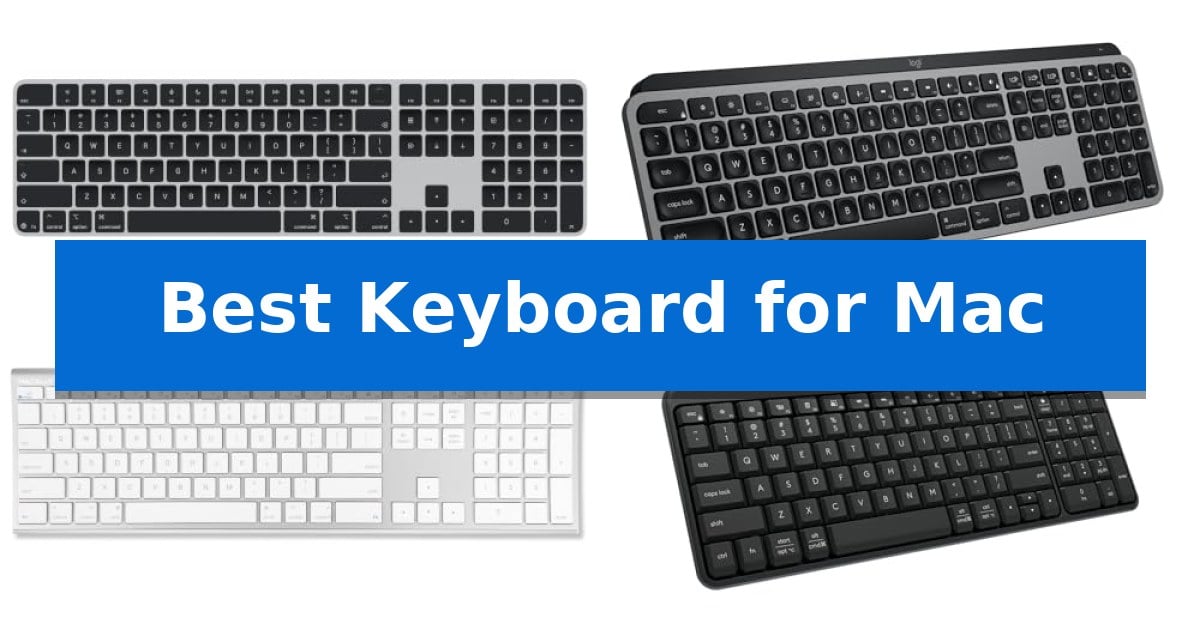
Finding the Best Keyboard for Mac requires balancing native macOS integration with your personal typing preferences. Whether you need biometric security for quick logins or a fluid, multi-device setup for power users, the right hardware can significantly streamline your daily workflow.
Our guide evaluates current options based on connectivity, layout, and specialized features like Touch ID. We focus on how these keyboards interact with Apple silicon and macOS to ensure you get a reliable, responsive experience that fits your desk and your specific productivity needs.
Best Keyboard for Mac in 2026: Secure Biometric Access
Quick Comparison
| Product | Best For | Key Strength | Score |
|---|---|---|---|
| Apple Magic Keyboard with Touch ID | Best Overall | Integrated Touch ID for fast and secure biometric authentication. | 4.9 |
| Logitech MX Keys S Mac Keyboard | Fluid typing for power users | Mac-specific layout and aesthetic integration. | 4.4 |
| Macally Ultra Slim Wired Keyboard | Reliable plug-and-play connection | Plug and play functionality requires no software or drivers. | 4.9 |
| Logitech K250 Wireless Keyboard | Compact layout with number pad | Full number pad integrated into a space-saving design | 4.3 |
| Apple Magic Keyboard | Seamless native ecosystem integration | Integrated numeric keypad for efficient data entry. | 4.9 |
How We Chose
- Native macOS integration and shortcut support
- Connectivity reliability via Bluetooth or wired interfaces
- Typing ergonomics and key profile design
- Battery efficiency and charging methods
- Specialized features like Touch ID or multi-device switching
1 Apple Magic Keyboard with Touch ID — Secure biometric authentication
Integrating biometric security directly into your desktop workflow, the Apple Magic Keyboard with Touch ID and Numeric Keypad provides a streamlined method for authentication. This peripheral is specifically engineered for Mac models equipped with Apple silicon, allowing for immediate, secure logins and verified purchases through a simple touch.
Designed with an extended layout, the keyboard includes dedicated document navigation controls and full-size arrow keys, which assist in efficient scrolling and navigation. The inclusion of a numeric keypad makes this model particularly useful for users frequently engaged with spreadsheets, financial applications, or data entry tasks.
The device maintains a clean workspace through its wireless connectivity, powered by an internal rechargeable battery that lasts for approximately a month or more on a single charge. It pairs automatically with your Mac, and the included woven USB-C Charge Cable allows for both pairing and charging when connected to a USB-C port on the computer.
The Apple Magic Keyboard with Touch ID offers a precise typing experience in a low-profile form factor. While it excels in integration and security, users should ensure their Mac supports the required Apple silicon architecture to utilize the biometric features fully.
Best for: Users of Apple silicon-based Macs who require a numeric keypad and integrated biometric security for efficient, secure authentication.
Skip if: Users who prefer mechanical switches or those who do not use a Mac with Apple silicon, as the Touch ID functionality will not be supported.
PROS
- Integrated Touch ID for fast and secure biometric authentication.
- Extended layout with a dedicated numeric keypad for data-heavy tasks.
- Automatic pairing and seamless integration with Mac systems.
- Long-lasting rechargeable battery with convenient USB-C charging.
CONS
- Limited compatibility restricted to Mac models with Apple silicon.
- Non-mechanical key switches may not suit users preferring tactile or clicky feedback.
2 Logitech MX Keys S Mac Keyboard — Fluid typing for power users
The Logitech MX Keys S Mac Keyboard is engineered specifically for the Apple ecosystem, featuring a dedicated Mac key layout and a finish designed to complement existing desktop setups. Its primary differentiator is the combination of a low-profile, laptop-like typing experience with spherically dished keys that align with fingertip geometry for precise input.
This wireless keyboard enhances productivity through Smart Actions shortcuts accessible via the Logi Options+ app, allowing users to automate repetitive tasks with a single keystroke. The device includes smarter illumination that detects hand proximity, automatically adjusting backlighting based on the surrounding environment to maintain visibility without unnecessary power drain.
Designed for multi-device workflows, the keyboard supports Bluetooth Low Energy connectivity, enabling seamless switching between up to three Apple devices, including macOS, iPadOS, and iOS. The USB-C rechargeable battery provides up to 10 days of use on a full charge, while the low-profile design promotes a neutral wrist posture for extended work sessions.
Constructed with a focus on sustainability, the keyboard incorporates certified post-consumer recycled plastic—26% in the Space Grey model and 11% in the Pale Grey version. It is optimized for use with the MX Master 3S for Mac, facilitating fluid text and file transfers across multiple connected computers.
Best for: Power users within the Apple ecosystem who require a multi-device, backlit keyboard with customizable automation shortcuts.
Skip if: Users who prefer the tactile feedback and travel distance of mechanical switches or those who require a wired-only connection.
PROS
- Mac-specific layout and aesthetic integration.
- Smart Actions for customizable workflow automation.
- Proximity-sensing backlighting that adapts to ambient conditions.
- Multi-device pairing for up to three Apple devices.
CONS
- Non-mechanical key switches may not suit all typing preferences.
- Integrated battery requires periodic USB-C recharging.
3 Macally Ultra Slim Wired Keyboard — Reliable plug-and-play connection
Maintaining a clean, efficient workspace often starts with the peripheral hardware you rely on daily. The Macally Ultra Slim Wired Keyboard offers a dedicated solution for users who prefer a consistent, battery-free typing experience. Featuring an ultra-thin aluminum design, this keyboard provides a low-profile aesthetic that integrates seamlessly with modern desktop setups.
Functionality is at the core of this device, which includes a full-size layout complete with a numeric keypad. To streamline your workflow, it comes equipped with 20 Apple shortcut keys, allowing for quick access to essential functions like media controls, volume adjustment, and copy-paste commands. This layout is designed to support productivity without requiring complex software configurations.
The keyboard is built for immediate use through a simple plug and play connection. By utilizing a wired interface, it eliminates the need for wireless pairing, charging, or battery replacements, ensuring a dependable connection for your iMac, Mac mini, or MacBook. It is also compatible with Windows PCs, offering versatility for mixed-OS environments.
Constructed with a focus on longevity, the unit is backed by a 1-year warranty and lifetime customer support. Its slim profile and durable aluminum backing make it a practical choice for those seeking a reliable, no-nonsense input device for their daily computing tasks.
Best for: Users who require a reliable, full-size wired keyboard with dedicated Mac shortcut keys and a slim aluminum aesthetic.
Skip if: Users who prioritize a wireless, clutter-free desk setup or require mechanical switches for tactile feedback.
PROS
- Plug and play functionality requires no software or drivers.
- Full-size layout includes a numeric keypad and 20 dedicated Mac shortcuts.
- Ultra-thin aluminum construction offers a sleek, low-profile design.
- Wired connection eliminates the need for batteries or charging.
CONS
- Wired-only design limits desk placement flexibility compared to wireless models.
4 Logitech K250 Wireless Keyboard — Compact layout with number pad
The Logitech K250 Wireless Keyboard offers a streamlined solution for Mac users who require a full-sized layout without the clutter of cables or USB dongles. By utilizing Bluetooth wireless technology, this keyboard connects directly to your device, ensuring a clean workspace while maintaining a reliable link for daily tasks.
Designed with a compact layout, the keyboard manages to include a full number pad, arrow keys, and dedicated F-key shortcuts, making it a versatile tool for productivity. The deep-profile keys and adjustable tilt-leg design are engineered to provide a comfortable typing experience, while the spill-resistant construction adds a layer of durability against minor accidents.
Sustainability and longevity are central to its design, as the Logitech K250 Wireless Keyboard is built using a minimum of 64% recycled plastic. Users can expect up to 12 months of battery life on a single set of batteries, reducing the frequency of maintenance. Its aesthetic is specifically tailored to complement MacBook setups, providing a seamless and color-matched appearance.
This keyboard is an ideal choice for those who prioritize a clutter-free desk and require the efficiency of a number pad. While it lacks a wired USB option, its focus on wireless simplicity and robust build quality makes it a practical addition to any modern workstation.
Best for: Users seeking a compact, wireless keyboard with a full number pad that integrates seamlessly with Mac environments.
Skip if: Users who require a wired connection, mechanical switches, or multi-device switching capabilities beyond standard Bluetooth.
PROS
- Full number pad integrated into a space-saving design
- Bluetooth wireless connectivity eliminates the need for USB dongles
- Spill-resistant and durable construction
- 12-month battery life for long-term reliability
CONS
- Bluetooth-only connectivity limits use with devices lacking Bluetooth
- No wired USB backup option
5 Apple Magic Keyboard — Seamless native ecosystem integration
The Apple Magic Keyboard with Numeric Keypad provides a dedicated layout for data-heavy tasks, integrating a full-size numeric keypad alongside document navigation controls for efficient spreadsheet management. Designed for seamless interaction with the Apple ecosystem, this wireless peripheral connects via Bluetooth to your Mac, iPad, or iPhone, eliminating the need for physical cables during daily operation.
Engineered for a consistent typing experience, the keyboard features a low-profile design that prioritizes precision. The inclusion of full-size arrow keys and specialized navigation controls assists in rapid document scrolling and text manipulation. Because it is a rechargeable device, users avoid the maintenance of replacing loose batteries; a single charge provides power for approximately a month or more, depending on individual usage patterns.
Setup is straightforward, requiring only a Bluetooth-enabled device running macOS 10.12.4, iPadOS 13.4, or iOS 10.3 or later. The package includes a Lightning to USB cable, which serves the dual purpose of pairing the device and replenishing the internal battery through a standard Mac USB port. This connectivity approach ensures that the keyboard remains ready for use without complex configuration.
While the Apple Magic Keyboard with Numeric Keypad offers a streamlined aesthetic and native compatibility, the extended footprint is a consideration for those with limited desk space. Its reliance on a specific charging cable and Bluetooth connectivity makes it a specialized tool for users already invested in Apple hardware who require a full-sized typing interface.
Best for: Users who require a full-sized keyboard with a numeric keypad for spreadsheet work and data entry within the Apple ecosystem.
Skip if: Users who prefer a compact, tenkeyless design or those who require a mechanical switch typing feel.
PROS
- Integrated numeric keypad for efficient data entry.
- Rechargeable internal battery eliminates the need for disposable batteries.
- Seamless Bluetooth connectivity across Mac, iPad, and iPhone devices.
- Extended layout includes dedicated document navigation controls.
CONS
- Larger footprint compared to compact keyboard models.
- Requires specific Lightning cable for charging and initial pairing.
Best Keyboard for Mac Buying Guide
Connectivity and Compatibility
The Best Keyboard for Mac must offer seamless pairing. Most modern options utilize Bluetooth Low Energy for a stable wireless connection, while wired models provide a plug-and-play experience that eliminates battery concerns entirely.
Ensure your chosen model supports your specific macOS version. Some advanced features, such as Touch ID, are strictly limited to Mac models with Apple silicon, making compatibility checks essential before purchase.
Layout and Ergonomics
Consider whether you require a full-size layout with a numeric keypad for data entry or a compact design to save desk space. A low-profile design often promotes better wrist posture during extended typing sessions.
Key shape also impacts comfort. Spherically dished keys can help guide your fingers to the center of the keycap, potentially improving typing precision and reducing fatigue over time.
Power and Charging
Wireless keyboards for Mac typically feature rechargeable internal batteries that last for weeks or even months. Look for USB-C charging ports, which align with modern Apple hardware standards for convenience.
If you prefer not to manage battery levels, a wired keyboard is a reliable alternative. These units draw power directly from your Mac, ensuring they are always ready for use without needing a charge cable.
Specialized Productivity Features
Power users may benefit from multi-device pairing, allowing you to switch between a Mac, iPad, and iPhone with a single keystroke. This is particularly useful for those who manage multiple Apple devices simultaneously.
Look for backlit keys if you work in low-light environments. Some models include auto-illumination that detects when your hands approach, helping to save battery life while keeping your keys visible.
Build Quality and Materials
The construction of your keyboard affects both durability and aesthetics. Aluminum backing often provides a rigid, premium feel that complements the design of modern iMacs and MacBooks.
Sustainability is also a factor, with many manufacturers now incorporating recycled plastic into their designs. Choosing a durable, well-built keyboard ensures a longer lifespan and better value for your workspace.
Frequently Asked Questions
Does Touch ID work on all Mac computers?
No, Touch ID functionality on Apple keyboards is specifically designed for Mac models equipped with Apple silicon.
Can I use a wired keyboard with my MacBook?
Yes, you can use a wired keyboard with a MacBook, though you may need a USB-C adapter if your keyboard uses a standard USB-A connector.
How do I know if a keyboard is designed for Mac?
Keyboards designed for Mac will feature the specific macOS command and option keys, rather than the Windows-centric layout found on standard PC keyboards.
Is a numeric keypad necessary?
It depends on your workflow. A numeric keypad is highly recommended for users who frequently work with spreadsheets, finance applications, or data entry.
How often do I need to charge a wireless Mac keyboard?
Battery life varies by model and usage, but most modern wireless keyboards for Mac can last for a month or more on a single charge.
Conclusion: Our Top Pick
For most users, the Apple Magic Keyboard with Touch ID stands out as the most cohesive choice due to its native integration with the Apple ecosystem. Its ability to provide secure biometric authentication via Touch ID offers a level of convenience and security that third-party alternatives cannot match, making it an ideal companion for Mac models with Apple silicon.
While other options offer features like multi-device switching or backlit keys, the seamless pairing and reliable performance of the Apple-branded model ensure it remains the top recommendation for those prioritizing a native, hassle-free experience. If your workflow relies heavily on security and quick access, this keyboard provides the most refined solution available.