
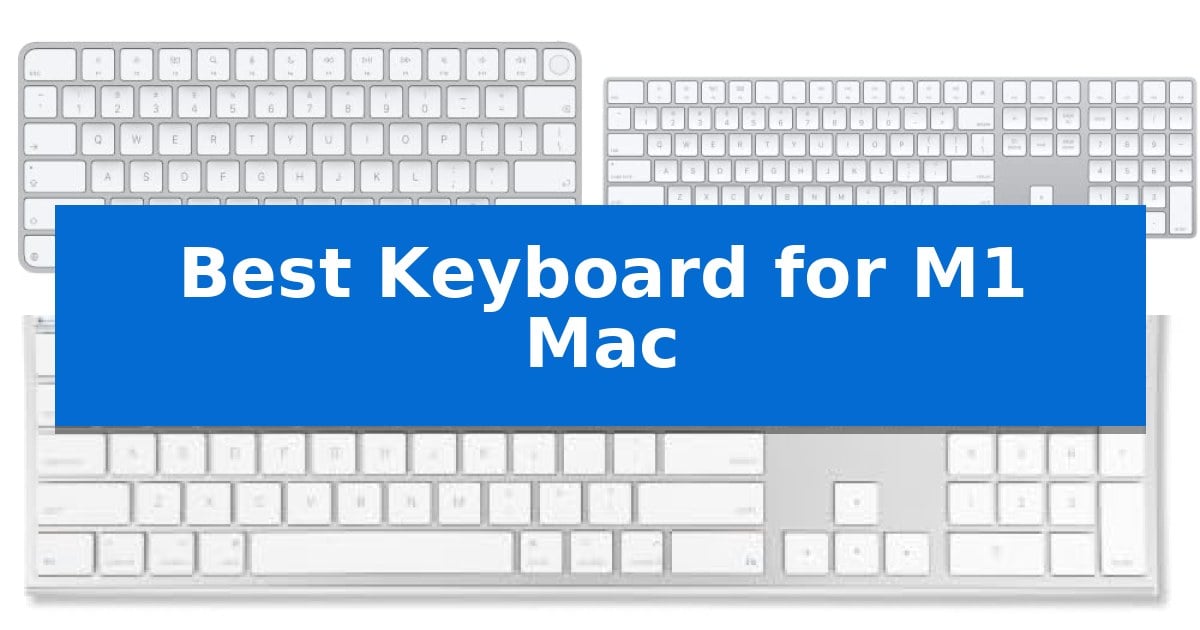
Finding the Best Keyboard for M1 Mac requires balancing seamless integration with your specific workflow needs. Whether you prioritize the convenience of biometric security or the utility of a full-sized numeric keypad, the right peripheral can significantly enhance your daily interaction with Apple silicon devices.
Our selection focuses on keyboards that offer native compatibility and reliable performance for Mac users. By evaluating connectivity options, layout designs, and specialized features, we aim to help you identify the hardware that best complements your workspace and typing preferences.
Best Keyboard for M1 Mac in 2026
Quick Comparison
| Product | Best For | Key Strength | Score |
|---|---|---|---|
| Apple Magic Keyboard with Touch ID | Best Overall | Integrated Touch ID for secure and rapid authentication. | 4.9 |
| Apple Magic Keyboard with Numeric Keypad | Extended layout for data entry | Integrated numeric keypad for efficient data entry. | 4.7 |
| Macally Ultra Slim Wired Keyboard | Reliable plug and play connection | Plug and play wired connection eliminates battery and pairing issues. | 4.4 |
How We Chose
- Compatibility with Apple silicon and macOS versions.
- Connectivity methods, including wired versus wireless Bluetooth performance.
- Layout efficiency, specifically regarding numeric keypads and specialized Mac function keys.
- Build quality and ergonomic design considerations.
- Battery management and charging convenience.
1 Apple Magic Keyboard with Touch ID — Secure biometric login for Mac
Integrating biometric security directly into your desktop workflow, the Apple Magic Keyboard with Touch ID offers a streamlined method for managing system logins and authentication on Mac models equipped with Apple silicon. This keyboard combines a low-profile, stable typing surface with the convenience of integrated hardware-based security, allowing users to authorize purchases and unlock their workstations with a simple touch.
Designed for a clutter-free workspace, this device features wireless connectivity and an incredibly long-lasting internal battery engineered to provide power for a month or more on a single charge. The keyboard pairs automatically with your Mac upon initial connection, removing the need for manual configuration. It includes a woven USB-C Charge Cable, which serves as both a reliable power link and a direct interface for the initial pairing process.
The keyboard maintains a compact, ergonomic footprint measuring 12.13 by 5.04 inches with a height of only 0.73 inches. While its build is optimized for a clean aesthetic, its primary utility is tied to the Apple silicon ecosystem. The Touch ID sensor is specifically calibrated to function with these processors, ensuring that system-wide authentication remains responsive and secure for compatible Mac users.
Best for: Users of Apple silicon-based Macs who prioritize secure, biometric login and a streamlined, wireless desk setup.
Skip if: Users who require a full-sized numeric keypad or those who do not use a Mac with Apple silicon, as the Touch ID feature will not be supported.
PROS
- Integrated Touch ID for secure and rapid authentication.
- Long-lasting internal battery providing over a month of usage.
- Automatic pairing for immediate setup with Mac devices.
- Woven USB-C cable included for reliable charging and connectivity.
CONS
- Limited compatibility with non-Apple silicon Mac models for biometric features.
- Compact layout lacks a dedicated numeric keypad.
2 Apple Magic Keyboard with Numeric Keypad — Extended layout for data entry
For users seeking a desktop setup that prioritizes data entry and extended navigation, the Apple Magic Keyboard with Numeric Keypad offers a dedicated layout designed to streamline spreadsheet management and financial workflows. By integrating a full-size numeric keypad alongside document navigation controls, this keyboard provides a specialized interface for tasks that require frequent numerical input and rapid scrolling.
The Apple Magic Keyboard with Numeric Keypad connects wirelessly via Bluetooth, ensuring a clean workspace without the clutter of cables. Its rechargeable internal battery is engineered for longevity, capable of powering the device for approximately a month or more on a single charge. When the battery eventually depletes, the included Lightning to USB cable allows for seamless charging while maintaining a connection to your Mac.
Designed for precision, the keyboard features a low-profile build that emphasizes a comfortable typing experience. The inclusion of full-size arrow keys and dedicated navigation buttons simplifies document management, making it a functional choice for productivity-focused environments. The device pairs quickly with macOS, iPadOS, and iOS devices, adhering to Apple's standard for immediate, plug-and-play compatibility.
While the extended layout provides significant utility for data-heavy tasks, it occupies more desk space than compact alternatives. Users should consider their available workspace dimensions, as the 16.48-inch length is tailored specifically for those who require the added functionality of the numeric cluster.
Best for: Users who perform frequent data entry, spreadsheet management, or financial tasks on a Mac, iPad, or iPhone.
Skip if: Users with limited desk space or those who prefer a compact, tenkeyless keyboard layout.
PROS
- Integrated numeric keypad for efficient data entry.
- Long-lasting internal battery providing weeks of use per charge.
- Wireless Bluetooth connectivity for a clutter-free desk.
- Dedicated document navigation controls and full-size arrow keys.
CONS
- Larger physical footprint compared to standard compact keyboards.
3 Macally Ultra Slim Wired Keyboard — Reliable plug and play connection
Reliability in a workspace often comes down to the simplicity of a wired connection, and the Macally Ultra Slim Wired Keyboard delivers exactly that for users who prefer to avoid the complexities of wireless pairing or battery management. Its ultra-thin aluminum design provides a low-profile aesthetic that complements the modern look of an M1 Mac while maintaining a full-size layout that includes a dedicated numeric keypad.
Functionality is prioritized through its 20 Apple shortcut keys, which allow for quick access to essential commands like volume control and media playback. This layout is designed to support productivity, ensuring that common tasks remain accessible without requiring additional software or driver installations. The plug and play nature of the device means it is ready to use immediately upon connection to an iMac, Mac mini, or MacBook.
Compatibility extends beyond macOS, as the keyboard is also designed to work with Windows PCs, making it a versatile peripheral for multi-system environments. The durable aluminum backing adds a sense of build quality to the slim frame, while the wired interface ensures a consistent, dependable connection that does not rely on charging cycles or wireless signal stability.
For those who value a straightforward, no-nonsense typing experience, this keyboard offers a practical balance of form and function. It is backed by a 1-year warranty and lifetime customer support, providing a level of assurance for long-term use in a professional or home office setting.
Best for: Users who require a reliable, full-size wired keyboard with dedicated media shortcuts for a consistent desktop setup.
Skip if: Users who prioritize a wireless, clutter-free workspace or those who require a mechanical switch feel for their typing tasks.
PROS
- Plug and play wired connection eliminates battery and pairing issues.
- Full-size layout includes a dedicated numeric keypad for efficient data entry.
- 20 integrated Apple shortcut keys provide quick access to media and system controls.
- Ultra-thin aluminum design offers a sleek, low-profile aesthetic.
CONS
- Wired-only interface may create cable clutter on some desks.
- Low-profile keys may not satisfy users seeking the tactile feedback of mechanical switches.
Best Keyboard for M1 Mac Buying Guide
Connectivity and Compatibility
The Best Keyboard for M1 Mac must offer reliable connectivity. Wireless models typically use Bluetooth for a clean, cable-free desk, while wired options provide a plug and play experience that eliminates battery concerns entirely.
Ensure your chosen keyboard supports the specific macOS version running on your machine. Native Apple keyboards are designed for seamless pairing, whereas third-party alternatives often provide dedicated Mac shortcut keys to maintain system control.
Layout and Form Factor
Your choice of layout should depend on your primary tasks. A compact keyboard saves desk space and is easier to transport, making it ideal for minimalist setups or mobile workstations.
Conversely, a full-size keyboard with a numeric keypad is essential for data entry, accounting, or heavy spreadsheet work. Consider whether you need the extra navigation keys for document control or if a smaller footprint better suits your available space.
Biometric Security Features
Modern Mac users often benefit from Touch ID integration. This feature allows for fast, easy, and secure authentication for system logins and online purchases directly from the keyboard.
While not all keyboards include this sensor, it is a significant productivity booster for those who frequently lock their screens or use Apple Pay. Check that your specific Mac model supports the biometric features of the keyboard you select.
Power and Battery Management
Wireless keyboards require power, and the efficiency of their internal batteries varies. Look for models that offer long-lasting performance between charges to minimize downtime.
Most modern rechargeable keyboards include a USB-C or Lightning cable for charging. Some allow you to continue typing while the device is plugged in, ensuring you are never left without input capabilities during a busy workday.
Build Quality and Materials
The physical construction of your keyboard affects both longevity and comfort. Aluminum backing or high-quality plastics provide a stable typing platform that resists flexing during intense sessions.
Consider the low-profile design of many Mac-compatible keyboards, which often mimics the feel of a laptop keyboard. This consistency can help maintain a comfortable typing posture and reduce strain over long periods.
Frequently Asked Questions
Do I need special drivers for a third-party Mac keyboard?
Most Mac-compatible keyboards are designed for plug and play functionality, meaning they do not require additional drivers or software to perform basic typing and media control tasks.
Can I use a wired keyboard with my MacBook?
Yes, you can use a wired keyboard with a MacBook, though you may need a USB-C adapter or hub if your keyboard uses a standard USB-A connector.
Is Touch ID available on all Mac keyboards?
No, Touch ID is a specialized feature found only on specific Apple Magic Keyboard models designed for Mac computers with Apple silicon.
How long does a wireless keyboard battery typically last?
Battery life varies by usage, but many modern rechargeable keyboards can last for a month or more on a single charge.
Are numeric keypads necessary for general use?
Numeric keypads are primarily beneficial for users who frequently input numerical data; for general web browsing and word processing, a compact layout is often sufficient.
Conclusion: Our Top Pick
Selecting the right keyboard depends on how you interact with your Mac daily. For those who prioritize security and seamless integration with Apple silicon, the Apple Magic Keyboard with Touch ID stands out as the most cohesive choice, offering biometric authentication and a refined typing experience that aligns perfectly with the Mac ecosystem.
If your workflow involves heavy data entry, you might prefer the extended layout of the numeric keypad version. Regardless of your choice, ensure the keyboard's connectivity and physical dimensions match your specific desk setup to maximize your productivity.