
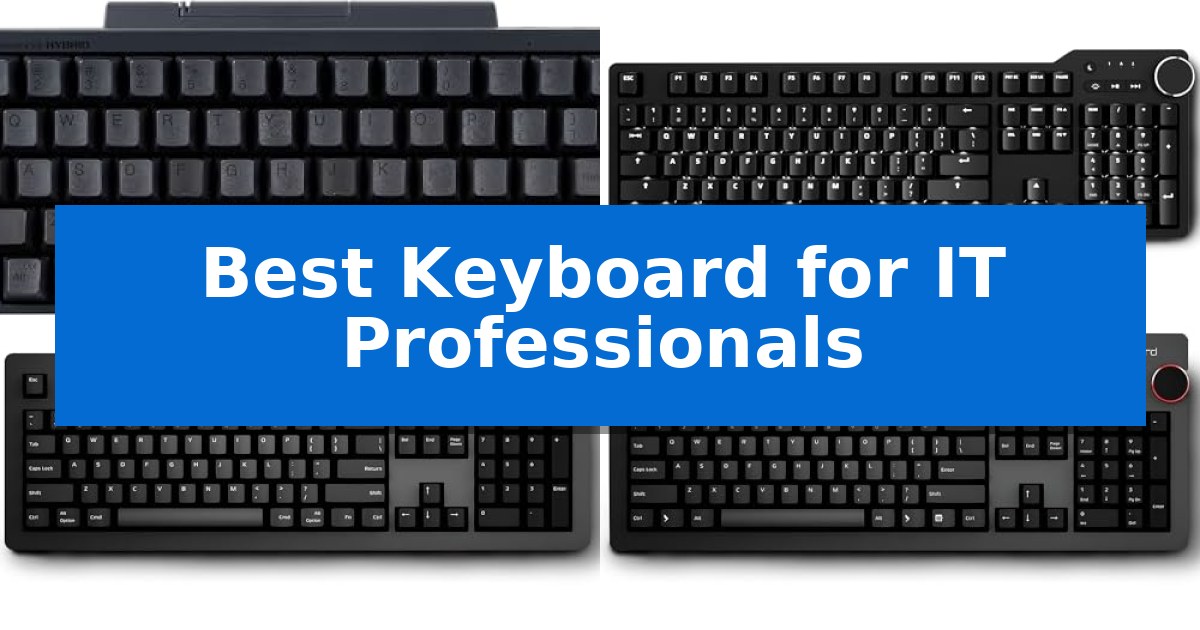
Selecting the Best Keyboard for IT Professionals requires balancing tactile feedback, layout efficiency, and long-term reliability. Whether you spend your day debugging complex code or managing server infrastructure, the right input device can significantly reduce fatigue and improve your daily output.
Our guide focuses on high-performance options that prioritize build quality and ergonomic utility. We examine how different switch types, connectivity options, and compact form factors impact your workspace, ensuring you choose a tool that aligns with your specific technical requirements.
Best Keyboard for IT Professionals in 2026
Quick Comparison
| Product | Best For | Key Strength | Score |
|---|---|---|---|
| HHKB Professional Hybrid Type-S Keyboard | Best Overall | Silent Topre switches provide high-precision tactile feedback with reduced noise. | 4.9 |
| Das Keyboard 6 Professional Mechanical Keyboard | Modern Backlit Tactile Typing | Cherry MX Brown switches provide a tactile, non-clicky typing experience rated for 100 million keystro… | 4.7 |
| Das Keyboard 4 Professional Mac Keyboard | Precision Switches for Apple Users | Dedicated volume knob and media controls for efficient workflow management. | 4.6 |
| Das Keyboard 4 Professional Mechanical Keyboard | Durable Build with Media Controls | Integrated 2-port USB 3.0 hub for high-speed peripheral connectivity. | 4.6 |
How We Chose
- Switch mechanism and tactile feedback consistency
- Layout efficiency and footprint for desk space optimization
- Connectivity versatility including wired and multi-device wireless support
- Build quality and material durability for high-volume typing
- Compatibility with Windows, macOS, and Linux environments
1 HHKB Professional Hybrid Type-S Keyboard — Compact Layout for Coding Efficiency
The HHKB Professional Hybrid Type-S Keyboard utilizes Silent Topre Electrostatic Capacitive Switches to provide a distinct tactile experience while minimizing noise, making it a specialized tool for environments where keystroke precision and comfort are paramount. By eliminating key chatter and offering a refined feel, it supports long-duration programming sessions and intensive text entry tasks.
Designed with a compact 60-key layout, this keyboard prioritizes efficiency by reducing finger travel distance across the board. The frame is constructed with high-quality materials, featuring shine-resistant PBT keycaps with dye-sublimation printed legends, ensuring durability and a consistent feel even after extensive use.
Connectivity is handled through a versatile hybrid system, allowing users to connect via USB Type-C or Bluetooth multi-pairing. This setup enables seamless switching between up to four devices, including PCs, tablets, and smartphones, using simple keyboard shortcuts. The integration of customizable DIP switches allows for OS-specific mode adjustments, ensuring compatibility across Windows and Apple environments.
For advanced workflows, the keyboard supports customizable keymap settings that are stored directly on the device. This onboard memory ensures that personalized configurations remain consistent regardless of the host machine, providing a reliable interface for professionals who frequently rotate between different hardware setups.
Best for: IT professionals and programmers who require a compact, highly tactile, and silent mechanical keyboard for multi-device workflows.
Skip if: Users who require a dedicated numeric keypad, function row, or arrow keys in a standard full-sized layout.
PROS
- Silent Topre switches provide high-precision tactile feedback with reduced noise.
- Compact 60-key layout minimizes finger movement to increase typing efficiency.
- Multi-device connectivity allows instant switching between up to four Bluetooth or USB-C devices.
- Onboard keymap customization saves settings directly to the hardware for consistent use across different systems.
CONS
- Non-standard 60% layout requires a learning curve for users accustomed to full-sized keyboards.
- Limited physical keys necessitate the use of function layers for standard navigation and media controls.
2 Das Keyboard 6 Professional Mechanical Keyboard — Modern Backlit Tactile Typing
Reliability and tactile feedback are essential for high-volume typing, and the Das Keyboard 6 Professional Mechanical Keyboard addresses these needs with its Cherry MX Brown switches. These switches utilize gold crosspoint technology to ensure precision, rated for 100 million keystrokes without quality degradation, making them a durable choice for demanding IT environments.
The keyboard features a robust anodized aluminum top enclosure, providing a stable foundation that resists wear. For those working in low-light conditions, the white LED backlighting illuminates the laser-etched, shine-through keycaps, ensuring visibility without sacrificing a professional aesthetic.
Productivity is enhanced through integrated hardware controls, including a dedicated oversized volume knob and media keys for instant playback management. Connectivity is streamlined via a built-in 2-port USB-C hub, allowing for convenient data transfer or device charging directly from the desk surface.
The Das Keyboard 6 Professional Mechanical Keyboard supports full-time NKRO (N-Key Rollover), ensuring every input is registered accurately during rapid typing sessions. Users can adjust the typing angle using the included screw-on feet, or keep the board flat depending on personal ergonomic preference.
Best for: IT professionals who require a durable, tactile mechanical keyboard with integrated USB-C connectivity and dedicated media controls for a streamlined workspace.
Skip if: Users who require wireless connectivity, hot-swappable switches, or a compact tenkeyless form factor will find this full-sized, wired-only model unsuitable for their specific desk setup.
PROS
- Cherry MX Brown switches provide a tactile, non-clicky typing experience rated for 100 million keystrokes.
- 2-port USB-C hub enables direct data transfer and device charging.
- Durable anodized aluminum enclosure offers long-term build quality.
- Full-time NKRO ensures accurate input registration for fast typists.
CONS
- Wired-only connection limits desk placement flexibility compared to wireless alternatives.
- Full-sized layout occupies more desk space than compact or tenkeyless designs.
3 Das Keyboard 4 Professional Mac Keyboard — Precision Switches for Apple Users
The Das Keyboard 4 Professional Mac Keyboard distinguishes itself with a dedicated, oversized volume knob and a magnetically detachable footbar ruler, providing immediate tactile control and an adjustable 4-degree typing angle. Designed specifically for macOS environments, this mechanical keyboard integrates dedicated media controls and Mac-specific key functions to streamline professional workflows.
At the core of the typing experience are Cherry MX Brown mechanical switches, which offer a tactile bump and audio feedback without excessive noise. These switches are rated for up to 50 million keystrokes, utilizing gold-plated contacts to ensure longevity and consistent performance. The inclusion of full N-Key Rollover (NKRO) over USB allows for simultaneous key presses, which can be toggled via a simple key combination.
For IT professionals managing multiple peripherals, the integrated 2-port USB 3.0 hub provides high-speed data transfer rates up to 5Gb/second, facilitating quick access for external drives or charging devices. The unit connects via a single, extra-long 6.5ft USB-A cable, minimizing clutter while maintaining a stable wired connection.
Constructed with an aluminum top panel and laser-etched keycaps, the keyboard balances durability with a professional aesthetic. While it offers robust build quality and specialized features for Mac users, the wired-only design and full-size 104-key layout require a dedicated space on the desk.
Best for: IT professionals using macOS who require a durable, tactile mechanical keyboard with integrated high-speed USB connectivity.
Skip if: Users who prefer a compact, tenkeyless, or wireless keyboard setup will find the full-size, wired footprint of this model less suitable for their workspace.
PROS
- Dedicated volume knob and media controls for efficient workflow management.
- Cherry MX Brown switches provide a precise, tactile typing experience.
- Integrated 2-port USB 3.0 hub for high-speed peripheral connectivity.
- Full N-Key Rollover (NKRO) support for accurate input during intensive tasks.
CONS
- Wired-only connection limits desk placement flexibility.
- Full-size 104-key layout occupies significant desk space.
4 Das Keyboard 4 Professional Mechanical Keyboard — Durable Build with Media Controls
The Das Keyboard 4 Professional Mechanical Keyboard features a magnetically detachable footbar ruler that raises the typing surface to an optimal 4-degree angle, providing a distinct ergonomic adjustment for long coding sessions. This keyboard is engineered with Cherry MX Blue mechanical switches, which deliver a tactile and audible response designed to support precision during high-volume typing tasks.
Built for demanding environments, the unit includes a 2-port USB 3.0 hub capable of data transfer speeds up to 5Gb/second, allowing IT professionals to connect peripherals or storage devices directly through the keyboard. The inclusion of dedicated media controls, including a large volume knob and an instant sleep button, offers immediate system management without requiring secondary software.
Durability is a core design focus, with the keyboard rated for up to 50 million keystrokes using laser-etched keycaps and gold-plated switch contacts. The device supports full N-Key Rollover (NKRO) over USB, which can be toggled via a simple key command, ensuring that every input is registered accurately regardless of typing speed or complexity.
The Das Keyboard 4 Professional Mechanical Keyboard balances high-performance mechanical feedback with practical connectivity features. While the clicky nature of the switches provides clear confirmation of every keystroke, users should consider the acoustic profile of the Cherry MX Blue switches in shared office environments.
Best for: IT professionals who require a highly durable, tactile mechanical keyboard with integrated USB 3.0 connectivity and dedicated media controls.
Skip if: Users who require a silent typing experience or those who prefer a compact, tenkeyless form factor for limited desk space.
PROS
- Integrated 2-port USB 3.0 hub for high-speed peripheral connectivity.
- Full N-Key Rollover (NKRO) support for accurate input registration.
- Dedicated media controls including a large, accessible volume knob.
- Durable construction rated for 50 million keystrokes with gold-plated switches.
CONS
- Clicky mechanical switches may be too loud for quiet or shared workspaces.
Best Keyboard for IT Professionals Buying Guide
Understanding Switch Types
The switch mechanism dictates the physical feel and sound of every keystroke. Mechanical switches, such as Cherry MX Browns, offer a tactile bump that provides confirmation without the excessive noise of clicky variants, making them ideal for shared office spaces.
Alternatively, electrostatic capacitive switches provide a unique, silent typing experience with high precision. These are often preferred by professionals who require long-term comfort during extended programming sessions, as they minimize finger strain.
Layout and Form Factor
The physical layout of a keyboard directly impacts your efficiency. A compact 60% layout minimizes finger travel distance, allowing you to keep your hands closer to the home row, which is a significant advantage for developers who rely heavily on keyboard shortcuts.
Full-sized keyboards, conversely, offer dedicated media controls and a full numeric keypad. These are better suited for IT professionals who perform data entry or require immediate access to volume and playback controls without switching windows.
Connectivity and Multi-Device Support
Modern IT workflows often involve switching between multiple machines, such as a primary workstation, a laptop, and a mobile device. Keyboards featuring Bluetooth multi-pairing allow you to transition between these devices instantly using simple shortcuts.
For those who prioritize stability and zero latency, wired USB-C connectivity remains the gold standard. Many professional keyboards now offer both, providing the flexibility of wireless freedom with the reliability of a direct cable connection when needed.
Build Quality and Ergonomics
A durable enclosure, often made from anodized aluminum, ensures the keyboard remains stable during intense typing sessions. High-quality keycaps, such as those made from PBT plastic, resist shine and wear, maintaining a professional appearance over years of use.
Ergonomic features like adjustable feet or a specific typing angle are essential for preventing repetitive strain. Look for models that allow you to customize the incline, ensuring your wrists remain in a neutral position throughout the workday.
Customization and Programmability
Advanced users benefit from the ability to remap keys or create custom layouts. Keyboards that support DIP switch customization or onboard keymap memory allow you to tailor the input device to your specific OS environment, whether you are running Windows, macOS, or Linux.
This level of programmability ensures that your most-used commands are always within reach, streamlining your development environment and reducing the need for external software configuration.
Frequently Asked Questions
Why are mechanical switches preferred by IT professionals?
Mechanical switches offer consistent tactile feedback and high durability, which helps in reducing typing errors and increasing comfort during long coding sessions.
Is a 60% layout too small for professional work?
While a 60% layout lacks a dedicated number pad and function row, it is highly efficient for developers who prefer minimal hand movement and rely on layer-based shortcuts.
What is the benefit of an aluminum enclosure?
An aluminum enclosure provides a rigid, stable base that prevents the keyboard from sliding or flexing, contributing to a more premium and durable typing experience.
Can I use these keyboards with both Mac and Windows?
Many professional keyboards feature DIP switches or software settings that allow you to toggle between Windows and Mac layouts, ensuring full compatibility with your operating system.
What is N-Key Rollover (NKRO)?
NKRO ensures that every keypress is registered correctly, even when multiple keys are pressed simultaneously, which is vital for fast typists and those using complex multi-key shortcuts.
Conclusion: Our Top Pick
When evaluating the Best Keyboard for IT Professionals, the HHKB Professional Hybrid Type-S Keyboard stands out as the premier choice for those who prioritize efficiency and long-term comfort. Its silent Topre switches and compact layout are specifically engineered to minimize finger movement, making it an excellent partner for intensive programming and text-heavy tasks.
While other options offer more traditional full-sized layouts or dedicated media knobs, the HHKB provides a unique combination of build quality and customization that caters to the specific needs of technical users. For professionals seeking a reliable, high-performance tool that integrates seamlessly into a multi-device setup, this keyboard represents a significant upgrade to any workstation.