
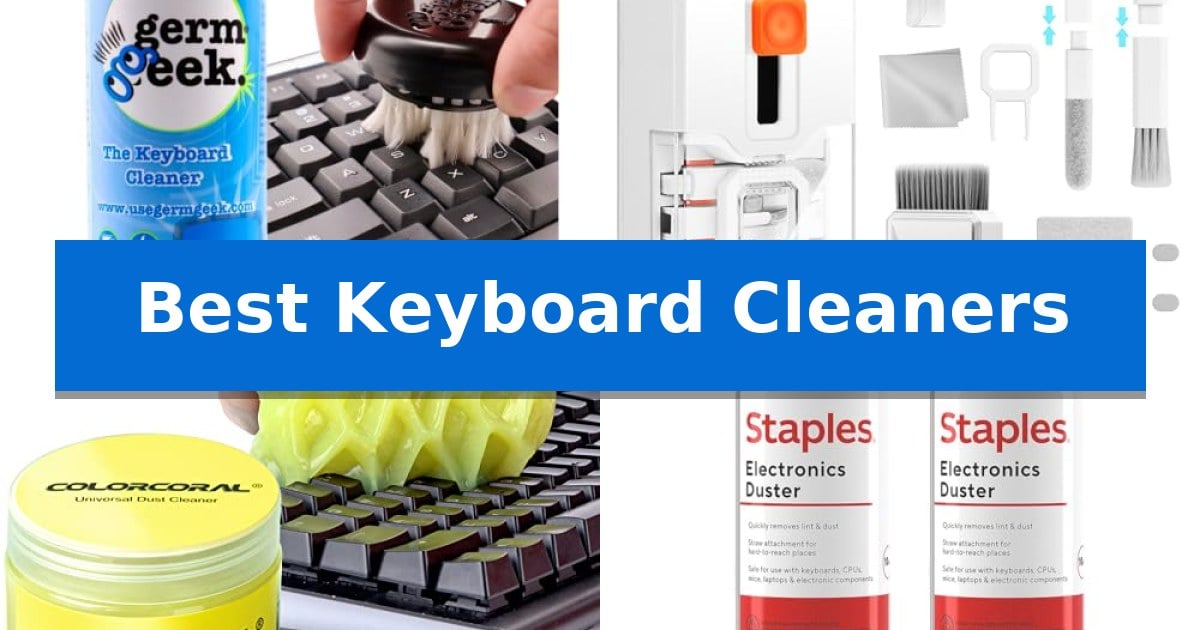
A cluttered, dusty keyboard is more than just an eyesore; it can harbor debris that interferes with your typing precision and overall device longevity. Finding the Best Keyboard Cleaners is essential for maintaining a clean, responsive workspace, whether you are using a mechanical board or a slim laptop.
Our guide explores effective solutions, from precision brushes to specialized gels and air dusters, designed to remove grime from deep within your key crevices. We focus on tools that prioritize device safety and ease of use, helping you keep your tech in pristine condition without the risk of damage.
Best Keyboard Cleaners in 2026: Maintain Peak Typing Hygiene
Quick Comparison
| Product | Best For | Key Strength | Score |
|---|---|---|---|
| Germ Geek Keyboard Electronics Cleaner | Best Overall | Patented precision brush effectively traps dust and grime. | 4.9 |
| Ordilend Keyboard Laptop Cleaning Kit | All-in-One Maintenance Tool | Comprehensive toolset including a keycap puller and multiple brush types. | 4.7 |
| ColorCoral Universal Dust Cleaning Gel | Reaches Deep into Crevices | Conforms to irregular shapes to reach deep into keyboard crevices. | 4.8 |
| Staples Compressed Air Duster | Powerful Debris Removal | Precision nozzle allows for targeted cleaning in tight spaces. | 4.7 |
| Office Depot Compressed Cleaning Duster | Moisture-Free Precision | Moisture-free formula prevents liquid damage to sensitive electronics. | 4.6 |
How We Chose
- Cleaning Efficacy: Ability to remove dust, hair, and stubborn grime from tight key crevices.
- Surface Safety: Compatibility with sensitive electronic components and keycap materials.
- Ease of Use: Ergonomics and the simplicity of the application process.
- Sustainability: Reusability of the tools versus the waste generated by disposable options.
- Versatility: Effectiveness across different devices, including laptops, mechanical boards, and peripherals.
1 Germ Geek Keyboard Electronics Cleaner — Reusable Precision Brush
Maintaining a clean workspace is essential for the longevity of your hardware, and the Germ Geek Keyboard Electronics Cleaner offers a specialized approach to removing debris from tight spaces. Unlike traditional methods that merely displace dust, this tool utilizes a patented precision brush designed to trap particles within keyboard crevices, effectively lifting away grime and fingerprints without the risk of scattering debris into the air.
The system is built for versatility, functioning as a universal electronics cleaner that is safe for use on mechanical keyboards, laptops, gaming controllers, and even sensitive equipment like cameras and DJ gear. By replacing the need for compressed air, it provides a more controlled cleaning experience that protects both your health and your delicate components from potential damage.
Sustainability is a core component of the design, as the reusable brush and replaceable solution dispensers are engineered for over 100 uses. This approach significantly reduces waste compared to disposable cleaning supplies, offering a long-term solution for maintaining a dust-free environment. The cleaning solution itself is formulated to be free from harmful chemicals, ensuring it remains safe for use around children and pets.
With its compact dimensions of 3.18 by 3.18 by 7.9 inches, the unit is easy to store alongside your other desk accessories. The anti-static brush ensures that dust is captured rather than pushed deeper into switches or ports, providing a thorough clean that restores a like-new feel to your equipment with minimal effort.
Best for: Users seeking a reusable, chemical-free solution for deep cleaning keyboards and a variety of sensitive electronic devices.
Skip if: Users who prefer the convenience of disposable, single-use wipes or those who require a high-pressure solution for clearing heavy debris from deep internal components.
PROS
- Patented precision brush effectively traps dust and grime.
- Universal compatibility across keyboards, laptops, and cameras.
- Reusable design provides 100+ uses per dispenser, reducing waste.
- Chemical-free formula safe for use around family and pets.
CONS
- Requires manual brush maintenance to remain effective over time.
- Limited to surface and crevice cleaning rather than internal component flushing.
2 Ordilend Keyboard Laptop Cleaning Kit — All-in-One Maintenance Tool
Maintaining electronic devices requires specialized tools that can reach into tight spaces without causing damage. The Ordilend Keyboard Laptop Cleaning Kit addresses this by providing a comprehensive, all-in-one solution that includes a retractable brush, keycap puller, and precision cleaning tips designed to safely remove debris from keyboards and screens.
This kit is built for versatility, featuring a metal pen tip and flocking sponge specifically for deep-cleaning mechanical switches and earbud cases. The inclusion of a soft plastic lens cleaning pen and dedicated microfiber cloths ensures that delicate surfaces like DSLR lenses and laptop screens can be wiped down without leaving streaks or fibers behind.
Designed with portability in mind, the entire set is compact enough to store in a desk drawer, bag, or vehicle. The 2mm thicken widen polishing cleaning cloth is cut at a right angle to effectively clean the corners of computer displays, while the retractable design of the primary brush protects the bristles during transport.
By combining multiple maintenance tools into a single package, this kit simplifies the process of keeping gaming accessories and office equipment in good condition. It serves as a practical, reusable alternative to disposable cleaning supplies, offering a range of brushes and tips that cater to various electronic maintenance tasks.
Best for: Students and professionals who need a compact, all-in-one maintenance solution for keyboards, screens, and earbuds.
Skip if: Users who require heavy-duty compressed air or specialized vacuum power for extreme dust buildup inside deep mechanical keyboard chassis.
PROS
- Comprehensive toolset including a keycap puller and multiple brush types.
- Screen-safe materials designed to prevent streaks and discoloration.
- Compact, portable design suitable for travel or dorm storage.
- Multifunctional components like the flocking sponge for earbud maintenance.
CONS
- Manual cleaning only, lacking the power of motorized vacuum or air-based tools.
3 ColorCoral Universal Dust Cleaning Gel — Reaches Deep into Crevices
Maintaining a clean workspace is essential for longevity, and the ColorCoral Universal Dust Cleaning Gel offers a unique, moldable solution designed to reach deep into the tight crevices of keyboards and other rugged surfaces. Unlike traditional cloths or compressed air that may simply push debris around, this gel conforms to the shape of your equipment to lift away dust and particles.
The ColorCoral Universal Dust Cleaning Gel features a natural gel composition that is designed to be non-sticky to the touch while providing a gentle, lemon-scented cleaning experience. Its application is straightforward: ensure your hands are dry, knead the gel into a ball, and press it slowly into the gaps of your keyboard or device. As it makes contact with the bottom of the crevices, it captures dust and debris, which are then removed when the gel is pulled away.
Versatility is a core design choice, as the ColorCoral Universal Dust Cleaning Gel is suitable for a wide range of electronics and appliances, including car vents, cameras, printers, and calculators. The material is reusable and can be utilized repeatedly until the color darkens or the texture becomes overly sticky, at which point it should be replaced. For best results, it should be stored in a cool place and kept away from water.
This cleaning kit provides a practical, low-maintenance approach to hardware care. By avoiding liquid cleaners, it minimizes the risk of moisture damage to sensitive components, making it a reliable tool for regular maintenance of office and gaming peripherals.
Best for: Users who need a flexible, non-liquid cleaning solution to reach deep into the narrow gaps of keyboards, car vents, and complex electronic surfaces.
Skip if: Users who prefer traditional dry-brushing or compressed air methods, or those who require a permanent, non-consumable cleaning tool.
PROS
- Conforms to irregular shapes to reach deep into keyboard crevices.
- Reusable material allows for multiple cleaning sessions before replacement.
- Safe, non-sticky formula that leaves no residue on hands or surfaces.
- Universal application across various electronics and household appliances.
CONS
- Consumable nature requires replacement once the gel becomes dirty or sticky.
- Not water-washable, limiting cleaning options for the gel itself.
4 Staples Compressed Air Duster — Powerful Debris Removal
Maintaining the performance of sensitive electronics requires consistent removal of dust and debris from hard-to-reach areas. The Staples Compressed Air Duster provides a targeted solution for cleaning keyboards, laptops, and gaming consoles by utilizing a precision nozzle that directs airflow into tight vents and ports.
This cleaning tool is designed for versatility across various home and office environments. Beyond keyboards, it is suitable for printers, cameras, and workstations, ensuring that dust buildup does not interfere with device operation. Each 10-ounce can is formulated with a bitterant to discourage inhalant misuse, prioritizing safety during routine maintenance.
The 2-pack configuration offers a practical supply for regular upkeep of multiple electronic systems. By providing a controlled airflow mechanism, the duster allows users to clear debris from sensitive components without the risks associated with liquid cleaners, which can potentially damage electronic circuitry.
When using the Staples Compressed Air Duster, it is important to utilize the nozzle for focused cleaning in crevices where dust typically accumulates. This method ensures that debris is effectively dislodged from beneath keycaps and within cooling fans, supporting the longevity and optimal function of your office equipment.
Best for: Users needing a safe, non-liquid method to remove dust and debris from keyboards, cameras, and other sensitive office electronics.
Skip if: Users requiring a permanent, reusable cleaning solution or those who prefer mechanical tools like brushes and vacuums over compressed gas.
PROS
- Precision nozzle allows for targeted cleaning in tight spaces.
- Safe for electronics as it avoids the risks of liquid-based cleaners.
- Bitterant included to discourage misuse.
- Versatile application across keyboards, printers, and gaming consoles.
CONS
- Consumable nature requires replacement once the 10-ounce cans are empty.
5 Office Depot Compressed Cleaning Duster — Moisture-Free Precision
Maintaining a clean workspace is essential for the longevity of your hardware, and the Office Depot Compressed Cleaning Duster provides a direct solution for removing dust, dirt, and lint from hard-to-reach areas. This 10 oz aerosol can is specifically engineered to clear fine debris from keyboards, laptops, printers, and other office equipment without the need for physical contact.
The primary advantage of this keyboard cleaner is its moisture-free formula, which ensures that you can safely blast away particles from sensitive electronic components without the risk of liquid damage or residue buildup. The aerosol application is straightforward, allowing for quick, targeted bursts of compressed gas to dislodge stubborn dust trapped between keycaps or inside cooling vents.
Each pack contains six cans, providing a consistent supply for regular maintenance routines. Because the formula is designed for electronics, it avoids the common pitfalls of liquid cleaners that might otherwise cause short circuits or corrosion. It is a practical tool for anyone looking to keep their peripherals functioning smoothly by preventing the accumulation of debris that can interfere with mechanical switches or internal airflow.
While this duster is highly effective for dry debris, it is important to note that it is intended for use with electronics and requires the user to be at least 21 years of age to purchase. The simple design focuses entirely on the utility of compressed gas, making it a reliable, no-nonsense choice for routine office maintenance.
Best for: Users needing a reliable, moisture-free way to remove dry dust and debris from keyboards and sensitive office electronics.
Skip if: Users who require a wet-cleaning solution for sanitizing surfaces or removing sticky residue, as this product is strictly for dry debris removal.
PROS
- Moisture-free formula prevents liquid damage to sensitive electronics.
- Simple aerosol application allows for easy access to tight spaces.
- Effective at removing dust and lint from keyboards and internal components.
- Six-pack bundle ensures a long-lasting supply for regular maintenance.
CONS
- Age restriction requires the purchaser to be 21 or older.
- Dry debris only; it does not clean sticky spills or grime.
Best Keyboard Cleaners Buying Guide
Understanding Cleaning Mechanisms
Different keyboard cleaners utilize distinct methods to dislodge debris. Compressed air is highly effective for blowing out loose particles from deep under keys, making it a staple for quick, heavy-duty cleaning. However, it requires careful handling to avoid pushing dust further into the chassis.
Alternatively, precision brushes and cleaning gels offer a more tactile approach. Brushes are excellent for sweeping away surface-level dust, while adhesive gels conform to the shape of your keys to lift dirt from hard-to-reach areas without the need for high-pressure air.
Material Compatibility and Safety
When selecting a cleaner, consider the surface of your keyboard. Mechanical keyboards with removable keycaps allow for deep cleaning, while laptop keyboards have flatter, more sensitive switches that require gentler tools.
Always look for cleaners that are anti-static or moisture-free. Using liquid-based solutions on electronics can lead to short circuits if not handled correctly, so prioritize dry cleaning methods whenever possible to protect your hardware.
The Importance of Regular Maintenance
Establishing a routine is the most effective way to prevent long-term buildup. Dust, skin cells, and food crumbs can accumulate quickly, potentially leading to sticky keys or unresponsive switches over time.
By keeping a reusable cleaning tool at your desk, you can perform quick touch-ups before debris becomes embedded. This simple habit significantly extends the life and performance of your typing interface.
Reusable vs. Disposable Solutions
Sustainability is a growing concern for many users. While disposable air dusters are convenient, they create significant waste over time. Reusable brushes and washable cleaning gels offer a more eco-friendly alternative.
Investing in a high-quality, reusable cleaning kit often proves more cost-effective in the long run. These kits frequently include multiple attachments, providing better value and versatility for your entire electronics setup.
Storage and Longevity
Proper storage is vital for the longevity of your cleaning supplies. Cleaning gels, in particular, should be stored in cool, dry places to maintain their adhesive properties and prevent them from drying out.
Keep your brushes and tools in a dedicated container or drawer to prevent them from collecting dust themselves. A clean tool ensures you aren't accidentally introducing new contaminants to your keyboard during your next cleaning session.
Frequently Asked Questions
How often should I clean my keyboard?
For most users, a light cleaning every two to four weeks is sufficient to prevent significant dust buildup.
Can I use water to clean my keyboard?
It is generally recommended to avoid water. Use specialized electronics cleaners or dry brushes to prevent moisture damage to internal components.
Are cleaning gels safe for all keyboards?
Most cleaning gels are safe for standard and mechanical keyboards, but you should avoid using them on screens or extremely delicate, non-sealed electronics.
Is compressed air safe for laptops?
Yes, but use short, controlled bursts. Avoid holding the can upside down or too close to the keys to prevent freezing or moisture release.
What is the best way to clean between keys?
A precision brush or a high-density cleaning gel is ideal for reaching into the narrow gaps between keys where dust and debris typically accumulate.
Conclusion: Our Top Pick
Maintaining a clean keyboard is a simple yet effective way to ensure your hardware remains responsive and hygienic. After reviewing the available options, the Germ Geek Keyboard Electronics Cleaner stands out as the most versatile and sustainable choice for most users.
Its combination of a patented precision brush and a reusable solution provides a thorough cleaning experience that avoids the waste associated with disposable air dusters. While it is an excellent tool for deep cleaning, remember to use it gently on sensitive laptop keys to ensure the best results.