
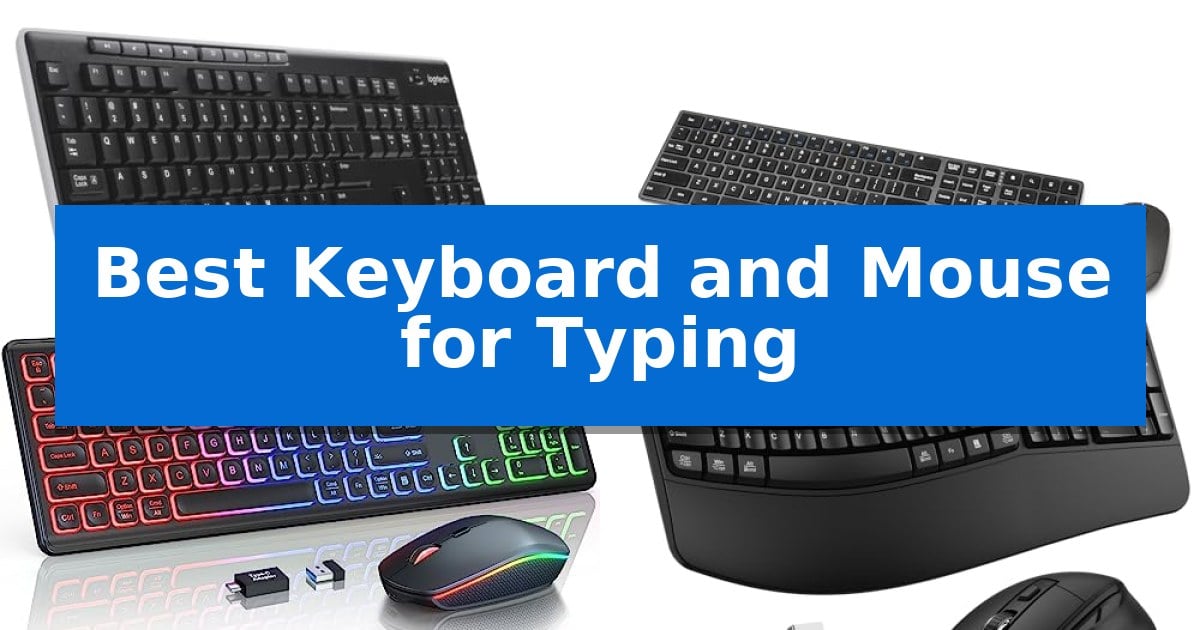
Finding the right input tools can transform your daily workflow, especially when you spend hours at a desk. Whether you are drafting documents, coding, or simply managing emails, the Best Keyboard and Mouse for Typing should offer a balance of tactile feedback, reliable connectivity, and physical comfort to prevent fatigue.
Our selection focuses on wireless convenience and ergonomic design to help you maintain a productive space. By evaluating key features like key layout, battery efficiency, and wrist support, we have identified options that cater to different typing styles and office environments.
Best Keyboard and Mouse for Typing in 2026
Quick Comparison
| Product | Best For | Key Strength | Score |
|---|---|---|---|
| Logitech MK270 Wireless Keyboard and Mouse | Best Overall | Long battery life with up to 36 months for the keyboard. | 4.9 |
| Amazon Basics Rechargeable Wireless Keyboard Combo | Cost-Effective Rechargeable Convenience | Rechargeable lithium-ion battery reduces long-term maintenance costs. | 4.8 |
| Trueque KM42Pro Backlit Wireless Keyboard Combo | Best for Low-Light Environments | Integrated RGB lighting with adjustable brightness and effects for visibility. | 4.8 |
| ULSOU EK30 Ergonomic Wave Keyboard Combo | Wrist-Friendly Wave Key Design | Ergonomic wave key design with integrated wrist rest. | 4.5 |
| OMOTON Wireless Keyboard and Mouse Combo | Integrated Phone Holder Slot | Integrated phone holder slot for improved workspace organization. | 4.8 |
How We Chose
- Typing comfort and key layout efficiency
- Wireless connectivity stability and range
- Battery life and power management features
- Ergonomic design and wrist support options
- Build quality and spill resistance
1 Logitech MK270 Wireless Keyboard and Mouse — Reliable Standard for Daily Typing
The Logitech MK270 Full Size Wireless Keyboard and Mouse provides a dependable desktop interface through a single USB-A Nano Receiver, which maintains a wireless connection up to 33 feet away. This combo is designed for users who require a standard, full-size layout that includes dedicated F-keys, a number pad, and arrow keys to support daily productivity.
Typing comfort is prioritized through a low-profile, quiet key design, while the hardware remains resilient with a spill-resistant construction and sturdy, adjustable tilt legs. The included compact mouse features an ambidextrous shape suitable for both left- and right-handed users, offering smooth cursor control across most surfaces.
Efficiency is enhanced by 8 dedicated multimedia hotkeys that provide instant access to volume, email, and media playback controls. To minimize maintenance, the system is engineered for longevity, boasting a 36-month battery life for the keyboard and 12 months for the mouse, supported by integrated on/off switches to conserve power.
Sustainability is integrated into the manufacturing process, as the plastic components contain 49% to 54% certified post-consumer recycled plastic. This combo offers a straightforward, plug-and-play experience for those seeking a reliable, full-sized input solution without the complexity of advanced software configurations.
Best for: Users seeking a reliable, full-sized, and long-lasting wireless input solution for standard office or home computing tasks.
Skip if: Users who require advanced ergonomic features like palm rests, scooped keys, or customizable software-driven shortcuts found in higher-tier models.
PROS
- Long battery life with up to 36 months for the keyboard.
- Spill-resistant design for increased durability.
- Reliable wireless connectivity via a single USB-A Nano Receiver.
- Full-size layout including a dedicated number pad and multimedia hotkeys.
CONS
- Basic design lacks advanced ergonomic features like integrated palm rests.
- USB-A receiver requires a compatible port, which may necessitate adapters for some modern laptops.
2 Amazon Basics Rechargeable Wireless Keyboard Combo — Cost-Effective Rechargeable Convenience
The Amazon Basics Rechargeable Wireless Keyboard Combo streamlines desktop organization by utilizing a single 2.4GHz USB receiver to manage both input devices simultaneously. This plug-and-play design removes the need for multiple dongles, providing a stable connection up to 33 feet away from your computer, which is ideal for maintaining a clean, cable-free workspace.
Engineered for consistent daily use, this bundle incorporates a built-in lithium-ion battery that supports convenient recharging. By moving away from disposable batteries, this system offers a more sustainable power solution that eliminates recurring maintenance costs. The receiver is designed to be stored directly within the keyboard base, ensuring it remains secure when the setup is not in use.
The keyboard features a full-size layout including a dedicated number pad, all contained within a durable stainless steel frame. The keys utilize a low-profile design intended to minimize noise during operation, making this set a practical choice for shared office environments or home setups where quiet performance is prioritized.
This ultra-slim peripheral set is built to provide a reliable, cost-effective input experience. While it lacks Bluetooth connectivity for mobile devices, its focus on a stable 2.4GHz connection ensures a straightforward, consistent experience for users who primarily work at a fixed desk station.
Best for: Users seeking a clutter-free, rechargeable input solution for a full-size workspace.
Skip if: Users who require Bluetooth connectivity for multi-device switching or those who prefer mechanical switches for tactile feedback.
PROS
- Rechargeable lithium-ion battery reduces long-term maintenance costs.
- Single USB receiver simplifies setup for both devices.
- Quiet, low-profile keys provide a comfortable typing experience.
- Durable stainless steel housing adds structural integrity.
CONS
- 2.4GHz connection only, lacking Bluetooth versatility for mobile devices.
- Fixed internal battery means the unit cannot be used with standard AA/AAA batteries if the charge is depleted.
3 Trueque KM42Pro Backlit Wireless Keyboard Combo — Best for Low-Light Environments
Typing in low-light environments is significantly improved by the Trueque KM42Pro Backlit Wireless Keyboard Combo, which features a rainbow-backlit keyboard with three brightness levels and a mouse offering 15 switchable lighting effects. These illuminated keycaps and letters ensure visibility during late-night work or study sessions while providing a distinct aesthetic for any desk setup.
Designed for versatility, this full-size keyboard utilizes crater-style keys to facilitate quiet typing, making it suitable for shared office or home spaces. The inclusion of foldable stands allows users to adjust the typing angle for ergonomic comfort, while the mouse is engineered for quiet clicks to minimize distraction.
Connectivity is streamlined through a single 2.4GHz USB receiver, which pairs both devices simultaneously to reduce cable clutter and save USB ports. The system is compatible with Windows, Mac, Linux, and Chrome, and includes a one-touch switch to toggle between Mac and Windows keyboard layouts. An included USB-A to Type-C adapter further expands compatibility with modern laptops and notebooks.
Power management is handled via a rechargeable battery system that supports usage while charging through the provided USB-C cable. To extend battery life, the combo incorporates a smart auto-sleep mode and physical on/off switches, ensuring power is conserved when the devices are not in active use.
Best for: Users who require a quiet, backlit keyboard and mouse combo for low-light environments and multi-system compatibility.
Skip if: Users who require a mechanical keyboard with tactile switches or those who need a compact, tenkeyless layout for limited desk space.
PROS
- Integrated RGB lighting with adjustable brightness and effects for visibility.
- Quiet typing and clicking design suitable for shared workspaces.
- Rechargeable battery with the ability to operate while charging via USB-C.
- Single USB receiver setup for a clutter-free wireless connection.
CONS
- Limited multimedia key compatibility on certain Mac OS systems.
- Full-size footprint may be too large for minimalist or travel-focused setups.
4 ULSOU EK30 Ergonomic Wave Keyboard Combo — Wrist-Friendly Wave Key Design
The ULSOU EK30 Ergonomic Wave Keyboard Combo features a distinctive wave key design and integrated wrist rest, engineered to align with the natural positioning of your fingers to help reduce strain during extended typing sessions. This full-size keyboard includes an adjustable stand, allowing users to customize the typing angle for improved comfort.
Connectivity is handled via a single 2.4 GHz USB receiver that pairs both the keyboard and mouse, supporting a reliable signal range of up to 33 feet. The system is designed for convenience with plug-and-play functionality, requiring no additional software downloads. It maintains broad compatibility across Windows and macOS, with a dedicated FN+Q or FN+W shortcut to toggle between system layouts.
The included optical mouse features a contoured shape designed for right-handed use, incorporating forward and back navigation buttons for efficient web browsing. Both devices utilize an automatic power-saving function, entering sleep mode after 30 seconds of inactivity for the keyboard and 15 minutes for the mouse to conserve battery life. Each device requires one AA battery to operate.
This combo is built for versatility in home or office environments, providing a stable wireless connection without the need for complex setup. The combination of the ergonomic wave layout and the adjustable mouse DPI settings offers a practical solution for users seeking a comfortable, consistent desktop input experience.
Best for: Users seeking an ergonomic, full-size keyboard and mouse setup with a natural wave layout for long-term typing comfort.
Skip if: Users who require Bluetooth connectivity or a compact, low-profile keyboard design for travel.
PROS
- Ergonomic wave key design with integrated wrist rest.
- Plug-and-play 2.4 GHz wireless connectivity via a single receiver.
- Dual-system compatibility with dedicated Windows and Mac shortcuts.
- Automatic power-saving mode to extend battery life.
CONS
- Batteries not included in the package.
- Right-handed contoured design of the mouse may not suit all users.
5 OMOTON Wireless Keyboard and Mouse Combo — Integrated Phone Holder Slot
The OMOTON Wireless Keyboard and Mouse Combo integrates a dedicated phone holder slot directly into the keyboard chassis, allowing for vertical or horizontal device placement to keep notifications in view while working. This design choice prioritizes desktop organization by consolidating workspace tools into a single footprint.
Designed for quiet environments, the keyboard features ultra-silent keys that minimize noise during operation. The accompanying mouse provides 3 adjustable DPI levels with a one-click switch for cursor control, paired with an anti-slip grip for handling. Both peripherals connect via a single 2.4GHz USB receiver, ensuring a plug-and-play setup for Windows-based systems without the need for additional drivers.
Ergonomics and power management are central to the user experience. The keyboard includes foldable adjustable feet to modify the typing angle, which helps in reducing wrist strain during extended sessions. To conserve energy, the system utilizes a smart auto-sleep mode that triggers after 15 minutes of inactivity, requiring only a key press or mouse click to resume operation.
The combo is built for straightforward maintenance and reliability. The USB receiver is conveniently stored within the mouse battery compartment, preventing loss during transport. With a 12-month warranty, this set is tailored for users seeking a cohesive, low-noise input solution for home or office environments.
Best for: Users who want a clutter-free desk with an integrated phone stand and quiet typing performance.
Skip if: Users who require Bluetooth connectivity or compatibility with macOS, as this device is exclusively designed for Windows/PC via a 2.4GHz USB receiver.
PROS
- Integrated phone holder slot for improved workspace organization.
- Ultra-silent typing keys suitable for quiet office or home environments.
- Single 2.4GHz USB receiver for simplified plug-and-play connectivity.
- Adjustable DPI mouse for customizable cursor sensitivity.
CONS
- Exclusively compatible with Windows/PC, limiting use with other operating systems.
- Batteries not included, requiring separate purchase for both devices.
Best Keyboard and Mouse for Typing Buying Guide
Understanding Typing Ergonomics
Ergonomics plays a vital role in preventing strain during long typing sessions. Features like adjustable tilt legs allow you to customize the angle of your keyboard, which can significantly reduce pressure on your wrists. Some models incorporate wave key designs or integrated wrist rests to promote a more natural hand position.
When choosing your setup, consider how the keyboard height interacts with your desk surface. A keyboard that is too high or flat may force your wrists into an awkward angle, leading to discomfort over time. Prioritizing models with built-in support can help maintain a neutral posture throughout the day.
Wireless Connectivity and Range
Most modern combos utilize a 2.4GHz USB receiver to provide a stable, lag-free connection. This standard is generally reliable for distances up to 33 feet, ensuring that your input remains consistent even if your computer is tucked away under a desk.
Because these devices share a single receiver, they help minimize cable clutter and save valuable USB ports on your laptop or PC. Always check if the receiver has a dedicated storage slot within the mouse or keyboard, as this prevents it from being misplaced during travel or workspace reorganization.
Battery Life and Power Efficiency
Power management is a critical factor for wireless peripherals. Many keyboards now feature smart auto-sleep modes that activate after periods of inactivity, drastically extending the life of your batteries. Some newer models even offer rechargeable lithium-ion batteries, which eliminate the need for disposable replacements.
If you prefer traditional batteries, look for devices with dedicated on/off switches. These simple toggles allow you to conserve energy when you are away from your desk for extended periods, ensuring your devices are ready to go when you return.
Key Layout and Multimedia Access
A standard full-size layout including a number pad and dedicated F-keys is essential for many office tasks. Beyond the basic keys, multimedia hotkeys provide instant access to volume controls, email, and web navigation, which can streamline your daily workflow.
Pay attention to the key mechanism, as low-profile, quiet keys are often preferred for shared office spaces or late-night work. These designs reduce the audible click of each keystroke, allowing for a quieter typing environment without sacrificing tactile feedback.
Durability and Maintenance
Office environments can be unpredictable, making spill-resistant designs a valuable feature for long-term durability. These keyboards are built to handle minor accidents, protecting the internal electronics from liquid damage.
Additionally, consider the material quality of the mouse and keyboard. Models that utilize recycled plastic or durable stainless steel housings offer a balance between environmental consciousness and structural integrity, ensuring your equipment stands up to daily wear and tear.
Frequently Asked Questions
Do I need to install software for these wireless combos?
Most of these devices are true plug-and-play, meaning they connect automatically via the USB receiver without requiring additional drivers or software.
Can I use one receiver for both the keyboard and mouse?
Yes, all the featured combos use a single USB receiver to manage both devices, which helps save USB ports on your computer.
How do I know if my keyboard is compatible with Mac or Windows?
Many modern keyboards feature dual-system layouts or specific function keys that allow you to toggle between Windows and macOS modes, often using a simple key combination.
What is the benefit of a rechargeable keyboard?
Rechargeable models reduce the cost and waste associated with disposable batteries, allowing you to top up the power via a USB cable as needed.
Where is the USB receiver usually located?
If you cannot find the receiver, check the battery compartment of the mouse or the underside of the keyboard, as manufacturers often store them there for shipping.
Conclusion: Our Top Pick
For most users, the Logitech MK270 Wireless Keyboard and Mouse stands out as the most reliable choice for daily typing. Its combination of a spill-resistant, full-size layout and long battery life makes it a dependable workhorse for any office or home setup.
While other options offer specialized features like backlighting or ergonomic wave designs, the MK270 provides the most consistent performance and ease of use. It is an excellent investment for anyone looking to upgrade their desktop input experience without unnecessary complexity.