
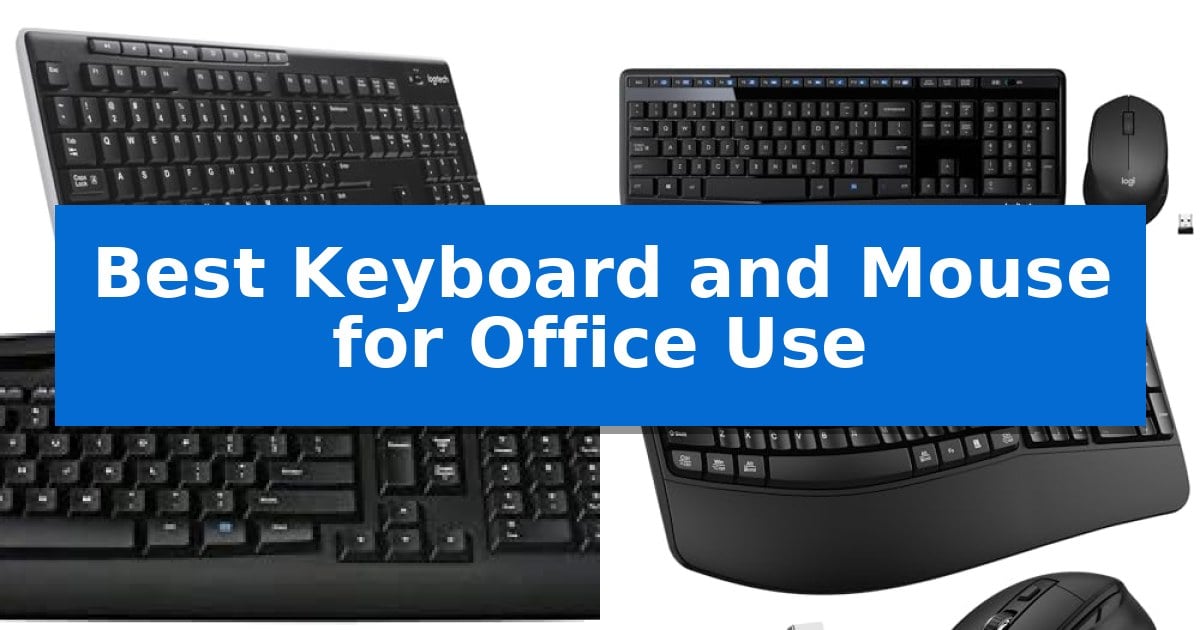
Maintaining a productive workspace starts with the tools you touch every day. Finding the Best Keyboard and Mouse for Office Use can significantly impact your daily comfort, especially during long hours of typing and navigation. A reliable setup minimizes desk clutter and ensures your input devices are ready when you are.
Our selection focuses on wireless convenience and ergonomic design to help you streamline your workflow. Whether you prioritize a quiet typing experience or a wrist-supporting layout, these office-ready bundles provide the essential features needed for a more efficient and comfortable desktop environment.
Best Keyboard and Mouse for Office Use in 2026
Quick Comparison
| Product | Best For | Key Strength | Score |
|---|---|---|---|
| Logitech MK270 Wireless Keyboard and Mouse | Best Overall | Single USB-A Nano Receiver simplifies connectivity and saves port space. | 4.9 |
| Logitech MK345 Wireless Keyboard and Mouse | Comfortable Integrated Palm Rest | Long battery life with up to 3 years for the keyboard and 18 months for the mouse. | 4.8 |
| Logitech MK335 Wireless Keyboard and Mouse | Whisper-Quiet Typing Experience | Long battery life of up to 24 months for the keyboard and 12 months for the mouse. | 4.3 |
| ULSOU Wireless Keyboard and Mouse | Ergonomic Wave Key Design | Ergonomic wave key design with integrated wrist rest for improved comfort. | 4.5 |
| EDJO Wireless Keyboard and Mouse | Extended Battery Life Performance | Silent operation with membrane keys and silent mouse clicks. | 4.8 |
How We Chose
- Wireless connectivity reliability and range
- Ergonomic features such as palm rests and key layouts
- Battery efficiency and power management
- Build quality including spill resistance and key durability
- Compatibility with common operating systems like Windows and macOS
1 Logitech MK270 Wireless Keyboard and Mouse — Reliable Long-Range Connectivity
Maintaining a clutter-free and efficient workspace often begins with the right peripherals. The Logitech MK270 Full Size Wireless Keyboard and Mouse provides a streamlined solution for office environments by utilizing a single USB-A Nano Receiver to manage both devices, effectively reducing cable management issues on your desk.
This combo is built for consistent daily use, featuring a spill-resistant design and sturdy tilt legs that allow for adjustable typing angles. The keyboard includes a full-size layout with dedicated F-keys, a number pad, and arrow keys, alongside eight multimedia hotkeys that offer immediate control over volume, email, and media playback.
The included compact mouse is designed with an ambidextrous shape, ensuring it remains comfortable for both left- and right-handed users. It provides smooth cursor navigation across most common office surfaces, while the entire setup benefits from power-efficient engineering, offering up to 36 months of battery life for the keyboard and 12 months for the mouse.
Reliability is central to the design, with a wireless connection range of up to 33 feet. This ensures a stable link between your peripherals and computer, even in busy office settings. Furthermore, the construction incorporates certified post-consumer recycled plastic, with 54% in the keyboard and 49% in the mouse, making it a practical choice for those prioritizing functional, long-lasting office equipment.
Best for: Office professionals seeking a reliable, clutter-free, and long-lasting wireless input solution for standard desk tasks.
Skip if: Users who require advanced ergonomic features like wrist rests, scooped keys, or customizable software-based shortcuts found in higher-tier models.
PROS
- Single USB-A Nano Receiver simplifies connectivity and saves port space.
- Extended battery life of up to 36 months for the keyboard reduces maintenance.
- Spill-resistant design adds a layer of durability for busy office environments.
- Full-size layout includes essential number pad and multimedia hotkeys.
CONS
- Lacks advanced ergonomic features such as palm rests or contoured key shapes.
- Basic mouse design may not suit users requiring high-precision sensors or additional side buttons.
2 Logitech MK345 Wireless Keyboard and Mouse — Comfortable Integrated Palm Rest
Maintaining a comfortable and efficient workspace often begins with the right input devices. The Logitech MK345 Full Size Wireless Keyboard and Mouse Combo is designed to support long office hours through an integrated palm rest that promotes a more natural wrist position during extended typing sessions.
Connectivity is managed via a single USB-A Nano Receiver, which utilizes a 2.4 GHz wireless connection to maintain a link up to 10 meters away. This plug-and-play system is compatible with Windows, macOS, and ChromeOS, allowing for straightforward integration into most office environments without requiring complex software installation.
The keyboard features a full-size layout with dedicated media keys for quick access to common controls and a spill-resistant design to protect against minor liquid accidents. The included mouse is specifically contoured for right-handed users, focusing on smooth tracking and scrolling for daily navigation tasks.
Efficiency is a core focus, with hardware designed for longevity. The keyboard is rated for a battery life of up to 3 years, while the mouse is rated for up to 18 months, significantly reducing the frequency of maintenance. Batteries are included, supporting immediate deployment.
Best for: Office workers seeking a reliable, full-size wireless input solution with long battery life and integrated palm support.
Skip if: Users who require a compact, tenkeyless design or those who prefer Bluetooth connectivity without the need for a USB receiver.
PROS
- Long battery life with up to 3 years for the keyboard and 18 months for the mouse.
- Integrated palm rest provides added comfort for long typing sessions.
- Spill-resistant keyboard design adds a layer of durability against accidental liquid exposure.
- Single USB-A receiver simplifies connectivity by using only one port for both devices.
CONS
- USB-A reliance may require adapters for modern laptops lacking legacy ports.
- Right-handed mouse design limits usability for left-handed users.
3 Logitech MK335 Wireless Keyboard and Mouse — Whisper-Quiet Typing Experience
The Logitech MK335 Wireless Keyboard and Mouse simplifies workspace management by utilizing a single plug-and-forget nano-receiver to connect both peripherals. This combo is designed for office environments where minimizing desk clutter and maintaining a reliable, cord-free setup is essential.
The keyboard features a low-profile, whisper-quiet design that facilitates a comfortable typing experience. It includes 11 dedicated hot keys and 4 programmable F-keys, allowing users to quickly access multimedia controls or specific applications. The mouse is built with an ambidextrous, contoured shape and rubberized side grips for consistent handling during extended use.
Connectivity is managed via Logitech’s advanced 2.4 GHz wireless technology, which provides a stable connection with fast data transmission. The system incorporates wireless encryption to maintain security. For portability, the nano-receiver can be stored directly inside the mouse, making it easy to transport between different workstations.
Power efficiency is a primary focus, with the keyboard rated for up to 24 months of battery life and the mouse for up to 12 months. These estimates are based on typical usage conditions, allowing for long periods of operation without frequent maintenance. The combo is compatible with Windows and ChromeOS environments.
Best for: Office professionals seeking a reliable, low-profile, and quiet wireless input solution that minimizes desk clutter.
Skip if: Users who require mechanical switches, backlighting, or multi-device Bluetooth connectivity will find this 2.4 GHz-only membrane combo insufficient for their needs.
PROS
- Long battery life of up to 24 months for the keyboard and 12 months for the mouse.
- Whisper-quiet keys designed for a comfortable and unobtrusive typing experience.
- Integrated multimedia controls with 11 hot keys and 4 programmable F-keys.
- Reliable 2.4 GHz wireless connectivity with encrypted data transmission.
CONS
- Limited to 2.4 GHz connectivity, lacking Bluetooth support for mobile devices.
- Membrane key switches may not satisfy users who prefer the tactile feedback of mechanical keyboards.
4 ULSOU Wireless Keyboard and Mouse — Ergonomic Wave Key Design
Maintaining a comfortable workspace often starts with the right peripherals, and the ULSOU Wireless Keyboard and Mouse offers a specialized wave key design intended to align with the natural positioning of your fingers. By integrating a built-in wrist rest and an adjustable stand, this combo provides a foundation for reducing physical strain during extended office sessions.
The system utilizes a single 2.4 GHz USB receiver to maintain a wireless connection for both devices, supporting a range of up to 33 feet. This plug-and-play setup eliminates the need for additional software, ensuring compatibility across Windows and Mac environments. Users can toggle between operating systems using dedicated FN+Q or FN+W shortcuts, allowing for seamless integration into diverse desktop setups.
Efficiency is supported by the mouse, which features a contoured, ergonomic shape and includes dedicated forward and back navigation buttons. To manage power consumption, both components include an automatic power-saving function that triggers after periods of inactivity, helping to extend the life of the required AA batteries.
This combo is built for those who prioritize ergonomic support and straightforward connectivity in their daily workflow. While it lacks advanced features like multi-device Bluetooth switching, its focus on physical comfort and reliable 2.4 GHz performance makes it a practical choice for standard office environments.
Best for: Office workers seeking an ergonomic wave-style keyboard and contoured mouse for improved wrist and hand comfort during long hours.
Skip if: Users who require Bluetooth connectivity for multi-device switching or those who prefer low-profile, mechanical, or ultra-compact keyboard layouts.
PROS
- Ergonomic wave key design with integrated wrist rest for improved comfort.
- Plug-and-play 2.4 GHz wireless connectivity with a single USB receiver.
- Automatic power-saving mode to conserve battery life during inactivity.
- Dual system layout with easy switching between Windows and Mac.
CONS
- Requires separate AA batteries for both the keyboard and the mouse.
- Lacks Bluetooth connectivity for pairing with tablets or mobile devices.
5 EDJO Wireless Keyboard and Mouse — Extended Battery Life Performance
Maintaining a quiet and organized workspace requires reliable peripherals that minimize distractions while maximizing efficiency. The EDJO Wireless Keyboard and Mouse combo addresses these needs through its silent micro-motion technology in the mouse and soft membrane keys on the keyboard, ensuring that typing and clicking remain unobtrusive during long office hours.
The full-size keyboard layout includes a dedicated numeric keypad and 12 multimedia shortcut keys, allowing for quick adjustments to volume or media playback without navigating through system menus. For added physical comfort, the keyboard features adjustable height tilt legs, which help maintain a more natural wrist position during extended periods of data entry or document creation.
Connectivity is managed via a single 2.4 GHz USB receiver that provides a stable, lag-free connection up to 33 feet. This plug-and-play design simplifies setup across various operating systems, including Windows, Mac OS, and Linux. The optical mouse is designed with a contoured shape and a 1600 DPI sensor, balancing precise tracking with a lightweight, ergonomic feel suitable for daily office tasks.
Power management is a standout feature, with the system rated for up to 365 days of battery life. To conserve energy, the combo automatically enters a sleep mode after 10 minutes of inactivity. This focus on efficiency, combined with wide compatibility and a quiet operational profile, makes this set a practical choice for professional environments.
Best for: Office professionals seeking a quiet, full-sized, and low-maintenance wireless input solution for their desktop or laptop.
Skip if: Users who require a mechanical keyboard with tactile feedback or those who prefer Bluetooth connectivity over a USB receiver.
PROS
- Silent operation with membrane keys and silent mouse clicks.
- Extended battery life rated for up to one year of use.
- Full-size layout with integrated numeric keypad and multimedia shortcuts.
- Ergonomic design featuring adjustable tilt legs and a contoured mouse shape.
CONS
- USB receiver required for connectivity, which may occupy a port on devices without native USB-A support.
- Non-mechanical keys may not satisfy users who prefer high-tactile feedback.
Best Keyboard and Mouse for Office Use Buying Guide
Connectivity and Wireless Standards
Most office combos utilize a 2.4 GHz USB receiver to provide a stable connection. This standard is generally preferred for office environments because it is plug-and-play, requiring no software installation or complex pairing processes.
When choosing your setup, consider the range. Most models offer a reliable connection up to 33 feet, which is sufficient for standard desk setups and even allows for some flexibility if you need to use your mouse or keyboard away from the immediate computer tower.
Ergonomics and Typing Comfort
Comfort is subjective but essential for office work. Look for low-profile keys if you prefer a laptop-like typing feel, or wave-style designs if you need extra support for your wrists.
Integrated palm rests and adjustable tilt legs are critical features that help maintain a neutral wrist position. These adjustments can help reduce strain during extended typing sessions, making them a priority for high-volume typists.
Battery Life and Power Efficiency
Office peripherals should be low-maintenance. Many modern wireless combos feature automatic sleep modes that activate after periods of inactivity, significantly extending the life of your batteries.
Look for devices that offer multi-year battery life for the keyboard. This reduces the frequency of replacements and ensures your workflow remains uninterrupted by sudden power loss.
Build Quality and Durability
Office desks are prone to accidental spills. A spill-resistant design is a valuable feature that protects the internal circuitry of your keyboard from minor liquid mishaps.
Additionally, check for durable key printing and sturdy construction. Since these tools are used daily, the ability to withstand millions of keystrokes is a standard expectation for office-grade hardware.
Compatibility and Multimedia Access
Ensure your chosen combo supports your specific operating system, whether it is Windows, macOS, or ChromeOS. Many office keyboards include multimedia hotkeys that provide instant access to volume control, email, and web navigation.
These shortcuts can save significant time throughout the day by reducing the need to click through menus for basic system tasks.
Frequently Asked Questions
Do these wireless combos require special software?
Most of these office combos are plug-and-play, meaning they connect via a USB receiver and do not require any additional software or drivers to function.
Are these keyboards spill-resistant?
Several models in this list feature spill-resistant designs, which help protect the keyboard from minor liquid accidents during daily office use.
How do I connect both the keyboard and mouse?
These sets typically use a single USB-A Nano Receiver that connects both devices simultaneously, saving you an extra USB port on your computer.
Can I use these with a Mac?
Yes, most of these wireless combos are compatible with Windows, macOS, and ChromeOS, though some specific multimedia keys may function differently depending on the OS.
Where is the USB receiver stored?
The USB receiver is often stored inside the battery compartment of the mouse or attached to the product packaging for safe keeping.
Conclusion: Our Top Pick
For most office environments, the Logitech MK270 Wireless Keyboard and Mouse stands out as the most practical choice. Its combination of a reliable 33-foot wireless range, spill-resistant construction, and long-lasting battery life makes it a dependable workhorse for daily tasks.
While it lacks the dedicated palm rest found on some premium models, its standard layout and quiet, low-profile keys provide a comfortable experience for the vast majority of users. If you need a straightforward, durable, and hassle-free input solution, this combo remains an excellent investment for your desk.