
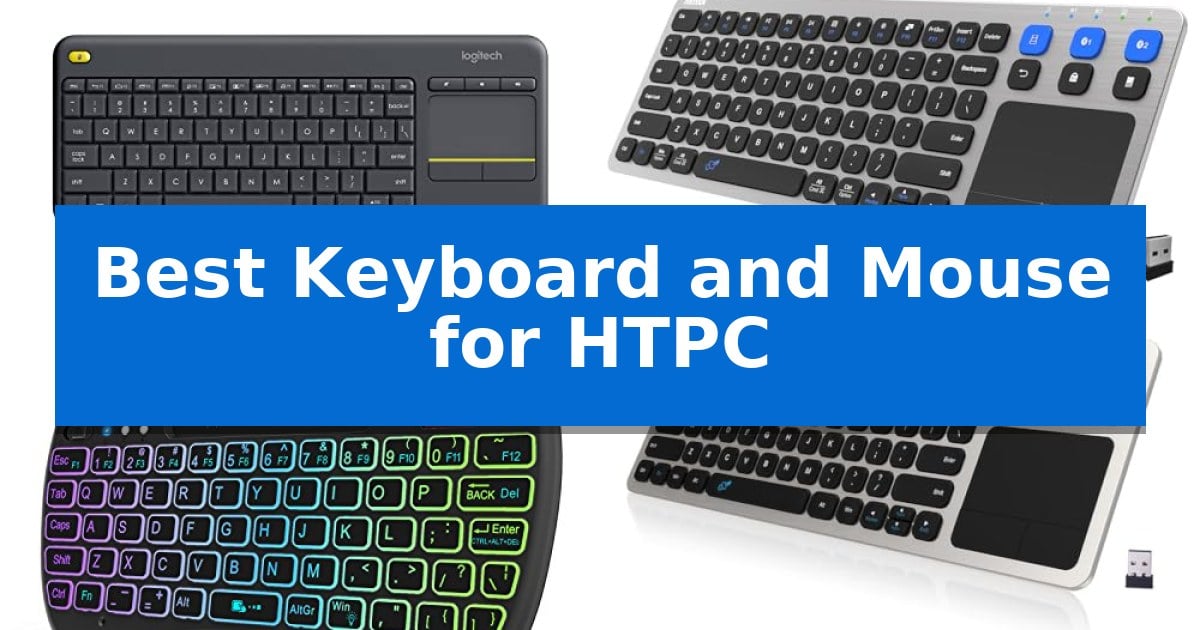
Navigating a home theater PC from the comfort of your sofa requires a reliable input device that balances size with functionality. Finding the Best Keyboard and Mouse for HTPC means prioritizing a compact, all-in-one design that eliminates the need for a separate mouse surface while maintaining a stable wireless connection.
Whether you are browsing streaming services or managing media files, the right hardware transforms your living room experience. We have evaluated five distinct solutions to help you identify which device best matches your specific connectivity needs and space constraints.
Best Keyboard and Mouse for HTPC in 2026: Simplify Your Couch Setup
Quick Comparison
| Product | Best For | Key Strength | Score |
|---|---|---|---|
| Logitech K400 Plus Wireless Keyboard | Best Overall | Integrated touchpad eliminates the need for a separate mouse. | 4.9 |
| Arteck Universal Wireless Keyboard | Seamless multi-device switching | Multi-device connectivity supporting up to three simultaneous pairings. | 4.7 |
| Rii X8 Mini Wireless Keyboard | Compact handheld navigation | Integrated touchpad with multi-touch support for mouse-like navigation. | 4.3 |
| Arteck 2.4G Wireless Touch Keyboard | Durable stainless steel build | Integrated touchpad eliminates the need for a separate mouse. | 4.3 |
| Pepper Jobs W10 Fly Mouse | Intuitive motion-sensing control | 3-in-1 functionality combines an air mouse, keyboard, and IR remote in one unit. | 4.8 |
How We Chose
- Connectivity Reliability: Assessing the stability of 2.4GHz wireless and Bluetooth signals over typical living room distances.
- Integrated Navigation: Evaluating the responsiveness and placement of built-in touchpads or motion-sensing gyroscopes.
- Form Factor and Ergonomics: Analyzing the physical footprint and weight to ensure comfort during extended use on a lap.
- Compatibility and Setup: Verifying support for common operating systems like Windows, Android, and Chrome OS.
- Power Management: Reviewing battery life and charging options to minimize maintenance.
1 Logitech K400 Plus Wireless Keyboard — Reliable couch-based media control
Navigating a PC-connected television setup requires a streamlined interface that removes the need for multiple peripherals. The Logitech K400 Plus Wireless Keyboard addresses this by integrating a large, built-in touchpad directly into the keyboard chassis, providing all-in-one navigation for your media center.
This device utilizes a plug-and-play Unifying receiver that connects via a standard USB port, ensuring a straightforward setup process. With a wireless range of up to 33 feet, it allows for comfortable control from your couch or across the room. The inclusion of quiet keys and a dedicated media-friendly layout makes it suitable for browsing and content management in living room environments.
Designed for longevity, the keyboard features an 18-month battery life and an integrated on/off switch to conserve power. Its spill-resistant design adds a layer of durability against accidental mishaps, while the compact dimensions of 13.95 x 5.5 x 0.93 inches ensure it remains unobtrusive when not in use.
Compatibility is broad, supporting Windows 7 and later, Android 7 or later, and Chrome OS. While it serves as a robust solution for HTPC navigation, users seeking backlit keys or rechargeable batteries may prefer the higher-tier Logitech K830 model.
Best for: Users needing an all-in-one, space-saving solution for controlling a PC-connected TV from a distance.
Skip if: Users who require backlit keys for low-light environments or prefer a rechargeable battery over replaceable cells.
PROS
- Integrated touchpad eliminates the need for a separate mouse.
- Long battery life of up to 18 months.
- 33-foot wireless range provides reliable connectivity for living rooms.
- Spill-resistant design enhances durability.
CONS
- No backlighting for use in dark rooms.
- Uses replaceable batteries rather than a rechargeable internal power source.
2 Arteck Universal Wireless Keyboard — Seamless multi-device switching
Navigating a home theater PC setup requires a control interface that bridges the gap between desktop precision and couch-based comfort. The Arteck Universal Wireless Keyboard addresses this by integrating a built-in touchpad directly into a slim, 14.64-inch chassis, allowing users to manage media playback and navigation without needing a separate mouse.
Connectivity is a primary strength of this device, as it supports 3-device switching via a single click. Users can toggle between a TV-connected computer, a laptop, and a mobile device using a combination of 2.4G USB wireless and dual Bluetooth channels. This flexibility ensures that the keyboard remains functional across various hardware ecosystems including Windows, Mac, Chrome OS, and Android.
Designed for living room environments, the unit offers a 10-meter (33-foot) wireless range, providing a reliable connection from across the room. The inclusion of dedicated media hot keys simplifies volume and playback control, while the integrated touchpad removes the clutter of external peripherals. The device is powered by a rechargeable battery and includes the necessary charging cable and nano USB receiver.
While the compact form factor is ideal for storage, users should consider the physical layout constraints inherent in an all-in-one design. The Arteck Universal Wireless Keyboard is best suited for users prioritizing a minimalist, single-device solution for media navigation rather than heavy-duty data entry or gaming tasks.
Best for: Users who need a single, space-saving peripheral to control multiple devices from a couch or living room environment.
Skip if: Users who require a full-sized mechanical keyboard for intensive typing or a dedicated high-precision mouse for gaming.
PROS
- Multi-device connectivity supporting up to three simultaneous pairings.
- Integrated touchpad eliminates the need for a separate mouse.
- Wide compatibility across major operating systems including Windows, Mac, and Android.
- Long-range wireless performance up to 33 feet.
CONS
- Compact layout may not be as comfortable as a full-sized desktop keyboard for long typing sessions.
3 Rii X8 Mini Wireless Keyboard — Compact handheld navigation
Navigating a home theater PC setup requires a controller that balances compact dimensions with functional input, and the Rii X8 Mini Wireless Keyboard provides a handheld solution for this specific environment. By integrating a 2.4GHz wireless connection via a plug-and-play USB dongle, it removes the need for cables while maintaining control over your media center from the comfort of your couch.
The device features an innovative handheld design that incorporates a full QWERTY layout alongside a built-in touchpad with multi-touch support. This touchpad functionality allows for mouse-like navigation, including left and right-click buttons, which simplifies tasks like selecting files or browsing menus on an Android TV Box, Raspberry Pi, or standard HTPC. The inclusion of dedicated multi-media buttons and a scroll wheel further streamlines the experience of managing playback.
For use in dimly lit viewing environments, the keyboard includes 8-color RGB backlighting, which improves key visibility without requiring external light sources. Power is supplied by an internal rechargeable lithium-ion battery, and the unit ships with a USB cable for recharging. The overall build is lightweight, weighing approximately 0.4 pounds, ensuring it remains comfortable to hold during extended use.
Compatibility is a key consideration for this peripheral. While it works seamlessly with most PC and HTPC systems, users intending to connect the Rii X8 Mini Wireless Keyboard to specific hardware like the Amazon Fire TV 4K or Fire Stick must utilize a separate Micro USB host OTG cable to establish the connection. This requirement is a necessary trade-off for its compact, dongle-based connectivity approach.
Best for: Users seeking a compact, all-in-one wireless controller with a built-in touchpad for HTPC, Android TV, or Raspberry Pi media navigation.
Skip if: Users who prefer a full-sized mechanical keyboard for heavy typing tasks or those who require Bluetooth connectivity instead of a 2.4GHz USB dongle.
PROS
- Integrated touchpad with multi-touch support for mouse-like navigation.
- 8-color RGB backlighting for improved visibility in dark rooms.
- Rechargeable lithium-ion battery eliminates the need for disposable cells.
- Compact, handheld form factor ideal for living room use.
CONS
- Requires an OTG cable for compatibility with certain Amazon Fire TV devices.
- 2.4GHz USB dongle occupies a USB port on the host device.
4 Arteck 2.4G Wireless Touch Keyboard — Durable stainless steel build
Navigating a home theater PC setup requires a control interface that bridges the gap between desktop precision and couch-side comfort. The Arteck 2.4G Wireless Touch TV Keyboard addresses this by integrating a full-size keyboard with a built-in touchpad, eliminating the need for a separate mouse while managing media from across the room.
Designed with a solid stainless steel chassis, this device maintains a slim 0.67-inch profile, making it a stable and durable addition to a living room environment. It utilizes a 2.4G wireless connection via a nano USB receiver, providing a rated range of up to 10 meters (33 feet), which allows for reliable input from typical seating distances.
The inclusion of a built-in touchpad serves as the primary mouse replacement, enabling cursor navigation directly on the keyboard surface. To manage media playback, the unit features dedicated media hot keys, providing quick access to volume and playback controls without requiring deep menu navigation on the connected display.
Compatibility is broad, supporting Windows 10, 8, 7, and Chrome OS, making it a versatile choice for various TV-connected computers or HTPC builds. The easy setup process requires only inserting the receiver into a USB port, after which the keyboard and touchpad are ready for immediate use.
Best for: Users seeking an all-in-one, space-saving input solution for controlling a living room PC or HTPC from a distance.
Skip if: Users who require a dedicated mechanical keyboard for high-precision gaming or those who prefer a separate, ergonomic mouse for intensive desktop tasks.
PROS
- Integrated touchpad eliminates the need for a separate mouse.
- Durable stainless steel construction provides a solid, premium feel.
- Plug-and-play setup via a single nano USB receiver.
- Wide compatibility across Windows and Chrome OS platforms.
CONS
- Wireless range may be subject to interference depending on the specific home environment.
- Requires AAA batteries rather than a rechargeable internal power source.
5 Pepper Jobs W10 Fly Mouse — Intuitive motion-sensing control
Navigating a home theater PC setup requires a controller that bridges the gap between traditional mouse precision and the comfort of a handheld remote. The Pepper Jobs W10 Fly Mouse addresses this with a 3-in-1 control design, functioning as a dedicated air mouse, a full QWERTY keyboard, and a programmable TV remote in one compact, wireless device.
This remote features a 6-axis gyroscope that enables intuitive motion-sensing navigation, allowing you to control your cursor on screen with simple wrist movements. For typing tasks, the double-sided backlit QWERTY keyboard ensures visibility in dark media rooms, while a built-in power-saving timer automatically disables the LEDs after five seconds of inactivity to preserve battery life.
Compatibility is a primary strength, as the device is optimized for Windows 10 and 11, offering independent key mappings for both PC and TV modes. The IR learning function allows you to program up to 34 keys from your existing television remote, consolidating your hardware into a single interface. Setup is straightforward via a plug-and-play USB receiver that provides an operating distance of up to 10 meters.
While the device offers significant versatility for HTPC users, it is important to note that the compact form factor prioritizes portability over the tactile feedback of a full-sized desktop keyboard. The Pepper Jobs W10 Fly Mouse is a specialized tool designed specifically for media consumption and light navigation rather than heavy-duty typing or gaming.
Best for: Users seeking a single, compact handheld device to manage media playback, web browsing, and basic system navigation on a Windows-based HTPC.
Skip if: Users who require a full-sized keyboard for extensive typing or a high-precision mouse for gaming and professional design work.
PROS
- 3-in-1 functionality combines an air mouse, keyboard, and IR remote in one unit.
- 6-axis gyroscope provides intuitive motion-based cursor control.
- Backlit QWERTY keyboard ensures easy operation in low-light environments.
- IR learning capability allows for consolidation of multiple remote controls.
CONS
- Compact size may be less comfortable for extended typing sessions compared to standard keyboards.
- Limited tactile feedback inherent to its handheld remote design.
Best Keyboard and Mouse for HTPC Buying Guide
Connectivity Standards
Most HTPC devices utilize a 2.4GHz USB receiver for a plug-and-play experience that avoids the pairing complexities of Bluetooth. This standard is generally more stable for media PCs that may not have built-in wireless radios.
However, if you intend to switch between a TV box, a laptop, and a tablet, look for multi-device support via Bluetooth. This allows you to toggle between different hardware sources without moving a physical USB dongle.
Touchpad vs. Air Mouse
A built-in touchpad is the industry standard for HTPC keyboards because it mimics the familiar laptop experience. It is ideal for precise clicking and scrolling through web browsers or media libraries.
An air mouse or motion-sensing remote offers a different approach, using a gyroscope to track hand movements. This is often more intuitive for casual TV-style navigation but can be less accurate for detailed text input or fine-grained cursor control.
Form Factor and Portability
The physical size of your input device dictates how it stores and how it feels on your lap. Ultra-compact designs are excellent for saving space but may feature smaller keys that require more precision to type on.
Full-size layouts provide a more traditional typing feel but take up more room on your coffee table. Consider whether you prioritize typing comfort for long searches or portability for a minimalist living room aesthetic.
Backlighting and Visibility
Home theater environments are often dimly lit, making backlit keys a significant advantage. This feature allows you to locate specific media controls or type passwords without needing to turn on overhead lights.
Look for models with power-saving timers that automatically turn off the LEDs when not in use. This ensures that the convenience of illumination does not come at the cost of frequent battery replacements.
Durability and Build Quality
Living room peripherals are prone to accidental spills and being moved frequently. Devices with spill-resistant designs or stainless steel construction offer better longevity against the wear and tear of daily use.
Check the battery compartment and lid hinges, as these are common points of failure. A well-built chassis ensures that your investment remains functional even after being handled by multiple users.
Frequently Asked Questions
Do these keyboards work with Amazon Fire TV or Android TV boxes?
Many of these devices are compatible with Android-based systems, though some may require an OTG (On-The-Go) adapter to connect the USB receiver to devices that only have a single micro-USB or USB-C port.
Can I use these devices for gaming?
While these keyboards are excellent for media navigation, they are generally not designed for high-performance gaming. The wireless range and polling rates are optimized for casual use rather than competitive input.
What is the difference between 2.4GHz and Bluetooth for HTPC?
2.4GHz provides a dedicated, low-latency connection via a USB dongle, which is usually more reliable for PC-to-TV setups. Bluetooth is more versatile for connecting to mobile devices but may experience interference in crowded wireless environments.
How do I clean the touchpad or keys?
Use a soft, dry microfiber cloth to wipe down the surface. For spill-resistant models, you can lightly dampen the cloth, but avoid using harsh chemicals or submerging the device in water.
Do I need to install software for these keyboards?
Most are plug-and-play. However, some manufacturers provide optional software that allows you to customize touchpad sensitivity, reassign hotkeys, or update firmware for better compatibility.
Conclusion: Our Top Pick
For most users, the Logitech K400 Plus Wireless Keyboard stands out as the most balanced solution for HTPC navigation. Its integrated touchpad, reliable 2.4GHz wireless connectivity, and long battery life make it a dependable choice for managing media from the couch without the clutter of multiple peripherals.
While other options offer specialized features like air-mouse motion control or multi-device Bluetooth switching, the K400 Plus provides the most consistent experience for standard PC-to-TV setups. Its spill-resistant design and broad compatibility with major operating systems ensure it remains a practical, low-maintenance addition to any home entertainment system.