
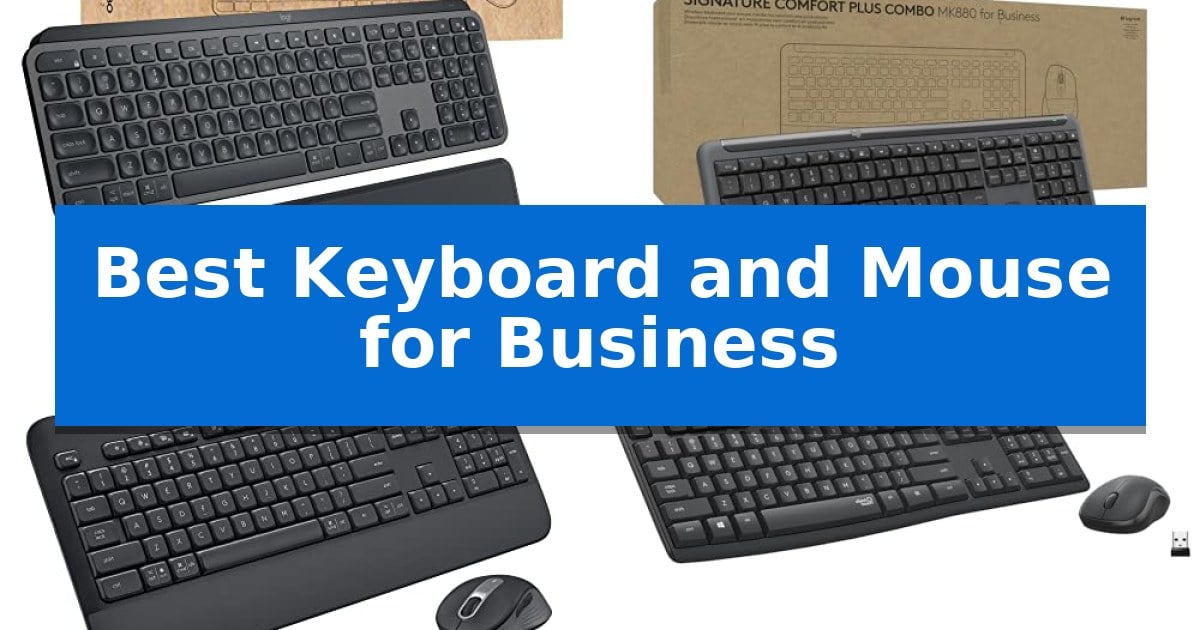
Finding the right input devices for a professional environment requires balancing long-term comfort with reliable connectivity and security. Whether you are managing a large IT deployment or setting up a home office, selecting the Best Keyboard and Mouse for Business ensures that your daily workflow remains uninterrupted and secure.
Our analysis focuses on professional-grade hardware designed for durability, multi-device compatibility, and enterprise-grade encryption. By prioritizing these essential factors, you can create a more efficient and comfortable workspace tailored to your specific professional requirements.
Best Keyboard and Mouse for Business in 2026
Quick Comparison
| Product | Best For | Key Strength | Score |
|---|---|---|---|
| Logitech MX Keys Combo for Business | Best Overall | Logi Bolt encrypted wireless security for enterprise environments. | 4.9 |
| Logitech Signature Comfort MK880 Combo | Ergonomic Support for Long Days | Ergonomic design with integrated palm rest and sculpted mouse shape. | 4.7 |
| Logitech Signature MK650 Combo | Secure Wireless for IT Deployment | Logi Bolt secure wireless technology with Level 4 encryption. | 4.8 |
| Logitech MK295 Silent Combo | Quiet Performance for Shared Offices | SilentTouch technology significantly reduces noise output. | 4.5 |
| Logitech Signature Slim MK625 Combo | Reliable Wired Connectivity | USB-C wired connectivity ensures a stable, interference-free connection. | 4.4 |
How We Chose
- Security protocols including encrypted wireless connections.
- Ergonomic design features that support long-term daily use.
- Compatibility across major operating systems like Windows, macOS, and Linux.
- Connectivity options ranging from secure USB receivers to versatile Bluetooth.
- Build quality and sustainability features for long-term office deployment.
1 Logitech MX Keys Combo for Business — Premium Precision for Power Users
Achieving a streamlined workspace requires tools that prioritize both security and precision, and the Logitech MX Keys Combo for Business addresses these needs through its enterprise-grade connectivity and high-performance input hardware. This combo integrates a full-size backlit keyboard with a high-precision wireless mouse, both utilizing the Logi Bolt receiver for encrypted, secure wireless communication.
The keyboard features Perfect Stroke scissor keys that are spherically-dished to match the shape of your fingertips, providing tactile stability during long typing sessions. To manage power efficiently, the keyboard includes sensors that automatically adjust backlighting based on the environment and turn off when not in use. This design ensures the device remains ready for productivity while minimizing unnecessary battery drain.
For navigation, the included mouse is equipped with a Darkfield 8000 DPI laser sensor, which maintains tracking accuracy on virtually any surface, including glass. The mouse also features MagSpeed Scrolling, allowing users to navigate through 1,000 lines of code or spreadsheet data in a single second. Furthermore, Quiet Click technology reduces click noise by 90%, making it a suitable choice for shared or open-plan office environments.
Deployment is simplified for IT professionals, as the hardware is compatible with Windows, macOS, ChromeOS, and Linux. The combo is designed to be easily managed across large organizations, ensuring consistent performance for diverse business setups.
Best for: Business professionals and IT environments requiring secure, high-precision input devices that function reliably on diverse surfaces.
Skip if: Users who prefer mechanical switches for a deeper key travel or those who require a compact, tenkeyless layout for limited desk space.
PROS
- Logi Bolt encrypted wireless security for enterprise environments.
- Darkfield 8000 DPI sensor provides precise tracking on glass and other difficult surfaces.
- MagSpeed Scrolling enables rapid navigation through long documents and spreadsheets.
- Quiet Click technology significantly reduces noise in shared workspaces.
CONS
- Full-size layout occupies a larger footprint on the desk compared to compact alternatives.
2 Logitech Signature Comfort MK880 Combo — Ergonomic Support for Long Days
Maintaining a comfortable and efficient workspace requires reliable peripherals that minimize physical strain during long hours. The Logitech Signature Comfort MK880 Combo addresses this through a naturally curved keyboard design paired with an integrated palm rest, providing consistent support for your wrists and hands throughout the workday.
The keyboard features deep-cushioned keys that offer a tactile typing experience, while the included mouse is built with a sculpted shape and extended rubber side grips. For open-office environments, the mouse utilizes Silent Touch technology, which is engineered to reduce click noise by 90%, allowing for a quieter and more focused atmosphere.
Productivity is further enhanced by the ability to customize the hardware to your specific workflow. The bundle includes 22 shortcut keys on the keyboard and 4 customizable mouse buttons, enabling quick access to frequently used functions. The system is designed for flexibility, supporting multi-OS compatibility across Windows, macOS, ChromeOS, and Linux.
Connectivity is handled through either the Logi Bolt receiver or Bluetooth, allowing users to switch between multiple devices seamlessly. Furthermore, this combo is built with sustainability in mind, as the plastic components are manufactured with a minimum of 63% post-consumer recycled plastic.
Best for: Business professionals and hybrid workers seeking an ergonomic, quiet, and customizable input solution for multi-device environments.
Skip if: Users who require a compact, ultra-portable keyboard or those who prefer mechanical switches with high-profile tactile feedback.
PROS
- Ergonomic design with integrated palm rest and sculpted mouse shape.
- Silent Touch technology significantly reduces mouse click noise.
- High customization with 22 shortcut keys and 4 programmable mouse buttons.
- Multi-device connectivity via Logi Bolt or Bluetooth.
CONS
- Full-size footprint may occupy significant desk space.
- Non-mechanical keys may not satisfy users who prefer specific mechanical switch feedback.
3 Logitech Signature MK650 Combo — Secure Wireless for IT Deployment
The Logitech Signature MK650 Combo prioritizes enterprise security through its Logi Bolt wireless technology, which utilizes a Secure Connections Only Mode to provide Bluetooth Low Energy Security Mode 1, Level 4 protection. This design choice directly addresses the specialized needs of IT departments seeking to mitigate wireless security vulnerabilities while maintaining reliable connectivity across diverse office environments.
Beyond its security credentials, the combo is engineered for sustained professional use. The keyboard features an integrated palm rest to support wrists during extended typing sessions, while the mouse utilizes a contoured shape intended to reduce strain. These ergonomic considerations are paired with impressive power efficiency, as the mouse is rated for up to 24 months of battery life and the keyboard for up to 36 months on their respective AA batteries.
Flexibility remains a core component of this setup, offering two distinct connection methods. Users can deploy the Logi Bolt USB receiver for environments where dedicated, secure hardware pairing is required, or utilize Bluetooth Low Energy for seamless integration with devices that lack available USB-A ports. The system maintains broad compatibility, supporting Windows, macOS, Linux, Chrome OS, iPadOS, and Android platforms.
This hardware solution serves as a practical upgrade for organizations aiming to standardize peripheral equipment. By combining a comfortable, long-lasting input set with enterprise-grade encryption, the Logitech Signature MK650 Combo provides a stable foundation for daily business operations without requiring complex software management.
Best for: IT departments and business professionals requiring a secure, long-lasting, and cross-platform compatible wireless keyboard and mouse solution.
Skip if: Users who require mechanical switches, high-performance gaming sensors, or a ultra-compact footprint will find this productivity-focused combo less suitable for their specific needs.
PROS
- Logi Bolt secure wireless technology with Level 4 encryption.
- Exceptional long battery life of up to 36 months for the keyboard.
- Integrated palm rest and contoured mouse design for all-day comfort.
- Broad multi-platform compatibility including Windows, Mac, and mobile OS.
CONS
- No rechargeable battery option, relying on standard AA batteries.
- Fixed ergonomic design may not suit all user hand sizes or typing preferences.
4 Logitech MK295 Silent Combo — Quiet Performance for Shared Offices
The Logitech MK295 Silent Combo prioritizes a distraction-free workspace through its proprietary SilentTouch technology, which reduces typing and clicking noise by 90% while maintaining a familiar tactile feel. This full-size keyboard and mouse set is engineered for professionals who require a quiet environment without sacrificing the responsiveness of standard peripherals.
Efficiency is central to the design, featuring a full-size layout with a dedicated numpad and eight programmable shortcuts for one-touch access to media controls and internet navigation. The included ambidextrous mouse is contoured for portability and maintains consistent tracking performance across most common desk surfaces, ensuring reliable input for daily tasks.
Connectivity is handled via a single, tiny 2.4 GHz USB receiver that provides a stable wireless range of up to 10 meters. The setup process is designed for simplicity, utilizing a plug-and-play approach that connects in approximately three seconds, making it compatible with both Windows and Chrome OS environments.
Durability and longevity are integrated into the hardware, featuring a spill-resistant design and sturdy, adjustable tilt legs. Power management is highly efficient, with an estimated 36-month battery life for the keyboard and 18 months for the mouse, supported by physical on/off switches to preserve energy during extended periods of inactivity.
Sustainability is also a factor, as the Graphite model incorporates certified post-consumer recycled plastic—49% in the mouse and 71% in the keyboard—offering a functional choice for those prioritizing material sourcing in their office equipment.
Best for: Professionals working in shared or quiet office environments who need a reliable, noise-reducing input solution.
Skip if: Users who require advanced ergonomic features, mechanical switches, or multi-device Bluetooth connectivity.
PROS
- SilentTouch technology significantly reduces noise output.
- Long battery life reduces the frequency of maintenance.
- Spill-resistant construction enhances durability for daily office use.
- Plug-and-play simplicity with a reliable 2.4 GHz wireless connection.
CONS
- Limited connectivity options as it relies solely on a USB receiver.
- Lacks advanced features like multi-device switching or backlighting.
5 Logitech Signature Slim MK625 Combo — Reliable Wired Connectivity
The Logitech Signature Slim MK625 for Business prioritizes reliable, consistent connectivity through a USB-C wired interface, making it a suitable choice for professional environments like banking or medical facilities where wireless interference must be avoided. This full-size keyboard and mouse combo is built to integrate seamlessly into corporate workflows with a multi-OS layout that supports Windows, ChromeOS, and macOS.
Typing comfort is addressed through low-profile keys featuring a subtle scoop, which provides a familiar, laptop-like feel designed for touch typists. To enhance efficiency, the keyboard includes dedicated productivity shortcuts, such as an AI Launch Key and meeting controls, which can be further customized using Logi Tune software.
The included ambidextrous mouse features SmartWheel scrolling, allowing users to toggle between high-speed navigation and precise, line-by-line control with a simple flick. Beyond performance, the hardware is engineered for sustainability, with plastic components containing at least 66% post-consumer recycled plastic.
For IT departments, the combo offers simplified deployment via a physical toggle switch for OS compatibility. The design also emphasizes improved power efficiency, consuming significantly less energy than standard peripherals, which supports long-term operational cost management in large-scale office settings.
Best for: Professional office environments and industries requiring secure, consistent wired connectivity across multiple operating systems.
Skip if: Users who require a wireless workspace or those who prefer mechanical switches for tactile feedback will find this low-profile membrane-style combo less suitable.
PROS
- USB-C wired connectivity ensures a stable, interference-free connection.
- Multi-OS compatibility with a simple toggle switch for easy deployment.
- SmartWheel scrolling provides versatile navigation options for documents.
- Sustainable design incorporating at least 66% post-consumer recycled plastic.
CONS
- Wired-only design limits desk flexibility compared to wireless alternatives.
- Membrane-style keys may not satisfy users seeking a mechanical typing experience.
Best Keyboard and Mouse for Business Buying Guide
Security and Encryption Standards
In a business context, data security is paramount. Many professional-grade keyboards and mice utilize proprietary wireless protocols, such as Logi Bolt, which are specifically designed to provide fully encrypted, secure connections. This prevents unauthorized access to input data, which is a critical requirement for industries handling sensitive information.
When choosing hardware for an organization, ensure the devices support Secure Connections Only mode. This feature minimizes the risk of wireless interference and potential security vulnerabilities, providing peace of mind for both IT departments and end-users.
Ergonomics for Extended Use
Professional users often spend eight or more hours at their desks, making ergonomics a non-negotiable factor. Look for keyboards with naturally curved designs or integrated palm rests that promote a neutral wrist position to reduce strain during long typing sessions.
Mice should feature a sculpted shape that fits the natural contour of the hand. Models with rubber side grips and soft-touch materials provide better control and comfort, helping to prevent fatigue during intensive daily tasks.
Connectivity and Multi-OS Compatibility
Modern business environments are rarely tied to a single operating system. The best combos offer seamless compatibility with Windows, macOS, ChromeOS, and Linux. This flexibility allows IT teams to standardize hardware across different departments regardless of the specific computer being used.
Consider whether your setup requires Bluetooth Low Energy for cross-platform flexibility or a dedicated USB receiver for a more stable, interference-free connection in crowded office spaces. Many professional sets provide both options to accommodate varying desk configurations.
Noise Reduction and Office Environment
In open-plan offices or shared workspaces, noise management is essential for maintaining focus. Keyboards and mice featuring SilentTouch technology or quiet-click switches can reduce noise by up to 90%, creating a more peaceful environment for everyone.
This reduction in audible distraction is particularly beneficial for professionals who participate in frequent video calls or work in collaborative settings where constant clicking can be disruptive.
Deployment and Sustainability
For large-scale business deployments, ease of management is a key efficiency driver. Devices that are globally certified and easy to deploy help IT teams save time and resources. Look for products that offer consistent performance across different regions and setups.
Sustainability is also increasingly important for corporate social responsibility. Many modern business peripherals are now constructed with a significant percentage of post-consumer recycled plastic, allowing companies to meet their environmental goals without sacrificing hardware performance.
Frequently Asked Questions
What is the benefit of using a business-specific keyboard and mouse combo?
Business-specific models are built for reliability, security, and long-term support. They often include enterprise-grade encryption, multi-OS compatibility, and extended warranty periods that are not always prioritized in consumer-grade hardware.
Are these keyboards and mice compatible with both Windows and Mac?
Yes, most professional-grade combos are designed for multi-OS support, allowing them to work seamlessly with Windows, macOS, Linux, and ChromeOS.
Why should I choose a wireless combo with a dedicated receiver?
A dedicated USB receiver, such as Logi Bolt, provides a more stable and secure connection compared to standard Bluetooth, especially in office environments with high levels of wireless interference.
How do I know if a keyboard is ergonomic?
Look for features like a curved key layout, integrated palm rests, and a design that encourages a natural wrist angle. These elements work together to reduce muscle strain during prolonged use.
Can I use these devices in an open office without disturbing others?
Yes, many of these models feature silent-click technology, which significantly reduces the noise generated by keystrokes and mouse clicks, making them ideal for shared workspaces.
Conclusion: Our Top Pick
For professionals seeking the ultimate balance of security, precision, and comfort, the Logitech MX Keys Combo for Business stands out as the premier choice. Its combination of encrypted wireless technology, high-precision tracking on glass, and ergonomic design makes it a versatile tool for power users who demand reliability in every aspect of their workflow.
While other options in this list offer excellent value for specific needs—such as silent operation or wired connectivity—the MX Keys Combo provides the most comprehensive feature set for a modern enterprise environment. Its ability to handle complex tasks with ease while maintaining strict security standards ensures it remains a top-tier investment for any professional desk setup.