
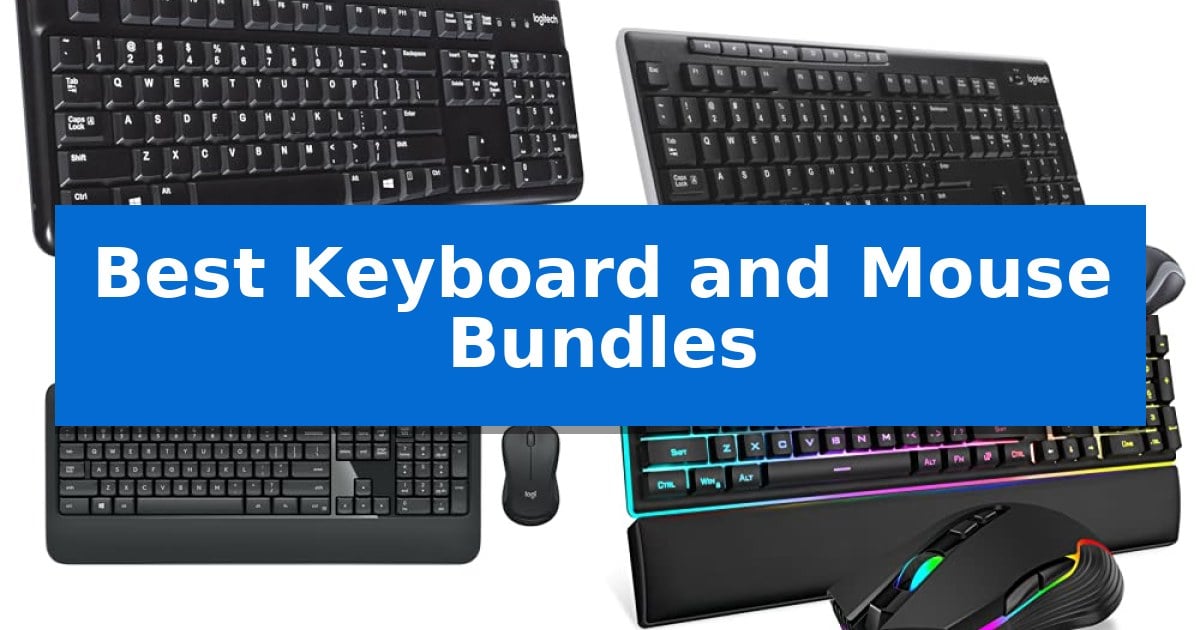
Finding the right peripheral combination can significantly improve your daily desk experience. Whether you are looking to clear cable clutter or need a reliable, plug-and-play solution for your workstation, the right hardware makes a difference.
We have analyzed the current market to identify the Best Keyboard and Mouse Bundles available today. From compact gaming setups to full-size office essentials, these combinations offer varying levels of connectivity and ergonomic support to suit your specific needs.
Best Keyboard and Mouse Bundles in 2026
Quick Comparison
| Product | Best For | Key Strength | Score |
|---|---|---|---|
| Logitech MK120 Wired Keyboard Mouse Combo | Best Overall | Spill-resistant design for increased durability. | 4.9 |
| Logitech MK270 Wireless Keyboard Mouse Combo | Best for Clutter-Free Desks | Single USB-A Nano Receiver for clutter-free connectivity | 4.4 |
| Logitech MK540 Advanced Wireless Combo | Enhanced Comfort for Long Typing | Long-lasting battery life of up to 36 months for the keyboard and 18 months for the mouse. | 4.4 |
| RedThunder K10 Gaming Keyboard Mouse Combo | High-Precision Gaming Performance | 26 Anti-Ghosting keys for reliable simultaneous input | 4.6 |
| GEODMAER 65% Gaming Keyboard Mouse Combo | Compact Pick for Tight Spaces | 65% compact layout saves significant desk space. | 4.8 |
How We Chose
- Connectivity Type: Evaluating the benefits of wired reliability versus wireless freedom.
- Ergonomic Features: Assessing layouts, palm rests, and key profiles for long-term comfort.
- Build Quality: Checking for spill resistance, key durability, and overall material sturdiness.
- Space Efficiency: Comparing full-size layouts against compact designs for different desk sizes.
- Performance Specs: Reviewing sensor precision for mice and anti-ghosting capabilities for gaming models.
1 Logitech MK120 Wired Keyboard Mouse Combo — Reliable Standard for Daily Office
Reliability in a workspace often comes down to the tools that simply work without constant maintenance. The Logitech MK120 Wired Keyboard Mouse Combo provides a straightforward, plug-and-play solution for desktop and laptop users who prioritize a standard, full-size layout and consistent wired connectivity.
The keyboard features a spill-resistant design and a durable build capable of withstanding 10 million keystrokes. Its deep-profile keys and standard layout, including a full-size number pad and F-keys, offer a familiar typing experience. The inclusion of sturdy, adjustable tilt legs allows for ergonomic positioning, while the bold, bright white characters on the keys ensure long-lasting readability.
Included in the bundle is a full-size sculpted mouse designed with an ambidextrous shape for comfort during extended use. This high-definition optical mouse provides accurate tracking through a simple USB connection. The entire setup is designed for immediate use, requiring no complex software installation on compatible Windows systems.
Sustainability is integrated into the construction, as the plastic components contain 72% certified post-consumer recycled plastic for the mouse and 54% for the keyboard. With a 3-year warranty, this combo serves as a dependable, no-nonsense peripheral set for office or home productivity.
Best for: Users seeking a reliable, spill-resistant, and straightforward wired input solution for standard office or home productivity tasks.
Skip if: Users who require wireless freedom, programmable hotkeys, or media shortcuts, as this wired model lacks those specific convenience features.
PROS
- Spill-resistant design for increased durability.
- Full-size layout with a dedicated number pad.
- Ambidextrous mouse shape suitable for various hand sizes.
- Plug-and-play USB setup requiring no additional software.
CONS
- Wired-only connectivity limits desk mobility.
- Lacks dedicated media keys and programmable shortcuts.
2 Logitech MK270 Wireless Keyboard Mouse Combo — Best for Clutter-Free Desks
Maintaining a clean workspace often starts with reducing cable clutter, and the Logitech MK270 Full Size Wireless Keyboard and Mouse Combo addresses this by utilizing a single USB-A Nano Receiver to manage both peripherals. This setup eliminates the need for multiple dongles, providing a streamlined connection that works up to 33 feet away.
The keyboard features a full-size layout complete with a number pad and dedicated F-keys, designed for a familiar typing experience. It is built for longevity with a spill-resistant design and sturdy, adjustable tilt legs. Users can also access common tasks quickly via 8 multimedia hotkeys that control volume, email, and media playback.
Included in the bundle is a compact ambidextrous mouse that fits comfortably in either hand. It is engineered for smooth cursor control across most surfaces, making it a versatile tool for daily navigation. Both devices prioritize power efficiency, offering a 36-month battery life for the keyboard and a 12-month battery life for the mouse, supported by physical on/off switches.
Sustainability is integrated into the manufacturing process, as the Logitech MK270 incorporates certified post-consumer recycled plastic—49% in the mouse and 54% in the keyboard. This combination offers a practical, durable solution for those seeking a reliable, cord-free desktop setup.
Best for: Users seeking a reliable, space-saving wireless input solution for standard office or home computing tasks.
Skip if: Users who require advanced ergonomic features like palm rests or customizable shortcut buttons, as these are reserved for higher-tier models like the MK540.
PROS
- Single USB-A Nano Receiver for clutter-free connectivity
- Spill-resistant design and durable construction
- Long battery life with 36 months for the keyboard
- Ambidextrous mouse shape for universal comfort
CONS
- Lacks advanced ergonomic support such as integrated palm rests
- Limited customization compared to higher-end models
3 Logitech MK540 Advanced Wireless Combo — Enhanced Comfort for Long Typing
The Logitech MK540 Advanced Wireless Combo simplifies desktop organization by pairing a full-size keyboard and an ambidextrous mouse through a single Logitech Unifying USB receiver. This setup provides a reliable wireless connection up to 33 feet, allowing for a clean workspace without the clutter of multiple cables or separate dongles.
Designed for extended use, the keyboard features reduced noise keys, an integrated palm rest, and adjustable tilt legs to support comfortable typing posture. The layout includes essential hotkeys for direct access to media controls, a calculator, and battery status checks, ensuring that common tasks remain within reach.
The included wireless mouse is built with a comfortable, ambidextrous shape and soft rubber side grips, making it suitable for various hand sizes and grip styles. It utilizes enhanced tracking for precise cursor control, while both devices are engineered for longevity, with the keyboard rated for up to 36 months of battery life and the mouse for up to 18 months.
Compatibility is straightforward, as the combo supports Windows 10 or later, Windows 8, Windows 7, and Chrome OS. The spill-resistant design of the keyboard adds a layer of durability for daily office or home environments, and the plug-and-play nature of the USB receiver ensures a quick setup process.
Best for: Users seeking a reliable, full-size wireless keyboard and mouse solution for general productivity and office tasks.
Skip if: Users who require multi-device switching via Bluetooth or advanced customization options found in higher-tier models like the MK850.
PROS
- Long-lasting battery life of up to 36 months for the keyboard and 18 months for the mouse.
- Plug-and-play connectivity via a single USB Nano receiver.
- Ergonomic design featuring an integrated palm rest and soft rubber side grips.
- Spill-resistant keyboard construction for increased durability.
CONS
- USB-A receiver requires an available USB-A port or adapter for modern devices.
- Lacks multi-device Bluetooth connectivity found in higher-end Logitech models.
4 RedThunder K10 Gaming Keyboard Mouse Combo — High-Precision Gaming Performance
The RedThunder K10 Gaming Keyboard Mouse Combo centers its design around a 104-key full-size layout reinforced by a built-in steel plate, providing a rigid foundation for intensive use. This 3-in-1 set includes a mechanical-feel keyboard, a high-precision optical mouse, and a memory foam wrist rest to support extended sessions.
The keyboard features 26 Anti-Ghosting keys, allowing for simultaneous inputs without signal loss. It is complemented by floating keycaps and integrated RGB lighting that extends to a bottom light bar, while the included faux leather wrist rest provides ergonomic support to reduce hand fatigue.
The accompanying mouse is engineered for responsiveness, utilizing a 7200 DPI optical sensor with a 1000Hz polling rate. It is rated for 40G acceleration and 400IPS tracking speed, designed to maintain accuracy during rapid movements. The mouse chassis is constructed from non-slip ABS material to improve grip during gameplay.
This bundle prioritizes physical stability and comfort, utilizing adjustable tripod legs on the keyboard to optimize typing angles. The combination of the sturdy steel-base keyboard and the high-tracking mouse creates a cohesive peripheral setup for users seeking a complete desktop solution.
Best for: Gamers and desktop users who require a full-sized, durable keyboard and high-precision mouse bundle with integrated ergonomic support.
Skip if: Users who prefer low-profile, wireless, or compact tenkeyless keyboards will find this full-sized, wired set too bulky for their desk space.
PROS
- 26 Anti-Ghosting keys for reliable simultaneous input
- 7200 DPI high-precision optical sensor in the mouse
- Durable steel plate construction in the keyboard base
- Memory foam wrist rest included for ergonomic comfort
CONS
- Wired-only connectivity limits desk cable management options
5 GEODMAER 65% Gaming Keyboard Mouse Combo — Compact Pick for Tight Spaces
The GEODMAER 65% Gaming Keyboard and Mouse Combo prioritizes desktop efficiency with its ultra-compact 65% layout, which removes the number pad to reclaim valuable workspace while retaining essential functionality through dedicated arrow keys. This set is designed for users who need a portable, space-saving solution for both gaming and office tasks.
The keyboard features 16.8 million colors RGB backlighting with two-color injection molding keycaps that allow light to pass through for clear visibility in low-light environments. It utilizes imitation mechanical technology to provide a tactile typing experience that mimics mechanical switches while maintaining the quiet operation of a membrane keyboard.
Included in the bundle is a high-precision gaming mouse that supports up to 7200 DPI, with six adjustable presets ranging from 400 to 3200 DPI. Users can further customize key functions and sensitivity settings via the included driver software, allowing for tailored performance across different applications.
Both peripherals are equipped with 1.8-meter braided cables, ensuring sufficient reach for various desk setups and reducing cable clutter. The streamlined, ergonomic design of the mouse and the specific height profile of the keyboard keycaps are engineered to support wrist comfort during extended use.
Best for: This bundle is best for gamers and professionals working in tight desk spaces who require a compact, portable, and highly adjustable input solution.
Skip if: Skip this if you require a full-sized keyboard with a dedicated number pad for data entry or prefer the distinct tactile feedback of authentic mechanical switches.
PROS
- 65% compact layout saves significant desk space.
- 7200 DPI adjustable mouse with customizable driver software.
- 1.8m braided cables provide durable and flexible connectivity.
- RGB backlighting with transparent luminous characters for visibility.
CONS
- No number pad limits efficiency for heavy numerical data entry.
- Membrane-based mechanical feel may not satisfy users seeking genuine mechanical switch feedback.
Best Keyboard and Mouse Bundles Buying Guide
Connectivity: Wired vs. Wireless
The choice between wired and wireless connectivity often comes down to your desk environment and maintenance preferences. Wired bundles, such as those using USB connections, offer a plug-and-play experience that never requires battery changes, making them ideal for stationary office setups.
Wireless bundles provide a cleaner, cable-free workspace and greater flexibility. These units typically rely on a USB-A Nano Receiver for a stable connection. While they require periodic battery management, the trade-off is a more organized desk and the ability to move your peripherals freely.
Ergonomics and Typing Comfort
Comfort is essential for anyone spending hours at a computer. Look for keyboards with adjustable tilt legs that allow you to customize the typing angle to reduce wrist strain. Some advanced models include an integrated palm rest, which provides necessary support during extended typing sessions.
Mouse ergonomics also play a critical role. An ambidextrous shape is generally more versatile, ensuring that the device feels natural in either hand. Soft rubber side grips can further enhance control and reduce fatigue during long periods of use.
Durability and Spill Resistance
A keyboard is a high-traffic tool, and spill-resistant design is a valuable feature for protecting your investment against accidental liquid exposure. This design allows liquids to drain away from the internal electronics, potentially saving the device from damage.
Key durability is measured by the number of keystrokes a keyboard can withstand. Models featuring keys rated for 10 million keystrokes offer long-term reliability. Additionally, look for durable, long-lasting characters on the keycaps to ensure they remain readable even after years of heavy use.
Gaming-Specific Features
Gaming bundles prioritize responsiveness and precision. Features like anti-ghosting keys allow you to press multiple keys simultaneously without input failure, which is critical for complex gaming commands. These keyboards often feature mechanical-feel technology to provide tactile feedback without the higher cost of full mechanical switches.
Gaming mice in these bundles often feature high-precision optical sensors with adjustable DPI (dots per inch) settings. A higher DPI allows for faster cursor movement and improved tracking accuracy, which can be adjusted to match your specific gaming style or screen resolution.
Space-Saving Designs
If your workspace is limited, a compact or 65% layout keyboard is an excellent choice. These designs remove the numeric keypad to save significant desk space while retaining essential functionality through function keys. They are also easier to transport if you move between different workstations.
While compact keyboards save space, ensure that the layout still includes the keys you use most frequently. Some models offer a balance by maintaining separate arrow keys, which helps preserve the familiar typing experience while keeping the overall footprint small.
Frequently Asked Questions
Are wireless keyboard and mouse combos compatible with all computers?
Most wireless bundles use a USB receiver that is compatible with Windows, Chrome OS, and other systems that support standard USB input devices. Always check the product specifications for specific OS compatibility.
Do I need to install software for these bundles?
Most of these bundles are designed for plug-and-play functionality, meaning they work immediately upon plugging the USB receiver or cable into your computer without the need for additional drivers.
How long do batteries typically last in wireless bundles?
Battery life varies by model and usage. Many modern wireless combos feature power-saving technology that allows keyboards to last up to 36 months and mice up to 12 or 18 months on standard batteries.
What is the benefit of a spill-resistant keyboard?
A spill-resistant design is engineered to allow liquids to flow through the keyboard without damaging the internal circuitry, providing a layer of protection against accidental spills at your desk.
Can I use a gaming bundle for office work?
Yes, gaming bundles are perfectly capable of handling office tasks. Their high-precision sensors and durable switches can actually provide a more responsive and reliable experience for general productivity.
Conclusion: Our Top Pick
When selecting the right hardware for your workspace, the Logitech MK120 Wired Keyboard Mouse Combo stands out as the most reliable standard for daily office tasks. Its combination of a spill-resistant, durable keyboard and a comfortable, high-definition optical mouse provides a consistent experience without the need for battery management.
While wireless options offer more freedom, this wired bundle remains the best choice for users who prioritize simplicity, long-term durability, and a stable, always-ready connection for their primary workstation.