
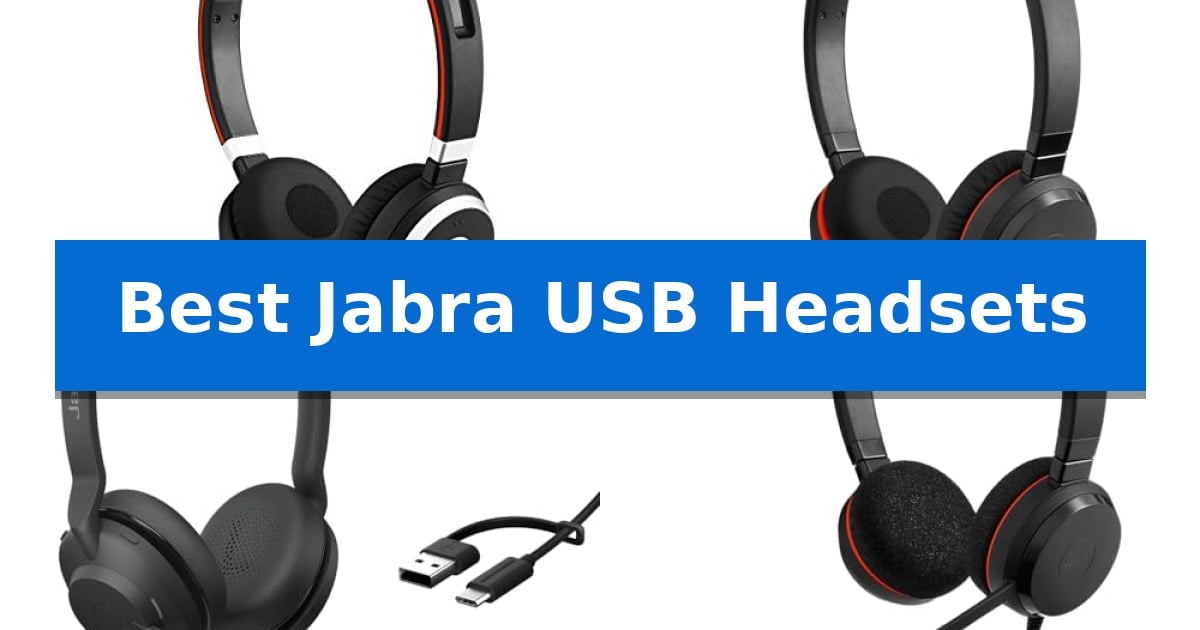
Finding the right audio equipment is essential for maintaining focus and clarity during professional calls. Whether you are working from a busy office or a quiet home setup, the Best Jabra USB Headsets offer reliable solutions designed to improve your daily communication experience.
We have evaluated several models to help you understand the differences between wired and wireless options, connectivity standards, and ergonomic designs. This guide breaks down the key features of each headset to help you make an informed decision based on your specific workspace requirements.
Best Jabra USB Headsets in 2026: Clear Audio for Every Call
Quick Comparison
| Product | Best For | Key Strength | Score |
|---|---|---|---|
| Jabra Evolve 65 Wireless Headset | Best Overall | 30-meter wireless range for increased mobility. | 4.9 |
| Jabra Evolve 30 II Wired Headset | Versatile Dual-Device Connectivity | Dual-connectivity via 3.5mm jack and USB-A/USB-C. | 4.9 |
| Jabra Evolve2 30 SE Wired Headset | Enhanced Noise Isolation for Focus | Advanced 2-microphone technology for clear voice capture. | 4.8 |
| Jabra Evolve 20 Wired Headset | Essential Comfort for Daily Meetings | Advanced noise-canceling microphones for clear communication. | 4.7 |
| Jabra Evolve 10 Wired Headset | Lightweight Design for Simple Setup | Plug-and-play USB-A connectivity for immediate setup. | 4.8 |
How We Chose
- Connectivity options including USB-A, USB-C, and Bluetooth integration.
- Microphone technology and noise-cancellation capabilities for clear voice transmission.
- Ergonomic design features such as weight, ear cushion materials, and adjustability.
- Compatibility with major online meeting platforms and UC software.
- Battery performance for wireless models and cable versatility for wired units.
1 Jabra Evolve 65 Wireless Headset — Wireless Freedom for Professional Calls
Maintaining professional communication in a busy office requires equipment that balances mobility with consistent audio clarity. The Jabra Evolve 65 Wireless Headset provides a 30-meter wireless range, allowing users to step away from their desk without losing connection to their calls. This freedom of movement is supported by an integrated busy light, which serves as a visual indicator to colleagues, helping to minimize interruptions during focused work sessions.
Versatility is central to the design, featuring dual connectivity that allows the headset to pair with a PC via the included USB dongle while simultaneously maintaining a connection to a mobile device. This functionality enables seamless transitions between computer-based voice applications and mobile calls. The device is certified for Skype for Business and maintains compatibility with most major online voice call services, ensuring a straightforward, plug-and-play setup for professional environments.
Audio quality is managed through an advanced noise-cancelling microphone, which is engineered to reduce background distractions and improve voice clarity during calls. The headset is designed for all-day reliability, offering up to 14 hours of talk time on a single charge. If the battery levels run low during an extended shift, the unit supports charging via a USB cable, allowing for continuous operation while the device remains in use.
The Jabra Evolve 65 Wireless Headset is built for professionals who prioritize a stable, flexible audio solution. By combining long-range wireless performance with the convenience of simultaneous multi-device pairing, it addresses the needs of active office and remote work setups.
Best for: Professionals who require wireless mobility and the ability to switch between PC and mobile devices during frequent voice calls.
Skip if: Users who prefer a dedicated wired-only connection or those who require a boom-less microphone design for non-professional use.
PROS
- 30-meter wireless range for increased mobility.
- Dual connectivity for simultaneous PC and Bluetooth device pairing.
- Integrated busy light to signal focus and reduce interruptions.
- 14-hour talk time with the ability to charge while in use.
CONS
- Requires USB dongle for optimal PC wireless performance.
2 Jabra Evolve 30 II Wired Headset — Versatile Dual-Device Connectivity
Professional communication requires hardware that bridges the gap between desk-bound office work and mobile flexibility. The Jabra Evolve 30 II (2025 Edition) Wired Dual-Ear Headset addresses this by offering dual-interface connectivity, allowing users to switch between a standard 3.5mm jack for mobile devices and a USB-A/USB-C connection for laptops.
Designed for extended use, this headset features a lightweight build paired with soft leatherette ear cushions to support all-day comfort. The integrated noise-cancelling microphone is engineered to filter out background distractions, ensuring that voice clarity remains a priority during professional calls. This focus on audio quality helps maintain professional standards in busy environments.
Usability is simplified through an in-line call controller that provides physical buttons for volume and mute functions, accompanied by LED indicators for quick status checks. This hardware is Microsoft Teams certified and compatible with major online meeting platforms, ensuring it integrates into existing digital workflows without requiring complex software configuration.
With a 4-year manufacturer warranty, the headset provides long-term reliability for high-frequency users. While it is a wired solution, the dual-connection capability ensures that the device remains versatile for users who alternate between different hardware environments throughout the workday.
Best for: Office professionals and remote workers who require a reliable, wired headset that transitions seamlessly between laptops and mobile devices.
Skip if: Users who prioritize total wireless freedom or require active noise cancellation for the earcups in loud, open-office environments.
PROS
- Dual-connectivity via 3.5mm jack and USB-A/USB-C.
- Microsoft Teams certified for plug-and-play compatibility.
- In-line call controller with intuitive LED status indicators.
- 4-year manufacturer warranty for long-term support.
CONS
- Wired-only design limits mobility compared to wireless alternatives.
- Passive noise isolation only; lacks active noise cancellation for the speakers.
3 Jabra Evolve2 30 SE Wired Headset — Enhanced Noise Isolation for Focus
The Jabra Evolve2 30 SE (2025 Version) Wired Dual-Ear USB Headset prioritizes clear communication through its advanced 2-microphone technology, designed to ensure your voice remains distinct during professional calls. This headset is built for environments where focus is essential, utilizing superior noise isolation to minimize background distractions throughout the workday.
Equipped with 28mm speakers, the device provides immersive sound quality for both calls and media playback. The dual-ear design helps maintain concentration, while the lightweight construction supports extended use. It is engineered to integrate seamlessly with all major online meeting platforms, facilitating efficient team collaboration without complex setup requirements.
Connectivity is streamlined via an all-in-one USB-A and USB-C cable, allowing for quick attachment to most modern laptops and desktop computers. This versatile cable design eliminates the need for multiple adapters, making it a practical choice for users who frequently switch between different workstations.
Backed by a 2-year manufacturer warranty, this headset balances professional-grade audio features with a focus on durability and ease of use. It serves as a reliable tool for those who require consistent, high-quality audio performance in a wired, plug-and-play format.
Best for: Professionals who require a reliable, plug-and-play wired headset for frequent online meetings and focused work sessions.
Skip if: Users who require wireless freedom or mobility away from their desk will find the wired-only connection restrictive.
PROS
- Advanced 2-microphone technology for clear voice capture.
- All-in-one USB-A and USB-C cable for broad device compatibility.
- Superior noise isolation to help maintain focus.
- 2-year manufacturer warranty included.
CONS
- Wired-only connectivity limits physical movement.
- Fixed cable design lacks the flexibility of detachable options.
4 Jabra Evolve 20 Wired Headset — Essential Comfort for Daily Meetings
Reliable communication in professional environments often hinges on hardware that balances audio clarity with daily usability. The Jabra Evolve 20 Wired Headset simplifies this requirement by integrating advanced noise-canceling microphones directly into a lightweight, dual-ear frame designed for extended wear.
Engineered for seamless integration, this headset features a straightforward USB-A or USB-C connection that allows for immediate use across various office and remote work setups. The inclusion of in-line call controls provides users with direct management over volume and call status, reducing the need to navigate software menus during active meetings.
The audio profile is driven by 28mm speakers designed to provide clear sound output for voice-heavy tasks. The build prioritizes comfort through a lightweight chassis paired with foam or leatherette ear cushions, ensuring the device remains unobtrusive during long sessions. It is also certified for Avaya and Cisco, confirming its compatibility with major enterprise communication platforms.
While this model excels in standard office environments, its wired nature means it lacks the freedom of movement provided by wireless alternatives. It serves as a dedicated tool for stationary desk work where consistent, tethered connectivity is preferred over battery-dependent solutions.
Best for: Office professionals and remote workers seeking a reliable, plug-and-play wired headset for daily online meetings.
Skip if: Users who require wireless freedom of movement or those who prefer a single-ear design for maintaining situational awareness.
PROS
- Advanced noise-canceling microphones for clear communication.
- Plug-and-play connectivity via USB-A or USB-C.
- Lightweight design with comfortable ear cushions for all-day use.
- In-line controls for efficient call and volume management.
CONS
- Wired connection limits mobility compared to wireless headsets.
5 Jabra Evolve 10 Wired Headset — Lightweight Design for Simple Setup
Maintaining clear communication during remote meetings requires reliable hardware that minimizes setup friction. The Jabra Evolve 10 Wired Headset simplifies this process with a straightforward USB-A plug-and-play design, eliminating the need for complex driver installations or software configurations before a call.
Designed for professional environments, this headset features a noise-cancelling microphone that helps isolate your voice from background distractions, ensuring clear audio in busy workspaces. The adjustable boom arm offers flexibility, allowing users to position the microphone on either the left or right side depending on their personal preference or workspace layout.
The Jabra Evolve 10 Wired Headset prioritizes comfort during extended use with a lightweight design that reduces physical strain. It includes inline call and volume controls, providing immediate access to audio adjustments without requiring navigation through computer menus during active meetings.
Sustainability is a core component of this model's construction, as it is TCO certified and manufactured using more than 50% recycled plastic. This focus on materials makes it a practical choice for organizations or individuals looking to balance functional office requirements with eco-friendly product standards.
Best for: Professionals and remote workers who need a lightweight, plug-and-play USB headset for daily online meetings and clear voice communication.
Skip if: Users who require wireless freedom, active noise cancellation for the earcups, or a 3.5mm connection for mobile devices will find this wired USB-A model too restrictive.
PROS
- Plug-and-play USB-A connectivity for immediate setup.
- Noise-cancelling microphone for improved voice clarity.
- Lightweight, ergonomic design suitable for all-day wear.
- Eco-friendly construction using over 50% recycled plastic.
CONS
- Wired-only connection limits movement compared to wireless alternatives.
- USB-A interface may require adapters for modern laptops lacking legacy ports.
Best Jabra USB Headsets Buying Guide
Connectivity and Compatibility
The primary consideration for any USB headset is how it interfaces with your hardware. Modern office environments often require flexibility, with many headsets now offering USB-A and USB-C compatibility to accommodate different laptop and desktop ports. Some models also include a 3.5mm jack, which provides a secondary way to connect to mobile devices.
For those who require more freedom, Bluetooth connectivity allows you to move away from your desk while maintaining a connection. It is important to verify if a headset includes a dedicated USB adapter, as this often ensures a more stable, plug-and-play experience compared to standard computer Bluetooth.
Microphone and Noise Management
Clear communication depends heavily on the quality of the microphone. Look for models featuring advanced noise-cancelling technology, which helps filter out background chatter and ambient office sounds. This ensures that your voice remains the focus during important meetings.
Some headsets also feature integrated busy lights. These visual indicators are highly effective in open-plan offices, as they signal to colleagues that you are currently on a call, helping to minimize interruptions and maintain your concentration.
Ergonomics and Comfort
Since headsets are often worn for several hours at a time, the physical design is critical. Features like soft leatherette or foam ear cushions and a lightweight frame reduce pressure on the ears and head. An adjustable boom arm is also a standard requirement, allowing you to position the microphone for optimal voice pickup.
The choice between mono and stereo designs often comes down to personal preference and work environment. Stereo headsets provide better immersion and noise isolation, while mono headsets allow you to keep one ear open to your surroundings, which can be beneficial in collaborative settings.
Battery Life and Charging
For wireless users, battery longevity is a major factor. Models that offer all-day battery life ensure you won't be interrupted by a low-power warning in the middle of a meeting. Some headsets allow you to continue using the device while it charges via a USB cable, providing a useful backup if you forget to charge overnight.
Charging convenience varies by model. Some units are designed to be simple and efficient, while others may require specific docking stations. Always check the rated talk time to ensure it aligns with your typical daily usage patterns.
Durability and Standards
Professional-grade headsets are built to withstand daily wear and tear. Look for certifications like TCO certification, which often indicates that the product meets specific sustainability and durability standards. Materials such as recycled plastics are becoming more common, offering an eco-friendly choice without sacrificing build quality.
Warranty coverage is another indicator of a product's expected lifespan. A longer manufacturer warranty can provide peace of mind, especially for equipment that is used heavily every single day. Always review the included warranty terms to understand what is covered.
Frequently Asked Questions
What is the difference between USB-A and USB-C headsets?
USB-A is the traditional rectangular port, while USB-C is the newer, smaller, reversible connector. Many modern Jabra headsets now come with cables or adapters that support both, ensuring compatibility with both older and newer computers.
Do I need a special driver to use these headsets?
Most Jabra USB headsets are designed for plug-and-play functionality. They are typically recognized immediately by operating systems and major communication platforms like Microsoft Teams or Skype for Business without needing manual driver installations.
Can I use a wireless headset with my phone?
Yes, if the headset supports Bluetooth, you can pair it with your smartphone. Some models even support dual connectivity, allowing you to stay connected to your PC and your mobile device simultaneously.
Are these headsets comfortable for all-day wear?
Jabra designs its Evolve series with lightweight materials and soft ear cushions specifically for extended use. However, individual comfort can vary, so consider whether you prefer the feel of foam or leatherette cushions.
What does the busy light do?
The integrated busy light is a visual indicator that turns on when you are in a call. It acts as a 'do not disturb' sign for colleagues, helping to prevent interruptions while you are working.
Conclusion: Our Top Pick
Choosing the right headset depends on your specific need for mobility versus a fixed, wired connection. For those seeking a balance of performance and flexibility, the Jabra Evolve 65 Wireless Headset stands out as a versatile choice. Its wireless range and dual-connectivity options make it highly adaptable for professional environments where you need to move between your desk and other areas.
If your workflow is primarily desk-bound, the wired options in the Evolve series remain excellent, reliable alternatives that eliminate battery concerns entirely. Regardless of your choice, prioritizing comfort and microphone quality will ensure your audio setup supports your productivity for years to come.