
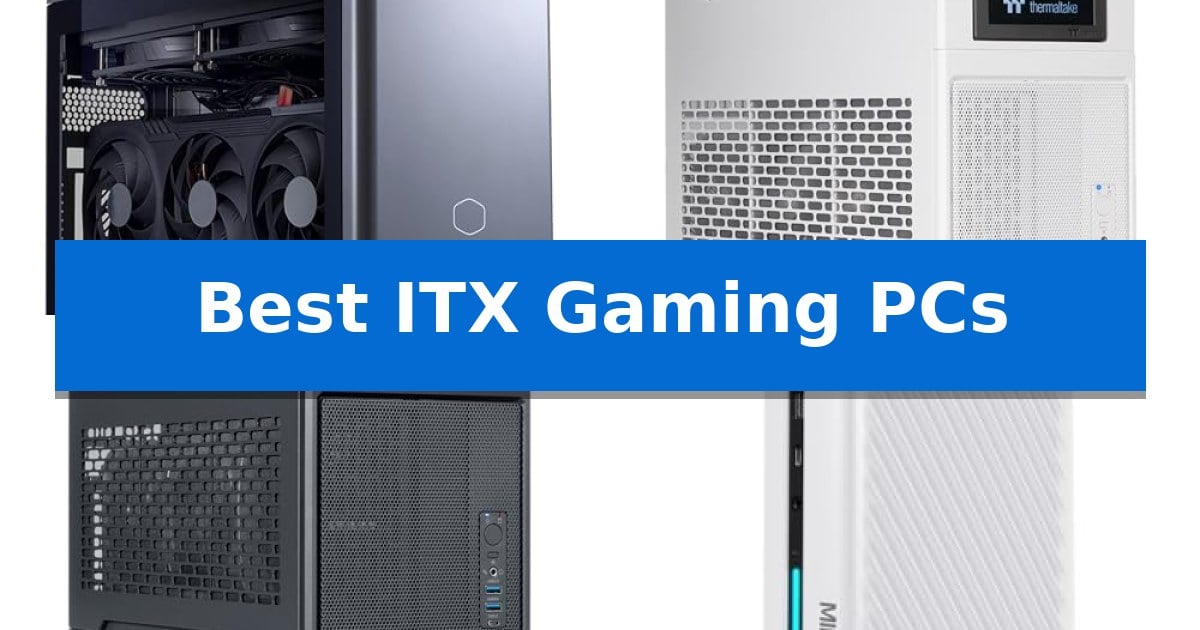
Finding the right balance between raw performance and a small footprint is the primary challenge when building or buying a compact system. The Best ITX Gaming PCs are engineered to house high-end components like modern GPUs and multi-core processors within enclosures that occupy a fraction of the space of a traditional tower.
Whether you are looking to save desk space, require a portable setup for frequent travel, or simply appreciate the engineering required to manage heat in a restricted volume, these systems offer a refined solution. We have analyzed current market offerings to help you identify which compact machine aligns with your specific hardware requirements and space constraints.
Best ITX Gaming PCs in 2026: Maximize Power in Minimal Space
Quick Comparison
| Product | Best For | Key Strength | Score |
|---|---|---|---|
| Cooler Master NR2 Pro Gaming PC | Best Overall | High-performance internal components including the Ryzen 7 9800X3D and RTX 5070 Ti. | 4.9 |
| Thermaltake LCGS Traveler 9880S Gaming PC | Portable Design for Frequent Travelers | Smart dual-chamber layout for optimized airflow and component separation | 4.5 |
| Thermaltake LCGS Traveler 7870 Gaming PC | Optimized Airflow in Small Form | Compact 18.4-liter SFF design for enhanced portability. | 4.5 |
| MINISFORUM G1 Pro Gaming PC | Multi-Display Support for Professionals | Multi-display support via 5 total video outputs (2x HDMI, 3x DP). | 4.7 |
| Cooler Master Sneaker-X Gaming PC | Unique Aesthetic for Lifestyle Gamers | Unique sneaker-inspired aesthetic that functions as a visual centerpiece. | 4.4 |
How We Chose
- Thermal Efficiency: Evaluating cooling solutions like AIO liquid coolers and airflow designs that prevent thermal throttling in tight enclosures.
- Component Compatibility: Assessing the support for full-length GPUs, standard SFX power supplies, and high-speed memory modules.
- Build Quality and Layout: Examining the internal architecture, such as dual-chamber designs and riser cable quality, which dictate ease of assembly and hardware longevity.
- Connectivity and Expansion: Checking for essential I/O ports, high-speed networking standards like Wi-Fi 7, and the availability of additional storage slots.
- Form Factor and Portability: Considering the total liter volume and structural design for users who need to move their system frequently.
1 Cooler Master NR2 Pro Gaming PC — Compact Powerhouse for Enthusiasts
Maximizing desk space without sacrificing raw processing power is the primary advantage of the Cooler Master NR2 Pro Gaming PC. Housed in a compact 18.25L chassis, this system integrates high-end components into a footprint roughly the size of a large shoebox, making it an efficient choice for users who need a powerful workstation or gaming rig in tight quarters.
At the heart of the system is the AMD Ryzen 7 9800X3D processor paired with the NVIDIA RTX 5070 Ti 16GB graphics card. This combination is engineered to deliver 120+ FPS at 1440p resolution on high settings. To maintain thermal stability during intense loads, the build includes a 280mm AIO liquid cooler, ensuring the internal components operate within their intended performance parameters.
The internal architecture is built around the Gigabyte B850I AORUS PRO motherboard, which supports 32GB of DDR5 6000MHz RGB RAM and a 2TB Gen4 M.2 SSD. The inclusion of an 850W 80+ Gold efficiency power supply provides sufficient headroom for these components, while the chassis design offers flexibility with interchangeable glass or mesh side panels to suit different aesthetic or airflow preferences.
Connectivity is handled through a variety of ports, including USB 3.2 Gen 2 Type-C and multiple USB 3.2 ports, alongside integrated Wi-Fi and Bluetooth. The system arrives with no bloatware installed, providing a clean environment for immediate use. With its combination of high-speed storage and efficient cooling, this PC is designed to handle demanding gaming and professional workloads in a minimal form factor.
Best for: Gamers and professionals who require high-performance hardware within a space-saving, small-form-factor chassis.
Skip if: Users who prioritize extensive internal expansion, multi-GPU configurations, or frequent component upgrades will find the compact ITX design too restrictive.
PROS
- High-performance internal components including the Ryzen 7 9800X3D and RTX 5070 Ti.
- Compact 18.25L footprint that fits easily on crowded desks.
- Efficient thermal management provided by the included 280mm AIO cooler.
- Clean software environment with no pre-installed bloatware.
CONS
- Limited internal space inherent to the ITX form factor restricts future hardware expansion.
- Fixed component layout makes manual maintenance or part replacement more complex than in larger towers.
2 Thermaltake LCGS Traveler 9880S Gaming PC — Portable Design for Frequent Travelers
The Thermaltake LCGS Traveler 9880S Gaming PC utilizes a specialized smart dual-chamber layout to maintain a compact 18.4-liter footprint while housing high-end components. By separating the Mini-ITX motherboard and SFX power supply from the GPU via a PCIe 4.0 riser cable, this system optimizes internal airflow for demanding hardware.
Equipped with an AMD Ryzen 7 9800X3D CPU and an NVIDIA GeForce RTX 5080 graphics card, this machine is engineered for high-performance gaming in a portable form factor. Thermal management is handled by a closed-loop liquid cooling system featuring a 280mm radiator, ensuring consistent operation during intensive workloads.
The system includes 32GB of DDR5 6000MT/s RGB memory and a 2TB NVMe M.2 SSD, providing both high-speed data access and ample storage capacity for modern gaming libraries. Connectivity is supported through integrated WiFi, and the unit comes pre-installed with Windows 11, allowing for immediate deployment.
Designed specifically for mobility, the Small Form Factor (SFF) chassis balances portability with the thermal requirements of its powerful internal components. This configuration is intended for users who require desktop-class gaming performance that can be easily transported for professional or travel-related needs.
Best for: Frequent travelers and professionals who require high-end gaming performance in a portable, compact desktop form factor.
Skip if: Users who prioritize extensive internal expansion, multiple PCIe slots, or a standard mid-tower chassis for easier component accessibility.
PROS
- Smart dual-chamber layout for optimized airflow and component separation
- Compact 18.4-liter SFF design ideal for portability
- High-performance cooling with a 280mm liquid radiator
- Modern hardware including Ryzen 7 9800X3D and RTX 5080
CONS
- Limited internal space inherent to the SFF design
- Proprietary riser cable dependency for GPU placement
3 Thermaltake LCGS Traveler 7870 Gaming PC — Optimized Airflow in Small Form
The Thermaltake LCGS Traveler 7870 Gaming PC utilizes a specialized dual-chamber layout to isolate heat-generating components within a compact 18.4-liter footprint. By separating the Mini-ITX motherboard and SFX power supply from the GPU via a PCIe 4.0 riser cable, this system achieves optimized airflow designed for those who require high-end performance in a portable form factor.
At the heart of this machine is the AMD Ryzen 7 7800X3D processor paired with an AMD B850 chipset motherboard, ensuring a modern foundation for demanding tasks. Graphics processing is handled by the NVIDIA GeForce RTX 5070, providing robust rendering capabilities for gaming and creative applications. The system maintains thermal stability through a Closed Loop Liquid Cooling system featuring a 240mm radiator, which is essential for managing thermals in such a dense, small-form-factor chassis.
Memory and storage are configured for speed and capacity, featuring 32GB of DDR5 6000MT/s RGB memory and a 2TB NVMe M.2 SSD. These components are housed in a chassis that prioritizes both aesthetics and utility, making it a viable solution for business professionals or gamers who frequently move their setup. The inclusion of integrated WiFi and Windows 11 ensures the system is ready for deployment immediately upon arrival.
While the Thermaltake LCGS Traveler 7870 Gaming PC offers significant power in a small package, its design necessitates a specific internal layout. The use of a riser cable and a dual-chamber configuration is intended to maximize space efficiency, though it limits the ability to make traditional hardware adjustments compared to larger tower cases. This system is best suited for users who prioritize a balance of high-performance components and a portable, space-saving design.
Best for: Frequent travelers and professionals who require a high-performance, compact gaming system that is easy to transport.
Skip if: Users who prefer a traditional, spacious desktop chassis for frequent component upgrades or custom liquid cooling loops.
PROS
- Compact 18.4-liter SFF design for enhanced portability.
- Dual-chamber layout optimizes airflow for high-end components.
- High-performance hardware including the Ryzen 7 7800X3D and RTX 5070.
- Integrated 240mm liquid cooling for efficient thermal management.
CONS
- Limited internal space restricts the ease of future hardware modifications.
- Specialized riser cable configuration creates a more complex internal layout than standard towers.
4 MINISFORUM G1 Pro Gaming PC — Multi-Display Support for Professionals
The MINISFORUM G1 Pro Gaming PC is engineered for users who require a compact footprint without sacrificing multi-display capability, featuring five total video outputs including 2x HDMI and 3x DisplayPort. This configuration allows for simultaneous connection to four ultra-high-definition monitors, making it a specialized tool for professional environments like digital signage, CAD, and financial trading.
Under the hood, the system is powered by the AMD Ryzen 9 8945HX processor, which provides 16 cores and 32 threads with a boost frequency up to 5.4GHz. This processing power is paired with a dedicated GeForce RTX 5060 8GB graphics card built on the Ada Lovelace architecture, enabling real-time ray tracing and AI-powered DLSS 4 frame generation for demanding visual tasks.
Connectivity is a primary focus, as the unit includes a 5G RJ45 Ethernet port for wired stability, alongside Wi-Fi 7 and Bluetooth 5.4. The Wi-Fi 7 integration supports up to 16×16 spatial streams, offering a significant upgrade in wireless bandwidth and system-wide network performance compared to previous standards.
The system arrives with 32GB of DDR5-5200MT/s RAM and a 1TB M.2 2280 PCIe 4.0 SSD. For users with evolving storage or memory needs, the design remains flexible, allowing for expansion up to 64GB of RAM and the addition of a second PCIe 4.0 SSD, ensuring the hardware can adapt to larger datasets or complex project files.
Best for: Professionals and gamers who require a compact form factor with support for up to four simultaneous 4K displays.
Skip if: Users who prefer a standard ATX tower for maximum internal component customization or those who do not require multi-monitor output.
PROS
- Multi-display support via 5 total video outputs (2x HDMI, 3x DP).
- High-performance processing with the 16-core AMD Ryzen 9 8945HX.
- Advanced wireless connectivity featuring Wi-Fi 7 and Bluetooth 5.4.
- Expandable memory and storage with support for up to 64GB RAM and additional SSDs.
CONS
- Limited internal space compared to traditional desktop towers for hardware modifications.
- Compact form factor may result in higher thermal density during sustained heavy workloads.
5 Cooler Master Sneaker-X Gaming PC — Unique Aesthetic for Lifestyle Gamers
The Cooler Master Sneaker-X Gaming PC breaks away from traditional chassis design by adopting a striking, sneaker-inspired aesthetic that serves as a functional housing for high-performance components. This limited-edition case is specifically engineered for enthusiasts who prioritize a unique visual statement without compromising on the thermal requirements of modern hardware.
Designed to accommodate Mini-ITX motherboards, this system provides a compact footprint while maintaining the internal volume necessary for high-end builds. It supports 3-slot GPUs up to 300mm in length, ensuring compatibility with powerful cards like the Gigabyte RTX 5080 Windforce or RX 9070 XT Gaming OC. The internal layout is optimized for high-performance configurations, including support for top-tier processors like the AMD Ryzen 9 or Intel Ultra i9.
Thermal management is handled by an integrated 360mm Flux liquid cooling system, which is essential for maintaining stability under the heavy loads associated with high-wattage CPUs. To support these power-hungry components, the bundle includes an 850W SFX Gold ATX 3.1 power supply. This unit is pre-configured with custom short-length cables to reduce clutter within the confined ITX space while providing up to 600W of dedicated power to the graphics card.
Measuring 25.63 inches in height and 25.59 inches in length, the unit is a substantial piece of hardware that acts as a centerpiece for a desk setup. The inclusion of a pre-installed cooling solution and power supply simplifies the build process, though users must ensure their chosen components align with the specific 300mm GPU length and ITX motherboard requirements.
Best for: Lifestyle gamers and enthusiasts who want a high-performance, compact PC with a unique, standout aesthetic.
Skip if: Users who prefer a standard, understated tower case or those planning to use larger-than-300mm graphics cards.
PROS
- Unique sneaker-inspired aesthetic that functions as a visual centerpiece.
- Includes a custom 360mm Flux liquid cooling system for high-end CPU support.
- Pre-installed 850W SFX Gold ATX 3.1 PSU with custom cables for clean cable management.
- Accommodates 3-slot GPUs up to 300mm in a compact form factor.
CONS
- Strict 300mm GPU length limit restricts the use of some oversized graphics cards.
- Large physical footprint despite the Mini-ITX motherboard requirement.
Best ITX Gaming PCs Buying Guide
Understanding SFF Thermal Management
In a compact ITX build, heat is your biggest enemy. Because components are packed tightly together, efficient airflow is mandatory to maintain performance. Look for systems that utilize liquid cooling (AIO) or well-ventilated mesh panels to ensure that your CPU and GPU do not hit thermal limits during intense gaming sessions.
A well-designed dual-chamber layout is often superior to a traditional single-chamber design. By separating the heat-generating GPU from the CPU and power supply, these systems can pull fresh air directly into the graphics card, significantly lowering temperatures and reducing fan noise under load.
Power Supply and Component Compatibility
Small form factor PCs rely on SFX power supplies, which are smaller than standard ATX units. Ensure your chosen system includes a power supply with sufficient wattage and an 80+ Gold efficiency rating to handle your specific GPU and CPU combination without stability issues.
Always verify the maximum GPU length supported by the case. Many high-end graphics cards are physically large, and even a few millimeters of difference can prevent a successful installation. Check the manufacturer's specifications for the maximum GPU slot width and length to ensure your hardware will fit.
The Importance of Riser Cables
Many ITX cases use a PCIe riser cable to mount the GPU vertically or in a separate chamber. The quality of this cable is critical; a low-quality riser can lead to signal loss, instability, or even failure to boot. Ensure the system uses a PCIe 4.0 or 5.0 compliant cable to match the bandwidth of your modern graphics card.
If you plan on upgrading your GPU in the future, consider the accessibility of the riser cable. Some cases make it difficult to swap components without significant disassembly, so a modular or well-thought-out internal layout is a major convenience for long-term ownership.
Storage and Memory Expandability
Space is limited in ITX builds, so storage is typically handled via M.2 NVMe SSDs mounted directly to the motherboard. Check if the motherboard provides an additional M.2 slot or if you are limited to the primary drive, as this will dictate your long-term storage capacity.
Memory is usually restricted to two slots on ITX motherboards. Opting for a 32GB DDR5 kit is currently the sweet spot for gaming and multitasking, providing enough headroom for modern titles and background applications without needing to upgrade the RAM later.
Connectivity Standards
Don't overlook the I/O panel. Since you cannot easily add expansion cards to an ITX system, you are limited to the ports provided by the motherboard and GPU. Look for USB 3.2 Gen 2 Type-C ports and high-speed networking like Wi-Fi 7 or 5G Ethernet to ensure your system remains relevant for years.
If you use multiple monitors, verify the number of display outputs available on the GPU. Some compact systems may limit your options, so ensure the card provides enough HDMI and DisplayPort connections to support your specific monitor setup.
Frequently Asked Questions
Are ITX gaming PCs harder to upgrade than larger towers?
Yes, generally. The compact nature of these systems means components are tightly packed, often requiring the removal of other parts to access the CPU or storage. However, if the case is designed with a modular layout, basic upgrades like RAM or SSDs can be straightforward.
Do I need special cooling for an ITX build?
Most high-performance ITX PCs come with pre-installed cooling solutions, such as 240mm or 280mm AIO liquid coolers. You should not need to add custom cooling, but you should ensure the case has adequate ventilation to allow these coolers to function effectively.
Can I use a standard ATX power supply in an ITX case?
Most ITX cases are specifically designed for SFX or SFX-L power supplies. Using a standard ATX power supply is usually impossible due to space constraints, so always confirm the PSU form factor required by your specific case.
Is Wi-Fi 7 necessary for gaming?
While a wired Ethernet connection is always preferred for the lowest latency, Wi-Fi 7 offers significant improvements in stability and speed over previous generations. It is a great feature to have if you cannot run a physical cable to your router.
What is the main benefit of a dual-chamber ITX design?
A dual-chamber design physically separates the GPU from the CPU and PSU. This prevents the heat generated by the graphics card from soaking into the rest of the system, leading to lower operating temperatures and quieter fan speeds.
Conclusion: Our Top Pick
When selecting from the Best ITX Gaming PCs, the Cooler Master NR2 Pro Gaming PC stands out for its balanced approach to thermal management and hardware support. Its 18.25L volume is expertly utilized to accommodate powerful components like the RTX 5070 Ti and Ryzen 7 9800X3D, making it a reliable choice for enthusiasts who demand high performance without the bulk of a traditional desktop.
While compact systems require more careful planning for future upgrades compared to full-sized towers, the space-saving benefits and refined engineering of this model provide a premium experience. It is an ideal solution for those who prioritize a clean, efficient, and powerful setup that fits easily into any workspace or travel configuration.