
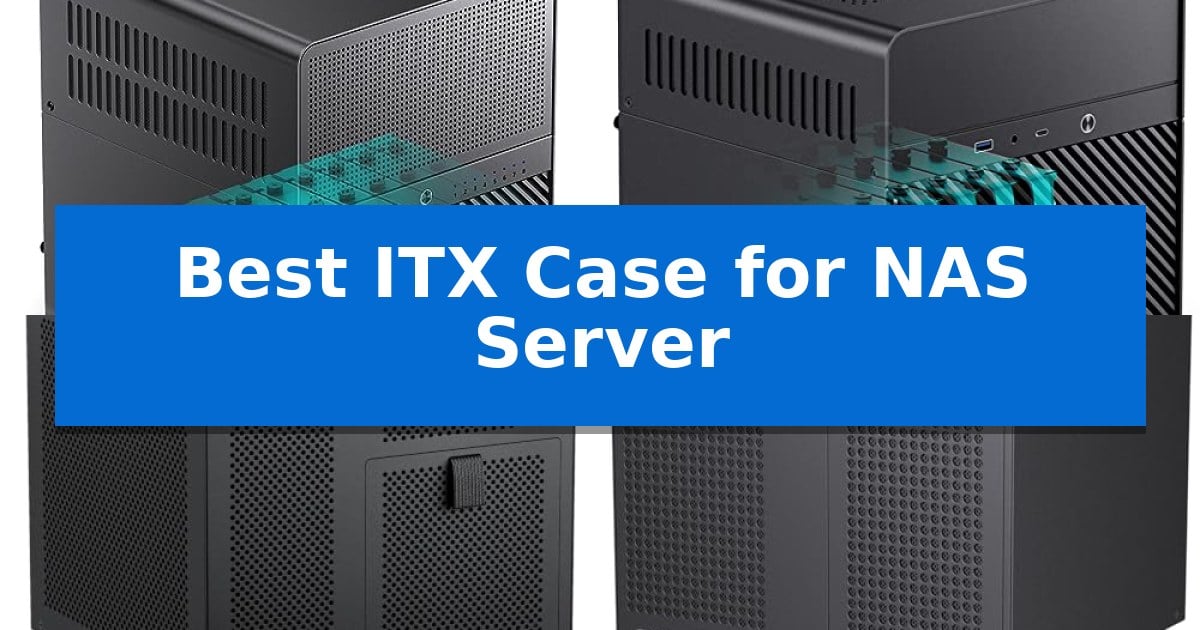
Building a reliable home storage solution requires a chassis that balances physical footprint with drive capacity. Finding the Best ITX Case for NAS Server builds means prioritizing efficient airflow and hot-swap capabilities to ensure your data remains accessible and cool during long-term operation.
Whether you are setting up a private cloud or a media server, the right enclosure simplifies cable management and component installation. We have analyzed the leading options to help you select a case that fits your specific storage needs and hardware constraints.
Best ITX Case for NAS Server in 2026: Maximize Storage Density
Quick Comparison
| Product | Best For | Key Strength | Score |
|---|---|---|---|
| Jonsbo N3 NAS Case | Best Overall | High storage density with 8+1 drive bays in a compact footprint. | 4.9 |
| Jonsbo N2 NAS Case | Ultra-compact home server build | High storage density with 5+1 disk bays in a tiny footprint. | 4.3 |
| RGEEK 4 Bay NAS Case | Smallest footprint for storage | Four hot-swappable 3.5-inch drive bays for easy storage management. | 4.9 |
| RGEEK 8 Bay NAS Case | High capacity for DIY servers | 8 hot-swappable 3.5-inch HDD bays for high-density storage. | 4.4 |
| KCMconmey 4 Bay NAS Case | Budget friendly storage enclosure | 4 + 1 drive bay capacity for high storage density. | 4.6 |
How We Chose
- Drive bay density and hot-swap accessibility for easy maintenance.
- Compatibility with Mini-ITX motherboards and standard power supply form factors.
- Thermal design, including fan placement and airflow paths for drive longevity.
- Physical dimensions and internal layout efficiency for cable routing.
- Build quality and structural integrity to support multiple hard drives.
1 Jonsbo N3 NAS Case — Maximum drive density for ITX
Building a compact home server requires balancing drive capacity with physical footprint, and the Jonsbo N3 Mini-ITX NAS PC Chassis addresses this by offering a high-density storage layout in a small form factor. This case is specifically engineered for users who need to house multiple drives without dedicating significant desk or shelf space to their network storage setup.
The Jonsbo N3 features a specialized 8+1-disk bay configuration, supporting eight 3.5-inch HDDs and one 2.5-inch SSD. To facilitate easy maintenance, it utilizes a multi-disc pull-out structure with a standard server-grade hot-swap backplane, which supports dual D-type and SATA power connections. The internal layout is divided into a split top and bottom compartment, ensuring that the storage drives have a dedicated cooling path provided by built-in 2x10cm fans.
Despite its compact dimensions of 9.17 x 10.31 x 11.73 inches, the chassis accommodates an ITX motherboard and provides two PCI expansion slots. It supports an SFX power supply (105mm) and a CPU cooler with a maximum height of 130mm, while allowing for a GPU length of up to 280mm. The front panel includes modern connectivity options, specifically one USB 3.0 port and one USB 3.2 Gen 2 Type-C port alongside a combined audio/mic jack.
This case is a practical choice for those prioritizing storage density in a small build. The aluminum and steel construction provides a sturdy frame for a home or network storage server, though users should ensure their components align with the specific SFX power supply and ITX motherboard requirements to maintain the intended airflow and fit.
Best for: Users building a high-density, compact home or network storage server using an ITX motherboard and multiple 3.5-inch hard drives.
Skip if: Users who require ATX motherboard support, standard ATX power supplies, or a larger number of PCI expansion slots for additional add-in cards.
PROS
- High storage density with 8+1 drive bays in a compact footprint.
- Includes a server-grade hot-swap backplane for convenient drive management.
- Dedicated dual 10cm fans for efficient HDD cooling.
- Modern front I/O featuring USB 3.2 Gen 2 Type-C connectivity.
CONS
- Limited to ITX motherboard and SFX power supply compatibility.
- Restricted internal space for large CPU coolers or multiple expansion cards.
2 Jonsbo N2 NAS Case — Ultra-compact home server build
Building a compact home server requires a chassis that balances storage density with a minimal footprint, and the Jonsbo N2 NAS Case is engineered specifically for this purpose. Measuring just 8.86 x 8.86 x 8.82 inches, this mini aluminum chassis maximizes internal space to accommodate a 5+1 disk bay configuration, allowing for five 3.5-inch HDDs and one 2.5-inch SSD in a remarkably small volume.
The internal layout is optimized for ITX motherboards, providing enough clearance for a 65mm CPU cooler and a single low-profile GPU up to 197mm in length. To maintain thermal stability, the case includes a built-in 12cm fan, which is essential for cooling the drive array in such a confined environment. Power delivery is handled via an SFX power supply (up to 150mm), ensuring the system remains efficient and compact.
Usability is enhanced by an integrated removable upper cover, which simplifies the installation process for drives and components. The front panel is equipped with modern connectivity, featuring a USB 3.2 Gen2 Type-C port, a standard USB 3.0 port, and a combined audio/mic jack. This combination of features makes the Jonsbo N2 NAS Case a practical choice for users who need a dedicated storage server that fits easily on a desk or shelf without sacrificing drive capacity.
Best for: Users looking to build a high-density, ultra-compact home NAS server using an ITX motherboard and multiple 3.5-inch drives.
Skip if: Users who require support for full-height expansion cards, ATX power supplies, or more than one 2.5-inch drive.
PROS
- High storage density with 5+1 disk bays in a tiny footprint.
- Includes a built-in 12cm fan for active cooling of the drive array.
- Modern USB 3.2 Gen2 Type-C front interface.
- Removable upper cover for easier component installation.
CONS
- Strict low-profile GPU and SFX power supply requirements.
- Limited to ITX motherboard form factors.
3 RGEEK 4 Bay NAS Case — Smallest footprint for storage
Building a compact home server requires a chassis that balances storage density with a minimal footprint. The RGEEK 4 Bay NAS Case addresses this by providing a dedicated 9.9L enclosure that houses four hot-swappable 3.5-inch drive bays alongside an additional 2.5-inch SSD slot, making it a specialized solution for those prioritizing storage capacity in a small-form-factor build.
Designed for efficiency, this Mini ITX Computer Case includes a pre-installed SATA backplane with four connectors to simplify drive management. The internal layout is engineered to support Mini-ITX motherboards and SFX or SFX-L power supplies, while accommodating low-profile CPU coolers up to 70mm in height. For expansion, the chassis features a half-height PCIe slot that supports cards up to 190mm long.
Thermal management is handled through a dedicated 120mm fan position, allowing for airflow across the drive bays and internal components. The construction utilizes a 1.0mm galvanized steel inner frame and a 0.8mm cold-rolled steel outer shell, finished with a magnetic 1.5mm steel front panel for quick access to the drives. A front-mounted USB 3.0 port and power switch provide convenient control for daily operation.
The RGEEK 4 Bay NAS Case is a practical choice for DIY enthusiasts who need a space-saving NAS or media server without sacrificing the convenience of hot-swappable storage. Its compact 222x223x201mm dimensions ensure it fits easily into home office or small business environments where desk or shelf space is limited.
Best for: DIY enthusiasts and home office users who need a compact, hot-swappable storage server in a small-form-factor ITX build.
Skip if: Users who require full-height PCIe expansion cards or standard ATX power supply compatibility will find this case too restrictive.
PROS
- Four hot-swappable 3.5-inch drive bays for easy storage management.
- Compact 9.9L form factor ideal for space-constrained environments.
- Durable steel construction with a magnetic front panel for quick access.
- Integrated SATA backplane included for streamlined setup.
CONS
- Limited to half-height PCIe expansion cards.
- Requires SFX or SFX-L power supplies or an adapter for FLEX units.
4 RGEEK 8 Bay NAS Case — High capacity for DIY servers
Building a compact, high-capacity storage server requires a chassis that balances physical footprint with drive density, and the RGEEK 8 Bay NAS Case addresses this by offering eight hot-swappable 3.5-inch HDD bays in a mini-tower form factor. This design allows for significant data storage capacity while maintaining a footprint of 300mm x 270mm x 270mm, making it suitable for placement on a desk or dedicated server shelf.
The internal layout supports both Micro-ATX and Mini-ITX motherboards, providing flexibility for various hardware configurations. It includes four full-height PCIe slots, which are essential for adding network interface cards or additional storage controllers. The dual-chamber design facilitates efficient airflow, supported by four 12025 fan positions to ensure stable thermal management for the drives and internal components.
Construction quality is defined by a 0.8mm galvanized steel inner frame and a cold-rolled steel outer frame, providing a sturdy foundation for a dense server build. The magnetic front panel offers convenient access to the hot-swap bays, while laser-cut ventilation panels are integrated to promote consistent airflow. The case is also compatible with standard ATX power supplies up to 170mm in length, though it remains downward-compatible with SFX or FLEX power supplies using an adapter.
This chassis is a practical choice for users looking to consolidate a media server or data backup system into a single, space-efficient unit. By including necessary accessories like HDD handles, screws, and cable ties, it provides a straightforward path for DIY assembly, accommodating CPU coolers up to 55mm in height to fit within the compact dimensions.
Best for: Users building a high-capacity, space-efficient home NAS or media server using Micro-ATX or Mini-ITX hardware.
Skip if: Users requiring support for large ATX motherboards, massive liquid cooling radiators, or GPU lengths exceeding 240mm.
PROS
- 8 hot-swappable 3.5-inch HDD bays for high-density storage.
- Dual-chamber design with four 12025 fan positions for effective cooling.
- Sturdy steel construction featuring a 0.8mm galvanized inner frame.
- Compact dimensions suitable for desktop or shelf placement.
CONS
- Limited CPU cooler height of 55mm restricts cooling options.
- GPU length support is capped at 240mm.
5 KCMconmey 4 Bay NAS Case — Budget friendly storage enclosure
Building a compact home server requires a chassis that balances storage density with physical footprint, and the KCMconmey 4 + 1 Bay DIY NAS Case addresses this by providing a dedicated enclosure for Mini ITX motherboards. Its design centers on a 4 + 1 bay configuration, offering four accessible slots for 2.5-inch or 3.5-inch drives alongside an additional internal 2.5-inch bay, making it a practical choice for users aiming to consolidate storage in a small space.
The chassis is engineered for specific hardware compatibility, supporting Flex or 1U power supplies to maintain its slim profile. To facilitate system expansion, it includes a slot for a single full-height PCI-e expansion card, which allows for the installation of dedicated network interface cards or other add-in boards. Cooling is managed by a pre-installed 80mm chassis fan, ensuring airflow across the internal components.
Usability is enhanced by the inclusion of two front-facing USB 3.0 ports, providing convenient access for external data transfers. With dimensions of approximately 10.6 by 7.9 by 7.7 inches, the case is designed to occupy minimal desk or shelf space while housing a functional NAS setup. The build includes a hot swap backplane feature, which simplifies drive maintenance and upgrades for those managing multiple storage volumes.
When selecting this case, it is important to note the specific power supply requirements, as it is limited to Flex or 1U form factors. The reliance on a Mini ITX motherboard means users should verify their existing hardware fits the 6.7-inch square standard before assembly. This enclosure serves as a focused solution for those prioritizing a small-form-factor build over the expandability found in larger tower cases.
Best for: Users building a compact, storage-focused home server using a Mini ITX motherboard and Flex or 1U power supply.
Skip if: Users who require support for ATX motherboards, standard ATX power supplies, or more than one PCI-e expansion card.
PROS
- 4 + 1 drive bay capacity for high storage density.
- Integrated hot swap backplane for easier drive management.
- Includes two front USB 3.0 ports for connectivity.
- Compact Mini ITX form factor saves space.
CONS
- Limited to Flex or 1U power supply units.
- Restricted to single-slot PCI-e expansion.
Best ITX Case for NAS Server Buying Guide
Understanding Drive Capacity and Hot-Swap Features
The primary advantage of a dedicated NAS chassis is the ability to house multiple 3.5-inch hard drives. Look for cases that feature hot-swap backplanes, which allow you to replace or add drives without opening the entire case or disconnecting internal cables.
Consider your future storage needs before purchasing. While a 4-bay case is sufficient for many home users, an 8-bay model provides significantly more room for expansion using RAID configurations or ZFS pools.
Power Supply and Motherboard Compatibility
Most compact NAS cases are restricted to specific power supply form factors, such as SFX or Flex ATX. Ensure your chosen power supply has enough wattage to support the number of drives you intend to install, as mechanical hard drives require significant power during startup.
Check the Mini-ITX motherboard clearance carefully. Some cases have strict height limitations for CPU coolers, which can impact your choice of processor and cooling solution.
Thermal Management for Hard Drives
Hard drives generate heat, especially when stacked closely together. A well-designed NAS case should include dedicated fan mounts directly in front of the drive cages to pull cool air across the disks.
Ensure the case has adequate ventilation, such as mesh panels or strategically placed vents, to prevent heat buildup. Proper airflow is critical for maintaining the long-term reliability of your storage media.
Physical Footprint and Build Quality
The physical size of the case determines where you can place your server. If you have limited desk space, prioritize compact form factors that utilize vertical space rather than a wide, traditional tower design.
Look for materials like galvanized steel or aluminum, which offer better structural support for the weight of multiple hard drives compared to thin plastic or lightweight alloys.
Expansion and Connectivity
Consider whether you need additional PCIe expansion slots for network interface cards, such as 10GbE adapters, or HBA cards for managing more drives. Not all ITX NAS cases support full-height expansion cards.
Check the front panel connectivity. Features like USB 3.2 Gen 2 Type-C ports can be useful for quick data transfers or connecting external backup drives directly to your server.
Frequently Asked Questions
Can I use a standard ATX power supply in an ITX NAS case?
Most compact ITX NAS cases are designed for SFX or Flex ATX power supplies due to space constraints. Always verify the specific power supply compatibility listed in the case specifications.
Why is a hot-swap backplane important?
A hot-swap backplane allows you to remove or replace a failed hard drive without powering down the system or opening the chassis, which is essential for maintaining server uptime.
Do I need a specific type of CPU cooler for these cases?
Yes, many small form factor NAS cases have strict height limitations for CPU coolers. Always check the maximum cooler height supported by the case to ensure your components fit.
How many drives can I realistically fit in an ITX build?
This depends entirely on the case. Some models support 4-5 drives, while others are designed for 8 or more. Choose a case based on your current storage needs and planned future expansion.
Is cooling a major concern for a NAS server?
Yes, hard drives are sensitive to heat. Always ensure your case has adequate fan support and clear airflow paths to keep your drives within their recommended operating temperature range.
Conclusion: Our Top Pick
Selecting the right enclosure is the foundation of a successful home server project. After reviewing the available options, the Jonsbo N3 NAS Case stands out as the most versatile choice for users who need a balance of high drive density and efficient thermal management.
With its 8+1 disk bay capacity and dedicated cooling channels, it provides the necessary infrastructure for a robust storage array. While it requires an SFX power supply, its thoughtful layout and support for larger CPU coolers make it a reliable option for both home and professional storage environments.