
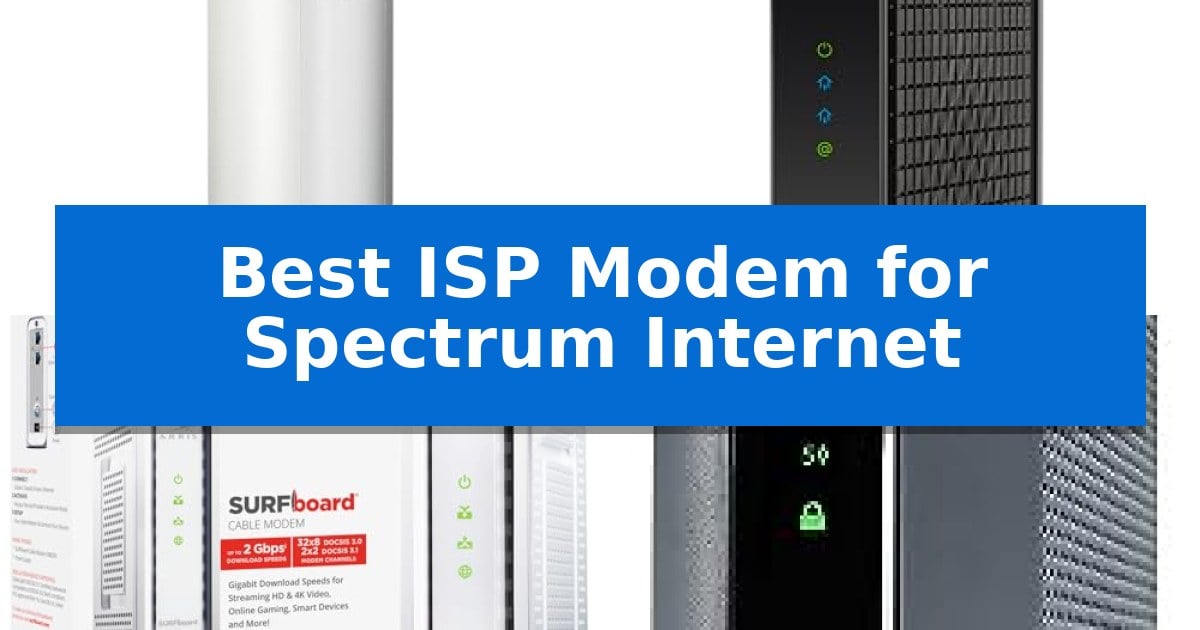
Finding the right hardware for your home network can significantly impact your daily online experience. If you are currently paying monthly equipment fees to your provider, switching to a personal device is a practical way to manage your costs while potentially improving your connection stability.
Selecting the Best ISP Modem for Spectrum Internet requires careful attention to your specific service plan and hardware requirements. Whether you need multi-gigabit support for heavy data usage or a reliable, straightforward connection for standard browsing, identifying the correct device ensures you get the most out of your subscription.
Best ISP Modem for Spectrum Internet in 2026
Quick Comparison
| Product | Best For | Key Strength | Score |
|---|---|---|---|
| Arris Surfboard S34 Cable Modem | Best Overall | Supports DOCSIS 3.1 for internet plans up to 2.5 Gbps. | 4.9 |
| Hitron CODA56 Cable Modem | High-Speed 2.5Gbps Connectivity | Supports multi-gig performance up to 2.5 Gbps. | 4.6 |
| Arris Surfboard SB8200 Cable Modem | Proven Reliable Performance | DOCSIS 3.1 performance supports high-speed plans up to 2 Gbps. | 4.6 |
| Motorola MG7700 Modem Router | All-in-One Space Saver | Integrated design combines a modem and AC1900 router to save space. | 4.4 |
| Arris Touchstone DG3450 Modem Router | Integrated MoCA Networking | All-in-one design combines a DOCSIS 3.1 modem and AC wireless router to save space and reduce cable cl… | 4.4 |
How We Chose
- Compatibility with current DOCSIS 3.1 and 3.0 standards to ensure reliable communication with your ISP infrastructure.
- Ethernet port configuration, focusing on multi-gigabit capabilities that support high-speed internet plans.
- Physical design and footprint, prioritizing units that fit easily into existing home office or media cabinet setups.
- Value proposition, specifically the ability to eliminate recurring monthly rental fees through personal ownership.
- Functional limitations, ensuring users understand the distinction between standalone modems and integrated modem-router gateways.
1 Arris Surfboard S34 Cable Modem — Future-Proof Multi-Gig Support
Managing your home network starts with the right hardware, and the Arris Surfboard S34 Cable Modem is built to handle the demands of modern high-speed internet plans. By supporting DOCSIS 3.1 technology, this unit provides the necessary bandwidth to support cable internet plans up to 2.5 Gbps, ensuring your connection can keep pace with intensive tasks like streaming, gaming, and large file downloads.
Designed for those who want to avoid monthly equipment rental fees, this modem-only device allows you to own your hardware while maintaining compatibility with major providers including Spectrum, Xfinity, and Cox. Its compact, modern design features a small footprint that fits easily into most home office setups, complete with simple LED indicators that provide clear status updates on power, upstream, and downstream connectivity.
The Arris Surfboard S34 Cable Modem simplifies your network configuration by offering a 2.5 Gigabit Ethernet port for your primary router, alongside a secondary 1 Gigabit Ethernet port that can be utilized for additional wired devices or backup service configurations. Because this is a modem-only device, it requires a separate Wi-Fi router or mesh system to broadcast wireless signals throughout your home.
Setup is straightforward: once connected to your cable line and powered on, you simply activate the device through your service provider. With its future-proof upstream support, the S34 is engineered to accommodate the next generation of upload speed tiers, making it a practical choice for users looking to maintain a reliable, high-performance connection without frequent hardware upgrades.
Best for: Users looking to eliminate rental fees while supporting high-speed multi-gigabit internet plans on compatible cable networks.
Skip if: Users who require an all-in-one device with built-in Wi-Fi or those who subscribe to fiber, DSL, or satellite internet services.
PROS
- Supports DOCSIS 3.1 for internet plans up to 2.5 Gbps.
- Includes a 2.5 Gigabit Ethernet port for high-speed router connectivity.
- Helps save on monthly equipment rental fees by allowing hardware ownership.
- Features future-proof upstream support for next-gen upload tiers.
CONS
- Requires a separate Wi-Fi router for wireless network coverage.
- Not compatible with fiber, DSL, or satellite internet services.
2 Hitron CODA56 Cable Modem — High-Speed 2.5Gbps Connectivity
Managing high-speed cable internet requires hardware capable of handling modern data demands without bottlenecking your connection. The Hitron CODA56 Cable Modem is specifically engineered for this purpose, featuring DOCSIS 3.1 technology to support multi-gigabit performance for users with high-bandwidth plans.
Designed exclusively for cable internet providers like Spectrum, Xfinity, and Cox, this device provides a 2.5 Gbps Ethernet port to ensure your wired connection can keep pace with faster service tiers. It is optimized for data-intensive activities such as 4K streaming, online gaming, and high-definition video conferencing, offering a stable foundation for your home network.
As a dedicated modem, the Hitron CODA56 Cable Modem does not include built-in Wi-Fi, which necessitates the use of a separate router to distribute wireless signals to your devices. This design choice allows users to pair the modem with a router that best fits their specific coverage needs and wireless standards, rather than being restricted to integrated hardware.
Installation requires active cable internet service and ISP activation. Because it is a standalone unit, it is ideal for those looking to potentially reduce monthly equipment rental fees while maintaining a high-performance connection. It remains backward compatible with DOCSIS 3.0 networks, ensuring reliable operation across various cable infrastructure setups.
Best for: Users with high-speed cable internet plans of 1 Gbps or faster who want to pair their own high-performance router.
Skip if: Users who require an all-in-one modem and Wi-Fi router combination or those who subscribe to fiber, DSL, or satellite internet services.
PROS
- Supports multi-gig performance up to 2.5 Gbps.
- Utilizes DOCSIS 3.1 technology for low-latency connectivity.
- Features a 2.5 Gbps Ethernet port for high-speed wired throughput.
- Offers potential for monthly savings by eliminating ISP modem rental fees.
CONS
- Requires a separate router as it lacks built-in Wi-Fi capabilities.
- Strictly limited to cable internet providers and will not function with fiber or DSL services.
3 Arris Surfboard SB8200 Cable Modem — Proven Reliable Performance
Managing your home network starts with the right hardware, and the Arris Surfboard SB8200 Cable Modem is built to handle high-bandwidth demands using DOCSIS 3.1 technology. This device is specifically engineered to support cable internet plans up to 2 Gbps, making it a capable choice for households that prioritize ultra-fast streaming, gaming, and large file downloads.
The Arris Surfboard SB8200 Cable Modem features two 1 Gigabit Ethernet ports, which allow for wired aggregate speeds up to 2 Gbps when paired with a compatible router. Its compact, modern design includes a small footprint and discrete LED indicators that provide clear status updates for power, upstream, and downstream connectivity without cluttering your workspace.
Installation is straightforward: simply connect the coaxial cable, power on the unit, and complete the activation process with your service provider. Because this is a modem-only device, you will need to connect a separate Wi-Fi router or mesh system to provide wireless coverage throughout your home. This modular approach allows you to upgrade your networking hardware independently as your needs evolve.
By owning your own equipment, you can potentially avoid monthly rental fees charged by some cable providers. The Arris Surfboard SB8200 Cable Modem is CableLabs certified and qualified for use with major providers including Spectrum, Xfinity, and Cox. Please note that this unit is strictly for cable services and is not compatible with fiber, DSL, or satellite internet connections.
Best for: Users looking to eliminate monthly rental fees while supporting high-speed cable internet plans up to 2 Gbps.
Skip if: Users who require an all-in-one device with built-in Wi-Fi or those who subscribe to fiber, DSL, or satellite internet services.
PROS
- DOCSIS 3.1 performance supports high-speed plans up to 2 Gbps.
- Two 1 Gigabit Ethernet ports allow for flexible wired connectivity.
- CableLabs certified for compatibility with major providers like Spectrum.
- Compact, space-saving design fits easily into home setups.
CONS
- Modem-only functionality requires the purchase of a separate Wi-Fi router.
- Not compatible with fiber, DSL, or satellite internet technologies.
4 Motorola MG7700 Modem Router — All-in-One Space Saver
Managing your home network efficiency starts with choosing hardware that consolidates functionality, and the Motorola MG7700 Modem Router provides a streamlined solution by integrating a high-speed cable modem with a robust Wi-Fi router. This all-in-one device is designed to handle service speeds up to 650 Mbps, making it a practical choice for users looking to simplify their setup while potentially eliminating monthly equipment rental fees.
At its core, the unit features a 24×8 DOCSIS 3.0 cable modem paired with an AC1900 dual-band Wi-Fi router. The inclusion of four Gigabit Ethernet ports ensures that wired devices, such as gaming consoles or desktop computers, receive stable, high-speed connections. Security is managed via a Broadcom cable modem chipset that provides protection against denial-of-service attacks, alongside built-in firewall security.
The device emphasizes wireless performance through its power boost Wi-Fi amplifiers, which work to extend signal range and strength to the legal limit. Additionally, the Anybeam technology operates across both 2.4 GHz and 5 GHz frequencies to focus signals directly toward connected clients, helping to maintain consistent speeds for smartphones, tablets, and notebooks throughout the home.
Compatibility is a primary strength, as the Motorola MG7700 Modem Router is certified for use with major providers including Spectrum, Comcast Xfinity, and Cox. It is important to note that this device is strictly for cable internet services and does not support fiber optic, DSL, or satellite connections. Its compact design measures approximately 9 inches in height, offering a space-saving footprint for those who prefer a single-device networking environment.
Best for: Users seeking an all-in-one networking device to replace provider-rented equipment for cable internet plans up to 650 Mbps.
Skip if: Users with fiber, DSL, or satellite internet services, or those requiring multi-gigabit speeds exceeding the modem's 1000 Mbps maximum capacity.
PROS
- Integrated design combines a modem and AC1900 router to save space.
- Four Gigabit Ethernet ports support high-speed wired connections.
- Anybeam technology focuses wireless signals to improve range and performance.
- Eliminates monthly rental fees by using a provider-certified device.
CONS
- Not compatible with fiber, DSL, or satellite internet services.
- DOCSIS 3.0 standard is limited to lower speed tiers compared to newer DOCSIS 3.1 hardware.
5 Arris Touchstone DG3450 Modem Router — Integrated MoCA Networking
Managing your home network efficiency starts with consolidating your hardware, and the Arris Touchstone DG3450 Modem Router offers a streamlined approach by integrating a high-performance cable modem and wireless gateway into one compact unit. By combining a DOCSIS 3.1 cable modem with a dual-band AC wireless gateway, this device reduces cable clutter and requires only a single power outlet, making it a practical choice for users looking to simplify their setup while maintaining support for internet plans up to 1 Gbps.
Beyond its primary routing capabilities, the device features built-in MoCA 2.0 networking. This allows you to leverage existing coaxial wiring in your home as a high-speed network backbone, which is particularly useful for extending connectivity to rooms without Ethernet runs or providing a wired backhaul for mesh Wi-Fi systems. It also integrates directly with providers that utilize MoCA for their DVR services, adding a layer of versatility for home entertainment setups.
For wired connectivity, the unit includes four Gigabit Ethernet ports, providing stable connections for gaming consoles, streaming devices, and home office equipment. The dual-band AC wireless functionality ensures coverage across both 2.4GHz and 5GHz bands, catering to a variety of devices throughout the home. The device is professionally renewed, meaning it has been factory-reset and verified for functionality, and it includes the necessary power adapter and Ethernet cable for a straightforward self-installation process.
Compatibility is a primary consideration for this device, as it is designed to work with major cable providers including Spectrum, Cox, and Mediacom. However, it is important to note that it is not compatible with DSL, fiber, or specific providers like Xfinity/Comcast and Verizon Fios. Users should verify compatibility with their specific ISP before purchase to ensure the device will function correctly on their network.
Best for: Users looking to consolidate their home network hardware with a single device that supports high-speed DOCSIS 3.1 internet plans and utilizes existing coaxial wiring for network extension.
Skip if: Users who subscribe to fiber or DSL internet services, or those who specifically require compatibility with Xfinity/Comcast, as this device is strictly for compatible cable internet providers.
PROS
- All-in-one design combines a DOCSIS 3.1 modem and AC wireless router to save space and reduce cable clutter.
- Built-in MoCA 2.0 allows for high-speed network expansion using existing home coaxial wiring.
- Four Gigabit Ethernet ports provide reliable, high-speed wired connections for multiple devices.
- Broad compatibility with major cable providers including Spectrum, Cox, and others.
CONS
- Limited ISP compatibility as it does not work with fiber, DSL, or Xfinity/Comcast networks.
- Renewed status means the unit has been previously used, though it is professionally inspected and reset.
Best ISP Modem for Spectrum Internet Buying Guide
Understanding DOCSIS Standards
The Data Over Cable Service Interface Specification (DOCSIS) is the protocol that allows high-speed data transfer over cable television lines. Most modern plans require at least DOCSIS 3.1 to achieve gigabit speeds efficiently, as it provides significantly higher bandwidth capacity compared to older DOCSIS 3.0 hardware.
When selecting a device, ensure it is certified for your specific service tier. While DOCSIS 3.1 is backward compatible with 3.0 networks, investing in the newer standard is recommended to ensure your hardware remains relevant as providers continue to upgrade their infrastructure.
Standalone Modems vs. Gateways
A standalone modem is designed solely to translate the signal from your ISP into an internet connection, requiring a separate Wi-Fi router to distribute that signal wirelessly. This modular approach often provides better performance and easier upgrades, as you can replace your router without needing to change your modem.
An all-in-one gateway combines the modem and router into a single chassis. These units are space-efficient and simplify setup by reducing the number of cables and power outlets required, though they may offer fewer advanced networking features than a dedicated high-end router.
Evaluating Ethernet Port Speed
The Ethernet port on your modem acts as the gateway to your home network. If you subscribe to an internet plan exceeding 1 Gbps, you must use a modem with a 2.5 Gbps Ethernet port to avoid a bottleneck at the connection point.
Some models include multiple ports for link aggregation or connecting additional wired devices. Always verify that your router's WAN port can support the speed output of your modem to ensure you are not artificially limiting your bandwidth.
The Importance of ISP Compatibility
Not all modems are approved for every provider. Before purchasing, check your ISP's official list of certified devices to ensure the model you choose is compatible with their specific network configuration and speed tiers.
Using an unapproved or incompatible device can lead to activation issues, unstable connections, or failure to reach the speeds promised by your service plan. Always confirm the model number matches the provider's current compatibility database.
Managing Rental Fees
One of the primary benefits of owning your own hardware is the potential to eliminate monthly rental fees. Most cable providers charge a recurring fee for the equipment they supply, which can add up to significant costs over the lifespan of a modem.
By purchasing your own device, you essentially pay for the hardware once, allowing it to pay for itself over time. Be sure to contact your provider after installation to ensure they have removed any equipment rental charges from your account.
Frequently Asked Questions
Do I need a separate router if I buy a modem?
If you purchase a standalone modem, yes, you will need a separate Wi-Fi router to create a wireless network for your devices. If you purchase an all-in-one gateway, the router functionality is built-in.
Will a new modem automatically increase my internet speed?
A new modem ensures your hardware is capable of handling your current plan's speed, but it will not increase your speed beyond what your ISP provides. You must have a service plan that supports higher speeds to see an improvement.
How do I activate my new modem?
Most providers allow you to activate a new modem through their mobile app or website. You will typically need the device's MAC address, which is found on the label of the unit.
Can I use a modem that is not on my ISP's approved list?
It is strongly discouraged. Using an unapproved device may result in connectivity issues, and the ISP's technical support team will often be unable to troubleshoot problems with non-certified equipment.
Are these modems compatible with fiber or DSL internet?
No, the modems listed here are designed exclusively for cable internet (DOCSIS) services. They are not compatible with fiber-optic, DSL, or satellite internet connections.
Conclusion: Our Top Pick
Choosing the right hardware is essential for a stable and fast home network. For most users seeking a balance of future-proof performance and reliability, the Arris Surfboard S34 Cable Modem stands out as the most effective choice. Its support for multi-gigabit speeds and next-generation upstream tiers ensures it can handle demanding tasks like 4K streaming and gaming with ease.
While the Arris Surfboard S34 Cable Modem requires a separate router, this modular design allows you to maintain a high-performance network that can be easily upgraded in the future. By investing in this capable device, you can stop paying monthly rental fees and take full control of your home internet connectivity.