
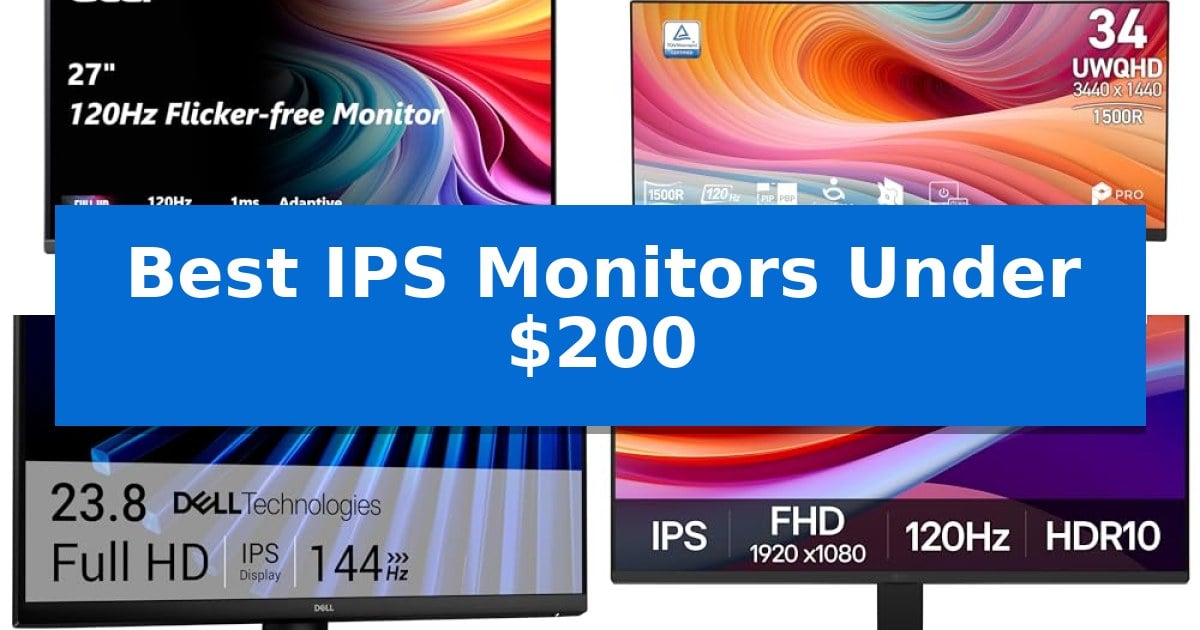
Finding a high-quality display that balances color accuracy with fast motion performance often feels like a compromise, especially when you are working with a strict budget. Fortunately, the market for Best IPS Monitors Under $200 has evolved significantly, offering features that were once reserved for premium panels.
Whether you need a reliable screen for daily office tasks, competitive gaming, or creative projects, these displays deliver consistent color and fluid motion. We have analyzed the latest options to help you identify which monitor best fits your specific workspace and performance requirements.
Best IPS Monitors Under $200 in 2026: High-Refresh Visuals on a Budget
Quick Comparison
| Product | Best For | Key Strength | Score |
|---|---|---|---|
| Acer KB272 IPS Monitor | Best Overall | 120Hz refresh rate for smooth motion in gaming and video. | 4.9 |
| MSI PRO MP243L IPS Monitor | High Refresh Productivity | 144Hz refresh rate for smooth motion in games and applications. | 4.7 |
| Dell SE2426H IPS Monitor | Fluid 144Hz Visuals | 144Hz refresh rate and 1ms MPRT for fluid motion. | 4.7 |
| LG 24U411A-B IPS Monitor | Vibrant HDR10 Colors | 120Hz refresh rate for smooth motion and reduced stutter. | 4.7 |
| Samsung S3 Series IPS Monitor | Sleek Slim Design | 120Hz refresh rate provides smooth motion for gaming and video. | 4.4 |
How We Chose
- Panel Technology: Prioritizing IPS panels for their superior color consistency and wide viewing angles compared to TN or VA alternatives.
- Motion Performance: Assessing refresh rates and response times to ensure smooth visuals for both gaming and high-speed video content.
- Ergonomics and Design: Evaluating stand adjustability, VESA mount compatibility, and bezel thickness for multi-monitor setups.
- Connectivity Standards: Checking for essential input ports like HDMI and VGA to ensure compatibility with both modern and legacy hardware.
- Eye Comfort Features: Identifying built-in blue light filters and flicker-free technology for long-term viewing comfort.
1 Acer KB272 IPS Monitor — Smooth 120Hz Motion
Achieving fluid motion in fast-paced gaming or video playback often requires a balance between refresh rate and screen responsiveness. The Acer KB272 IPS Monitor addresses this by pairing a 120Hz refresh rate with a 1ms VRB response time, designed to minimize smearing and ghosting during rapid on-screen transitions.
This 27-inch display utilizes an IPS panel to deliver consistent image quality across a 1920 x 1080 Full HD resolution. To ensure smooth visuals, the monitor includes Adaptive-Sync (FreeSync Compatible) technology, which synchronizes the display's refresh rate with the output of a compatible graphics card to reduce tearing.
Designed for versatility, the monitor features sRGB 99% color coverage for accurate color reproduction, making it suitable for both entertainment and general office tasks. The inclusion of a bluelight filter helps manage eye strain during extended periods of use, while the VESA mountable design allows for flexible placement on monitor arms or wall mounts.
Connectivity is handled via standard HDMI and VGA inputs, providing compatibility with a wide range of desktop and laptop setups. With a brightness rating of 250 nits and a pixel pitch of 0.311mm, this monitor offers a clear, functional workspace for users seeking a high-refresh-rate display without complex setup requirements.
Best for: Gamers and office users who need a high-refresh-rate 27-inch display for smooth motion and accurate color reproduction.
Skip if: Users who require higher than 1080p resolution for detailed creative work or those who need DisplayPort connectivity for specific hardware configurations.
PROS
- 120Hz refresh rate for smooth motion in gaming and video.
- 1ms VRB response time to reduce ghosting and smearing.
- Adaptive-Sync (FreeSync Compatible) to prevent screen tearing.
- sRGB 99% color gamut for reliable color accuracy.
CONS
- Limited connectivity options lacking DisplayPort.
- 1080p resolution on a 27-inch panel may result in lower pixel density compared to smaller screens.
2 MSI PRO MP243L IPS Monitor — High Refresh Productivity
Achieving fluid motion and visual clarity on a budget often requires balancing panel technology with refresh rate capabilities. The MSI PRO MP243L IPS Monitor addresses this by combining a 144Hz high refresh rate with a 23.8-inch Full HD IPS panel, providing a responsive experience for both fast-paced gaming and professional multitasking.
This monitor is designed for extended use, featuring TÜV Rheinland certified Flicker Free and Low Blue Light technologies to minimize eye strain. The inclusion of the Eye-Q Check tool allows users to perform a vision assessment, helping to optimize display settings for long-term comfort during work or study sessions.
Connectivity is handled through HDMI 2.0 with HDMI-CEC support, allowing for integrated device control, alongside a D-Sub (VGA) port for legacy hardware compatibility. The tilt-adjustable stand and VESA 100x100mm mounting capability provide flexibility for various desk configurations, including multi-monitor setups.
Performance is further enhanced by Free Sync, which dynamically synchronizes the refresh rate with the GPU to reduce screen tearing and stuttering. With a 1500:1 contrast ratio and 178-degree viewing angles, the display maintains color accuracy and visibility from multiple positions.
Best for: Users seeking a high-refresh-rate display for a mix of gaming and office productivity on a budget.
Skip if: Users requiring higher resolutions than 1080p or advanced color-critical workflows that demand professional-grade color gamut coverage.
PROS
- 144Hz refresh rate for smooth motion in games and applications.
- TÜV Rheinland certified eye-care features to reduce strain.
- Versatile connectivity including HDMI 2.0 and legacy VGA support.
- VESA mountable design for ergonomic desk arrangements.
CONS
- 1080p resolution may appear less sharp on larger screens compared to 1440p or 4K alternatives.
- Limited ergonomic adjustments beyond basic tilt.
3 Dell SE2426H IPS Monitor — Fluid 144Hz Visuals
Achieving fluid motion and color accuracy on a budget is the primary goal for many desk setups. The Dell 24 Monitor – SE2426H addresses this by combining a high 144Hz refresh rate with a 1ms MPRT response time, ensuring smooth visuals for both productivity and entertainment. By utilizing In-Plane Switching (IPS) technology, this display provides consistent color quality across wide 178° viewing angles, making it a reliable choice for those who need color consistency without a premium price tag.
Design and eye health are prioritized through the inclusion of TÜV Rheinland 3-star eye comfort certification, which works to reduce harmful blue light emissions. The monitor features ultra-thin bezels to maximize the active screen area, creating a cleaner aesthetic for multi-monitor arrangements. Its physical design includes a tilt function, allowing users to adjust the viewing angle for better ergonomics during extended sessions.
Connectivity is handled via two HDMI ports, providing flexibility for users who need to switch between multiple devices like a PC and a console. The integration of AMD FreeSync technology helps maintain tear-free motion, aligning the monitor's refresh rate with compatible graphics hardware. This combination of features makes it a versatile tool for users who require a balance of speed and visual clarity in their daily workflow.
Best for: Users seeking a high-refresh-rate IPS display for a mix of gaming, streaming, and general productivity tasks.
Skip if: Users who require advanced ergonomic adjustments like height, swivel, or pivot, as this model is limited to tilt functionality.
PROS
- 144Hz refresh rate and 1ms MPRT for fluid motion.
- IPS panel technology ensures wide viewing angles and color accuracy.
- TÜV Rheinland 3-star eye comfort certification reduces blue light.
- Ultra-thin bezels maximize the available screen real estate.
CONS
- Limited ergonomic adjustments restricted to tilt only.
- Dual HDMI connectivity may lack the versatility of DisplayPort for some high-end GPU setups.
4 LG 24U411A-B IPS Monitor — Vibrant HDR10 Colors
Achieving a fluid visual experience on a budget often requires balancing resolution with refresh rates, and the LG 24U411A-B IPS Monitor addresses this by pairing a 120Hz refresh rate with a sharp Full HD display. This combination is designed to provide smoother frame transitions for both productivity tasks and fast-paced gaming, ensuring that motion blur and screen stutter are minimized during daily use.
The monitor features a 3-side virtually borderless design, which contributes to a clean, modern aesthetic suitable for multi-monitor setups. Its slim stand base supports a tilt-adjustable range of -5° to 20°, allowing users to customize their viewing angle for improved ergonomics during extended sessions. For those concerned about eye strain, the integrated Reader Mode lowers blue light levels, while Flicker Safe technology helps maintain a more comfortable viewing environment.
Performance-focused features include 1ms Motion Blur Reduction (MBR) and Dynamic Action Sync, which work together to reduce input lag and ghosting. The inclusion of Black Stabilizer technology further assists in gaming by brightening dark areas of the screen, helping to reveal hidden details. Additionally, the monitor supports HDR10 and covers up to 99% of the sRGB color gamut, ensuring rich, accurate color reproduction for creative projects and media consumption.
Multitasking is simplified through the Switch app, which enables users to split the screen into up to six sections, providing a flexible workspace for managing multiple applications simultaneously. This utility, combined with the monitor's versatile connectivity and visual performance, makes it a practical choice for users seeking a balance of gaming-ready speed and color-accurate display quality within a compact 24-inch form factor.
Best for: Users seeking a versatile 24-inch display that balances high-refresh-rate gaming performance with accurate color reproduction for productivity.
Skip if: Users who require a higher resolution than 1080p or a larger screen size for professional-grade creative work or immersive cinematic viewing.
PROS
- 120Hz refresh rate for smooth motion and reduced stutter.
- HDR10 support and 99% sRGB coverage for vibrant color.
- 1ms Motion Blur Reduction and Dynamic Action Sync for responsive gaming.
- Multitasking-friendly with the Switch app for split-screen layouts.
CONS
- Full HD resolution may appear less sharp than higher-density displays on larger screens.
- Limited ergonomic adjustments restricted to tilt only.
5 Samsung S3 Series IPS Monitor — Sleek Slim Design
Achieving a balance between fluid motion and visual clarity is essential for both gaming and creative workflows, and the Samsung 27" S3 (S32GF) Series FHD High Resolution Monitor is engineered to address these needs within a compact footprint. This display utilizes an IPS panel to ensure colors remain consistent and vibrant, even when viewed from challenging off-center angles.
Performance is anchored by a 120Hz refresh rate, which works to minimize motion blur and lag during fast-paced sequences, whether you are navigating complex creative timelines or engaging in competitive gaming. To further refine the experience, the monitor includes optimized game settings that allow users to adjust contrast and color profiles instantly, ensuring that details remain visible in varied lighting conditions.
Design and comfort are prioritized through a super slim, ultra-thin bezel aesthetic that integrates easily into modern workspaces. For those spending extended hours at their desk, the monitor incorporates Eye Saver Mode and flicker-free technology, which are designed to reduce visual strain by limiting blue light exposure and screen flickering.
Connectivity is streamlined by allowing users to plug devices directly into the monitor, providing a centralized hub for peripherals. This focus on practical utility, combined with its high-refresh-rate IPS panel, makes the Samsung S3 Series IPS Monitor a versatile choice for users seeking a reliable, multi-purpose display.
Best for: Users who require a versatile, high-refresh-rate display for both gaming and general productivity tasks within a modern, slim-profile setup.
Skip if: Users who specifically need a 4K resolution display for high-density professional photo or video editing will find the FHD resolution insufficient.
PROS
- 120Hz refresh rate provides smooth motion for gaming and video.
- IPS panel technology ensures accurate, vivid colors from wide viewing angles.
- Eye Saver Mode and flicker-free technology help reduce eye fatigue during long sessions.
- Ultra-thin bezel design offers a sleek, modern aesthetic for any workspace.
CONS
- FHD resolution may lack the pixel density required for high-end professional creative work.
- Limited to standard connectivity options compared to specialized high-end professional monitors.
Best IPS Monitors Under $200 Buying Guide
Understanding Refresh Rates
The refresh rate, measured in Hertz (Hz), determines how many times per second the screen updates its image. For most office tasks, 60Hz is sufficient, but for gaming or smooth scrolling, a higher refresh rate like 120Hz or 144Hz provides a noticeably more fluid experience.
When selecting from the Best IPS Monitors Under $200, look for models that support Adaptive-Sync or FreeSync. These technologies synchronize the monitor's refresh rate with your graphics card to eliminate screen tearing and stuttering during demanding applications.
IPS Panel Benefits
In-Plane Switching (IPS) technology is the gold standard for color accuracy and viewing angles. Unlike other panel types that may shift colors when viewed from the side, IPS monitors maintain consistent image quality across a wide 178-degree field of view.
This makes them ideal for collaborative work environments or creative tasks where color precision is paramount. Even at lower price points, modern IPS panels offer vibrant color reproduction that enhances both media consumption and professional workflows.
Ergonomics and Mounting
A monitor's physical design impacts your long-term comfort. Features such as tilt-adjustable stands allow you to position the screen at an angle that reduces neck strain during extended work sessions.
If you have a limited desk footprint, check for VESA mount compatibility. This allows you to attach the monitor to an adjustable arm, freeing up valuable space and providing greater flexibility for height and depth adjustments.
Connectivity and Compatibility
Before purchasing, verify the input ports available on the monitor. Most modern displays utilize HDMI, which is standard for PCs and consoles. Some models also include VGA ports, which are useful if you need to connect older legacy hardware.
Ensure the monitor's resolution matches your primary device. While Full HD (1920×1080) is the standard for this price bracket, the clarity of the image depends on the screen size; a 24-inch monitor will generally appear sharper than a 27-inch monitor at the same resolution.
Eye Care Technology
Spending hours in front of a screen can lead to eye fatigue. Look for monitors that feature flicker-free backlighting and low blue light modes. These technologies reduce the strain caused by high-frequency screen flickering and harsh light emissions.
Many manufacturers now include built-in software tools or hardware-level certifications that help you optimize your display settings for healthier viewing, which is particularly beneficial for students and professionals.
Frequently Asked Questions
Are these monitors suitable for professional photo editing?
While these monitors offer excellent color accuracy due to their IPS panels, they are generally entry-level models. They are great for general creative work, but professional-grade color grading usually requires monitors with wider color gamut coverage and factory calibration.
Can I use these monitors for console gaming?
Yes, these monitors are compatible with most consoles via HDMI. The high refresh rates and fast response times found in these models can provide a smoother gaming experience compared to standard office monitors.
What is the difference between 120Hz and 144Hz?
The difference is minimal for most users. Both offer a significant improvement over standard 60Hz or 75Hz displays, providing much smoother motion in games and desktop navigation.
Do these monitors come with mounting hardware?
Most monitors include the stand, but VESA wall mounts or monitor arms are typically sold separately. Always check the VESA pattern (e.g., 100x100mm) on your chosen monitor before buying a mount.
Is an IPS monitor better than a VA monitor?
IPS monitors generally offer better color accuracy and wider viewing angles. VA monitors typically offer higher contrast ratios, which can result in deeper blacks, but they may suffer from more ghosting in fast-paced motion.
Conclusion: Our Top Pick
When selecting a display, the Acer KB272 IPS Monitor stands out as the most balanced choice for those seeking a combination of high-speed motion and reliable image quality. Its 120Hz refresh rate and 1ms response time provide a smooth experience for both gaming and daily productivity, while the IPS panel ensures vibrant, accurate colors.
While other options in this list offer specific advantages like higher refresh rates or slim designs, the Acer model provides the most well-rounded feature set for the price. It is an excellent investment for users who want a versatile, high-performance screen without exceeding their budget.