
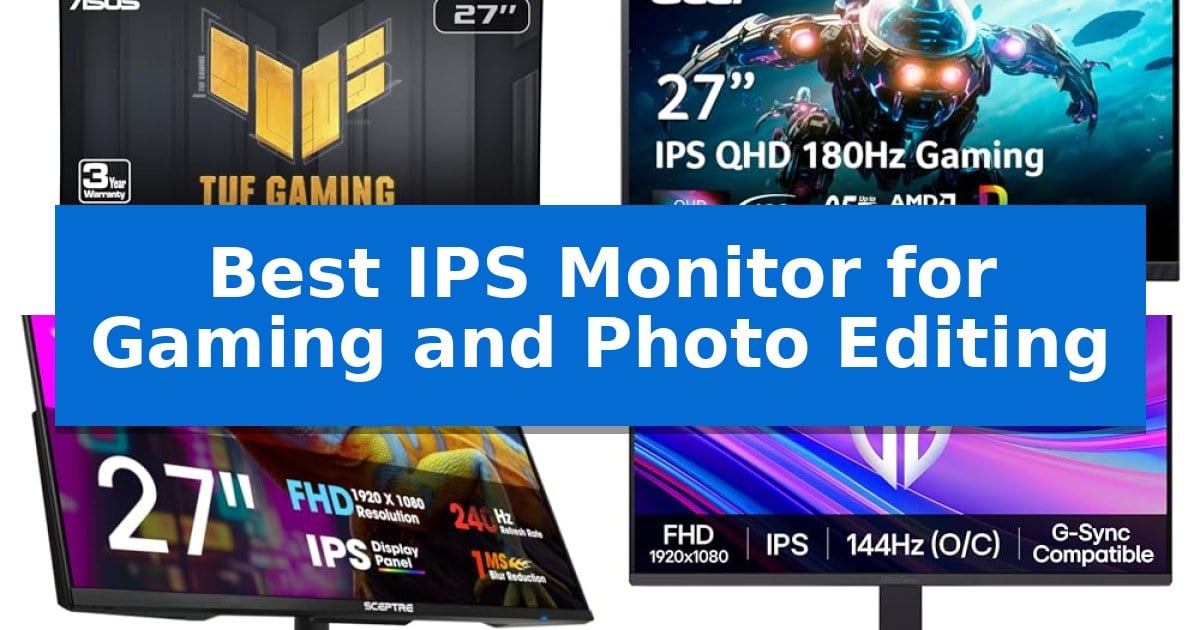
Finding the right balance between high-speed gaming performance and precise color reproduction is a common challenge for creators who also enjoy competitive play. A high-quality display must handle fast-moving action without ghosting while providing the color gamut coverage necessary for professional photo editing.
To help you navigate these technical requirements, we have identified the Best IPS Monitor for Gaming and Photo Editing options currently available. These selections prioritize panel technology that delivers both fluid motion and the visual fidelity required for detailed creative work.
Best IPS Monitor for Gaming and Photo Editing in 2026
Quick Comparison
| Product | Best For | Key Strength | Score |
|---|---|---|---|
| ASUS TUF Gaming VG27AQ3A Monitor | Best Overall | Fast IPS panel with 1ms response time for reduced motion blur. | 4.9 |
| Acer Nitro KG271U Gaming Monitor | DCI-P3 Accuracy for Creative Work | 95% DCI-P3 color accuracy suitable for photo and film editing. | 4.3 |
| Sceptre E275B-FP240 Gaming Monitor | High Refresh Rate IPS Visuals | 240Hz refresh rate for smooth gaming performance | 4.4 |
| LG UltraGear 24G411A-B Gaming Monitor | Vivid HDR10 Color Performance | 99% sRGB color gamut for accurate photo editing. | 4.5 |
| MSI PRO MP243L E14 Gaming Monitor | Balanced IPS for Dual Use | 144Hz refresh rate for fluid motion in gaming. | 4.5 |
How We Chose
- Panel Technology: We prioritize IPS panels for their superior color reproduction and wide viewing angles compared to TN or VA alternatives.
- Refresh Rate and Motion: We evaluate monitors based on their ability to support high frame rates, which is essential for smooth gaming experiences.
- Color Gamut Coverage: We look for displays that support wide color gamuts like sRGB or DCI-P3 to ensure accurate photo editing.
- Response Time: We assess the advertised gray-to-gray or motion blur reduction capabilities to minimize smearing during fast-paced transitions.
- Connectivity and Ergonomics: We consider the availability of modern ports like DisplayPort and HDMI, alongside adjustable stands for long-term comfort.
1 ASUS TUF Gaming VG27AQ3A Monitor — Fast IPS for Color and Speed
The ASUS TUF Gaming VG27AQ3A provides a high-resolution 27-inch QHD display that balances visual clarity for photo editing with the rapid refresh rates required for competitive gaming. By combining a Fast IPS panel with a 180Hz refresh rate, this monitor addresses the common trade-off between color accuracy and motion performance, ensuring that both static images and fast-moving game sequences appear sharp and fluid.
Engineered for visual fidelity and smooth motion, the monitor utilizes ELMB Sync technology to allow variable-refresh-rate features to operate alongside motion blur reduction. This integration helps eliminate ghosting and tearing, which is essential for maintaining image integrity during high-frame-rate gameplay. With 130% sRGB color gamut coverage, it offers the color depth necessary for detailed photo work, while HDR10 support improves contrast by enhancing bright and dark areas in supported content.
The device includes a comprehensive suite of synchronization tools, including FreeSync Premium and G-Sync compatibility, ensuring a tear-free experience across different hardware setups. For convenience, the monitor features built-in speakers and comes with a DisplayPort cable included in the box, allowing for a quick setup. The inclusion of a 3-year warranty and a complimentary 3-month Adobe Creative Cloud subscription adds further utility for creative professionals.
While the monitor excels in performance, users should note that its design is optimized for gaming-centric environments. The 27-inch form factor and QHD resolution provide a balanced pixel density, though those requiring specialized color-grading hardware or ultra-wide aspect ratios for specific creative workflows may need to consider alternative professional-grade displays.
Best for: Gamers and creative professionals who require a single high-refresh-rate display that balances color accuracy with smooth motion performance.
Skip if: Users who require specialized professional color-grading monitors or those needing a larger screen size for complex multi-window creative workflows.
PROS
- Fast IPS panel with 1ms response time for reduced motion blur.
- 130% sRGB color gamut for high color accuracy in photo editing.
- 180Hz refresh rate combined with ELMB Sync for fluid gaming visuals.
- G-Sync and FreeSync Premium compatibility for tear-free performance.
CONS
- Integrated speakers may not match the audio quality of dedicated external sound systems.
- Gaming-focused aesthetic may not suit all professional office environments.
2 Acer Nitro KG271U Gaming Monitor — DCI-P3 Accuracy for Creative Work
The Acer Nitro KG271U Gaming Monitor balances high-speed performance with color-critical requirements by utilizing a 27-inch IPS panel that supports 95% DCI-P3 color gamut coverage. This combination allows for both fluid motion in fast-paced games and the color accuracy necessary for photography or graphic design projects.
Engineered for responsiveness, the display features a 180Hz refresh rate and a 0.5ms GTG response time. These specifications work to minimize input lag and motion blur, ensuring that rapid transitions remain clear. The inclusion of AMD FreeSync technology further aids in maintaining visual integrity by synchronizing the monitor’s frame rate with the graphics card to prevent screen tearing.
The monitor is built with a zero-frame design, which maximizes available screen real estate by reducing bezel thickness. It also includes practical features such as a blue light filter and flickerless technology to support extended use. For connectivity, the unit provides two HDMI ports and a DisplayPort, and it is VESA mountable for flexible workspace integration.
While the monitor offers a comprehensive feature set for both gaming and creative tasks, users should note its specific 27-inch form factor and 1440p resolution. It serves as a versatile tool for those who require a single display capable of handling diverse workflows without sacrificing performance in either category.
Best for: Gamers and creative professionals who need a single display that balances high refresh rates with accurate color reproduction.
Skip if: Users who require a 4K resolution display or a larger screen size for professional-grade color grading and ultra-high-definition content production.
PROS
- 95% DCI-P3 color accuracy suitable for photo and film editing.
- 180Hz refresh rate and 0.5ms response time for smooth gaming.
- Zero-frame design maximizes screen space.
- AMD FreeSync support reduces screen tearing.
CONS
- Fixed 27-inch size may not suit all desk setups or multi-monitor configurations.
3 Sceptre E275B-FP240 Gaming Monitor — High Refresh Rate IPS Visuals
Achieving color accuracy for creative work while maintaining high-speed responsiveness for gaming requires a display that balances both worlds. The Sceptre E275B-FP240 Gaming Monitor addresses this by pairing a high-performance IPS panel with a 240Hz refresh rate, providing a versatile solution for users who transition between photo editing and competitive gaming.
The monitor features a 100% sRGB color gamut, which is essential for ensuring that colors appear true-to-life during photo editing tasks. For gamers, the 240Hz refresh rate, supported via DisplayPort, delivers fluid motion, while the inclusion of custom display modes for FPS and RTS titles allows for quick optimization based on the game genre.
Design-wise, the Sceptre E275B-FP240 Gaming Monitor utilizes a nearly bezel-free frame, which is particularly beneficial for dual-monitor setups where an unobstructed view is preferred. To support extended sessions, the monitor includes Blue-Light Shift technology to help reduce eye strain, and built-in speakers to maintain a cleaner desk space by eliminating the need for external audio hardware.
Connectivity is handled through two DisplayPorts and one HDMI port, offering flexibility for multiple device inputs. The monitor also includes an audio out jack, providing additional options for external sound setups if the integrated speakers do not meet specific audio requirements.
Best for: Users who need a single display that balances color-accurate photo editing with high-refresh-rate gaming performance.
Skip if: Users who require professional-grade color calibration tools or higher resolution panels beyond standard 1080p for detailed creative work.
PROS
- 240Hz refresh rate for smooth gaming performance
- 100% sRGB color gamut for accurate visual editing
- Nearly bezel-free design ideal for multi-monitor configurations
- Blue-Light Shift technology to assist with eye comfort
CONS
- Integrated speakers may not provide the fidelity required for professional audio monitoring
4 LG UltraGear 24G411A-B Gaming Monitor — Vivid HDR10 Color Performance
Achieving precise color accuracy while maintaining fluid motion is a common challenge for dual-purpose workstations, but the LG UltraGear 24G411A-B Gaming Monitor addresses this with a combination of an IPS panel and high-speed refresh capabilities. This display provides up to 99% sRGB color gamut coverage, ensuring that photo editing tasks benefit from rich, vivid tones, while the 120Hz native refresh rate—overclockable to 144Hz—supports competitive gaming requirements.
To bridge the gap between creative work and gaming, the monitor integrates 1ms Motion Blur Reduction (MBR) to minimize ghosting during fast-paced action. The inclusion of NVIDIA G-SYNC Compatible and AMD FreeSync technologies ensures that frame rates remain synchronized with the GPU, preventing screen tearing. For those who need to manage multiple projects simultaneously, the Switch app allows users to split the screen into up to six sections, streamlining multitasking workflows.
The physical design emphasizes a clean, distraction-free environment through an ultra-slim bezel and a minimal, tilt-adjustable stand. This aesthetic choice, combined with the Black Stabilizer feature—which improves visibility in dark scenes—helps maintain focus during both editing sessions and intense gaming encounters. The monitor also includes Dynamic Action Sync to reduce input lag, ensuring that responsiveness is prioritized when every millisecond counts.
While this monitor excels at balancing creative color needs with gaming performance, it is a 24-inch Full HD (1920 x 1080) display. Users who require higher resolutions for detailed 4K photo editing or those who prefer larger screen real estate for complex timelines may find the pixel density or physical size limiting for professional-grade creative work.
Best for: Gamers and photo editors who require a compact, color-accurate IPS display with high refresh rates for a dual-purpose desk setup.
Skip if: Users who require 4K resolution for professional high-detail photo editing or those who prefer a larger screen size for extensive multitasking.
PROS
- 99% sRGB color gamut for accurate photo editing.
- 144Hz overclocked refresh rate for smooth gaming.
- G-SYNC and FreeSync compatibility for tear-free visuals.
- Switch app multitasking for efficient workspace management.
CONS
- Full HD (1920 x 1080) resolution may lack the detail needed for professional 4K creative work.
- 24-inch screen size may feel restrictive for complex multi-window workflows.
5 MSI PRO MP243L E14 Gaming Monitor — Balanced IPS for Dual Use
Achieving a balance between fluid gaming performance and color-accurate productivity requires a display that handles both high frame rates and visual fidelity. The MSI PRO MP243L E14 Gaming Monitor addresses this by pairing a 144Hz refresh rate with an IPS panel, ensuring that motion remains smooth for fast-paced titles while maintaining consistent color reproduction for creative tasks.
The 23.8-inch Full HD screen features a 1500:1 contrast ratio and wide 178-degree viewing angles. This combination allows for deep blacks and clear highlights, which are essential when editing photos or navigating complex productivity software. To support long sessions, the monitor includes TUV Rheinland certified flicker-free technology and low blue light settings, effectively reducing eye strain.
For gamers, the integration of FreeSync technology is a significant advantage, as it dynamically synchronizes the refresh rate with the GPU to prevent screen tearing and stuttering. The 1ms response time further assists in maintaining sharp tracking during action sequences. Additionally, the inclusion of an Eye-Q Check tool provides a built-in method for users to assess and optimize their viewing experience.
Designed for versatility, the monitor includes a tilt-adjustable stand and VESA 100x100mm mounting compatibility, allowing it to fit into various desk configurations or multi-monitor setups. Connectivity options are robust, featuring HDMI 2.0 with HDMI-CEC for device control and a legacy VGA port for older hardware compatibility, ensuring the display remains functional across different types of systems.
Best for: Users who need a versatile, flicker-free display that transitions seamlessly between high-refresh-rate gaming and color-conscious photo editing tasks.
Skip if: Users requiring higher than 1080p resolution for detailed 4K editing or those who need a height-adjustable stand for ergonomic customization.
PROS
- 144Hz refresh rate for fluid motion in gaming.
- IPS panel technology providing wide viewing angles and accurate colors.
- FreeSync support to eliminate screen tearing during gameplay.
- TUV Rheinland certified eye-care features for reduced strain.
CONS
- 1080p resolution may limit workspace for professional-grade high-resolution photo editing.
- Tilt-only stand lacks height adjustment for advanced ergonomic positioning.
Best IPS Monitor for Gaming and Photo Editing Buying Guide
Understanding IPS Panel Benefits
In-Plane Switching (IPS) technology is widely regarded as the gold standard for users who need both gaming speed and color accuracy. Unlike other panel types, IPS panels provide consistent colors even when viewed from extreme angles, which is vital when you are leaning in to edit fine details in a photograph.
For gamers, modern Fast IPS variants have bridged the gap in response times, allowing for rapid pixel transitions that were previously only possible on faster but less color-accurate panels. This makes them the ideal choice for a dual-purpose desk setup.
Refresh Rate and Motion Clarity
A high refresh rate, such as 144Hz or 180Hz, is crucial for competitive gaming. It allows the monitor to update the screen more frequently, resulting in smoother motion and lower input lag. This helps you react faster to in-game events.
When combined with AdaptiveSync or G-Sync/FreeSync technologies, these monitors synchronize the display's refresh rate with your graphics card's output. This eliminates screen tearing and stuttering, providing a seamless visual experience that remains sharp during intense action.
Color Accuracy for Creative Work
For photo editing, the color gamut is perhaps the most important specification. Monitors that support a high percentage of the sRGB or DCI-P3 color spaces can display a wider range of colors, ensuring that your edits look accurate on different screens and in print.
Look for displays that offer factory calibration or specific color modes. These features help maintain consistency, so you can trust that the colors you see on your screen are true to the source material.
Response Time and Motion Blur
Response time measures how quickly a pixel can change from one color to another. A low response time, typically measured in milliseconds (ms), is essential for preventing ghosting, where a trail follows moving objects on the screen.
Features like Motion Blur Reduction (MBR) or specific overdrive settings can further enhance clarity. These are particularly useful in fast-paced shooters where tracking moving targets requires a clear, blur-free image.
Ergonomics and Connectivity
Since you will likely spend hours in front of your monitor, ergonomic adjustments like tilt, swivel, and height are essential for maintaining good posture. A monitor that supports VESA mounting also allows you to use custom monitor arms for better desk organization.
Connectivity options like DisplayPort and HDMI ensure compatibility with various devices, including PCs and consoles. Having multiple inputs allows you to switch between your gaming rig and your workstation without needing to unplug cables.
Frequently Asked Questions
Why choose an IPS monitor over a VA or TN panel?
IPS panels offer the best combination of color accuracy and viewing angles, making them superior for photo editing while modern versions provide the speed needed for gaming.
Does a higher refresh rate affect photo editing?
A higher refresh rate primarily benefits gaming by providing smoother motion. However, it can also make the overall desktop experience, such as scrolling through images or moving windows, feel more fluid.
What is the benefit of G-Sync or FreeSync?
These technologies synchronize the monitor's refresh rate with your GPU, which eliminates screen tearing and stuttering for a smoother, more immersive gaming experience.
Are built-in speakers necessary?
Built-in speakers provide a convenient audio solution for casual use, though dedicated external speakers or headphones are generally recommended for higher-quality audio during gaming or editing.
Can these monitors be used for console gaming?
Yes, most modern IPS gaming monitors with HDMI ports are compatible with consoles like the PS5 and Xbox, often supporting features like variable refresh rates.
Conclusion: Our Top Pick
Selecting the right monitor requires balancing your need for high-speed gaming performance with the color precision demanded by creative projects. The ASUS TUF Gaming VG27AQ3A Monitor stands out as the best choice for this dual-purpose role, offering a Fast IPS panel that delivers both rapid response times and excellent color gamut coverage.
With its 180Hz refresh rate and support for advanced synchronization technologies, it provides a smooth experience for competitive titles while maintaining the visual depth needed for photo editing. Its inclusion of HDR10 support and a 3-year warranty further solidifies its position as a reliable, high-performance centerpiece for any modern workspace.