
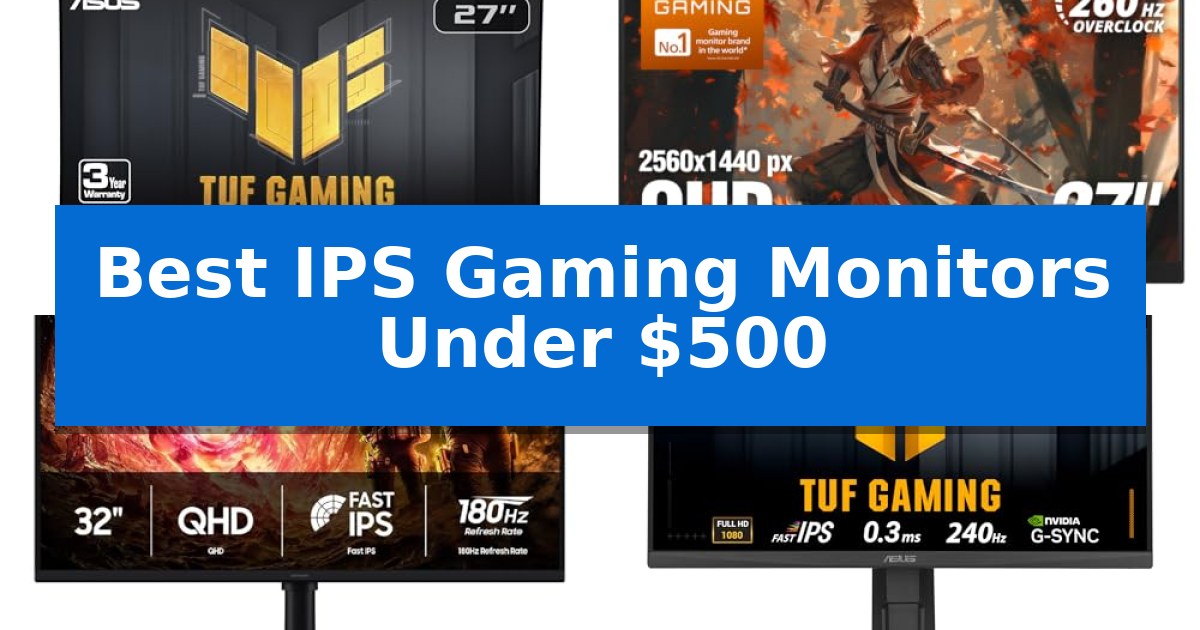
Finding the right display requires balancing technical specifications like refresh rates and color depth with your specific gaming needs. Whether you prioritize competitive speed or immersive visual fidelity, selecting the right panel is essential for a responsive experience.
Our guide explores the Best IPS Gaming Monitors Under $500, focusing on models that deliver high-refresh performance and accurate color reproduction without exceeding your budget. We have evaluated these options based on their core display technologies and connectivity to help you make an informed decision.
Best IPS Gaming Monitors Under $500 in 2026: Upgrade Your Visuals
Quick Comparison
| Product | Best For | Key Strength | Score |
|---|---|---|---|
| ASUS TUF Gaming VG27AQ3A Monitor | Best Overall | 180Hz refresh rate for fluid motion in competitive gaming. | 4.9 |
| AOC Q27G41ZE Gaming Monitor | Ultra-Fast Competitive Refresh Rates | 260Hz overclocked refresh rate for ultra-smooth motion. | 4.9 |
| Samsung Odyssey G5 G50F Monitor | Immersive 32-inch QHD Gameplay | 180Hz refresh rate and 1ms (GtG) response time for smooth motion. | 4.3 |
| ASUS TUF Gaming VG249QML5A Monitor | Compact 240Hz Competitive Precision | 240Hz refresh rate for fluid motion in competitive titles. | 4.9 |
| Dell SE2726HG Gaming Monitor | Fluid Motion with Eye Comfort | 240Hz refresh rate for fluid motion | 4.8 |
How We Chose
- Panel Technology: Prioritizing Fast IPS panels for the optimal balance of color accuracy, wide viewing angles, and rapid response times.
- Motion Handling: Assessing refresh rates and motion blur reduction technologies to ensure fluid, tear-free gameplay.
- Resolution and Clarity: Verifying pixel density and HDR support to confirm visual depth and sharpness.
- Connectivity and Ergonomics: Examining port selection and stand adjustability for seamless integration into your existing desk setup.
- Reliability: Considering manufacturer warranty terms and build features that contribute to long-term usage.
1 ASUS TUF Gaming VG27AQ3A Monitor — Balanced 1440p High Refresh Gaming
The ASUS TUF Gaming VG27AQ3A provides a high-resolution 27-inch QHD display, offering a 1440p resolution that balances visual fidelity with the demands of modern gaming. Designed for competitive play, it features a 180Hz refresh rate and a 1ms response time, ensuring smooth motion for fast-paced titles.
To maintain visual clarity, the monitor utilizes ASUS Extreme Low Motion Blur Sync (ELMB Sync) technology. This allows for the simultaneous use of variable refresh rate technologies and motion blur reduction, effectively minimizing ghosting and tearing. Compatibility is broad, supporting FreeSync Premium, G-Sync, and AdaptiveSync by default to ensure a seamless experience across different hardware setups.
The display is built on a Fast IPS panel, which provides wide viewing angles and covers 130% of the sRGB color gamut for accurate color reproduction. It also supports HDR10, enhancing contrast and depth in supported media. For added convenience, the monitor includes integrated speakers, reducing the need for external audio hardware in a compact gaming station.
Included in the package are a DisplayPort cable and the necessary mounting tools, along with a 3-year warranty. As a bonus, the purchase includes a 3-month Adobe Creative Cloud subscription, offering additional value for users who also engage in creative work.
Best for: Gamers seeking a high-refresh-rate 1440p display with broad synchronization support for a tear-free experience.
Skip if: Users who require a monitor with an adjustable stand, as this model does not specify ergonomic height or tilt customization features.
PROS
- 180Hz refresh rate for fluid motion in competitive gaming.
- ELMB Sync eliminates ghosting and tearing simultaneously.
- Fast IPS panel provides wide viewing angles and 130% sRGB color accuracy.
- Broad compatibility with FreeSync Premium and G-Sync.
CONS
- Integrated speakers may not match the fidelity of dedicated external audio solutions.
2 AOC Q27G41ZE Gaming Monitor — Ultra-Fast Competitive Refresh Rates
Competitive gaming demands hardware that can keep pace with rapid movement, and the AOC Q27G41ZE Gaming Monitor delivers this through a high-speed 240Hz native refresh rate that can be overclocked to 260Hz. Designed for those who prioritize fluid motion, this 27-inch QHD display minimizes blur during intense sequences, ensuring that every frame is rendered with clarity.
Beyond its speed, the monitor features a 0.3ms MPRT response time, which is engineered to reduce ghosting in fast-paced titles. The inclusion of Adaptive-Sync support provides a consistent experience by aligning the display's refresh rate with the GPU output, effectively mitigating screen tearing regardless of whether you are using an NVIDIA or AMD graphics card.
Visual fidelity is supported by a 2560×1440 resolution on an IPS panel, which provides wide viewing angles and consistent color reproduction. With a 300-nit brightness rating and a 1000:1 contrast ratio, the display maintains visibility in various lighting conditions, while the three-sided frameless aesthetic offers a clean look for multi-monitor or minimalist desk setups.
Usability is enhanced through a user-friendly graphical OSD menu that allows for quick adjustments to settings like Shadow Control and various Game Mode presets. The stand includes a -3° to +21° tilt range for ergonomic positioning, and the rear panel provides versatile connectivity options, including one DisplayPort 1.4 and two HDMI 2.0 ports, alongside an audio out jack for external sound systems.
Best for: Competitive gamers who require high refresh rates and low response times for fast-paced titles.
Skip if: Users who require advanced ergonomic features like height adjustment, swivel, or pivot, as this model is limited to tilt only.
PROS
- 260Hz overclocked refresh rate for ultra-smooth motion.
- 0.3ms MPRT response time to minimize motion blur.
- QHD resolution on an IPS panel for sharp, vibrant visuals.
- Adaptive-Sync compatibility for tear-free gaming across platforms.
CONS
- Tilt-only stand limits ergonomic adjustment options.
- 300-nit brightness may be insufficient for extremely bright rooms.
3 Samsung Odyssey G5 G50F Monitor — Immersive 32-inch QHD Gameplay
The Samsung 32” Odyssey G5 (G50F) Series QHD Gaming Monitor centers its performance around a high-speed 180Hz refresh rate and a 1ms (GtG) response time, providing the necessary fluidity for fast-paced gaming environments. Its 32-inch IPS panel ensures consistent color reproduction across a wide 178° viewing angle, making it a versatile choice for users who prioritize visual clarity alongside competitive responsiveness.
Engineered for detailed imagery, the monitor features a QHD resolution of 2560 x 1440. To assist in darker game scenes, the integrated Black Equalizer enhances visibility, while the Virtual Aim Point feature provides an on-screen overlay to improve targeting accuracy. The inclusion of HDR10 support adds depth to the display by expanding the contrast range between highlights and shadows.
Compatibility and convenience are addressed through its support for both NVIDIA G-Sync and AMD FreeSync, which work to synchronize the GPU output with the monitor's refresh rate to minimize screen tearing and lag. The Auto Source Switch+ feature simplifies multi-device setups by detecting and switching to active inputs automatically, reducing the need for manual menu navigation.
The physical design emphasizes user comfort through an ergonomic stand that supports height adjustment, tilting, swiveling, and pivoting. This flexibility allows for a tailored viewing position, whether the monitor is used for extended gaming sessions or productivity tasks. The combination of these features makes it a robust option for those seeking a high-refresh-rate display under the $500 price point.
Best for: Gamers who require a large, high-refresh-rate display with flexible ergonomic adjustments for both competitive play and general desktop use.
Skip if: Users with limited desk space who may find the 32-inch footprint too large or those who specifically require 4K resolution for professional-grade creative work.
PROS
- 180Hz refresh rate and 1ms (GtG) response time for smooth motion.
- IPS panel technology provides wide viewing angles and consistent color.
- G-Sync and FreeSync compatibility to reduce screen tearing.
- Height-adjustable ergonomic stand for improved comfort.
CONS
- Large 32-inch form factor may be cumbersome for smaller desk setups.
- QHD resolution on a 32-inch screen results in a lower pixel density compared to smaller 1440p monitors.
4 ASUS TUF Gaming VG249QML5A Monitor — Compact 240Hz Competitive Precision
The ASUS TUF Gaming VG249QML5A is a 23.8-inch display engineered for competitive play, featuring a high 240Hz refresh rate and a 0.3ms minimum response time. This monitor utilizes Fast IPS technology to maintain color accuracy while providing the rapid frame delivery required for fast-paced gaming environments.
To ensure a smooth visual experience, the monitor integrates both FreeSync Premium and G-Sync compatibility, effectively reducing screen tearing. The inclusion of Extreme Low Motion Blur Sync (ELMB SYNC) allows users to enable motion blur reduction alongside variable refresh rate technologies, which helps maintain clarity during intense motion.
The device is designed with a 99% sRGB color gamut, making it suitable for both gaming and general content creation tasks. Users can manage monitor settings directly through the DisplayWidget Center, which provides an interface for OSD adjustments using a mouse rather than physical buttons.
Physical ergonomics are supported by a height-adjustable stand, allowing for customized positioning during extended sessions. The unit is backed by a 3-year warranty and includes a 3-month Adobe Creative Cloud subscription, providing additional value for users looking to integrate the monitor into a creative workflow.
Best for: Competitive gamers seeking a high-refresh-rate, color-accurate 1080p display with advanced motion blur reduction features.
Skip if: Users who require higher resolutions like 1440p or 4K for productivity or high-fidelity graphical work will find the 1080p limit restrictive.
PROS
- 240Hz refresh rate for fluid motion in competitive titles.
- 0.3ms response time via Fast IPS technology.
- ELMB Sync enables motion blur reduction with variable refresh rates.
- Height-adjustable stand for improved ergonomic comfort.
CONS
- 1080p resolution may lack the sharpness of higher-density displays.
- 23.8-inch screen size is smaller than many enthusiast-grade gaming monitors.
5 Dell SE2726HG Gaming Monitor — Fluid Motion with Eye Comfort
High-refresh gaming requires precision, and the Dell SE2726HG Gaming Monitor delivers a 240Hz refresh rate paired with a 0.5ms response time to minimize input lag during fast-paced sequences. This 27-inch display utilizes Fast IPS technology, which balances fluid motion with wide viewing angles and color accuracy, ensuring that visuals remain sharp and consistent even during rapid camera movements.
To maintain visual integrity, the monitor integrates AMD FreeSync Premium and HDMI VRR support. These features work to synchronize the display with your graphics hardware, effectively eliminating screen tearing and stuttering for a more responsive experience across both PC and console platforms. The inclusion of 99% sRGB color coverage provides vivid, detailed imagery, making it suitable for users who prioritize both performance and color fidelity.
Design considerations focus on both ergonomics and eye health. The monitor features a tilt-adjustable stand to help achieve a comfortable viewing position, while the TÜV Rheinland 3-star certified display technology actively reduces blue light emissions. This design choice aims to support longer sessions by maintaining color quality while mitigating eye strain, providing a balanced solution for dedicated gaming setups.
Connectivity is handled through 2X HDMI ports and a DisplayPort 1.4 interface, offering flexibility for multi-device configurations. With its 27-inch form factor and focus on high-speed performance, this monitor serves as a capable centerpiece for those seeking a responsive gaming environment without exceeding a mid-range budget.
Best for: Competitive gamers seeking high-refresh-rate performance and color accuracy in a 27-inch form factor.
Skip if: Users requiring higher resolutions like 1440p or 4K, as this model is limited to 1080p FHD.
PROS
- 240Hz refresh rate for fluid motion
- 0.5ms response time reduces input lag
- AMD FreeSync Premium eliminates screen tearing
- TÜV 3-star eye comfort certification
CONS
- 1080p resolution may appear less sharp on a 27-inch screen compared to higher-density displays
Best IPS Gaming Monitors Under $500 Buying Guide
Understanding Panel Technology
The IPS (In-Plane Switching) panel is widely considered the gold standard for gaming monitors because it offers superior color accuracy and wide viewing angles compared to TN or VA alternatives. Modern 'Fast IPS' variants have significantly reduced response times, making them suitable for fast-paced titles.
When shopping, look for sRGB color gamut coverage percentages. Higher coverage ensures that colors appear vibrant and true to life, which is beneficial for both gaming immersion and occasional content creation tasks.
Refresh Rates and Motion Clarity
A monitor's refresh rate, measured in Hertz (Hz), dictates how many frames per second the screen can display. For competitive gaming, 180Hz to 240Hz is ideal, as it provides smoother motion and lower input lag.
To complement high refresh rates, look for Adaptive-Sync technologies like FreeSync Premium or G-Sync compatibility. These features synchronize the monitor's refresh rate with your GPU's frame output, effectively eliminating screen tearing and stuttering.
Resolution Considerations
The choice between 1080p (Full HD) and 1440p (QHD) depends on your hardware and screen size preference. A 27-inch monitor often benefits from the higher pixel density of 1440p, which results in sharper text and more detailed textures.
If you are playing on a smaller 24-inch screen, 1080p remains highly effective and allows your graphics card to push higher frame rates more easily, which is a common strategy for competitive esports players.
Ergonomics and Connectivity
A monitor with an adjustable stand—offering tilt, swivel, and height adjustments—is crucial for maintaining a healthy posture during long gaming sessions. Always check if the base fits your desk space before purchasing.
Ensure the monitor has the correct DisplayPort 1.4 or HDMI 2.0/2.1 ports to support your desired resolution and refresh rate. Some models also include built-in speakers or audio-out jacks for simplified cable management.
Motion Blur Reduction
Technologies like ELMB (Extreme Low Motion Blur) or similar strobing features can significantly improve visual clarity during rapid camera movements. By synchronizing the backlight with the refresh rate, these features reduce ghosting.
Note that enabling these features may sometimes limit brightness or prevent the use of variable refresh rate (VRR) simultaneously, so check the specific monitor's documentation for compatibility.
Frequently Asked Questions
What is the main benefit of a Fast IPS panel?
Fast IPS panels provide the color accuracy and viewing angles of traditional IPS technology while achieving the low response times required for competitive gaming.
Do I need G-Sync if I have an AMD graphics card?
Many modern monitors are G-Sync compatible, meaning they work with both NVIDIA and AMD cards, though you should always verify the specific model's compatibility list.
Is 1440p worth it for a 27-inch monitor?
Yes, 1440p provides significantly higher pixel density than 1080p on a 27-inch screen, resulting in much sharper images and clearer text.
What does ELMB Sync do?
ELMB Sync allows you to use motion blur reduction technology simultaneously with variable refresh rate features, keeping your image sharp without screen tearing.
Can I use these monitors with a console?
Yes, most of these monitors support HDMI connectivity and variable refresh rates, making them compatible with modern consoles like the PS5 and Xbox.
Conclusion: Our Top Pick
After reviewing the available options, the ASUS TUF Gaming VG27AQ3A Monitor stands out as the most balanced choice for most users. Its combination of a 1440p resolution, 180Hz refresh rate, and advanced motion blur reduction technology provides a high-quality experience across a wide variety of gaming genres.
While other models offer specific advantages like higher refresh rates or more compact form factors, the ASUS TUF Gaming VG27AQ3A Monitor delivers the most consistent performance and feature set for its price point, making it our top recommendation for a reliable, long-term gaming display.