
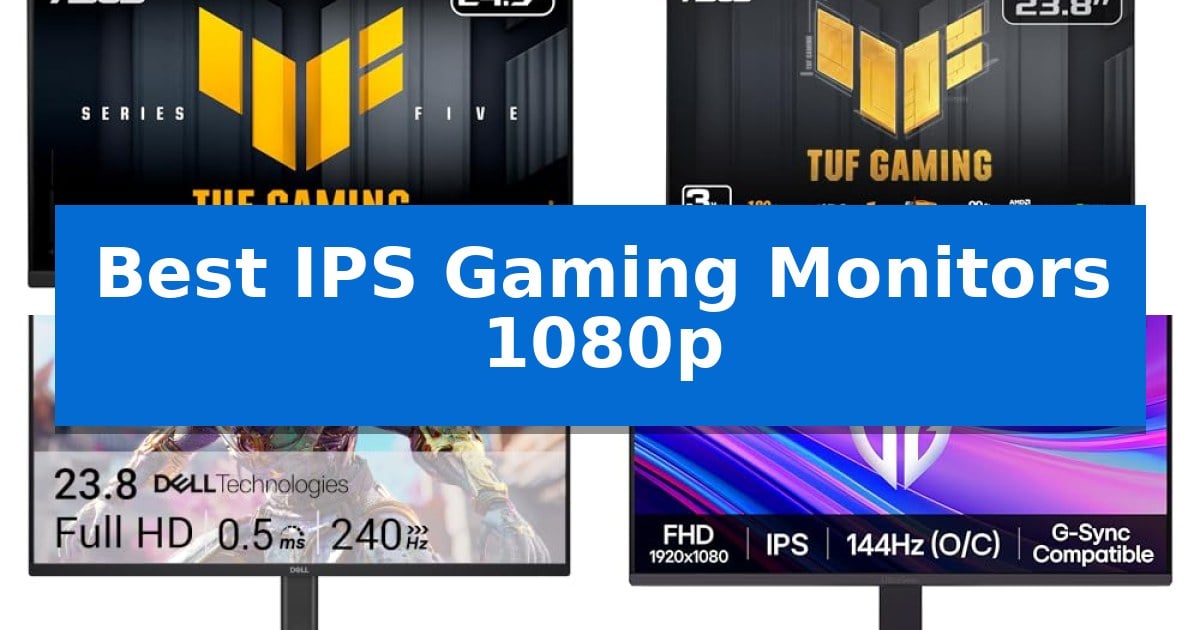
Finding the right display for high-speed gaming requires balancing fluid motion with visual clarity. The Best IPS Gaming Monitors 1080p provide the ideal middle ground, offering the wide viewing angles and color reproduction of IPS panels without sacrificing the rapid refresh rates needed for competitive play.
Whether you are looking for an ultra-fast 310Hz display for professional esports or a reliable 144Hz hybrid for both work and play, selecting the right monitor depends on your specific hardware and gaming habits. We have analyzed the latest options to help you identify which model fits your desk setup and performance requirements.
Best IPS Gaming Monitors 1080p in 2026
Quick Comparison
| Product | Best For | Key Strength | Score |
|---|---|---|---|
| ASUS TUF Gaming VG259QMR5A Monitor | Best Overall | 310Hz overclocked refresh rate for ultra-fluid motion. | 4.9 |
| ASUS TUF Gaming VG259QM5A Monitor | Smooth 240Hz professional performance | 240Hz refresh rate for smooth motion | 4.4 |
| Dell 27 240Hz Gaming Monitor | Large screen 240Hz fluid motion | 240Hz refresh rate for fluid, responsive motion. | 4.6 |
| LG UltraGear 24-inch Gaming Monitor | Vivid HDR10 color accuracy | 144Hz overclocked refresh rate for fluid motion. | 4.3 |
| MSI PRO MP243L E14 Gaming Monitor | Eye-friendly 144Hz office hybrid | 144Hz refresh rate for smooth motion in fast-paced games. | 4.6 |
How We Chose
- Refresh Rate and Motion Clarity: Assessing the native and overclocked refresh rates to ensure smooth gameplay during fast-paced action.
- Response Time Technology: Evaluating Fast IPS implementations and motion blur reduction features that minimize ghosting.
- Color Accuracy and Gamut: Checking sRGB coverage to ensure vibrant, true-to-life color reproduction for both gaming and media consumption.
- Adaptive Sync Compatibility: Verifying support for G-SYNC and FreeSync technologies to eliminate screen tearing and stuttering.
- Ergonomic and Connectivity Options: Reviewing stand adjustability, VESA mount compatibility, and input port variety for seamless integration.
1 ASUS TUF Gaming VG259QMR5A Monitor — Ultra-fast 310Hz competitive refresh
The ASUS TUF Gaming VG259QMR5A is engineered for competitive environments, featuring a high-performance 24.5-inch Fast IPS panel capable of an overclocked 310Hz refresh rate. This monitor prioritizes fluid motion and visual clarity, utilizing ASUS Fast IPS technology to achieve a 0.3ms (GTG) response time, which is essential for maintaining sharp visuals during rapid, high-frame-rate gameplay.
To ensure a seamless experience, the monitor integrates both FreeSync Premium and G-Sync compatibility, effectively eliminating screen tearing and stuttering. The inclusion of ASUS Extreme Low Motion Blur Sync (ELMB SYNC) allows users to combine motion blur reduction with variable refresh rate technology, providing a clear image without sacrificing the benefits of adaptive sync.
Usability is enhanced through the DisplayWidget Center, which allows for intuitive OSD access and adjustment of monitor settings directly via mouse input. The display also covers 99% of the sRGB color gamut, making it suitable for both gaming and color-accurate content creation tasks. Additionally, the monitor includes AI-powered features designed to further optimize the gaming experience.
Built for long-term reliability, the unit is backed by a 3-year manufacturer warranty. The package includes a DisplayPort cable, power cord, and an L-shaped screwdriver for assembly. As an added benefit, purchasers receive a complimentary 3-month Adobe Creative Cloud subscription, valid through August 2028.
Best for: Competitive gamers requiring high-refresh-rate performance and color accuracy for both gaming and content creation.
Skip if: Users who prioritize 4K resolution or larger screen real estate over maximum refresh rate and competitive motion clarity.
PROS
- 310Hz overclocked refresh rate for ultra-fluid motion.
- 0.3ms (GTG) response time via Fast IPS technology.
- ELMB SYNC enables motion blur reduction alongside variable refresh rates.
- 99% sRGB color gamut coverage for accurate visuals.
CONS
- 1080p resolution may appear less sharp on larger screens compared to higher pixel densities.
- Requires DisplayPort to achieve maximum refresh rate capabilities.
2 ASUS TUF Gaming VG259QM5A Monitor — Smooth 240Hz professional performance
The ASUS TUF Gaming VG259QM5A centers its performance on a 24.5-inch Fast IPS panel capable of a 240Hz refresh rate, providing a responsive foundation for competitive gaming. This display is engineered to minimize visual artifacts through a combination of FreeSync Premium and G-Sync compatibility, ensuring a tear-free experience across various hardware configurations.
Motion clarity is a primary focus for this model, utilizing ASUS Extreme Low Motion Blur Sync (ELMB SYNC). This technology allows users to enable motion blur reduction while simultaneously using variable refresh rate features, a configuration that helps maintain sharp visuals during high-frame-rate gameplay. The monitor achieves a minimum 0.3ms (GTG) response time, which is designed to reduce ghosting in fast-paced environments.
For color-sensitive tasks, the monitor offers 99% sRGB color gamut coverage, balancing gaming utility with the needs of content creators. The physical design includes the DisplayWidget Center, a utility that allows for OSD adjustments directly through the mouse, removing the need to navigate physical buttons during active sessions.
The package includes a 3-year manufacturer warranty and a complimentary 3-month subscription to Adobe Creative Cloud, valid through August 2028. With dimensions of 22 inches in width and a weight of 7.5 pounds, it fits standard desk setups while providing the necessary connectivity for modern gaming rigs.
Best for: Competitive gamers seeking high refresh rates and motion blur reduction on a 1080p IPS display.
Skip if: Users requiring higher resolutions like 1440p or 4K for productivity or high-fidelity media consumption.
PROS
- 240Hz refresh rate for smooth motion
- Fast IPS technology with 0.3ms response time
- ELMB Sync enables motion blur reduction with adaptive sync
- 99% sRGB coverage for accurate color reproduction
CONS
- 1080p resolution may lack sharpness compared to higher-density displays
3 Dell 27 240Hz Gaming Monitor — Large screen 240Hz fluid motion
Competitive gaming demands a precise balance between frame delivery and visual clarity, a requirement the Dell 27 240Hz Gaming Monitor – SE2726HG addresses through its high-speed panel architecture. By pairing a 240Hz refresh rate with a 0.5ms response time, this display minimizes motion blur and input lag, ensuring that fast-paced action remains fluid during intense sessions.
The monitor features a 27-inch FHD (1920×1080) display built with Fast IPS technology, which provides consistent color accuracy and wide viewing angles. With 99% sRGB color coverage, the screen delivers vivid imagery suitable for both gaming and general media consumption, while the TÜV Rheinland 3-star certified design actively reduces blue light output to support comfort during extended use.
To maintain visual integrity, the Dell 27 240Hz Gaming Monitor – SE2726HG integrates AMD FreeSync Premium and HDMI VRR support. These technologies synchronize the display's refresh rate with the output of both PC and console hardware, effectively eliminating screen tearing and stuttering for a more responsive experience.
Connectivity is managed via 2X HDMI ports and a DisplayPort 1.4, providing the flexibility needed to integrate the monitor into various setups. The chassis includes an adjustable tilt stand for basic ergonomic positioning, rounding out a design focused on functional performance for competitive players.
Best for: Competitive gamers who prioritize high refresh rates and fluid motion in a 1080p gaming environment.
Skip if: Users who require higher pixel density for professional creative work or productivity tasks may find the 1080p resolution on a 27-inch screen limiting.
PROS
- 240Hz refresh rate for fluid, responsive motion.
- 0.5ms response time minimizes input lag and motion blur.
- 99% sRGB color coverage ensures accurate and vivid visuals.
- AMD FreeSync Premium support eliminates screen tearing.
CONS
- 1080p resolution on a 27-inch panel results in lower pixel density.
- Limited ergonomic adjustments restricted to basic tilt.
4 LG UltraGear 24-inch Gaming Monitor — Vivid HDR10 color accuracy
The LG UltraGear 24-inch Gaming Monitor is built for competitive play, featuring a 120Hz native refresh rate that can be overclocked to 144Hz for fluid motion. This display utilizes IPS technology with 99% sRGB color gamut coverage, ensuring that visuals remain vibrant and color-accurate, which is essential for both gaming and media consumption.
To maintain a competitive edge, the monitor includes 1ms Motion Blur Reduction (MBR), which minimizes ghosting during fast-paced action. It also supports NVIDIA G-SYNC Compatible and AMD FreeSync technologies, working to eliminate screen tearing and maintain low-latency performance by synchronizing the display's refresh rate with your graphics card.
Usability is enhanced through specialized tools like Dynamic Action Sync, which reduces input lag for faster responsiveness, and Black Stabilizer, which improves visibility in darker environments. The included Switch app adds versatility by allowing users to split the screen into up to six sections, making it a practical choice for multitasking beyond gaming.
The monitor features an ultra-slim bezel and a minimal stand, creating a clean, floating-like aesthetic that minimizes distractions. The display is tilt-adjustable for comfortable viewing angles, while HDR10 support ensures that shadows and highlights are rendered with intended detail, providing a more immersive experience for the user.
Best for: Competitive gamers seeking a responsive, color-accurate 1080p display with a compact 24-inch footprint.
Skip if: Users who require a larger screen size or higher resolution than 1080p for professional creative work or immersive media consumption.
PROS
- 144Hz overclocked refresh rate for fluid motion.
- IPS panel with 99% sRGB coverage for vivid colors.
- G-SYNC and FreeSync support for tear-free gaming.
- Switch app for efficient screen multitasking.
CONS
- 1080p resolution may lack the sharpness of higher-density displays.
- Limited ergonomic adjustments beyond basic tilt.
5 MSI PRO MP243L E14 Gaming Monitor — Eye-friendly 144Hz office hybrid
Maintaining visual comfort during long sessions is essential, and the MSI PRO MP243L E14 Gaming Monitor addresses this with a suite of integrated eye-care technologies. This 23.8-inch Full HD IPS display is TÜV Rheinland certified for its Flicker Free and Low Blue Light capabilities, which work to minimize eye strain by eliminating screen flicker and reducing harmful blue light emissions.
Beyond its focus on comfort, the monitor is built for fluid performance, featuring a 144Hz high refresh rate that ensures smooth motion for fast-paced gaming. It incorporates Free Sync technology to dynamically synchronize the refresh rate with your GPU, effectively preventing screen tearing and stuttering. The 1ms response time further aids in maintaining clarity during rapid on-screen movement.
The display utilizes an IPS panel that provides wide 178° viewing angles and a 1500:1 contrast ratio, ensuring consistent color accuracy and deep blacks from nearly any viewing position. For added utility, the built-in Eye-Q Check tool assists users in optimizing their display settings for healthier viewing habits over extended periods.
Designed for versatility, the monitor includes a tilt-adjustable stand and VESA 100x100mm mounting compatibility, allowing it to fit into various desk setups or multi-monitor configurations. Connectivity options include HDMI 2.0 with HDMI-CEC support for unified device control, as well as a D-Sub (VGA) port to accommodate legacy hardware.
Best for: Users who require a versatile 144Hz monitor that balances high-refresh gaming performance with integrated eye-care features for long work or study sessions.
Skip if: Users who require higher resolutions than 1080p or specialized color-critical professional displays, as this model is optimized for general gaming and office productivity.
PROS
- 144Hz refresh rate for smooth motion in fast-paced games.
- TÜV Rheinland certified eye-care technology to reduce strain.
- IPS panel with wide 178-degree viewing angles.
- VESA mountable design for flexible desk configurations.
CONS
- Limited to 1080p resolution, which may not satisfy users seeking higher pixel density for productivity or media consumption.
Best IPS Gaming Monitors 1080p Buying Guide
Understanding Refresh Rates
The refresh rate of a monitor, measured in Hertz (Hz), dictates how many times per second the screen updates its image. For competitive gaming, higher refresh rates like 240Hz or 310Hz are essential because they provide more frequent visual updates, allowing for faster reaction times and smoother tracking of moving targets.
While 144Hz is often considered the baseline for a smooth experience, upgrading to higher frequencies can significantly reduce perceived motion blur. Ensure your PC hardware can consistently output frame rates that match your monitor's refresh rate to fully utilize these high-performance displays.
The Role of Fast IPS Panels
Fast IPS technology is a critical advancement in display engineering. It combines the traditional benefits of IPS panels—such as wide 178-degree viewing angles and superior color accuracy—with the rapid pixel response times previously found only in TN panels.
This allows gamers to enjoy rich, vivid colors without the washed-out look often associated with older high-speed gaming monitors. It is the preferred choice for users who demand both aesthetic quality and competitive speed.
Adaptive Sync and Tear Prevention
Adaptive Sync technologies, such as NVIDIA G-SYNC and AMD FreeSync, synchronize the monitor's refresh rate with your graphics card's frame output. This dynamic adjustment prevents screen tearing and stuttering, which occur when the GPU and monitor are out of sync.
When shopping for a monitor, look for models that are explicitly labeled as G-SYNC compatible or FreeSync Premium. These certifications ensure that you can maintain a seamless visual experience even when your frame rate fluctuates during intense gaming sequences.
Ergonomics and Connectivity
A monitor's physical design is just as important as its internal specs. Tilt-adjustable stands and VESA mount compatibility are vital for maintaining proper posture during long gaming sessions, helping to reduce neck and eye strain.
Additionally, consider the available ports. Having multiple HDMI and DisplayPort inputs allows you to connect a PC, console, and other devices simultaneously. Some modern monitors also include software-based control centers that let you adjust settings directly from your desktop using a mouse.
Motion Blur Reduction
Features like Extreme Low Motion Blur (ELMB) Sync are designed to further sharpen moving images. By strobing the backlight in sync with the refresh rate, these technologies can significantly reduce ghosting and trailing behind fast-moving objects.
While these features are highly effective for competitive shooters, they may impact overall brightness. It is worth experimenting with these settings to find the balance that best suits your specific lighting environment and gaming style.
Frequently Asked Questions
Is 1080p still good for gaming in 2026?
Yes, 1080p remains the standard for competitive gaming because it allows for higher frame rates on a wider range of hardware compared to 1440p or 4K resolutions.
What is the difference between G-SYNC and FreeSync?
Both are adaptive sync technologies that prevent screen tearing. G-SYNC was originally proprietary to NVIDIA, while FreeSync is an open standard from AMD, though many modern monitors support both.
Do I need a 310Hz monitor?
A 310Hz monitor is primarily beneficial for professional or highly competitive esports players who require the absolute lowest input lag and highest motion clarity.
Can I use these monitors for office work?
Absolutely. Because these monitors use IPS panels, they offer excellent color accuracy and wide viewing angles, making them well-suited for productivity tasks, content creation, and general office use.
What does 'Fast IPS' mean?
Fast IPS is a panel technology that improves pixel response times, allowing IPS monitors to achieve the low response times necessary for gaming without sacrificing color quality.
Conclusion: Our Top Pick
For gamers seeking the ultimate combination of speed and visual quality, the ASUS TUF Gaming VG259QMR5A Monitor stands out as the premier choice. Its overclockable 310Hz refresh rate and 0.3ms response time provide a distinct advantage in fast-paced competitive environments, while the Fast IPS panel ensures that colors remain vibrant and accurate.
While other options in this guide offer excellent value and specific features like eye-care certifications or larger screen sizes, the ASUS model's commitment to high-performance gaming metrics makes it the most robust solution for enthusiasts. Ensure your graphics card can support the high frame rates this monitor is capable of displaying to maximize your investment.