
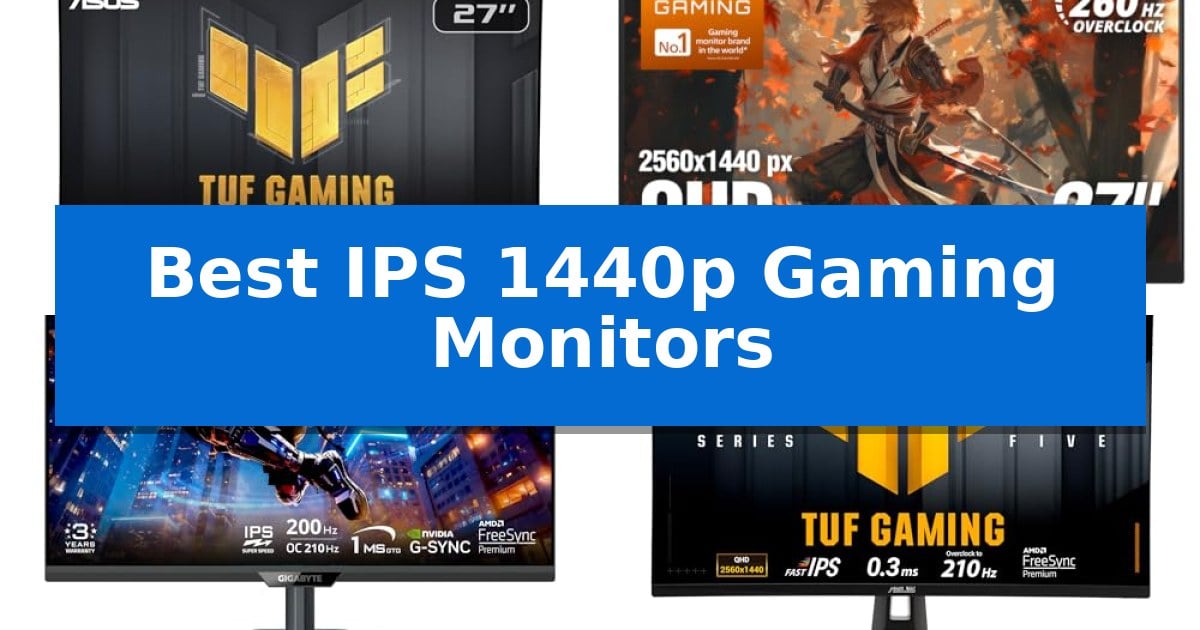
Finding the right balance between visual fidelity and motion smoothness is essential for any modern gaming setup. The Best IPS 1440p Gaming Monitors provide the ideal middle ground, offering sharp QHD resolution that makes textures pop without demanding the extreme hardware overhead of 4K displays.
Whether you prioritize ultra-high refresh rates for competitive shooters or vibrant color accuracy for immersive titles, selecting the right panel requires attention to response times and connectivity. This guide evaluates current market options to help you identify which display best fits your specific gaming requirements and desk configuration.
Best IPS 1440p Gaming Monitors in 2026
Quick Comparison
| Product | Best For | Key Strength | Score |
|---|---|---|---|
| ASUS TUF Gaming VG27AQM5A Gaming Monitor | Best Overall | 300Hz refresh rate for ultra-smooth motion. | 4.9 |
| AOC Q27G41ZE Gaming Monitor | High-speed 260Hz competitive performance | 260Hz overclocked refresh rate for high-speed motion clarity. | 4.8 |
| GIGABYTE M27Q2 Gaming Monitor | Quantum Dot color vibrancy | Quantum Dot technology delivers high color vibrancy and 99% DCI-P3 coverage. | 4.9 |
| ASUS TUF Gaming VG27AQL5A Gaming Monitor | Ergonomic height-adjustable design | 210Hz refresh rate for fluid motion | 4.8 |
| ASUS ROG XG27ACS Gaming Monitor | Versatile USB-C connectivity hub | USB Type-C hub for simplified cable management. | 4.3 |
How We Chose
- Refresh Rate and Motion Clarity: We prioritize panels offering at least 180Hz to ensure fluid motion during fast-paced gameplay.
- Response Time Performance: We look for Fast IPS technology that minimizes ghosting and blur through low GTG response times.
- Color Accuracy and Gamut: We evaluate color coverage, such as DCI-P3 or sRGB, to ensure vibrant and accurate image reproduction.
- Ergonomic Flexibility: We assess the adjustability of stands and the inclusion of features like height and tilt control for long-term comfort.
- Connectivity Standards: We consider the utility of modern ports, including USB-C hubs and DisplayPort 1.4, for seamless peripheral integration.
1 ASUS TUF Gaming VG27AQM5A Gaming Monitor — Ultra-fast 300Hz refresh rate
The ASUS TUF Gaming VG27AQM5A Gaming Monitor centers its performance on a high-speed 300Hz refresh rate, providing a fluid visual experience for competitive gaming. This 27-inch QHD display utilizes Fast IPS technology to achieve a 0.3ms (GTG) response time, which is engineered to minimize ghosting during rapid motion.
To maintain visual clarity, the monitor incorporates ASUS Extreme Low Motion Blur Sync (ELMB Sync). This feature allows variable-refresh-rate technologies to function simultaneously with motion blur reduction, ensuring sharp images even when frame rates fluctuate. For darker environments, the integrated Shadow Boost technology enhances visibility in shadowed areas without washing out brighter sections of the screen.
Color accuracy and usability are supported by a 95% DCI-P3 color gamut, making the display suitable for both gaming and content creation. Users can manage settings through the DisplayWidget Center, which provides a mouse-based interface for adjustments. The unit also includes built-in speakers for audio output and a 3-year manufacturer warranty.
The monitor is designed with practical utility in mind, featuring a 2560×1440 resolution that balances detail with performance. It includes a complimentary 3-month Adobe Creative Cloud subscription, adding value for creative workflows. The overall design prioritizes a streamlined setup for both PC and console users.
Best for: Competitive gamers and content creators who require a high-refresh-rate 1440p display with accurate color reproduction.
Skip if: Users who prioritize 4K resolution over maximum refresh rates or those who require a larger screen size for professional workstation tasks.
PROS
- 300Hz refresh rate for ultra-smooth motion.
- 0.3ms (GTG) response time via Fast IPS technology.
- ELMB Sync enables blur reduction and VRR simultaneously.
- 95% DCI-P3 color gamut for vibrant visuals.
CONS
- QHD resolution may not satisfy users seeking 4K pixel density.
- Integrated speakers may lack the fidelity of dedicated audio solutions.
2 AOC Q27G41ZE Gaming Monitor — High-speed 260Hz competitive performance
Achieving competitive clarity requires a display that can keep pace with high-frame-rate inputs, and the AOC Q27G41ZE Gaming Monitor delivers this through a native 240Hz refresh rate that pushes to 260Hz when overclocked. This 27-inch display utilizes an IPS panel to balance color precision with the speed necessary for fast-paced titles, ensuring that motion remains fluid during intense gameplay.
Beyond its raw speed, the monitor features a 0.3ms MPRT response time, which works to minimize blur during rapid on-screen movement. The inclusion of Adaptive-Sync support helps maintain visual integrity by reducing screen tearing and input lag across both NVIDIA and AMD graphics cards, providing a more consistent experience without the need for proprietary hardware modules.
The physical design centers on a three-sided frameless aesthetic, finished in a textured black and red scheme that fits into most gaming setups. Ergonomics are addressed through a tilt adjustment range of -3° to +21°, allowing users to angle the screen for better comfort. Connectivity is handled by a DisplayPort 1.4 port and two HDMI 2.0 ports, alongside an audio out jack for external sound integration.
For performance tuning, the monitor includes an integrated graphical OSD menu that provides access to features like Shadow Control and various Game Mode presets. With a 1000:1 contrast ratio and 300-nit brightness, the display is built to maintain visibility in varied lighting conditions, backed by a 3-year manufacturer warranty.
Best for: Competitive gamers seeking high-refresh-rate performance and color accuracy in a 27-inch 1440p form factor.
Skip if: Users who require integrated speakers or a fully adjustable ergonomic stand with height, swivel, and pivot capabilities.
PROS
- 260Hz overclocked refresh rate for high-speed motion clarity.
- 0.3ms MPRT response time to reduce visual blur.
- Adaptive-Sync support for tear-free gaming across GPU brands.
- 3-year manufacturer warranty for long-term support.
CONS
- Limited ergonomic adjustment restricted to tilt only.
- No integrated speakers for audio output.
3 GIGABYTE M27Q2 Gaming Monitor — Quantum Dot color vibrancy
The GIGABYTE M27Q2 Gaming Monitor centers its performance on a Quantum Dot SuperSpeed IPS panel, which provides a wide color gamut covering 99% of the DCI-P3 space. This technology enables the display to produce vibrant, cinema-grade visuals while maintaining the fast response characteristics required for competitive gaming.
Engineered for high-speed action, the monitor features a 200Hz refresh rate that can be overclocked to 210Hz. Combined with a 1ms GTG response time, this setup is designed to minimize motion blur during fast-paced sequences. The inclusion of AMD FreeSync Premium and NVIDIA G-Sync compatibility works to mitigate screen tearing and stuttering, ensuring a consistent visual output during gameplay.
Beyond its core gaming specifications, the display supports VESA DisplayHDR 400 for improved contrast and color reproduction. The unit is built with practical utility in mind, offering height and tilt adjustments to accommodate different desk setups. Connectivity is handled via a versatile array of ports, including Type-C, HDMI, and DisplayPort, alongside a built-in KVM switch for managing multiple devices with a single keyboard and mouse.
This monitor is a balanced choice for users who prioritize both color accuracy for creative tasks and high refresh rates for gaming. Its 27-inch QHD resolution provides a sharp image density suitable for both productivity and entertainment, though users should ensure their workspace can accommodate the 18.1-pound weight and dimensions of the stand.
Best for: Competitive gamers and creators who require a high-refresh-rate display with accurate color reproduction and multi-device connectivity.
Skip if: Users with limited desk space or those who prefer a lighter, more compact monitor stand may find the 18.1-pound footprint of this unit too substantial.
PROS
- Quantum Dot technology delivers high color vibrancy and 99% DCI-P3 coverage.
- 210Hz overclocked refresh rate provides smooth motion for competitive play.
- Integrated KVM switch allows for easy control of multiple devices.
- FreeSync Premium and G-Sync compatibility reduces visual artifacts.
CONS
- Heavy 18.1-pound weight may be cumbersome for some desk configurations.
- HDR 400 support is entry-level and may not offer the peak brightness of higher-tier HDR displays.
4 ASUS TUF Gaming VG27AQL5A Gaming Monitor — Ergonomic height-adjustable design
The ASUS TUF Gaming VG27AQL5A Gaming Monitor centers its performance on a high-speed 210Hz refresh rate, providing a fluid visual experience for competitive gaming. This 27-inch QHD display utilizes Fast IPS technology to achieve a 0.3ms (GTG) response time, which is engineered to minimize ghosting during fast-paced action sequences.
Integration of ASUS Extreme Low Motion Blur Sync (ELMB Sync) allows users to run variable-refresh-rate technologies alongside motion blur reduction simultaneously. This combination is designed to maintain visual clarity without the screen tearing often associated with high-frame-rate gaming. The monitor also supports FreeSync Premium to ensure a synchronized, tear-free experience by default.
For color accuracy and visual depth, the panel covers 130% of the sRGB color gamut and includes HDR10 support. The ASUS TUF Gaming VG27AQL5A Gaming Monitor includes a height-adjustable stand, allowing for ergonomic positioning during long sessions. Users can manage display settings directly through the mouse using the DisplayWidget Center software.
The package includes essential connectivity components such as a DisplayPort cable, and the monitor features built-in speakers for basic audio output. As an added value, the purchase includes a complimentary 3-month subscription to Adobe Creative Cloud, valid through August 2028.
Best for: Competitive gamers seeking a high-refresh-rate QHD display with advanced motion blur reduction and ergonomic adjustability.
Skip if: Users who require a 4K resolution display for professional-grade color grading or those with limited desk space for a 27-inch monitor.
PROS
- 210Hz refresh rate for fluid motion
- 0.3ms (GTG) response time via Fast IPS technology
- ELMB Sync eliminates ghosting and tearing
- Height-adjustable stand for improved ergonomics
CONS
- 27-inch footprint may be large for compact setups
5 ASUS ROG XG27ACS Gaming Monitor — Versatile USB-C connectivity hub
The ASUS ROG XG27ACS Gaming Monitor streamlines desktop setups by integrating a USB Type-C hub that supports video transmission via DisplayPort while simultaneously connecting wired peripherals to reduce cable clutter. This 27-inch display is built for high-performance gaming, featuring a native 2560 x 1440 resolution paired with an ultrafast 180Hz refresh rate to support fluid motion in demanding titles.
Engineered with ASUS Fast IPS technology, the panel achieves a 1ms (GTG) response time, which minimizes ghosting during rapid on-screen movement. To further enhance visual clarity, the monitor includes ELMB Sync technology, allowing users to enable motion blur reduction alongside variable refresh rate support to eliminate screen tearing without sacrificing frame rate stability.
Usability is prioritized through the DisplayWidget Center, a software utility that allows for direct OSD access and monitor setting adjustments using a mouse rather than physical buttons. The display also covers 133% sRGB color space and meets DisplayHDR 400 standards, providing a broad color range and contrast for immersive gaming environments.
Designed for versatility, the monitor includes a 3-month Adobe Creative Cloud subscription and maintains compatibility with both PS5 and Xbox consoles. With its integrated stand and connectivity options, it offers a balanced solution for users who require a high-refresh-rate display that doubles as a functional hub for their workstation.
Best for: Gamers who require a high-refresh-rate 1440p display and want to consolidate their peripheral connections through a single USB-C hub.
Skip if: Users who require a larger screen size or professional-grade color accuracy beyond the DisplayHDR 400 specification for dedicated creative work.
PROS
- USB Type-C hub for simplified cable management.
- 180Hz refresh rate with 1ms (GTG) response time.
- ELMB Sync enables blur reduction with variable refresh rates.
- DisplayWidget Center for convenient software-based settings control.
CONS
- DisplayHDR 400 certification offers limited peak brightness compared to higher-tier HDR standards.
Best IPS 1440p Gaming Monitors Buying Guide
Understanding Refresh Rates and Response Times
The refresh rate determines how many times per second your monitor updates the image, with higher numbers resulting in smoother motion. For competitive gaming, moving from 144Hz to 240Hz or 300Hz can provide a noticeable advantage in tracking fast-moving targets.
Equally important is the response time, specifically Gray-to-Gray (GTG). A lower response time, such as 0.3ms or 1ms, is critical for reducing motion blur. When paired with Fast IPS technology, these monitors maintain high color accuracy while keeping up with rapid frame changes.
The Importance of Color Gamut and HDR
A wide color gamut, such as 95% DCI-P3 or 133% sRGB, ensures that games look vivid and true to life. This is particularly beneficial for open-world games where environment detail and lighting effects are central to the experience.
While DisplayHDR 400 provides a baseline for dynamic range, it is primarily useful for enhancing contrast in supported titles. Always check if your preferred games support HDR to take full advantage of these panel capabilities.
Ergonomics and Desk Setup
A monitor is only as good as its placement. Height-adjustable stands allow you to align the screen with your eye level, which is vital for preventing neck strain during extended sessions.
Consider the footprint of the stand and the available desk space. Some models feature three-sided frameless designs that are ideal for multi-monitor setups, while others include integrated cable management to keep your workspace clean.
Connectivity and Peripheral Integration
Modern gaming monitors often serve as a central hub. Features like USB-C connectivity allow you to transmit video signals and connect peripherals through a single cable, significantly reducing desk clutter.
Ensure your monitor has the correct ports for your hardware. DisplayPort 1.4 is generally required to achieve the highest refresh rates at 1440p resolution, while HDMI 2.0 ports offer compatibility with consoles like the PS5 and Xbox.
Adaptive Sync Technologies
Technologies like G-SYNC Compatible and FreeSync Premium are essential for eliminating screen tearing and stuttering. By synchronizing the monitor's refresh rate with your GPU's output, these features ensure a fluid experience even when frame rates fluctuate.
ELMB Sync (Extreme Low Motion Blur) is a specialized feature that allows you to use motion blur reduction simultaneously with variable refresh rate technologies, providing the benefits of both without the usual trade-offs.
Frequently Asked Questions
What is the benefit of a 1440p resolution over 1080p?
1440p, or QHD, offers significantly higher pixel density than 1080p, resulting in sharper images and more screen real estate, which is ideal for both gaming and productivity tasks.
Do I need a 300Hz monitor for casual gaming?
For casual gaming, a 180Hz or 200Hz monitor is often more than sufficient. 300Hz displays are primarily targeted at professional esports players who require the absolute lowest latency.
Can I use these monitors with a console?
Yes, most of these monitors are compatible with consoles like the PS5 and Xbox. However, ensure the monitor supports the specific resolution and refresh rate settings required by your console.
What does 'Fast IPS' mean?
Fast IPS is a panel technology that combines the wide viewing angles and color accuracy of traditional IPS panels with the rapid response times typically found in TN or VA panels.
Is a USB-C hub necessary?
It is not strictly necessary, but it is highly convenient if you use a laptop or want to minimize the number of cables running from your PC to your desk peripherals.
Conclusion: Our Top Pick
For gamers seeking the best balance of speed and visual quality, the ASUS TUF Gaming VG27AQM5A Gaming Monitor stands out as the premier choice. Its combination of an ultra-fast 300Hz refresh rate and 0.3ms response time provides a distinct advantage in fast-paced competitive environments, while the 95% DCI-P3 color gamut ensures that high-fidelity games look stunning.
While other models offer specific benefits like USB-C hubs or ergonomic height adjustments, the overall performance profile of the ASUS TUF Gaming VG27AQM5A Gaming Monitor makes it the most versatile and capable option for a wide range of gaming needs. Its inclusion of ELMB Sync and Shadow Boost further refines the experience, making it a reliable centerpiece for any high-performance gaming rig.